Smart Ai Trading Panel Wide

SMART AI TRADING PANEL - WIDE PANEL

User Manual — MetaTrader 5 (MT5)

Developed by RobotTradingCerdas
Website: https://robottradingcerdas.com
Copyright © 2026 Faisal Sagala

1. Introduction

Smart AI Trading Panel Wide  is a manual trading assistant for MetaTrader 5. It provides a convenient on-chart interface for opening trades, placing pending orders, managing Stop Loss and Take Profit levels, monitoring account information, and closing selected positions.

The panel includes the following features:

  • One-click Buy and Sell market orders.

  • Pending orders using Shift + Click or Ctrl + Click.

  • Editable lot size, Take Profit, Stop Loss, and Trailing Stop settings.

  • Break-Even management.

  • Average Take Profit management for BUY and SELL positions.

  • Selective closing of profitable or losing positions.

  • Bulk closing of positions and pending orders.

  • Account balance, equity, trading volume, and floating P/L monitoring.

  • Automatic position management based on configured equity targets.

Important: Smart AI Trading Panel is a trading assistant, not an autonomous AI trading strategy. The trader remains responsible for selecting entries, position sizes, and risk settings.

2. Installation and Setup

  1. Open MetaTrader 5.

  2. Select File → Open Data Folder.

  3. Open the MQL5 → Experts directory.

  4. Copy Smart Ai Trading Panel.mq5 into this directory.

  5. Open MetaEditor and compile the file.

  6. Return to MT5 and refresh the Navigator window.

  7. Drag the Expert Advisor onto the desired chart.

  8. Enable Algo Trading and allow automated trading when requested.

  9. Configure the input parameters and click OK.

The panel operates on the chart's current symbol. For example, attaching it to an XAUUSD chart makes it manage trades for XAUUSD.

3. Input Parameters

Open the EA properties and select the Inputs tab to configure the following parameters.


3.1 Trading Settings

Parameter Default Description
InpMagic 888 Magic Number used to identify positions and pending orders managed by the panel.
InpSlippage 10 points Maximum price deviation requested when opening or closing market positions. Actual execution also depends on broker conditions.

Important: The panel's position-closing and trailing-stop routines filter by both the current chart symbol and InpMagic. Use a unique Magic Number when appropriate to separate trades managed by this panel from other EAs.

3.2 Default Panel Values

Parameter Default Description
InpDefaultLots 0.01 Initial lot size displayed when the panel starts.
InpDefaultTP 1000 Default Take Profit distance.
InpDefaultSL 500 Default Stop Loss distance.
InpDefaultTS 0 Default Trailing Stop distance. Zero disables trailing stop.
InpDefaultUsePips true Sets the initial distance unit: true = PIPS, false = POINT.

The default TP, SL, and TS values are distances, not absolute market prices.

For example, if the panel is set to PIPS, TP = 100 means a target 100 pips away from the entry price. The actual price distance depends on the symbol's quotation format.

3.3 Break-Even and Average TP Settings

Parameter Default Description
InpAvgTPBufferPoints 0 Additional buffer, in points, applied to the average TP calculation. Zero uses the unadjusted average price.
InpBreakEvenColor Black Color of the Break-Even line on the chart.
InpTPAvgBuyColor Dodger Blue Color of the Average TP line for BUY positions.
InpTPAvgSellColor Orange Red Color of the Average TP line for SELL positions.

These settings determine the initial panel configuration. They do not guarantee a profitable trade or eliminate execution risk.

4. Understanding the Panel Layout

The panel is divided into five functional areas.

  1. Order Settings and Entry: Lot size, distance unit, TP, SL, TS, and market-order buttons.

  2. Position Tools: Break-Even and Average TP controls.

  3. Close Section: Buttons for closing selected positions and pending orders.

  4. Information and Dashboard: Trading volume, equity, balance, and floating profit/loss.

  5. Equity Targets: Account-level profit and loss thresholds.

4.1 Order Settings

Lots

Enter the desired trading volume, such as 0.01, 0.10, or 1.00. The broker's minimum volume, maximum volume, and volume step still apply.

Unit — PIPS / POINT

Click the unit button to switch between PIPS and POINTS. The selected unit affects the TP, SL, TS, and chart-based pending-order distances where applicable.

For most 3-digit and 5-digit forex quotes, one pip equals 10 points. Other symbols, especially metals and indices, may use different quotation conventions, so verify the symbol specifications with your broker.

TP — Take Profit

Sets the target distance from the entry price. Enter 0 to disable TP.

SL — Stop Loss

Sets the protective stop-loss distance from the entry price. Enter 0 to disable SL, subject to the panel's trailing-stop behavior.

TS — Trailing Stop

Sets the trailing-stop distance. Enter 0 to disable trailing stop.

The trailing stop in this panel only moves a BUY stop upward or a SELL stop downward when the position has moved into profit. It does not guarantee execution at the displayed SL price.

4.2 Market Entry Buttons

Buy Market

Opens a BUY position at the current available Ask price.

Sell Market

Opens a SELL position at the current available Bid price.

Before clicking either button:

  1. Check the lot size.

  2. Verify the PIPS/POINT unit.

  3. Set the desired TP, SL, and TS.

  4. Confirm the chart symbol and current market conditions.

Market orders are sent immediately, subject to broker execution and trading conditions.

4.3 Position Tools

BreakEven

Activates or deactivates the panel's Break-Even management. When active, the panel calculates a Break-Even level for the managed positions and displays the corresponding level on the chart.

The displayed Break-Even price is not necessarily a guaranteed net-profit price after commissions, swaps, and other trading costs.

TP AVG BUY

Activates Average Take Profit management for BUY positions. The panel calculates a shared TP level based on the average entry price and applies the target to the relevant BUY positions.

TP AVG SELL

Activates Average Take Profit management for SELL positions. The panel calculates and applies a shared TP level for the relevant SELL positions.

The Average TP features are useful when managing multiple entries on the same side. They do not guarantee that every position will close at the same final execution price.

4.4 Close Section

The following buttons provide selective position-closing functions.

Button Function
Buy Profit Closes managed BUY positions whose current position profit is positive.
Sell Profit Closes managed SELL positions whose current position profit is positive.
Buy Loss Closes managed BUY positions whose current position profit is negative.
Sell Loss Closes managed SELL positions whose current position profit is negative.
All Buy Closes all managed BUY positions.
All Sell Closes all managed SELL positions.
All Profit Closes all managed positions with positive position profit.
All Loss Closes all managed positions with negative position profit.
CLOSE INSTANT Closes all managed market positions.
CLOSE PENDING Deletes pending orders managed by the panel.
CLOSE DONTCARE Closes managed market positions and deletes managed pending orders.

Important: These buttons are action buttons, not confirmation prompts. Check the selected symbol and Magic Number before using them.

The profit/loss filters use the position's reported profit value. A position showing exactly zero is not included in either the positive-profit or negative-profit group.

4.5 Information and Dashboard

Field Description
LOT BUY Total lot volume of managed BUY positions.
LOT TOT Combined lot volume of managed BUY and SELL positions.
LOT SELL Total lot volume of managed SELL positions.
Equ Current account equity, including floating P/L.
Bal Current account balance.
P/L Combined floating position profit/loss calculated by the panel for managed positions.
Date and time Displays the trading server's current date and time.
BE Displays the current calculated Break-Even level when Break-Even management is active.

The displayed dashboard values refresh automatically. Equity and balance refer to the trading account, while the panel's position totals are limited by its symbol and Magic Number filters.

4.6 Equity Targets

The bottom of the panel contains four target fields.

Equity Profit

An absolute equity threshold. When account equity reaches or exceeds the entered value, the panel triggers its equity-target closing routine.

Example: If the account's equity target is 10500, the trigger is reached when account equity is at least 10,500 in the account's deposit currency.

Equity Loss

An absolute equity threshold. When equity falls to or below the entered value, the panel triggers its equity-target closing routine.

Example: If the threshold is 9500, the trigger is reached when equity is 9,500 or lower.

Target %

A percentage target calculated from account balance. This field represents a percentage of balance, not an absolute equity value.

Target $

A monetary profit/loss target based on the difference between equity and balance. This is useful for defining a floating-profit or floating-loss threshold in the account's deposit currency.

Enter 0 in a target field to disable that target. When a target is triggered, the panel attempts to close the relevant positions and pending orders according to its programmed routine. Triggered target fields are reset automatically.

Risk warning: Equity targets are account-level controls. They may affect trades beyond the current chart if the target routine closes account positions or orders without a symbol/Magic Number filter. Review the implementation and test on a demo account before relying on these controls.

5. Placing Pending Orders from the Chart

The panel supports pending orders using modifier keys and a chart click.

Shift + Click — Stop Orders

  1. Move the mouse over the desired price level.

  2. Hold Shift.

  3. Observe the horizontal guide line and the order label.

  4. Click the chart at the intended price.

The panel identifies the order type according to the selected price relative to the current market:

  • Above the Ask: BUY STOP.

  • Below the Bid: SELL STOP.

Ctrl + Click — Limit Orders

  1. Move the mouse over the desired price level.

  2. Hold Ctrl.

  3. Observe the horizontal guide line and the order label.

  4. Click the chart at the intended price.

The panel identifies the order type as follows:

  • Above the Ask: SELL LIMIT.

  • Below the Bid: BUY LIMIT.

The guide line is a preview of the proposed pending-order type and price. It is not an order until the chart click is processed.

Note: Pending orders use the panel's lot size and configured TP/SL distances. Check broker minimum-distance restrictions and verify the order in the MT5 Trade tab after placement.

6. Editing TP and SL on the Chart

When managed positions are present, the panel can display TP and SL lines on the chart.

  • Drag a TP or SL line to adjust its price level.

  • The corresponding panel distance field is synchronized with the selected level.

  • Editing the TP or SL distance fields applies the updated distances to the relevant managed positions.

  • A value of 0 removes TP or SL where supported by the panel's management rules.

If trailing stop has already moved the SL into profit, disabling trailing stop preserves that profit-locking SL. An SL that has not moved into profit may be removed when trailing is disabled.

Always confirm the final SL and TP levels in the MT5 Trade tab after changing them.

7. Recommended Trading Workflow

  1. Attach the panel to the chart for the symbol you intend to trade.

  2. Confirm the Magic Number and default parameters.

  3. Select PIPS or POINTS.

  4. Enter the lot size and desired TP, SL, and TS distances.

  5. Review the current market price and trading conditions.

  6. Open a market order or place a pending order.

  7. Monitor the dashboard and position levels.

  8. Use Break-Even or Average TP only when the relevant position-management behavior is understood.

  9. Use the selective close buttons to manage positions as needed.

  10. Confirm order status, volume, SL, TP, and execution results in the MT5 Trade tab.

8. Troubleshooting

The panel does not appear

  • Confirm the EA compiled successfully.

  • Check the Experts and Journal tabs for errors.

  • Confirm Algo Trading and EA permissions are enabled.

An order is rejected

  • Check the symbol's trading hours and minimum lot size.

  • Verify the pending-order distance and TP/SL levels.

  • Check the broker's execution restrictions and account permissions.

TP or SL values change unexpectedly

  • Check whether the panel is synchronizing its fields with current position levels.

  • Review whether trailing stop or Average TP is active.

  • Confirm the resulting levels in the Trade tab.

A close button does not close a position

  • Verify the chart symbol and InpMagic.

  • Check the Experts and Journal tabs for execution errors.

  • Confirm that the position meets the selected profit/loss filter.

Equity targets behave differently than expected

  • Verify the target value and account deposit currency.

  • Remember that equity changes with floating profit/loss.

  • Test each target independently on a demo account before live use.

9. Risk Disclaimer

Trading forex, gold, and other leveraged instruments involves substantial risk. Stop Loss, Trailing Stop, Break-Even, and equity targets cannot guarantee a specific execution price or prevent all losses. Slippage, spreads, gaps, liquidity, broker restrictions, and connectivity issues may affect results.

Smart AI Trading Panel is a trading utility. It does not guarantee profits and does not replace proper risk management.

Always test the panel on a demo account before using it in live trading.

RobotTradingCerdas
Website: https://robottradingcerdas.com
Copyright © 2026 Faisal Sagala


Produtos recomendados
Fabii Half Trend Baseline
Fabien Georges Andre Guillemaud
Pare de operar contra a tendência do timeframe superior. Duas baselines, um gráfico. Sem repaint. Qualquer par, qualquer timeframe. No seu gráfico em 2 minutos. Demo gratuita no Strategy Tester. Get more indicators here Baselines, volatility filters and oscillators. No repaint. Por que você precisa Você entra em uma operação porque uma linha ficou verde no seu gráfico. Depois abre um timeframe superior e vê que a tendência maior aponta para o outro lado. O sinal era real. A tendência ao redor
CosmiCLab SMC FIBO CosmiCLab SMC FIBO is a professional trading indicator designed for traders who use Smart Money Concepts (SMC), market structure analysis and Fibonacci retracement levels. The indicator automatically detects market swings and builds Fibonacci levels based on the latest impulse movement. It also identifies market structure changes such as BOS (Break of Structure) and CHOCH (Change of Character), helping traders understand the current market direction. CosmiCLab SMC FIBO also pr
RBreaker
Zhong Long Wu
RBreaker Gold Indicators é uma estratégia de negociação intradiária de curto prazo para futuros de ouro que combina duas abordagens: o seguimento de tendência e as reversões intradiárias. Ela permite capturar lucros durante mercados em tendência e também realizar lucros oportunamente e operar na direção oposta quando o mercado se reverte. Esta estratégia foi classificada por 15 anos consecutivos entre as dez estratégias de negociação mais lucrativas pela revista americana Futures Truth. Ela pos
CoPilot dashboard MT5
Frederic Jacques Collomb
CoPilot — Painel de trading diário Conheça os seus números. Opere com clareza. Versão MT4 O que é o CoPilot? O CoPilot é um assistente de trading de nível profissional que exibe em tempo real todas as estatísticas de desempenho diário diretamente no gráfico — com uma curva de equidade ao vivo que se atualiza operação por operação. Desenvolvido para traders ativos que precisam de visibilidade instantânea da sua sessão sem sair do gráfico, o CoPilot agrega cada operação fechada do dia em todos os
BTC Trend Scalper MT5 Trend Capture Edition — Precision Momentum Trading for BTCUSD Hello, traders! I am BTC Trend Scalper MT5 — an intelligent Bitcoin trading Expert Advisor engineered to capture momentum moves with disciplined risk management. I am not a martingale. I am not a grid system. I am not a gambling robot. I am a trend-following scalper built specifically for traders who understand that protecting capital is more important than chasing every candle. My specialty? Bitcoin (BTCUSD)
Histograma de Rendimento L&S Caicai Aviso Importante: Este indicador é uma ferramenta integrante do robô automatizado EA Caicai Long and Short Pair Trading . Este indicador exibe visualmente o desvio percentual (Yield %) do spread atual de um par em relação à sua própria média histórica. É excelente para visualizar rapidamente o potencial financeiro bruto de uma distorção. Principais Funcionalidades: Visualização em Percentual: Entenda facilmente o tamanho da distorção em termos percentuais. Múl
HAS RSI Signal — Indicador de Tendência Profissional com Cálculo de SL/TP O HAS RSI Signal é uma ferramenta de negociação poderosa que combina clássicos comprovados com algoritmos modernos de filtragem de ruído. O indicador analisa o mercado através das velas Heiken Ashi Smoothed (HAS) e do oscilador RSI , fornecendo sinais de entrada claros em momentos de reversão de tendência ou na saída de zonas de sobrecompra/sobrevenda. Principais Vantagens: Filtragem Dupla: O uso do Heiken Ashi Smoothed pe
SDZ Trend Pro
Van Toan Nguyen
Overview SDZ Trend Pro is a professional Expert Advisor work for all symbol, recommend  XAUUSD (Gold) trading on the H1 timeframe . It combines dynamic price action patterns, EMA filters, and strict session-based trading logic to identify precise market entries with optimal risk control. This EA is ideal for traders who prefer structured, time-filtered trading during active market hours. ️ Core Features Dynamic Stop Loss (SL) logic Automatically sets SL based on candle pattern Chooses the
SPECIAL LAUNCH OFFER: $30 (1-Month Rent) Limited time offer to build our community and gather feedback! AmbM GOLD Institutional Scalper A high-precision M5 algorithm for XAUUSD (Gold) , engineered to trade exclusively at Institutional Liquidity Levels ($5/$10 psychological marks). PERFORMANCE DATA (BUY ONLY) • Win Rate: 87.09%. • Safe Growth: +$4,113 profit on $10k (13.75% Max Drawdown). • Extreme Stress Test: Successfully generated +$22,997 in a 5-year stress test (2020-2026), proving
MACD Sniper Pro
Noppawat Tumjai
MACD Sniper Pro is an advanced automated trading system designed for traders seeking high-precision entries and robust risk management. By combining the classic momentum of MACD Crossover with a strict ADX Volatility Filter and Dynamic ATR Management , this EA completely eliminates emotional trading and filters out dangerous flat/sideways markets. Unlike standard MACD indicators that suffer during consolidation, MACD Sniper Pro verifies trend strength before entering and protects your capital us
EMA256 Fourier Cycle Trader EMA256 Fourier Cycle Trader is an advanced MetaTrader 5 Expert Advisor combining a long-term EMA or TEMA trend model, causal Fourier cycle analysis, configurable averaging and a unified basket take-profit system. The Expert Advisor is designed primarily for CENT accounts and for traders who understand basket recovery strategies, geometric lot progression and the risks associated with trading without a mandatory Stop Loss. RECOMMENDED STARTING CONFIGURATION Recommended
Divergent Stochastic Filter II Catch Reversals Early, Filter Noise, Trade with Confidence The Edge: Why This Stochastic is Different  Every trader knows the Stochastic oscillator. But knowing when to trust its signals, that's the real challenge. The Divergent Stochastic Filter II transforms this classic indicator into a precision reversal detection system by adding critical elements: divergence intelligence, signal filtering and exhaustion detection.  While standard Stochastic oscillators fire s
SmartRAL
Jemy Yeferson Dimu Ludji
SmartRAL (Smart Risk Auto-Lot EA) SmartRAL: The Ultimate Risk & Lot Management Expert Advisor (EA) SmartRAL is an essential tool for traders who demand precise risk management and automated position sizing in MetaTrader 5. Stop guessing your lot size and let the algorithm handle the calculations. This EA allows you to trade with confidence by guaranteeing your risk exposure on every single trade, while offering absolute flexibility in setting your Stop Loss (SL). Key Features & Benefits Guarante
Key Features: 200+ Fully Implemented Patterns   across all categories Advanced Market Structure Analysis Smart Money Integration   (Wyckoff, Order Blocks, Liquidity) Professional Risk Management Multi-Timeframe Analysis AI-Powered Confidence Scoring Advanced Visualization Real-time Alerts Pattern Categories: Single Candle Patterns (Hammer, Doji, Marubozu, etc.) Multi-Candle Patterns (Engulfing, Stars, Harami, etc.) Chart Patterns (Head & Shoulders, Cup & Handle, Triangles, etc.) Harmonic Pattern
FREE
Dewa Scalper Feel Good
Pupung Widiyapurnama
Dewa Scalper Feel Good EA Description Dewa Scalper Feel Good EA is an advanced automated trading solution engineered for consistent, stress-free capital growth. Built on precise multi-candle momentum patterns, this Expert Advisor captures high-probability market swings on the H1 timeframe while keeping risk strictly under control. It combines a smart switching entry model with a disciplined Break-Even Point (BEP) recovery algorithm and automated auto-compounding. Unlike conventional high-risk gr
# DRAWDOWN INDICATOR V4.0 - The Essential Tool to Master Your Trading ## Transform Your Trading with a Complete Real-Time Performance Overview In the demanding world of Forex and CFD trading, **knowing your real-time performance** isn't a luxury—it's an **absolute necessity**. The **Drawdown Indicator V4.0** is much more than a simple indicator: it's your **professional dashboard** that gives you a clear, precise, and instant view of your trading account status. --- ## Why This Indicator
STRICTLY FOR BOOM INDEX ONLY!!!!! Here I bring the Maximum Trend Arrows OT1.0 MT5 indicator. This indicator is made up of a combination of different trend indicators for entries and exits, for entries an orange arrow will paint on the chart below the current market and a red flag for closing of trades and it produces buy arrows only. When the orange arrow appears, it will appear along with it's sound to notify you. The 1H timeframe is recommended, don't use it anywhere else than on the 1H timefr
Total trade manager allows you to manage your trade to maximise your profits and minimise your losses. This is an essential for traders that are looking for consistency within their trading.  The features: Partial Stop Loss: This feature allows you to close a partial percentage of your trade once it goes into negative. So if your stop loss is 20 pips, you could close 75% of your trade at 10 pips and let the remainder of the position to continue running. Auto Stop Loss: This means that once you p
Overview Mirror Signals Service EA (Text only)   is a powerful monitoring Expert Advisor that automatically sends   real-time Telegram notifications   for all important trade events on your MetaTrader 5 account. It is engineered specifically for   signal providers ,   trade-copier operators ,   auditors ,   educators , and   professional trading services   that require immediate, detailed, and reliable reporting. Everything from   entries, exits, SL/TP changes, comment changes, trailing sto
Prop Firm Shield Full
Pablo Adolfo Cantos
Prop Firm Shield is a risk management panel for MetaTrader 5, built for prop firm traders who need control over their daily limits. You configure each limit and the tool watches the account around the clock, acting automatically when a limit is reached: closing positions, deleting pending orders and blocking new trading until the next day. Features: - Daily Take Profit - three modes: fixed USD, percent of the day-start balance, or target balance - Daily Stop Loss - three modes: fixed USD, percen
Expert TP SL v04 - Professional Trading Assistant with AI Motivation System Advanced manual trading tool with automatic risk management, overtrading protection, and intelligent psychological support for disciplined trading. PRODUCT OVERVIEW Expert TP SL v04 is a comprehensive trading assistant designed for manual traders who want to maintain emotional discipline while automating risk calculations. This isn't just another order placement tool - it's a complete trading psychology system that pr
Your Trend Friend
Luigi Nunes Labigalini
5 (1)
A tendência é sua amiga! Veja a cor do indicador e faça suas operações nessa direção. Ele não repinta. Ou seja, depois que cada candle se fecha, a cor dele é definitiva e não irá se alterar. Você pode focar em movimentos mais curtos e rápidos ou tendências mais longas, basta testar o que melhor se encaixa no seu operacional de acordo com o ativo e tempo gráfico usado. Altere o parâmetro de entrada "Length" e o indicador irá se adaptar automaticamente (quanto maior ele for, maior a tendência an
Heiken_Ashi_Bars - Visualizador de Tendência Avançado para MT5 Visão Geral Heiken_Ashi_Bars é um indicador poderoso e visualmente intuitivo projetado para filtrar o ruído do mercado e destacar a verdadeira tendência subjacente. Os gráficos de velas tradicionais costumam ser erráticos, levando a sinais falsos. Ao calcular a média dos dados de preços, este indicador suaviza a ação do preço, tornando significativamente mais fácil identificar continuações de tendências, reversões e zonas de entrada
Noize Absorption Index - is the manual trading system that measures the difference of pressure between bears forces and bulls forces. Green line - is a noize free index that showing curent situation. Zero value of index shows totally choppy/flat market.Values above zero level shows how powerfull bullish wave is and values below zero measures bearish forces.Up arrow appears on bearish market when it's ready to reverse, dn arrow appears on weak bullish market, as a result of reverse expectation.
O nível Premium é um indicador único com mais de 80% de precisão nas previsões corretas! Este indicador foi testado pelos melhores Especialistas em Negociação por mais de dois meses! O indicador do autor você não encontrará em nenhum outro lugar! A partir das imagens você pode ver por si mesmo a precisão desta ferramenta! 1 é ótimo para negociar opções binárias com um tempo de expiração de 1 vela. 2 funciona em todos os pares de moedas, ações, commodities, criptomoedas Instruções: Assim
Inverted_Chart_EA Utility Expert Advisor Inverted_Chart_EA creates and maintains a mirror-inverted chart of any symbol and timeframe. It automatically generates a custom instrument (e.g. US30_INV ) and keeps its price history updated in real time, with bars mirrored around a chosen pivot. This utility gives traders a new way to analyze the market from a different perspective by flipping the chart upside down. Why use an inverted chart? Highlight hidden patterns – price formations that look ordin
Eabotpro Signals v3.0 A professional MetaTrader 5 indicator designed to deliver high-precision trading signals with real-time notifications, trade management tools, and a clean interface. "Recommended Base time frame is 4H Fibo From input . and trade time frame 1 mint , and 5 mint " Key Features: High-Accuracy Signals : Optimized for precision and consistency across different market conditions. Smart Trade Panel : Displays entry price, targets, stop levels, performance stats, and profit trackin
BREAK RETEST NON-REPAINT. WORKS BEST AT M15 AND ABOVE.  Benefits Fewer false breakouts . Combining close confirmation + retest + previous-close filter greatly reduces noise vs. raw high/low breaks. Tighter execution plans . The drawn level line gives an objective spot for entries, stop placement (just beyond the level), and partial-take-profit structure. Non-repainting confidence . Signals are placed on current bar. Flexible across markets . Works on FX, indices, metals, crypto; scalping on M15
Universal Trend
Maryna Shulzhenko
The Universal Trend indicator was created to detect trends in price movement and allows you to quickly determine not only the direction of the trend, but also understand the levels of interaction between buyers and sellers. The indicator works on all timeframes and currency pairs. The indicator gives fairly accurate signals and it is customary to use it both in trending and flat markets. It is advisable to use the indicator in combination with other tools for more reliable signals and making a
HMA Scalper Pro EA
Vladimir Shumikhin
5 (2)
HMA Scalper Pro EA — Assessor Automático para MetaTrader 5 baseado no indicador Hull Moving Average (HMA) DESCRIÇÃO RESUMIDA HMA Scalper Pro EA é um robô de trading profissional (Expert Advisor) para MetaTrader 5 que opera na direção da média móvel Hull (Hull Moving Average, HMA). O indicador HMA determina a direção atual da tendência, e o assessor abre negociações nessa direção, complementando a entrada com gestão de capital Smart Risk, trading em grid adaptativo, trailing stop, break even e
Os compradores deste produto também adquirem
Trade Assistant MT5
Evgeniy Kravchenko
4.43 (216)
Ajuda a calcular o risco por comércio, a fácil instalação de uma nova encomenda, gestão de encomendas com funções de fecho parcial, trailing stop de 7 tipos e outras funções úteis. Materiais e instruções adicionais Instruções de instalação   -   Instruções para a aplicação   Função de linha Mostra no gráfico a linha de Abertura, Stop Loss, Take Profit. Com esta função é fácil definir uma nova ordem e ver as suas características adicionais antes da abertura.   Gestão de risco A função de cálcul
Bem-vindo ao Trade Manager EA—uma ferramenta de gestão de risco criada para tornar o trading mais intuitivo, preciso e eficiente. Não é apenas uma ferramenta para executar ordens, mas uma solução abrangente para planejamento de operações, gerenciamento de posições e controle de risco. Seja você um iniciante, trader avançado ou scalper que precisa de execução rápida, o Trade Manager EA adapta-se às suas necessidades, oferecendo flexibilidade em todos os mercados, desde forex e índices até commodi
O Telegram to MT5 Multi-Channel Copier copia automaticamente os sinais de trading dos seus canais de Telegram e Discord diretamente para o MetaTrader 5. Sem bots, sem extensões de navegador, sem copiar à mão. O sinal chega ao Telegram ou ao Discord e o EA abre a operação no seu terminal em poucos segundos. E antes de copiar um canal, o backtester integrado mostra o que esse canal teria feito na sua conta. O produto inclui dois componentes: um aplicativo de Windows que escuta os seus canais de Te
Copie sinais do Telegram com suas próprias regras de negociação Telegram to MT5 Signal Trader copia automaticamente sinais de negociação em texto de canais e grupos públicos e privados do Telegram para o MetaTrader 5. Gerencie vários provedores e contas MT5 em um único aplicativo para desktop, com configurações individuais de risco e de negociação para cada provedor . Você não precisa de um bot do Telegram nem configurar uma API para copiar sinais. Basta entrar com sua própria conta do Telegram
TradePanel MT5
Alfiya Fazylova
4.88 (170)
Trade Panel é um assistente de negociação multifuncional. O aplicativo contém mais de 50 funções de negociação para trading manual e permite automatizar a maioria das tarefas de negociação. Instruções para o aplicativo: https://www.mql5.com/pt/blogs/post/762435 Versão de teste do aplicativo para conta demo: https://www.mql5.com/pt/blogs/post/762547 Como instalar o aplicativo: https://www.mql5.com/pt/blogs/post/762548 Como testar o aplicativo no modo visual: https://www.mql5.com/pt/blogs/post/770
================================================================================ POC BREAKOUT - V20.72. Full Professional Grade Toolkit ================================================================================ POC Breakout is a full MetaTrader 5 trading dashboard for discretionary traders who want breakout signals, Point of Control (POC) context, volume profiles, order flow, market structure, news, alerts, and advanced trade planning in one professional workspace. Attached directly to you
Farmed Hedge Yield Farming | All Markets (Manual - Hybrid - Semi/Automated EA) VERIFIED TRADING RESULTS - Farmed Hedge Yield Axi Copy:  https://www.mql5.com/en/signals/2356376 - Farmed Hedge Yield Exn Copy:   https://www.mql5.com/en/signals/2356404 - Farmed Hedge Yield V Copy:  https://www.mql5.com/en/signals/2357156 IMPORTANT NOTICE: FarmedHedge is a MANUAL-FOCUSED TRADING UTILITY ,not a fully automated EA. Results shown on this Signal include manual trades and overall strategic management.
RETAILBERG FOOTPRINT CHART PRO — Order-Flow Workspace for MetaTrader 5 Version 7.00  |  Professional System  |  31 tools  |  One chart A full 150-page illustrated User Manual is included. Please read the full manual to understand this feature packed footprint chart elements and ui. https://www.mql5.com/en/blogs/post/777982 DEMO / STRATEGY TESTER — PLEASE READ FIRST
News Trade EA MT5
Konstantin Kulikov
4.55 (11)
Apresento um robô útil que eu mesmo uso há vários anos. Pode ser usado nos modos semiautomático e totalmente automático. >>> Chat <<< O programa contém configurações flexíveis para negociação nas notícias do calendário econômico. Não pode ser verificado no testador de estratégia. Somente trabalho real. Nas configurações do terminal, você precisa adicionar o site de notícias à lista de URLs permitidos. Clique em Serviço > Opções > Conselheiros. Marque com V a caixa "Permitir WebRequest para os
The Patch
Mian Rameez Ali
The Patch It never opens a trade. It walks behind the ones that did. Every open position, every pending order — checked twice a second for the one thing that's easy to forget: a stop, a target. Found bare, it doesn't ask. It writes the missing number in, measured in points from wherever the position began, and moves on to the next. No strategy, no opinion on direction. Just the quiet assumption that nothing should ever sit on the market unprotected — not because someone decided it shouldn't,
Próxima Atualização — Versão 2.52 em Breve! [NOVO] Prepare-se para 4 Grandes Novos Recursos Projetados para Aprimorar sua Análise de Mercado e seu Fluxo de Trabalho de Trading Estamos levando a análise de mercado a um novo nível com 4 novos recursos desenvolvidos para atender às suas necessidades de trading. Apresentamos: 1. TRADE OVERVIEW DASHBOARD 2. CONFLUENCE AT ZONE 3. STRONG & WEAK HIGH/LOW 4. OTE 1. TRADE OVERVIEW DASHBOARD Um painel que ajuda você a compreender mais facilmente o panoram
Grid Manual MT5
Alfiya Fazylova
4.73 (22)
"Grid Manual" é um painel comercial para trabalhar com uma grade de ordens. O utilitário é universal, possui configurações flexíveis e uma interface intuitiva. Ele trabalha com uma grade de ordens não apenas na direção da média das perdas, mas também na direção do aumento dos lucros. O trader não precisa criar e manter uma grade de ordens, tudo será feito pelo ""Grid Manual". Basta abrir um orden e o "Grid manual" criará automaticamente uma grade de ordens para ele e trabalhará com ele até que s
YuClusters
Yury Kulikov
4.93 (43)
Atenção: A versão demo para revisão e teste está aqui . YuClusters é um sistema profissional de análise de mercado. O trader tem oportunidades únicas para analisar o fluxo de pedidos, volumes de negociação, movimentos de preços usando vários gráficos, perfis, indicadores e objetos gráficos. O YuClusters opera com base em dados de Tempos e Negócios ou informações de ticks, dependendo do que está disponível nas cotações de um instrumento financeiro. O YuClusters permite que você crie gráficos com
The product will copy all telegram signal to MT5 ( which you are member) , also it can work as remote copier.  Easy to set up, copy order instant, can work with almost signal formats, image signal,  s upport to translate other language to English Work with all type of channel or group, even channel have "Restrict Saving Content", work with  multi channel, multi MT5 Work as remote copier: with signal have ticket number, it will copy exactly via ticket number. Support to backtest signal. How to s
Floor Watch
Syed Tauqeer Hussain Shah
Floor Watch One number, watched every thirty seconds: how far equity has fallen since the day began — or since its highest point, if it's told to trail the peak instead of the open. Cross the line and it doesn't argue. Every open position closes, every pending order vanishes, and anything that slips through afterward gets shut the moment it appears. Not asked. Removed. The floor holds until the clock turns 5 AM Pakistan time — then, and only then, does the day start over. One rule. No except
Power Candles Strategy Scanner - Localizador de configurações multissímbolo com auto-otimização O Power Candles Strategy Scanner utiliza o mesmo motor de auto-otimização que alimenta o indicador Power Candles — em todos os símbolos da sua lista de observação, lado a lado. Um painel indica-lhe quais os símbolos que são estatisticamente negociáveis neste momento, qual a estratégia vencedora para cada um, o par ideal de Stop Loss / Take Profit, e avisa-o assim que um novo sinal é emitido. Esta ferr
EA Auditor
Stephen J Martret
5 (6)
EA Auditor is an independent analysis tool for traders evaluating Expert Advisors and trading signals on MetaTrader 5. It audits backtest reports, reviews posted developer signals, and cross-verifies the two against each other to help traders assess strategies before committing capital. The MQL5 market offers a wide range of Expert Advisors from many developers, with varying approaches, quality, and transparency. EA Auditor provides a consistent, data-driven framework for reviewing them, answer
Uma única compra. Todos os meus indicadores e robôs de negociação (EAs) para MT4 e MT5, atuais e futuros, sem custo adicional. Após a compra, entre em contato comigo para saber como recebê-los. Está previsto aumentar o preço em 50$ a cada 10 compras, até 999$. Vale o preço do Market no momento do pagamento. Mantenha o indicador em que você confia. Automatize o trabalho ao redor dele. Seu sinal. Suas regras. Sua execução. Você já tem um indicador MT5 em que confia, mas ainda precisa acompanhar o
DrawDown Limiter
Haidar Lionel Haj Ali
5 (23)
DrawDown Limiter v5.0 — Controlador Avançado de Proteção de Conta O DrawDown Limiter v5.0 é um controlador de proteção de conta executado no lado do cliente, desenvolvido para monitorar sua conta de trading e reagir automaticamente quando os limites configurados de risco, lucro, notícias, horário, rollover ou número de posições forem atingidos. Ele pode monitorar operações manuais, estratégias automatizadas, vários Expert Advisors, ordens pendentes e posições abertas a partir de um único gráfico
EA Portfolio Control & Cloud Monitoring for MetaTrader 5 Your EAs manage trades. KONTROL_01 manages your EAs. A control system for traders running multiple Expert Advisors on the same account. Coordinate EA activity, manage trading risks and monitor your setup remotely. A detailed User Manual is available via DM after purchase. IN PRACTICE Multiple EAs. No coordination. Your EAs trade independently, unaware of each other's activity. KONTROL_01 coordinates them, limits simultaneous activity a
Prop Guardian Risk Manager MT5 – Drawdown, Risk & Hedge Protection for Prop Firm and Managed Accounts Prop Guardian Risk Manager is a professional risk-control utility for MetaTrader 5, designed for prop firm traders, money managers and anyone who wants strict account-level risk protection. It does not generate trading signals, strategy entries or trading decisions. Instead, it runs in the background, monitors your account risk and can automatically block new exposure, close managed positions or
Master Your Trading Discipline   Stop losing your hard-earned gains to overtrading and emotional decisions. The Discipline Tool is your ultimate trading assistant, ensuring strict risk management in real-time. Key Protection Features: Advanced Drawdown Defense : Automatically halts trading if your daily drawdown exceeds a preset threshold (percentage or dollar amount). Real-Time Equity Lock : Safeguard profits by referencing peak equity, ensuring drawdown stays within control. Hard Profit Target
Dealer's Panel No signal decides anything here — a hand does. One click, and the panel calculates what's underneath: lot size from risk, target from a 30-step balance ladder that remembers exactly how far an account has climbed. Toggle between market and pending without touching an input field. Set a stop, and the take-profit can write itself — a fixed share of the balance, translated into price with no arithmetic left for the trader to get wrong. One trade live at a time; it won't let a seco
EA Overfitter
Stephen J Martret
5 (1)
That backtest looks great. But will it still be making money tomorrow, next week, next month? EA Overfitter re-runs your EA on 100 price histories it has never seen. One score tells you if the edge is real. A backtest tells you what an EA did on one price history — the one that happened to occur. What you cannot tell from it is how much of that result was the strategy and how much was the particular path. EA Overfitter answers that. It builds up to 100 synthetic price histories your EA has n
Precisa de suporte? Como configurar? Tem dúvidas? Pergunte aqui no seu idioma, resposta rápida: https://www.mql5.com/en/market/product/139088/comments Baixar demo funcional Copy Cat More (Gato Copião) — Copiador de Trades (Trade Copier) MT5 é um copiador local de trades e um completo framework de gerenciamento de risco e execução, projetado para os desafios de trading de hoje. De desafios de prop firm ao gerenciamento de portfólio pessoal, ele se adapta a cada situação com uma combinação de ex
Trade Indicator Assistant   is a powerful MT5 utility designed to turn indicators into automated trading systems. Its main feature is the ability to automatically detect an indicator’s   BUY and SELL signal buffers , without requiring you to know the buffer numbers, search through indicator settings, or modify the indicator source code. Bonus Indicator:   After purchasing Trade Indicator Assistant, contact me to receive   Trade Signal Pro   completely free as a bonus indicator. [Download Demo V
EasyInsight AIO MT5
Alain Verleyen
4.92 (12)
EASY Insight AIO – A solução tudo-em-um para trading inteligente e sem esforço Visão geral Imagine analisar todo o mercado — Forex, Ouro, Cripto, Índices e até Ações — em segundos, sem precisar examinar gráficos manualmente, instalar indicadores ou lidar com configurações complicadas. EASY Insight AIO é sua ferramenta definitiva de exportação para trading com IA, pronta para usar. Ela oferece um panorama completo do mercado em um único arquivo CSV limpo — pronto para análise imediata no ChatGP
Quant AI Agents
Ho Tuan Thang
5 (1)
Quant AI Agents are independent trading Expert Advisors. Instead of trading using a fixed strategy like other conventional EAs, Quant AI Agents   is a   multi-agent AI trading framework   that turns natural-language strategy prompts into live.  WANT THE SAME RESULTS AS MY LIVE SIGNAL?   Use the exact same brokers I do:   IC MARKETS , IC TRADING   .  Unlike the centralized stock market, Forex has no single, unified price feed.  Every broker sources liquidity from different providers, creating un
Daily Trading Limiter
AL MOOSAWI ABDULLAH JAFFER BAQER
5 (8)
• Please test the product in the Strategy Tester before purchasing to understand how it works. • If you face any issues, contact me via private message—I’m always available to help. • After purchase, send me a screenshot of your order to receive a FREE EA as a gift. Daily Trading Limiter — the rule you cannot break Every trader knows the number. Three trades. Two percent. One bad day and stop. And every trader has watched themselves take the fourth trade anyway. The problem was never knowing th
FUTURES ORDERFLOW FOOTPRINT CHART Professional OrderFlow EA for MetaTrader 5 Version 1.01| Professional tool for real traders | Institutional-Grade Visualization STRATEGY TESTER USERS - PLEASE SELECT EVERY REAL TICK WHEN TESTING AND YOU HAVE DOWNLOADED HISTORICAL DATA. IF YOU SEE A WAITING SCREEN AND IT IS NOT DOWNLOADING, IT MEANS YOU HAVE LOW HISTORICAL DATA. TRY 1 MIN AND 5 MIN FIRST ON 1 DAY DATA. ONE DAY DATA SHOULD BE THE NEWEST AND MOST CURRENT DATE. PLEASE WAIT UNTIL THE MARKET HAS ROL
Mais do autor
SmartFastTrade AI
Muhammad Faisal Sagala
Transform Your Trading with SmartFastTrade AI: Speed and Ease at Your Fingertips! Introduction Are you a trader struggling with slow order execution? Do you want a tool that can assist you in making quick and accurate trading decisions? If yes, then SmartFastTrade AI is the answer to all your trading needs. With its unique combination of speed, user-friendliness, and advanced features, SmartFastTrade AI will help you unlock your full trading potential. Let's delve deeper into why this innovativ
MACD Spectra
Muhammad Faisal Sagala
MACD Spectra , um indicador de negociação simples, mas lucrativo! Este indicador pode ser usado em todos os prazos e todos os pares de moedas. Com uma precisão acima de 90%, este indicador é perfeito para traders iniciantes e profissionais que procuram o melhor indicador para auxiliar suas atividades de negociação. Simplesmente seguindo a cor do histograma, a posição do histograma e a posição das linhas de sinal e MACD, você pode entrar e sair do mercado facilmente. Não espere mais, vamos obter
SmartTradePanel
Muhammad Faisal Sagala
SmartTradePanel é uma ferramenta de negociação que permite aos traders executar ordens de forma rápida e eficiente. Com os recursos avançados fornecidos, o SmartTradePanel realmente ajuda os traders a gerenciar ordens abertas e otimizar o potencial de lucro de suas negociações. Neste artigo, discutiremos mais sobre os recursos e benefícios do SmartTradePanel. Uma das principais características do SmartTradePanel é a capacidade de realizar uma execução rápida de ordens abertas. Com apenas algun
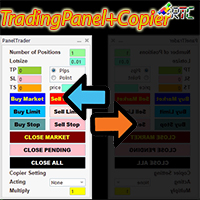
TradingPanelPlusCopier
Muhammad Faisal Sagala
Este TradingPanel tem muitas vantagens em comparação com painéis de negociação semelhantes, incluindo: 1. Abra ordens instantaneamente (mercado) e pendentes no preço desejado. 2. Configurações TakeProfit (TP), StopLoss(SL) e também TrailingStop(TS) que podem ser definidas no modo pip ou ponto. 3. Você pode fechar apenas ordens de mercado, ou apenas ordens pendentes, ou todas as ordens do tipo mercado e também pendentes. 4. Também equipado com CopyTrade, onde as ordens abertas como master podem
Rtc ML Ai Predictor MT4
Muhammad Faisal Sagala
Rtc ML Ai | Predictor CORE MACHINE LEARNING ENGINE Adaptive ML Market Predictor – Multi-Bar Trend & Candle Forecast What This Indicator Does This indicator is a  real-time market prediction engine  designed to analyze price behavior and estimate  future market tendencies . Unlike conventional indicators, this system  does not rely on static parameters or historical curve-fitting , but adapts its internal state dynamically during live market operation. Instead of using static rules, the indic
RTC ML AiBot
Muhammad Faisal Sagala
RTC ML AiBot | ML Signal Executor EA – Risk-Managed Single Entry System RTC ML AiBot is not a typical “plug-and-profit” robot. It is a professional-grade execution and risk control engine, designed to work alongside an advanced machine-learning signal system. This EA exists to solve one critical problem most traders face:  protecting capital while executing signals with discipline and consistency. RTC ML AiBot is built as a dedicated execution and risk management layer for advanced signal-based
RtcSpectra5
Muhammad Faisal Sagala
Attention :   Please send a message to us if you still don't understand and are expected to follow the recommended capital size, lots size value, and one of the brokers whose portfolio we display. " For those of you who buy RTC Spectra products by ignoring our recommendations, you don't need to provide bad testimonials for your own mistakes!".  The Expert Advisor (EA) named "RTC Spectra" is designed for the long term with good and consistent results. This EA has been proven to perform very well
RtcDERIV
Muhammad Faisal Sagala
Você quer negociar com segurança, rapidez e eficácia no Deriv.com? Você já tentou várias estratégias, mas não encontrou a certa? Não se preocupe, nós temos a solução! RtcDERIV, o mais novo Expert Advisor especificamente para Deriv.com, vem com uma estratégia combinada de escalpelamento e martingale que registrou com sucesso mais de 10.000% de lucro no ano passado. Uma das vantagens do RtcDERIV é sua utilização no Volatility Index, principalmente no Volatility Index 25, que de fato é muito bom
Rtc ML Ai Predictor
Muhammad Faisal Sagala
Rtc ML Ai | Predictor CORE MACHINE LEARNING ENGINE Adaptive ML Market Predictor – Multi-Bar Trend & Candle Forecast What This Indicator Does This indicator is a  real-time market prediction engine  designed to analyze price behavior and estimate  future market tendencies . Unlike conventional indicators, this system  does not rely on static parameters or historical curve-fitting , but adapts its internal state dynamically during live market operation. Instead of using static rules, the indic
RTC ML AiBot MT5
Muhammad Faisal Sagala
RTC ML AiBot | Built-In Brain Machine Learning - Single Entry System RTC ML AiBot is not a typical “plug-and-profit” robot.  It is a professional-grade execution and risk control engine, designed to work alongside an advanced machine-learning signal system. This EA exists to solve one critical problem most traders face:  protecting capital while executing signals with discipline and consistency. Live Result RTC ML AiBot RTC ML AiBot is built as a dedicated execution and risk management layer fo
SmartFastTrade AI MT5
Muhammad Faisal Sagala
Transform Your Trading with SmartFastTrade AI: Speed and Ease at Your Fingertips! Introduction Are you a trader struggling with slow order execution? Do you want a tool that can assist you in making quick and accurate trading decisions? If yes, then SmartFastTrade AI is the answer to all your trading needs. With its unique combination of speed, user-friendliness, and advanced features, SmartFastTrade AI will help you unlock your full trading potential. Let's delve deeper into why this innovativ
Smart Ai Trading Panel
Muhammad Faisal Sagala
SMART AI TRADING PANEL User Manual — MetaTrader 5 (MT5) Developed by RobotTradingCerdas Website: https://robottradingcerdas.com Copyright 2026 Faisal Sagala 1. Introduction Smart AI Trading Panel is a manual trading assistant for MetaTrader 5. It provides a convenient on-chart interface for opening trades, placing pending orders, managing Stop Loss and Take Profit levels, monitoring account information, and closing selected positions. The panel includes the following features: One-click Buy

Filtro:
Sem comentários
Responder ao comentário