Fence Jumper
- Indicadores
-
Alex Amuyunzu Raymond
 I’m an experienced MQL5 developer and software engineer specializing in building robust, high-performance algorithmic trading systems for MetaTrader 5. My work goes beyond standard EA development — I design intelligent, scalable solutions that combine market logic, automation, and external
 - Versão: 1.11
- Ativações: 5
Fence Jumper: Lock the Session Range. Catch the Break the Moment It Closes.
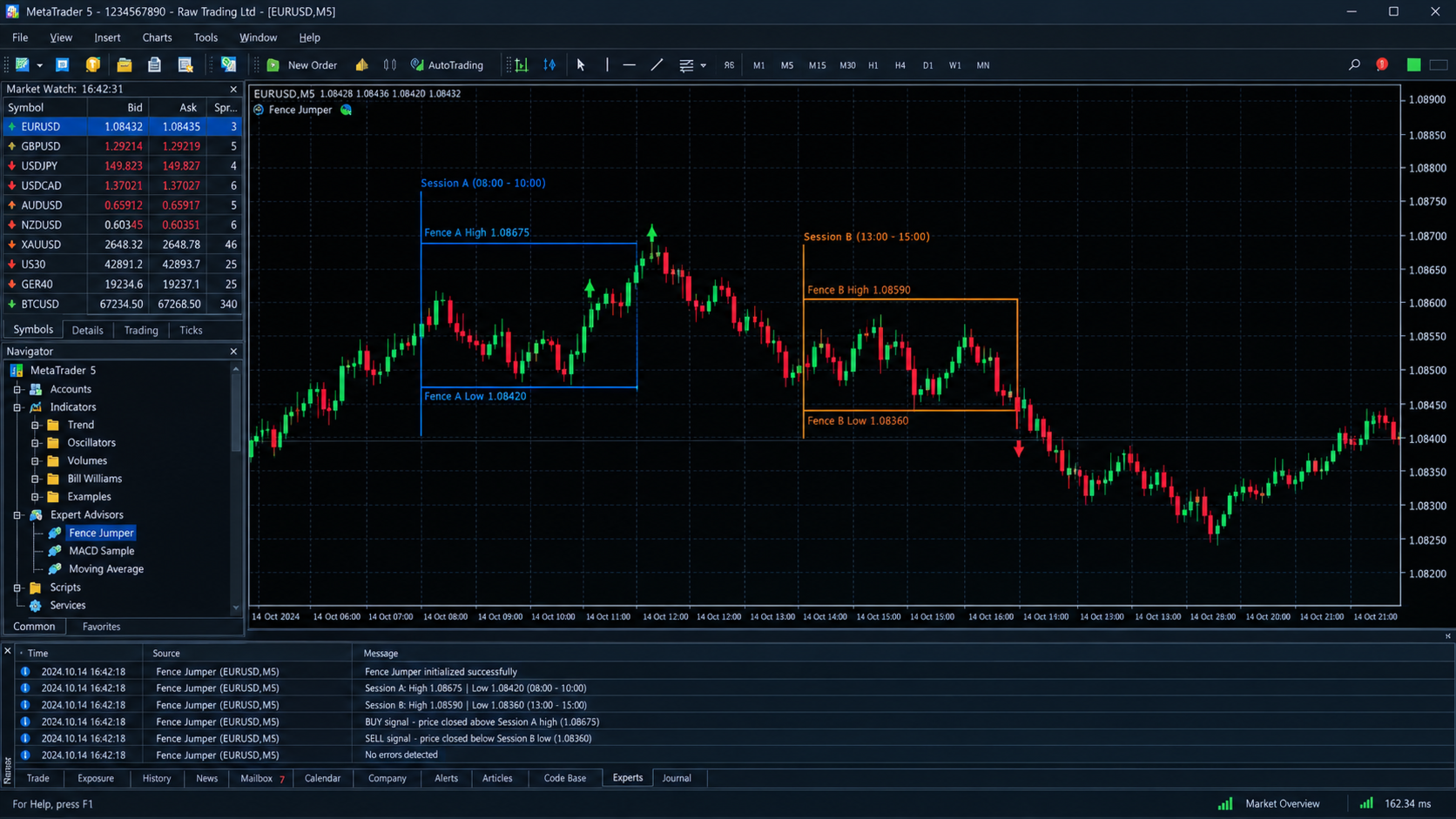
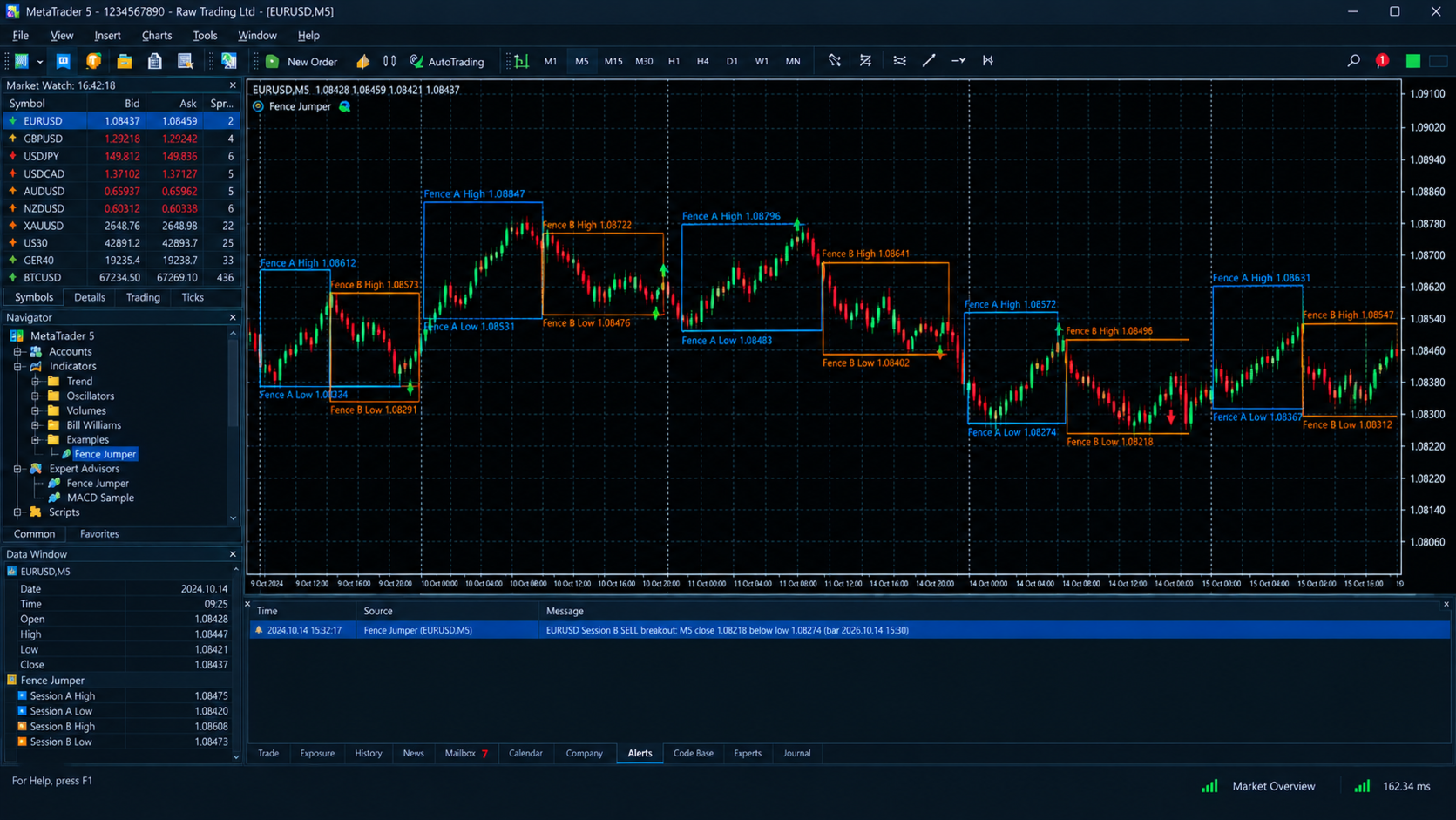
Every trading day builds fences. The high and low of the London morning, the high and low of the New York open. Price respects them, tests them, and sooner or later jumps one. Fence Jumper marks those fences automatically, freezes them when the session ends, and alerts you when a candle actually closes beyond one. It does not alert on a wick or a spike.
What it does
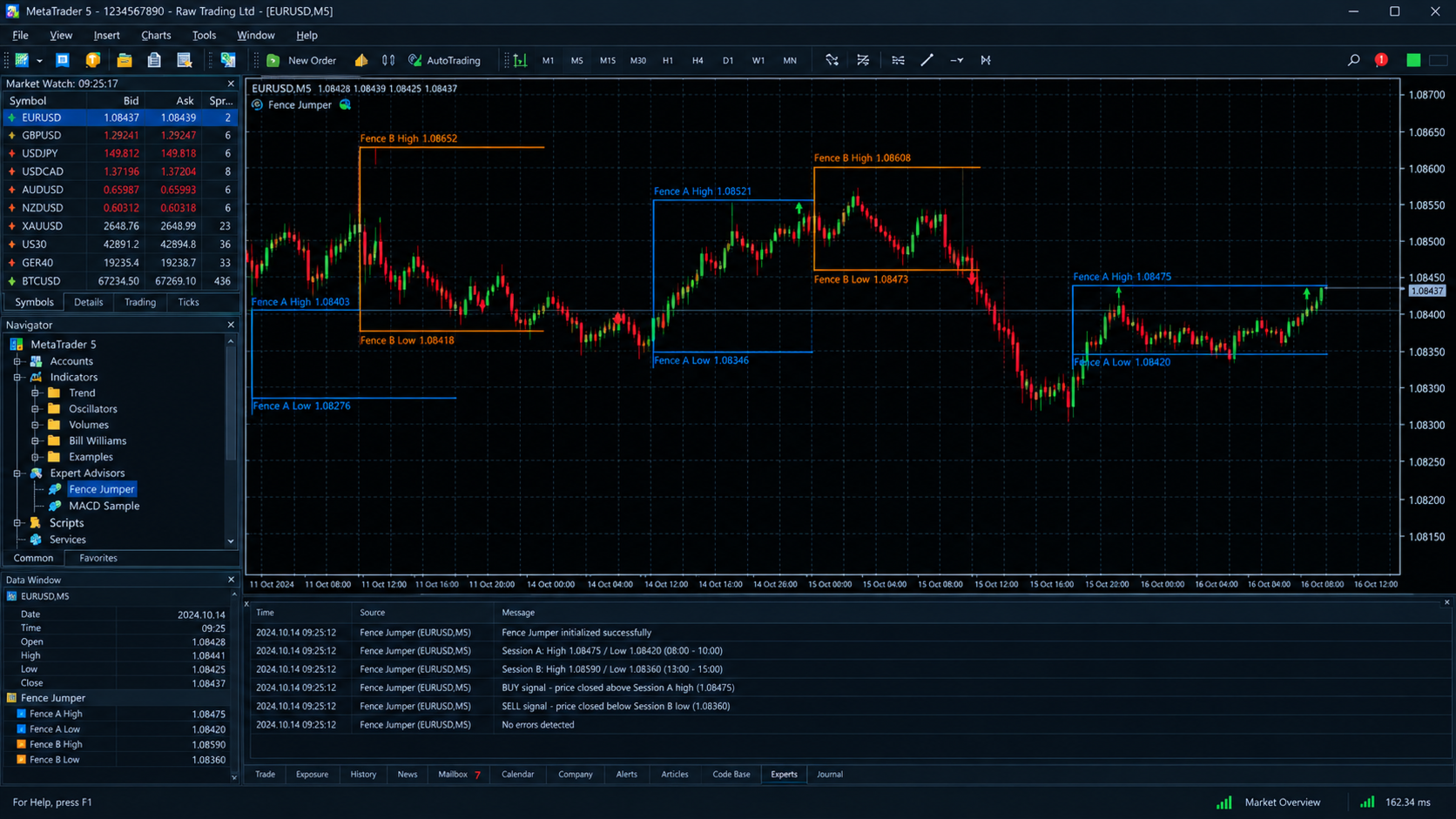
Fence Jumper tracks two independent trading sessions on your M5 chart. By default these are Session A (08:00 to 10:00) and Session B (13:00 to 15:00), both in broker server time. Each session has its own start time, end time and color. For every session it finds the highest high and lowest low from the M5 candles inside the window and draws them as horizontal lines, labeled with the session name and exact price.
How the levels behave
- While a session is running, its high and low update as each new M5 candle completes. The forming candle is ignored, so levels never jump around on a live tick.
- When the session ends, the high and low become final.
- Historical levels never change. Levels are recalculated from closed candles the same way every time, so what you see on past days is exactly what was valid then.
- Lines stay on the chart from the session start until the end of that trading day, so you can see where price sits relative to each fence all day.
How the breakout signal works
The signal rules are deliberately strict:
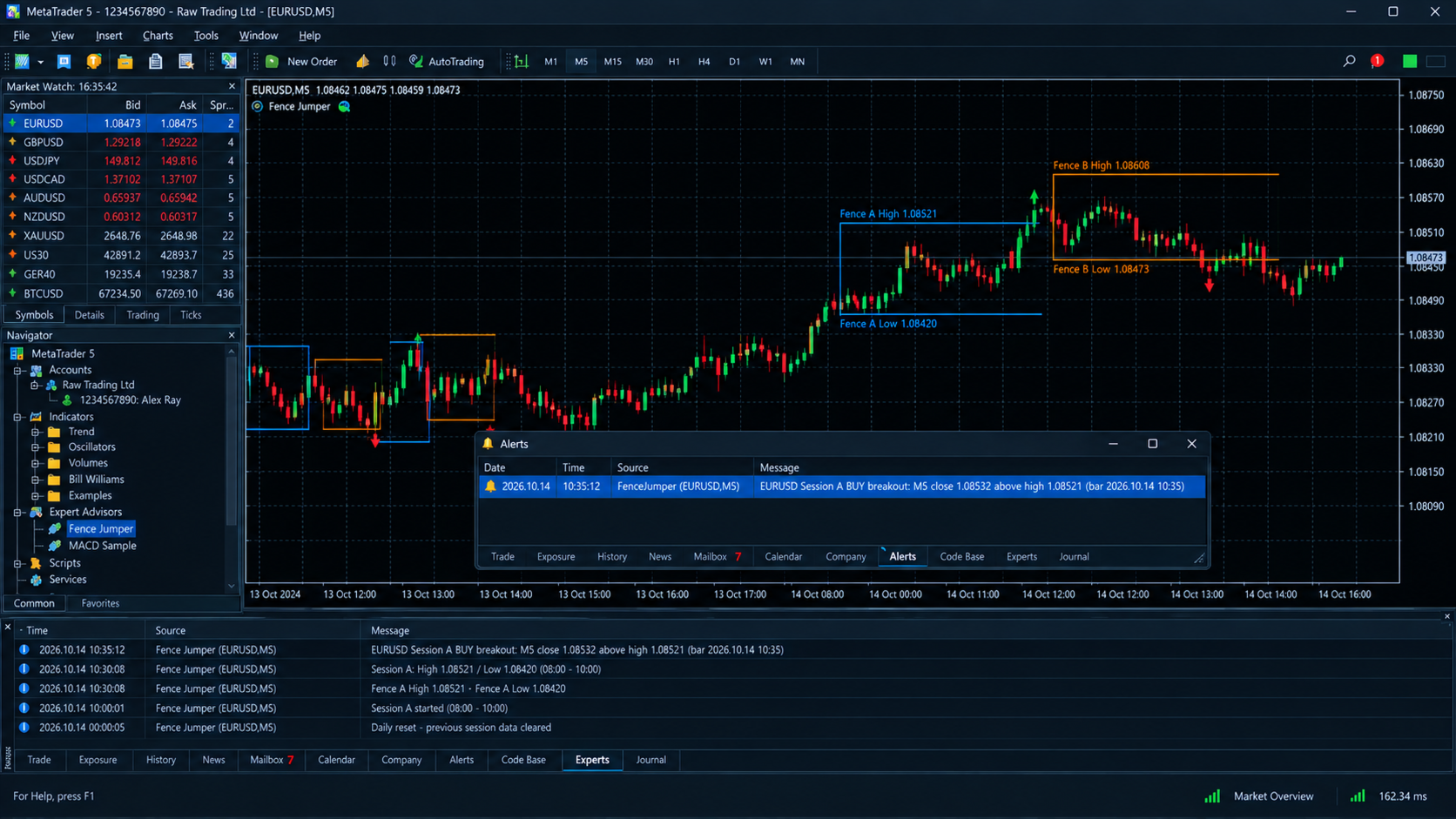
- A BUY arrow appears when an M5 candle closes strictly above the confirmed session high.
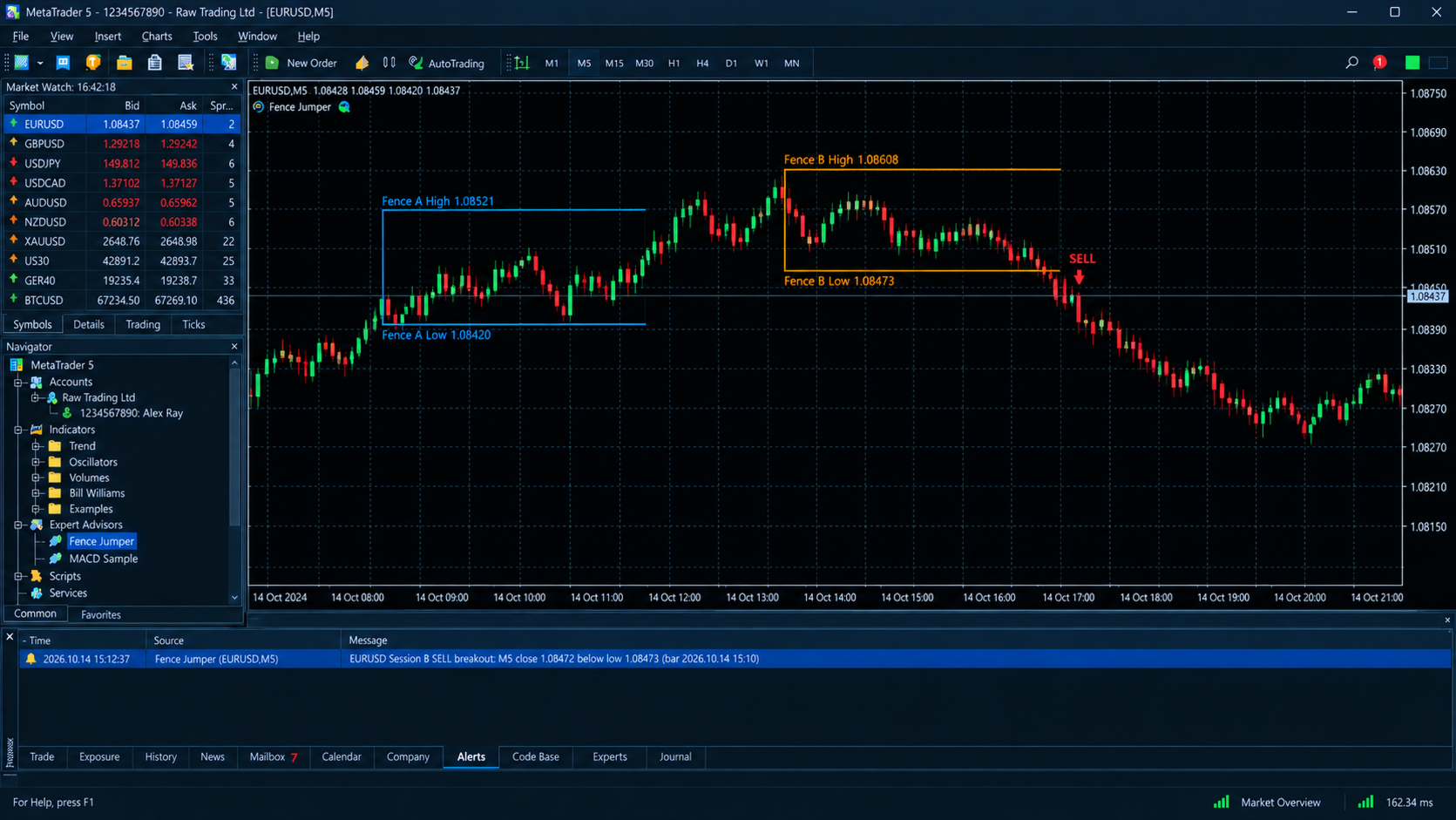
- A SELL arrow appears when an M5 candle closes strictly below the confirmed session low.
- A wick that touches or crosses the level does nothing. Only a completed candle close counts.
- No signal can appear before the session has finished. The fence has to be final before it can be jumped.
- Signals stay valid after the session ends until the end of that broker-server day.
- There is a maximum of one BUY and one SELL per session per day, so you get the first real break and no repeat arrows.
- Arrows that have appeared stay where they are. They are not repainted or removed afterwards.
Alerts you can trust
- MT5 popup alert on every confirmed breakout, with symbol, session, direction, close price, the level broken and the bar time.
- Optional sound alert, switched on or off and with a configurable sound file.
- No duplicate alerts. Each alert is recorded in the terminal, so reloading the indicator, changing timeframe and back, or restarting MT5 will not re-fire an old breakout.
- Alerts fire only on the latest completed candle, never on history loading.
Settings
- Session A and Session B start and end times, in HH:MM server time
- A separate color for each session
- BUY and SELL arrow colors
- Arrow offset from the candle, in points
- Line width
- Number of days of levels kept on the chart
- Popup alert on/off
- Sound alert on/off, and sound file name
Who it is for
- Traders who already trade session breakouts and want the levels and signals marked without drawing them by hand.
- Traders who got tired of indicators that alert on wicks and then repaint.
- Anyone running several charts who wants a pop-up the moment a clean close happens.
Good to know
- Built for the M5 timeframe, tested on EURUSD. It works on any symbol you attach it to, and you should set the session times to match your broker’s server time.
- Each session must start and end within the same server day. Overnight sessions are not supported.
- Breakouts that happen while MT5 is closed are not alerted later.
- This is an analysis and alert tool. It does not place trades. It shows where the break happened, and entry, stop and take profit are your decision.
- No indicator guarantees profit. Test it on a demo account and in the Strategy Tester before using it on a live account.