CandleHedge EA
- Experts
- Versão: 1.2
- Ativações: 5

CandleSignal EA — Consecutive Candle Signal System with Optional Hedging Basket
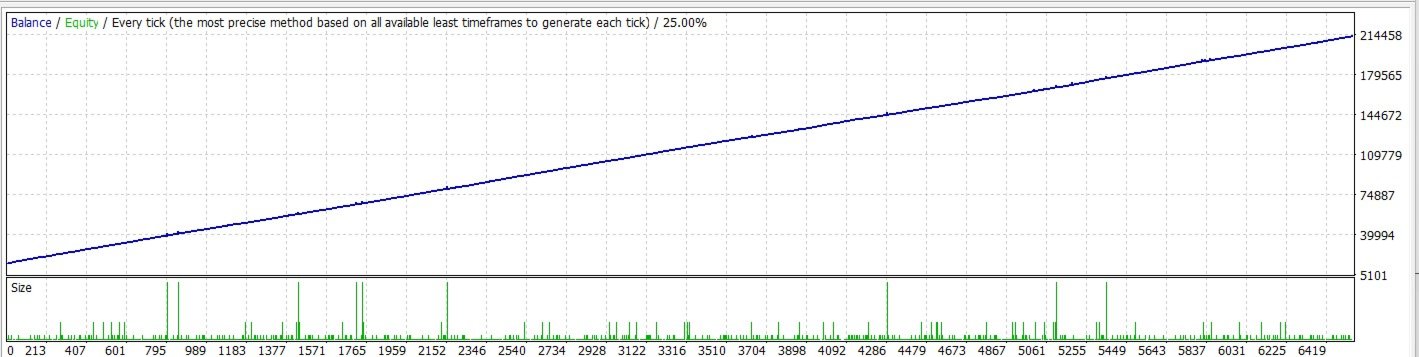
CandleSignal EA is a fully automated trading system built around a simple, transparent signal: a set number of consecutive same-direction candles. When the market shows sustained one-directional momentum, the EA acts — either with clean single-position trading, or with an advanced hedging basket that recovers losing trades instead of closing them at a loss.
Key Features
- Simple, transparent entry logic — trades only when N consecutive candles close in the same direction (fully adjustable), avoiding noisy, choppy price action.
- Two trading modes in one EA:
- Standard mode — one position at a time, with fixed Take Profit and Stop Loss on every trade. Reverses automatically when the signal flips direction.
- Hedging basket mode — instead of stopping out on a loss, the EA opens an opposite-direction hedge leg and manages the whole basket as one unit, closing everything together once a combined profit target is reached.
- Two hedge-triggering methods to suit different trading styles:
- By Signal — opens the next hedge leg when a new opposite candle signal appears.
- By Floating Loss — opens the next hedge leg automatically once the basket's floating loss reaches an escalating threshold, independent of new candles.
- Self-recovering state — the EA reads its position/basket status directly from your open orders on every check, so it survives platform restarts, VPS reboots, or terminal crashes without losing track of what it's doing.
- Broker-safe order sizing — lot sizes are automatically normalized and validated against your broker's minimum, maximum, and step requirements before every trade, and a free-margin check prevents failed orders from being repeatedly sent when margin is insufficient.
- Works on any symbol and timeframe — signal logic is based purely on candle direction, so it adapts to the chart you attach it to.
Who Is This For?
Traders who want a rules-based momentum entry system, with the flexibility to choose between conservative single-trade risk management or a more active hedging/recovery approach for ranging or choppy conditions.
Important Notes Before Use
- Hedging mode uses a lot-multiplying recovery method. Each hedge leg is larger than the last, which increases both profit potential and required margin. Test thoroughly on a demo account and use appropriate position sizing for your account balance before trading live.
- Past performance in strategy testing does not guarantee future results. Always test on your own broker's historical data and demo account before live use.
- SHOULD BE USED ON HIGHER TIMEFRAME H1, H4, DAILY. OR ON RENKO CHART 10PIPS BOX SIZE
Input Parameters
Signal Settings
| Parameter | Description |
|---|---|
| NoCandleSignal | Number of consecutive same-direction candles required to confirm a buy or sell signal. |
Trade Settings
| Parameter | Description |
|---|---|
| LotSize | Base trade volume, in lots, used for the first position opened in a new sequence. |
| TakeProfitPoints | Take profit distance, in points, applied to the first trade in a sequence. |
| StopLossPoints | Stop loss distance, in points, applied to the first trade in a sequence. |
| Slippage | Maximum allowed price slippage, in points, when sending orders. |
| MagicNumber | Unique identifier used to tag and track this EA's trades separately from other EAs or manual trades. |
Hedging Settings
| Parameter | Description |
|---|---|
| Hedging | Enables ( true ) or disables ( false ) hedging basket mode. When disabled, the EA trades one position at a time with fixed TP/SL. |
| HedgingMethod | Determines how new hedge legs are triggered: by an opposite candle signal, or by the basket's floating loss reaching a threshold. Only used when Hedging is enabled. |
| ProfitTarget | Combined profit target, in account currency, at which all basket trades close together and a new trade sequence begins. |
| MultiplyFactor | Lot multiplier applied to the previous leg's volume when opening the next hedge leg. |
| PnLLossSignal | Floating loss, in account currency, that triggers the first hedge leg. Only used with the loss-based hedging method. |
| PnLFactor | Multiplier applied to the loss threshold for each subsequent hedge leg. Only used with the loss-based hedging method. |