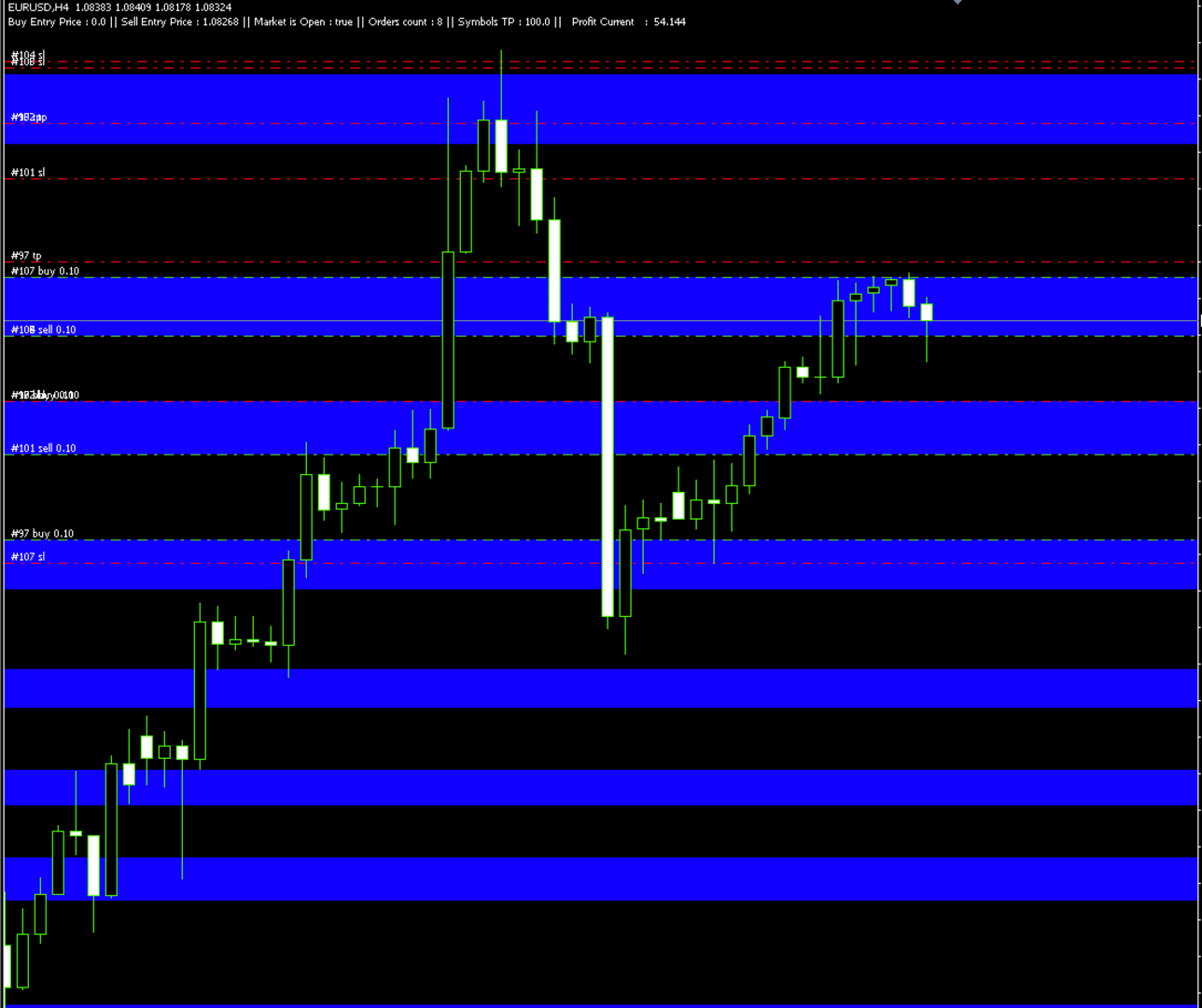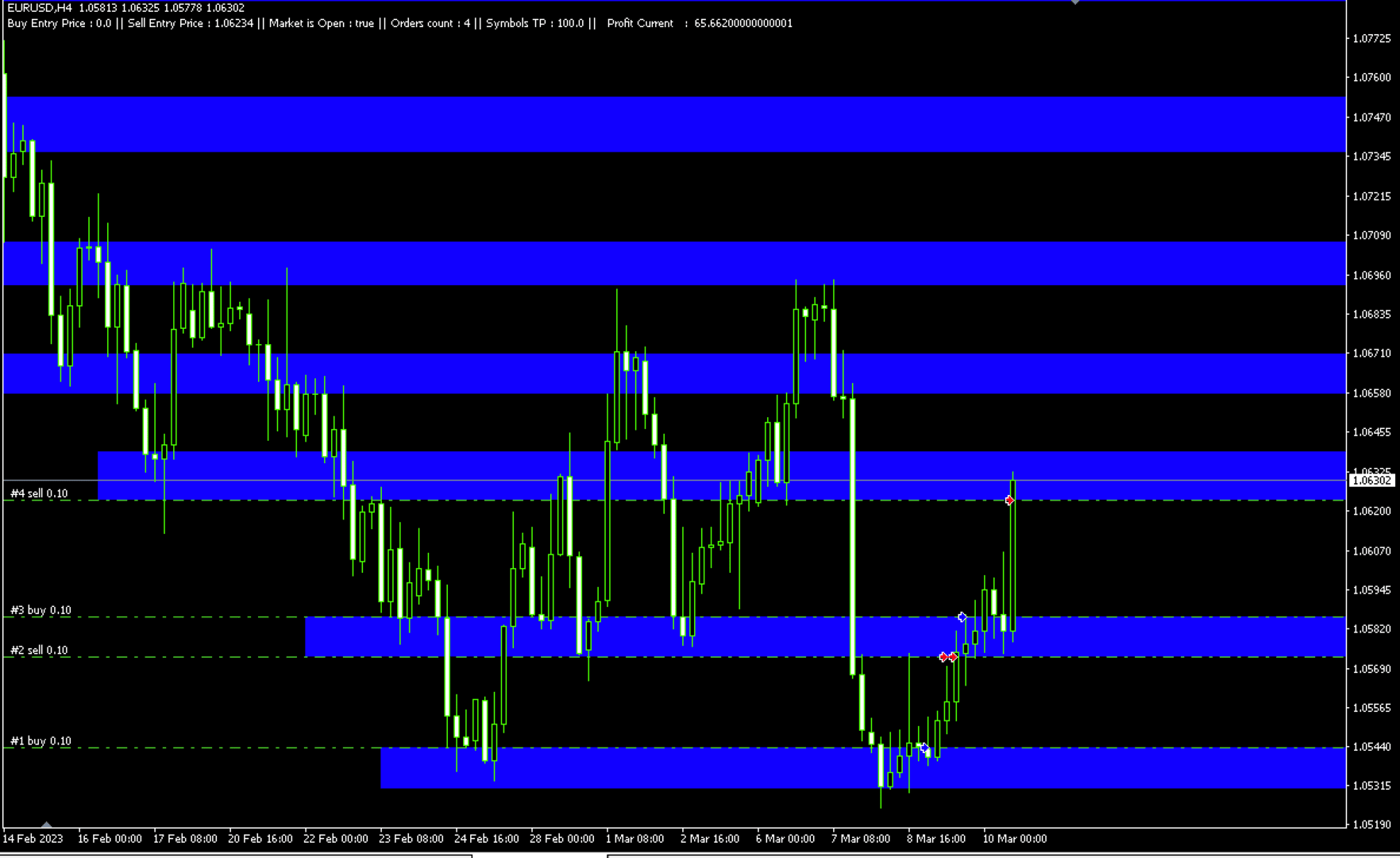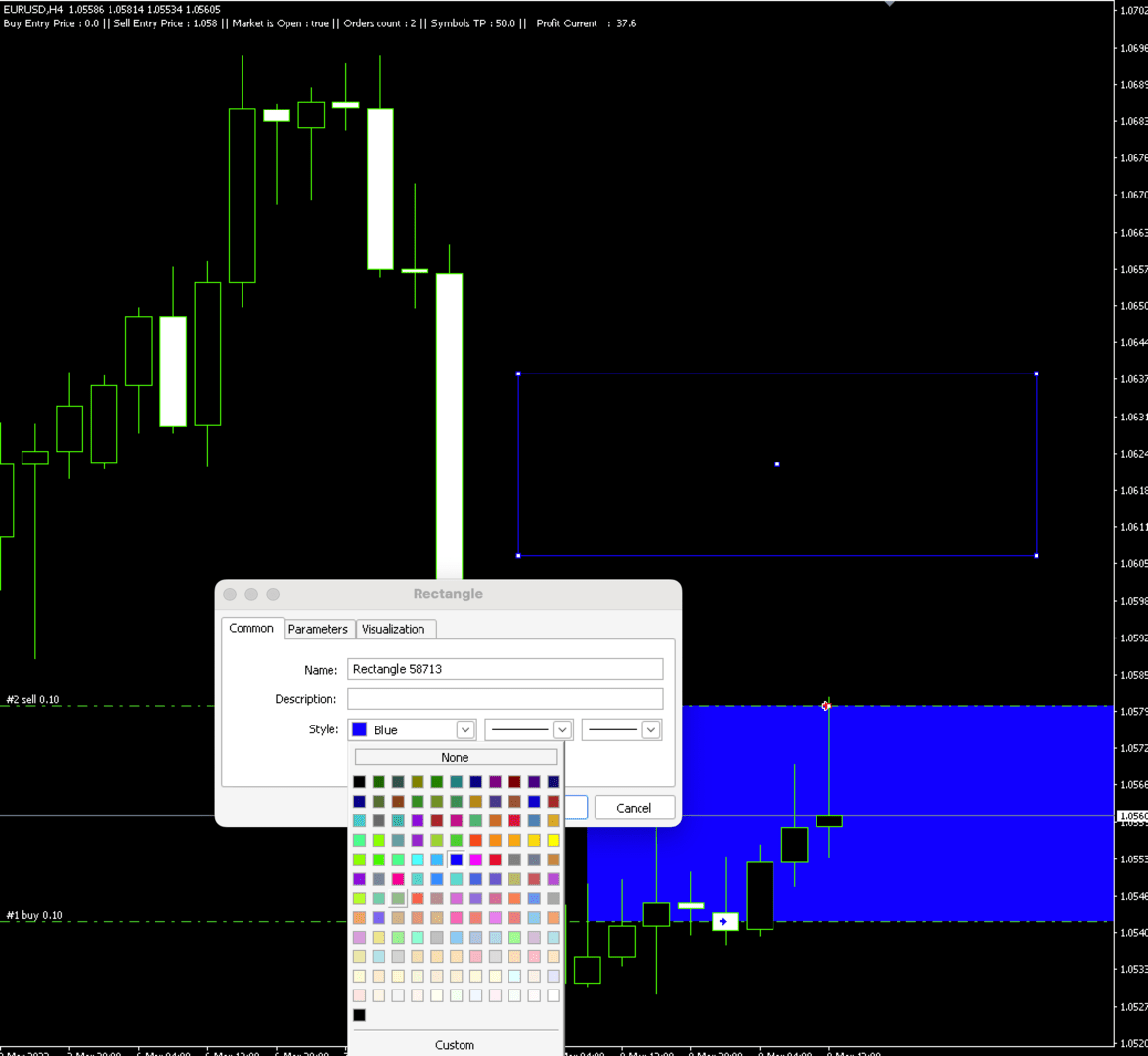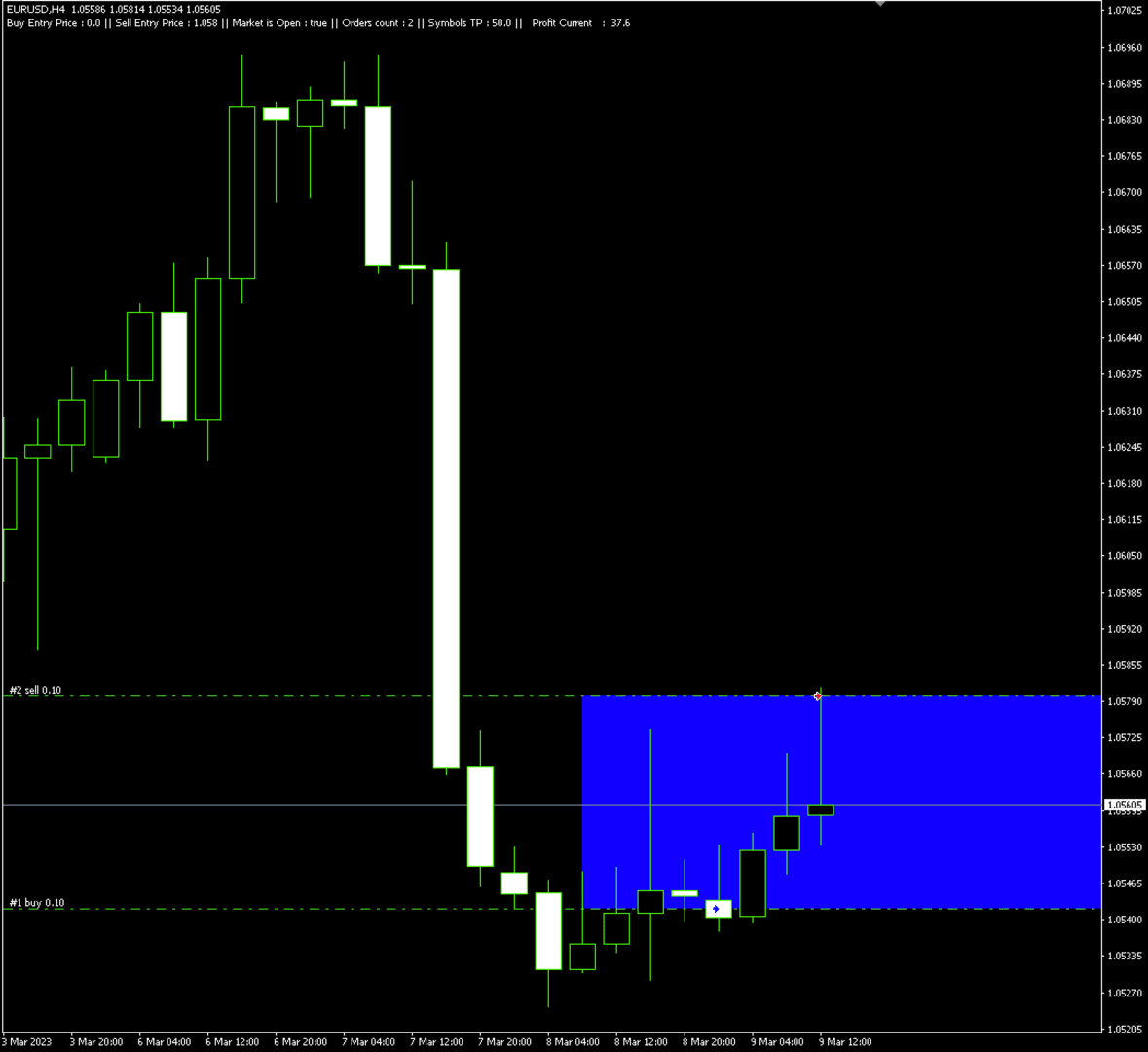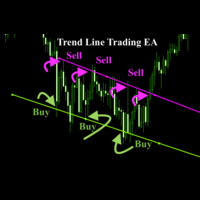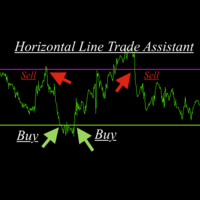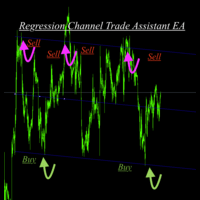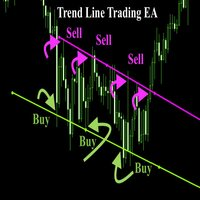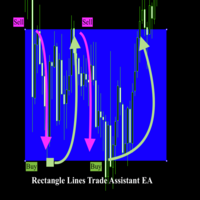
Rectangle line Trade Execution Assistant

Rectangle line Trade Execution Assistant

Rectangle Line Trade Assistant EA

 Semi-Automated Trading Assistant    

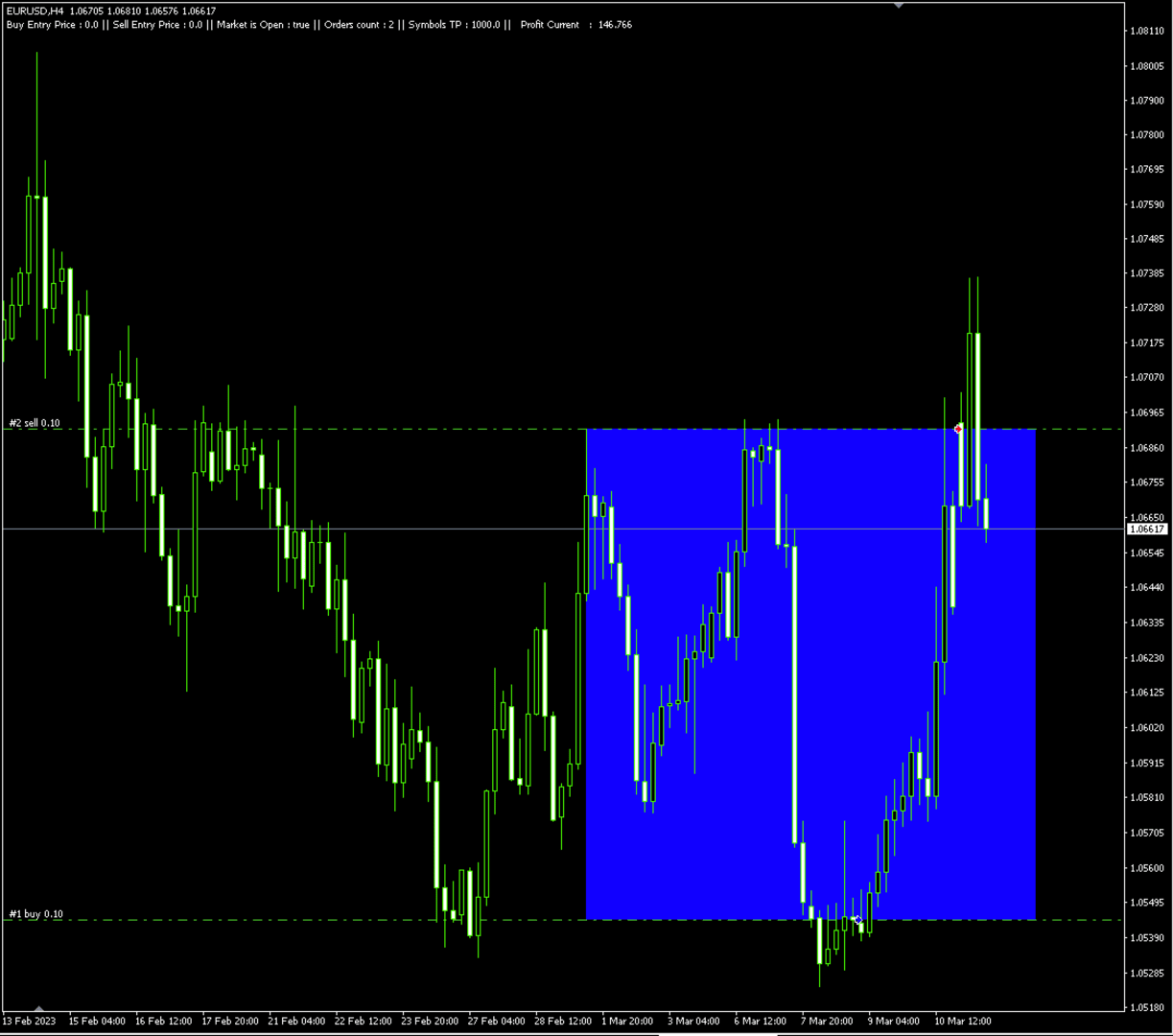
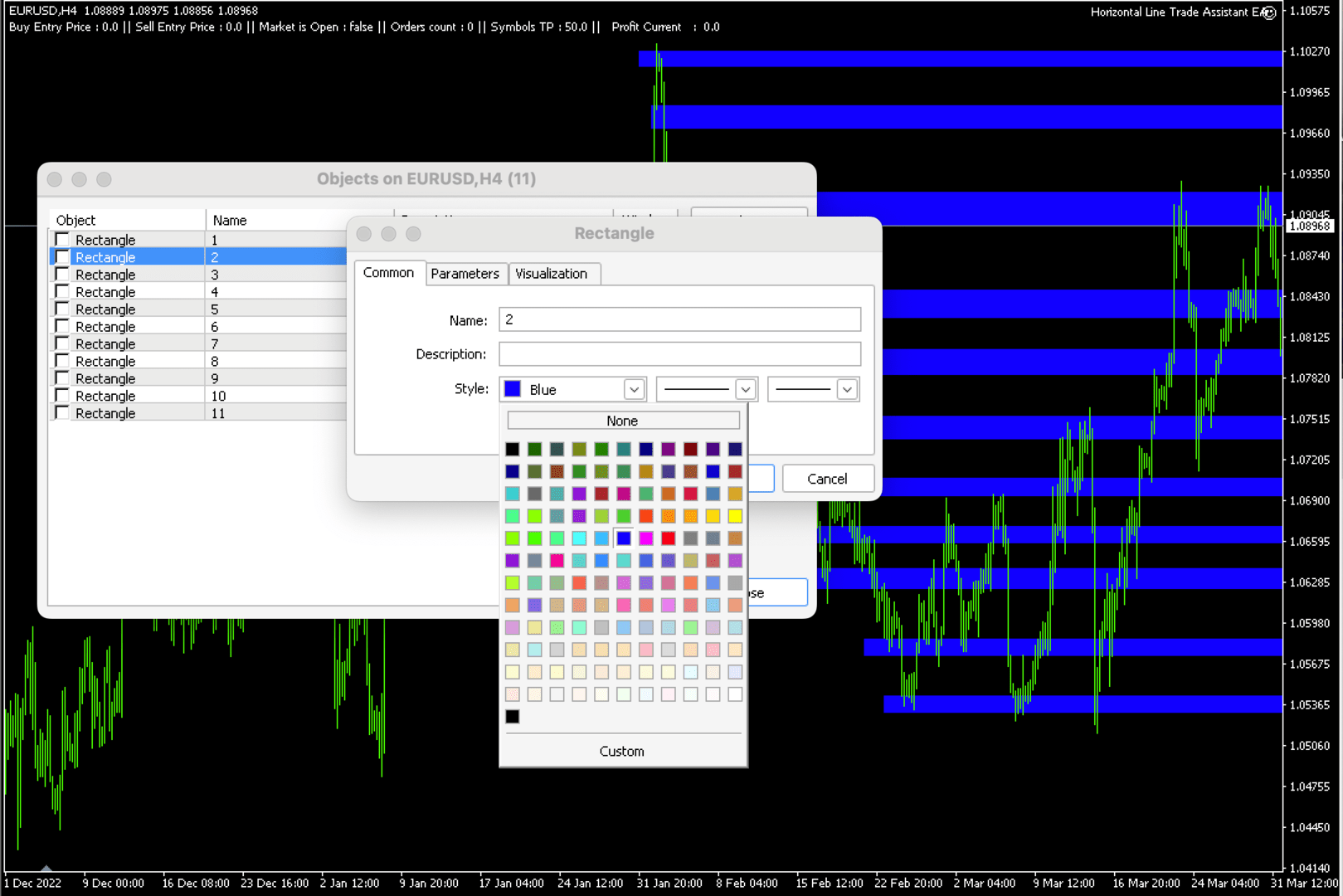
 IMPORTANT:   On the main/purchased program a user can click on the Rectangle line and move/ drag it around the chart, by double clicking on it. Please keep in mind that this option is not available on demo version, due to some restrictions/limitations of Strategy Tester, some Object related operations are not available in the Strategy Tester. But, it will not prevent you from Testing, please drop an Object to chart, then save your objects as a new templet, after, run an EA in strategy tester with that saved templet, and it will automatically assign and perform Buy or Sell positions based on your predefined parameters. 

You can drag and drop the EA to a chart, and it will automatically determine the Pair and will start working. Please See the list of instruments that are pre-coded to this EA.   

List of Pairs: AUDCAD, AUDCHF, AUDJPY, AUDNZD, AUDUSD, CADCHF, CADJPY, CHFJPY, EURAUD, EURCAD, EURCHF, EURGBP, EURJPY, EURNZD, EURUSD, GBPCAD, GBPCHF, GBPJPY, GBPUSD, NZDJPY, NZDUSD, USDCAD, USDCHF, USDJPY, XAGUSD, XAUUSD, GBPAUD, EUSTX50, FRA40, GER30, ASX200, NDX100, JPN225, UK100, US30, SPX500, VIX, US2000, HK50, USDX, CAN60, SWI20, NTH25, UKOUSD, USOUSD, XPTUSD, XZNUSD, XNIUSD, XAUJPY, XAUEUR.        

Description

Unlock the power of semi-automation Rectangle Line Trade Assistant EA, a versatile Expert Advisor Assistant designed to enhance your trading experience. This innovative tool offers a seamless integration of your trading strategies with the dynamic world of chart analysis.    

Key Features:  

Rectangle Line Object Detection and Trade Execution 

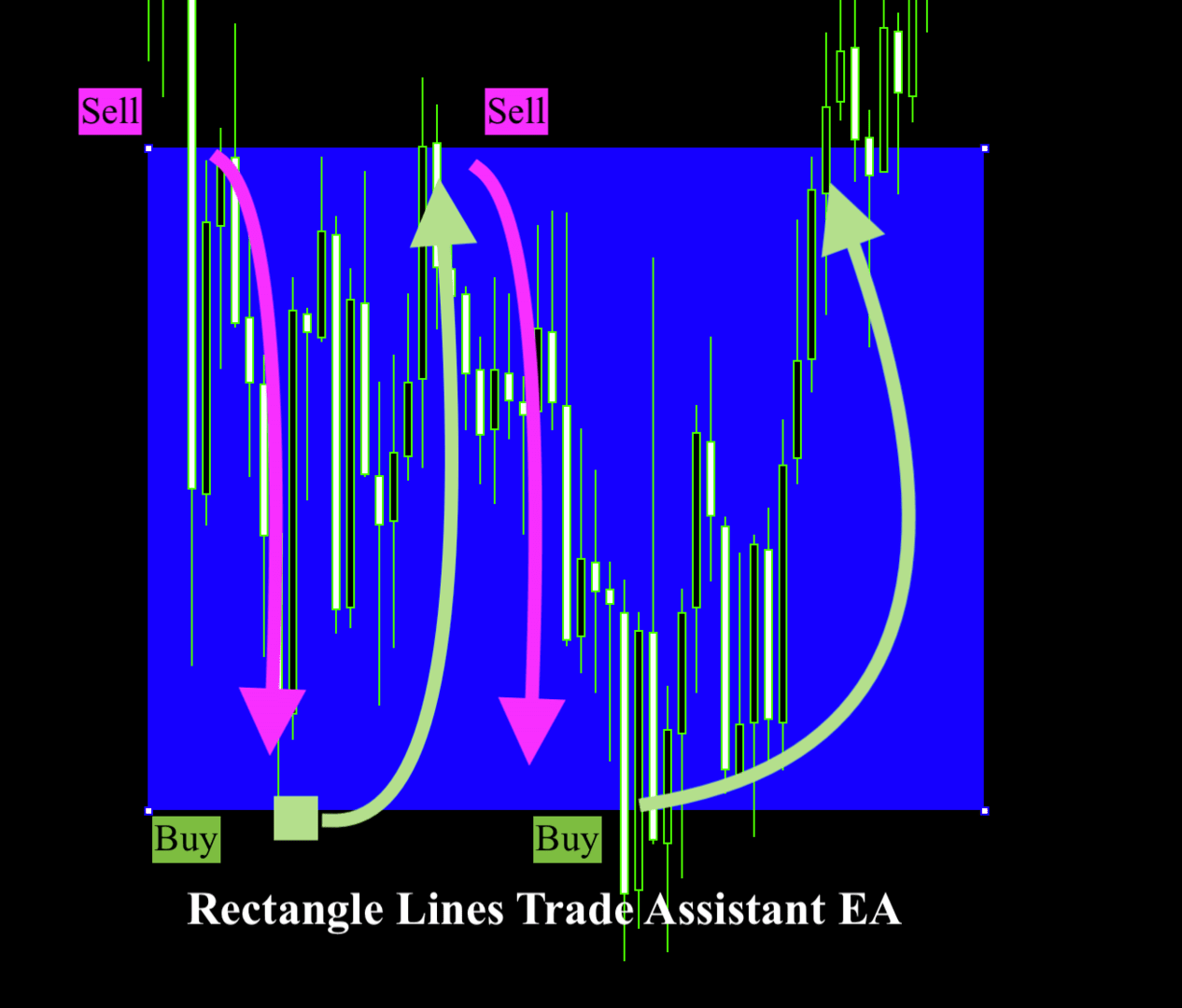
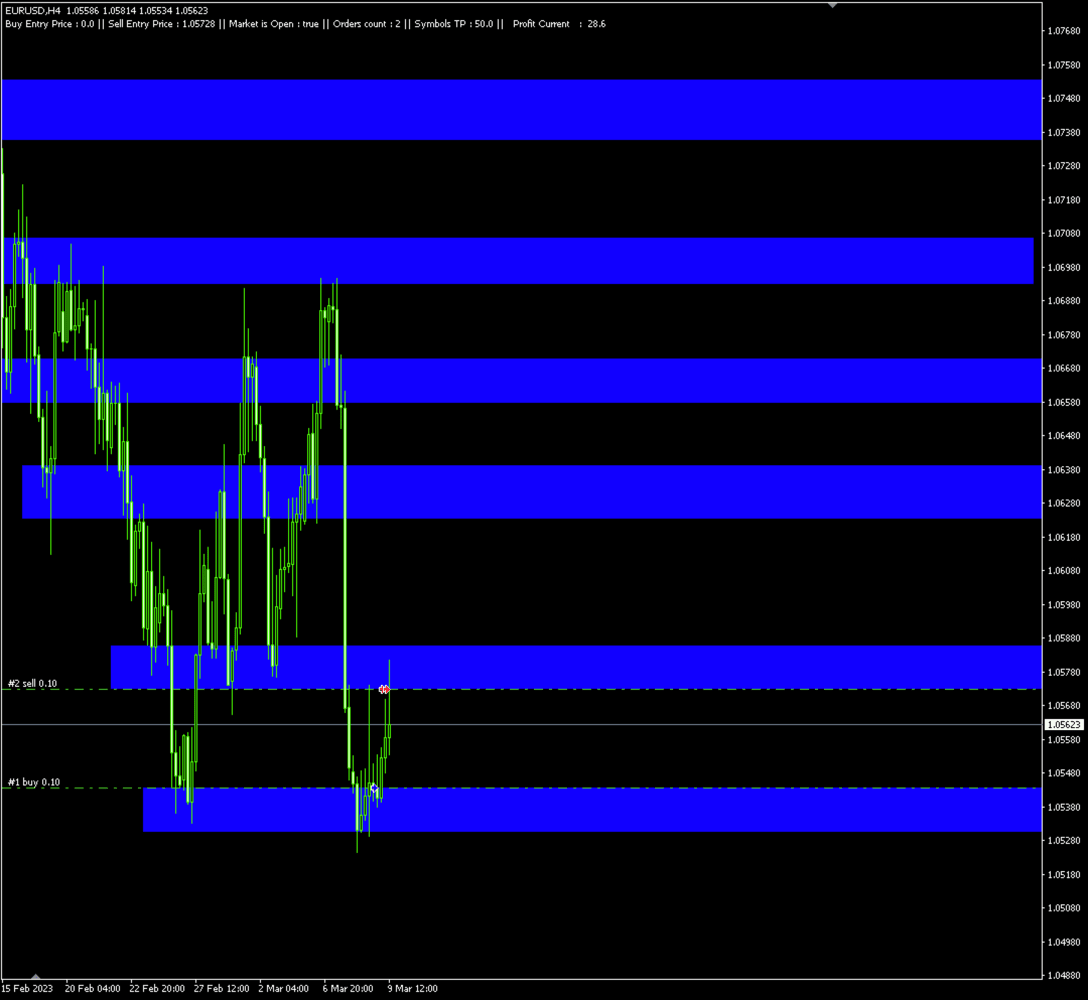
                  This EA operates by intelligently detecting Rectangle Line Objects on your trading chart. It will Automatically determine if it’s a Buy or Sell order based on users predetermined parameters.  

Flexibility in Trading: 

Choose your preferred trading direction – buy or sell – based on the positioning of the Rectangle Line Object.   

Trade on Your Terms: 

                  Say goodbye to constant chart monitoring and alert-watching. With this EA, simply draw your Rectangle Lines on the chart and let the EA do the rest.    

Enjoy the freedom to live your life while Rectangle Line Trade Assistant EA    

automates your trades according to your predefined strategies.   

Compatible with Diverse Strategies: 

Rectangle Line Trade Assistant EA caters to a broad spectrum of trading styles, including but not limited to Hedging, Support and Resistance trading, and more.    

Adapt the EA to suit your unique strategies and level of experience.    


Versatility for Personal and Prop Firm Accounts: 

                  Whether you're managing your personal account or operating within a Proprietary firm evaluation accounts, Rectangle Line Trade Assistant EA extends its capabilities to suit your trading environment.    

Ownership and Licensing: 

- The rights to this program, including but not limited to the source code, are owned by Bakyt Kenzhebek. No part of this program may be reproduced, distributed, or sold without explicit permission from the developer.
- The user (buyer) is granted a license to use this program solely for trading purposes. Any form of resale, redistribution, or sharing with third parties is strictly prohibited.
- The developer of this program does not take any responsibility for any trading losses or damages incurred by the user. The user should carefully evaluate and test the program based on their trading strategy before using it in live trading.
- By using this program, the user acknowledges and agrees to abide by these terms and conditions. Any violation of these terms may result in the termination of the user's license to use the program.
- For inquiries regarding licensing, permissions, or support, please contact y.bakyt@mail.com.   

If there is/are an Error/s, please send an email to ‘y.bakyt@mail.com’ with explanation and screenshots.   


Expert Properties explained:  

//+------------------------------------------------------------------+ 

Buy_Top_Sell_Buttom = false; - if true Buys on the top rectangle price, opposite for false.

showComment = true; - Shows or Hides Comments 

"Allow Multiple Positions at same Line/Price" 

Allow_Multiple_Positions_At_Same_Price = false; 

"Wait time between Orders, in Minutes." 

Minutes_btw_Orders = 180; 

If Market price moves away fron the pending position X Pips, the EA Deletes the order 

Delete_Pending_Order_After_X_Pips_Away = 30; 

"Minimum Difference btw Orders in Pips." 

Min_Pips_Difference_btw_Orders = 30; 

"Take Profit and Stop Loss" 

Take_Profit = 0; 

Stop_Loss = 0; 

Lots = 0.1; 

"Name for Trade Comments" 

Comment_Text = "Put Your Name";

Trailing_Allowed = false; 

Trailing_Pips = 0; 

New_TP = 0; 

" If in InProfit more or equal to X, this will close all positions for the symbol" 

InProfit_For_LessThan_3 = 70; 

InProfit_For_MoreThan_3 = 50; 

      Changning InProfit, means, if 3 or less positions are open, the Profit should be $100 (example bellow). Else if, equal or more than 3 positions the Profit is $50 and the EA will Close All positions for the Current Symbol.    

   InProfit_For_LessThan_3 = 100;    

   InProfit_For_MoreThan_3 = 50;    


   "Input Market Open and Close H:M". Military time is a technique of tracking hours in which the day runs from midnight to midnight and is broken into 24-hour increments. This is not the same as the 12-hour clock commonly used worldwide. For example, a military clock that reads 1930 hours is the same as 7:30 PM when using the 12-hour clock. Since military time reflects the counting up to 24 hours, AM and PM is not required.    

Like the 12-hour clock, the first two digits are the hours, and the last two represent the minutes. Military time ranging from 0000 to 1159 is considered AM, and military time ranging from 1200 to 2359 is PM.     

   Market_Close_Time_Hour = 15;    

   Market_Close_Time_Minute = 59;    

   Market_Open_Time_Hour = 17;    

   Market_Open_Time_Minute = 01;   


Önerilen ürünler
TradesManger
Ali Abdalrasool Ai-sayyd Sobai
Ultimate Manager is the ultimate Expert Advisor (EA) for MetaTrader5, empowering traders with seamless control over every aspect of their trades. This powerful tool manages lot sizes, stop losses, trailing stops, trade durations, and trailing activation thresholds with precision. Featuring intuitive buttons, you can execute two trades simultaneously, close all positions, close buys only, close sells only, or close profitable trades in an instant. Designed for efficiency and risk management, Ulti
The analyzer makes it possible to quickly assess spread changes on historical data,   the magnitude and frequency of bursts, the dynamics and nature of the extensions by the days of the week, etc. The analyzer needs to be started in the tester (visualization mode) on the symbol and time interval required for analysis,   recommended TimeFrame H1, select "Every tick based on real ticks" mode.
MetaTrader 5 için Profesyonel Otomatik İşlem Yönetim Aracı Ticareti basitleştirir, sermayenizi korur ve grafikleri sürekli izlemenize gerek kalmadan kârı maksimize eder. Ana Özellikler ️ Otomatik Stop Loss (SL) ve Take Profit (TP) ayarı ️ Akıllı Trailing Stop (kâr kilitleme) ️ Piyasa ve bekleyen emirlerle çalışır ️ SL/TP’yi grafikte otomatik görselleştirme ️ Net mum geri sayım sayacı ️ Tam otomatik çalışma – manuel müdahale gerekmez Sunduğu Faydalar Daha iyi risk kontrolü Tutarlı ve
Forex portföyünüzün kontrolünü elinize alın. Nerede durduğunuzu, neyin işe yaradığını ve size neyin acı verdiğini anında görün! MT4 VERSİYONU BURADA MEVCUTTUR: https://www.mql5.com/en/market/product/58375 Trade Manager Dashboard, forex piyasasında sahip olduğunuz her pozisyonun şu anda nerede olduğunu bir bakışta size göstermek ve risk yönetimini ve para birimlerine maruz kalmayı daha kolay anlamak için tasarlanmıştır. Birden fazla pozisyon veya ticaret ızgarası ve sepet stratejileri ile kadem
Free automatic Fibonacci is an indicator that automatically plots a Fibonacci retracement based on the number of bars you select on the BarsToScan setting in the indicator. The Fibonacci is automatically updated in real time as new highest and lowest values appears amongst the selected bars. You can select which level values to be displayed in the indicator settings. You can also select the color of the levels thus enabling the trader to be able to attach the indicator several times with differe
FREE
This EA help trader to manage his pending orders, when you place many Pending Orders this utility monitor them and when of them get filed (executed) the EA cancel and delete all rest of pending orders, to avoid  opening of all of pending orders at the same time , and lose your risk management. this utility is very useful for trader when he /she is not available on the desk.
Risk-Ödül Oranı Yöneticisi, disiplinli alım satım ve profesyonel risk yönetimini desteklemek üzere tasarlanmış görsel bir emir yönetim aracı ve pozisyon boyutu hesaplayıcısıdır. Yatırımcıların giriş, zarar durdurma ve kâr alma seviyelerini doğrudan grafik üzerinde görsel olarak ayarlamalarına olanak tanırken, emir göndermeden önce lot boyutunu ve risk-ödül oranını otomatik olarak hesaplar. Araç, işlem hazırlığını standartlaştırmaya yardımcı olur ve her pozisyonun önceden tanımlanmış ve kontrollü
Session Panel for MT5 Session Panel is a free MT5 indicator that gives you a fast and convenient live overview of the major trading sessions directly from the chart. Monitor Tokyo, London, and New York session times, see which session is currently active, track countdowns to the next session, and view session overlap information in one compact dashboard. Built for traders who want better market timing, clearer session awareness, and a cleaner chart workflow in live market conditions. Session Pan
FREE
MT5 için NAS100 Auto SL ve TP Maker ile tanışın: MetaTrader 5'te Nasdaq 100 piyasasında gezinen yatırımcılar için vazgeçilmez bir yardımcı olan NAS100 Auto SL ve TP Maker ile StopLoss ve TakeProfit ayarlarını bir daha asla kaçırmayın. Bu araç, StopLoss ve TakeProfit seviyelerinin yönetimini otomatikleştirmek için sorunsuz bir çözüm arayanlar için tasarlanmıştır. Temel Özellikler: Zahmetsiz Otomasyon: StopLoss ve/veya TakeProfit olmadan Nasdaq 100 işlemlerini otomatik olarak izler. Kullanıcı ta
FREE
If you want to try the Demo Version, please use this one: https://www.mql5.com/en/market/product/58262 Features: easy positioning of stoploss and takeprofit with horizontal Assistance-lines automatic Volume calculation fixed risk, set by the trader Closing of all trades of one type, with the click of one button (long or short, for this symbol) Creation of pending orders with one click Direct feedback through responsive buttons Made for all your needs: Forex Indices Crypto Gold, Silver, Platin
TREND RISK MONITOR EA - USER GUIDE ---------------------------------------------------- 1. OVERVIEW The Trend Risk Monitor is not a trading robot that opens new positions. Instead, it is a sophisticated risk management utility designed to work alongside another Expert Advisor (EA) on your trading account. Its primary purpose is to actively monitor trades opened by a specific EA (identified by a "Magic Number") and provide a real-time assessment of the market risk associated with each open posit
Now, you have your very own  PROP FIRM LOT SIZE CALCULATOR ! It now has BREAKEVEN and PARTIAL CLOSURE features! There's no need to go to other websites just to compute for the exact lot size. It also opens the trade with a click of a button. All inputs on the calculator can be edited. So if you want to change the SL or TP or the lot size, you can do so before placing an order. ========================================== INPUTS (Please see screenshot for reference): 1. SL PRICE TEXT . This is clic
Babel Assistant
Iurii Bazhanov
4.33 (9)
Babel assistant 1     The MT5 netting “Babel_assistant_1” robot uses the ZigZag indicator to generate Fibonacci levels on M1, M5, M15, H1, H4, D1, W1  periods of the charts , calculates the strength of trends for buying and selling. It opens a position with "Lot for open a position" if the specified trend level 4.925 is exceeded. Then Babel places pending orders at the some Fibonacci levels and places specified Stop Loss , Take Profit. The screen displays current results of work on the position
FREE
RRtoolbox - Professional Tools: Risk:Reward Trading Tool (SL/TP Horizontals + Pending orders + Diagonals), Alerts set on trend lines (for alerts on diagonal levels), SelfManagement (BE, partials...), close/cancelling by time, Statistics, Info and trading on chart. One-Click Trading with Visual Risk:Reward Management RRtoolbox is a comprehensive trading panel that combines one-click order execution,  statistics and  powerful visual Risk:Reward tools, alerts set with trendlines, on chart butt
"Clean Pending Orders" Mevcut semboldeki tüm bekleyen emirleri saniyeler içinde silin! Bu basit ama etkili script, hızı ve kolaylığı önemseyen traderlar için tasarlanmıştır. Çalıştırın ve mevcut semboldeki tüm bekleyen Alış ve Satış emirlerini anında silsin. Avantajlar: Anında silme: Tüm emirler saniyeler içinde silinir. Sadece mevcut sembol odaklı: Diğer enstrümanlar etkilenmez. Kullanım kolaylığı: Bir tıkla terminalinizi temizleyin. Kayıt: Silinenleri gösterir ve olası hatalar hakkında bilgil
FREE
Binance is a world-renowned cryptocurrency exchange! In order to facilitate MT5 users to directly trade Binance Futures, the program provides the following trading functions: 1. Imitate the trading style of Binance Futures and provide a friendly operation panel; 2. Enter api and secret by yourself (you need to open futures trading permission in Binance api) to get leverage, balance and other information; 3. Support limitOrder (limit order), marketOrder (market order), stopLimit (limit stop p
Orion Telegram Notifier Bot  allows the trader to receive trade notifications in his Telegram whenever a position is opened or closed. The EA sends notifications showing the Symbol, Magic Number, Direction, Lot (Volume), Entry Price, Exit Price, Take Profit, Stop-Loss and Profit of the position. How to setup Orion Telegram Notifier? Open Telegram and Search for “BotFather” Click or Type “/newbot” Create a nickname and username (Example: nickname: MT5trades   - username: MT5TelegramBot) *The use
Bot to attach to any different chart than the one using to get the orders and send them to telegram Inputs: Telegram Bot Token, Telegram Chat ID Sends Open Price, Order Type, Lots, Take Profit and Stop Loss instantly after the trade is executed. Easy to SetUp and to use My other Bot for XAUUSD and USDCHF:   https://www.mql5.com/en/market/product/94001 Just remember to go to Tolls->Options->ExpertAdvisors->Allow Web Request for listed URL:  https://api.telegram.org/
MILESTONE UNLOCKED: PFTA Honey Harvester v14 is OFFICIALLY LIVE on the MT5 Market! After relentless engineering, deep system refinement, and real-world stress validation, PFTA Honey Harvester v14 has successfully conquered the MetaTrader 5 Market Validator — one of the most aggressive automated testing environments in the industry. ️ This is NOT a simple approval. This is a full-scale survival test . The validator simulates: Extreme spread spikes Multi-symbol chaos Multi-timeframe st
TradingX Hotkeys
Johannes Stephanus Lombard
Inputs Available Lotsizes Partial Close % You can change lotsizes as you require On an open chart click once to select chart to be able to use hotkeys on specific chart. All Pairs can be used with this expert We created this expert to be able to still trade C300 with a 0.06 Lotsize If you enter a 0.6 lot and close 0.90% you can trade with 0.06 Lot Keys to be used: B -Buy S -Sell C -Close Profitable D -Breakeven (Note if stoploss is set it won't break even) P -Partial close X -Close all
Magic News Trade Assistant, haberler varken alım satım yapmak için kullanılan bir araçtır; bu araç sizin için kar elde etmede çok faydalıdır çünkü kendi Zararı Durdur ve Kar Al işlemlerinizi net bir şekilde ayarlayabilirsiniz. Bu araç XAUUSD'de işlem yapmak için mükemmeldir. JOLTS & NFP gibi ticaret için kullanabileceğimiz haberler oldukça karlı. Sakin olacak ve kar elde etmek için emrinizin gelmesini bekleyeceksiniz, her şey üretilen habere bağlı. Öneri : • Döviz Çifti: XAUUSD • Lot & Özsermay
ZenRisk 2
Craig Joshua Binnekamp
ZenRisk 2.0 — The Minimalist Visual Trade Manager Trade with clarity. Zero chart bloat, maximum precision. Are you tired of trade managers that take up half your screen with confusing menus and unnecessary features? ZenRisk 2.0 is a professional, visual trade execution tool built specifically to remove the guesswork from risk management—without the distracting bloat. Unlike heavy, cluttered panels, ZenRisk is designed for traders who want their focus to remain entirely on the chart. It tucks a
Daha hızlı işlem yapın. Riski daha akıllıca yönetin. Güvenle işlem gerçekleştirin. Lansman kampanyası! Satılan her 15 kopya için fiyat artacak. Son fiyat: 100$. Kullanım Kılavuzu  -  Demo hesabı için uygulamanın deneme sürümü Trading Terminal Pro, hassasiyet, hız ve tam kontrolü tek bir yerde isteyen yatırımcılar için tasarlanmış, MetaTrader 5 için gelişmiş bir işlem yönetim panelidir. Birden fazla pencere ve manuel hesaplamalarla uğraşmak yerine, temiz ve güçlü bir arayüzle işlemlerinizi doğrud
The   Pivot Point indicator   automatically calculates and displays the pivot point line and support and resistance levels. Pivot can be calculated according to the Classic, Floor, Fibonacci, Woodie, Camarilla or DeMark formula. It is also possible to select the period for calculating the indicator. A trader can choose from daily, weekly, monthly, or user-defined periods. Types of pivots Classic Floor Fibonacci Woodie Camarilla DeMark Main features The indicator shows the current and historic
FREE
Fibonacci MT5
Konstantin Chechnev
Fibonacci EA MT5 is an Expert Advisor for automating trading based on Fibonacci levels. It determines the minimum and maximum prices over a specified number of bars, builds Fibonacci levels, and opens trades when the current price reaches the selected levels. The EA can trade with the trend or against it, depending on the given parameters. It also allows you to configure levels for closing trades, risk management, and time filters. Features Automatic detection of local extremes and the construct
This trading tool will help You to place your orders faster , specify its parameters easier and control your risks more clearly. It allows You to use lines on a chart to set the entry price, stop loss, take profit for any order, considering the specified percentage of risk from the deposit or a fixed lot, and place it in one click. It automatically detects a broker’s commission and takes it into account during calculations. It also calculates available for new order funds based on already opene
Telegram to MT5 Bridge: Automated Trading Signal Executor One-Click Automation   from Telegram trading signals to MetaTrader 5 execution.  Instant Signal Execution Connect your Telegram trading channels directly to MT5. Receive signals, execute trades automatically. Smart Signal Recognition Automatic parsing   of trading signals in any format: BUY EURUSD SL 30 TP 60 SELL GBPUSD LOT 0.2 BUYSTOP XAUUSD PRICE 1950 Professional & Secure Bank-level encryption for all connections No signal delays - ex
Mt5RiskReward
Santiago Garcia Sanchez
5 (1)
This indicator will help you define the entry, stop loss and take profit by means of horizontal lines on a chart. In addition, it is also possible to calculate the size of a position according to the percentage of the risk that you want to assume. For this purpose, a panel consisting of the following elements is available: Button to show or hide the tool on the chart. A text box to enter the number of contracts to be used for the calculations. A text box to enter the risk/reward ratio you want
This EA finds Fair Value Liquidity (FVL) on the chart, tracks when they get mitigated , and then looks for an inversion signal (price “fails” through the zone). When that inversion happens, it places a trade in the opposite direction of the original Liquidity gap (an Inverse FVG approach). It also lets you control when it trades using market sessions , and it can auto-close positions at New York open (all positions or profitable-only). Key advantages Clear, rule-based entries (no guessing): trad
FREE
Title : Trade Assistant Manager MT5 Trade Assistant Manager — See your risk before you click Visual Risk Manager is a MetaTrader 5 chart utility for discretionary traders who want a clear, visual way to size positions . Place your Entry, Stop Loss, and Take Profit directly on the chart. The panel shows the lot size, the money at risk, the profit target in money, and the reward-to-risk ratio — updated as you move the lines. What you gain   Faster decisions   : - Automatically calculate the volum
FREE
Bu ürünün alıcıları ayrıca şunları da satın alıyor
Trade Assistant MT5
Evgeniy Kravchenko
4.42 (208)
It helps to calculate the risk per trade, the easy installation of a new order, order management with partial closing functions, trailing stop of 7 types and other useful functions. Additional materials and instructions Installation instructions - Application instructions - Trial version of the application for a demo account Line function -   shows on the chart the Opening line, Stop Loss, Take Profit. With this function it is easy to set a new order and see its additional characteristics bef
Trade Manager EA’ye hoş geldiniz! Ticaretin daha sezgisel, hassas ve verimli hale gelmesi için tasarlanmış nihai risk yönetim aracı ile tanışın. Bu sadece bir emir verme aracı değil; ticaret planlaması, pozisyon yönetimi ve risk kontrolü için kapsamlı bir çözüm. İster yeni başlayan bir yatırımcı olun, ister deneyimli bir trader ya da hızlı emir gerektiren bir scalper, Trade Manager EA ihtiyaçlarınıza uyum sağlar ve forex, endeksler, emtialar ve kripto paralar dahil tüm piyasalarda esneklik sunar
Local Trade Copier EA MT5
Juvenille Emperor Limited
4.96 (135)
Local Trade Copier EA MT5   ile olağanüstü hızlı işlem kopyalama deneyimi yaşayın. Kolay 1 dakikalık kurulumuyla bu işlem kopyalayıcısı, aynı Windows bilgisayarda veya Windows VPS'te birden fazla MetaTrader terminali arasında işlemleri kopyalamanıza olanak tanır ve 0.5 saniyenin altındaki şimşek hızında kopyalama hızları sunar. Başlangıç seviyesinde veya profesyonel bir tüccar olsanız da,   Local Trade Copier EA MT5 , spesifik ihtiyaçlarınıza göre özelleştirmek için geniş bir seçenek yelpazesi s
TradePanel MT5
Alfiya Fazylova
4.87 (153)
Trade Panel, çok işlevli bir ticaret asistanıdır. Uygulama, manuel ticaret için 50'den fazla ticaret fonksiyonu içerir ve çoğu ticaret görevini otomatikleştirmeyi mümkün kılar. Dikkat! İndirimler sınırlı süreli olup, her salı fiyat 5$ artacaktır. (100$'a kadar). Satın almadan önce demo hesapta demo sürümü test edebilirsiniz. Demo hesap için uygulamanın deneme sürümünü indirin: https://www.mql5.com/en/blogs/post/750865 . Talimatların tamamı buraya . Ticaret. Tek tıklamayla ticaret işlemleri yapma
Beta Sürümü Telegram to MT5 Signal Trader resmi alfa sürümüne neredeyse hazır. Bazı özellikler hâlâ geliştirilmekte olup küçük hatalarla karşılaşabilirsiniz. Sorun yaşarsanız lütfen bildirin, geri bildiriminiz yazılımın herkes için gelişmesine yardımcı olur. Telegram to MT5 Signal Trader , Telegram kanallarından veya gruplarından gelen işlem sinyallerini otomatik olarak MetaTrader 5 hesabınıza kopyalayan güçlü bir araçtır. Herkese açık ve özel kanalları destekler ve birden fazla sinyal sağlayıc
Farmed Hedge Yield Farming | All Markets (Manual - Hybrid - Semi/Automated EA) MULTI-ASSET SUPPORT Trade any asset available on your broker - Forex: Major, Minor, Exotic pairs - Crypto: BTC, ETH, XRP, SOL, BNB - Stocks: Apple, Tesla, Amazon, Google, etc. - Commodities: Gold, Silver, Oil, Gas - Indices: US30, NAS100, SPX500, DAX40 - Any CFD your broker offers VERIFIED TRADING RESULTS - Farmed Hedge Yield Axi Copy:  https://www.mql5.com/en/signals/2356376 - Farmed Hedge Yield Exn Copy:   https:/
Exp COPYLOT CLIENT for MT5
Vladislav Andruschenko
3.82 (34)
MetaTrader 5 için profesyonel işlem kopyalayıcı MetaTrader için hızlı, profesyonel ve güvenilir bir işlem kopyalayıcı . COPYLOT , MT4 ve MT5 terminalleri arasında Forex işlemlerini kopyalamanıza olanak tanır ve Hedge ile Netting hesaplarını destekler. COPYLOT MT5 sürümü şunları destekler: - MT5 Hedge → MT5 Hedge - MT5 Hedge → MT5 Netting - MT5 Netting → MT5 Hedge - MT5 Netting → MT5 Netting - MT4 → MT5 Hedge - MT4 → MT5 Netting MT4 sürümü Tam açıklama + DEMO + PDF Nasıl satın alınır Nasıl kurul
Tired of complex order placement and manual calculations? Trade Dashboard is your solution. With its user-friendly interface, placing orders becomes effortless, by a single click, you can open trades, set stop loss and take profit levels, manage trade lot size, and calculate risk to reward ratios, allowing you to only focus on your strategy. Say goodbye to manual calculations and streamline your trading experience with Trade Dashboard. Download  Demo Version  right now. You can find  Details of
Limited time offer: 20% off for a few days only!  - Annual subscription $360 instead of $450  - Lifetime plan $550 instead of $690 The core idea: using the user interface, you configure the parameters the chart must meet before entering a position (or positions), choose which entry models to use, and set the rules for when trading and planning should end. Lazy Trader  handles the rest: it  takes over all the routine chart watching and execution! full description  :: 3 key videos [1] ->  [2]   -
Trade copier MT5
Alfiya Fazylova
4.59 (41)
Trade Copier, ticaret hesapları arasındaki işlemleri kopyalamak ve senkronize etmek için tasarlanmış profesyonel bir yardımcı programdır. Kopyalama, tedarikçinin hesabından/terminalinden alıcının aynı bilgisayarda veya vps'de kurulu olan hesabına/terminaline gerçekleşir. KAMPANYA - Eğer zaten "Trade copier MT5" aldıysanız, "Trade copier MT4"ü ücretsiz olarak alabilirsiniz (MT4 > MT5 ve MT4 < MT5 kopyalamalar için). Koşullar hakkında daha fazla bilgi almak için lütfen bizimle özel mesaj yoluyla i
Footprint Chart Pro — Professional OrderFlow EA for MetaTrader 5 Version 6.34 | Professional tool for real traders | Institutional-Grade Visualization DEMO USERS - PLEASE SELECT EVERY TICK / REAL TICK WHEN TESTING AND YOU HAVE DOWNLOADED HISTORICAL DATA. IF YOU SEE A WAITING SCREEN AND IT IS NOT DOWNLOADING, IT MEANS YOU HAVE LOW HISTORICAL DATA. TRY 1 MIN AND 5 MIN FIRST ON 1 DAY DATA. ONE DAY DATA SHOULD BE THE NEWEST AND MOST CURRENT DATE. PLEASE WAIT UNTIL THE MARKET HAS ROLLED OVER PERIOD.
Copy Cat More Trade Copier MT5 (Kopyalayıcı Kedi MT5) , günümüzün ticaret zorluklarına yönelik tasarlanmış yerel bir ticaret kopyalayıcısı ve eksiksiz risk yönetimi ve yürütme çerçevesidir. Prop firması zorluklarından kişisel portföy yönetimine kadar, sağlam yürütme, sermaye koruması, esnek yapılandırma ve gelişmiş ticaret işleme kombinasyonu ile her duruma uyum sağlar. Kopyalayıcı hem Master (gönderici) hem de Slave (alıcı) modunda çalışır, piyasa ve bekleyen emirlerin, ticaret değişikliklerini
The product will copy all telegram signal to MT5 ( which you are member) , also it can work as remote copier.  Easy to set up, copy order instant, can work with almost signal formats, image signal,  s upport to translate other language to English Work with all type of channel or group, even channel have "Restrict Saving Content", work with  multi channel, multi MT5 Work as remote copier: with signal have ticket number, it will copy exactly via ticket number. Support to backtest signal. How to s
Timeless Charts
Samuel Manoel De Souza
5 (4)
Timeless Charts , saniye grafikleri / saniye zaman dilimleri, renko grafikleri / renko çubukları, küme grafikleri / footprint grafikleri ve popüler platformlarda bulunan gelişmiş araçlar dahil olmak üzere, özel grafikler / özel zaman dilimleri arayan profesyonel traderlar için tasarlanmış gelişmiş bir grafik çözümüdür. Geleneksel çevrimdışı grafikler veya basit özel göstergelerden farklı olarak, bu çözüm gerçek zaman damgası doğruluğuna (milisaniye düzeyine kadar) sahip tamamen özel çubuklar ol
Anchor: The EA Manager A coordination system for traders running multiple EAs. Anchor ensures only one EA can trade at a time, preventing conflicting positions and keeping your portfolio safer. Attach Anchor to any chart. Configure your EAs and their magic numbers. Anchor handles the rest. Built for portfolios. Built for discipline. Built for prop firms. The Problem Running multiple EAs on the same account creates risk. Two gold EAs can open opposite positions on the same candle. Three EA
Helios Pulse v1.03 — Manuel Trader'lar İçin Gerçek Zamanlı Olasılık Paneli Helios Pulse, piyasayı okuma şeklinizi kökten değiştirir. Birden fazla indikatör penceresi arasında geçiş yaparak çelişkili sinyalleri çözmeye çalışmanıza gerek kalmaz. Tek bir net cevap alırsınız: piyasanın mevcut yönelim eğilimini gösteren, her tick'te sürekli güncellenen canlı bir olasılık yüzdesi. Bu, bir sinyal oku paneli değildir. Helios Pulse, birden fazla teknik boyut arasındaki uyum derecesini ölçen ve gerçekten
MT5 to Telegram Signal Provider , hesabınızı bir sinyal sağlayıcı haline getirerek belirtilen sinyalleri Telegram'ın sohbetine, kanalına veya grubuna göndermeyi sağlayan kullanımı kolay, tamamen özelleştirilebilir bir araçtır. Rakip ürünlerin çoğunun aksine, DLL içe aktarması yapmaz. [ Demo ] [ Kılavuz ] [ MT4 Versiyonu ] [ Discord Versiyonu ] [ Telegram Kanalı ]  New: [ Telegram To MT5 ] Kurulum Adım adım bir kullanıcı kılavuzu mevcuttur. Telegram API'si hakkında bilgi gerekmemektedir; ihtiyac
Seconds Chart - MetaTrader 5 için saniye bazlı grafikler oluşturmanıza olanak sağlayan eşsiz bir araçtır. Seconds Chart sayesinde saniye cinsinden zaman dilimleriyle grafik oluşturabilir, standart dakika veya saatlik grafiklerde mümkün olmayan esneklik ve analiz hassasiyetine ulaşabilirsiniz. Örneğin, S15 zaman dilimi 15 saniyelik mum çubuklarını ifade eder. Desteklenen özel sembollerle herhangi bir gösterge ve danışman kullanabilirsiniz. Onlarla çalışmak, standart grafiklerde işlem yapmak kadar
HINN MAGIC ENTRY – the ultimate tool for entry and position management! Place orders by selecting a level directly on the chart! full description   ::  demo-version  :: 60-sec-video-description Key features: - Market, limit, and pending orders - Automatic lot size calculation - Automatic spread and commission accounting - Unlimited partitial take-profits  - Breakeven and trailing stop-loss and take-profit  functions - Invalidation leves - Intuitive, adaptive, and customizable interface - Works
Bir EA satın almadan önce, gerçekten dayanıklı mı yoksa sadece backtestte şanslı mı göründü, önce bunu kontrol edin. Çoğu robot güzel görünen bir backtest ile satılır. Yukarı giden bir eğri. İyi bir profit factor. Çok az şüphe. Yine de bu EA’lerin çoğu, piyasa o geçmişteki gibi hareket etmeyi bıraktığı anda dağılmaya başlar. Neden? Çünkü bir backtest yalnızca tek bir şeyi kanıtlar: o stratejinin fiyatın belirli bir yolunu izlediği durumda işe yaradığını. Başka yollarda da dayanacağını kanıtlamaz
Trader Evolution
Siarhei Vashchylka
5 (7)
" Trader Evolution " - A utility designed for traders who use wave and technical analysis in their work. One tab of the utility is capable of money management and opening orders, and the other can help in making Elliott wave and technical analysis. Manual (Be sure to read before purchasing) | Version for MT4 Advantages 1. Trading in a few clicks. Immediate and pending orders are available in the panel 2. Money management. The program automatically selects the appropriate lot size 3. Simplifies
Trade Assistant 38 in 1
Makarii Gubaydullin
4.91 (23)
Çok Fonksiyonlu Araç: Lot Hesaplayıcı, Grid Emirleri, R/R Oranı, İşlem Yöneticisi, Arz ve Talep Bölgeleri, Fiyat Hareketi ve çok daha fazlası Demo Sürüm   |   Kullanım Kılavuzu İşlem Asistanı   strateji test cihazında çalışmaz :   Demo Sürümü BURADAN indirerek   aracı test edebilirsiniz. Herhangi bir sorunuz / iyileştirme fikriniz / bulunan bir hata için benimle iletişime geçin MT4 sürümüne ihtiyacınız varsa burada mevcuttur İşlem   sürecinizi basitleştirin, hızlandırın ve otomatikleştirin. Sta
Trade Manager DashPlus
Henry Lyubomir Wallace
5 (13)
DashPlus , MetaTrader 5 platformunda işlem verimliliğinizi ve etkinliğinizi artırmak için tasarlanmış gelişmiş bir işlem yönetim aracıdır. Risk hesaplama, emir yönetimi, gelişmiş ızgara sistemleri, grafik tabanlı araçlar ve performans analitiği gibi kapsamlı bir özellik yelpazesi sunar. Temel Özellikler 1. Kurtarma Izgarası Olumsuz piyasa koşullarında işlemleri yönetmek için ortalama alma ve esnek bir ızgara sistemi uygular. İşlem kurtarma çabalarını optimize etmek için stratejik giriş ve çıkış
EA Auditor
Stephen J Martret
5 (1)
EA AUDITOR — EA and Signal Verification Tool for MetaTrader 5 EA Auditor is an independent analysis tool for traders evaluating Expert Advisors and trading signals on MetaTrader 5. It audits backtest reports, reviews posted developer signals, and cross-verifies the two against each other to help traders assess strategies before committing capital. The MQL5 market offers a wide range of Expert Advisors from many developers, with varying approaches, quality, and transparency. EA Auditor provides a
Poc Breakout Signal: The Ultimate Institutional Order Flow & Price Action System Elevate your trading with Poc Breakout, a comprehensive technical analysis tool designed to bridge the gap between retail trading and institutional market understanding. This all-in-one system combines powerful Buy/Sell signals, advanced Volume Profile analysis, real-time Order Flow (Depth of Market), and critical macroeconomic data to give you a clear, unambiguous edge in the markets. Poc Breakout Signal decodes c
This EA Utility allows you to manage (with advanced filtering) unlimited open orders (manual or EA) with 16 trailing stop methods: fixed, percent, ATR Exit, Chandelier Exit, Moving Average, Candle High Low Exit, Bollinger Bands, Parabolic, Envelope, Fractal, Ichimoku Kijun-Sen, Alligator, Exit After X Minutes or Bars, RSI and Stochastic. The trailing stop can be either real or virtual, and you can exit fully or with a partial close percent on touch or bar close.  Moreover, you can add (override
Riskinizi otomatik olarak hesaplarken işlemlere hızlı bir şekilde girip çıkmanıza yardımcı olacak Ticaret Yöneticisi. Aşırı Ticaret, İntikam Ticareti ve Duygusal Ticaretten korunmanıza yardımcı olacak özellikler içerir. İşlemler otomatik olarak yönetilebilir ve hesap performans ölçümleri bir grafikte görselleştirilebilir. Bu özellikler, bu paneli tüm manuel yatırımcılar için ideal kılar ve MetaTrader 5 platformunun geliştirilmesine yardımcı olur. Çoklu Dil desteği. MT4 Sürümü  |  Kullanım Kılavu
Equity Protect Pro: Endişesiz İşlem İçin Kapsamlı Hesap Koruma Uzmanınız Hesap koruması, öz sermaye koruması, portföy koruması, çoklu strateji koruması, kar koruması, kar toplama, işlem güvenliği, risk kontrol programları, otomatik risk kontrolü, otomatik tasfiye, koşullu tasfiye, planlı tasfiye, dinamik tasfiye, iz süren stop loss, tek tıklamayla kapatma, tek tıklamayla tasfiye ve tek tıklamayla geri yükleme gibi özellikler arıyorsanız, Equity Protect Pro ihtiyacınız olan programdır. Kurulumu
Ultimate Extractor - Professional Trading Analytics for MT5 *****this is the local HTML version of Ultimate Extractor. !!!!!it is not compatible with Cloud!!!! For the online version please reach out to me directly****** Ultimate Extractor transforms your MetaTrader 5 trading history into actionable insights with comprehensive analytics, interactive charts, and real-time performance tracking. What It Does Automatically analyzes your MT5 trading history across all Expert Advisors and generates
Custom Alerts: Birden Fazla Piyasayı Takip Edin ve Hiçbir Önemli Sinyali Kaçırmayın Genel Bakış Custom Alerts , birden fazla enstrümanı tek bir yerden takip etmek isteyen yatırımcılar için dinamik bir çözümdür. FX Power, FX Volume, FX Dynamic, FX Levels ve IX Power gibi önde gelen araçlarımızdan gelen verileri entegre ederek, Custom Alerts sizi grafikler arasında geçiş yapmak zorunda kalmadan önemli piyasa gelişmeleri hakkında otomatik olarak bilgilendirir. Artık broker’ınızın sunduğu tüm varl
Yazarın diğer ürünleri
Rectangle Lines Trade Assistant EA   Semi-Automated Trading Assistant   Description :   Unlock the power of semi-automation   Rectangle Lines Trade Assistant EA , a versatile Expert Advisor designed to enhance your trading experience. This innovative tool offers a seamless integration of your trading strategies with the dynamic world of chart analysis. Key   Features :     Rectangle Object Detection and Trade Execution                 This EA operates by intelligently detecting Rectangle Object
Trend Line Trade Assistant EA  Semi-Automated Trading Assistant     IMPORTANT :   On the main/purchased program a user can click on the Trend line and change it to Buy or Sell, and drag by double clicking on it. Please keep in mind that this option is not available on demo version, due to some restrictions/limitations of Strategy Tester, some Object related operations are not available in the  Strategy Tester. But, it will not prevent you from Testing, please drop an Object to chart and it will
Horizontal Line Trade Assistant EA  Semi-Automated Trading Assistant    IMPORTANT :   On the main/purchased program a user can click on the Horizontal line and change it to Buy or Sell, and drag by double clicking on it. Please keep in mind that this option is not available on demo version, due to some restrictions/limitations of Strategy Tester, some Object related operations are not available in the  Strategy Tester. But, it will not prevent you from Testing, please drop an Object to chart an
Regression Channel Trade Assistant EA   Semi-Automated Trading Assistant   Please be advised, that the Linear Regression Channel Indicator is a highly powerful tool for those who possess a comprehensive understanding of its functionality. We strongly recommend investing time in educating oneself on its proper utilization to harness its full potential. Description :   Unlock the power of semi-automation   Regression Channel Trade Assistant EA , a versatile Expert Advisor designed to enhance your
Trend Line Trade Assistant EA  Semi-Automated Trading Assistant      IMPORTANT :   On the main/purchased program a user can click on the Trend line and change it to Buy or Sell, and drag by double clicking on it. Please keep in mind that this option is not available on demo version, due to some restrictions/limitations of Strategy Tester, some Object related operations are not available in the  Strategy Tester. But, it will not prevent you from Testing, please drop an Object to chart and it wil
Horizontal Line Trade Assistant EA  Semi-Automated Trading Assistant      IMPORTANT :     On the main/purchased program a user can click on the Horizontal line and change it to Buy or Sell, and drag by double clicking on it. Please keep in mind that this option is not available on demo version, due to some restrictions/limitations of Strategy Tester, some Object related operations are not available in the  Strategy Tester. But, it will not prevent you from Testing, please drop an Object to chart
Filtrele:
Değerlendirme yok
Değerlendirmeye yanıt