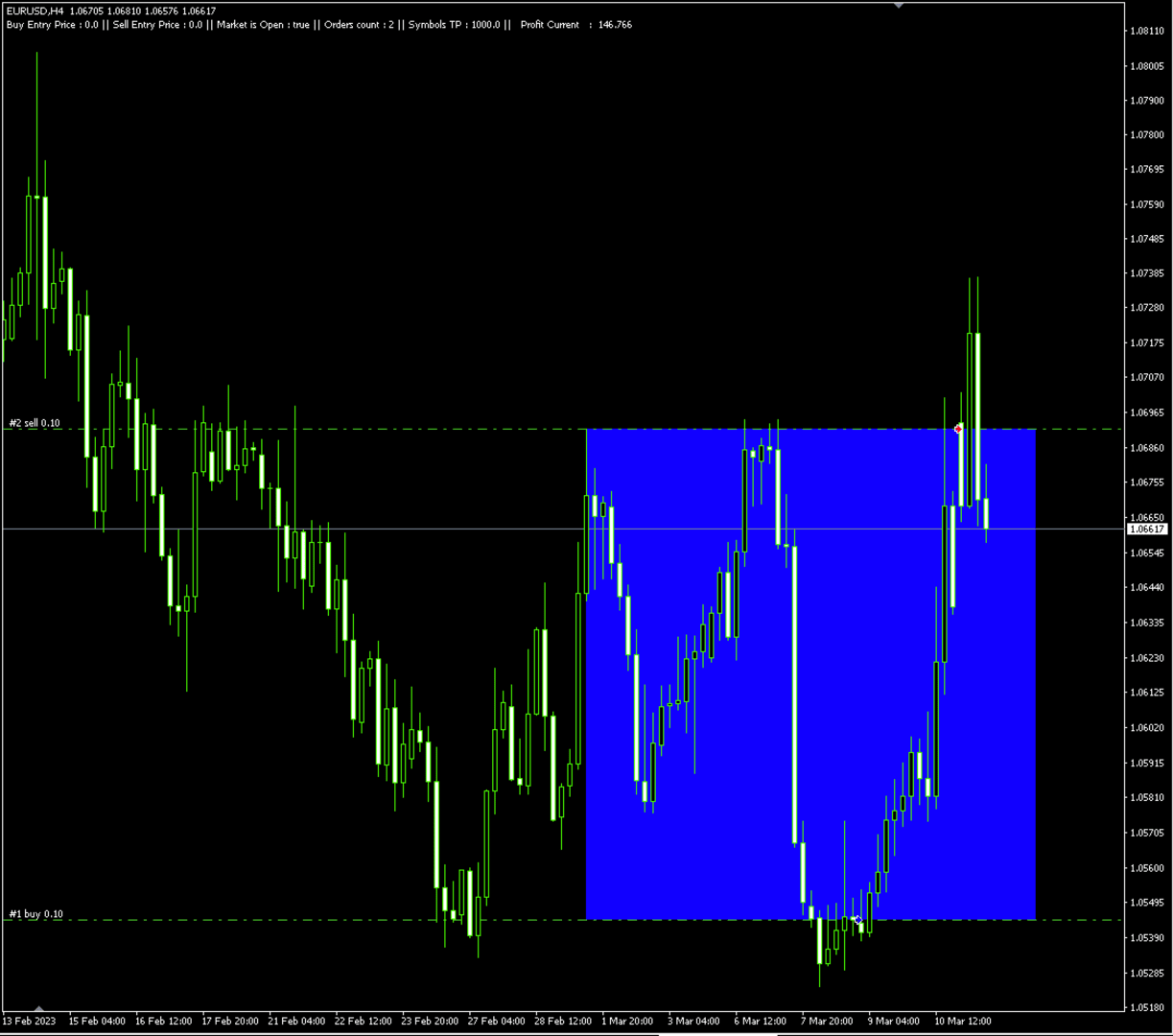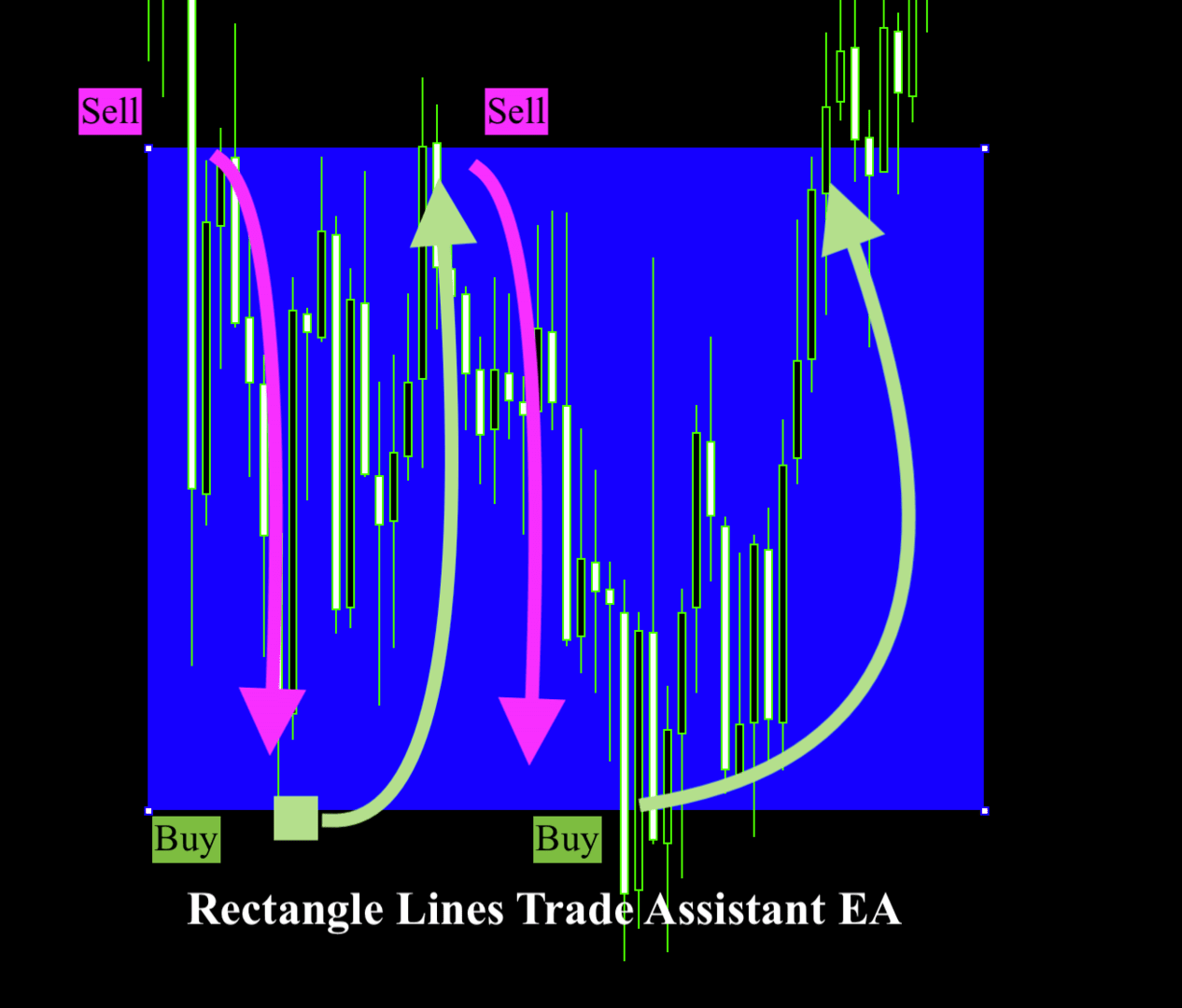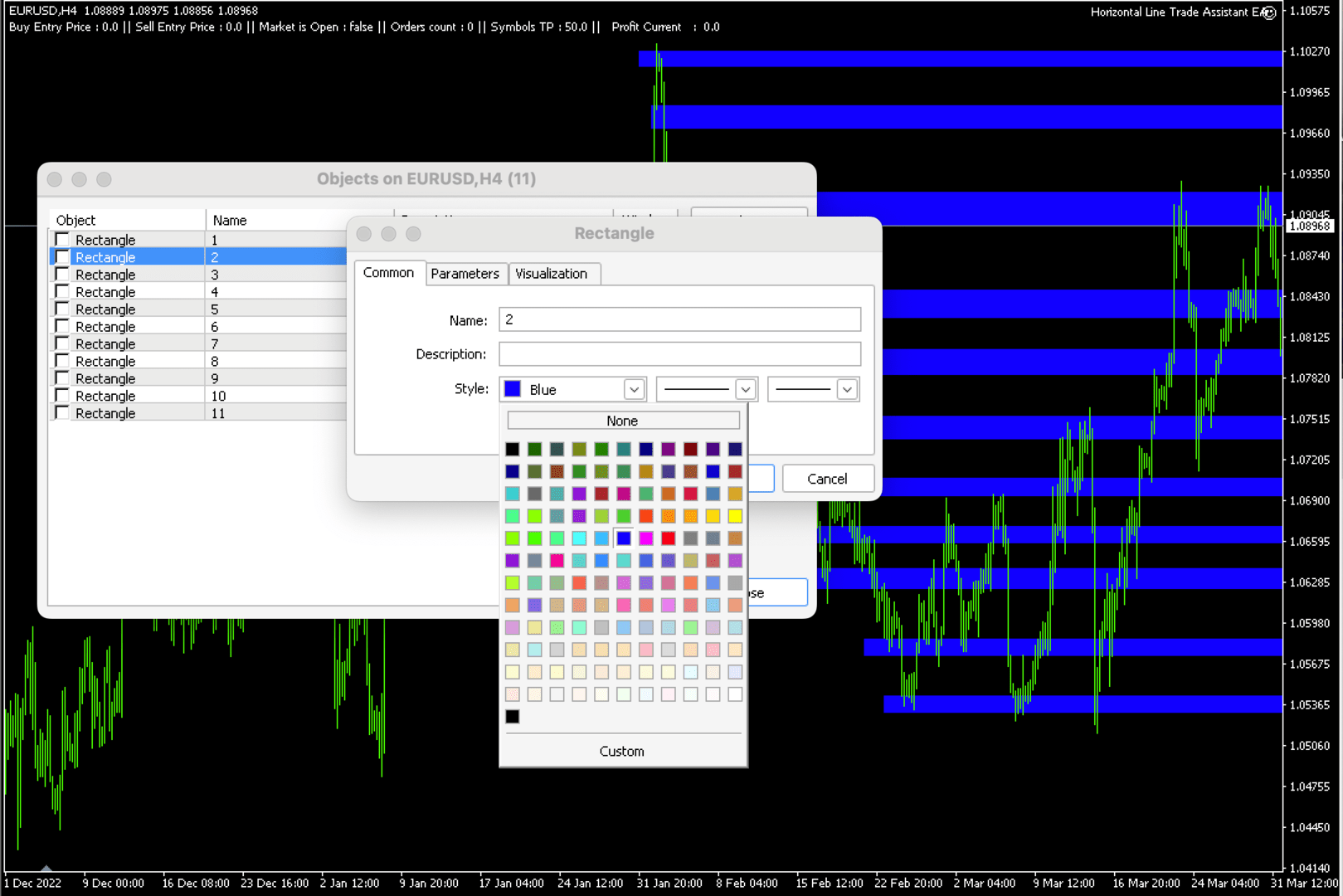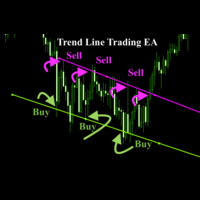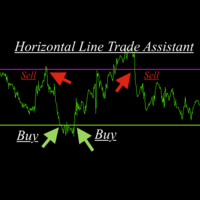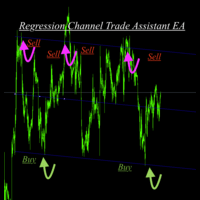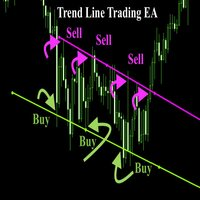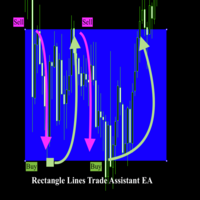
Rectangle line Trade Execution Assistant

Rectangle line Trade Execution Assistant

Rectangle Line Trade Assistant EA

 Semi-Automated Trading Assistant    

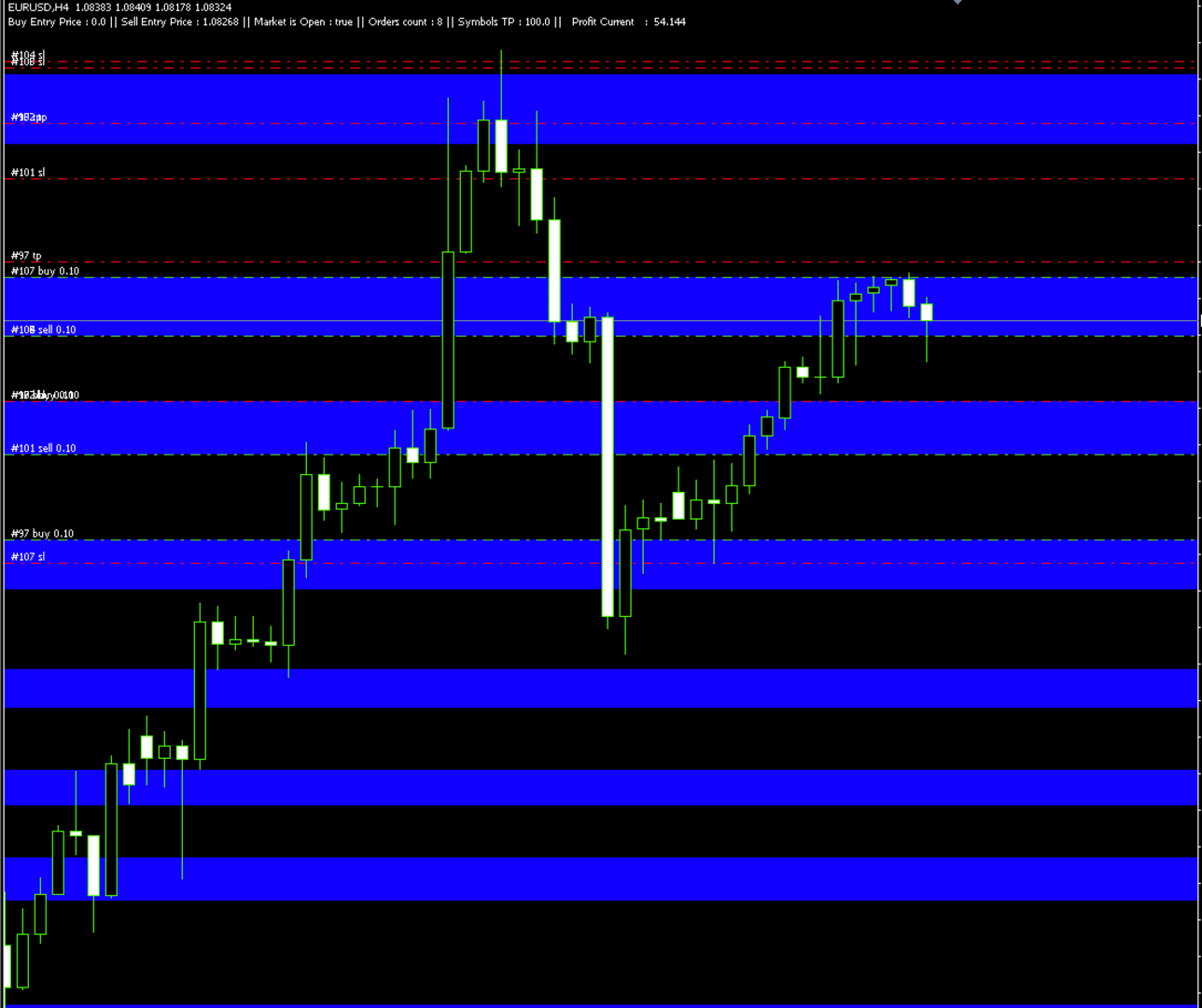
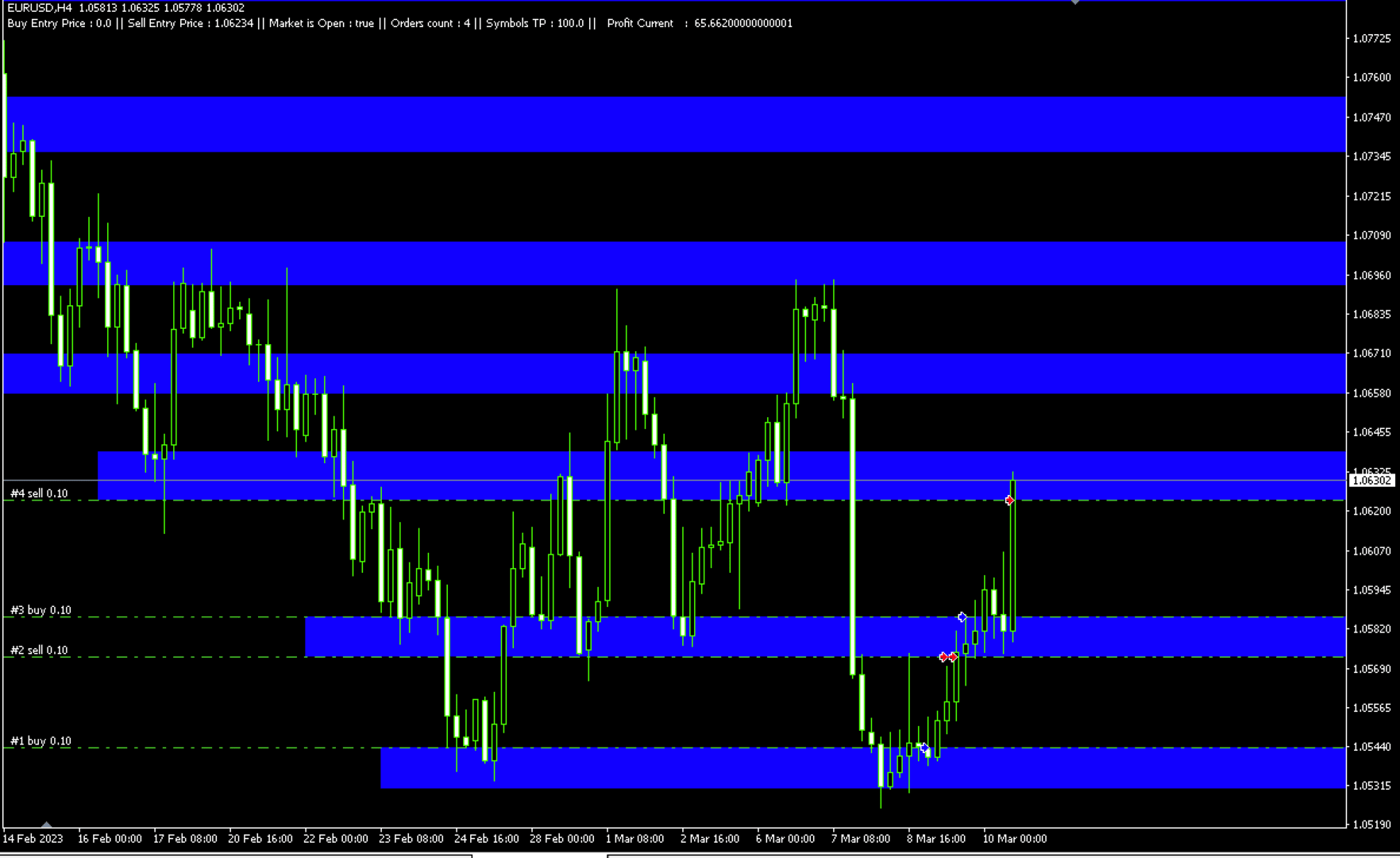
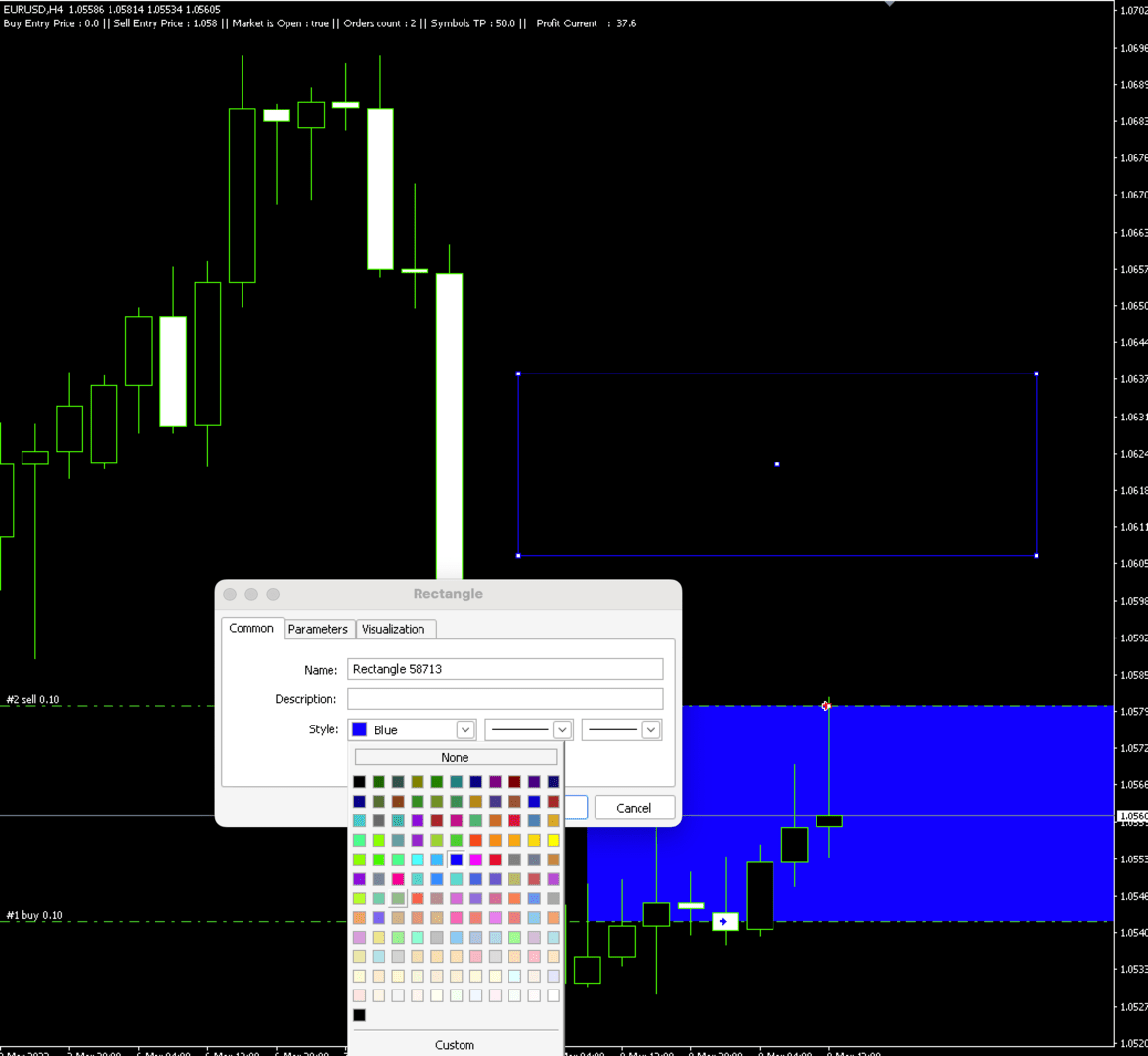
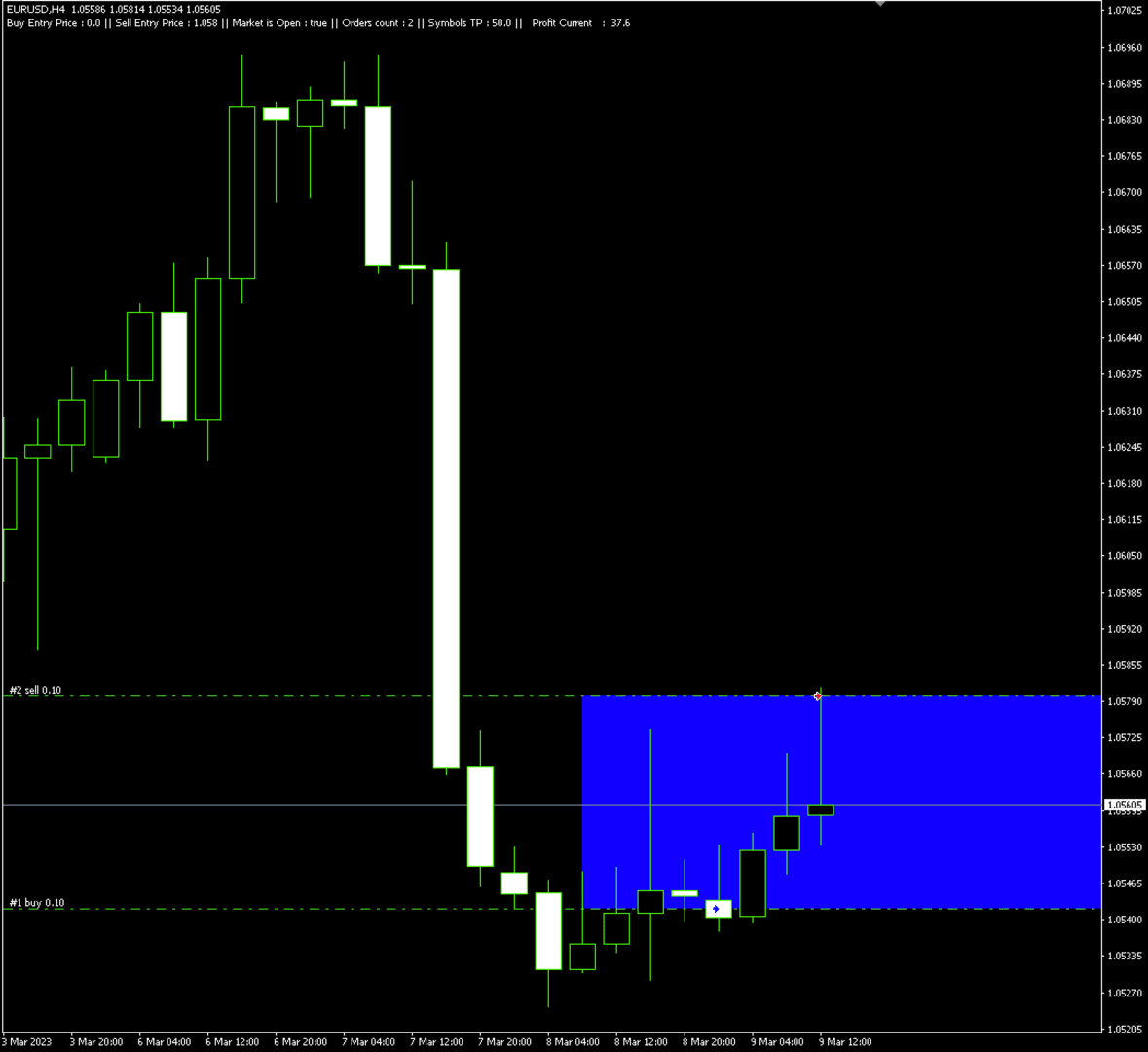
 IMPORTANT:   On the main/purchased program a user can click on the Rectangle line and move/ drag it around the chart, by double clicking on it. Please keep in mind that this option is not available on demo version, due to some restrictions/limitations of Strategy Tester, some Object related operations are not available in the Strategy Tester. But, it will not prevent you from Testing, please drop an Object to chart, then save your objects as a new templet, after, run an EA in strategy tester with that saved templet, and it will automatically assign and perform Buy or Sell positions based on your predefined parameters. 

You can drag and drop the EA to a chart, and it will automatically determine the Pair and will start working. Please See the list of instruments that are pre-coded to this EA.   

List of Pairs: AUDCAD, AUDCHF, AUDJPY, AUDNZD, AUDUSD, CADCHF, CADJPY, CHFJPY, EURAUD, EURCAD, EURCHF, EURGBP, EURJPY, EURNZD, EURUSD, GBPCAD, GBPCHF, GBPJPY, GBPUSD, NZDJPY, NZDUSD, USDCAD, USDCHF, USDJPY, XAGUSD, XAUUSD, GBPAUD, EUSTX50, FRA40, GER30, ASX200, NDX100, JPN225, UK100, US30, SPX500, VIX, US2000, HK50, USDX, CAN60, SWI20, NTH25, UKOUSD, USOUSD, XPTUSD, XZNUSD, XNIUSD, XAUJPY, XAUEUR.        

Description

Unlock the power of semi-automation Rectangle Line Trade Assistant EA, a versatile Expert Advisor Assistant designed to enhance your trading experience. This innovative tool offers a seamless integration of your trading strategies with the dynamic world of chart analysis.    

Key Features:  

Rectangle Line Object Detection and Trade Execution 

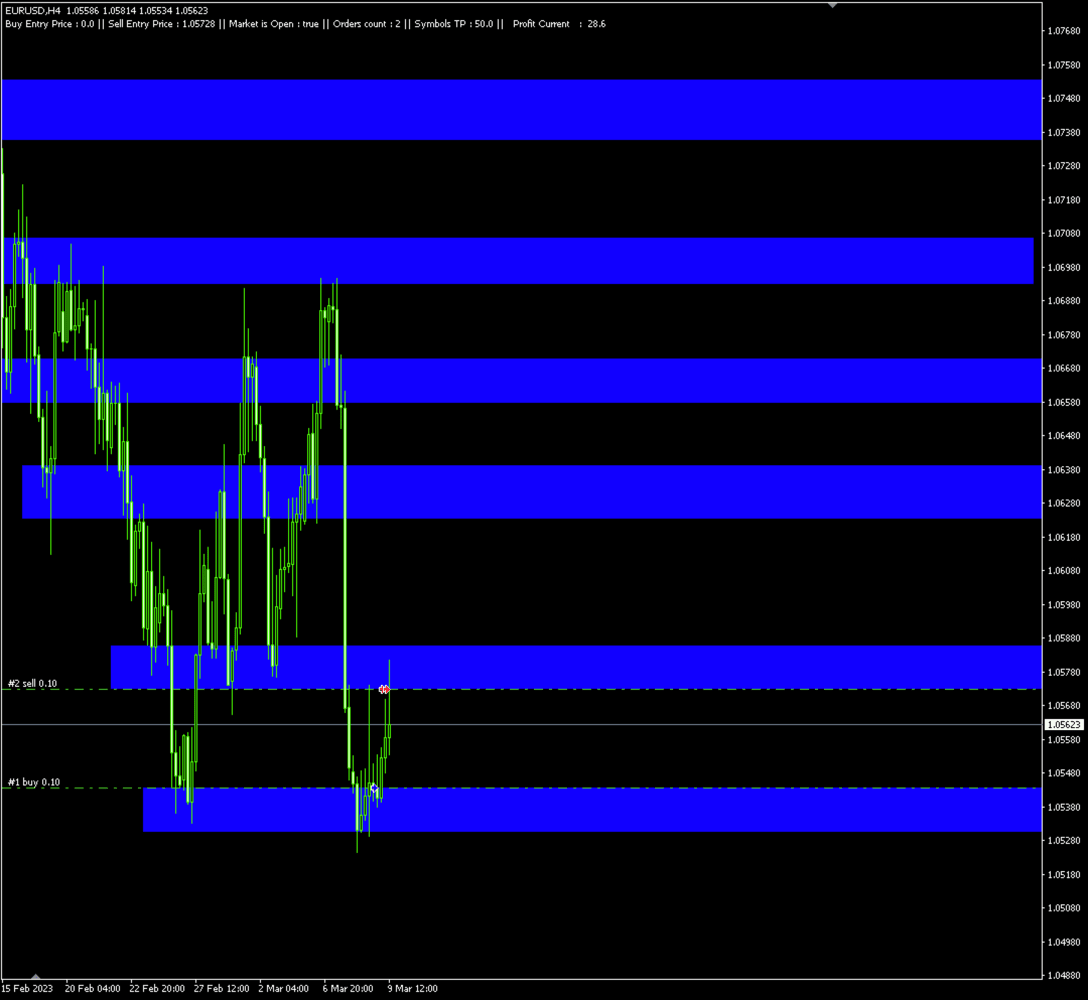
                  This EA operates by intelligently detecting Rectangle Line Objects on your trading chart. It will Automatically determine if it’s a Buy or Sell order based on users predetermined parameters.  

Flexibility in Trading: 

Choose your preferred trading direction – buy or sell – based on the positioning of the Rectangle Line Object.   

Trade on Your Terms: 

                  Say goodbye to constant chart monitoring and alert-watching. With this EA, simply draw your Rectangle Lines on the chart and let the EA do the rest.    

Enjoy the freedom to live your life while Rectangle Line Trade Assistant EA    

automates your trades according to your predefined strategies.   

Compatible with Diverse Strategies: 

Rectangle Line Trade Assistant EA caters to a broad spectrum of trading styles, including but not limited to Hedging, Support and Resistance trading, and more.    

Adapt the EA to suit your unique strategies and level of experience.    


Versatility for Personal and Prop Firm Accounts: 

                  Whether you're managing your personal account or operating within a Proprietary firm evaluation accounts, Rectangle Line Trade Assistant EA extends its capabilities to suit your trading environment.    

Ownership and Licensing: 

- The rights to this program, including but not limited to the source code, are owned by Bakyt Kenzhebek. No part of this program may be reproduced, distributed, or sold without explicit permission from the developer.
- The user (buyer) is granted a license to use this program solely for trading purposes. Any form of resale, redistribution, or sharing with third parties is strictly prohibited.
- The developer of this program does not take any responsibility for any trading losses or damages incurred by the user. The user should carefully evaluate and test the program based on their trading strategy before using it in live trading.
- By using this program, the user acknowledges and agrees to abide by these terms and conditions. Any violation of these terms may result in the termination of the user's license to use the program.
- For inquiries regarding licensing, permissions, or support, please contact y.bakyt@mail.com.   

If there is/are an Error/s, please send an email to ‘y.bakyt@mail.com’ with explanation and screenshots.   


Expert Properties explained:  

//+------------------------------------------------------------------+ 

Buy_Top_Sell_Buttom = false; - if true Buys on the top rectangle price, opposite for false.

showComment = true; - Shows or Hides Comments 

"Allow Multiple Positions at same Line/Price" 

Allow_Multiple_Positions_At_Same_Price = false; 

"Wait time between Orders, in Minutes." 

Minutes_btw_Orders = 180; 

If Market price moves away fron the pending position X Pips, the EA Deletes the order 

Delete_Pending_Order_After_X_Pips_Away = 30; 

"Minimum Difference btw Orders in Pips." 

Min_Pips_Difference_btw_Orders = 30; 

"Take Profit and Stop Loss" 

Take_Profit = 0; 

Stop_Loss = 0; 

Lots = 0.1; 

"Name for Trade Comments" 

Comment_Text = "Put Your Name";

Trailing_Allowed = false; 

Trailing_Pips = 0; 

New_TP = 0; 

" If in InProfit more or equal to X, this will close all positions for the symbol" 

InProfit_For_LessThan_3 = 70; 

InProfit_For_MoreThan_3 = 50; 

      Changning InProfit, means, if 3 or less positions are open, the Profit should be $100 (example bellow). Else if, equal or more than 3 positions the Profit is $50 and the EA will Close All positions for the Current Symbol.    

   InProfit_For_LessThan_3 = 100;    

   InProfit_For_MoreThan_3 = 50;    


   "Input Market Open and Close H:M". Military time is a technique of tracking hours in which the day runs from midnight to midnight and is broken into 24-hour increments. This is not the same as the 12-hour clock commonly used worldwide. For example, a military clock that reads 1930 hours is the same as 7:30 PM when using the 12-hour clock. Since military time reflects the counting up to 24 hours, AM and PM is not required.    

Like the 12-hour clock, the first two digits are the hours, and the last two represent the minutes. Military time ranging from 0000 to 1159 is considered AM, and military time ranging from 1200 to 2359 is PM.     

   Market_Close_Time_Hour = 15;    

   Market_Close_Time_Minute = 59;    

   Market_Open_Time_Hour = 17;    

   Market_Open_Time_Minute = 01;   


Prodotti consigliati
Strumento professionale per la gestione automatica del trading in MetaTrader 5 Semplifica il trading, protegge il capitale e massimizza i profitti senza la necessità di monitorare continuamente i grafici. Funzionalità principali ️ Impostazione automatica di Stop Loss (SL) e Take Profit (TP) ️ Trailing Stop intelligente (blocco dei profitti) ️ Funziona sia con ordini di mercato che pendenti ️ Visualizzazione automatica di SL/TP direttamente sul grafico ️ Timer chiaro di conto alla rovesc
TradesManger
Ali Abdalrasool Ai-sayyd Sobai
Ultimate Manager is the ultimate Expert Advisor (EA) for MetaTrader5, empowering traders with seamless control over every aspect of their trades. This powerful tool manages lot sizes, stop losses, trailing stops, trade durations, and trailing activation thresholds with precision. Featuring intuitive buttons, you can execute two trades simultaneously, close all positions, close buys only, close sells only, or close profitable trades in an instant. Designed for efficiency and risk management, Ulti
The analyzer makes it possible to quickly assess spread changes on historical data,   the magnitude and frequency of bursts, the dynamics and nature of the extensions by the days of the week, etc. The analyzer needs to be started in the tester (visualization mode) on the symbol and time interval required for analysis,   recommended TimeFrame H1, select "Every tick based on real ticks" mode.
Prendi il controllo del tuo portafoglio forex. Vedi istantaneamente dove ti trovi, cosa sta funzionando e cosa ti sta causando dolore! VERSIONE MT4 DISPONIBILE QUI: https://www.mql5.com/en/market/product/58375 Il dashboard di Trade Manager è progettato per mostrarti a colpo d'occhio dove si trova attualmente ogni posizione che hai nel mercato forex e rendere più facile la comprensione della gestione del rischio e dell'esposizione alle valute. Per i trader che scalano gradualmente il mercato co
Free automatic Fibonacci is an indicator that automatically plots a Fibonacci retracement based on the number of bars you select on the BarsToScan setting in the indicator. The Fibonacci is automatically updated in real time as new highest and lowest values appears amongst the selected bars. You can select which level values to be displayed in the indicator settings. You can also select the color of the levels thus enabling the trader to be able to attach the indicator several times with differe
FREE
This EA help trader to manage his pending orders, when you place many Pending Orders this utility monitor them and when of them get filed (executed) the EA cancel and delete all rest of pending orders, to avoid  opening of all of pending orders at the same time , and lose your risk management. this utility is very useful for trader when he /she is not available on the desk.
Il Risk to Reward Ratio Manager è uno strumento visivo di gestione degli ordini e di calcolo delle dimensioni delle posizioni, progettato per supportare un trading disciplinato e una gestione professionale del rischio. Consente ai trader di impostare visivamente i livelli di ingresso, stop-loss e take-profit direttamente sul grafico, calcolando automaticamente la dimensione del lotto e il rapporto rischio/rendimento prima di inviare un ordine. Lo strumento aiuta a standardizzare la preparazione
Session panel
Timo Mario Hoffmann
Session Panel for MT5 Session Panel is a free MT5 indicator that gives you a fast and convenient live overview of the major trading sessions directly from the chart. Monitor Tokyo, London, and New York session times, see which session is currently active, track countdowns to the next session, and view session overlap information in one compact dashboard. Built for traders who want better market timing, clearer session awareness, and a cleaner chart workflow in live market conditions. Session Pan
FREE
NAS100 Auto Sl And TP MT5
Moustapha Boulouz
5 (2)
Vi presentiamo NAS100 Auto SL e TP Maker per MT5: Non perdete mai più l'impostazione di StopLoss e TakeProfit con il nostro NAS100 Auto SL e TP Maker, un assistente indispensabile per i trader che navigano sul mercato del Nasdaq 100 su MetaTrader 5. Questo strumento è stato progettato per coloro che cercano una soluzione perfetta per automatizzare la gestione dei livelli di StopLoss e TakeProfit. Caratteristiche principali: Automazione senza sforzo: Monitora automaticamente le operazioni sul N
FREE
Money and Trade Manager
Tobias Michael Kerner
If you want to try the Demo Version, please use this one: https://www.mql5.com/en/market/product/58262 Features: easy positioning of stoploss and takeprofit with horizontal Assistance-lines automatic Volume calculation fixed risk, set by the trader Closing of all trades of one type, with the click of one button (long or short, for this symbol) Creation of pending orders with one click Direct feedback through responsive buttons Made for all your needs: Forex Indices Crypto Gold, Silver, Platin
Trend Risk Monitor
Kenneth Michael Chambers
TREND RISK MONITOR EA - USER GUIDE ---------------------------------------------------- 1. OVERVIEW The Trend Risk Monitor is not a trading robot that opens new positions. Instead, it is a sophisticated risk management utility designed to work alongside another Expert Advisor (EA) on your trading account. Its primary purpose is to actively monitor trades opened by a specific EA (identified by a "Magic Number") and provide a real-time assessment of the market risk associated with each open posit
Prop Firm Lot Size Calculator
Christian Paul Anasco
5 (1)
Now, you have your very own  PROP FIRM LOT SIZE CALCULATOR ! It now has BREAKEVEN and PARTIAL CLOSURE features! There's no need to go to other websites just to compute for the exact lot size. It also opens the trade with a click of a button. All inputs on the calculator can be edited. So if you want to change the SL or TP or the lot size, you can do so before placing an order. ========================================== INPUTS (Please see screenshot for reference): 1. SL PRICE TEXT . This is clic
Babel Assistant
Iurii Bazhanov
4.33 (9)
Babel assistant 1     The MT5 netting “Babel_assistant_1” robot uses the ZigZag indicator to generate Fibonacci levels on M1, M5, M15, H1, H4, D1, W1  periods of the charts , calculates the strength of trends for buying and selling. It opens a position with "Lot for open a position" if the specified trend level 4.925 is exceeded. Then Babel places pending orders at the some Fibonacci levels and places specified Stop Loss , Take Profit. The screen displays current results of work on the position
FREE
RRtoolBox
David Ruiz Moreno
RRtoolbox - Professional Tools: Risk:Reward Trading Tool (SL/TP Horizontals + Pending orders + Diagonals), Alerts set on trend lines (for alerts on diagonal levels), SelfManagement (BE, partials...), close/cancelling by time, Statistics, Info and trading on chart. One-Click Trading with Visual Risk:Reward Management RRtoolbox is a comprehensive trading panel that combines one-click order execution,  statistics and  powerful visual Risk:Reward tools, alerts set with trendlines, on chart butt
Clean Pending Orders
Oleksandr Kashyrnyi
Clean Pending Orders Elimina tutti gli ordini pendenti sul simbolo corrente in pochi secondi! Questo script semplice ma efficace è progettato per i trader che apprezzano velocità e praticità. Basta eseguirlo e eliminerà immediatamente tutti gli ordini pendenti di acquisto e vendita sul simbolo corrente. Vantaggi: Eliminazione immediata: Tutti gli ordini vengono eliminati in pochi secondi. Focus solo sul simbolo corrente: Gli altri strumenti non vengono toccati. Facilità d'uso: Un clic e il term
FREE
Binance is a world-renowned cryptocurrency exchange! In order to facilitate MT5 users to directly trade Binance Futures, the program provides the following trading functions: 1. Imitate the trading style of Binance Futures and provide a friendly operation panel; 2. Enter api and secret by yourself (you need to open futures trading permission in Binance api) to get leverage, balance and other information; 3. Support limitOrder (limit order), marketOrder (market order), stopLimit (limit stop p

Orion Telegram Notifier Bot
Joao Paulo Botelho Silva
Orion Telegram Notifier Bot  allows the trader to receive trade notifications in his Telegram whenever a position is opened or closed. The EA sends notifications showing the Symbol, Magic Number, Direction, Lot (Volume), Entry Price, Exit Price, Take Profit, Stop-Loss and Profit of the position. How to setup Orion Telegram Notifier? Open Telegram and Search for “BotFather” Click or Type “/newbot” Create a nickname and username (Example: nickname: MT5trades   - username: MT5TelegramBot) *The use
MT5 to Telegram
Alessandro Lentini
Bot to attach to any different chart than the one using to get the orders and send them to telegram Inputs: Telegram Bot Token, Telegram Chat ID Sends Open Price, Order Type, Lots, Take Profit and Stop Loss instantly after the trade is executed. Easy to SetUp and to use My other Bot for XAUUSD and USDCHF:   https://www.mql5.com/en/market/product/94001 Just remember to go to Tolls->Options->ExpertAdvisors->Allow Web Request for listed URL:  https://api.telegram.org/
TRAGUARDO RAGGIUNTO: PFTA Honey Harvester v14 è UFFICIALMENTE LIVE sul MT5 Market! Dopo un'ingegneria incessante, un profondo perfezionamento del sistema e validazioni di stress nel mondo reale, PFTA Honey Harvester v14 ha conquistato con successo il MetaTrader 5 Market Validator — uno degli ambienti di test automatizzati più brutali del settore. Questa NON è una semplice approvazione di base. ️ Il Validatore MT5 simula: Picchi estremi di spread Caos multi-simbolo Stress multi-timeframe
TradingX Hotkeys
Johannes Stephanus Lombard
Inputs Available Lotsizes Partial Close % You can change lotsizes as you require On an open chart click once to select chart to be able to use hotkeys on specific chart. All Pairs can be used with this expert We created this expert to be able to still trade C300 with a 0.06 Lotsize If you enter a 0.6 lot and close 0.90% you can trade with 0.06 Lot Keys to be used: B -Buy S -Sell C -Close Profitable D -Breakeven (Note if stoploss is set it won't break even) P -Partial close X -Close all
Magic News Trade Assistant è uno strumento per fare trading quando ci sono notizie, questo strumento è molto utile per generare profitti, perché puoi impostare chiaramente il tuo Stop Loss e Take Profit. Questo strumento è perfetto per fare trading su XAUUSD. Le notizie che possiamo utilizzare per il trading come JOLTS e NFP sono molto redditizie. Sarai calmo e aspetterai che il tuo ordine realizzi un profitto, tutto dipende dalle notizie generate. Raccomandazione: • Coppia di valute: XAUUSD •
ZenRisk 2
Craig Joshua Binnekamp
ZenRisk 2.0 — The Minimalist Visual Trade Manager Trade with clarity. Zero chart bloat, maximum precision. Are you tired of trade managers that take up half your screen with confusing menus and unnecessary features? ZenRisk 2.0 is a professional, visual trade execution tool built specifically to remove the guesswork from risk management—without the distracting bloat. Unlike heavy, cluttered panels, ZenRisk is designed for traders who want their focus to remain entirely on the chart. It tucks a
Trading Terminal Pro
PETER OMER M DESCHEPPER
Fai trading più velocemente. Gestisci il rischio in modo più intelligente. Esegui le operazioni con sicurezza. Offerta di lancio! Il prezzo aumenta ogni 15 copie vendute. Prezzo finale: 100 dollari. Manuale utente  -  Versione di prova dell'applicazione per un account demo Trading Terminal Pro è un pannello di gestione del trading avanzato per MetaTrader 5, progettato per i trader che desiderano precisione, velocità e controllo completo in un'unica piattaforma. Invece di destreggiarsi tra più fi
The   Pivot Point indicator   automatically calculates and displays the pivot point line and support and resistance levels. Pivot can be calculated according to the Classic, Floor, Fibonacci, Woodie, Camarilla or DeMark formula. It is also possible to select the period for calculating the indicator. A trader can choose from daily, weekly, monthly, or user-defined periods. Types of pivots Classic Floor Fibonacci Woodie Camarilla DeMark Main features The indicator shows the current and historic
FREE
Fibonacci MT5
Konstantin Chechnev
Fibonacci EA MT5 is an Expert Advisor for automating trading based on Fibonacci levels. It determines the minimum and maximum prices over a specified number of bars, builds Fibonacci levels, and opens trades when the current price reaches the selected levels. The EA can trade with the trend or against it, depending on the given parameters. It also allows you to configure levels for closing trades, risk management, and time filters. Features Automatic detection of local extremes and the construct
MetaOrders MT5
Sergii Povzaniuk
This trading tool will help You to place your orders faster , specify its parameters easier and control your risks more clearly. It allows You to use lines on a chart to set the entry price, stop loss, take profit for any order, considering the specified percentage of risk from the deposit or a fixed lot, and place it in one click. It automatically detects a broker’s commission and takes it into account during calculations. It also calculates available for new order funds based on already opene
Execute trades from telegram signals
Lawrence Chiiambb Mkandawi
5 (1)
Telegram to MT5 Bridge: Automated Trading Signal Executor One-Click Automation   from Telegram trading signals to MetaTrader 5 execution.  Instant Signal Execution Connect your Telegram trading channels directly to MT5. Receive signals, execute trades automatically. Smart Signal Recognition Automatic parsing   of trading signals in any format: BUY EURUSD SL 30 TP 60 SELL GBPUSD LOT 0.2 BUYSTOP XAUUSD PRICE 1950 Professional & Secure Bank-level encryption for all connections No signal delays - ex
Mt5RiskReward
Santiago Garcia Sanchez
5 (1)
This indicator will help you define the entry, stop loss and take profit by means of horizontal lines on a chart. In addition, it is also possible to calculate the size of a position according to the percentage of the risk that you want to assume. For this purpose, a panel consisting of the following elements is available: Button to show or hide the tool on the chart. A text box to enter the number of contracts to be used for the calculations. A text box to enter the risk/reward ratio you want
The Trade Panel Dashboard is a powerful, user-friendly interface designed to streamline and enhance your trading experience. This centralized hub provides real-time data visualization, advanced analytics, and seamless execution tools, empowering traders to make informed decisions with precision and speed. Key Features: Real-Time Market Data Access live price feeds,  market trends for multiple assets (stocks, cryptocurrencies, forex, commodities, etc.) in one consolidated view. Order Management
This EA finds Fair Value Liquidity (FVL) on the chart, tracks when they get mitigated , and then looks for an inversion signal (price “fails” through the zone). When that inversion happens, it places a trade in the opposite direction of the original Liquidity gap (an Inverse FVG approach). It also lets you control when it trades using market sessions , and it can auto-close positions at New York open (all positions or profitable-only). Key advantages Clear, rule-based entries (no guessing): trad
FREE
Gli utenti di questo prodotto hanno anche acquistato
Trade Assistant MT5
Evgeniy Kravchenko
4.42 (209)
It helps to calculate the risk per trade, the easy installation of a new order, order management with partial closing functions, trailing stop of 7 types and other useful functions. Additional materials and instructions Installation instructions - Application instructions - Trial version of the application for a demo account Line function -   shows on the chart the Opening line, Stop Loss, Take Profit. With this function it is easy to set a new order and see its additional characteristics bef
Forex Trade Manager MT5
InvestSoft
4.98 (648)
Benvenuto a Trade Manager EA, lo strumento definitivo per la gestione del rischio , progettato per rendere il trading più intuitivo, preciso ed efficiente. Non è solo uno strumento per l'esecuzione degli ordini, ma una soluzione completa per la pianificazione delle operazioni, la gestione delle posizioni e il controllo del rischio. Che tu sia un principiante, un trader avanzato o uno scalper che necessita di esecuzioni rapide, Trade Manager EA si adatta alle tue esigenze, offrendo flessibilità s
Local Trade Copier EA MT5
Juvenille Emperor Limited
4.96 (136)
Sperimenta una copia di trading eccezionalmente veloce con il   Local Trade Copier EA MT5 . Con la sua facile configurazione in 1 minuto, questo copiatore di trading ti consente di copiare i trades tra diversi terminali di MetaTrader sullo stesso computer Windows o su Windows VPS con velocità di copia ultra veloci inferiori a 0.5 secondi. Che tu sia un trader principiante o professionista,   Local Trade Copier EA MT5   offre una vasta gamma di opzioni per personalizzarlo alle tue esigenze speci
Versione Beta Telegram to MT5 Signal Trader è quasi pronto per il rilascio ufficiale in versione alpha. Alcune funzionalità sono ancora in fase di sviluppo e potresti riscontrare piccoli bug. Se riscontri problemi, ti preghiamo di segnalarli, il tuo feedback aiuta a migliorare il software per tutti. Telegram to MT5 Signal Trader è uno strumento potente che copia automaticamente segnali di trading da canali o gruppi Telegram al tuo account MetaTrader 5 . Supporta canali pubblici e privati e cons
TradePanel MT5
Alfiya Fazylova
4.87 (153)
Trade Panel è un assistente commerciale multifunzionale. L'applicazione contiene più di 50 funzioni di trading per il trading manuale e permette di automatizzare la maggior parte delle attività commerciali. Attenzione! Gli sconti sono validi fino al 5.05.2026. Dal 6.05.2026 il prezzo sarà di 100$. Prima dell'acquisto, è possibile testare la versione dimostrativa su un conto demo. Scaricare la versione di prova dell'applicazione per un account dimostrativo: https://www.mql5.com/it/blogs/post/7624
ABQ Visual Risk Sizer
Cristian David Castillo Arrieta
ABQ Visual Risk Sizer - Rischio Istituzionale & Esecuzione di Operazioni Categoria: Utility / Gestione del Rischio Il calcolo manuale dei lotti costa tempo e denaro. Nel trading moderno, specialmente quando si opera con conti finanziati (Prop Firm), un errore di calcolo del lotto o un ritardo di 5 secondi nell'inserimento di un ordine può significare la violazione della regola del Drawdown Giornaliero o la perdita del prezzo di entrata perfetto. ABQ Visual Risk Sizer è uno strumento di livello i
FarmedHedge Pair Trading Dashboard
Tanapisit Tepawarapruek
5 (3)
Farmed Hedge Yield Farming | All Markets (Manual - Hybrid - Semi/Automated EA) MULTI-ASSET SUPPORT Trade any asset available on your broker - Forex: Major, Minor, Exotic pairs - Crypto: BTC, ETH, XRP, SOL, BNB - Stocks: Apple, Tesla, Amazon, Google, etc. - Commodities: Gold, Silver, Oil, Gas - Indices: US30, NAS100, SPX500, DAX40 - Any CFD your broker offers VERIFIED TRADING RESULTS - Farmed Hedge Yield Axi Copy:  https://www.mql5.com/en/signals/2356376 - Farmed Hedge Yield Exn Copy:   https:/
Power Candles Strategy Scanner - Strumento di ricerca configurazioni multi-simbolo con ottimizzazione automatica Power Candles Strategy Scanner utilizza lo stesso motore di auto-ottimizzazione che alimenta l'indicatore Power Candles, applicandolo a tutti i simboli presenti nel tuo Market Watch, uno accanto all'altro. Un unico pannello ti indica quali simboli sono statisticamente negoziabili in questo momento, quale strategia è vincente su ciascuno di essi, la coppia ottimale di Stop Loss / Take
Trade Dashboard MT5
Fatemeh Ameri
4.94 (123)
Trade Dashboard simplifies how you open, manage, and control your trades, with built-in lot size calculation. It allows you to execute trades, manage risk, and control positions directly on the chart, with tools such as partial close, breakeven, and trailing stop. Designed to reduce manual work and help you stay focused on your trading decisions. A demo version is available for testing. Detailed explanations of features are provided within the MQL5 platform. Installation instructions are include
Exp COPYLOT CLIENT for MT5
Vladislav Andruschenko
3.82 (34)
Copiatore professionale di trade per MetaTrader 5 Un copiatore di trade veloce, professionale e affidabile per MetaTrader . COPYLOT consente di copiare operazioni Forex tra terminali MT4 e MT5 con supporto per conti Hedge e Netting . La versione MT5 di COPYLOT supporta: - MT5 Hedge → MT5 Hedge - MT5 Hedge → MT5 Netting - MT5 Netting → MT5 Hedge - MT5 Netting → MT5 Netting - MT4 → MT5 Hedge - MT4 → MT5 Netting Versione MT4 Descrizione completa + DEMO + PDF Come acquistare Come installare Come ot
Trade copier MT5
Alfiya Fazylova
4.59 (41)
Trade Copier è un'utilità professionale progettata per copiare e sincronizzare le transazioni tra conti di trading. La copiatura avviene dal conto/terminale del fornitore al conto/terminale del destinatario, che sono installati sullo stesso computer o vps. PROMOZIONE - Se avete già acquistato il "Trade copier MT5", potete ottenere gratuitamente il "Trade copier MT4" (per la copia MT4 > MT5 e MT4 < MT5). Per maggiori informazioni sulle condizioni, vi preghiamo di contattarci tramite messaggi priv
Footprint Chart Pro — Professional OrderFlow EA for MetaTrader 5 Version 6.34 | Professional tool for real traders | Institutional-Grade Visualization DEMO USERS - PLEASE SELECT EVERY TICK / REAL TICK WHEN TESTING AND YOU HAVE DOWNLOADED HISTORICAL DATA. IF YOU SEE A WAITING SCREEN AND IT IS NOT DOWNLOADING, IT MEANS YOU HAVE LOW HISTORICAL DATA. TRY 1 MIN AND 5 MIN FIRST ON 1 DAY DATA. ONE DAY DATA SHOULD BE THE NEWEST AND MOST CURRENT DATE. PLEASE WAIT UNTIL THE MARKET HAS ROLLED OVER PERIOD.
Trade Manager DashPlus
Henry Lyubomir Wallace
5 (13)
DashPlus è uno strumento avanzato di gestione delle operazioni progettato per migliorare l'efficienza e l'efficacia del trading sulla piattaforma MetaTrader 5. Offre una suite completa di funzionalità, tra cui calcolo del rischio, gestione degli ordini, sistemi di griglia avanzati, strumenti basati su grafici e analisi delle prestazioni. Caratteristiche Principali 1. Griglia di Recupero Implementa un sistema di griglia flessibile e di media per gestire le operazioni in condizioni di mercato avve
Timeless Charts
Samuel Manoel De Souza
5 (4)
Timeless Charts è una soluzione di grafici avanzata, progettata per i trader professionisti che necessitano di grafici personalizzati / timeframe personalizzati – inclusi grafici a secondi / timeframe a secondi, grafici Renko / barre Renko, grafici a cluster / footprint e strumenti avanzati simili a quelli disponibili nelle piattaforme più popolari. A differenza dei tradizionali grafici offline o dei semplici indicatori personalizzati, questa soluzione crea barre completamente personalizzate con
AntiOverfit PRO MT5
Enrique Enguix
5 (4)
Prima di comprare un EA, verifica se regge davvero oppure se in backtest è sembrato forte solo per fortuna. La maggior parte dei robot viene venduta con un backtest bello da vedere. Curva in crescita. Buon profit factor. Pochi dubbi. Eppure molti di questi EA crollano non appena il mercato smette di muoversi come in quello storico. Perché? Perché un backtest dimostra una cosa sola: che quella strategia ha funzionato su un percorso di prezzo ben preciso. Non dimostra che reggerà su percorsi diver
Copy Cat More Trade Copier MT5 (Gatto Copiatore MT5) è un copiatore di trade locale e un framework completo di gestione del rischio ed esecuzione progettato per le sfide di trading odierne. Dalle sfide delle prop firm alla gestione di portafogli personali, si adatta a ogni situazione con una combinazione di esecuzione robusta, protezione del capitale, configurazione flessibile e gestione avanzata dei trade. Il copiatore funziona sia in modalità Master (mittente) che Slave (ricevente), con sincro
Custom Alerts AIO: Monitora tutti i mercati — senza alcuna configurazione Panoramica Custom Alerts AIO è una soluzione di monitoraggio dei mercati pronta all’uso che non richiede alcuna configurazione. Tutti gli indicatori necessari — FX Power, FX Volume, FX Dynamic, FX Levels, IX Power — sono integrati internamente. Non vengono mostrati grafici, rendendolo ideale per generare alert in tempo reale in modo discreto ed efficiente. Supporta tutte le classi di asset offerte dal tuo broker: Forex,
VirtualTradePad One Click Trading Panel
Vladislav Andruschenko
4.59 (74)
Pannello di trading per MetaTrader 5 — controllo professionale del trading in un clic dal grafico e dalla tastiera Un pannello di trading avanzato progettato per trader attivi, pensato per aprire, gestire e chiudere operazioni molto più velocemente rispetto all’interfaccia standard di MetaTrader. Questa soluzione è dedicata a chi desidera controllare posizioni, ordini pendenti, profitto totale ed esecuzione da un unico spazio di lavoro professionale. Non si tratta di un semplice utilitario. È u
Telegram to MT5 Coppy
Sergey Batudayev
5 (8)
Da Telegram a MT5:   la soluzione definitiva per la copia del segnale Semplifica il tuo trading con Telegram su MT5, il moderno strumento che copia i segnali di trading direttamente dai canali e dalle chat di Telegram sulla tua piattaforma MetaTrader 5, senza bisogno di DLL. Questa potente soluzione garantisce un'esecuzione precisa dei segnali, ampie opzioni di personalizzazione, fa risparmiare tempo e aumenta la tua efficienza. [ Instructions and DEMO ] Caratteristiche principali Integrazione d
Seconds Chart MT5
Boris Sedov
4.59 (17)
Seconds Chart - uno strumento unico per creare grafici in secondi su MetaTrader 5 . Con Seconds Chart , puoi generare grafici con timeframe definiti in secondi, ottenendo una flessibilità e una precisione d'analisi ideali, non disponibili nei grafici standard in minuti o ore. Ad esempio, il timeframe S15 indica un grafico con candele di 15 secondi. Puoi utilizzare qualsiasi indicatore e Expert Advisor con supporto per simboli personalizzati. Lavorare con loro è comodo quanto operare sui grafici
Telegram To MT5 Receiver
Levi Dane Benjamin
4.31 (16)
Copia i segnali da qualsiasi canale di cui sei membro (compresi quelli privati e ristretti) direttamente sul tuo MT5.  Questo strumento è stato progettato con l'utente in mente offrendo molte funzionalità necessarie per gestire e monitorare gli scambi. Questo prodotto è presentato in un'interfaccia grafica facile da usare e visivamente accattivante. Personalizza le tue impostazioni e inizia ad utilizzare il prodotto in pochi minuti! Guida per l'utente + Demo  | Versione MT4 | Versione Discord
Ultimate Extractor
Clifton Creath
5 (9)
Ultimate Extractor - Professional Trading Analytics for MT5 *****this is the local HTML version of Ultimate Extractor. !!!!!it is not compatible with Cloud!!!! For the online version please reach out to me directly****** Ultimate Extractor transforms your MetaTrader 5 trading history into actionable insights with comprehensive analytics, interactive charts, and real-time performance tracking. What It Does Automatically analyzes your MT5 trading history across all Expert Advisors and generates
Anchor Trade Manager
Kalinskie Gilliam
5 (2)
Anchor: The EA Manager Run your full EA portfolio without conflicts, without stacked risk, and without watching every chart yourself. Anchor coordinates up to 64 Expert Advisors on a single account so only one trades at a time. Attach Anchor to any chart. Type your EA names and magic numbers in one line. Anchor handles the rest. Built for portfolios. Built for discipline. Built for prop firms. The Problem Running multiple EAs on the same account creates risk. Two gold EAs can open opposite posit
HINN MagicEntry Extra
ALGOFLOW OÜ
4.71 (14)
HINN MAGIC ENTRY – the ultimate tool for entry and position management! Place orders by selecting a level directly on the chart! full description   ::  demo-version  :: 60-sec-video-description Key features: - Market, limit, and pending orders - Automatic lot size calculation - Automatic spread and commission accounting - Unlimited partitial take-profits  - Breakeven and trailing stop-loss and take-profit  functions - Invalidation leves - Intuitive, adaptive, and customizable interface - Works
HINN Lazy Trader
ALGOFLOW OÜ
5 (2)
The core idea: using the user interface, you configure the parameters the chart must meet before entering a position (or positions), choose which entry models to use, and set the rules for when trading and planning should end. Lazy Trader  handles the rest: it  takes over all the routine chart watching and execution! full description  :: 3 key videos [1] ->  [2]   ->  [3] What can it do? - Understands Larry Williams market structure - Understands swing market structure by Michael Huddleston
Poc Breakout Signal: The Ultimate Institutional Order Flow & Price Action System Elevate your trading with Poc Breakout, a comprehensive technical analysis tool designed to bridge the gap between retail trading and institutional market understanding. This all-in-one system combines powerful Buy/Sell signals, advanced Volume Profile analysis, real-time Order Flow (Depth of Market), and critical macroeconomic data to give you a clear, unambiguous edge in the markets. Poc Breakout Signal decodes c
Cerberus Equity Watcher
Samuel Bandi Roccatello
5 (3)
Cerberus the Equity Watcher è uno strumento di gestione del rischio che monitora costantemente il valore della tua equity ed evita grosse perdite causate da EA difettosi o dall'emotivitá. È estremamente utile per i trader sistematici che si affidano a EA che potrebbero contenere bug o che potrebbero non funzionare bene in condizioni di mercato impreviste. Cerberus ti consente di impostare un valore minimo della equity e (opzionalmente) un valore massimo, se uno di questi valori viene raggiunto,
The product will copy all telegram signal to MT5 ( which you are member) , also it can work as remote copier.  Easy to set up, copy order instant, can work with almost signal formats, image signal,  s upport to translate other language to English Work with all type of channel or group, even channel have "Restrict Saving Content", work with  multi channel, multi MT5 Work as remote copier: with signal have ticket number, it will copy exactly via ticket number. Support to backtest signal. How to s
MT5 to Telegram Signal Provider è un'utilità facile da usare e completamente personalizzabile che consente l'invio di segnali specificati a una chat, canale o gruppo Telegram, rendendo il tuo account un fornitore di segnali. A differenza della maggior parte dei prodotti concorrenti, non utilizza importazioni DLL. [ Dimostrativo ] [ Manuale ] [ Versione MT4 ] [ Versione Discord ] [ Canale Telegram ]  New: [ Telegram To MT5 ] Configurazione Una guida utente passo-passo è disponibile. Nessuna cono
Trade Assistant 38 in 1
Makarii Gubaydullin
4.91 (23)
Strumento multifunzionale: Calcolatore di Lotto, Ordini Grid, Rapporto R/R, Gestore di Trade, Zone di Domanda e Offerta, Price Action e molto altro Versione Demo   |   Manuale Utente L'Assistente di Trading   non funziona nel tester di strategie : puoi scaricare la   Versione Demo QUI  per testare l' utilità . Contattami   per qualsiasi domanda  / idee di miglioramento / in caso di bug riscontrato Se hai bisogno di una versione MT4, è disponibile qui Semplifica, accelera e automatizza il tuo  
Altri dall’autore
Rectangle Lines Trade Assistant EA   Semi-Automated Trading Assistant   Description :   Unlock the power of semi-automation   Rectangle Lines Trade Assistant EA , a versatile Expert Advisor designed to enhance your trading experience. This innovative tool offers a seamless integration of your trading strategies with the dynamic world of chart analysis. Key   Features :     Rectangle Object Detection and Trade Execution                 This EA operates by intelligently detecting Rectangle Object
Trend Line Trade Assistant EA  Semi-Automated Trading Assistant     IMPORTANT :   On the main/purchased program a user can click on the Trend line and change it to Buy or Sell, and drag by double clicking on it. Please keep in mind that this option is not available on demo version, due to some restrictions/limitations of Strategy Tester, some Object related operations are not available in the  Strategy Tester. But, it will not prevent you from Testing, please drop an Object to chart and it will
Horizontal Line Trade Assistant EA  Semi-Automated Trading Assistant    IMPORTANT :   On the main/purchased program a user can click on the Horizontal line and change it to Buy or Sell, and drag by double clicking on it. Please keep in mind that this option is not available on demo version, due to some restrictions/limitations of Strategy Tester, some Object related operations are not available in the  Strategy Tester. But, it will not prevent you from Testing, please drop an Object to chart an
Regression Channel Trade Assistant EA   Semi-Automated Trading Assistant   Please be advised, that the Linear Regression Channel Indicator is a highly powerful tool for those who possess a comprehensive understanding of its functionality. We strongly recommend investing time in educating oneself on its proper utilization to harness its full potential. Description :   Unlock the power of semi-automation   Regression Channel Trade Assistant EA , a versatile Expert Advisor designed to enhance your
Trend Line Trade Assistant EA  Semi-Automated Trading Assistant      IMPORTANT :   On the main/purchased program a user can click on the Trend line and change it to Buy or Sell, and drag by double clicking on it. Please keep in mind that this option is not available on demo version, due to some restrictions/limitations of Strategy Tester, some Object related operations are not available in the  Strategy Tester. But, it will not prevent you from Testing, please drop an Object to chart and it wil
Horizontal Line Trade Assistant EA  Semi-Automated Trading Assistant      IMPORTANT :     On the main/purchased program a user can click on the Horizontal line and change it to Buy or Sell, and drag by double clicking on it. Please keep in mind that this option is not available on demo version, due to some restrictions/limitations of Strategy Tester, some Object related operations are not available in the  Strategy Tester. But, it will not prevent you from Testing, please drop an Object to chart
Filtro:
Nessuna recensione
Rispondi alla recensione