0
1
AURION EDGE PRO GOLD AI V3.3 — QUICK START GUIDE & FAQ
1. BASIC SETUP (REQUIRED)
- Symbol: XAUUSD (or GOLD)
- Timeframe: M5 (5 Minutes)
- Enable "Algo Trading" (green button at the top of MT5).
- In EA Properties > Common tab, check "Allow Algo Trading".
- Ensure your MT5 has loaded historical data for M1, M5, M15, H1, and H4 (the EA uses Multi-Timeframe analysis).
2. RECOMMENDED SETTINGS FOR GOLD (XAUUSD)
- EnableAutoTrading = true
- AutoRiskPercent = 1.0 to 2.0 (Safe risk management; no Martingale, no Grid).
- AutoEntryMode = AUTO_PERFECT_ONLY (strictest filter, fewer trades) or AUTO_GOOD_OR_PERFECT (more trading opportunities).
- GoldPerfectMaxSpread = Default is 25 points (2.5 pips). If your broker's XAUUSD spread is frequently higher, adjust this to 35–45 points (and check HardMaxSpreadPoints).
- EnableTradingHours = true (default: 01:00 to 23:00 server time).
3. FAQ — WHY HAS THE EA NOT OPENED A TRADE YET?
Aurion Edge Pro is a high-precision, rule-based system (no Martingale/Grid). It only enters when trend, multi-timeframe alignment, structure, volume, and spread filters align.
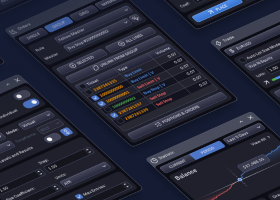
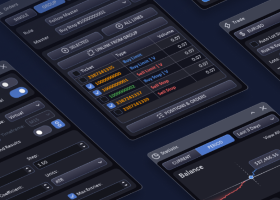
Check the Pro Panel on your chart (DECISION DETAILS & bottom status line):
- "Algo Trading disabled" -> Enable Algo Trading in MT5 and EA properties.
- "Spread too high" -> Your broker's spread exceeds GoldPerfectMaxSpread. Increase it slightly to match your broker.
- "Risk lot below broker min volume" -> Your account balance is too small for the current AutoRiskPercent + Stop Loss distance to reach 0.01 lots. Slightly increase AutoRiskPercent or deposit more margin.
- "WAIT / BUILDING" -> Normal behavior. The EA is monitoring the market and waiting for all filters to pass.
Need help? Send me a screenshot of your chart showing the Pro Panel and I will assist you right away!
https://www.mql5.com/pt/market/product/185055?source=Site+Market+My+Products+Page