VR Close Orders MT5
- 유틸리티
-
Vladimir Pastushak
 👋 제 이름은 블라디미르 파스투샤크(Vladimir Pastushak)입니다. 저는 트레이더이자 프로그래머로서 20년 이상 금융시장과 트레이딩 자동화를 위한 소프트웨어 솔루션 개발에 종사해 왔습니다.
💻 그동안 MetaTrader 4 및 MetaTrader 5를 위한 다양한 트레이딩 알고리즘, Expert Advisor(EA) 및 도구를 개발했으며, 제가 구상한 아이디어를 지속적으로 실제 환경에서 테스트해 왔습니다. - 버전: 20.103
- 업데이트됨: 14 10월 2020
The VR Close orders script is designed to close positions in the terminal at a profit or loss mark set by the trader. The program is written as a script and can work together on the same chart with any other indicators and expert advisors. The program has a simple visual panel and is easy to configure with the mouse. With this program's help, the trader can automatically close positions and delete orders depending on the conditions set.
There is often a situation when you need to close positions of a working expert advisor. the VR Close Orders script will help you close positions in profit, loss, or all at once with the specified settings.
You can request technical support, settings and demo versions of programs in the author's profile.
Advantages
- It can close positions based on profit in points, percentage of the balance, and profit in the deposit currency.
- It can close positions on a loss in points, a percentage of the balance, or a loss in the deposit currency.
- It can work together on the same chart with another expert advisor or indicator.
- It can close positions one at a time or all at once under the specified conditions.
- It can be used to open locks.
- Suitable for both beginners and professionals.
- It can work with any financial instruments (Forex, Crypto, CFD, Futures, Metals).
- It can work on any timeframe.
Closing positions on profit.
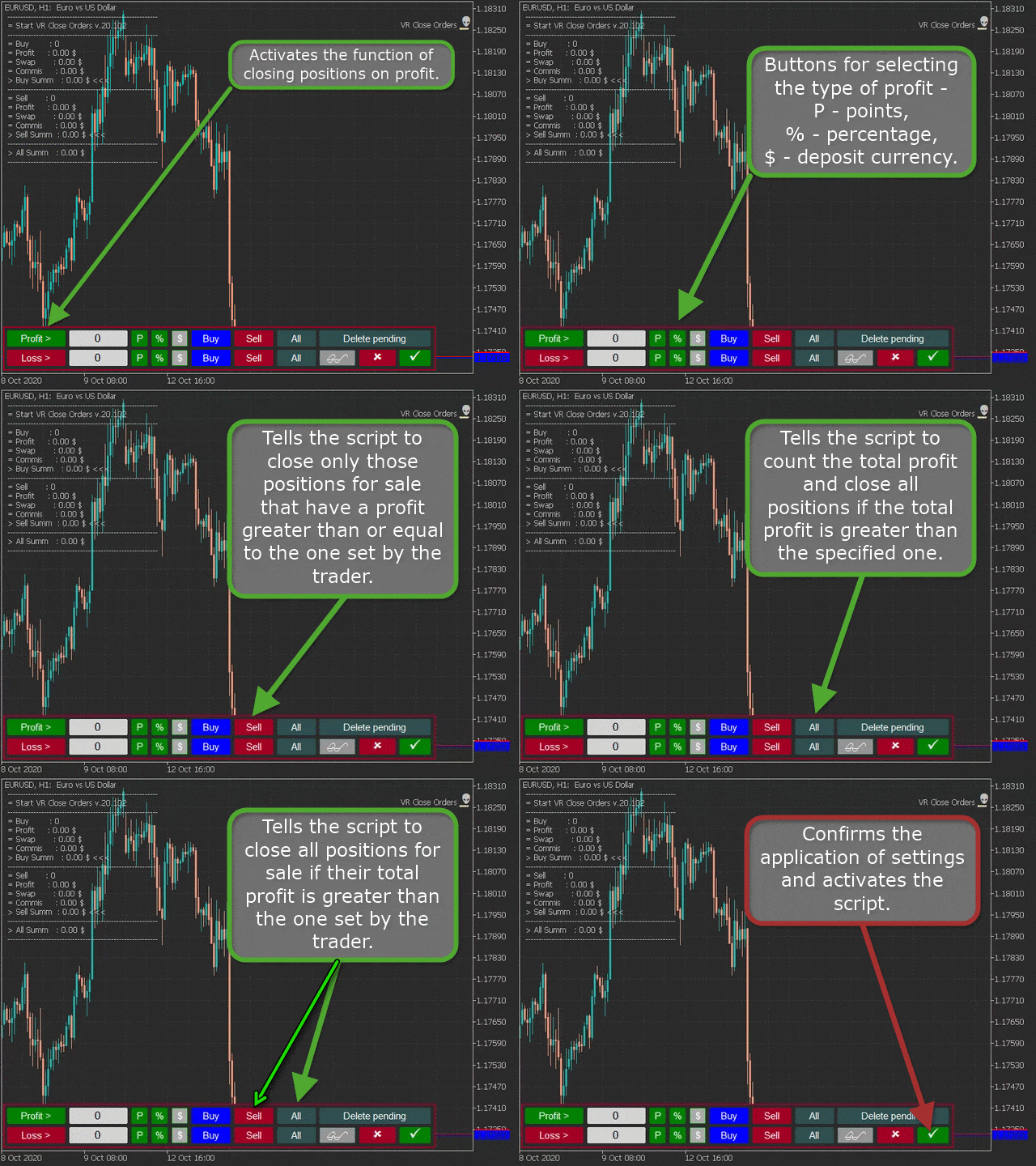
- Profit button - activates the function of closing positions on profit.
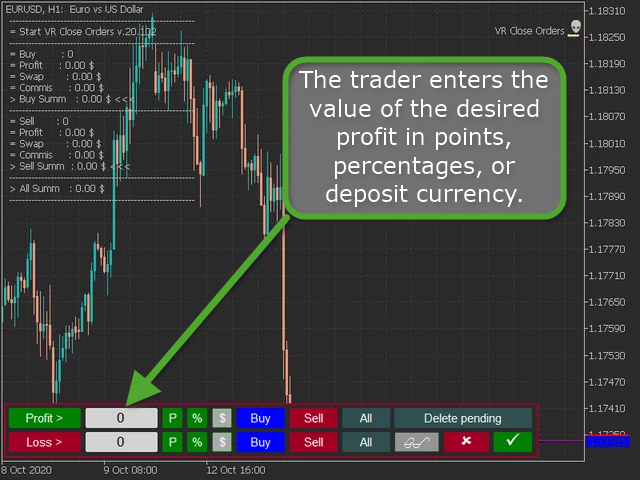
- Input field - the trader enters the value of the desired profit in points, percentages, or deposit currency.
- Buttons for selecting the type of profit - P - points, % - percentage, $ - deposit currency.
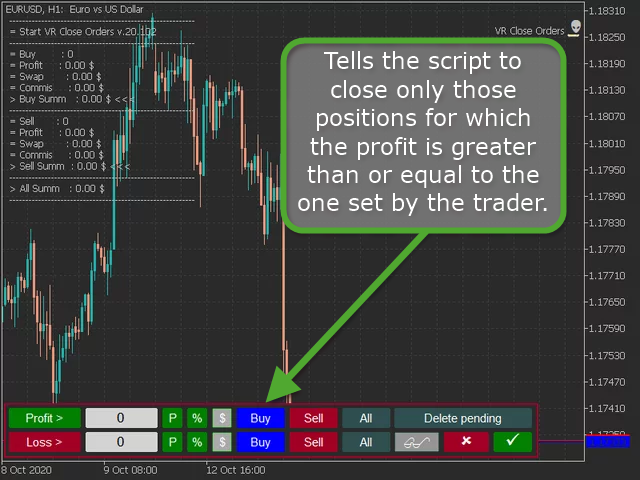
- Buy button - tells the script to close only those positions for which the profit is greater than or equal to the one set by the trader.
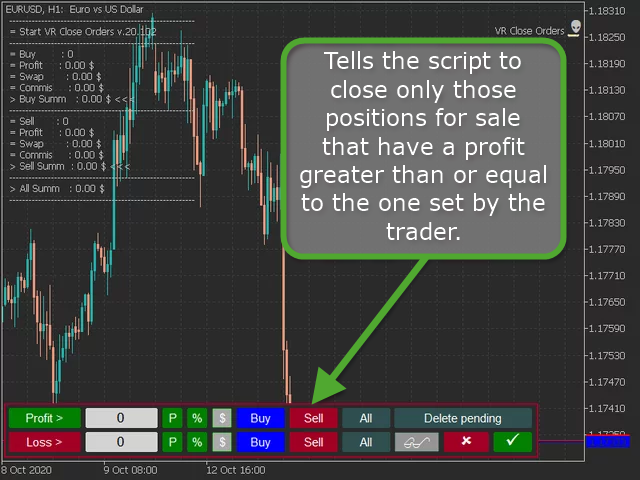
- Sell button - tells the script to close only those positions for sale that have a profit greater than or equal to the one set by the trader.
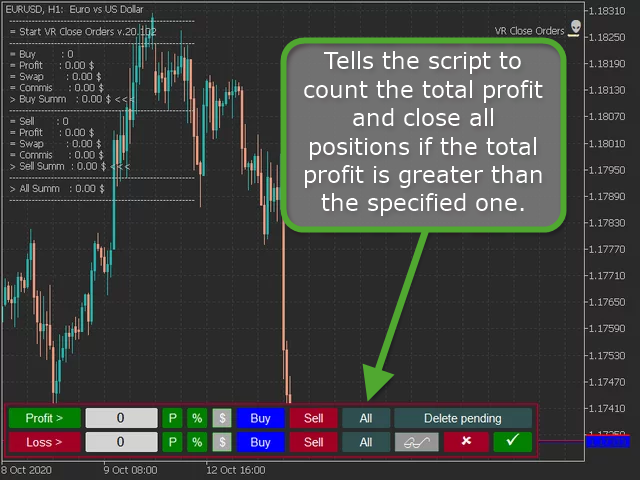
- All button - tells the script to count the total profit and close all positions if the total profit is greater than the specified one.
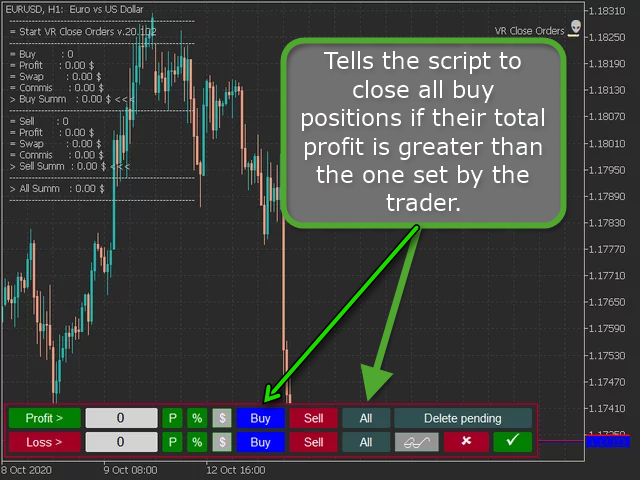
- Buy + All buttons - tells the script to close all buy positions if their total profit is greater than the one set by the trader.
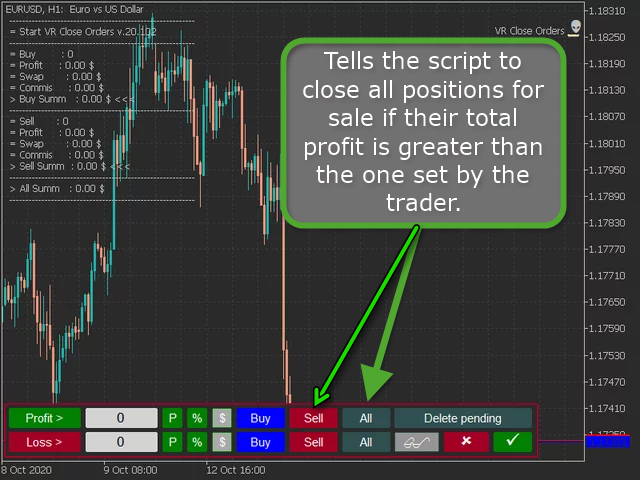
- The Sell + All buttons - tells the script to close all positions for sale if their total profit is greater than the one set by the trader.
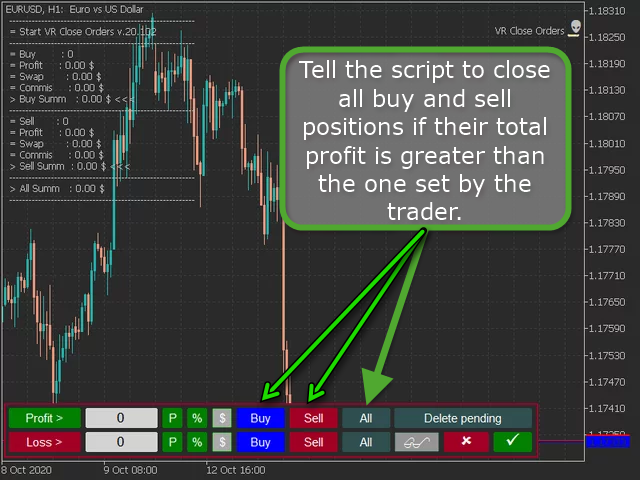
- The Buy + Sell + All - tell the script to close all buy and sell positions if their total profit is greater than the one set by the trader.
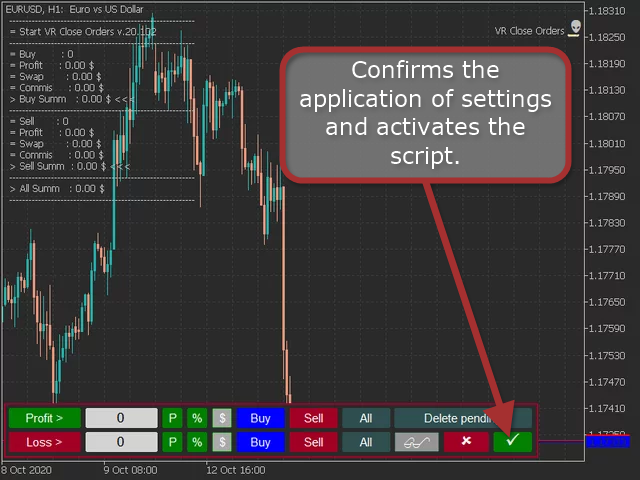
- Check Mark button - confirms the application of settings and activates the script.
Important note for the Buy + Sell + All mode - if the amount of lots for buying and selling is the same, this mode will not work. It is because the same volume of lots to buy and the same volume of lots to sell make it impossible to make a profit or loss, since all positions are fully locked.
Closing a loss position.
- It works the same way as closing a profit position, only the loss value is specified in the input field.
Additional buttons and capabilities of VR Close Orders.
- The Delete Pending button - indicates to the script an additional action, after closing all market positions, to delete pending orders if there are no market positions.
- Push button - tells the script to send a message to the smartphone about the script completion.
- Goggles button - Displays information about current And closed positions.
- Check Mark button - confirms the application of settings and activates the script.
Additional material:
- VR Close Orders MT4 - https://www.mql5.com/en/market/product/21854/
- VR Close Orders MT5 - https://www.mql5.com/en/market/product/30433
- Blog EN - https://www.mql5.com/en/blogs/post/740227




































































사용자가 평가에 대한 코멘트를 남기지 않았습니다