Signal Tracer


Additional materials and instructions

Signal Tracer: from trade plan to open positions in one panel

Plan, open, protect and close your trade from one panel on your MetaTrader 5 chart.

Your own plan or a plan from a signal provider. Set it, check the numbers and place it in MetaTrader 5 without jumping between windows.

What you can do

  • Open a series of BUY or SELL positions (1 to 100) on the chart symbol. In MANUAL LOT mode you can send the order without a stop loss and add it later.
  • Choose how the position size is set: a fixed lot, a percent of balance or a fixed amount of money. In the two risk modes Tracer calculates the lot from your stop loss and shows the risk in money and in percent before the trade.
  • Enter up to eight take-profit levels in the Exit Plan table and see the expected result of the plan in Totals, in money and as R:R, before the orders are sent.
  • Take over positions opened in MT5, not through Tracer: IMPORT shows a list, you choose the positions, and from then on Tracer manages them.
  • Set or change the stop loss and take profits after the positions are open. Levels can be dragged on the chart.
  • Follow the take-profit levels: the table shows how far the price has gone.
  • Close part of the series at a chosen level, move the stop to break-even, close winners or losers, or close everything.
  • Drag the Signal Tracer panel and the Floating Bid/Ask panel anywhere on the chart, so they never get in your way.
  • See the session result and the current trade result on the same panel.

The panel

  • Header. Name and edition (SINGLE), symbol and timeframe of the chart, the total floating result of your Tracer positions.
  • Floating Bid/Ask panel. A small separate window with live Bid, Ask and spread. Drag it anywhere on the chart.
  • Entry & Risk. Position size and stop loss. Three sizing modes: MANUAL LOT, % OF BALANCE and FIXED MONEY. In the two risk modes Tracer calculates the lot, and the preview shows the risk in money and in percent before the trade. BUY and SELL open a series (1 to 100 positions). TRAIL sets the trailing-stop distance; APPLY SL and CLEAR SL set and remove the stop.
  • Exit Plan. A table of up to eight take-profit levels. For each level: price, distance in pips, number of positions and result in money. BE moves the stop to break-even, HIT shows that the price has reached the level, CLOSE closes the positions of that level by hand. If the levels cover fewer positions than you opened, the rest has no take profit and works as a runner. This works when the levels are set as a number of positions. If the levels are set in percent, the total must be 100% and nothing is left over.
  • Totals. Your plan and your results in three blocks.
    • PLAN. Your plan of risk and profit: the possible loss, the possible profit and the ratio between them (R:R). You can prepare it in draft mode before you enter the trade.
    • TRADE. The result of the current trade. When a position closes, its result stays here.
    • SESSION. The total of all your finished trades, so you can see how much you made or lost. When a trade is finished, press CLEAR PLAN. The result goes to SESSION, and PLAN and TRADE are free for the next trade. SESSION RESET sets SESSION to zero.
  • Commands. APPLY PLAN and CLEAR PLAN, IMPORT, APPLY TP and CLEAR TP, BREAK EVEN, CLOSE LOSERS, CLOSE WINNERS, SESSION RESET and CLOSE ALL.
  • Status. Tracer's last message, the time, and the LOG button that opens the event log.

Good to know

  • Test on a demo account first, and check the lot size and stop loss before every trade.
  • Tracer keeps an activity log. It records every action Tracer makes. If something goes wrong, the log helps to find the reason. You can read it yourself, ask your own AI to read it, or send it to us. Tracer never sends it anywhere by itself.
  • The panel is in English. Tracer's messages and the log can be in English or Russian. You choose the language in the inputs when you put Tracer on the chart.
  • Trading involves risk. Tracer is an order-management tool and does not forecast the market.

Installation instructions

추천 제품
SAB Advance Assistant는 MetaTrader 5용 수동 트레이드 관리 패널입니다. 모든 거래를 차트에서 시각적으로 구성하고, 리스크를 정확히 통제하며, 내장 엔진이 부분 익절, 본전(브레이크이븐), 트레일링을 처리하도록 맡기세요. 모두 깔끔하고 크기 조절이 가능한 하나의 패널에서. 스프레드시트 없이 정밀함을 원하는 재량 트레이더와 ICT/SMC 트레이더를 위해 설계되었습니다. 주요 기능 - 드래그 가능한 Entry, Stop Loss, TP1-TP5, Final TP 라인과 실시간 라벨 (핍, 금액, R:R, %, 가격) - 잔고의 리스크 % 또는 고정 금액에서 랏 자동 계산 - 최대 5개의 부분 익절 (TP별 % 또는 정확한 랏 배분)과 나머지를 청산하는 Final TP - 이동 가능한 본전 라인 (TP1 또는 SL 기준 트리거), 마우스로 조정 - % 또는 핍 단위의 트레일링 스톱, TP1 이후 작동 - Link 모드: 전체 설정을 준비하고 R:R을 유지한
한 계좌에서 여러 EA를 돌리면 MetaTrader는 잔고 하나만 보여 줍니다. 조용히 손실을 내는 EA가 수익을 내는 EA 뒤에 몇 달씩 숨어 있다가, 계좌가 줄어든 뒤에야 알아차리게 됩니다. Halberd Portfolio Monitor는 EA마다 한 줄씩 보여 줍니다 (매직 넘버별). 거래 수, 승률, 프로핏 팩터, 순손익, 드로다운, 보유 포지션, 건강 상태. 리스크 화면에서는 전략이 아직 정상 범위 안에 있는지, 무너지기 시작했는지 알 수 있고, 계좌가 설정한 한도를 넘으면 알림을 받을 수 있습니다. 계좌의 아무 차트에나 붙이세요. 이미 있는 거래 내역을 읽기 때문에 첫 결과가 바로 나타납니다. 이 프로그램은 주문을 내거나 수정하거나 청산하지 않습니다. 사용자 본인 계좌의 이력과 보유 포지션을 읽기만 합니다. 데이터는 터미널 밖으로 나가지 않습니다. 전략별로 표시하는 항목 거래 수, 승률, 수익 팩터. 순손익, 최대 드로다운, 그 전략의 최고점 대비 현재 드로다운(청산된 거
TradeTech Titan
Vasile Silviu Urs
TradeTech Titan 전문가 조언자(EA)는 다양한 표준 지표 세트를 활용하여 거래를 시작합니다. 거래 조건이 충족되면 최적의 진입점을 보장하기 위해 추가적인 조정 가능한 필터 또는 임계값 레이어가 적용됩니다. 이러한 임계값은 1에서 100까지 조정 가능하여 맞춤형 거래 필터링을 제공합니다. 모든 거래는 가상 StopLoss 및 가상 TakeProfit 값으로 보호됩니다. EA는 마팅게일 시스템 또는 로트 크기 증가와 같은 위험한 전략을 피하고, 한 번에 하나의 주문만 열어 통제된 측정 거래를 보장합니다. 사용된 지표에는 Accelerator Oscillator, Adaptive Moving Average, Awesome Oscillator, Bears Power, Bulls Power, Commodity Channel Index, DeMarker, Double EMA, Envelopes, Fractal Adaptive MA, MACD, Moving Average, Parab
MetaTrader 5용 RiskFrame Trade Manager 차트에서 전체 거래 계획을 만들고, 주문이 브로커에 도달하기 전에 검증하며, 같은 패널에서 포지션을 관리하세요. RiskFrame은 MetaTrader 5용 수동 거래 계획, 실행 및 포지션 관리 도구입니다. 자체 시장 아이디어를 가진 재량 트레이더가 이를 더 명확하게 주문으로 전환하도록 설계되었습니다. Entry, Stop Loss, Take Profit 및 선택적 TP2를 차트에 직접 배치합니다. RiskFrame은 선택한 위험으로 거래량을 계산하고, 계획된 위험과 예상 결과를 표시하며, 전송 전에 거래를 검증하고 같은 인터페이스에서 포지션을 관리합니다. RiskFrame은 신호를 생성하거나 독립적으로 거래하지 않습니다. 결정은 트레이더가 내리며, RiskFrame은 준비, 검증, 실행 및 관리를 지원합니다. 매뉴얼: 전체 RiskFrame 사용자 매뉴얼 열기 실행 전 전체 계획 확인 Visual Trade P
BulkOp Trade Manager
Ahmed Jumaa Saif Ali Almheiri
BulkOp Trade Manager Trade faster. Manage smarter. Close with confidence. BulkOp Trade Manager is a powerful MT5 utility EA built for traders who need speed, control, and clean execution directly from the chart. It is designed for active manual traders, scalpers, gold traders, and anyone who wants to manage multiple positions with less delay and fewer clicks. Why BulkOp? Ultra-fast Buy and Sell execution One-click Bulk Close Profit One-click Bulk Close Loss Keyboard trading control Bulk order e
Your account on your phone: push notifications for equity drops, low margin, trades without a stop, Algo Trading switched off, lost connection, every trade and a daily summary. Running EAs on a VPS, or leaving a manual trade open while you are away? Ballast Account Alerts watches the whole account and tells your phone (MT5 mobile app push), the terminal (alert) or your e-mail. Alarms Equity down X% since the start of the day (default 5%), or below a fixed amount. Margin level below X% (default 2
Manual trading panel — opens one test trade for validation only. fRC Trade Assistant — Smart Manual Trading Panel fRC Trade Assistant is an intelligent trading panel designed for manual traders. It allows you to open positions with one click, calculate lot size based on your predefined risk, and automatically place Stop Loss (SL) and Take Profit (TP) levels. For example, if your balance is $1000 and you set a 1% risk , the panel automatically calculates the appropriate lot size. When the trad
Funded Account Guard monitors the whole trading account and enforces the risk limits you set. When a limit is reached, it closes all positions, deletes pending orders and blocks new entries until the limit period ends. It is intended for funded and evaluation accounts with a daily loss limit and a maximum drawdown limit, and for any trader who wants a fixed daily stop. The utility does not open trades, does not give signals and does not move stop loss or take profit levels. Rules - Daily loss
FREE
HedgeSafe Trade Assistant 위험 관리를 우선하는 MetaTrader 5용 수동 매매 패널입니다. HedgeSafe는 BUY 또는 SELL을 누르기 전에 차트에서 거래를 준비하고 검증하며 관리할 수 있도록 돕습니다. HedgeSafe는 신호 서비스, 시장 예측 도구, AI 봇 또는 자동매매 전략이 아닙니다. 거래 방향을 선택하거나 수익을 보장하지 않습니다. 모든 거래 결정은 트레이더의 책임입니다. 주요 기능 계좌 잔액 비율 또는 계좌 통화의 고정 금액으로 랏 계산. Stop Loss를 포인트 또는 가격으로, Take Profit을 포인트, 가격 또는 R 배수로 설정. 금액 위험, 예상 보상, 거래량 및 위험/보상 비율 미리 보기. Entry, Stop Loss, Take Profit 차트 라인을 패널 값과 동기화. BUY와 SELL 준비 상태를 별도로 표시하고 실행 직전에 방향별 검증 수행. 최소/최대 거래량, 거래량 단계, tick size, tick value,
WEALE Price List | MetaTrader 5용 Wealth Engine 자본 스캐너 유틸리티 WEALE Price List는 Market Watch에 있는 모든 심볼에 대해 완전한 Wealth Engine DCA 사다리를 채우는 데 필요한 자본이 얼마인지 보여주는 MetaTrader 5(MT5) 유틸리티 스크립트입니다. 이 유틸리티는 FJ Universe Wealth Engine(WEALE) Expert Advisor의 계획 수립용 동반 도구입니다. Wealth Engine이 전략을 실행하는 반면, WEALE Price List는 그것을 어디에서 실행할지 결정하는 데 도움을 줍니다. 스크립트는 Market Watch의 각 심볼을 스캔하고 실시간 계약 사양을 읽어 깔끔한 CSV 보고서를 작성합니다. 기존의 최소 랏 비용 옆에 새로운 값 하나인 WEALE Price를 추가하고, 그런 다음 전체 목록을 필요한 자본이 가장 적은 것부터 가장 많은 것 순으로 정렬합니다. 이것은
Global Stop Loss and Take Profit Manager Drag Lines Auto Apply Already using my free Global Stop Loss and Take Profit Setter? This is the always on version. Instead of setting levels once, you drag two lines on the chart and every manual position on that symbol — plus every new one you open — instantly inherits the Stop Loss and Take Profit. No clicking into each order. No forgetting a stop. Global Stop Loss and Target Manager is a drag-and-drop risk tool for manual traders on MetaTrader 5. Pu
Position Sizing Indicator is a chart calculator for MetaTrader 5. It tells you how many lots to trade so that a stop loss costs exactly the amount you want to risk, and it shows the reward to risk ratio of the setup. It does not open, modify or close trades. How it works - Three lines appear on the chart: Entry, Stop and Target. Press and drag any of them with the mouse, no double-click needed. - Dragging Entry moves the whole setup. Dragging Stop changes the stop distance. Dragging Target cha
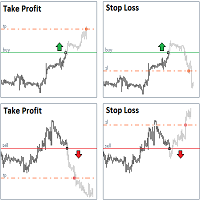
StopLoss and TakeProfit Utility MT5 for automatic setting of stop loss and take profit levels. Created by a professional trader for traders.   The utility   works with any market orders opened by a trader manually or using advisors. Can filter trades by magic number. The utility can work with any number of orders simultaneously. WHAT THE UTILITY CAN DO: Set virtual stop loss and take profit from 1 pip Real   stop loss and take profit W ork with each order separately (   stop loss and take prof
Bollinger Precision EA is a fully automated trading system for MetaTrader 5 that combines Bollinger Bands strategy with advanced risk and position management . It is designed for both beginner and professional traders who want consistent, controlled, and low-risk trading . Features: Automatically opens Buy/Sell positions based on Bollinger Bands signals Adaptive Lot calculation based on account balance and risk Stop Loss and Take Profit management Advanced risk scaling : partial close at 50% & 7
Forget about enabling templates when you launch the window. Auto Template Master Service  is a professional utility tool that runs as a system service in MetaTrader 5, and it will do it for you. Unlike traditional indicators or expert advisors (EAs), the program runs in the background of the entire terminal and doesn't require you to add it to each window individually. As soon as you open a new chart of any instrument (Forex, Stocks, Crypto), the service immediately detects the new window and a
ATR Position Size – Interactive Risk & Lot Calculator Fast, precise, and visual risk management directly on your MT5 chart. This interactive indicator eliminates manual calculations. It plots Entry, Stop Loss (SL), and Take Profit (TP) lines based on market volatility ( ATR )—and instantly calculates your exact lot size in real-time as you drag the lines with your mouse. Key Features Drag-and-Drop Levels: Move Entry (Blue), SL (Red), and TP (Green) on the chart. Your lot size, potential profit/l
Trading panel for manual trading. Has a fairly wide functionality. Allows you to automatically calculate the order size, open both market and pending orders. It has a wide range of options for closing orders, it is possible to partially close orders, close orders after reaching a certain profit or loss, separately close profitable and unprofitable, buy and sell, as well as pending orders. The panel also contains a simple implementation of a grid of pending orders, reverse and lock functions, tr
What this dashboard does The panel displays: Current Ichimoku signal per symbol Current Ichimoku signal per timeframe Key Ichimoku line values Signal direction summary Instead of switching charts manually, you can analyze the market structure in seconds. Available Ichimoku values Each cell may display: Tenkan-Sen Kijun-Sen Senkou Span A Senkou Span B Chikou Span Span A – Span B difference This allows detailed analysis or quick signal filtering. Signal types The dashboard can detect:
Size Bars
Viktor Loginov
Size Bars – индикатор отображает на графике максимальный, минимальный, текущий и средний размер баров (свечей) за выбранный период. Отображаемые параметры индикатора Size Bars: 1)       Текущий размер бара в писах (по максимум/минимум, тело бара). 2)       Максимальный, минимальный и средний размер свечей BUY . 3)       Максимальный, минимальный, средний размер свечей SELL . 4)       Количество свечей BUY и количество свечей SELL . 5)       Среднее количество свечей подряд BUY и SELL . 6)     
Atropos Manager  Professional Trade Management Utility for MetaTrader 5. ( User Guide & Manual ) Atropos Manager is built for traders who open multiple positions and need a faster, cleaner way to manage them after entry. It does not predict the market and it does not generate entry signals. Its purpose is simple: help you manage open trades with structure, speed, and control directly from the chart. Whether you trade manually, use pending orders, enter from mobile, follow signals, or use another
VirtualStopsMT5
Viktor Shpakovskiy
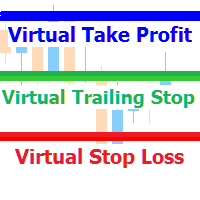
A utility for managing open positions using virtual (invisible to the broker) stops. Virtual stop loss and virtual take profit can be freely moved around the chart. If the price touches the virtual stop line (TP, SL, TS), the EA will close all orders of the same direction on the current chart. Closing orders by virtual take profit is possible only if there is a profit. With the help of the built-in trading simulator, you can, in the strategy tester, see how the adviser works. Parameters Block
Trade Copilot - 금(XAUUSD) 및 모든 상품을 위한 반자동 리스크 관리 패널 Trade Copilot는 자신의 진입 결정권을 유지하면서도 EA와 같은 규율을 원하는 재량 트레이더를 위해 설계된 반자동 트레이딩 패널입니다. 방향과 가격대는 사용자가 결정하고, 리스크 사이징, 손절 설정, 익절 관리, 포지션 보호는 패널이 자동으로 처리합니다. 주요 기능 - 리스크 기반 로트 계산 - Risk %, Risk $, 고정 로트 중 선택 가능; 손절 거리에 따라 패널이 포지션 크기를 자동 계산 - 3가지 손절 모드 - ATR 배수, 고정 포인트, 고정 $ 거리 - 원클릭 시장가/예약 주문(Buy/Sell Now, Pending Buy/Sell), 드래그 가능한 진입가/SL/TP 라인 - 그리드 트레이딩 - 가격 범위에 걸쳐 벨커브 로트 분배로 다수의 예약 주문 배치(마틴게일이 아님 - 로트 크기는 중심으로부터의 거리로 고정되며 손실 시 절대 두 배로 늘어나지 않음) -
Panel Trading MT5 - On-Chart Trading Panel for Manual Trading Panel Trading MT5 is a compact, draggable control panel for manual trading in MetaTrader 5. It lets you open and close positions, watch the live price and profit/loss, and switch symbols without leaving the chart or opening the order ticket. This utility does not trade by itself and does not generate trading signals. Every order is placed by you. The panel is built on the standard CTrade class. Close requests are retried automatically
FREE
Protected profit это логическое продолжение проекта Equity monitor. Исправлены недочёты и внесены дополнительные моменты. В данном продукте разработан процентный  Traling stop, как на отдельную позицию, так и на дневную прибыль в целом. Есть возможность закрыть позицию по заданному проценту убытка, а так же можно закрыть все позиции по проценту дневной прибыли. Настройки просты и понятны.  Например: Риск на позицию 1% Позиция закроется если процент убытка превысит 1%. Traling 3% допустимое сниже
Position Manager Pro v1.0 (MT5) Dual Magic Number Independent Group Manager with Live P&L Dashboard Overview Position Manager Pro   is a powerful trade management Expert Advisor for MetaTrader 5 that operates as an   overlay manager   — it does not open positions itself, but instead manages and monitors positions opened by other EAs or manually by the trader. The core concept is   two fully independent groups , each identified by a unique   Magic Number . Each group has its own Take Profit, Stop
FREE
Ichimoku Assistant is a multi-timeframe panel and alert system that scans all timeframes for multiple rules related to different ichimoku strategies. The Ichimoku indicator has 5 different lines, including Tenkan-sen, Kijun-sen, Senku Span A, Senku Span B and Chikou Span. This scanner checks the status of these lines compared to each other and gives alerts based on your selected rules. If you are using ichimoku kinko hyo in your trading strategy, this scanner and its alert and filtering system i
CloseAtTime EA Scheduled Position Closer for MetaTrader 5 MQL5  |  Version 1.00  |  Magic Number Independent  |  Any Broker  |  Any Symbol Set the time. Walk away. CloseAtTime does the rest. Overview CloseAtTime EA is a precision trade management utility for MetaTrader 5. It monitors the broker server clock on every tick and closes your open positions at the exact second you define - no manual intervention required. The EA is intentionally focused. It does not open trades, does not apply ma
Trade Planner Pro MT5
Petrus Dadang Santara S Ip
Trade Planner Pro MT5 Short Description (Tagline): Visual Risk Calculator, Interactive Chart Trade Planner, and Automated Position Manager (BE, Trailing & Partial Close) with a Resizable HiDPI Panel. Full Product Description: Trade Planner Pro is an all-in-one visual trade planning, risk calculation, and position management utility designed for discretionary, swing, and intraday traders on MetaTrader 5. Stop switching between external lot-size calculators and messy order tickets. Plan every tra
Order Manage MT5 is an Expert Advisor for pending order management and open position management in MetaTrader 5. It monitors specified levels, cancels pending orders when their conditions are met, and can partially close positions while moving Stop Loss to the entry price. The EA performs the following actions: Cancels Buy Limit and Sell Limit orders if price reaches Take Profit before execution starts. Cancels Buy Stop and Sell Stop orders if price reaches Stop Loss before execution starts. Clo
Guardian Magic GT
Carlos Eduardo Rivas Istacuy
Guardian Magic GT - Risk Management Expert Advisor for MetaTrader 5 PROTECT YOUR TRADING CAPITAL WITH INTELLIGENT RISK MANAGEMENT Guardian Magic GT is a professional-grade Expert Advisor designed to safeguard your trading operations by implementing sophisticated risk control mechanisms. Whether you run a single bot or manage multiple automated trading systems simultaneously, Guardian Magic GT provides real-time monitoring and automatic position management to ensure your account stays within your
이 제품의 구매자들이 또한 구매함
Trade Assistant MT5
Evgeniy Kravchenko
4.43 (216)
거래당 위험 계산, 라인을 사용한 손쉬운 신규 주문, 부분 청산 기능을 통한 주문 관리, 7가지 유형의 트레일링 스탑 및 기타 유용한 기능을 제공합니다. 추가 자료 및 지침 설치 지침   -   애플리케이션 지침   라인 기능       - 차트에 개시선, 손절매, 차익실현을 표시합니다. 이 기능을 사용하면 새로운 주문을 쉽게 하고 개봉 전에 추가 특성을 볼 수 있습니다. 위기 관리       -       위험 계산 기능은 설정된 위험과 손절매 주문의 크기를 고려하여 새 주문의 볼륨을 계산합니다. 이를 통해 손절매 크기를 설정하고 동시에 설정된 위험을 존중할 수 있습니다. 로트 계산 버튼 - 위험 계산을 활성화/비활성화합니다. 필요한 위험 값은 위험 필드에 0에서 100 사이의 백분율 또는 예금 통화로 설정됩니다. 설정 탭에서 위험 계산 옵션을 선택합니다. $ 통화, % 잔액, % 지분, % 자유 마진, % 사용자 정의, % AB 이전 일, % AB 이전 주, % AB 이전
Trade Manager EA에 오신 것을 환영합니다. 이 도구는 거래를 보다 직관적이고 정확하며 효율적으로 만들기 위해 설계된 궁극적인 리스크 관리 도구 입니다. 단순한 주문 실행 도구가 아닌, 원활한 거래 계획, 포지션 관리 및 리스크 제어를 위한 종합 솔루션입니다. 초보자부터 고급 트레이더, 빠른 실행이 필요한 스캘퍼에 이르기까지 Trade Manager EA는 외환, 지수, 상품, 암호화폐 등 다양한 시장에서 유연성을 제공합니다. Trade Manager EA를 사용하면 복잡한 계산은 이제 과거의 일이 됩니다. 시장을 분석하고 진입, 손절 및 익절 수준을 차트의 수평선으로 표시한 후 리스크를 설정하면, Trade Manager가 이상적인 포지션 크기를 즉시 계산하고 SL 및 TP 값을 실시간으로 표시합니다. 모든 거래가 간편하게 관리됩니다. 주요 기능: 포지션 크기 계산기 : 정의된 리스크에 따라 거래 크기를 즉시 결정합니다. 간단한 거래 계획 : 진입, 손절, 익절을 위한
Black Week: 구매 가격 69.99 USD. 이 혜택은 11월 27일(금요일)에 종료됩니다. Telegram to MT5 Multi-Channel Copier   는 Telegram 및 Discord 채널의 트레이딩 시그널을 MetaTrader 5로 자동 복사합니다. 봇도, 브라우저 확장도, 수동 복사도 필요 없습니다. Telegram이나 Discord에 시그널이 도착하면 EA가 몇 초 안에 터미널에서 주문을 실행합니다. 그리고 채널을 복사하기 전에, 내장 백테스터가 그 채널이 내 계좌에서 어떤 결과를 냈을지 보여줍니다. 제품은 두 가지 구성 요소로 이루어집니다: Telegram 채널을 수신하는 Windows 애플리케이션과, MT5 터미널에서 시그널을 실행하는 본 EA입니다. MT4 버전도 제공됩니다   여기 . 구매 전에 사용해 보세요:   애플리케이션은 무료로 다운로드할 수 있습니다. 본인의 채널을 연결하고 각 시그널이 어떻게 읽히는지 확인하세요. Backtest 탭과 실
Farmed Hedge Yield Farming | All Markets (Manual - Hybrid - Semi/Automated EA) VERIFIED TRADING RESULTS - Farmed Hedge Yield Axi Copy:  https://www.mql5.com/en/signals/2356376 - Farmed Hedge Yield Exn Copy:   https://www.mql5.com/en/signals/2356404 - Farmed Hedge Yield V Copy:  https://www.mql5.com/en/signals/2357156 IMPORTANT NOTICE: FarmedHedge is a MANUAL-FOCUSED TRADING UTILITY ,not a fully automated EA. Results shown on this Signal include manual trades and overall strategic management.
TradePanel MT5
Alfiya Fazylova
4.89 (175)
Trade Panel은 다기능 거래 도우미입니다. 이 애플리케이션에는 50개 이상의 수동 거래 기능이 포함되어 있으며 대부분의 거래 작업을 자동화할 수 있습니다. 앱 사용 설명서: https://www.mql5.com/en/blogs/post/756482 데모 계정용 앱 체험판: https://www.mql5.com/en/blogs/post/750865 앱 설치 방법: https://www.mql5.com/en/blogs/post/756239 시각 모드에서 앱 테스트 방법: https://www.mql5.com/en/blogs/post/770277 VPS MetaTrader에 앱 설치 방법: https://www.mql5.com/en/blogs/post/770190 거래. 한 번의 클릭으로 거래를 수행할 수 있습니다: 리스크 자동 계산과 함께 예약 주문 및 포지션 열기. 한 번의 클릭으로 여러 주문 및 포지션 열기. 주문 그리드 열기. 예약 주문 및 포지션을 그룹별로 닫기. 포지션
EA Overfitter
Stephen J Martret
5 (4)
That backtest looks great. But will it still be making money tomorrow, next week, next month? EA Overfitter re-runs your EA on 100 price histories it has never seen. One score tells you if the edge is real. A backtest tells you what an EA did on one price history — the one that happened to occur. What you cannot tell from it is how much of that result was the strategy and how much was the particular path. EA Overfitter answers that. It builds up to 100 synthetic price histories your EA has n
내 거래 규칙에 맞춰 Telegram 신호 복사 Telegram to MT5 Signal Trader 는 공개 및 비공개 Telegram 채널과 그룹의 텍스트 기반 거래 신호를 MetaTrader 5로 자동 복사합니다. 하나의 데스크톱 앱에서 여러 신호 제공자와 MT5 계좌를 관리하고, 제공자마다 위험 관리 및 거래 설정을 개별적으로 지정 할 수 있습니다. 신호 복사에는 Telegram 봇이나 API 설정이 필요하지 않습니다. 전화번호 또는 QR 코드로 본인의 Telegram 계정에 로그인한 후, 이미 가입한 채널이나 그룹을 선택하면 됩니다. 봇을 만들거나 Telegram API 토큰, API ID 또는 API 해시를 입력할 필요가 없습니다. 포지션 크기를 선택하고, 여러 익절 목표에 청산 물량을 배분하며, 손익분기점 이동과 트레일링 스톱을 자동화하세요. 제공자의 신호를 따르면서도 실제 거래 방식은 직접 설정할 수 있습니다. 이 제품은 MT5 Expert Advisor와 필수 Win
AI Agent Supervisor is NOT an Expert Advisor. AI Agent Supervisor   is a   multi-agent AI risk & portfolio supervisor   that watches every EA on your account and intervenes in real time.  WANT AN AI PORTFOLIO MANAGER WATCHING YOUR FLEET 24/7?   Run your fleet on the same brokers I do:   IC MARKETS , IC TRADING   .  Unlike the centralized stock market, Forex has no single, unified price feed.  Every broker sources liquidity from different providers, creating unique data streams. The Supervisor r
The product will copy all telegram signal to MT5 ( which you are member) , also it can work as remote copier.  Easy to set up, copy order instant, can work with almost signal formats, image signal,  s upport to translate other language to English Work with all type of channel or group, even channel have "Restrict Saving Content", work with  multi channel, multi MT5 Work as remote copier: with signal have ticket number, it will copy exactly via ticket number. Support to backtest signal. How to s
================================================================================ POC BREAKOUT - V20.72. Full Professional Grade Toolkit ================================================================================ POC Breakout is a full MetaTrader 5 trading dashboard for discretionary traders who want breakout signals, Point of Control (POC) context, volume profiles, order flow, market structure, news, alerts, and advanced trade planning in one professional workspace. Attached directly to you
Power Candles Strategy Scanner: 스스로 최적화하는 멀티 심볼 셋업 파인더 작은 움직임마다 울리는 스캐너는 결국 무시하게 됩니다. 분주한 캔들 마감 한 번에 알림이 연달아 쏟아지고, 정작 실제로 거래하는 단 하나의 셋업은 소음에 묻혀 버립니다. Power Candles Strategy Scanner 는 스스로 최적화하는 Power Candles 엔진을 Market Watch의 모든 심볼에서 실행하고, 당신이 직접 정한 필터를 통과한 것만 알려줍니다. 기준은 마지막 확정 캔들의 강도, 셋업의 손익비, 실시간 스프레드, 그리고 당신이 거래하는 자산군입니다. 심볼이 리스트에 들어오면 스캐너가 당신을 부릅니다. 필터로 걸러낸 것은 모두 조용히 남아 있고, 같은 캔들 마감에서 나온 모든 신호는 하나의 메시지로 도착합니다. 구매 전에 패널과 모든 필터를 확인하세요. 스크린샷, 전체 기능 투어, Power Candles와 함께 쓰는 워크플로: stein.investment
Unlimited Trade Copier Pro MT5 is a tool to copy trade remotely to multiple MT4, MT5 and cTrader accounts at different computers/locations over internet. This is an ideal solution for you if you are a signal provider and want to copy your trades to other receivers globally on your own rules. One provider can copy trades to multiple receivers and one receiver can get trade from multiple providers as well. The provider can even set the subscription expiry for each receiver, so that receiver will n
News Trade EA MT5
Konstantin Kulikov
4.55 (11)
제가 몇 년 동안 사용하고 있는 유용한 로봇을 소개드립니다. 반자동뿐만 아니라 자동 모드로도 사용할 수 있습니다. >>> Chat <<< 본 프로그램에는 경제 캘린더의 뉴스별로 유연한 거래 설정이 포함되어 있습니다. 전략 테스터에서 확인할 수 없습니다. 진짜 작업뿐입니다. 최신 설정 아카이브 다운로드: https://www.mql5.com/en/blogs/post/747929 신호 모니터링: https://www.mql5.com/en/signals/author/test-standart 이 전문가를 위해 고유 설정 세트를 만들 때 블로그의 모든 매개변수에 대한 설명을 참조하십시오: https://www.mql5.com/en/blogs/post/748545 . 기본 설정 설명 작업은 한 차트에서 GBP(GBPUSD, EURGBP, GBPJPY, GBPCAD, GBPAUD, GBPCHF)와 쌍으로 이루어집니다. GBP는 가장 변동성이 큰 통화로서 거래 수행 시 거래를 성공적으로
VirtualTradePad PRO SE MT5 — MetaTrader 5용 전문 트레이딩 컨트롤 센터 VirtualTradePad PRO SE 는 MetaTrader 5 용 프리미엄 차트 기반 트레이딩 패널이자 거래 관리 워크스페이스입니다. 더 빠른 주문 실행, 더 명확한 포지션 관리, 구조화된 거래 관리, 시각적인 레벨 계획, 그리고 차트에서 직접 작업하는 전문적인 워크플로를 원하는 트레이더를 위해 설계되었습니다. 이 제품은 단순한 BUY / SELL 패널이 아닙니다. PRO SE는 수동 트레이딩, 예약 주문, 포지션 관리, 부분 청산, 바스켓 손익 관리, 평균가 레벨, ATM 규칙, 신호 모니터링, 실시간 시장 정보, 전략 테스터 (Strategy Tester) 워크플로, VPS 중심 운용을 하나의 연결된 인터페이스로 통합합니다. MT4 버전 | 전체 설명 및 스크린샷 | 구입 방법 | 설치 방법 | 로그 파일을 얻는 방법 | 테스트 및 최적화 방법 | Expforex의 모든
Strategy Builder offers an incredible amount of functionality. It combines a trade panel with configurable automation (covert indicators into an EA), real-time statistics (profit & draw down) plus automatic optimization of SL, TP/exit, trading hours, indicator inputs. Multiple indicators can be combined into an single alert/trade signal and can include custom indicators, even if just have ex4 file or purchased from Market. The system is easily configured via a CONFIG button and associated pop-u
Astro Trade MT5
Indra Maulana
5 (8)
25% discount on the release of the tool: only for the next 3 buyers Send a message to receive a demo version. AstroTrade Trading Assistant AstroTrade is a comprehensive multi-functional trading utility developed for the MetaTrader 5 platform. It integrates essential tools for trade execution, risk management, and technical monitoring into a single unified interface. The application is designed to assist traders in managing their daily operations through a visual and structured environment. Vi
News Filter EA
Rashed Samir
5 (2)
News Filter EA: Advanced Algo Trading Assistant News Filter EA is an advanced algo trading assistant designed to enhance your trading experience. By using the News Filter EA , you can integrate a Forex economic news filter into your existing expert advisor, even if you do not have access to its source code. In addition to the news filter, you can also specify trading days and hours for your expert. The News Filter EA also includes risk management  and equity protection features. MT4 Version Ma
훌륭한 신호를 찾았지만 공급자의 로트가 너무 작습니까? 더 큰 위치 볼륨이 필요하지만 터미널 설정이 너무 좋지 않습니까? Signal Lot Manager는 필요한 볼륨의 중복 주문을 통해 공급자의 포지션 볼륨을 증가시킵니다. 주문을 복사하기 위한 로트 크기와 신호 이름을 설정하기만 하면 됩니다. Signal Lot Manager는 터미널에서 주문을 복제하기 위한 로트 승수 유틸리티입니다. 소스는 고문, 수동 거래, 별도의 거래 신호를 선택할 수 있습니다. 간단한 설정으로 다양한 기능을 제공할 뿐만 아니라 빠른 속도와 안정성을 제공합니다. Signal Lot Manager 설치 및 입력 가이드 EA에 대한 알림을 받으려면 MT4/MT5 터미널에 URL을 추가하십시오(스크린샷 참조). MT4 버전       https://www.mql5.com/en/market/product/34864 MT5 버전       https://www.mql5.com/en/market/product/416
MetaTrader 5용 order block, BOS, ChoCH 전문가 어드바이저, Telegram 알림 포함 SMC Trade Pilot MT5는 차트의 시장 구조를 읽고 신호를 Telegram으로 전송합니다. 구조 돌파(BOS)와 성격 변화(ChoCH)를 표시하고, 강도 점수가 있는 order block 을 그리며, fair value gap(FVG)과 liquidity sweep을 추적하고, point of control, value area high, value area low가 포함된 volume profile을 표시하며, 멀티 타임프레임 패널, 컨플루언스 점수, kill zone 세션을 갖춘 간결한 대시보드에 모두 요약합니다. 종가에 표시하고, 그다음 확정 돌파는 캔들 종가 즉시 PENDING 으로 표시되며, 어떤 확인보다 먼저 나타납니다. 새로운 고점 또는 저점이 확인하면 확정으로 바뀌고, 설정한 캔들 수가 지나면 스스로 만료되며, 가격이 무효화하면 사라집니다. 하나
KT Equity Protector MT5
KEENBASE SOFTWARE SOLUTIONS
3.6 (5)
An equity protection EA for MetaTrader that enforces your loss limits and profit target for you: when your account reaches a rule you set, it closes your trades on every symbol, before one bad day turns into a lost account. It suits prop firm challenges and personal accounts alike. Attach it to one chart, answer a few questions in the on-chart setup wizard, and it watches your whole account in the background while you trade by hand or with other EAs. What it protects Daily loss limit: a percenta
Trade Manager DashPlus
Henry Lyubomir Wallace
4.85 (13)
DashPlus 는 MetaTrader 5 플랫폼에서 거래 효율성과 효과를 향상시키기 위해 설계된 고급 거래 관리 도구입니다. 리스크 계산, 주문 관리, 고급 그리드 시스템, 차트 기반 도구 및 성과 분석 등 포괄적인 기능을 제공합니다. 주요 기능 1. 리커버리 그리드 불리한 시장 상황에서 거래를 관리하기 위한 평균화 및 유연한 그리드 시스템을 구현합니다. 거래 회복을 최적화할 수 있도록 전략적인 진입 및 종료 포인트를 제공합니다. 2. 스택 그리드 강한 시장 움직임 동안 포지션을 추가하여 유리한 거래에서 잠재적 수익을 극대화하도록 설계되었습니다. 유리한 시장 트렌드에서 승률을 높이며 거래를 확장할 수 있도록 합니다. 3. 손익(P&L) 라인 차트에서 잠재적인 수익 및 손실 시나리오를 시각적으로 표현합니다. 설정을 조정하고 P&L 라인을 드래그하여 실행 전에 다양한 거래 결과를 평가할 수 있습니다. 4. 바스켓 모드 동일한 심볼에 여러 포지션을 단일 집계 포지션으로 결합하여 관리합니
TradingView-grade charts, native in MT5, with Pine Script v4 and up support A complete charting replacement built inside MetaTrader 5: a custom rendering engine, a Pine Script v4-v6 interpreter, 10+ built-in indicators, professional drawing tools, multi-chart layouts, a forex sessions overview, a bar replay simulator, and an integrated trade manager with risk-based position sizing. One license. Free updates for life. Why ChartZephyr MT5 gives you world-class execution. Its charting engine hasn't
Custom Alerts: 여러 시장을 동시에 모니터링하고 중요한 기회를 놓치지 마세요 개요 Custom Alerts 는 여러 종목에 걸쳐 잠재적 트레이딩 기회를 한눈에 파악하고자 하는 트레이더를 위한 동적인 솔루션입니다. FX Power, FX Volume, FX Dynamic, FX Levels, IX Power와 같은 Stein Investments의 주요 도구들과 통합되어, 여러 차트를 오가거나 기회를 놓치는 일 없이 중요한 시장 변화를 자동으로 알림으로 제공합니다. 이제 브로커가 제공하는 모든 자산군을 지원하며, 기호를 입력할 필요 없이 자산 유형만 선택하면 설정이 완료됩니다. 1. Custom Alerts가 트레이더에게 매우 유용한 이유 올인원 시장 모니터링 • Custom Alerts 는 외환, 금속, 암호화폐, 지수, 주식(브로커가 지원하는 경우)까지 다양한 자산군의 신호를 수집하고 통합합니다. • 여러 차트를 전환할 필요 없이 하나의 창에서 명확한 알림을 받아보
차트 기반 거래 어시스턴트 및 리스크 관리 패널 다양한 모드의 SL 및 TP(ATR, 손익비 R:R, 포인트, 계좌 통화), 실시간 분석 및 경제 캘린더를 탑재한 차트 기반 거래 종합 도구 Ergotick Trade Manager 는 주관 거래자, 프랍 챌린지 트레이더 및 스캘퍼를 위해 설계된 올인원 전문 거래 패널입니다. 이 도구는 즉각적인 자동 랏 크기 계산, 다중 모드 손절매(SL) 및 익절매(TP) 설정, 고급 바스켓(Basket) 주문 관리, 실시간 계좌 통계, 그리고 내장된 경제 뉴스 캘린더를 MetaTrader 5의 단일하고 깔끔한 인터페이스 하나로 결합했습니다. 수동으로 포지션 크기를 계산하던 번거로움에서 벗어나세요! 밀리초 단위로 랏 크기를 자동 계산하고, 리스크가 관리된 주문을 즉시 실행하며, 내장된 일일 손실 한도 보호 기능으로 소중한 자본을 지킬 수 있습니다. 주요 특징 1. 대화형 시각적 도구 및 자동 랏 크기 계산기 차트 상 드래그 앤 드롭(Drag & Dr
Trade Assistant 38 in 1
Makarii Gubaydullin
4.91 (23)
다기능 도구: 로트 계산기, 그리드 주문, R/R 비율, 트레이드 관리자, 수급 구역, 가격 행동 등 데모 버전   |   사용자 설명서 트레이드 어시스턴트   는 전략 테스터에서 작동하지 않습니다 :   여기에서 데모 버전을 다운로드  하여 유틸리티 를 테스트하세요. 질문/개선 아이디어/버그 발견 시 연락주세요 MT4 버전이 필요하시면 여기 에서 이용 가능합니다 거래   프로세스 를 간소화, 가속화, 자동화하세요. 이   대시보드 로 표준 터미널 기능을 확장합니다. 트레이딩 패널은  모든 거래 상품에서 작동: 외환, 주식, 지수, 암호화폐 등. 1. 새 거래 개시 : 로트 / 위험 / RR 계산 : 수동 거래를 위한 위험 관리 로트 계산기 (위험 크기 기반 거래량 계산) 위험 계산기 (로트 크기 기반 위험 금액) 위험 대비 보상   비율 그리드 주문:  + 동적 간격 옵션, 로트 분할 옵션 주문 활성화 트리거, + 매수 스톱리밋 / 매도 스톱리밋 가상 SL, 가상 TP (숨김
MT5 to Telegram Signal Provider 는 사용하기 쉽고 완전히 커스터마이즈 가능한 유틸리티로, 특정 신호를 Telegram의 채팅, 채널 또는 그룹으로 전송하고, 귀하의 계정을 신호 제공자 로 만듭니다. 경쟁 제품과 달리 DLL 임포트를 사용하지 않습니다. [ 데모 ] [ 매뉴얼 ] [ MT4 버전 ] [ 디스코드 버전 ] [ 텔레그램 채널 ]  New: [ Telegram To MT5 ] 설정 단계별 사용자 가이드 가 제공됩니다. 텔레그램 API에 대한 지식은 필요하지 않습니다; 개발자가 제공하는 모든 것이 필요합니다. 주요 특징 구독자에게 보낸 주문 상세 정보를 커스터마이즈할 수 있습니다. 예를 들어, 브론즈, 실버, 골드와 같은 계층 구독 모델을 만들 수 있습니다. 골드 구독에서는 모든 신호를 받습니다. id, 심볼, 또는 코멘트로 주문을 필터링할 수 있습니다. 주문이 실행된 차트의 스크린샷이 포함됩니다 보낸 스크린샷에 닫힌 주문을 그려 추가 검증을 합니다
Elliott Wave Helper
Siarhei Vashchylka
4.93 (14)
Elliott Wave Helper is a panel for constructing wave analysis. Manual (Be sure to read before purchasing) | Version for MT4 Advantages 1. Constructing wave analysis and wave structure in a few clicks 2. Availability of all wave analysis patterns, including triangles and combinations 3. All nine wave display styles, including a special circle font 4. Change colors and display styles of wave groups directly from the chart 5. Binding all elements to a set timeframe or timeframes 6. A template syste
Trade Manager DaneTrades
Levi Dane Benjamin
4.13 (31)
거래 관리자는 위험을 자동으로 계산하는 동시에 거래를 빠르게 시작하고 종료하는 데 도움을 줍니다. 과잉 거래, 복수 거래 및 감정 거래를 방지하는 데 도움이 되는 기능이 포함되어 있습니다. 거래를 자동으로 관리할 수 있으며 계정 성과 지표를 그래프로 시각화할 수 있습니다. 이러한 기능은 이 패널을 모든 수동 거래자에게 이상적으로 만들고 MetaTrader 5 플랫폼을 향상시키는 데 도움이 됩니다. 다중 언어 지원. MT4 버전  |  사용자 가이드 + 데모 트레이드 매니저는 전략 테스터에서 작동하지 않습니다. 데모를 보려면 사용자 가이드로 이동하세요. 위기 관리 % 또는 $를 기준으로 위험 자동 조정 고정 로트 크기 또는 거래량과 핍을 기반으로 한 자동 로트 크기 계산을 사용하는 옵션 RR, Pips 또는 Price를 사용한 손익분기점 손실 설정 추적 중지 손실 설정 목표 달성 시 모든 거래를 자동으로 마감하는 최대 일일 손실률(%)입니다. 과도한 손실로부터 계정을 보호하고 과도한
다음 업데이트 — 버전 2.52 곧 출시! [신규] 시장 분석 및 트레이딩 워크플로를 향상시키기 위해 설계된 4가지 주요 신규 기능을 기대해 주세요. 트레이딩 요구 사항을 충족하도록 설계된 4가지 새로운 기능으로 시장 분석을 한 단계 더 발전시킵니다. 다음 기능을 소개합니다: 1. TRADE OVERVIEW DASHBOARD 2. CONFLUENCE AT ZONE 3. STRONG & WEAK HIGH/LOW 4. OTE 1. TRADE OVERVIEW DASHBOARD 시장 전체 상황을 더 쉽게 파악할 수 있도록 도와주는 대시보드입니다. 트레이딩 의사결정을 지원하는 가이드를 제공하며, 하나의 화면에서 시장을 분석하고 체계적으로 트레이딩을 계획할 수 있도록 도와줍니다. 멀티 타임프레임 시장 개요 (Multi-Timeframe Market Overview) 시장 방향과 가격 구조를 더욱 명확하게 파악 시장 상황을 빠르게 확인 체계적인 시장 분석 및 진입 계획을 위한 가이드 2. CO
REVDEN AI Desk: REVDEN의 시장 컨텍스트 위에서, 당신만의 AI와 나누는 하나의 대화로 트레이딩을 운영하세요 하나의 대화로 트레이딩을 운영한다고 상상해 보세요. REVDEN AI Desk 는 이를 MetaTrader 5로 가져옵니다. 당신만의 AI에게 시장을 어떻게 읽는지 물으면, AI는 당신이 거래하는 종목에 대한 REVDEN의 전체 컨텍스트, 즉 각 종목의 상태와 리스크 현황, 예정된 발표를 바탕으로 답합니다. AI의 제안은 진입, 스톱, 타겟, 리스크를 갖추고 도착하며, 맞는 제안을 당신이 승인합니다. 규칙도 같은 방식으로 바뀝니다. 무엇을 바꿀지 적으면 AI가 새 룰북의 초안을 작성하고, 받아들일지 버릴지는 당신이 정합니다. 대화를 둘러싸고 시장 전체가 하나의 화면에 펼쳐집니다. 데스크와 설정 가이드를 확인하세요. 모든 화면, 모든 설정, 그리고 당신만의 AI와 함께하는 첫 단계: stein.investments/products/revden-ai-desk 당신
필터:
리뷰 없음
리뷰 답변