Signal Tracer


Additional materials and instructions

Signal Tracer: from trade plan to open positions in one panel

Plan, open, protect and close your trade from one panel on your MetaTrader 5 chart.

Your own plan or a plan from a signal provider. Set it, check the numbers and place it in MetaTrader 5 without jumping between windows.

What you can do

  • Open a series of BUY or SELL positions (1 to 100) on the chart symbol. In MANUAL LOT mode you can send the order without a stop loss and add it later.
  • Choose how the position size is set: a fixed lot, a percent of balance or a fixed amount of money. In the two risk modes Tracer calculates the lot from your stop loss and shows the risk in money and in percent before the trade.
  • Enter up to eight take-profit levels in the Exit Plan table and see the expected result of the plan in Totals, in money and as R:R, before the orders are sent.
  • Take over positions opened in MT5, not through Tracer: IMPORT shows a list, you choose the positions, and from then on Tracer manages them.
  • Set or change the stop loss and take profits after the positions are open. Levels can be dragged on the chart.
  • Follow the take-profit levels: the table shows how far the price has gone.
  • Close part of the series at a chosen level, move the stop to break-even, close winners or losers, or close everything.
  • Drag the Signal Tracer panel and the Floating Bid/Ask panel anywhere on the chart, so they never get in your way.
  • See the session result and the current trade result on the same panel.

The panel

  • Header. Name and edition (SINGLE), symbol and timeframe of the chart, the total floating result of your Tracer positions.
  • Floating Bid/Ask panel. A small separate window with live Bid, Ask and spread. Drag it anywhere on the chart.
  • Entry & Risk. Position size and stop loss. Three sizing modes: MANUAL LOT, % OF BALANCE and FIXED MONEY. In the two risk modes Tracer calculates the lot, and the preview shows the risk in money and in percent before the trade. BUY and SELL open a series (1 to 100 positions). TRAIL sets the trailing-stop distance; APPLY SL and CLEAR SL set and remove the stop.
  • Exit Plan. A table of up to eight take-profit levels. For each level: price, distance in pips, number of positions and result in money. BE moves the stop to break-even, HIT shows that the price has reached the level, CLOSE closes the positions of that level by hand. If the levels cover fewer positions than you opened, the rest has no take profit and works as a runner. This works when the levels are set as a number of positions. If the levels are set in percent, the total must be 100% and nothing is left over.
  • Totals. Your plan and your results in three blocks.
    • PLAN. Your plan of risk and profit: the possible loss, the possible profit and the ratio between them (R:R). You can prepare it in draft mode before you enter the trade.
    • TRADE. The result of the current trade. When a position closes, its result stays here.
    • SESSION. The total of all your finished trades, so you can see how much you made or lost. When a trade is finished, press CLEAR PLAN. The result goes to SESSION, and PLAN and TRADE are free for the next trade. SESSION RESET sets SESSION to zero.
  • Commands. APPLY PLAN and CLEAR PLAN, IMPORT, APPLY TP and CLEAR TP, BREAK EVEN, CLOSE LOSERS, CLOSE WINNERS, SESSION RESET and CLOSE ALL.
  • Status. Tracer's last message, the time, and the LOG button that opens the event log.

Good to know

  • Test on a demo account first, and check the lot size and stop loss before every trade.
  • Tracer keeps an activity log. It records every action Tracer makes. If something goes wrong, the log helps to find the reason. You can read it yourself, ask your own AI to read it, or send it to us. Tracer never sends it anywhere by itself.
  • The panel is in English. Tracer's messages and the log can be in English or Russian. You choose the language in the inputs when you put Tracer on the chart.
  • Trading involves risk. Tracer is an order-management tool and does not forecast the market.

Installation instructions

Produits recommandés
SAB Advance Assistant est un panneau de gestion de trades manuel pour MetaTrader 5. Construisez chaque trade visuellement sur le graphique, maîtrisez votre risque au centime près, et laissez le moteur intégré gérer les prises de profit partielles, le break-even et le trailing — le tout depuis un panneau clair et redimensionnable. Conçu pour les traders discrétionnaires et ICT/SMC qui veulent de la précision sans tableur. FONCTIONNALITÉS CLÉS - Lignes Entrée, Stop Loss, TP1-TP5 et TP Final dép
Quand plusieurs Expert Advisors partagent un compte, MetaTrader n'affiche qu'un solde. Un robot qui perd en silence peut se cacher des mois derrière un robot gagnant, et vous ne le voyez qu'au moment où le compte le montre. Halberd Portfolio Monitor place chaque Expert Advisor sur sa propre ligne , par numéro magique : trades, taux de réussite, facteur de profit, résultat net, drawdown, positions ouvertes et un état de santé. Sa vue des risques indique si une stratégie reste dans sa plage normal
TradeTech Titan
Vasile Silviu Urs
redo the translation in koreean , french , italian and turkish Of course! Here are the translations for Korean, French, Italian, and Turkish: Korean TradeTech Titan 전문가 조언자(EA)는 다양한 표준 지표 세트를 활용하여 거래를 시작합니다. 거래 조건이 충족되면 최적의 진입점을 보장하기 위해 추가적인 조정 가능한 필터 또는 임계값 레이어가 적용됩니다. 이러한 임계값은 1에서 100까지 조정 가능하여 맞춤형 거래 필터링을 제공합니다. 모든 거래는 가상 StopLoss 및 가상 TakeProfit 값으로 보호됩니다. EA는 마팅게일 시스템 또는 로트 크기 증가와 같은 위험한 전략을 피하고, 한 번에 하나의 주문만 열어 통제된 측정 거래를 보장합니다. 사용된 지표에는 Accelerator Oscillator, Adaptive Moving Average, Aw
RiskFrame Trade Manager for MetaTrader 5 Shape the trade plan around the chart. Size it from risk, check it before sending, and manage the resulting position from the same workspace. RiskFrame is a manual trade-planning, execution and position-management utility for discretionary MetaTrader 5 traders. Its central workflow is a flexible Visual Trade Plan that can be positioned, resized and flipped around the area you are analysing instead of forcing the chart to fit around the panel. Entry, St
BulkOp Trade Manager
Ahmed Jumaa Saif Ali Almheiri
BulkOp Trade Manager Trade faster. Manage smarter. Close with confidence. BulkOp Trade Manager is a powerful MT5 utility EA built for traders who need speed, control, and clean execution directly from the chart. It is designed for active manual traders, scalpers, gold traders, and anyone who wants to manage multiple positions with less delay and fewer clicks. Why BulkOp? Ultra-fast Buy and Sell execution One-click Bulk Close Profit One-click Bulk Close Loss Keyboard trading control Bulk order e
Your account on your phone: push notifications for equity drops, low margin, trades without a stop, Algo Trading switched off, lost connection, every trade and a daily summary. Running EAs on a VPS, or leaving a manual trade open while you are away? Ballast Account Alerts watches the whole account and tells your phone (MT5 mobile app push), the terminal (alert) or your e-mail. Alarms Equity down X% since the start of the day (default 5%), or below a fixed amount. Margin level below X% (default 2
Manual trading panel — opens one test trade for validation only. fRC Trade Assistant — Smart Manual Trading Panel fRC Trade Assistant is an intelligent trading panel designed for manual traders. It allows you to open positions with one click, calculate lot size based on your predefined risk, and automatically place Stop Loss (SL) and Take Profit (TP) levels. For example, if your balance is $1000 and you set a 1% risk , the panel automatically calculates the appropriate lot size. When the trad
Funded Account Guard
Edgar Alexis Benitez
Funded Account Guard monitors the whole trading account and enforces the risk limits you set. When a limit is reached, it closes all positions, deletes pending orders and blocks new entries until the limit period ends. It is intended for funded and evaluation accounts with a daily loss limit and a maximum drawdown limit, and for any trader who wants a fixed daily stop. The utility does not open trades, does not give signals and does not move stop loss or take profit levels. Rules - Daily loss
FREE
HedgeSafe Trade Assistant Un panneau de trading manuel pour MetaTrader 5 centré sur la maîtrise du risque. HedgeSafe aide à préparer, valider et gérer une opération directement sur le graphique avant de cliquer sur BUY ou SELL. HedgeSafe n'est ni un service de signaux, ni un outil de prévision, ni un robot IA, ni une stratégie automatique. Il ne choisit pas la direction et ne promet aucun profit. Chaque décision reste sous le contrôle du trader. Fonctions principales Calcul du lot selon un pourc
WEALE Price List | Utilitaire de scan du capital Wealth Engine pour MetaTrader 5 WEALE Price List est un script utilitaire MetaTrader 5 (MT5) qui indique le capital nécessaire pour remplir l'échelle DCA complète du Wealth Engine sur chaque symbole présent dans votre Market Watch. Cet utilitaire est le compagnon de planification de l'Expert Advisor FJ Universe Wealth Engine (WEALE). Là où le Wealth Engine exécute la stratégie, le WEALE Price List vous aide à décider où l'exécuter. Le script analy
Global Stop Loss and Take Profit Manager Drag Lines Auto Apply Already using my free Global Stop Loss and Take Profit Setter? This is the always on version. Instead of setting levels once, you drag two lines on the chart and every manual position on that symbol — plus every new one you open — instantly inherits the Stop Loss and Take Profit. No clicking into each order. No forgetting a stop. Global Stop Loss and Target Manager is a drag-and-drop risk tool for manual traders on MetaTrader 5. Pu
Calculateur sur le graphique pour MetaTrader 5 : il indique le nombre de lots pour qu'un stop loss coûte exactement le montant que vous voulez risquer, et affiche le rapport gain/risque du montage. Il n'ouvre, ne modifie ni ne clôture aucun ordre. Position Sizing Indicator est un calculateur sur le graphique pour MetaTrader 5. Il indique combien de lots trader pour qu'un stop loss coûte exactement le montant que vous voulez risquer, et montre le rapport reward to risk du montage. Il n'ouvre, ne
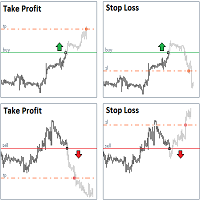
StopLoss and TakeProfit Utility MT5 for automatic setting of stop loss and take profit levels. Created by a professional trader for traders.   The utility   works with any market orders opened by a trader manually or using advisors. Can filter trades by magic number. The utility can work with any number of orders simultaneously. WHAT THE UTILITY CAN DO: Set virtual stop loss and take profit from 1 pip Real   stop loss and take profit W ork with each order separately (   stop loss and take prof
Bollinger Precision EA is a fully automated trading system for MetaTrader 5 that combines Bollinger Bands strategy with advanced risk and position management . It is designed for both beginner and professional traders who want consistent, controlled, and low-risk trading . Features: Automatically opens Buy/Sell positions based on Bollinger Bands signals Adaptive Lot calculation based on account balance and risk Stop Loss and Take Profit management Advanced risk scaling : partial close at 50% & 7
Forget about enabling templates when you launch the window. Auto Template Master Service  is a professional utility tool that runs as a system service in MetaTrader 5, and it will do it for you. Unlike traditional indicators or expert advisors (EAs), the program runs in the background of the entire terminal and doesn't require you to add it to each window individually. As soon as you open a new chart of any instrument (Forex, Stocks, Crypto), the service immediately detects the new window and a
ATR Position Size – Interactive Risk & Lot Calculator Fast, precise, and visual risk management directly on your MT5 chart. This interactive indicator eliminates manual calculations. It plots Entry, Stop Loss (SL), and Take Profit (TP) lines based on market volatility ( ATR )—and instantly calculates your exact lot size in real-time as you drag the lines with your mouse. Key Features Drag-and-Drop Levels: Move Entry (Blue), SL (Red), and TP (Green) on the chart. Your lot size, potential profit/l
Trading panel for manual trading. Has a fairly wide functionality. Allows you to automatically calculate the order size, open both market and pending orders. It has a wide range of options for closing orders, it is possible to partially close orders, close orders after reaching a certain profit or loss, separately close profitable and unprofitable, buy and sell, as well as pending orders. The panel also contains a simple implementation of a grid of pending orders, reverse and lock functions, tr
What this dashboard does The panel displays: Current Ichimoku signal per symbol Current Ichimoku signal per timeframe Key Ichimoku line values Signal direction summary Instead of switching charts manually, you can analyze the market structure in seconds. Available Ichimoku values Each cell may display: Tenkan-Sen Kijun-Sen Senkou Span A Senkou Span B Chikou Span Span A – Span B difference This allows detailed analysis or quick signal filtering. Signal types The dashboard can detect:
Size Bars
Viktor Loginov
Size Bars – индикатор отображает на графике максимальный, минимальный, текущий и средний размер баров (свечей) за выбранный период. Отображаемые параметры индикатора Size Bars: 1)       Текущий размер бара в писах (по максимум/минимум, тело бара). 2)       Максимальный, минимальный и средний размер свечей BUY . 3)       Максимальный, минимальный, средний размер свечей SELL . 4)       Количество свечей BUY и количество свечей SELL . 5)       Среднее количество свечей подряд BUY и SELL . 6)     
Atropos Manager  Professional Trade Management Utility for MetaTrader 5. ( User Guide & Manual ) Atropos Manager is built for traders who open multiple positions and need a faster, cleaner way to manage them after entry. It does not predict the market and it does not generate entry signals. Its purpose is simple: help you manage open trades with structure, speed, and control directly from the chart. Whether you trade manually, use pending orders, enter from mobile, follow signals, or use another
VirtualStopsMT5
Viktor Shpakovskiy
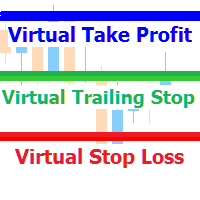
A utility for managing open positions using virtual (invisible to the broker) stops. Virtual stop loss and virtual take profit can be freely moved around the chart. If the price touches the virtual stop line (TP, SL, TS), the EA will close all orders of the same direction on the current chart. Closing orders by virtual take profit is possible only if there is a profit. With the help of the built-in trading simulator, you can, in the strategy tester, see how the adviser works. Parameters Block
Trade Copilot - Panneau semi-automatique de gestion du risque pour l'Or (XAUUSD) et tout instrument Trade Copilot est un panneau de trading semi-automatique conçu pour les traders manuels qui souhaitent la discipline d'un EA sans renoncer au contrôle de leurs propres entrées. Vous décidez de la direction et du niveau ; le panneau calcule automatiquement la taille du risque, place le stop-loss, gère le take-profit et protège la position. FONCTIONNALITÉS PRINCIPALES - Calcul du lot basé sur le
Panel Trading MT5 - On-Chart Trading Panel for Manual Trading Panel Trading MT5 is a compact, draggable control panel for manual trading in MetaTrader 5. It lets you open and close positions, watch the live price and profit/loss, and switch symbols without leaving the chart or opening the order ticket. This utility does not trade by itself and does not generate trading signals. Every order is placed by you. The panel is built on the standard CTrade class. Close requests are retried automatically
FREE
Protected profit это логическое продолжение проекта Equity monitor. Исправлены недочёты и внесены дополнительные моменты. В данном продукте разработан процентный  Traling stop, как на отдельную позицию, так и на дневную прибыль в целом. Есть возможность закрыть позицию по заданному проценту убытка, а так же можно закрыть все позиции по проценту дневной прибыли. Настройки просты и понятны.  Например: Риск на позицию 1% Позиция закроется если процент убытка превысит 1%. Traling 3% допустимое сниже
Position Manager Pro v1.0 (MT5) Dual Magic Number Independent Group Manager with Live P&L Dashboard Overview Position Manager Pro   is a powerful trade management Expert Advisor for MetaTrader 5 that operates as an   overlay manager   — it does not open positions itself, but instead manages and monitors positions opened by other EAs or manually by the trader. The core concept is   two fully independent groups , each identified by a unique   Magic Number . Each group has its own Take Profit, Stop
FREE
Ichimoku Assistant is a multi-timeframe panel and alert system that scans all timeframes for multiple rules related to different ichimoku strategies. The Ichimoku indicator has 5 different lines, including Tenkan-sen, Kijun-sen, Senku Span A, Senku Span B and Chikou Span. This scanner checks the status of these lines compared to each other and gives alerts based on your selected rules. If you are using ichimoku kinko hyo in your trading strategy, this scanner and its alert and filtering system i
CloseAtTime EA Scheduled Position Closer for MetaTrader 5 MQL5  |  Version 1.00  |  Magic Number Independent  |  Any Broker  |  Any Symbol Set the time. Walk away. CloseAtTime does the rest. Overview CloseAtTime EA is a precision trade management utility for MetaTrader 5. It monitors the broker server clock on every tick and closes your open positions at the exact second you define - no manual intervention required. The EA is intentionally focused. It does not open trades, does not apply ma
Trade Planner Pro MT5
Petrus Dadang Santara S Ip
Trade Planner Pro MT5 Short Description (Tagline): Visual Risk Calculator, Interactive Chart Trade Planner, and Automated Position Manager (BE, Trailing & Partial Close) with a Resizable HiDPI Panel. Full Product Description: Trade Planner Pro is an all-in-one visual trade planning, risk calculation, and position management utility designed for discretionary, swing, and intraday traders on MetaTrader 5. Stop switching between external lot-size calculators and messy order tickets. Plan every tra
Order Manage MT5 is an Expert Advisor for pending order management and open position management in MetaTrader 5. It monitors specified levels, cancels pending orders when their conditions are met, and can partially close positions while moving Stop Loss to the entry price. The EA performs the following actions: Cancels Buy Limit and Sell Limit orders if price reaches Take Profit before execution starts. Cancels Buy Stop and Sell Stop orders if price reaches Stop Loss before execution starts. Clo
Guardian Magic GT
Carlos Eduardo Rivas Istacuy
Guardian Magic GT - Risk Management Expert Advisor for MetaTrader 5 PROTECT YOUR TRADING CAPITAL WITH INTELLIGENT RISK MANAGEMENT Guardian Magic GT is a professional-grade Expert Advisor designed to safeguard your trading operations by implementing sophisticated risk control mechanisms. Whether you run a single bot or manage multiple automated trading systems simultaneously, Guardian Magic GT provides real-time monitoring and automatic position management to ensure your account stays within your
Les acheteurs de ce produit ont également acheté
Trade Assistant MT5
Evgeniy Kravchenko
4.43 (216)
It helps to calculate the risk per trade, the easy installation of a new order, order management with partial closing functions, trailing stop of 7 types and other useful functions. Additional materials and instructions Installation instructions - Application instructions Line function -   shows on the chart the Opening line, Stop Loss, Take Profit. With this function it is easy to set a new order and see its additional characteristics before opening.   Risk management  - The risk calculation
Bienvenue sur Trade Manager EA, l’outil ultime de gestion des risques conçu pour rendre le trading plus intuitif, précis et efficace. Ce n’est pas seulement un outil d’exécution d’ordres ; c’est une solution complète pour la planification des trades, la gestion des positions et le contrôle des risques. Que vous soyez débutant, trader expérimenté ou scalpeur ayant besoin d’une exécution rapide, Trade Manager EA s’adapte à vos besoins, offrant une flexibilité sur tous les marchés, des devises et i
Black Week : achat à 69.99 USD. L'offre se termine le vendredi 27 novembre. Telegram to MT5 Multi-Channel Copier   copie automatiquement les signaux de trading de vos canaux Telegram et Discord directement vers MetaTrader 5. Pas de bots, pas d'extensions de navigateur, pas de copie manuelle. Un signal arrive sur Telegram ou Discord et l'EA ouvre le trade dans votre terminal en quelques secondes. Et avant de copier un canal, le backtester intégré vous montre ce que ce canal aurait fait sur votre
Farmed Hedge Yield Farming | All Markets (Manual - Hybrid - Semi/Automated EA) VERIFIED TRADING RESULTS - Farmed Hedge Yield Axi Copy:  https://www.mql5.com/en/signals/2356376 - Farmed Hedge Yield Exn Copy:   https://www.mql5.com/en/signals/2356404 - Farmed Hedge Yield V Copy:  https://www.mql5.com/en/signals/2357156 IMPORTANT NOTICE: FarmedHedge is a MANUAL-FOCUSED TRADING UTILITY ,not a fully automated EA. Results shown on this Signal include manual trades and overall strategic management.
EA Overfitter
Stephen J Martret
5 (5)
That backtest looks great. But will it still be making money tomorrow, next week, next month? EA Overfitter re-runs your EA on 100 price histories it has never seen. One score tells you if the edge is real. A backtest tells you what an EA did on one price history — the one that happened to occur. What you cannot tell from it is how much of that result was the strategy and how much was the particular path. EA Overfitter answers that. It builds up to 100 synthetic price histories your EA has n
TradePanel MT5
Alfiya Fazylova
4.89 (175)
Trade Panel est un assistant commercial multifonction. L'application contient plus de 50 fonctions de trading pour le trading manuel et permet d'automatiser la plupart des tâches commerciales. Instructions d'utilisation : https://www.mql5.com/fr/blogs/post/762589 Version d'essai de l'application pour un compte démo : https://www.mql5.com/fr/blogs/post/762644 Comment installer l'application : https://www.mql5.com/fr/blogs/post/762645 Comment tester l'application en mode visuel : https://www.mql5.
Copiez les signaux Telegram avec vos propres règles de trading Telegram to MT5 Signal Trader copie automatiquement les signaux de trading au format texte provenant de canaux et de groupes Telegram publics et privés vers MetaTrader 5. Gérez plusieurs fournisseurs et comptes MT5 depuis une seule application de bureau, avec des paramètres de risque et de trading propres à chaque fournisseur . Aucun bot Telegram ni configuration d'API n'est nécessaire pour copier les signaux. Connectez-vous simpleme
AI Agent Supervisor is NOT an Expert Advisor. AI Agent Supervisor   is a   multi-agent AI risk & portfolio supervisor   that watches every EA on your account and intervenes in real time.  WANT AN AI PORTFOLIO MANAGER WATCHING YOUR FLEET 24/7?   Run your fleet on the same brokers I do:   IC MARKETS , IC TRADING   .  Unlike the centralized stock market, Forex has no single, unified price feed.  Every broker sources liquidity from different providers, creating unique data streams. The Supervisor r
================================================================================ POC BREAKOUT - V20.72. Full Professional Grade Toolkit ================================================================================ POC Breakout is a full MetaTrader 5 trading dashboard for discretionary traders who want breakout signals, Point of Control (POC) context, volume profiles, order flow, market structure, news, alerts, and advanced trade planning in one professional workspace. Attached directly to you
Unlimited Trade Copier Pro MT5 is a tool to copy trade remotely to multiple MT4, MT5 and cTrader accounts at different computers/locations over internet. This is an ideal solution for you if you are a signal provider and want to copy your trades to other receivers globally on your own rules. One provider can copy trades to multiple receivers and one receiver can get trade from multiple providers as well. The provider can even set the subscription expiry for each receiver, so that receiver will n
News Trade EA MT5
Konstantin Kulikov
4.55 (11)
Je voudrais vous présenter un robot efficace que j'utilise depuis plusieurs années. Il peut être utilisé en mode semi-automatique, comme en mode totalement automatique. >>> Chat <<< Le programme comporte des paramètres souples pour le commerce sur les nouvelles du calendrier économique. Il est impossible de le vérifier dans le testeur des stratégies. Ce qu’il faut, c’est le travail réel. Téléchargez la dernière archive des paramètres : https://www.mql5.com/en/blogs/post/747929 Surveillance des
The product will copy all telegram signal to MT5 ( which you are member) , also it can work as remote copier.  Easy to set up, copy order instant, can work with almost signal formats, image signal,  s upport to translate other language to English Work with all type of channel or group, even channel have "Restrict Saving Content", work with  multi channel, multi MT5 Work as remote copier: with signal have ticket number, it will copy exactly via ticket number. Support to backtest signal. How to s
Astro Trade MT5
Indra Maulana
5 (8)
25% discount on the release of the tool: only for the next 3 buyers Send a message to receive a demo version. AstroTrade Trading Assistant AstroTrade is a comprehensive multi-functional trading utility developed for the MetaTrader 5 platform. It integrates essential tools for trade execution, risk management, and technical monitoring into a single unified interface. The application is designed to assist traders in managing their daily operations through a visual and structured environment. Vi
News Filter EA
Rashed Samir
5 (2)
News Filter EA: Advanced Algo Trading Assistant News Filter EA is an advanced algo trading assistant designed to enhance your trading experience. By using the News Filter EA , you can integrate a Forex economic news filter into your existing expert advisor, even if you do not have access to its source code. In addition to the news filter, you can also specify trading days and hours for your expert. The News Filter EA also includes risk management  and equity protection features. MT4 Version Ma
Power Candles Strategy Scanner : détecteur de setups multi-symboles auto-optimisé Un scanner qui sonne au moindre frémissement vous apprend à l'ignorer. Une clôture de bougie agitée, alerte après alerte, et le seul setup que vous tradez vraiment se noie dans le bruit. Power Candles Strategy Scanner fait tourner le moteur auto-optimisé de Power Candles sur chaque symbole de votre Market Watch et ne vous alerte que sur ce qui passe vos propres filtres : la force de la dernière bougie clôturée, le
Vous avez trouvé un excellent signal, mais le lot d'un fournisseur est trop petit ? Vous avez besoin d'un volume de position plus important, mais les paramètres du terminal sont trop pauvres ? Signal Lot Manager augmentera le volume de position du fournisseur au moyen d'une commande en double du volume nécessaire. Définissez simplement une taille de lot et un nom de signal à partir duquel copier les commandes. Signal Lot Manager est un utilitaire multiplicateur de lots pour dupliquer les command
Expert advisor order block, BOS et ChoCH pour MetaTrader 5, avec alertes Telegram SMC Trade Pilot MT5 lit la structure de marché sur votre graphique et envoie le signal sur Telegram. Il marque les cassures de structure (BOS) et les changements de caractère (ChoCH), dessine les order blocks avec une note de force , suit les fair value gaps (FVG) et les liquidity sweeps, affiche un volume profile avec point of control, value area high et value area low, et résume l'ensemble dans un tableau de bord
Trade Manager DashPlus
Henry Lyubomir Wallace
4.85 (13)
DashPlus est un outil de gestion de trading avancé conçu pour améliorer l'efficacité et la performance de vos transactions sur la plateforme MetaTrader 5. Il offre un ensemble complet de fonctionnalités, incluant le calcul des risques, la gestion des ordres, des systèmes de grilles avancés, des outils basés sur les graphiques et des analyses de performance. Fonctionnalités principales 1. Grille de récupération Implémente un système de grille flexible et de moyenne pour gérer les transactions dan
KT Equity Protector MT5
KEENBASE SOFTWARE SOLUTIONS
3.6 (5)
An equity protection EA for MetaTrader that enforces your loss limits and profit target for you: when your account reaches a rule you set, it closes your trades on every symbol, before one bad day turns into a lost account. It suits prop firm challenges and personal accounts alike. Attach it to one chart, answer a few questions in the on-chart setup wizard, and it watches your whole account in the background while you trade by hand or with other EAs. What it protects Daily loss limit: a percenta
Custom Alerts MT5
Daniel Stein
5 (8)
Custom Alerts : Surveillez plusieurs marchés sans jamais manquer une configuration clé Présentation Custom Alerts est une solution dynamique pour les traders qui souhaitent surveiller plusieurs instruments de manière centralisée. En intégrant les données de nos outils phares — comme FX Power, FX Volume, FX Dynamic, FX Levels et IX Power — Custom Alerts vous alerte automatiquement des mouvements importants du marché sans avoir à surveiller plusieurs graphiques ou risquer de manquer des opportun
Assistant de trading sur graphique et panneau de gestion des risques Outil complet sur graphique avec Stop Loss (SL) & Take Profit (TP) multi-mode (ATR, R:R, points, devise du compte), analyses en temps réel et calendrier économique Ergotick Trade Manager est un panneau de trading professionnel tout-en-un conçu pour les traders discrétionnaires, les candidats aux challenges de prop firms et les scalpeurs. Il regroupe le calcul automatique et instantané de la taille des lots, des configurations m
Connaissez votre risque avant de cliquer. Gérez le trade ensuite. Faites glisser les lignes, cliquez sur BUY ou SELL, et la taille du lot est calculée pour vous. Gérez ensuite le trade avec le break even, la clôture partielle, les objectifs multiples et plus encore. Mercurial Position Sizing PRO est un outil MT5 pour les traders manuels. Il calcule la taille de lot adaptée à partir de votre solde, de votre pourcentage de risque et de la distance du stop loss, puis ouvre le trade avec SL et TP dé
Les signaux de vos canaux Telegram, copiés sur MetaTrader 4 et MetaTrader 5 en quelques secondes. TradingMind Signal Bridge lit les canaux et les groupes que vous choisissez, reconnaît chaque signal grâce à des règles intégrées rapides, confie les messages confus à un modèle d'IA, y compris les signaux publiés sous forme de captures d'écran, et transmet l'ordre à un expert advisor sur votre terminal. Un filtre news, une protection pour les comptes de prop firm et un bot Telegram de contrôle à di
VirtualTradePad PRO SE MT5 — centre de contrôle de trading professionnel pour MetaTrader 5 VirtualTradePad PRO SE est un panneau de trading premium basé sur le graphique et un espace de gestion des trades pour MetaTrader 5 . Il est conçu pour les traders qui souhaitent une exécution plus rapide, un contrôle plus clair des positions, une gestion structurée des trades, une planification visuelle des niveaux et un flux de travail professionnel directement depuis le graphique. Ce n’est pas seulement
Prop Guardian Risk Manager MT5 – Drawdown, Risk & Hedge Protection for Prop Firm and Managed Accounts Prop Guardian Risk Manager is a professional risk-control utility for MetaTrader 5, designed for prop firm traders, money managers and anyone who wants strict account-level risk protection. It does not generate trading signals, strategy entries or trading decisions. Instead, it runs in the background, monitors your account risk and can automatically block new exposure, close managed positions or
Prochaine mise à jour — Version 2.52 bientôt disponible ! [NOUVEAU] Préparez-vous à découvrir 4 nouvelles fonctionnalités majeures conçues pour améliorer votre analyse du marché et votre flux de travail de trading Nous faisons passer l’analyse du marché au niveau supérieur avec 4 nouvelles fonctionnalités conçues pour répondre à vos besoins en trading. Découvrez : 1. TRADE OVERVIEW DASHBOARD 2. CONFLUENCE AT ZONE 3. STRONG & WEAK HIGH/LOW 4. OTE 1. TRADE OVERVIEW DASHBOARD Un tableau de bord qu
REVDEN AI Desk : pilotez votre trading depuis une seule conversation avec votre propre IA, sur le contexte de marché de REVDEN Imaginez piloter votre trading depuis une seule conversation. REVDEN AI Desk l'apporte dans MetaTrader 5 : vous demandez à votre propre IA comment elle lit le marché, et elle répond à partir du contexte complet de REVDEN sur les symboles que vous tradez, avec leur état, leur profil de risque et les publications à venir. Ses propositions arrivent avec entrée, stop, object
MT5 to Telegram MultiChannel Sender   envoie automatiquement vos trades MetaTrader 5 vers Telegram — vers un ou plusieurs canaux, groupes ou discussions privées. Chaque ouverture, modification de SL/TP, clôture partielle, clôture et ordre en attente est publiée en quelques secondes, et un panneau sur le graphique vous permet de gérer un canal complet et un canal limité depuis le même compte. Sans programmation et sans paramètres à remplir. Vous cherchez le sens inverse, copier des trades de Tele
EA Auditor
Stephen J Martret
5 (7)
EA Auditor is an independent analysis tool for traders evaluating Expert Advisors and trading signals on MetaTrader 5. It audits backtest reports, reviews posted developer signals, and cross-verifies the two against each other to help traders assess strategies before committing capital. The MQL5 market offers a wide range of Expert Advisors from many developers, with varying approaches, quality, and transparency. EA Auditor provides a consistent, data-driven framework for reviewing them, answer
Zentriq Trade Manager
Mark Frederick Siebert
Experience trading without friction. Zentriq Trade Manager is a modern, high-performance trade management utility engineered with a high-DPI canvas interface, anticipatory workflow design, and an integrated Macroeconomic News Filter. Designed for discretionary traders, scalpers, and prop firm traders who demand speed, precision, zero-clutter ergonomics, and automated news event protection. User Manual Get the most out of Zentriq Trade Manager with the complete user manual: Complete User Manual:
Filtrer:
Aucun avis
Répondre à l'avis