Signal Tracer


Additional materials and instructions

Signal Tracer: from trade plan to open positions in one panel

Plan, open, protect and close your trade from one panel on your MetaTrader 5 chart.

Your own plan or a plan from a signal provider. Set it, check the numbers and place it in MetaTrader 5 without jumping between windows.

What you can do

  • Open a series of BUY or SELL positions (1 to 100) on the chart symbol. In MANUAL LOT mode you can send the order without a stop loss and add it later.
  • Choose how the position size is set: a fixed lot, a percent of balance or a fixed amount of money. In the two risk modes Tracer calculates the lot from your stop loss and shows the risk in money and in percent before the trade.
  • Enter up to eight take-profit levels in the Exit Plan table and see the expected result of the plan in Totals, in money and as R:R, before the orders are sent.
  • Take over positions opened in MT5, not through Tracer: IMPORT shows a list, you choose the positions, and from then on Tracer manages them.
  • Set or change the stop loss and take profits after the positions are open. Levels can be dragged on the chart.
  • Follow the take-profit levels: the table shows how far the price has gone.
  • Close part of the series at a chosen level, move the stop to break-even, close winners or losers, or close everything.
  • Drag the Signal Tracer panel and the Floating Bid/Ask panel anywhere on the chart, so they never get in your way.
  • See the session result and the current trade result on the same panel.

The panel

  • Header. Name and edition (SINGLE), symbol and timeframe of the chart, the total floating result of your Tracer positions.
  • Floating Bid/Ask panel. A small separate window with live Bid, Ask and spread. Drag it anywhere on the chart.
  • Entry & Risk. Position size and stop loss. Three sizing modes: MANUAL LOT, % OF BALANCE and FIXED MONEY. In the two risk modes Tracer calculates the lot, and the preview shows the risk in money and in percent before the trade. BUY and SELL open a series (1 to 100 positions). TRAIL sets the trailing-stop distance; APPLY SL and CLEAR SL set and remove the stop.
  • Exit Plan. A table of up to eight take-profit levels. For each level: price, distance in pips, number of positions and result in money. BE moves the stop to break-even, HIT shows that the price has reached the level, CLOSE closes the positions of that level by hand. If the levels cover fewer positions than you opened, the rest has no take profit and works as a runner. This works when the levels are set as a number of positions. If the levels are set in percent, the total must be 100% and nothing is left over.
  • Totals. Your plan and your results in three blocks.
    • PLAN. Your plan of risk and profit: the possible loss, the possible profit and the ratio between them (R:R). You can prepare it in draft mode before you enter the trade.
    • TRADE. The result of the current trade. When a position closes, its result stays here.
    • SESSION. The total of all your finished trades, so you can see how much you made or lost. When a trade is finished, press CLEAR PLAN. The result goes to SESSION, and PLAN and TRADE are free for the next trade. SESSION RESET sets SESSION to zero.
  • Commands. APPLY PLAN and CLEAR PLAN, IMPORT, APPLY TP and CLEAR TP, BREAK EVEN, CLOSE LOSERS, CLOSE WINNERS, SESSION RESET and CLOSE ALL.
  • Status. Tracer's last message, the time, and the LOG button that opens the event log.

Good to know

  • Test on a demo account first, and check the lot size and stop loss before every trade.
  • Tracer keeps an activity log. It records every action Tracer makes. If something goes wrong, the log helps to find the reason. You can read it yourself, ask your own AI to read it, or send it to us. Tracer never sends it anywhere by itself.
  • The panel is in English. Tracer's messages and the log can be in English or Russian. You choose the language in the inputs when you put Tracer on the chart.
  • Trading involves risk. Tracer is an order-management tool and does not forecast the market.

Installation instructions

Produtos recomendados
O SAB Advance Assistant e um painel de gestao manual de operacoes para o MetaTrader 5. Construa cada operacao visualmente no grafico, controle o seu risco exato e deixe o motor integrado cuidar dos take-profits parciais, do break-even e do trailing, tudo a partir de um unico painel limpo e redimensionavel. Feito para traders discricionarios e ICT/SMC que querem precisao sem planilhas. PRINCIPAIS RECURSOS - Linhas arrastaveis de Entry, Stop Loss, TP1-TP5 e Final TP com rotulos ao vivo   (pips,
Quando vários Expert Advisors dividem uma conta, o MetaTrader mostra um único saldo. Um robô que perde em silêncio pode se esconder por meses atrás de um que ganha, e você só percebe quando a conta percebe. O Halberd Portfolio Monitor coloca cada Expert Advisor em sua própria linha , por número mágico: operações, taxa de acerto, fator de lucro, resultado líquido, drawdown, posições abertas e um status de saúde. A visão de risco mostra se uma estratégia ainda está dentro da sua faixa normal ou co
TradeTech Titan
Vasile Silviu Urs
O Expert Advisor TradeTech Titan (EA) utiliza uma variedade de indicadores padrão para iniciar negociações. Uma vez que as condições para abrir negociações são favoráveis, uma camada adicional de filtros ou limiares ajustáveis garante pontos de entrada ótimos. Esses limiares, que variam de 1 a 100, oferecem filtragem de negociações personalizável. Cada negociação é protegida com valores de StopLoss virtual e TakeProfit virtual. O EA evita estratégias arriscadas, como o sistema Martingale ou quai
RiskFrame Trade Manager para MetaTrader 5 Adapte o plano de negociação ao gráfico. Calcule o volume com base no risco, verifique o plano antes do envio e gerencie a posição resultante no mesmo espaço de trabalho. RiskFrame é uma utilidade de planejamento manual, execução e gerenciamento de posições para MetaTrader 5. Seu fluxo principal é baseado em um Plano Visual de Negociação flexível, que pode ser posicionado, redimensionado horizontal e verticalmente e invertido ao redor da área analisada,
BulkOp Trade Manager
Ahmed Jumaa Saif Ali Almheiri
BulkOp Trade Manager Trade faster. Manage smarter. Close with confidence. BulkOp Trade Manager is a powerful MT5 utility EA built for traders who need speed, control, and clean execution directly from the chart. It is designed for active manual traders, scalpers, gold traders, and anyone who wants to manage multiple positions with less delay and fewer clicks. Why BulkOp? Ultra-fast Buy and Sell execution One-click Bulk Close Profit One-click Bulk Close Loss Keyboard trading control Bulk order e
Sua conta no seu celular: notificações push para quedas de patrimônio, margem baixa, operações sem stop, Algo Trading desligado, conexão perdida, cada operação e um resumo diário. EAs rodando numa VPS, ou uma operação manual aberta enquanto você está fora? O Ballast Account Alerts vigia a conta inteira e avisa seu celular (push do app móvel do MT5), o terminal (alerta) ou seu e-mail. Alarmes Patrimônio caiu X% desde o início do dia (padrão 5%), ou abaixo de um valor fixo. Nível de margem abaixo
Manual trading panel — opens one test trade for validation only. fRC Trade Assistant — Smart Manual Trading Panel fRC Trade Assistant is an intelligent trading panel designed for manual traders. It allows you to open positions with one click, calculate lot size based on your predefined risk, and automatically place Stop Loss (SL) and Take Profit (TP) levels. For example, if your balance is $1000 and you set a 1% risk , the panel automatically calculates the appropriate lot size. When the trad
Funded Account Guard monitors the whole trading account and enforces the risk limits you set. When a limit is reached, it closes all positions, deletes pending orders and blocks new entries until the limit period ends. It is intended for funded and evaluation accounts with a daily loss limit and a maximum drawdown limit, and for any trader who wants a fixed daily stop. The utility does not open trades, does not give signals and does not move stop loss or take profit levels. Rules - Daily loss
FREE
HedgeSafe Trade Assistant Painel de negociação manual para MetaTrader 5 com foco no controle de risco. O HedgeSafe ajuda a preparar, validar e gerenciar uma operação diretamente no gráfico antes de clicar em BUY ou SELL. O HedgeSafe não é um serviço de sinais, previsor de mercado, robô de IA ou estratégia automática. Ele não escolhe a direção da operação nem promete lucro. Todas as decisões permanecem sob responsabilidade do trader. Principais recursos Cálculo do lote por percentual do saldo ou
WEALE Price List | Utilitário de Análise de Capital do Wealth Engine para MetaTrader 5 O WEALE Price List é um script utilitário para MetaTrader 5 (MT5) que mostra quanto capital é necessário para preencher a escada DCA completa do Wealth Engine em cada símbolo do seu Market Watch. Este utilitário é o companheiro de planeamento do Expert Advisor FJ Universe Wealth Engine (WEALE). Enquanto o Wealth Engine executa a estratégia, o WEALE Price List ajuda a decidir onde a executar. O script analisa c
Global Stop Loss and Take Profit Manager Drag Lines Auto Apply Already using my free Global Stop Loss and Take Profit Setter? This is the always on version. Instead of setting levels once, you drag two lines on the chart and every manual position on that symbol — plus every new one you open — instantly inherits the Stop Loss and Take Profit. No clicking into each order. No forgetting a stop. Global Stop Loss and Target Manager is a drag-and-drop risk tool for manual traders on MetaTrader 5. Pu
Position Sizing Indicator is a chart calculator for MetaTrader 5. It tells you how many lots to trade so that a stop loss costs exactly the amount you want to risk, and it shows the reward to risk ratio of the setup. It does not open, modify or close trades. How it works - Three lines appear on the chart: Entry, Stop and Target. Press and drag any of them with the mouse, no double-click needed. - Dragging Entry moves the whole setup. Dragging Stop changes the stop distance. Dragging Target cha
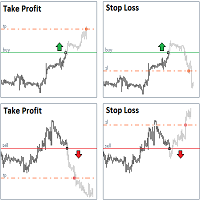
StopLoss and TakeProfit Utility MT5 for automatic setting of stop loss and take profit levels. Created by a professional trader for traders.   The utility   works with any market orders opened by a trader manually or using advisors. Can filter trades by magic number. The utility can work with any number of orders simultaneously. WHAT THE UTILITY CAN DO: Set virtual stop loss and take profit from 1 pip Real   stop loss and take profit W ork with each order separately (   stop loss and take prof
Bollinger Precision EA is a fully automated trading system for MetaTrader 5 that combines Bollinger Bands strategy with advanced risk and position management . It is designed for both beginner and professional traders who want consistent, controlled, and low-risk trading . Features: Automatically opens Buy/Sell positions based on Bollinger Bands signals Adaptive Lot calculation based on account balance and risk Stop Loss and Take Profit management Advanced risk scaling : partial close at 50% & 7
Forget about enabling templates when you launch the window. Auto Template Master Service  is a professional utility tool that runs as a system service in MetaTrader 5, and it will do it for you. Unlike traditional indicators or expert advisors (EAs), the program runs in the background of the entire terminal and doesn't require you to add it to each window individually. As soon as you open a new chart of any instrument (Forex, Stocks, Crypto), the service immediately detects the new window and a
ATR Position Size – Interactive Risk & Lot Calculator Fast, precise, and visual risk management directly on your MT5 chart. This interactive indicator eliminates manual calculations. It plots Entry, Stop Loss (SL), and Take Profit (TP) lines based on market volatility ( ATR )—and instantly calculates your exact lot size in real-time as you drag the lines with your mouse. Key Features Drag-and-Drop Levels: Move Entry (Blue), SL (Red), and TP (Green) on the chart. Your lot size, potential profit/l
Trading panel for manual trading. Has a fairly wide functionality. Allows you to automatically calculate the order size, open both market and pending orders. It has a wide range of options for closing orders, it is possible to partially close orders, close orders after reaching a certain profit or loss, separately close profitable and unprofitable, buy and sell, as well as pending orders. The panel also contains a simple implementation of a grid of pending orders, reverse and lock functions, tr
What this dashboard does The panel displays: Current Ichimoku signal per symbol Current Ichimoku signal per timeframe Key Ichimoku line values Signal direction summary Instead of switching charts manually, you can analyze the market structure in seconds. Available Ichimoku values Each cell may display: Tenkan-Sen Kijun-Sen Senkou Span A Senkou Span B Chikou Span Span A – Span B difference This allows detailed analysis or quick signal filtering. Signal types The dashboard can detect:
Size Bars
Viktor Loginov
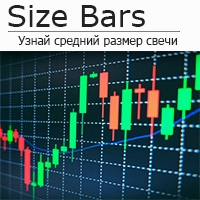
Size Bars – индикатор отображает на графике максимальный, минимальный, текущий и средний размер баров (свечей) за выбранный период. Отображаемые параметры индикатора Size Bars: 1)       Текущий размер бара в писах (по максимум/минимум, тело бара). 2)       Максимальный, минимальный и средний размер свечей BUY . 3)       Максимальный, минимальный, средний размер свечей SELL . 4)       Количество свечей BUY и количество свечей SELL . 5)       Среднее количество свечей подряд BUY и SELL . 6)     
Atropos Manager  Professional Trade Management Utility for MetaTrader 5. ( User Guide & Manual ) Atropos Manager is built for traders who open multiple positions and need a faster, cleaner way to manage them after entry. It does not predict the market and it does not generate entry signals. Its purpose is simple: help you manage open trades with structure, speed, and control directly from the chart. Whether you trade manually, use pending orders, enter from mobile, follow signals, or use another
VirtualStopsMT5
Viktor Shpakovskiy
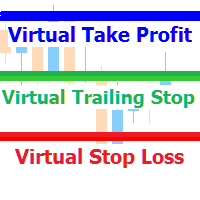
A utility for managing open positions using virtual (invisible to the broker) stops. Virtual stop loss and virtual take profit can be freely moved around the chart. If the price touches the virtual stop line (TP, SL, TS), the EA will close all orders of the same direction on the current chart. Closing orders by virtual take profit is possible only if there is a profit. With the help of the built-in trading simulator, you can, in the strategy tester, see how the adviser works. Parameters Block
Trade Copilot - Painel semiautomático de gestão de risco para Ouro (XAUUSD) e qualquer instrumento Trade Copilot é um painel de negociação semiautomático criado para traders manuais que desejam a disciplina de um EA sem abrir mão do controle sobre suas próprias entradas. Você decide a direção e o nível; o painel calcula automaticamente o tamanho do risco, posiciona o stop-loss, gerencia o take-profit e protege a operação. PRINCIPAIS RECURSOS - Cálculo de lote baseado em risco - escolha Risco
Panel Trading MT5 - On-Chart Trading Panel for Manual Trading Panel Trading MT5 is a compact, draggable control panel for manual trading in MetaTrader 5. It lets you open and close positions, watch the live price and profit/loss, and switch symbols without leaving the chart or opening the order ticket. This utility does not trade by itself and does not generate trading signals. Every order is placed by you. The panel is built on the standard CTrade class. Close requests are retried automatically
FREE
Protected profit это логическое продолжение проекта Equity monitor. Исправлены недочёты и внесены дополнительные моменты. В данном продукте разработан процентный  Traling stop, как на отдельную позицию, так и на дневную прибыль в целом. Есть возможность закрыть позицию по заданному проценту убытка, а так же можно закрыть все позиции по проценту дневной прибыли. Настройки просты и понятны.  Например: Риск на позицию 1% Позиция закроется если процент убытка превысит 1%. Traling 3% допустимое сниже
Position Manager Pro v1.0 (MT5) Dual Magic Number Independent Group Manager with Live P&L Dashboard Overview Position Manager Pro   is a powerful trade management Expert Advisor for MetaTrader 5 that operates as an   overlay manager   — it does not open positions itself, but instead manages and monitors positions opened by other EAs or manually by the trader. The core concept is   two fully independent groups , each identified by a unique   Magic Number . Each group has its own Take Profit, Stop
FREE
Ichimoku Assistant is a multi-timeframe panel and alert system that scans all timeframes for multiple rules related to different ichimoku strategies. The Ichimoku indicator has 5 different lines, including Tenkan-sen, Kijun-sen, Senku Span A, Senku Span B and Chikou Span. This scanner checks the status of these lines compared to each other and gives alerts based on your selected rules. If you are using ichimoku kinko hyo in your trading strategy, this scanner and its alert and filtering system i
CloseAtTime EA Scheduled Position Closer for MetaTrader 5 MQL5  |  Version 1.00  |  Magic Number Independent  |  Any Broker  |  Any Symbol Set the time. Walk away. CloseAtTime does the rest. Overview CloseAtTime EA is a precision trade management utility for MetaTrader 5. It monitors the broker server clock on every tick and closes your open positions at the exact second you define - no manual intervention required. The EA is intentionally focused. It does not open trades, does not apply ma
Trade Planner Pro MT5
Petrus Dadang Santara S Ip
Trade Planner Pro MT5 Short Description (Tagline): Visual Risk Calculator, Interactive Chart Trade Planner, and Automated Position Manager (BE, Trailing & Partial Close) with a Resizable HiDPI Panel. Full Product Description: Trade Planner Pro is an all-in-one visual trade planning, risk calculation, and position management utility designed for discretionary, swing, and intraday traders on MetaTrader 5. Stop switching between external lot-size calculators and messy order tickets. Plan every tra
Order Manage MT5 is an Expert Advisor for pending order management and open position management in MetaTrader 5. It monitors specified levels, cancels pending orders when their conditions are met, and can partially close positions while moving Stop Loss to the entry price. The EA performs the following actions: Cancels Buy Limit and Sell Limit orders if price reaches Take Profit before execution starts. Cancels Buy Stop and Sell Stop orders if price reaches Stop Loss before execution starts. Clo
Guardian Magic GT
Carlos Eduardo Rivas Istacuy
Guardian Magic GT - Risk Management Expert Advisor for MetaTrader 5 PROTECT YOUR TRADING CAPITAL WITH INTELLIGENT RISK MANAGEMENT Guardian Magic GT is a professional-grade Expert Advisor designed to safeguard your trading operations by implementing sophisticated risk control mechanisms. Whether you run a single bot or manage multiple automated trading systems simultaneously, Guardian Magic GT provides real-time monitoring and automatic position management to ensure your account stays within your
Os compradores deste produto também adquirem
Trade Assistant MT5
Evgeniy Kravchenko
4.43 (216)
Ajuda a calcular o risco por comércio, a fácil instalação de uma nova encomenda, gestão de encomendas com funções de fecho parcial, trailing stop de 7 tipos e outras funções úteis. Materiais e instruções adicionais Instruções de instalação   -   Instruções para a aplicação   Função de linha Mostra no gráfico a linha de Abertura, Stop Loss, Take Profit. Com esta função é fácil definir uma nova ordem e ver as suas características adicionais antes da abertura.   Gestão de risco A função de cálcul
Bem-vindo ao Trade Manager EA—uma ferramenta de gestão de risco criada para tornar o trading mais intuitivo, preciso e eficiente. Não é apenas uma ferramenta para executar ordens, mas uma solução abrangente para planejamento de operações, gerenciamento de posições e controle de risco. Seja você um iniciante, trader avançado ou scalper que precisa de execução rápida, o Trade Manager EA adapta-se às suas necessidades, oferecendo flexibilidade em todos os mercados, desde forex e índices até commodi
Black Week: compra por 69.99 USD. A oferta termina na sexta-feira, 27 de novembro. O Telegram to MT5 Multi-Channel Copier copia automaticamente os sinais de trading dos seus canais de Telegram e Discord diretamente para o MetaTrader 5. Sem bots, sem extensões de navegador, sem copiar à mão. O sinal chega ao Telegram ou ao Discord e o EA abre a operação no seu terminal em poucos segundos. E antes de copiar um canal, o backtester integrado mostra o que esse canal teria feito na sua conta. O produt
Farmed Hedge Yield Farming | All Markets (Manual - Hybrid - Semi/Automated EA) VERIFIED TRADING RESULTS - Farmed Hedge Yield Axi Copy:  https://www.mql5.com/en/signals/2356376 - Farmed Hedge Yield Exn Copy:   https://www.mql5.com/en/signals/2356404 - Farmed Hedge Yield V Copy:  https://www.mql5.com/en/signals/2357156 IMPORTANT NOTICE: FarmedHedge is a MANUAL-FOCUSED TRADING UTILITY ,not a fully automated EA. Results shown on this Signal include manual trades and overall strategic management.
TradePanel MT5
Alfiya Fazylova
4.89 (175)
Trade Panel é um assistente de negociação multifuncional. O aplicativo contém mais de 50 funções de negociação para trading manual e permite automatizar a maioria das tarefas de negociação. Instruções para o aplicativo: https://www.mql5.com/pt/blogs/post/762435 Versão de teste do aplicativo para conta demo: https://www.mql5.com/pt/blogs/post/762547 Como instalar o aplicativo: https://www.mql5.com/pt/blogs/post/762548 Como testar o aplicativo no modo visual: https://www.mql5.com/pt/blogs/post/770
EA Overfitter
Stephen J Martret
5 (4)
That backtest looks great. But will it still be making money tomorrow, next week, next month? EA Overfitter re-runs your EA on 100 price histories it has never seen. One score tells you if the edge is real. A backtest tells you what an EA did on one price history — the one that happened to occur. What you cannot tell from it is how much of that result was the strategy and how much was the particular path. EA Overfitter answers that. It builds up to 100 synthetic price histories your EA has n
Copie sinais do Telegram com suas próprias regras de negociação Telegram to MT5 Signal Trader copia automaticamente sinais de negociação em texto de canais e grupos públicos e privados do Telegram para o MetaTrader 5. Gerencie vários provedores e contas MT5 em um único aplicativo para desktop, com configurações individuais de risco e de negociação para cada provedor . Você não precisa de um bot do Telegram nem configurar uma API para copiar sinais. Basta entrar com sua própria conta do Telegram
AI Agent Supervisor is NOT an Expert Advisor. AI Agent Supervisor   is a   multi-agent AI risk & portfolio supervisor   that watches every EA on your account and intervenes in real time.  WANT AN AI PORTFOLIO MANAGER WATCHING YOUR FLEET 24/7?   Run your fleet on the same brokers I do:   IC MARKETS , IC TRADING   .  Unlike the centralized stock market, Forex has no single, unified price feed.  Every broker sources liquidity from different providers, creating unique data streams. The Supervisor r
The product will copy all telegram signal to MT5 ( which you are member) , also it can work as remote copier.  Easy to set up, copy order instant, can work with almost signal formats, image signal,  s upport to translate other language to English Work with all type of channel or group, even channel have "Restrict Saving Content", work with  multi channel, multi MT5 Work as remote copier: with signal have ticket number, it will copy exactly via ticket number. Support to backtest signal. How to s
================================================================================ POC BREAKOUT - V20.72. Full Professional Grade Toolkit ================================================================================ POC Breakout is a full MetaTrader 5 trading dashboard for discretionary traders who want breakout signals, Point of Control (POC) context, volume profiles, order flow, market structure, news, alerts, and advanced trade planning in one professional workspace. Attached directly to you
Power Candles Strategy Scanner: localizador de setups multissímbolo que se otimiza sozinho Um scanner que apita a cada tremida ensina você a ignorá-lo. Um fechamento de vela agitado, alerta atrás de alerta, e o único setup que você realmente opera se afoga no ruído. Power Candles Strategy Scanner roda o motor auto-otimizável do Power Candles em cada símbolo da sua Market Watch e só alerta sobre o que passa pelos seus próprios filtros: a força da última vela fechada, a relação retorno/risco do se
Unlimited Trade Copier Pro MT5 is a tool to copy trade remotely to multiple MT4, MT5 and cTrader accounts at different computers/locations over internet. This is an ideal solution for you if you are a signal provider and want to copy your trades to other receivers globally on your own rules. One provider can copy trades to multiple receivers and one receiver can get trade from multiple providers as well. The provider can even set the subscription expiry for each receiver, so that receiver will n
News Trade EA MT5
Konstantin Kulikov
4.55 (11)
Apresento um robô útil que eu mesmo uso há vários anos. Pode ser usado nos modos semiautomático e totalmente automático. >>> Chat <<< O programa contém configurações flexíveis para negociação nas notícias do calendário econômico. Não pode ser verificado no testador de estratégia. Somente trabalho real. Descarregue o ficheiro mais recente de definições: https://www.mql5.com/en/blogs/post/747929 Monitorização de sinais: https://www.mql5.com/en/signals/author/test-standart Ao criar suas próprias
VirtualTradePad PRO SE MT5 — centro profissional de controle de trading para MetaTrader 5 VirtualTradePad PRO SE é um painel de trading premium baseado no gráfico e um ambiente de gerenciamento de operações para MetaTrader 5 . Ele foi desenvolvido para traders que desejam execução mais rápida, controle de posições mais claro, gerenciamento de trades estruturado, planejamento visual de níveis e um fluxo de trabalho profissional diretamente no gráfico. Não é apenas um painel de COMPRA / VENDA. O P
Strategy Builder offers an incredible amount of functionality. It combines a trade panel with configurable automation (covert indicators into an EA), real-time statistics (profit & draw down) plus automatic optimization of SL, TP/exit, trading hours, indicator inputs. Multiple indicators can be combined into an single alert/trade signal and can include custom indicators, even if just have ex4 file or purchased from Market. The system is easily configured via a CONFIG button and associated pop-u
Astro Trade MT5
Indra Maulana
5 (8)
25% discount on the release of the tool: only for the next 3 buyers Send a message to receive a demo version. AstroTrade Trading Assistant AstroTrade is a comprehensive multi-functional trading utility developed for the MetaTrader 5 platform. It integrates essential tools for trade execution, risk management, and technical monitoring into a single unified interface. The application is designed to assist traders in managing their daily operations through a visual and structured environment. Vi
News Filter EA
Rashed Samir
5 (2)
News Filter EA: Advanced Algo Trading Assistant News Filter EA is an advanced algo trading assistant designed to enhance your trading experience. By using the News Filter EA , you can integrate a Forex economic news filter into your existing expert advisor, even if you do not have access to its source code. In addition to the news filter, you can also specify trading days and hours for your expert. The News Filter EA also includes risk management  and equity protection features. MT4 Version Ma
Encontrou um ótimo sinal, mas o lote de um provedor é muito pequeno? Você precisa de um volume de posição maior, mas as configurações do terminal são muito ruins? O Signal Lot Manager aumentará o volume da posição do provedor por meio de uma ordem duplicada do volume necessário. Basta definir um tamanho de lote e um nome de sinal para copiar pedidos. O Signal Lot Manager é um utilitário multiplicador de lotes para duplicar pedidos em seu terminal. A fonte pode ser selecionada por qualquer consul
Expert advisor de order block, BOS e ChoCH para MetaTrader 5, com alertas no Telegram SMC Trade Pilot MT5 lê a estrutura de mercado no seu gráfico e envia o sinal para o Telegram. Marca os rompimentos de estrutura (BOS) e as mudanças de caráter (ChoCH), desenha order blocks com pontuação de força , acompanha os fair value gaps (FVG) e os liquidity sweeps, mostra um volume profile com point of control, value area high e value area low, e resume tudo num painel compacto com módulo multi-tempo gráf
KT Equity Protector MT5
KEENBASE SOFTWARE SOLUTIONS
3.6 (5)
An equity protection EA for MetaTrader that enforces your loss limits and profit target for you: when your account reaches a rule you set, it closes your trades on every symbol, before one bad day turns into a lost account. It suits prop firm challenges and personal accounts alike. Attach it to one chart, answer a few questions in the on-chart setup wizard, and it watches your whole account in the background while you trade by hand or with other EAs. What it protects Daily loss limit: a percenta
Trade Manager DashPlus
Henry Lyubomir Wallace
4.85 (13)
DashPlus é uma ferramenta avançada de gerenciamento de operações projetada para melhorar a eficiência e a eficácia das suas transações na plataforma MetaTrader 5. Ela oferece um conjunto completo de funcionalidades, incluindo cálculo de risco, gestão de ordens, sistemas de grade avançados, ferramentas baseadas em gráficos e análise de desempenho. Principais Funcionalidades 1. Grade de Recuperação Implementa um sistema de grade flexível e de média para gerenciar operações em condições adversas de
TradingView-grade charts, native in MT5, with Pine Script v4 and up support A complete charting replacement built inside MetaTrader 5: a custom rendering engine, a Pine Script v4-v6 interpreter, 10+ built-in indicators, professional drawing tools, multi-chart layouts, a forex sessions overview, a bar replay simulator, and an integrated trade manager with risk-based position sizing. One license. Free updates for life. Why ChartZephyr MT5 gives you world-class execution. Its charting engine hasn't
Custom Alerts: Monitore vários mercados e não perca nenhuma oportunidade importante Visão geral Custom Alerts é uma solução dinâmica para traders que desejam monitorar configurações potenciais em vários instrumentos a partir de um único local. Integrando dados de nossas ferramentas principais — como FX Power, FX Volume, FX Dynamic, FX Levels e IX Power — o Custom Alerts notifica automaticamente sobre movimentos importantes do mercado, sem a necessidade de alternar entre diversos gráficos ou pe
Assistente de Trading no Gráfico e Painel de Gestão de Risco Ferramenta completa no gráfico com Stop Loss (SL) e Take Profit (TP) multimodo (ATR, R:R, pontos, moeda da conta), análises em tempo real e calendário econômico O Ergotick Trade Manager é um painel de trading profissional tudo-em-um, desenvolvido para traders discricionários, traders em avaliação de mesa proprietária (prop firms) e scalpers. Ele combina cálculos automáticos e instantâneos de tamanho de lote, configurações multimodo de
Trade Assistant 38 in 1
Makarii Gubaydullin
4.91 (23)
Ferramenta Multifuncional: Calculadora de Lote, Ordens Grid, Proporção R/R, Gerenciador de Negociações, Zonas de Oferta e Demanda, Price Action e muito mais Versão Demo   |   Manual do Usuário O Assistente de Trading   não funciona no testador de estratégias : você pode baixar a   Versão Demo AQUI  para testar a utilidade . Entre em contato   para qualquer dúvida  / ideias de melhoria / caso encontre um erro Se precisar de uma versão MT4, ela está disponível aqui Simplifique, acelere e automati
MT5 to Telegram Signal Provider é uma utilidade fácil de usar e totalmente personalizável que permite o envio de sinais especificados para o chat, canal ou grupo do Telegram, tornando sua conta um fornecedor de sinais . Ao contrário da maioria dos produtos concorrentes, ele não usa importações de DLL. [ Demonstração ] [ Manual ] [ Versão MT4 ] [ Versão Discord ] [ Canal do Telegram ]  New: [ Telegram To MT5 ] Configuração Um guia do usuário passo a passo está disponível. Não é necessário conhec
Elliott Wave Helper
Siarhei Vashchylka
4.93 (14)
Elliott Wave Helper is a panel for constructing wave analysis. Manual (Be sure to read before purchasing) | Version for MT4 Advantages 1. Constructing wave analysis and wave structure in a few clicks 2. Availability of all wave analysis patterns, including triangles and combinations 3. All nine wave display styles, including a special circle font 4. Change colors and display styles of wave groups directly from the chart 5. Binding all elements to a set timeframe or timeframes 6. A template syste
Trade Manager DaneTrades
Levi Dane Benjamin
4.13 (31)
Trade Manager para ajudá-lo a entrar e sair rapidamente de negociações enquanto calcula automaticamente seu risco. Incluindo recursos para ajudar a evitar negociações excessivas, negociações de vingança e negociações emocionais. As negociações podem ser gerenciadas automaticamente e as métricas de desempenho da conta podem ser visualizadas em um gráfico. Esses recursos tornam este painel ideal para todos os traders manuais e ajudam a aprimorar a plataforma MetaTrader 5. Suporte multilíngue. Vers
Próxima Atualização — Versão 2.52 em Breve! [NOVO] Prepare-se para 4 Grandes Novos Recursos Projetados para Aprimorar sua Análise de Mercado e seu Fluxo de Trabalho de Trading Estamos levando a análise de mercado a um novo nível com 4 novos recursos desenvolvidos para atender às suas necessidades de trading. Apresentamos: 1. TRADE OVERVIEW DASHBOARD 2. CONFLUENCE AT ZONE 3. STRONG & WEAK HIGH/LOW 4. OTE 1. TRADE OVERVIEW DASHBOARD Um painel que ajuda você a compreender mais facilmente o panoram
REVDEN AI Desk: Conduza Seu Trading a Partir de Uma Conversa com Sua Própria IA, sobre o Contexto de Mercado do REVDEN Imagine conduzir seu trading a partir de uma única conversa. O REVDEN AI Desk traz isso para o MetaTrader 5: você pergunta à sua própria IA como ela lê o mercado, e ela responde a partir do contexto completo do REVDEN sobre os símbolos que você opera, com o estado de cada um, o quadro de risco e as divulgações que vêm pela frente. As propostas dela chegam com entrada, stop, alvo
Filtro:
Sem comentários
Responder ao comentário