Atropos Manager
- 유틸리티
- 버전: 7.2
- 업데이트됨: 28 7월 2026
- 활성화: 10

Atropos Manager
Professional Trade Management Utility for MetaTrader 5. (User Guide & Manual)
Atropos Manager is built for traders who open multiple positions and need a faster, cleaner way to manage them after entry.
It does not predict the market and it does not generate entry signals.
Its purpose is simple: help you manage open trades with structure, speed, and control directly from the chart.
Whether you trade manually, use pending orders, enter from mobile, follow signals, or use another EA for entries, Atropos Manager can take over the management side once a position is active.
Why Atropos Manager?
Many traders know how to enter a trade, but the real challenge starts after entry:
- Which trades should be protected?
- Which trades should be grouped?
- Which position should trail?
- Which trade needs TP or SL?
- Which trades should be partially closed?
- When should a basket exit in profit?
- How fast can you react during volatile movement?
Atropos Manager gives you a practical control panel to manage these decisions without adjusting every trade manually.
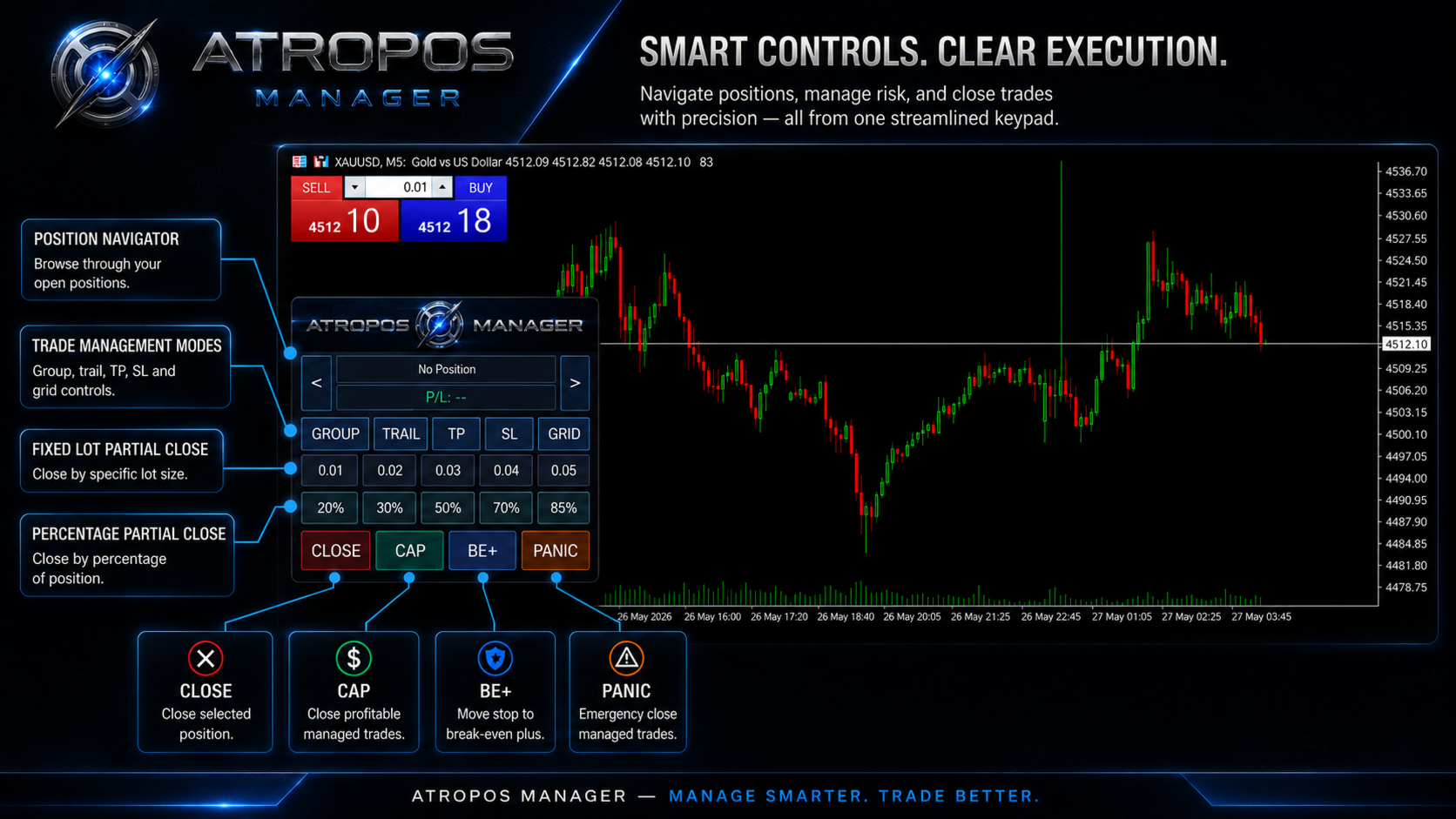
On-Chart Control Panel
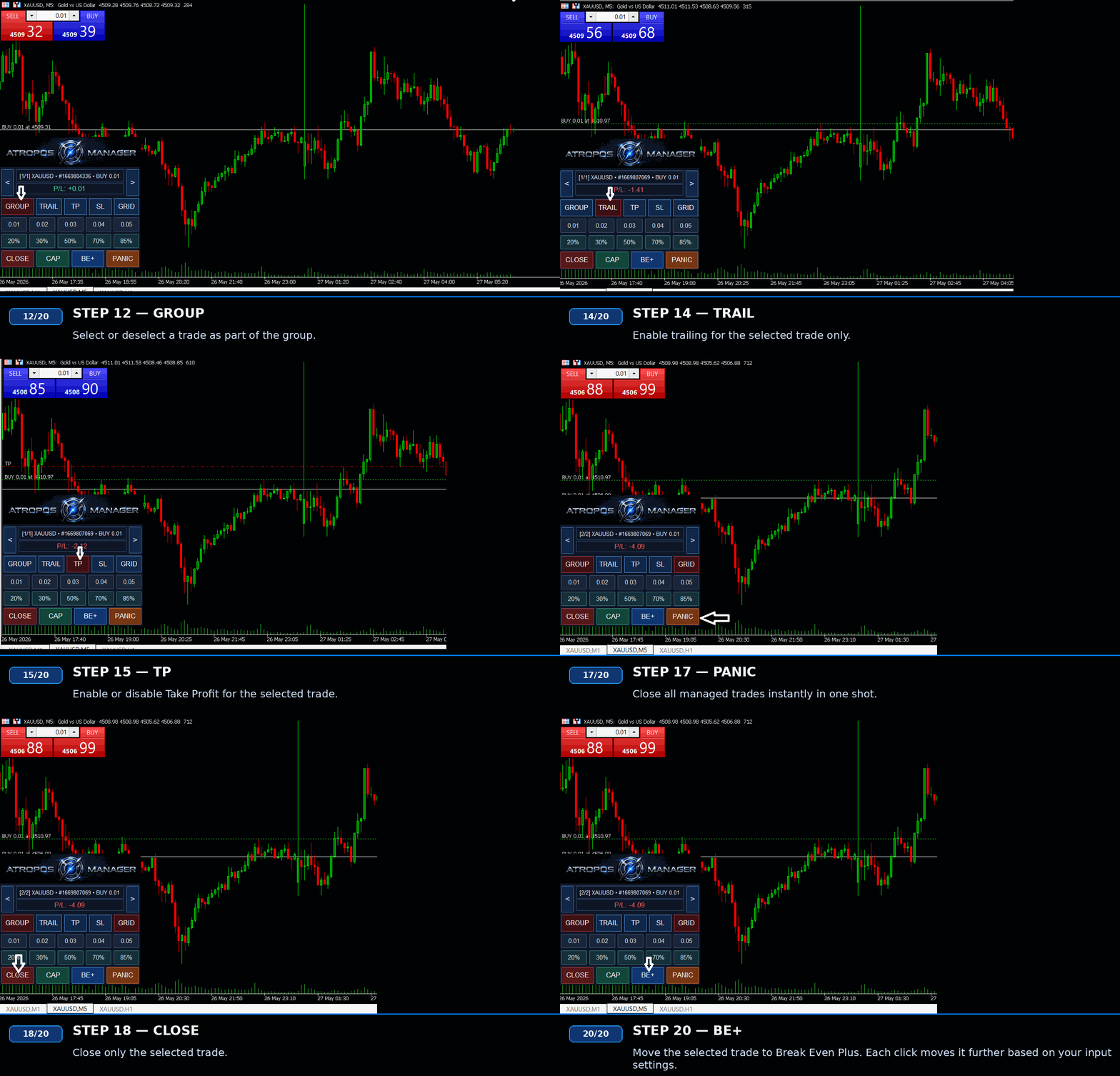
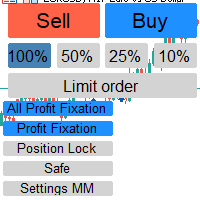
The built-in keypad lets you manage selected positions directly from the chart.
You can browse through open positions and enable or disable management features per trade:
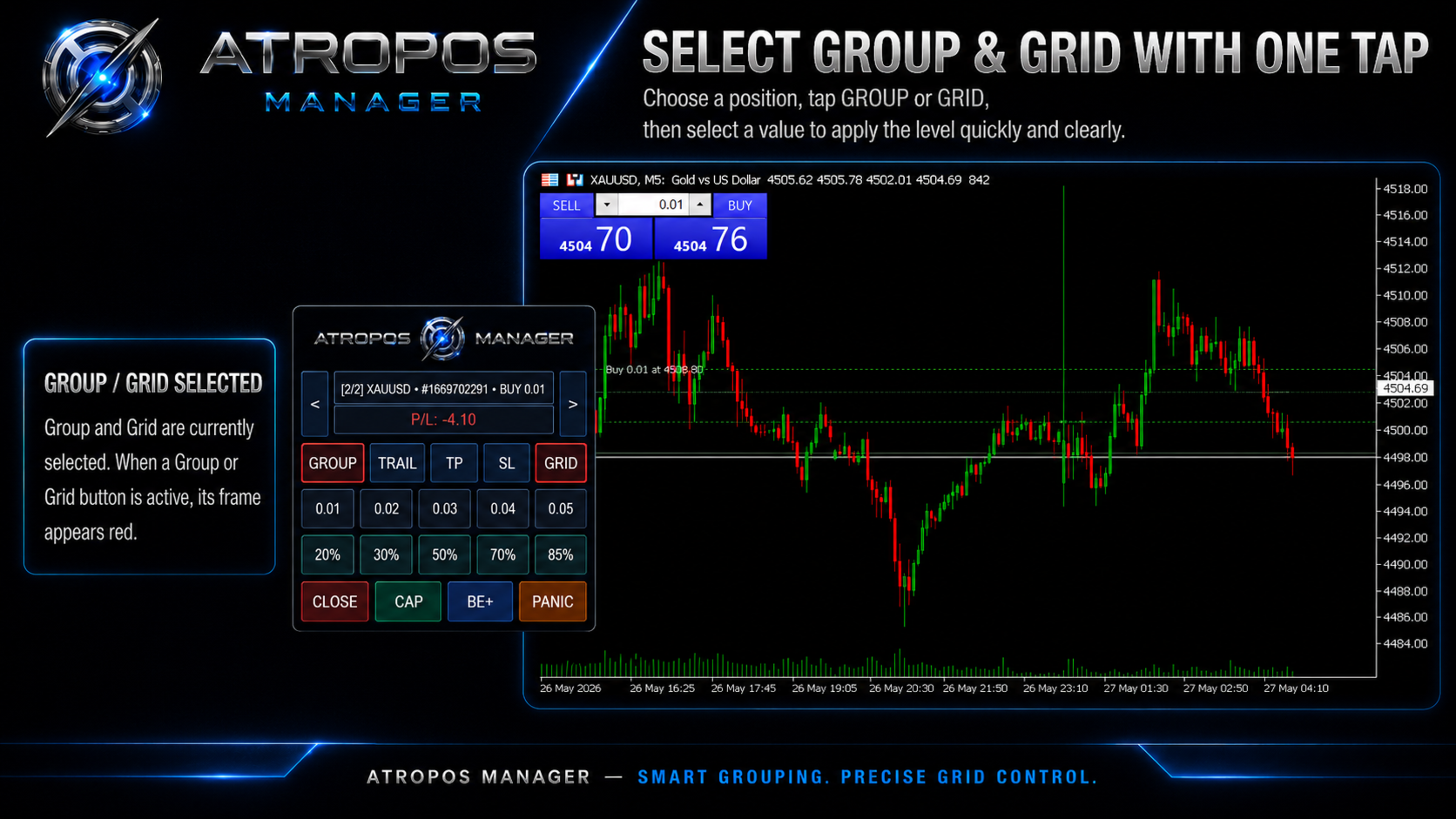
- GROUP — include or exclude the selected trade from group management
- GRID — allow controlled grid expansion for the selected trade
- TRAIL — enable trailing management for the selected trade
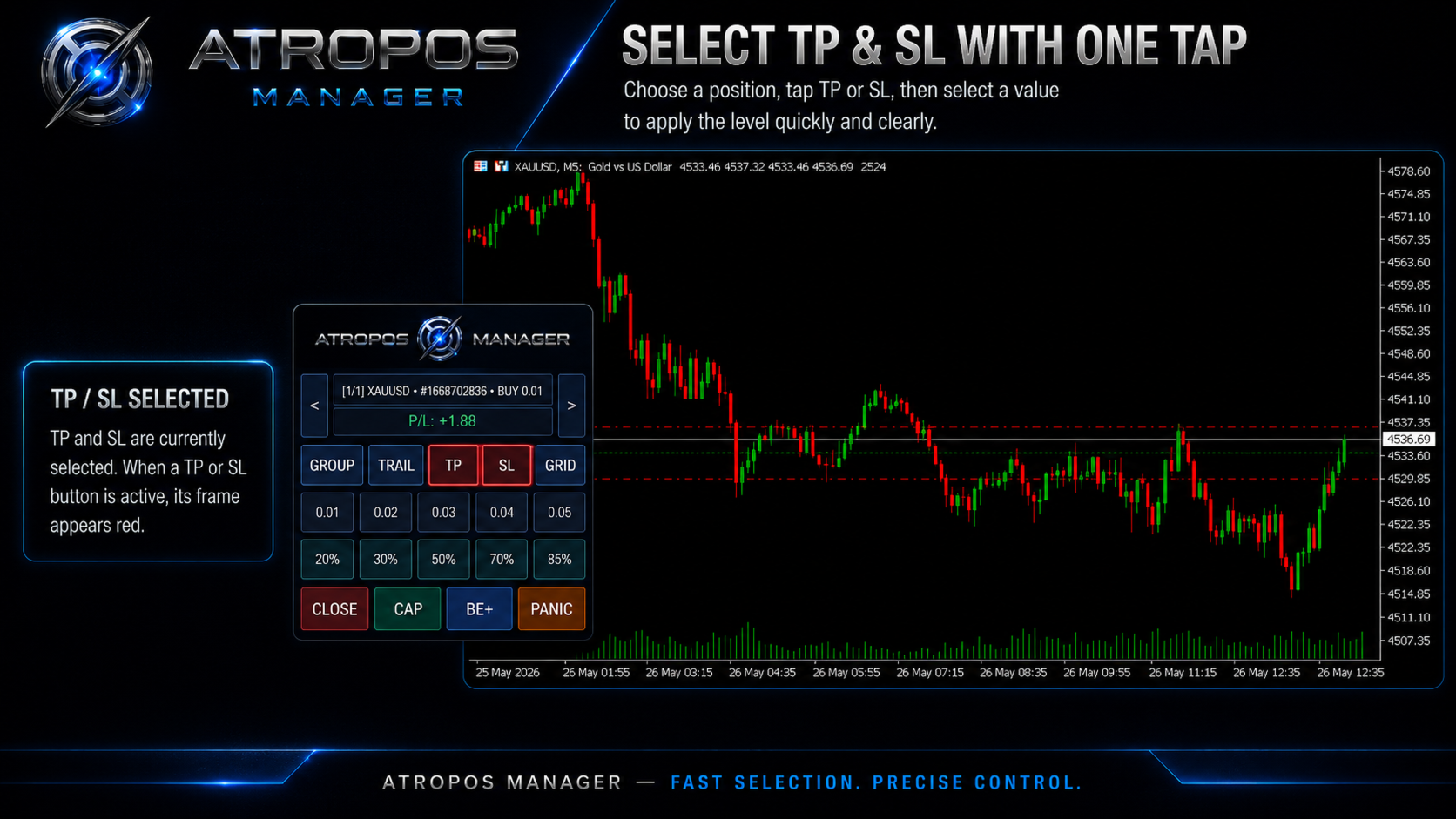
- TP — apply or remove take-profit management
- SL — apply or remove stop-loss management
When a button is active, it is visually highlighted, so you can quickly see how each trade is being managed.
This is especially useful for traders who manage several positions at the same time and need clear control without opening the inputs menu repeatedly.
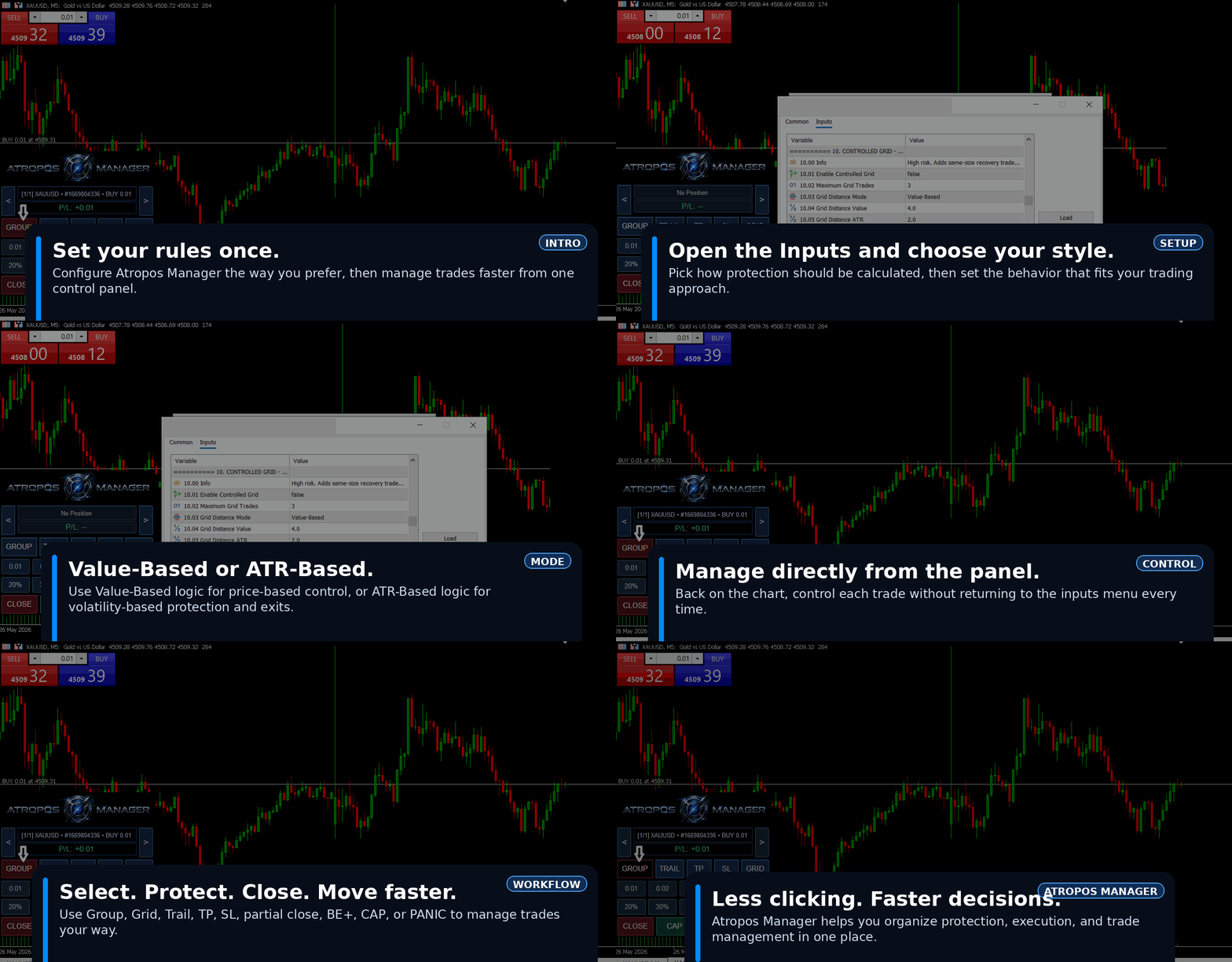
Value-Based or ATR-Based Protection
Atropos Manager supports two protection styles:
Value-Based Mode
Value-Based mode uses a price-normalized value system designed to adapt across different symbols and market prices.
This helps keep trade management more logical when market prices change over time or when trading different instruments such as gold, forex, indices, oil, or crypto.
ATR-Based Mode
ATR-Based mode uses market volatility to calculate distances.
This is useful when you want stop loss, take profit, trailing, and protection distances to adapt to current market movement.
You can choose the method that better fits your trading style.
TP, SL, and Multi-Stage Management
Atropos Manager can manage:
- Stop Loss
- TP1
- TP2
- TP3
- Break-even plus
- Step protection
- Partial exits
- Post-TP trailing
This allows you to secure part of the position, protect the remaining volume, and reduce the amount of manual work after the trade starts moving.
Group Profit Management
Group management is designed for traders who open more than one position on the same symbol or strategy idea.
Instead of managing each trade separately, you can select trades into a group and let Atropos Manager monitor the combined floating result.
Group tools can help you:
- Exit selected trades when total P/L reaches a target
- Trail group profit after a threshold
- Close a basket when the total result is acceptable
- Manage mixed positions where some trades are in profit and others are still negative
This is useful when the goal is not to make every single trade win, but to manage the total basket intelligently.
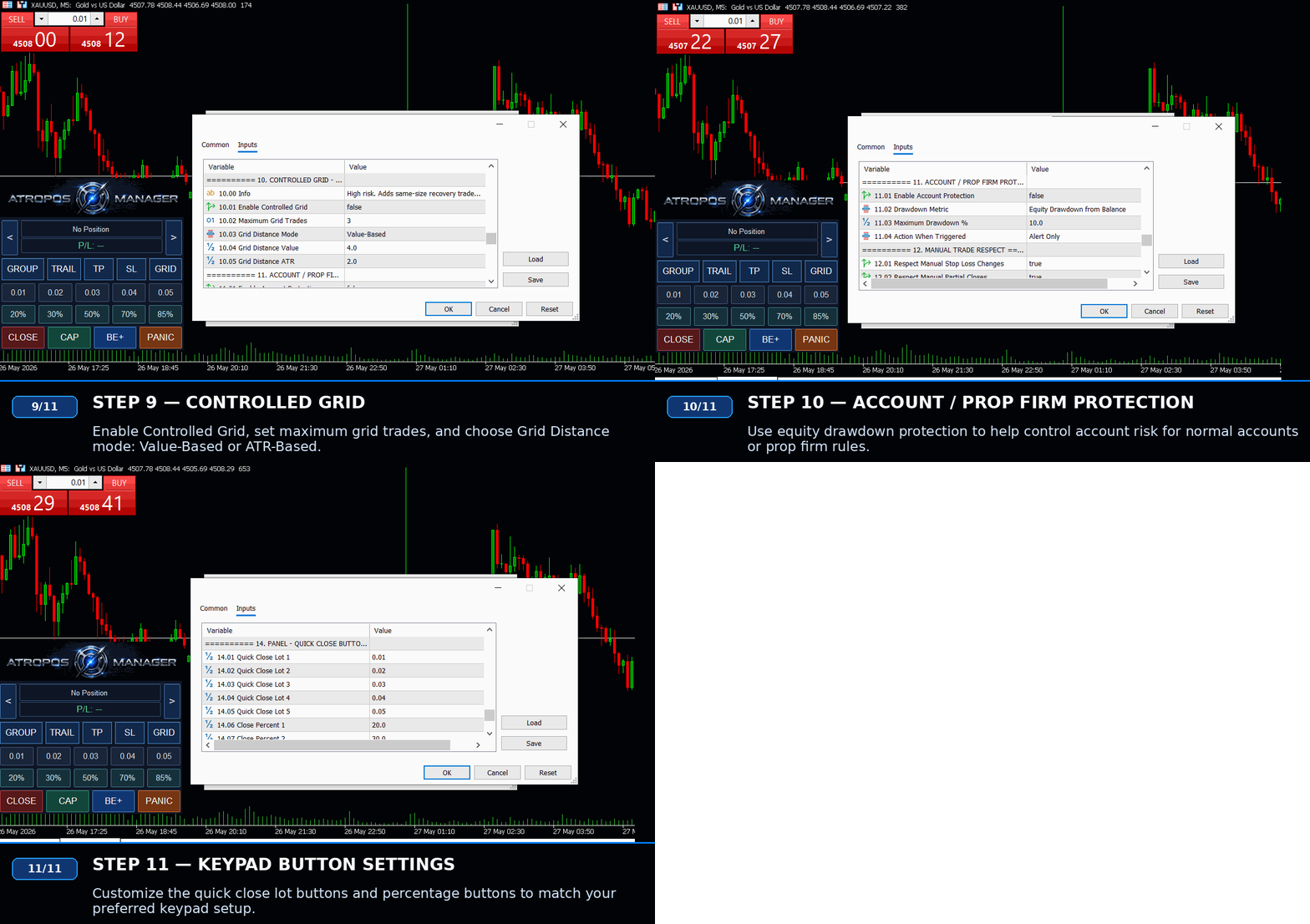
Controlled Grid
The controlled grid feature is designed to support structured recovery or position expansion.
You can define:
- Maximum grid trades
- Grid distance mode
- Value-Based grid distance
- ATR-Based grid distance
Grid trades are managed as part of the group workflow, so the system can focus on the combined basket result instead of isolated trades.
Fast Trade Actions
The panel includes practical quick-action buttons:
- Close — close the selected position
- CAP — close profitable managed trades
- BE+ — move stop loss to break-even plus
- Panic — emergency close managed trades
- Fixed lot partial close buttons
- Percentage partial close buttons
The quick-close buttons can be customized from the inputs, allowing you to match the panel to your own lot sizing and trade-management style.
Account and Prop Firm Protection
Atropos Manager includes optional equity drawdown protection.
This can help traders monitor account risk and apply emergency actions when drawdown reaches a selected level.
It can be useful for:
- Personal risk control
- Prop firm rule management
- Accounts with strict drawdown limits
- Traders who want an extra safety layer
This feature is not a replacement for proper risk management, but it can help enforce discipline when account conditions become dangerous.
Works With Different Trading Styles
Atropos Manager can be useful for:
- Manual traders
- Scalpers
- Gold traders
- Forex traders
- Indices traders
- Oil traders
- Crypto traders
- Traders using pending orders
- Traders managing many positions
- Traders using another EA or indicator for entries
- Traders running MT5 on VPS
The manager focuses on what happens after the trade is opened.
Important Notes
Atropos Manager is a trade management utility.
It does not guarantee profit.
It does not predict market direction.
It does not replace your trading strategy.
It manages positions according to your selected settings.
Always test on a demo account first and make sure the settings match your broker, symbol, account type, lot size, and trading style.
Summary
Atropos Manager is designed for traders who want more control after entry.
It combines automatic protection, Value-Based and ATR-Based management, group profit control, controlled grid logic, partial closes, break-even tools, account protection, and a fast on-chart keypad into one practical MT5 trade management utility.
Set your rules once. Manage each trade faster. Stay in control directly from the chart.