PropGuard Solo MT5
- 유틸리티
-
Kenji Ito
 Independent MQL5 developer building account-protection and diagnostic utilities for MetaTrader.
 - 버전: 1.0
- 활성화: 5
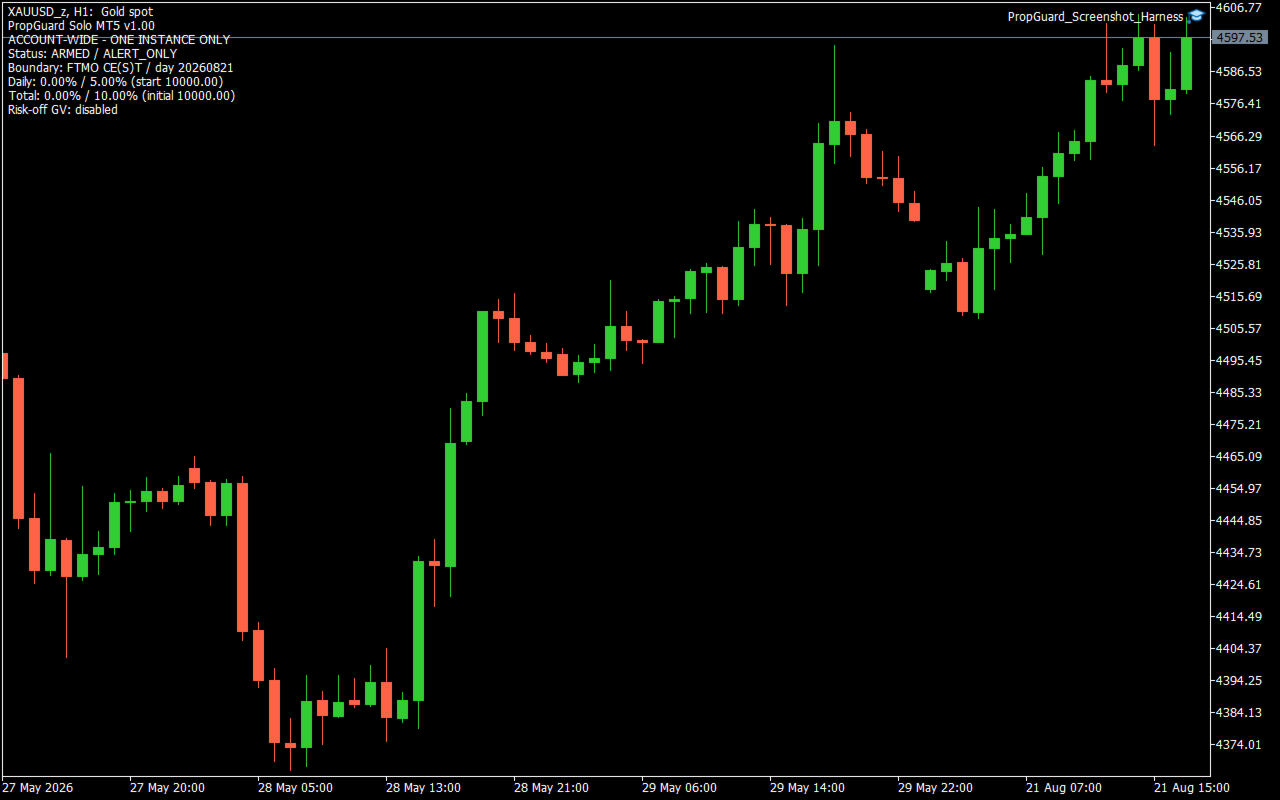
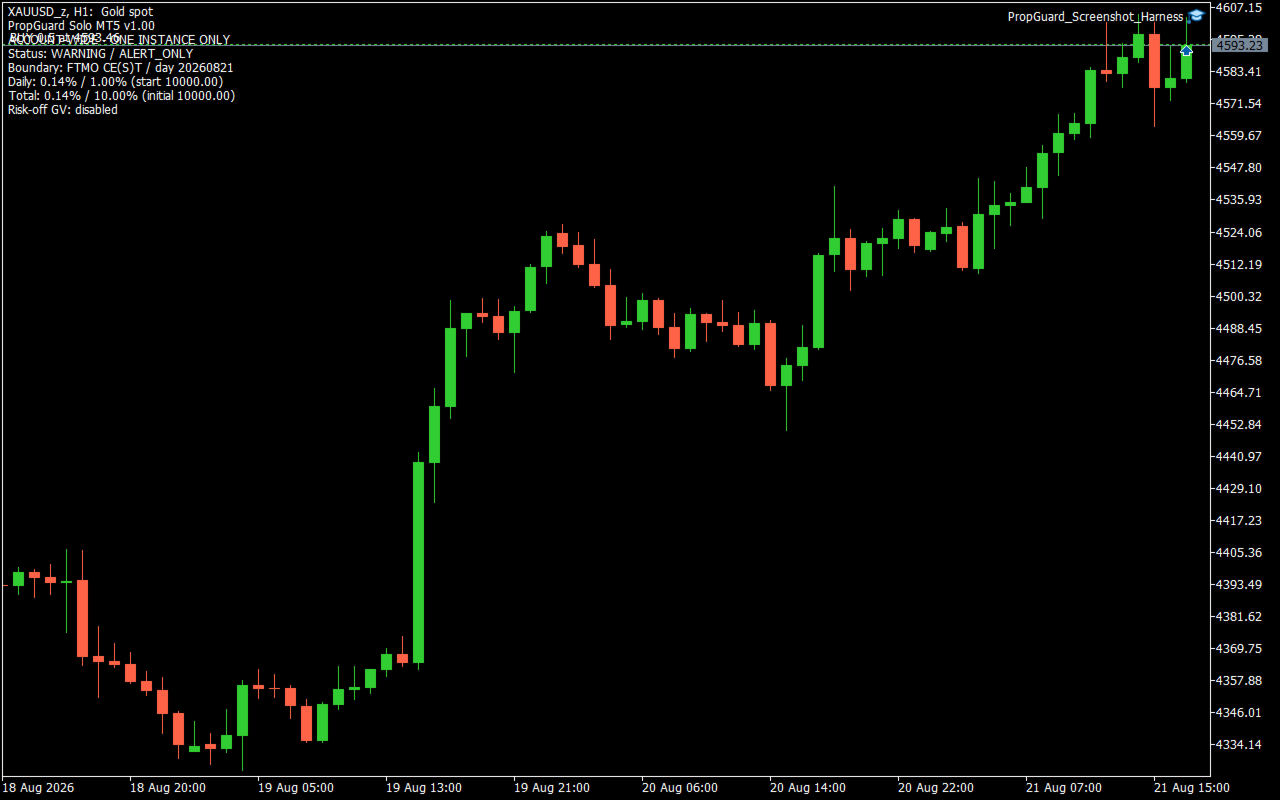
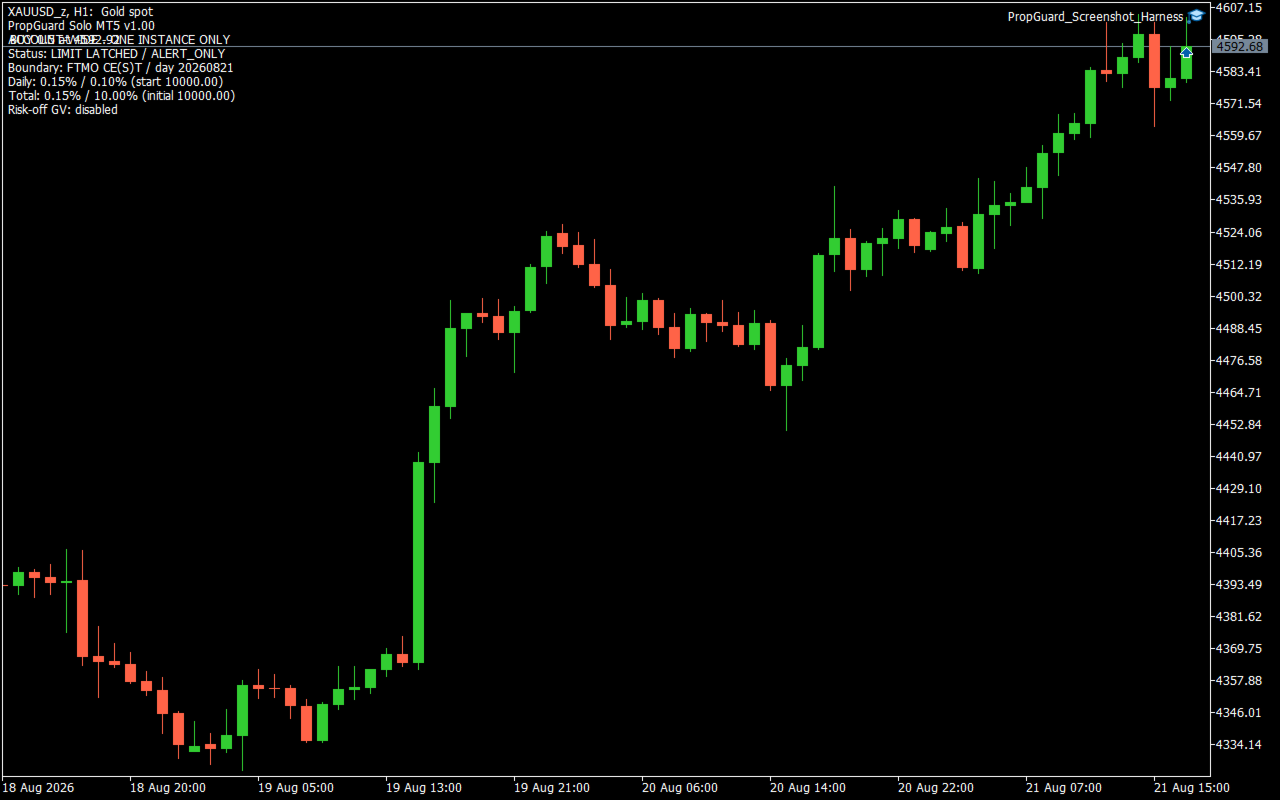
PropGuard Solo MT5 is an account-wide loss-monitoring utility for MetaTrader 5. It monitors configurable daily and total loss limits across all symbols, magic numbers, Expert Advisors and manual positions on one account. This product does not open trades. It is not a trading strategy and does not claim or guarantee profit, challenge completion, or prevention of a rule violation. What it monitors - Daily loss as a percentage of the reconstructed start-of-day balance. - Total loss as a percentage of the configured initial campaign balance. - Floating profit or loss together with realized trading results, including profit, swap, commission and fee amounts. - Daily and total warning states independently. - The active day boundary and the persisted campaign state. Daily loss is calculated from trading results recorded after the selected day boundary plus the account's current floating profit or loss. Balance, credit, correction and bonus operations are treated as external capital movements rather than trading results. Total loss compares the initial campaign balance with current equity adjusted for external capital movements recorded after this utility was initialized. Boundary modes - FTMO_CEST_Midnight: uses midnight in Central European time and applies the European CET/CEST last-Sunday daylight-saving rule. - Custom_Server_Time: uses a broker-server hour and minute chosen by the user. The rules and time boundaries used by third-party prop firms can change and can differ by account program. Confirm the current rule definition before use. In Strategy Tester, the modeled server UTC offset must be supplied manually for the CE(S)T mode; one fixed offset does not accurately model a test spanning a daylight-saving transition. Warning and limit actions The default warning threshold is 80% of each configured limit. With the default 5% daily limit and 10% total limit, warnings are triggered at 4% daily loss and 8% total loss. Two action modes are available: - AlertOnly: records the state and reports warnings or reached limits without closing trades. - AlertAndCloseAll: after a daily or total limit is reached, attempts to delete all pending orders and close all positions across the account. Failed or remaining tickets are retried while the reached-limit state remains latched. The optional RISK_OFF terminal Global Variable is a cooperative signal only. It affects another EA only when that EA has been programmed to read the same variable. This utility does not switch off terminal AutoTrading, remove charts, or stop other EAs from submitting new orders. Persistent state and visibility The on-chart display shows the operating status, action mode, boundary mode, day key, current daily loss, daily start balance, current total loss, initial balance and optional risk-off variable name. Campaign and daily state are stored in terminal Global Variables scoped by account login, account-server hash and StateGeneration. Daily warning and daily reached-limit states reset at a new day boundary. Total warning and total reached-limit states remain latched for the campaign. Incomplete state, an initial-balance mismatch, unavailable history or an account identity problem causes measurement to stop instead of silently replacing the baseline. During a measurement error, no new limit decision is made. A previously persisted reached-limit state can continue close attempts in AlertAndCloseAll mode. Initial setup 1. Check the current loss definitions and day boundary for your account program. 2. Install only one instance on the account. The chart symbol and timeframe do not define the monitoring scope. 3. If the utility is added after a campaign has started, enter the campaign's true initial balance. The default value of zero can auto-seed only on a clean, flat account with no pending orders, zero credit and equity equal to balance. 4. Select the correct boundary mode. For a custom boundary, enter the broker-server reset hour and minute. 5. Begin with AlertOnly and compare the displayed baseline, loss values and reset time with the account provider's records. 6. Test close behavior on a demo account before enabling AlertAndCloseAll. Important limitations - Keep a safety margin below any external loss limit. Closing begins only after a configured threshold is measured as reached. - Gaps, slippage, market closure, disconnection, terminal shutdown, trade restrictions, stop-out and rejected orders can delay or prevent closing. - Other EAs and manual users can submit new orders after a limit is reached. The utility retries closing but cannot guarantee that the account remains flat. - Incorrect boundary, initial balance or persistent-state settings can produce incorrect daily or total measurements. - When the terminal is not running or connected, the utility cannot monitor or act. - Use on a demo account first. Runtime testing across broker time zones, daylight-saving transitions, hedging and netting accounts, rejected close requests and restart scenarios is required before relying on the close mode. Technical profile - Platform: MetaTrader 5 - Scope: one account, all symbols and magic numbers - Default action: alerts only - New trade entry: none - DLL calls: none - Web requests: none - External file dependency: none - Included dependency: the standard MQL5 Trade/Trade.mqh library FAQ Does it open trades or provide entry signals? No. It only monitors the account and, if explicitly configured, attempts to close existing positions and delete pending orders after a configured limit is reached. Does close mode stop other EAs? No. It does not disable AutoTrading. The optional Global Variable is effective only for EAs that have been programmed to cooperate with it. Which chart should I use? Any chart can host the utility because its scope is the entire account. Install only one instance per account. Can I leave InitialBalance at zero? Only on a clean, flat account with no pending orders, zero credit and equity equal to balance. For a campaign already in progress, enter the true campaign initial balance. PropGuard Solo MT5 is a monitoring and response utility. The user remains responsible for choosing settings that match the current account rules and for supervising account, terminal and execution conditions.