KChrono Timer

K_Chrono Timer ELITE

Product Type: MetaTrader 5 Indicator

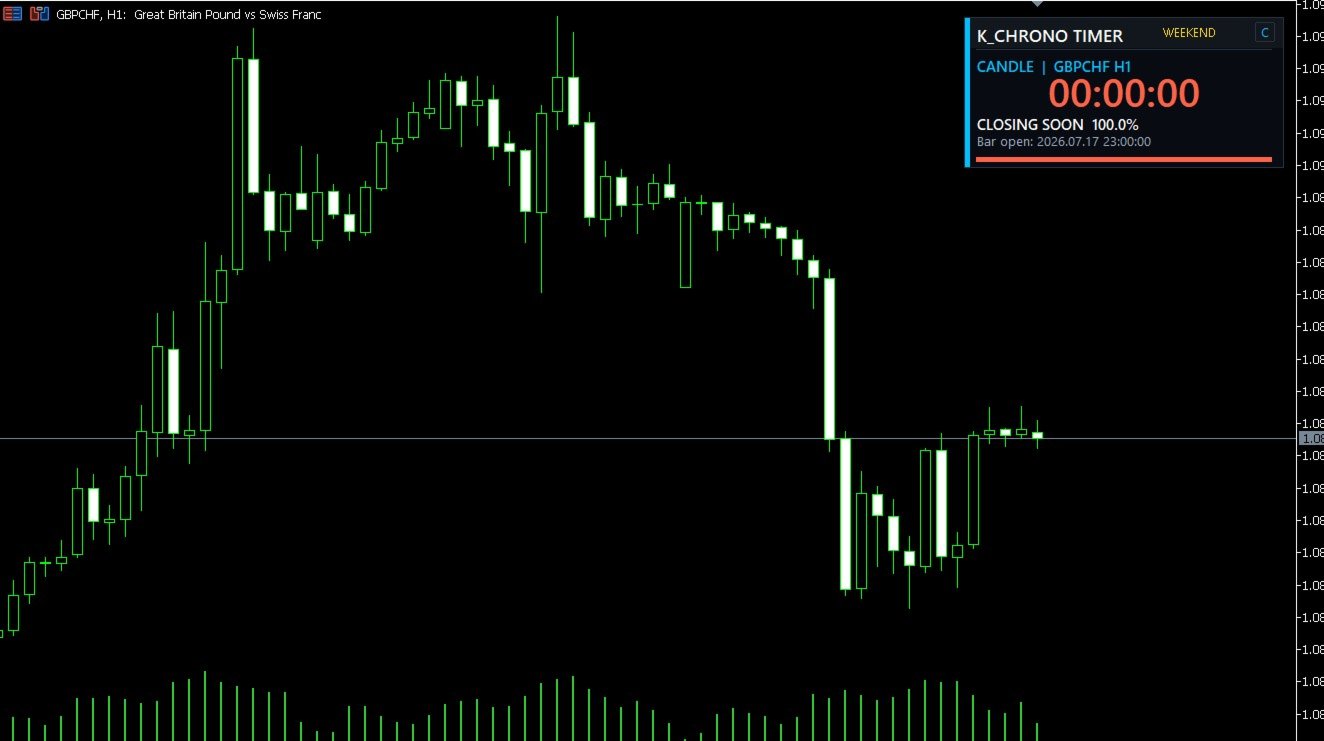
Precision Timing—Directly on Your Chart

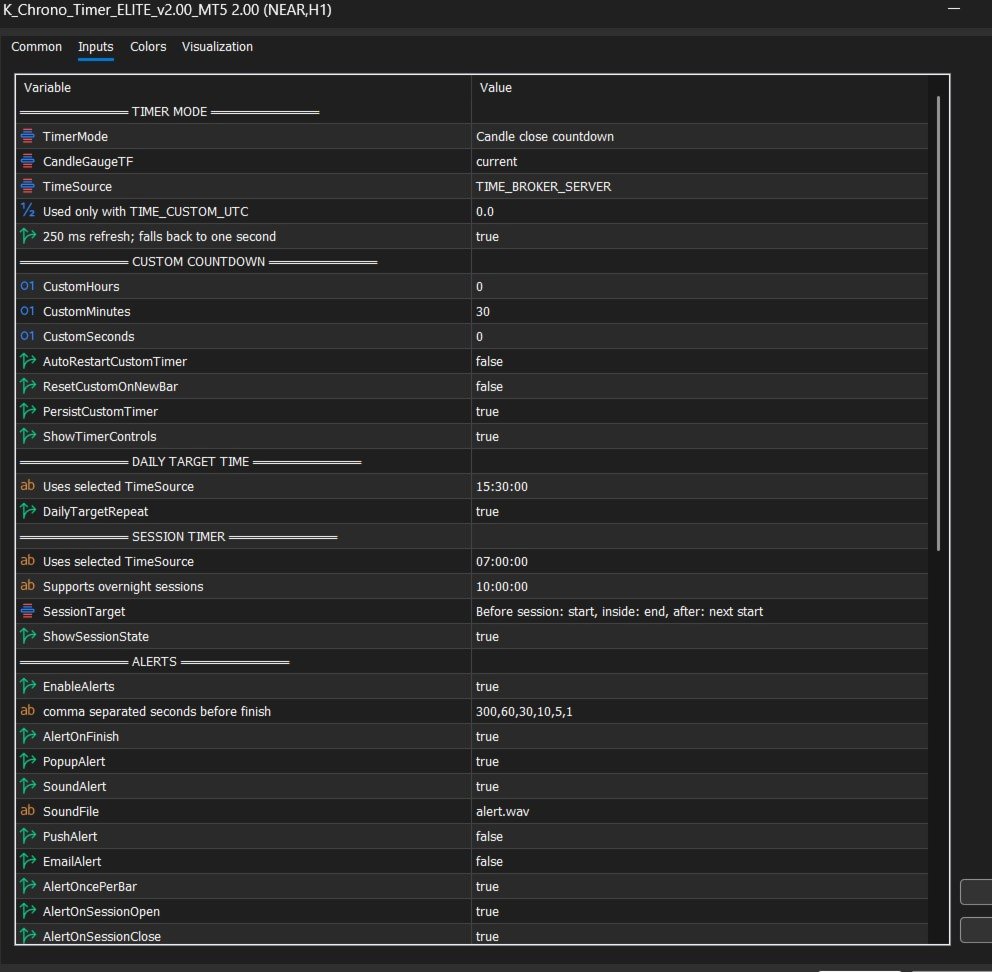
K_Chrono Timer ELITE is a professional timing utility for MetaTrader 5. It keeps essential market timing information clearly visible on the chart without placing trades or modifying your trading account.

The indicator combines four powerful timer modes, interactive controls, flexible clock sources, configurable alerts and a compact modular dashboard.

Four Operating Modes

1. Candle Close Timer

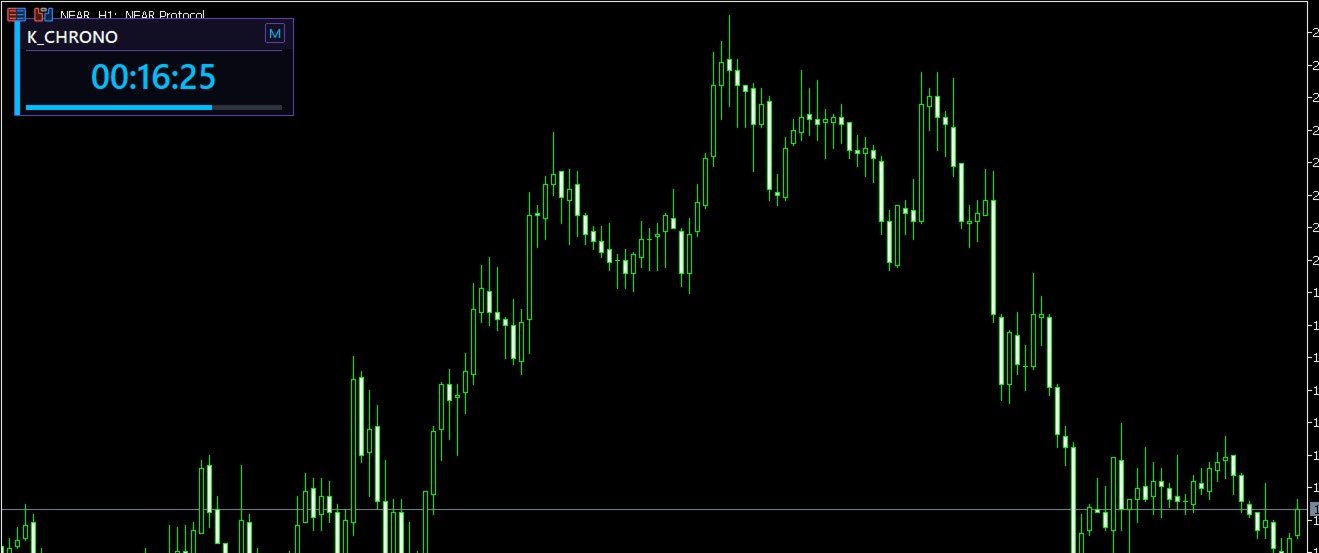
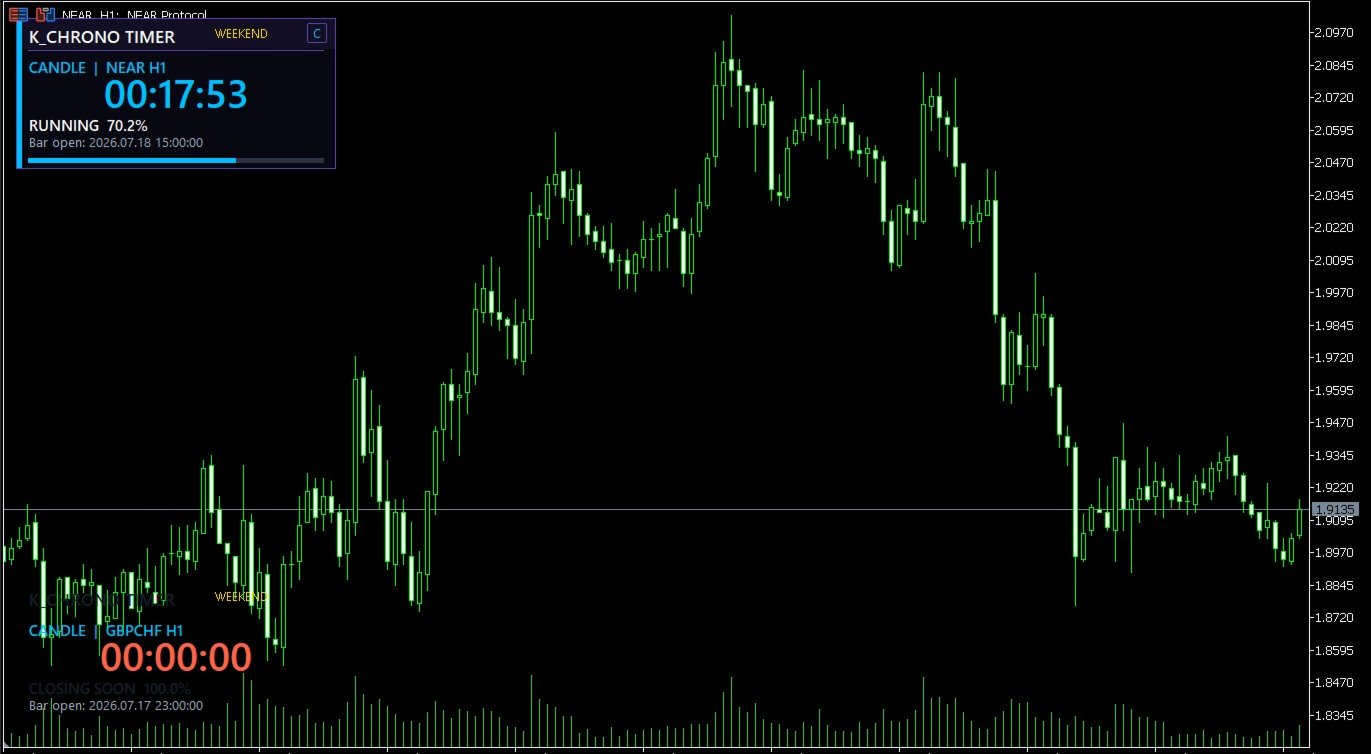
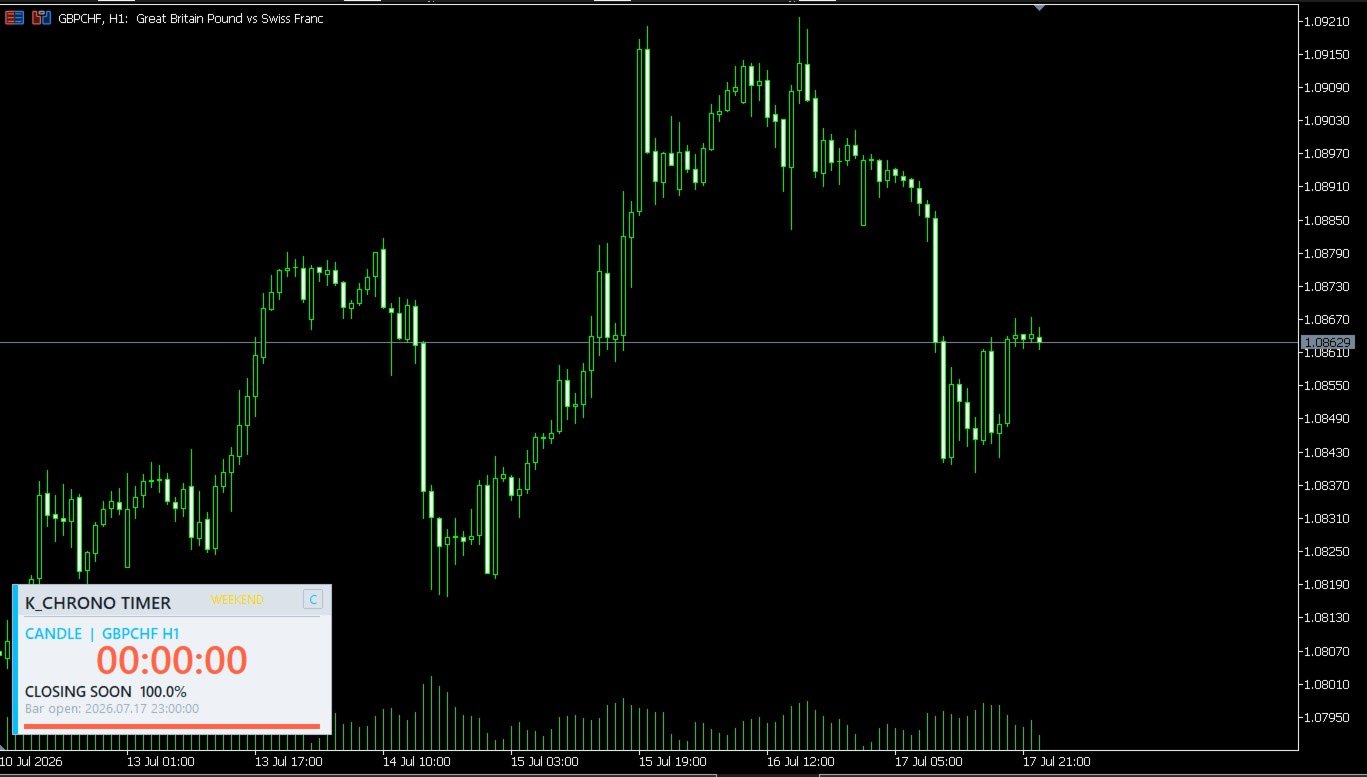
Displays the remaining time and progress of the active candle on the selected timeframe. Candle calculations always use broker time to remain correctly aligned with MT5 chart bars.

2. Custom Countdown

Runs a user-defined countdown with support for:

  • Automatic restart
  • Reset on a new candle
  • Persistent timer state
  • On-chart Pause, Resume and Reset controls

3. Daily Target Timer

Counts down to a selected target time using broker, local-computer, GMT or custom UTC time. The target can repeat daily or operate as a one-time target for the current indicator attachment.

4. Session Timer

Counts down to a trading session’s opening or closing time and displays whether the session is currently active. Both standard and overnight sessions—such as 22:00 to 06:00—are supported.

Main Features

  • Four independent timer modes
  • Current-chart or selectable candle timeframe
  • Broker, local-computer, GMT and custom UTC clocks
  • Correct overnight-session calculations
  • Interactive Pause, Resume and Reset controls
  • Persistent custom-countdown state
  • Visual progress gauge and percentage
  • Market, weekend and connection status
  • Popup, sound, push-notification and email alerts
  • Session-open and session-close alerts
  • Multi-stage urgency colours
  • Optional critical countdown flashing
  • Three visual themes
  • Minimal, Compact and Expanded dashboard layouts
  • One-click M/C/E layout control directly on the panel
  • Compact Bottom Left position enabled by default
  • Optional forced centering
  • Four protected chart-corner positions
  • Automatic panel height based on visible modules
  • Screen-edge protection when the chart is resized
  • Adjustable position, size, colours and fonts
  • Multi-instance object isolation
  • Strategy Tester-aware resource management
  • No DLLs, WebRequest or external indicators required

Installation

  1. Install K_Chrono Timer ELITE from the MQL5 Market.
  2. Open MetaTrader 5 and locate the product under Navigator → Indicators.

  3. Drag the indicator onto any chart.
  4. Select the required Timer Mode.
  5. Configure the settings related to that mode.
  6. Enable terminal notifications or email only if you intend to use those alert channels.

Time-Source Note

Candle Close mode always uses broker/server time because MT5 bar timestamps are broker-based.

Daily Target and Session modes use the clock selected under Time Source.

Custom-Timer Note

When persistence is enabled, the custom countdown remembers its state for the same symbol and timeframe. Use the on-chart Reset button to begin a fresh countdown cycle.

Alert Note

Push notifications and email alerts require the corresponding MetaTrader 5 terminal settings to be configured by the user.

Important

K_Chrono Timer ELITE is a chart utility. It does not provide trading signals, place trades, manage positions or guarantee trading results.

Version 2.00

  • Added precision refresh and Strategy Tester-aware throttling
  • Added persistent custom-timer state
  • Added Pause, Resume and Reset controls
  • Added selectable clock sources and custom UTC offset
  • Added session-transition alerts
  • Corrected overnight-session calculations
  • Added safer threshold-crossing alert logic
  • Added market-status display
  • Added optional critical countdown flashing
  • Added strict input validation
  • Added multi-instance object isolation
  • Rebuilt the dashboard as a compact modular instrument
  • Added protected corner positioning and screen-edge handling
  • Added live Minimal, Compact and Expanded layout switching
  • Upgraded typography to Segoe UI with improved row spacing
  • Moved custom-timer controls into a dedicated, non-overlapping row

Short Description

A precision candle, session, daily-target and custom countdown timer with interactive controls, flexible clock sources and configurable alerts.

제작자의 제품 더 보기
NovaTac Volition Exit Commander Platform: MetaTrader 5 Product Type: Indicator Price: Free for now Smarter Exit Decisions. Stronger Profit Protection. NovaTac Volition Exit Commander is a position-aware trade-management indicator designed to assist with exit timing, profit protection and exposure management. It evaluates momentum, volatility, market structure, trailing levels and directional confluence to produce a clear exit score and qualified management state. The indicator does not open, mo
FREE
Nova Multi Timeframe Ema Scanner Pro는 MetaTrader 4용 전문 시장 스캐너이자 트레이드 계획 인디케이터입니다. 여러 차트를 반복해서 전환하는 번거로움을 줄이고, 멀티 타임프레임 추세 분석을 하나의 대시보드에서 체계적으로 확인할 수 있도록 설계되었습니다. 이 인디케이터는 Market Watch에 표시된 사용 가능한 종목을 스캔하고, 세 개의 시간 프레임에서 설정 가능한 빠른 EMA, 중간 EMA, 느린 EMA 구조를 분석합니다. 조건을 충족한 셋업은 필터링 및 순위화되며, 신호 강도, 품질 점수, 상위 시간 프레임 정렬 상태, 위험 대비 보상 비율, 플랜 점수, 신호 경과 시간 등의 정보와 함께 표시됩니다. 내장된 상위 시간 프레임 목표 엔진은 실용적인 스윙 목표 레벨을 탐색하고, T1, T2, T3로 구성된 구조화된 목표 계획을 생성할 수 있습니다. 또한 진입 기준, 무효화 레벨, 목표 구역을 차트에 표시할 수 있습니다. 주요 기능: 멀티 타임프레
NOVA TURTLESOUP GOLD EDGE STATE Overview Nova TurtleSoup Gold Edge State is an Expert Advisor designed for XAUUSD on the H4 timeframe. It evaluates completed candles and combines TurtleSoup sweep-and-reversal entries with an adaptive BUY Edge-State engine. The Edge-State engine separates BUY signals into a Defensive Core and an Expansion Sleeve. Defensive BUY signals remain available. Expansion BUY signals are permitted only when the rolling results of completed causal shadow trades indicate
Kito Quad Momentum Rotation Indicator Short description Four-speed stochastic momentum rotation indicator with closed-bar signals, divergence confirmation, quality scoring, an embedded FDI regime filter and configurable alerts. Full product description Kito Quad Momentum Rotation combines four stochastic speeds—9-3, 14-3, 40-4 and 60-10—to identify coordinated momentum turns from overbought and oversold conditions. The indicator follows a structured sequence: Momentum enters an extreme zone and
Kito Quad Momentum Rotation Scanner Short description Multi-symbol and multi-timeframe scanner for Kito Quad Momentum Rotation setups, with staged status tracking, closed-bar alerts and clickable chart rows. Full product description Kito Quad Momentum Rotation Scanner monitors selected Market Watch or custom symbols across multiple timeframes. It applies the embedded four-speed momentum engine independently to every symbol and timeframe—no iCustom dependency is required. The dashboard identifie
필터:
리뷰 없음
리뷰 답변