
Proton Candle Time MT5
- 지표
-
Vijay Singh
 I'm Vijay, a Forex and Gold trader with hands-on experience trading XAUUSD and major currency pairs on MetaTrader 5.
 - 버전: 5.20
- 업데이트됨: 25 5월 2026
Proton Candle Time MT5
OVERVIEW
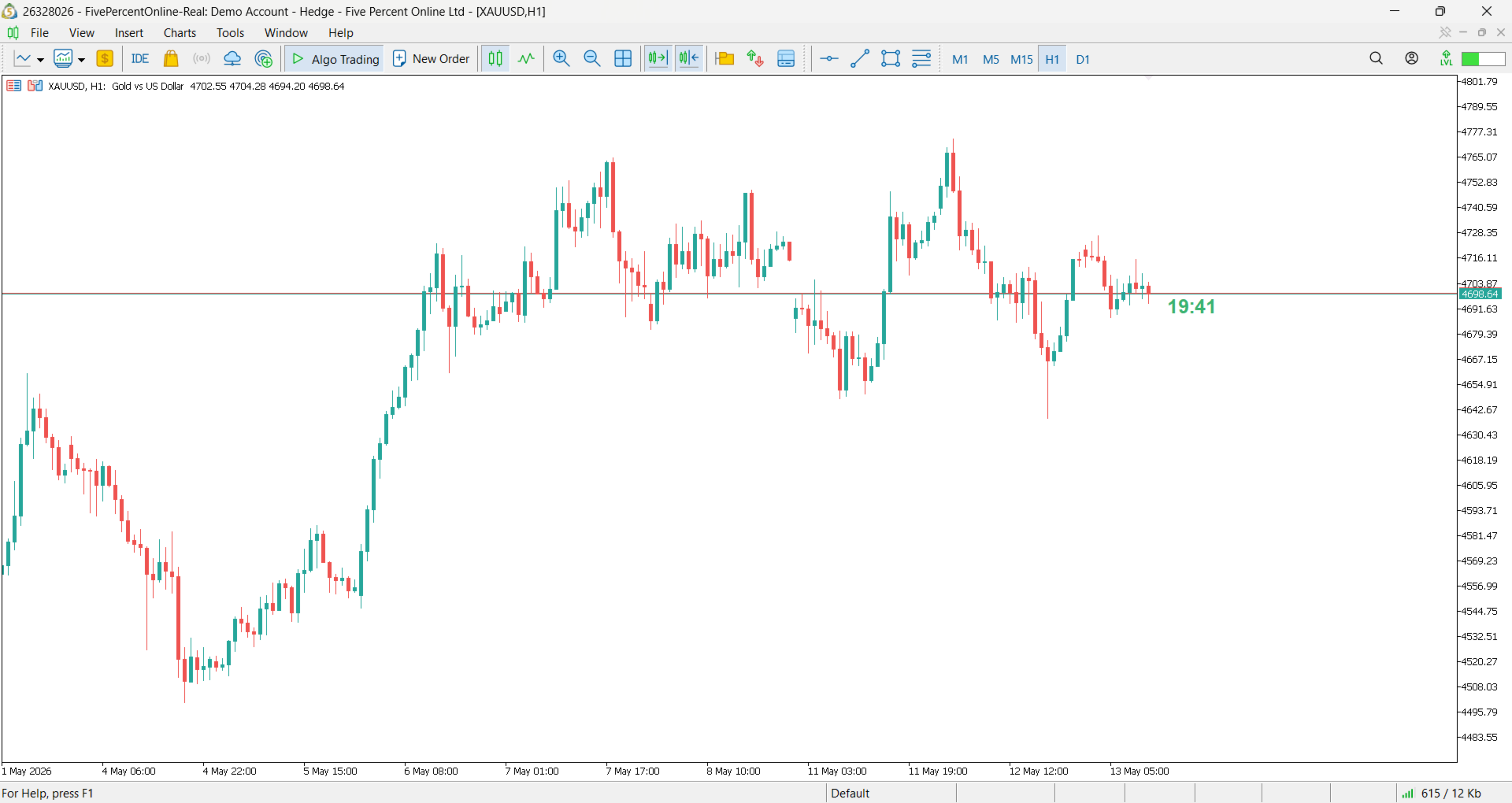
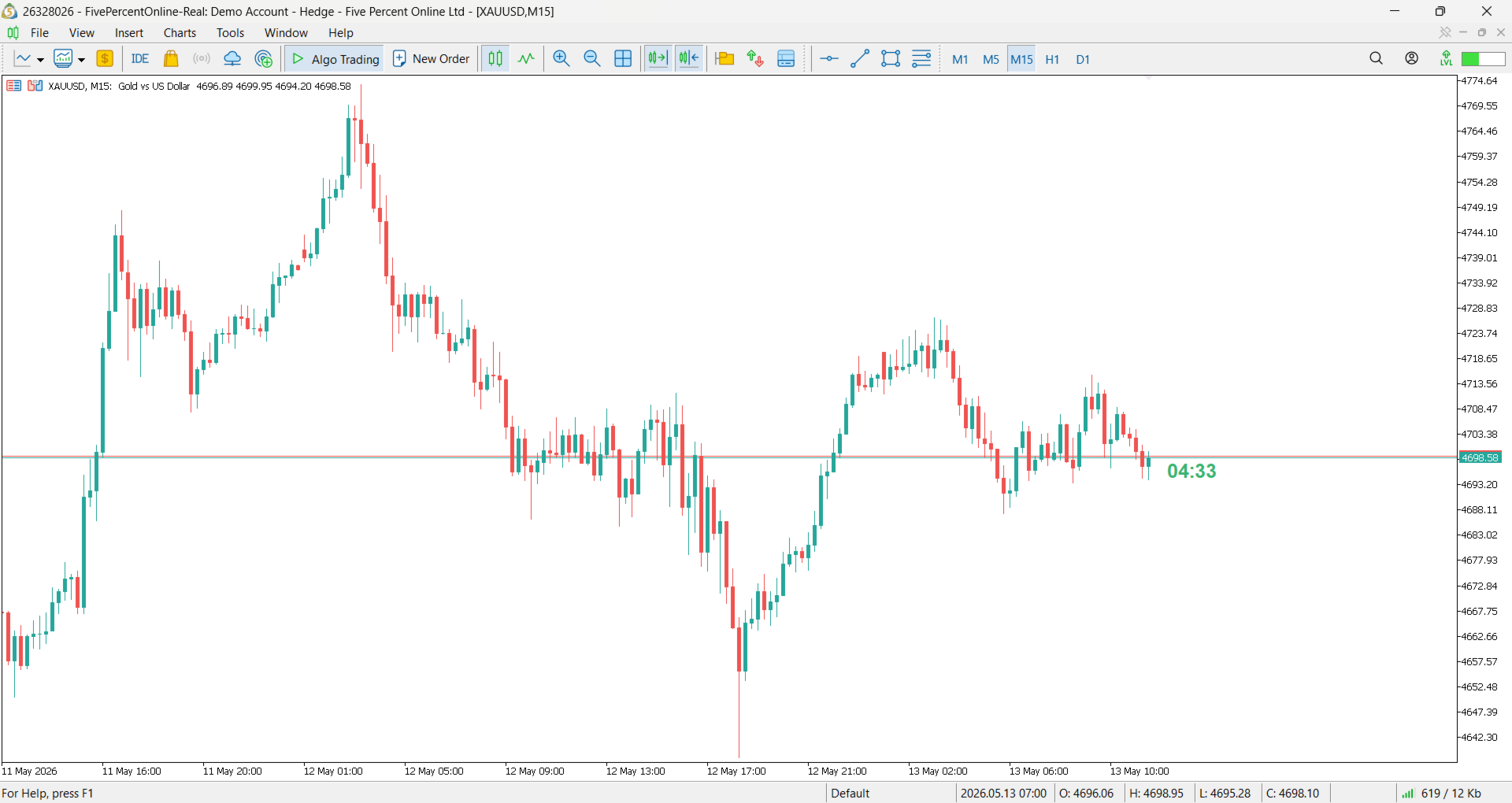
Proton Candle Time MT5 is an indicator for MetaTrader 5 that displays a real-time countdown timer showing the number of seconds remaining in the current candle. The indicator updates continuously as the candle develops and resets when a new candle opens. This tool is designed for traders who need precise timing information while analyzing price action.
PRIMARY FUNCTION
The indicator displays the active candle countdown timer directly on the chart. The timer shows how many seconds remain until the current candle closes and a new candle opens. This provides precise timing information for traders who need to monitor candle closing moments or synchronize entries/exits with candle cycles.
WHAT THE INDICATOR DISPLAYS
Current Candle Timer:
The primary display shows the number of seconds remaining in the current candle. On a 5-minute chart, the timer counts down from 300 seconds to 0. On a 1-hour chart, the timer counts down from 3600 seconds to 0. The timer updates with each passing second.
Total Candle Duration:
The indicator also displays the total duration of the current timeframe candle. This reference helps understand what percentage of the candle has already elapsed.
Candle Close Notification:
When the timer reaches zero, a new candle opens and the timer resets to begin counting for the new candle.
TECHNICAL SPECIFICATIONS
Supported Timeframes:
The indicator works with all MetaTrader 5 timeframes:
- M1 (1-minute) - timer displays 0-60 seconds
- M5 (5-minute) - timer displays 0-300 seconds
- M15 (15-minute) - timer displays 0-900 seconds
- M30 (30-minute) - timer displays 0-1800 seconds
- H1 (1-hour) - timer displays 0-3600 seconds
- H4 (4-hour) - timer displays 0-14400 seconds
- D1 (daily) - timer displays 0-86400 seconds
- W1 (weekly) and MN (monthly) - also supported
Display:
- On-chart text display
- Real-time countdown every second
- Customizable font size
- Customizable display position on chart
Compatibility:
- Works with all currency pairs
- Works with all commodities
- Works with all indices
- Works with any MetaTrader 5 symbol
- Works simultaneously on multiple charts
Installation:
1. Download the file to your computer
2. Copy file to MetaTrader 5 installation folder: MQL5/Indicators/
3. Restart MetaTrader 5 platform
4. Open any chart in MetaTrader 5
5. Insert menu > Indicators > Proton Candle Time
6. Indicator will attach to chart
7. Timer will immediately begin displaying countdown
Configuration:
- Default settings provide immediate functionality
- Optional: Adjust font size for visibility
- Optional: Reposition timer on chart
- Optional: Change color of timer display
- Optional: Customize timer update frequency
HOW TO USE
Basic Operation:
1. Attach to any active chart
2. Observe countdown timer for current candle
3. Timer counts down from total candle duration to 0
4. When timer reaches 0, new candle opens and timer resets
5. Use for precise timing of entries and exits
Timing Price Action Entries:
Many traders prefer to enter trades after candle confirmation. Use the timer to determine when the current candle will close. Plan your entry when the timer reaches the final 10-20 seconds, allowing you to enter on candle close confirmation.
Timing Price Action Exits:
Some traders exit at candle close times. Use the timer to know exactly when the next candle close will occur. Plan your exit execution when the timer shows 30-60 seconds remaining.
Multiple Timeframe Coordination:
Attach the indicator to charts of multiple timeframes. A 5-minute chart timer and a 1-hour chart timer will help you understand how the different timeframe cycles align.
Synchronizing with Economic Events:
Use the timer to synchronize trades with economic announcements. If an announcement is scheduled for a specific time, use the timer to know exactly when the event occurs.
IMPORTANT NOTES
Timer Accuracy:
- Timer accuracy depends on MetaTrader 5 platform synchronization
- Timer accuracy depends on broker server time
- During server synchronization updates, timer may reset
- Timer reflects server time, not local computer time
Market Hours Considerations:
- Timer continues counting during all market hours
- Timer behavior may differ between symbol classes
- Some symbols may have different candle close times
- Weekend gaps may affect timer behavior
Session Changes:
- Daily candles close at different times for different instruments
- Forex pairs may close at different times than commodities
- Some instruments may have market hours restrictions
- Verify your specific symbol's trading hours
Limitations:
- Timer displays countdown only, does not execute trades
- Timer is visual reference only
- Cannot be used standalone for automated trading decisions
- User must manually execute trades based on timer information
Testing Recommendations:
- Test on multiple timeframes to understand timer behavior
- Verify timer matches your broker's candle close times
- Compare timer to manual candle observation
- Test on different symbols to see timing variations
Disclaimer:
This indicator provides a timer reference for candle closing times. The indicator is provided for informational purposes only. Timer accuracy depends on broker platform synchronization and MetaTrader 5 configuration. The developer is not responsible for timing discrepancies or trading losses resulting from timer usage. Always verify timing independently before critical trading decisions.




































사용자가 평가에 대한 코멘트를 남기지 않았습니다