OneClick EA
- 유틸리티
- 버전: 1.2
- 활성화: 5

OneClickEA Controller is a chart management utility designed to work with the OneClickEA Windows Manager.
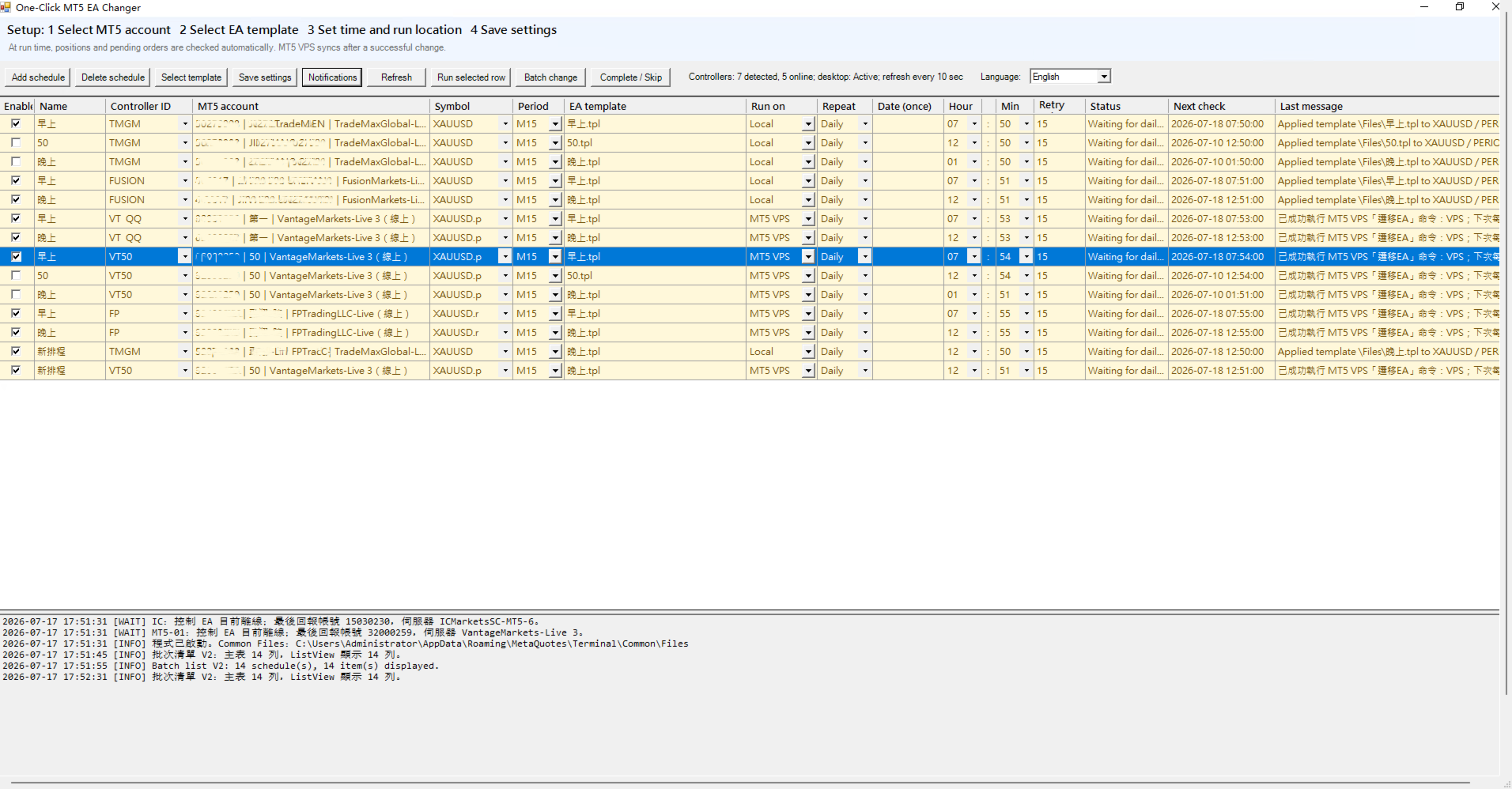
The controller receives local commands from the Windows manager and performs scheduled EA template changes in MetaTrader 5. It also reports the connected trading account, broker server, chart symbol, timeframe and controller status.
Main functions
- Detects the connected MetaTrader 5 account
- Generates a controller ID based on the broker and trading account
- Receives local schedule commands from the Windows manager
- Changes chart templates at the configured time
- Supports multiple MetaTrader 5 terminals and trading accounts
- Reports controller status to the Windows manager
- Checks open positions and pending orders before a scheduled change
- Supports automatic and manual controller identification
- Supports EA changes for local MetaTrader 5 terminals and MT5 VPS workflows
- Can continue with MT5 VPS synchronization after changing a local EA template
- Does not open trades or provide trading signals
Schedule management
- Supports one-time and daily schedules
- Allows different EA templates, symbols and timeframes to be configured
- Supports local MetaTrader 5 terminals and MT5 VPS workflows
- Waits when open positions or pending orders are detected
- Automatically retries according to the configured retry interval
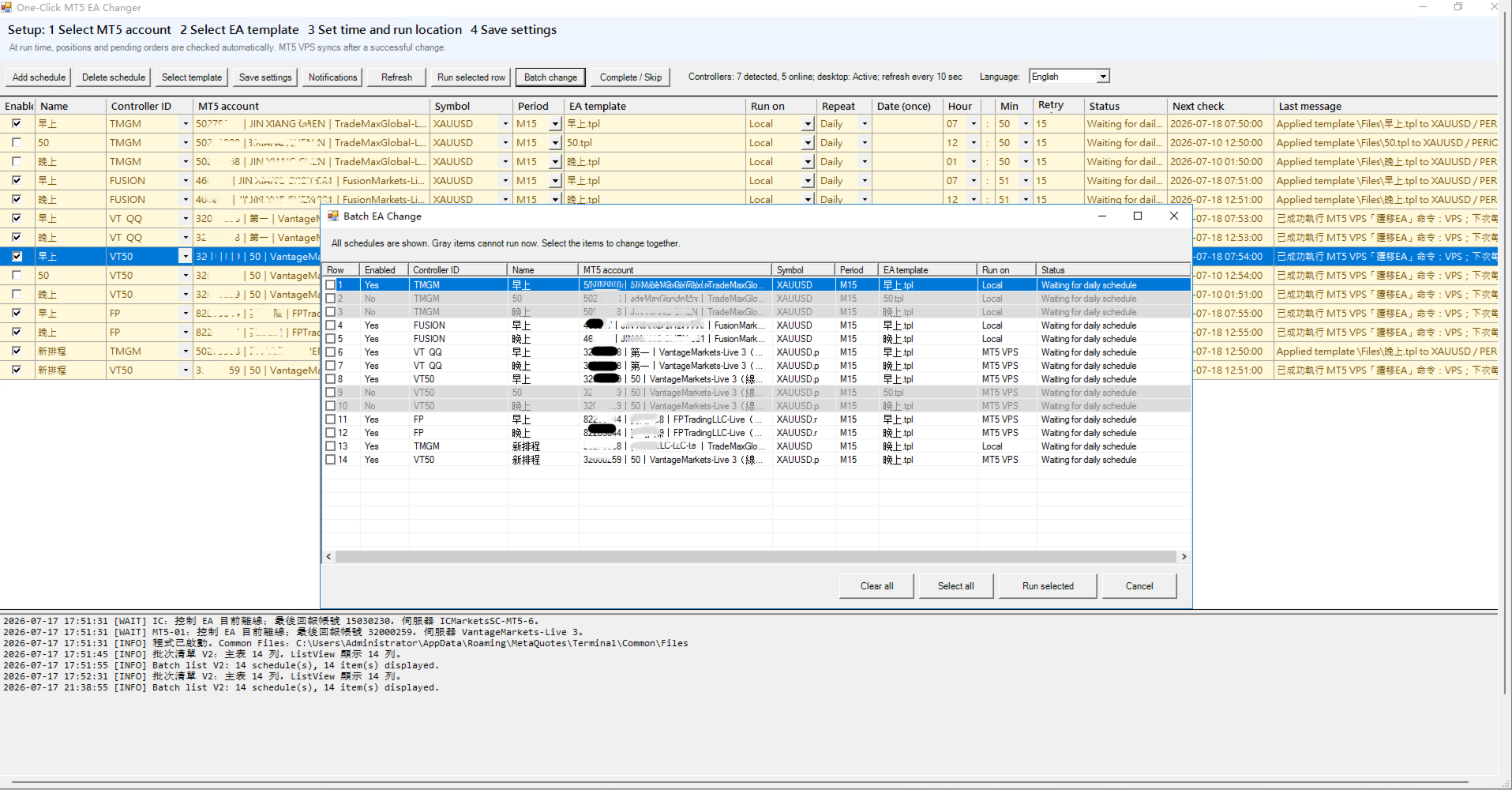
- Supports changing multiple schedules together
- Displays the current status, next check time and latest result
- Supports Traditional Chinese and English interfaces
MT5 VPS support
- Supports the built-in MetaTrader 5 Virtual Hosting service
- Allows MT5 VPS to be selected as the schedule run location
- Can continue with the MT5 VPS synchronization process after changing the EA template on the local chart
- Supports synchronizing updated charts, EA templates and parameters to MT5 VPS
- Displays the VPS synchronization status and latest result
- Can retry if VPS synchronization cannot be completed temporarily
- Some MetaTrader 5 environments may require manual confirmation of VPS synchronization to avoid unintended trading operations
- The MetaTrader 5 Virtual Hosting service must be rented and configured before using this function
OneClickEA can manage schedules on a local MetaTrader 5 terminal and continue with the MT5 VPS synchronization workflow after an EA template change. This allows the updated EA configuration to be transferred to the built-in MetaTrader 5 Virtual Hosting environment.
Gmail notifications
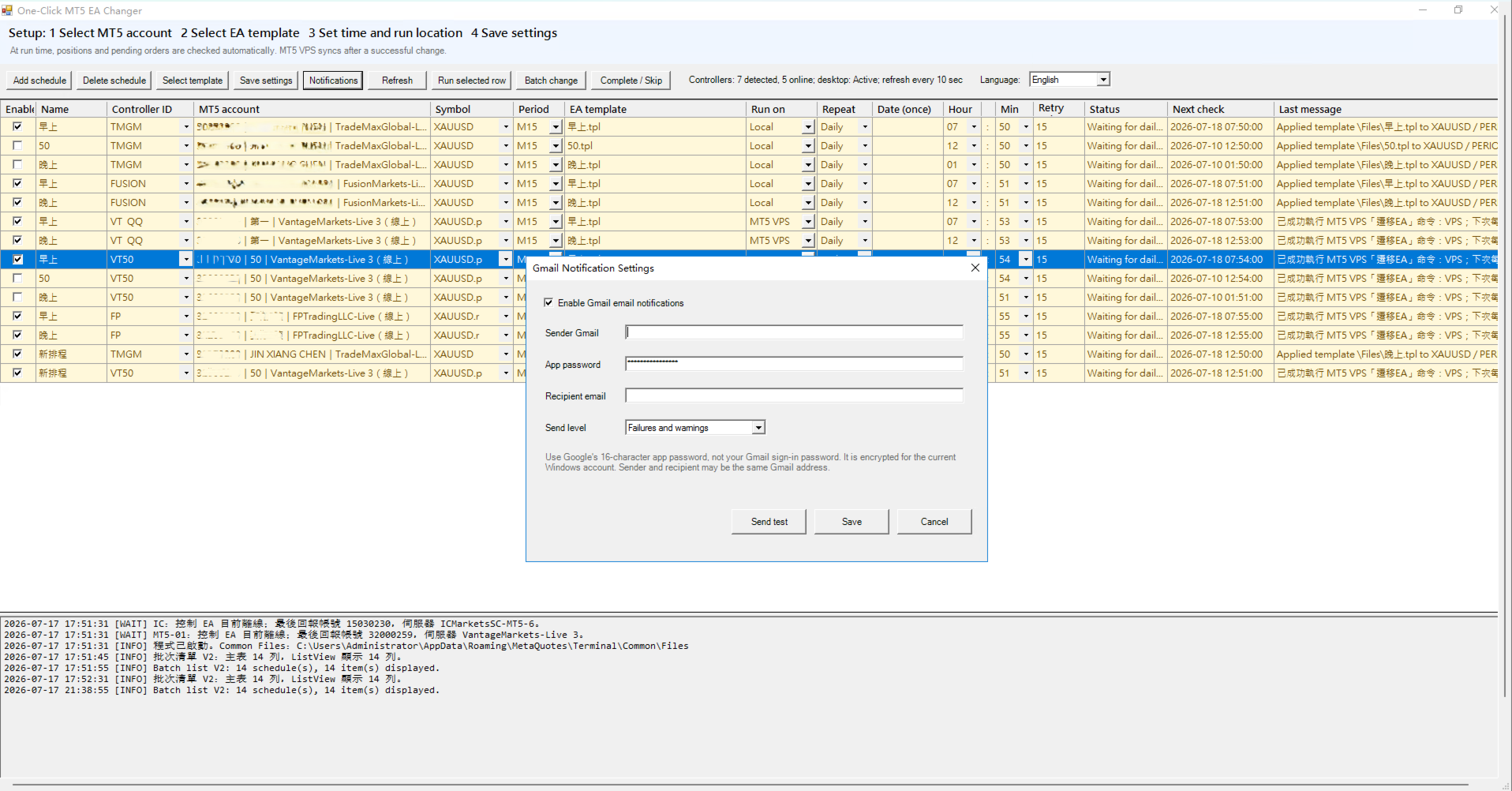
When used with the OneClickEA Windows Manager, the system can send Gmail notifications for schedule results, warnings and errors.
- Supports failure-only, warning-and-failure, or all-notification modes
- Sends the schedule name, MT5 account, symbol, timeframe, EA template, current status and next action
- Email content follows the selected interface language: Traditional Chinese or English
- Supports sending a test email before saving
- Requires a Google 16-character app password
- Gmail credentials are encrypted for the current Windows user
- Emails are sent directly through the user's Gmail account
- Gmail credentials and notification content are not sent to the product seller
Gmail notifications are provided by the companion Windows manager. The MetaTrader 5 controller does not independently connect to Gmail.
Requirements
- MetaTrader 5 for Windows
- Windows 10, Windows 11 or Windows Server
- OneClickEA Windows Manager
- The controller and Windows manager must run under the same Windows user account
- Algorithmic trading must be enabled in MetaTrader 5
- MT5 VPS functions require an active and configured MetaTrader 5 Virtual Hosting service
- Gmail notifications require a Gmail account with a Google app password
Installation
- Install OneClickEA Controller from the MQL5 Market.
- Contact the product author through the MQL5 messaging system to obtain the OneClickEA Windows Manager installer.
- Run the Windows Manager installer and complete the installation.
- Attach OneClickEA Controller to a dedicated MetaTrader 5 chart.
- Keep the Controller ID setting on AUTO for automatic identification.
- Enable algorithmic trading in MetaTrader 5.
- Start the OneClickEA Windows Manager using the desktop shortcut.
- Select the detected MetaTrader 5 account.
- Select an EA template, symbol, timeframe, schedule and run location.
- Select Local or MT5 VPS as the run location.
- Save the settings.
Important information
This product is a controller utility. It is not a trading robot and does not contain a trading strategy.
The controller does not independently open, modify or close trades. It does not provide trading signals or guarantee trading results. Its purpose is to coordinate scheduled chart template changes requested by the Windows manager.
Before changing a template, the system can check whether open positions or pending orders are present. If trading activity is detected, the scheduled change can wait and retry according to the selected settings.
For MT5 VPS operation, OneClickEA first changes the EA template on the corresponding local MetaTrader 5 chart and then continues with the Virtual Hosting synchronization workflow. The local MetaTrader 5 terminal and its virtual hosting environment must be correctly configured.
Depending on the MetaTrader 5 environment and current terminal state, VPS synchronization may require manual confirmation. Users should verify the synchronization result in MetaTrader 5.
A separate controller should be attached to each MetaTrader 5 terminal that needs to be managed.
The Windows manager is required to configure schedules, manage MT5 VPS synchronization and use Gmail notifications. The MetaTrader 5 controller alone does not provide the complete schedule management interface.
Users are responsible for verifying their schedules, EA templates, symbols, timeframes, MT5 VPS synchronization status and MetaTrader 5 settings before using the system on a live trading account.