RRPP Script
- 유틸리티
- 버전: 1.0

RRPP Script
A script for placing a pending order prepared by the Risk Ratio Trade Panel indicator. Reads the entry price, Take Profit, Stop Loss and lot size directly from the indicator lines on the chart.
Requirements
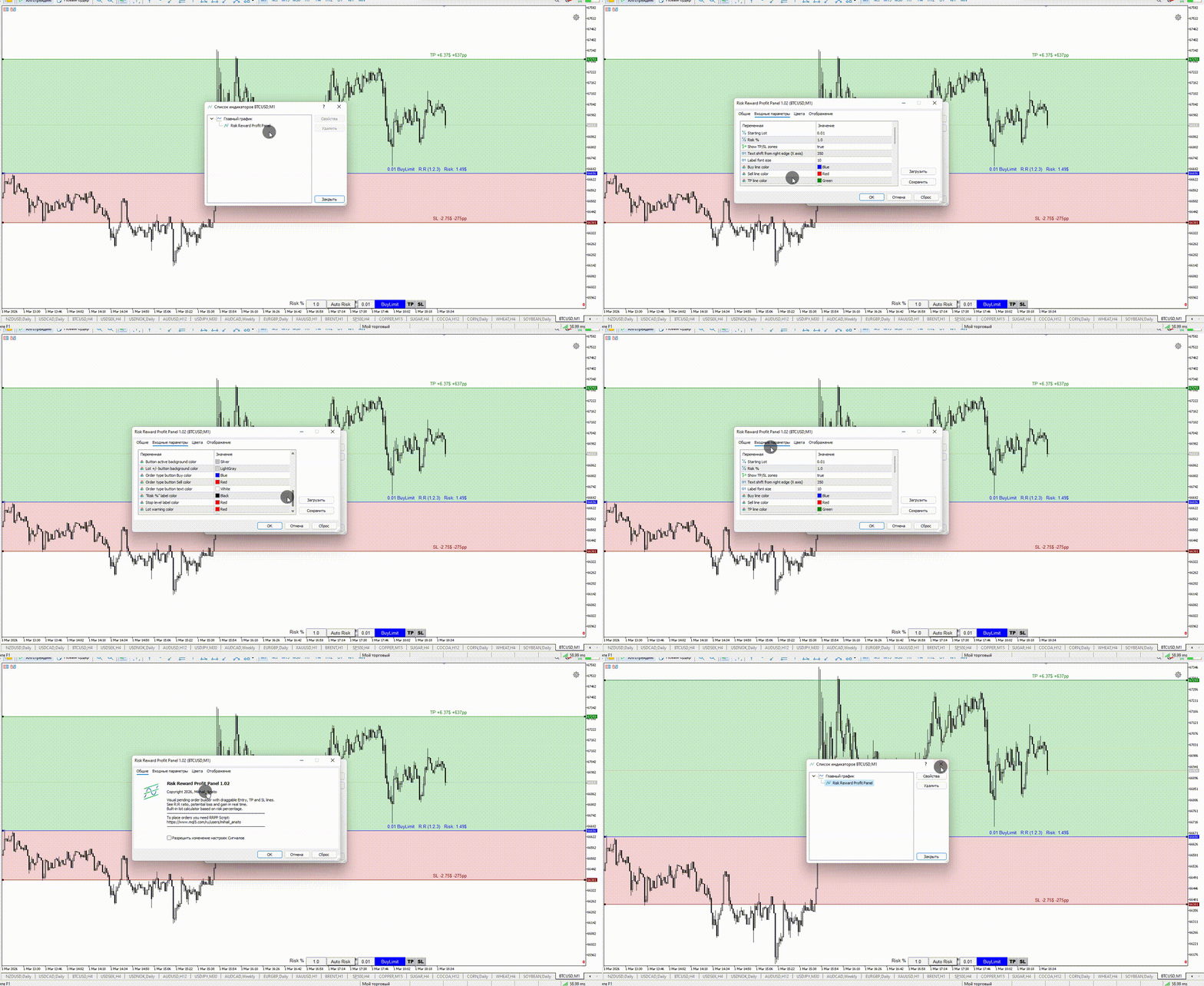
The Risk Ratio Trade Panel indicator must be attached to the chart and the panel must be open before running the script.
How it works
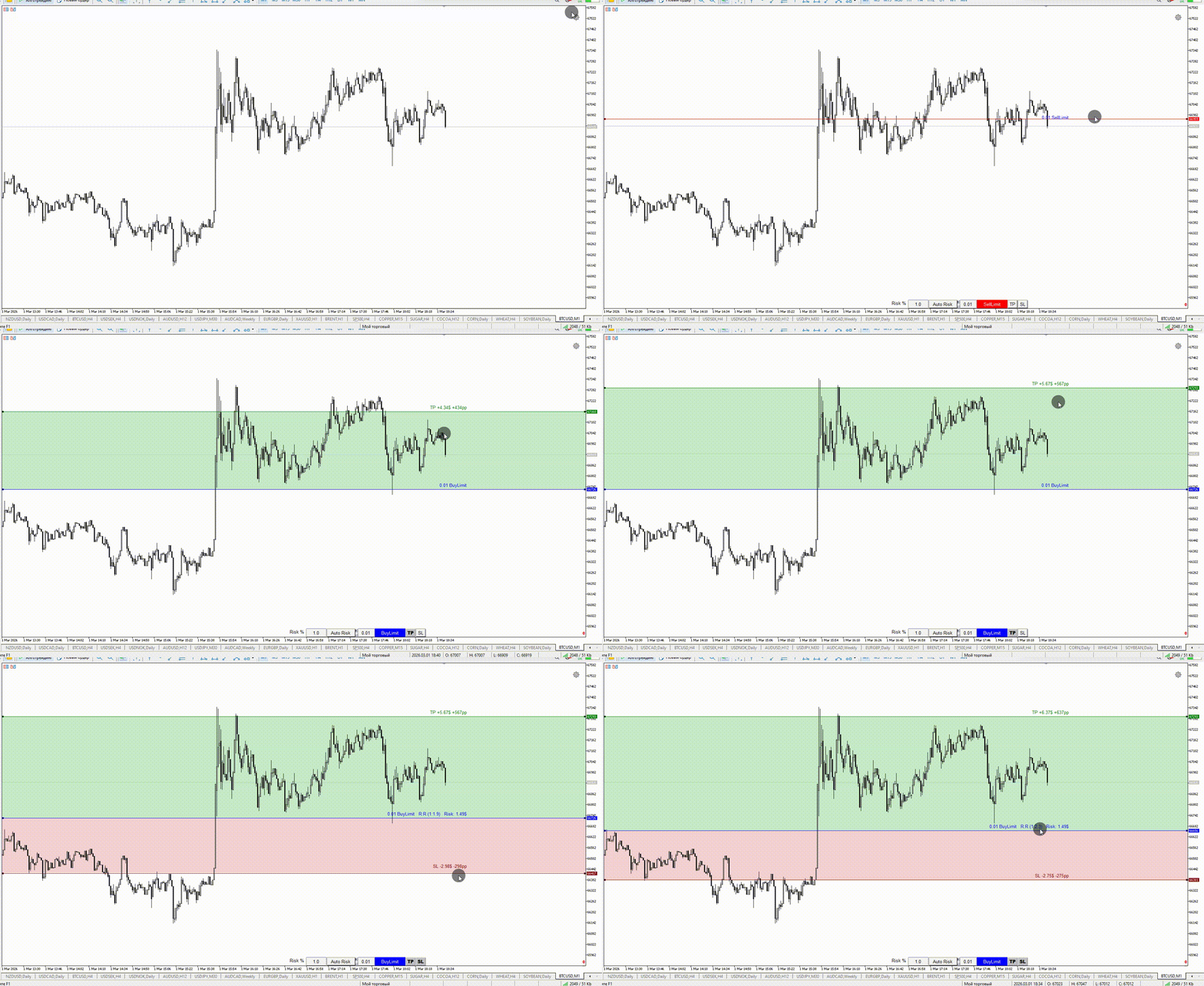
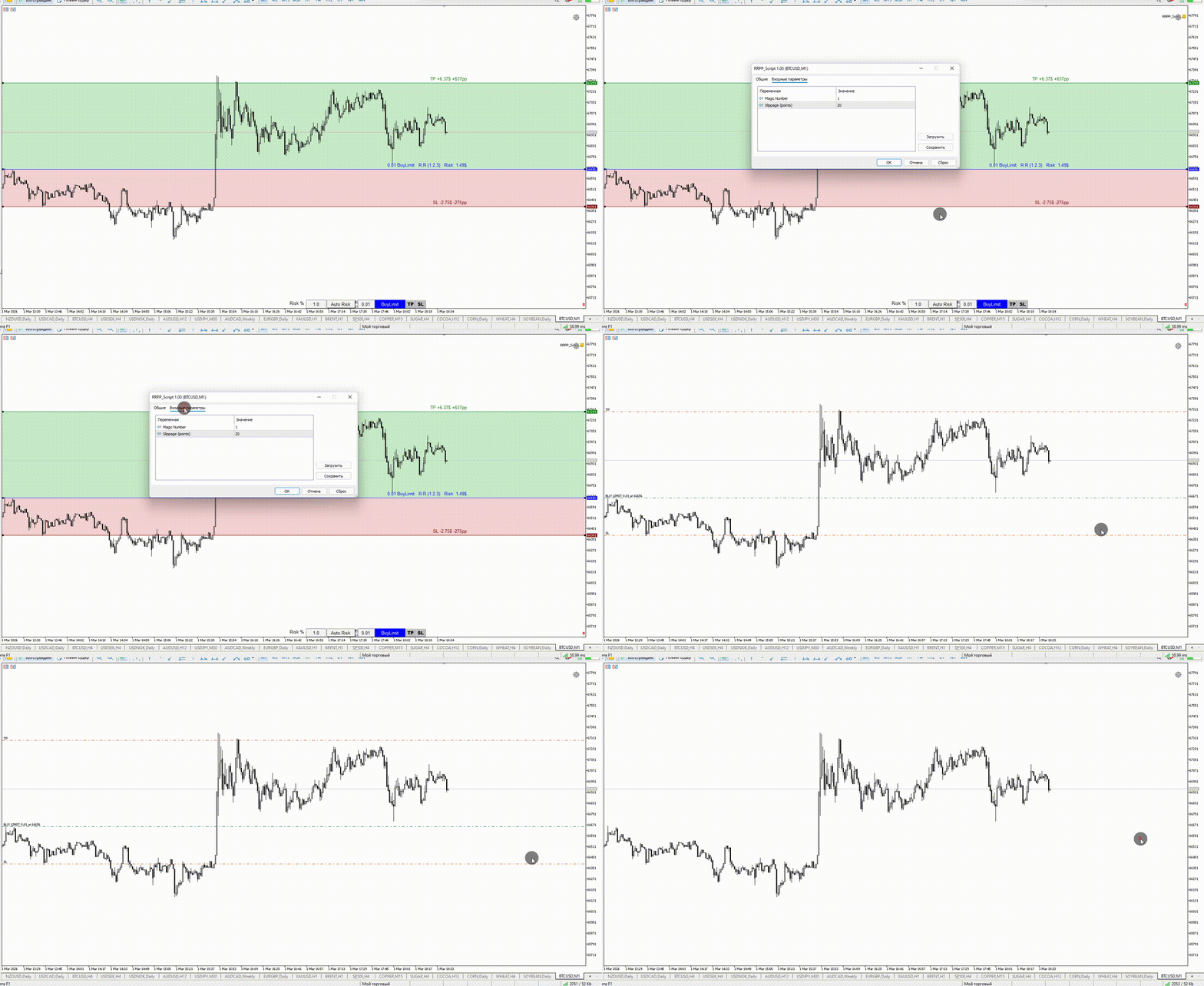
Attach the Risk Ratio Trade Panel indicator to the chart, open the panel and set the Entry, TP and SL lines to the desired levels. Then run RRPP Script on the same chart. The script reads all parameters from the indicator and places the pending order.
After the order is placed successfully, the indicator panel closes automatically.
If the order cannot be placed, an alert with the error code and order parameters is shown. The panel remains open so the parameters can be adjusted.
Inputs
- Magic Number: magic number assigned to the placed order
- Slippage: maximum allowed slippage in points
Notes
- Supported order types: BuyLimit, SellLimit, BuyStop, SellStop
- TP and SL are optional. If a line is not enabled in the panel, the order is placed without the corresponding level
- The filling mode is detected automatically based on the symbol settings
- The script must be used together with the Risk Ratio Trade Panel indicator (available separately on this profile)