Vector Local Copier EA
- ユーティリティ
-
Sotirios Apostolos Adaloglou
 MQL5 developer. I build Expert Advisors, indicators, and trading utilities for MT4/MT5 — from strategy logic to execution and risk management, fully backtested. I'm also a live trader, so I build tools that hold up under real market conditions.
- バージョン: 2.10
This is the FREE DEMO version of Vector Local Copier for MT4.
It's the complete copier — real-time local copying, MT4 ↔ MT5 bridging, symbol mapping, the magic number filter, multipliers, SL/TP sync, the safety guards, the live dashboard — with one limitation: slave trades are capped to 0.01 lots. That's enough to prove it works perfectly on your exact terminals, brokers, EAs and symbols before you buy the full-size version.
⭐ GET THE FULL VERSION (no lot cap) HERE: https://www.mql5.com/en/market/product/207123
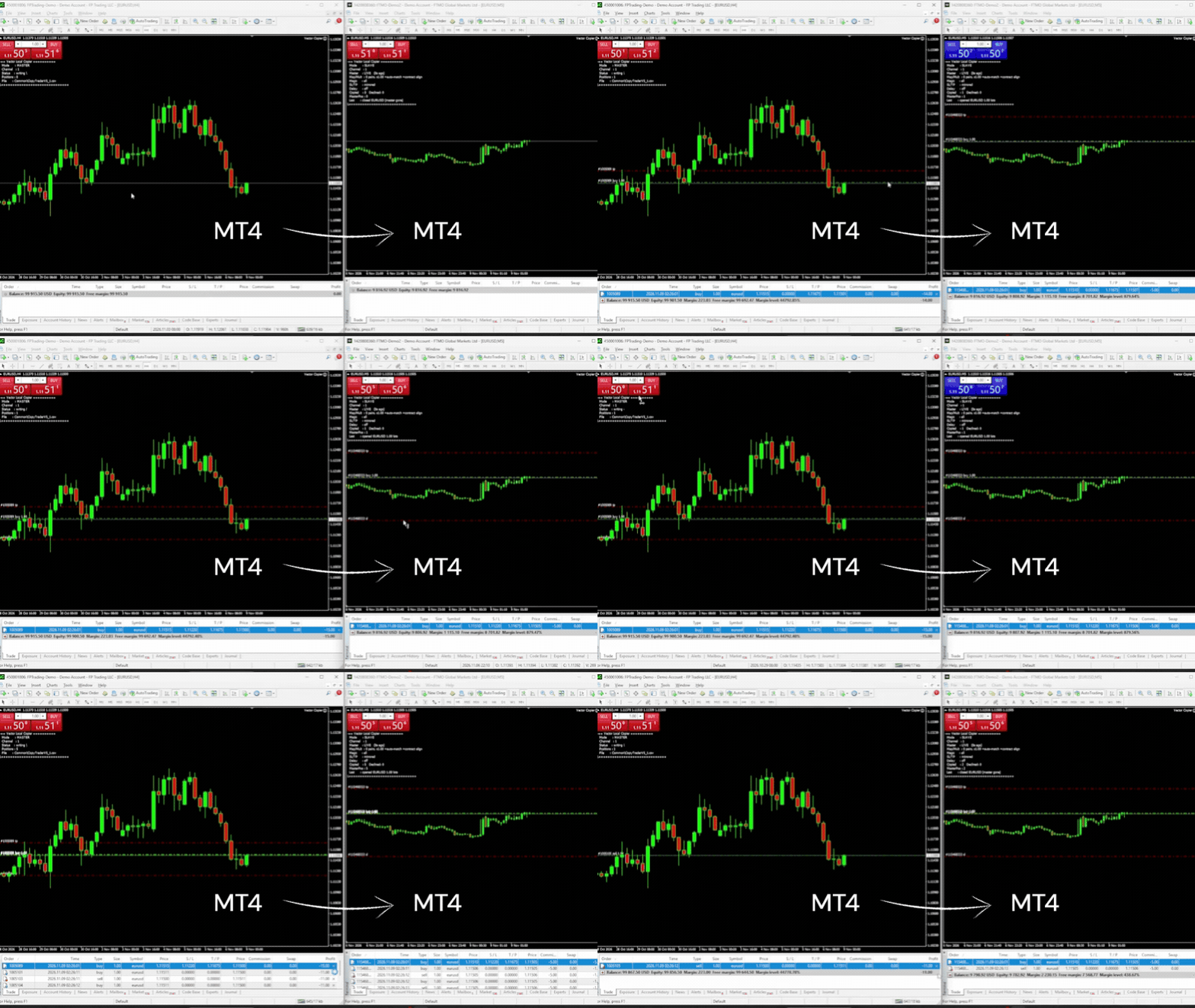
Vector Local Copier mirrors trades from one master terminal to any number of slave terminals on the SAME Windows PC or VPS — MT4 to MT4, MT4 to MT5, or MT5 to MT4, at the same broker or at different brokers. No cloud, no DLLs, no external servers, no account passwords leaving your machine. Just fast, faithful local copying — with safety logic most copiers don't have.
🔁 MT4 AND MT5, ONE COPIER
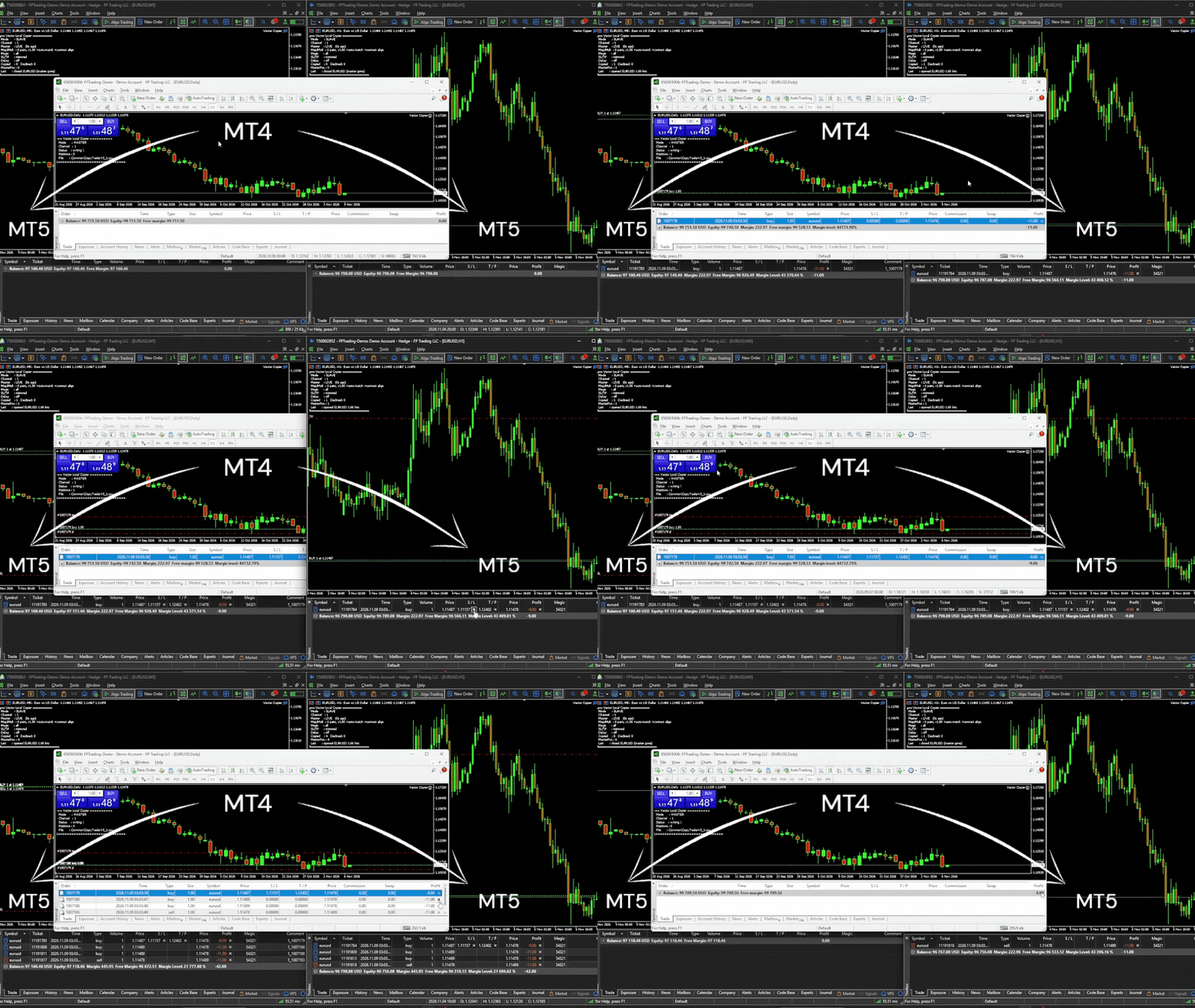
Put this MT4 version on your MT4 terminals and the MT5 version on your MT5 terminals, give them the same Channel ID, and they copy to each other — MT4 master to MT5 slaves, MT5 master to MT4 slaves, or one master feeding both. Partial closes on an MT4 master are copied as partial closes on both platforms.
Free MT5 demo: https://www.mql5.com/en/market/product/187177
Full MT5 version: https://www.mql5.com/en/market/product/187169
🛡️ THE SAFETY LAYER THAT SETS VECTOR APART (this demo shows it all at 0.01 lots)
✅ Anti-chase entry guard. If a master trade is already older than your chosen window (e.g. your slave was offline and just reconnected), or price has already moved against the master's entry by more than your limit, Vector will not open it at a now-worse price. It skips it instead of chasing. No surprise fills. The time guard is on by default (10 seconds); the price guard is an option you switch on with MaxSlippagePercent.
✅ Broker-safe lot sizing. Every copied lot is validated against the slave symbol's min / max / step before sending — never blindly rejected by the broker.
✅ Master-offline protection. If the master terminal dies or freezes, Vector detects it, alerts you (popup and/or push), and either holds or flattens the slave positions — your choice.
🎯 COPY ONLY WHAT YOU WANT
Two filters, set per slave, each working on its own:
• By EA (magic number). MagicFilter = 111;222 copies only those two EAs. 0 = manual trades. "!" excludes: !0 copies every EA but not your manual trades. Empty = copy everything.
• By symbol. List the pairs in SymbolMap and set CopyUnmapped = false: only the listed pairs are copied.
A trade must pass both. With MagicFilter = 111 and SymbolMap = EURUSD=EURUSD, the slave copies EA 111's EURUSD trades and skips its trades on any other pair. Different slaves can follow different EAs from the same master.
📋 THE CORE COPYING
Copying:
• Local, real-time copying between MT4 terminals on the same PC or VPS — and to/from MT5 terminals running the MT5 version
• One master, many slaves, each with its own settings
• Full open / close / partial-close copying, plus increases and reversals from an MT5 netting master
• Magic number filter — copy only chosen EAs, or exclude some
• Symbol mapping (e.g. GER40 to GER30) for brokers with different names, or as a list of the only symbols to copy
• Automatic suffix matching (EURUSD.m to EURUSD.pro), only when contract sizes match (or with contract-size alignment on)
• Optional SL/TP mirroring — including add, move, and remove; works on ECN accounts
• Copy delay before new trades are copied
• Independent copier groups via separate Channel IDs
• Discreet, configurable order comments
Lot sizing:
• Global and per-symbol lot multipliers
• Equity-ratio lot sizing with automatic currency conversion
• Contract-size alignment (optional) — when brokers use different contract sizes (e.g. SOLUSD 100 vs 1), slave lots are scaled so both accounts hold the same amount
Safety:
• Duplicate-proof tracking — independent of the order comment, and it follows MT4's new ticket after a partial close
• Optional equity targets — auto-close and stop at a set profit or loss, retrying until flat if the market is closed
• Copy links survive restarts — a restarted terminal picks up and manages its existing copies
Monitoring:
• Master offline / back online alerts by popup and/or push notification
• Live on-chart dashboard — connection health, copies, skips, trades waiting out the copy delay, magic filter, equity ratio, target status, last action
🚀 HOW TO INSTALL THE DEMO
1. Download this free demo file
2. In MT4: File → Open Data Folder → MQL4 → Experts → paste the file
3. Restart the terminal
4. Install on EVERY terminal that will send or receive (same PC or VPS) — this version on MT4, the MT5 version on MT5
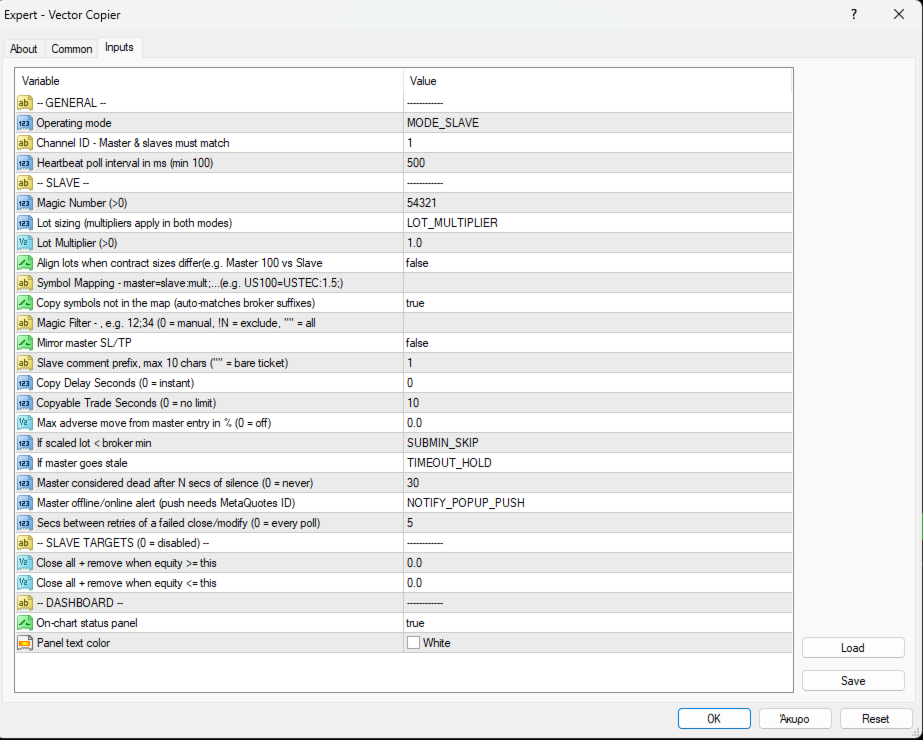
5. Attach in MASTER mode on the source account; SLAVE mode on each copy account, using the SAME Channel ID
6. Test on demo accounts first
Slave trades will copy at a maximum of 0.01 lots in this demo. Everything else behaves exactly like the full product.
⭐ READY FOR FULL-SIZE COPYING?
Upgrade to the full version here: <MT4 FULL VERSION LINK>
Same copier, no lot cap. Copy at whatever size your multiplier sets.
⚠️ IMPORTANT — PLEASE READ
• Same machine only. Copies between terminals on the same Windows PC or VPS. Not over the internet to a different computer.
• MT5 terminals need the MT5 version. This demo runs on MT4; an MT5 terminal in the group runs Vector Local Copier for MT5 (free demo: https://www.mql5.com/en/market/product/187177). Use version 2.10 on both.
• Slave accounts must allow hedging. US / FIFO accounts that forbid opposite trades on one symbol are not supported as slaves. An MT5 slave must be a hedging account; the master can be hedging or netting.
• Copying between different brokers? Check each symbol's contract size on both accounts first (crypto, stocks and indices often differ). Where they differ, turn on AlignContracts or set a per-symbol multiplier.
• Positions only. Copies market orders (open/close/partial). Pending orders are copied once they fill on the master.
• The magic filter decides which NEW trades are copied. Copies already open keep following their master trade even if you change the filter.
• Demo cap: slave trades limited to 0.01 lots in this free version.
• Prop firm / broker rules are your responsibility. Some restrict copy trading between accounts. Check your firm's rules before use.
💬 SUPPORT
Questions? Message me through MQL5 — happy to help you get set up. If the demo works well on your setup, the full version is one click away.