PropCorrelation
- ユーティリティ
- バージョン: 1.2

PropCorrelation: are your open positions really different trades?
Three index shorts feel like three trades. Most days they are one bet, sized three times. PropCorrelation puts the number on your chart: the correlation between every pair of open positions, signed by direction, next to the money each of them risks to its stop. Free.
What you see
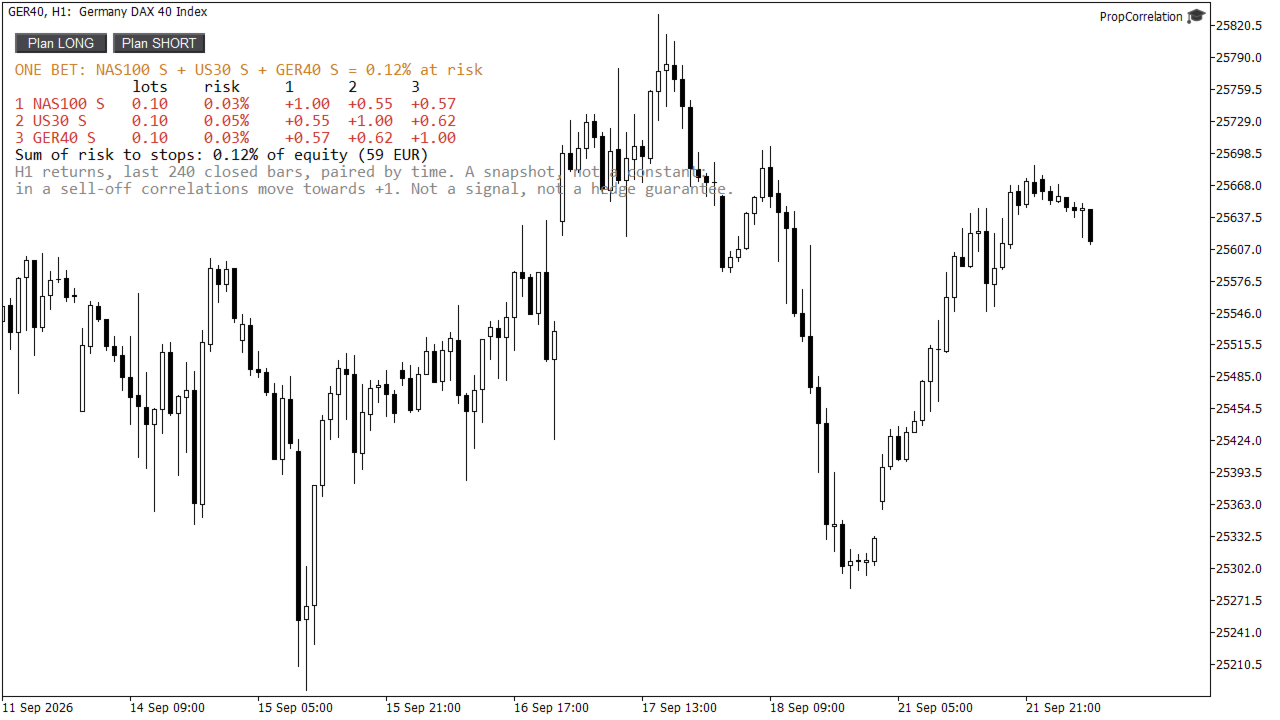
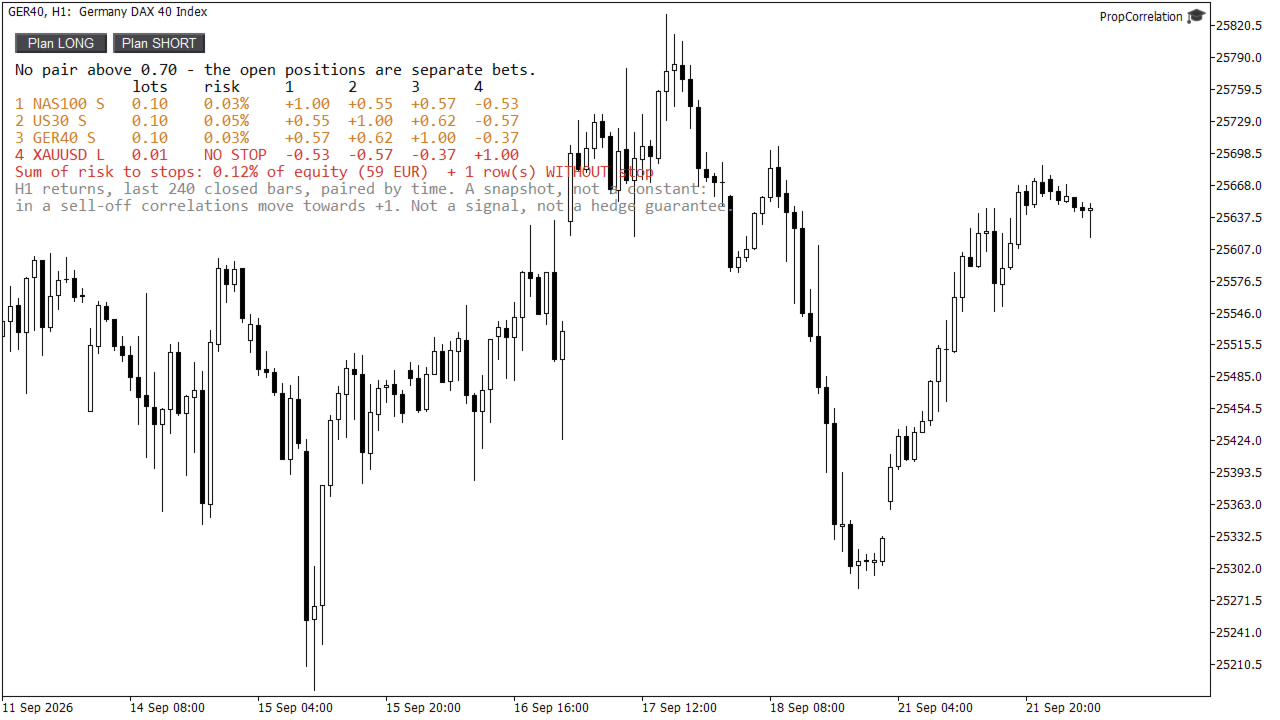
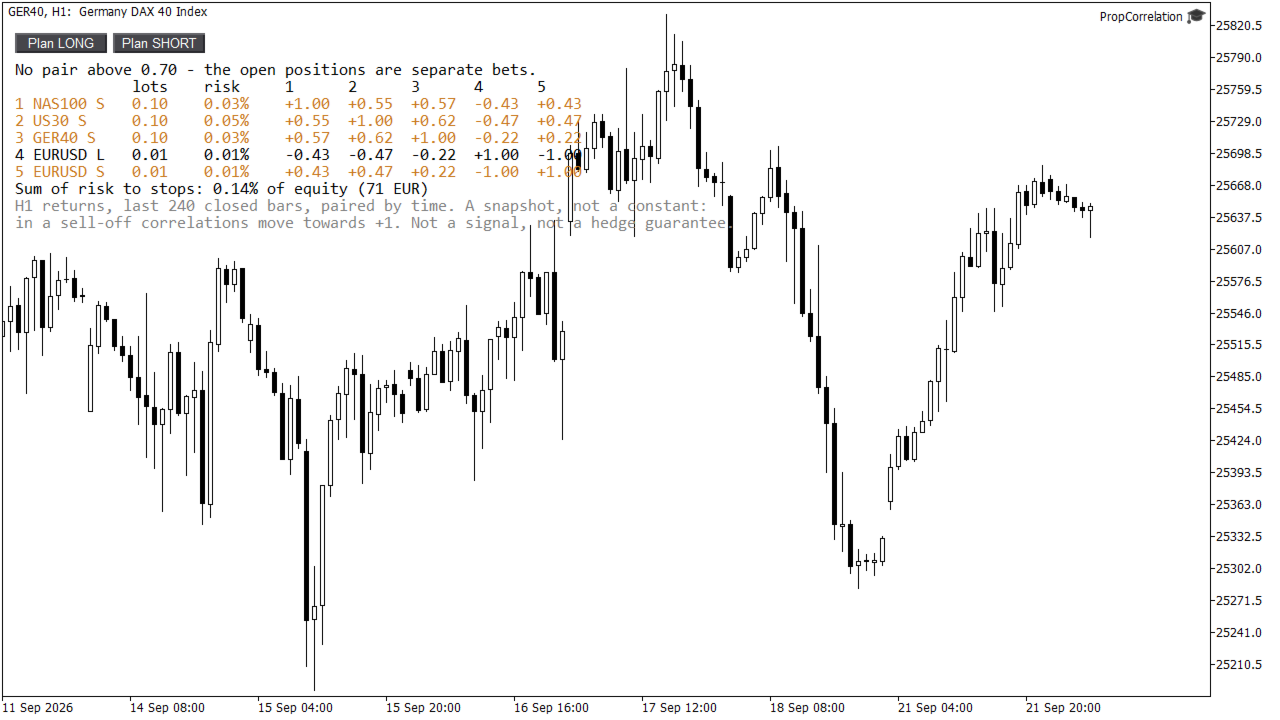
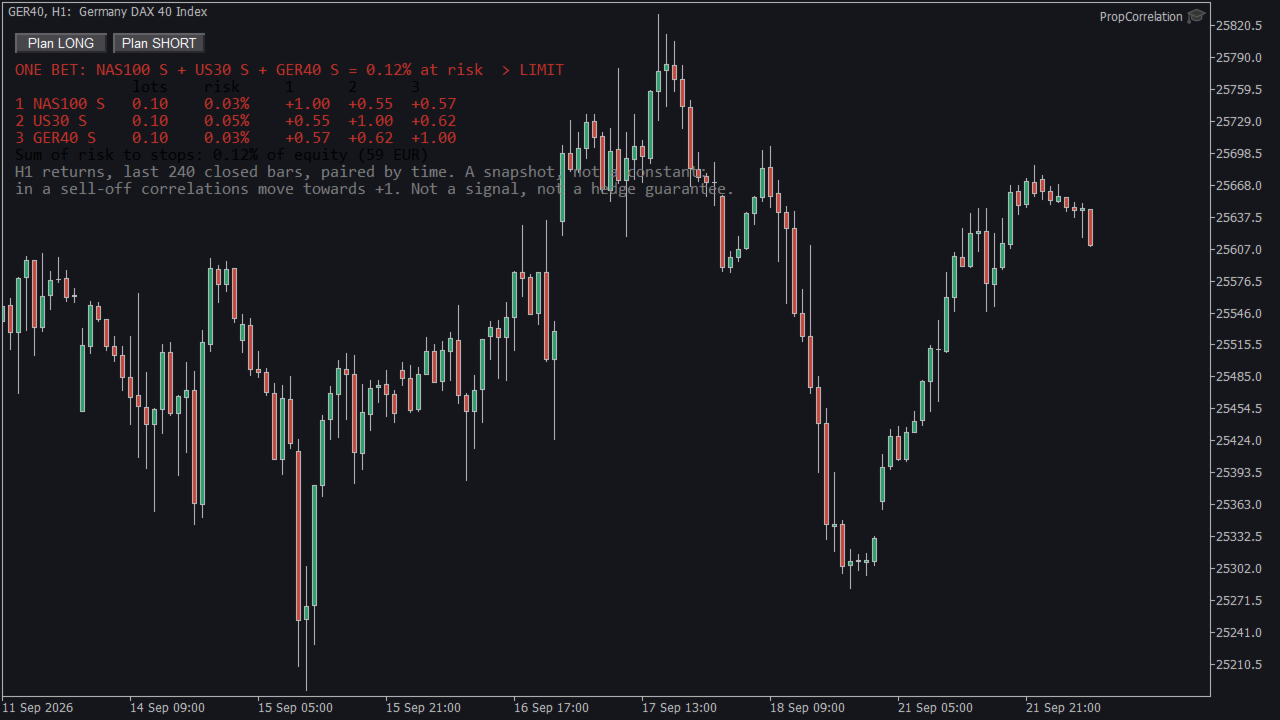
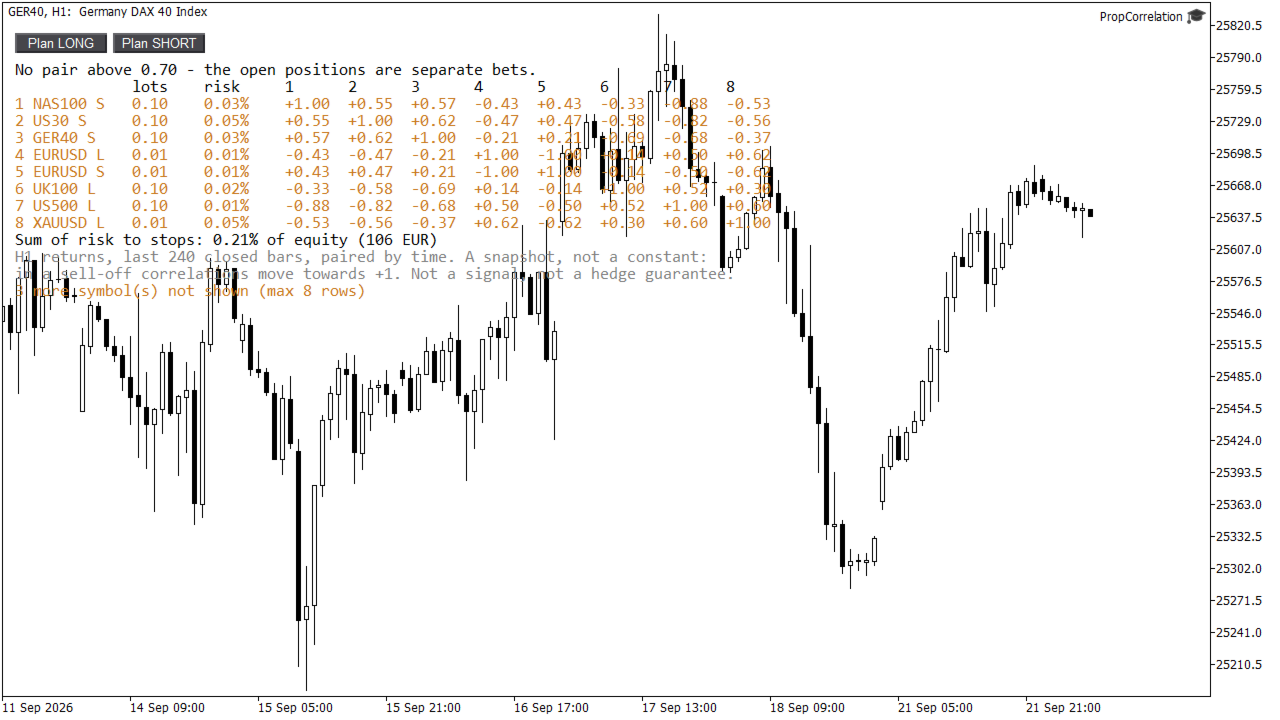
- A signed correlation matrix of your open positions. +1.00 means the two positions win and lose together. -1.00 means one hedges the other. Long and short are taken into account, so a long and a short in the same market show -1.00, not +1.00.
- Risk to the stop for every row, in percent of equity or balance, calculated with your broker's own contract data. A position without a stop is marked NO STOP in red.
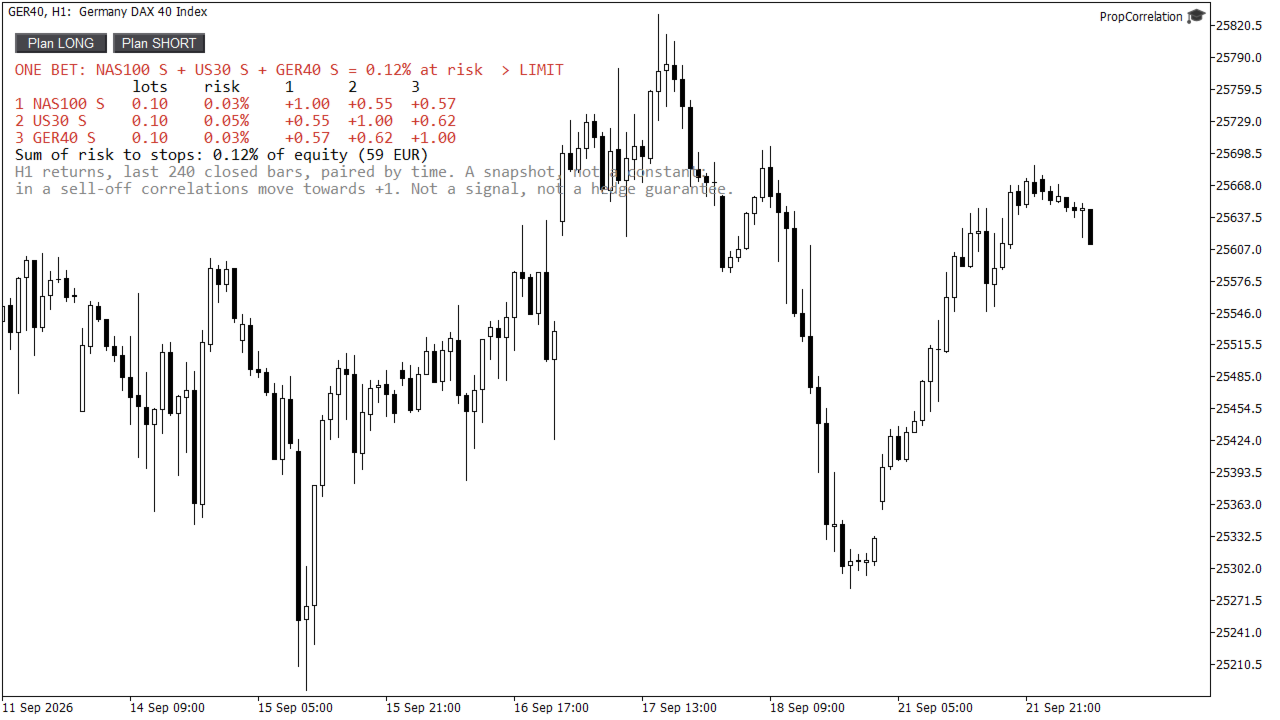
- The largest correlated cluster. All positions linked above your threshold (default 0.70) are grouped, and the headline tells you what they risk together: "ONE BET: NAS100 S + US30 S + GER40 S = 2.54% at risk".
- An optional alert when that cluster risks more than your limit. Popup, push notification to the mobile terminal, or both.
- Plan buttons. Click Plan LONG or Plan SHORT and the chart symbol is tested against your book before you open the trade. The planned row is marked with a question mark and does not count towards the cluster risk.
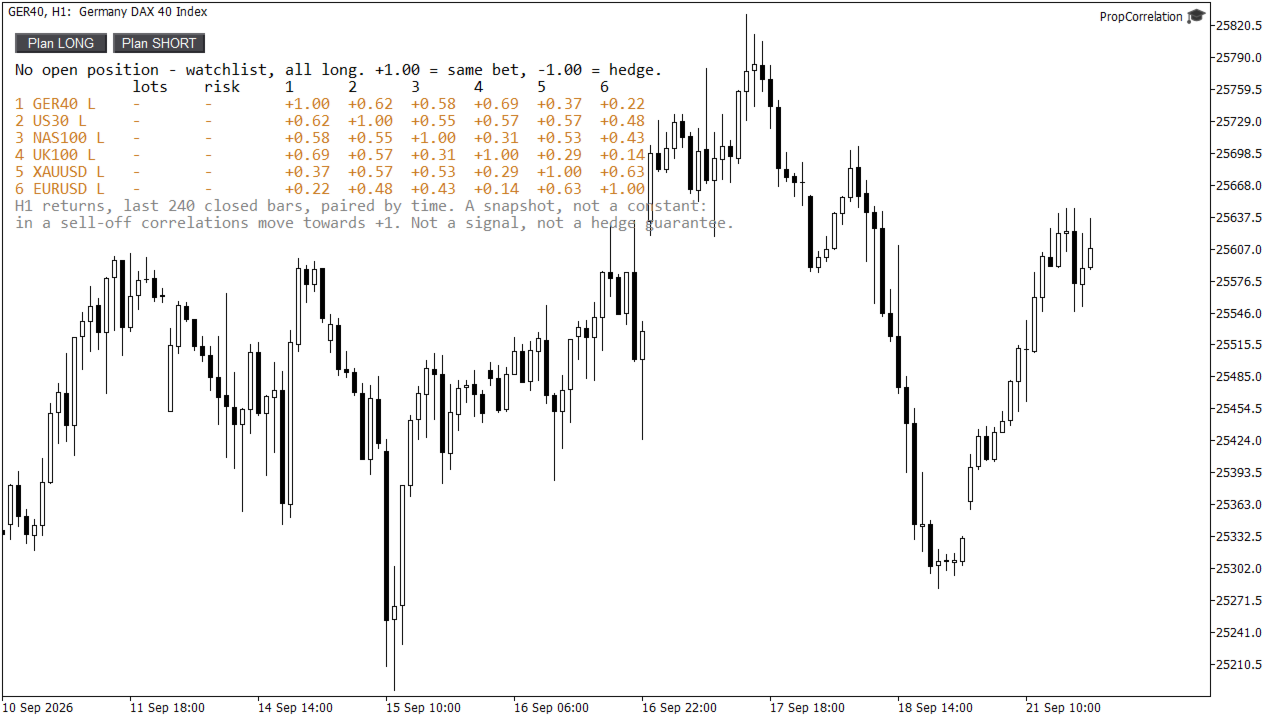
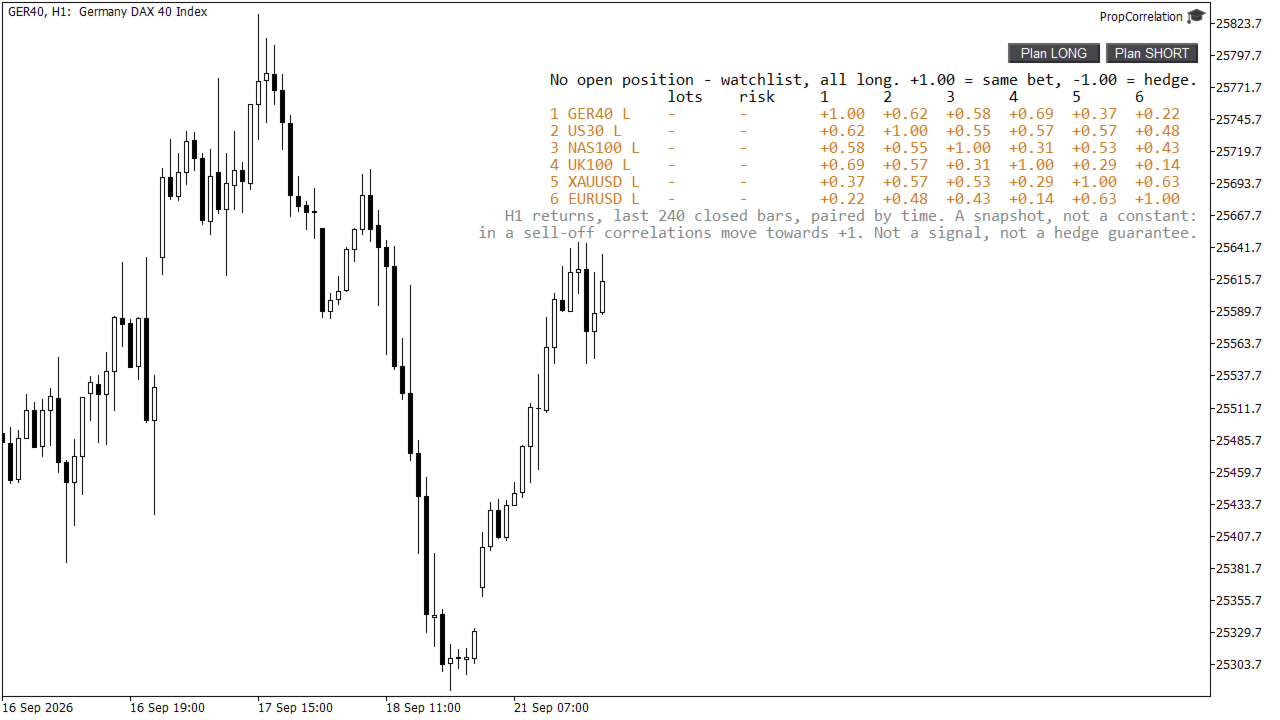
- Watchlist mode. With no position open the panel shows your watchlist instead (all long), so you can study how your markets move together. This is also what you see in the strategy tester.
How it is calculated
- Returns of closed bars on the timeframe you choose (default H1, last 240 bars, about two weeks). Bars are paired by timestamp, so markets with different trading hours only contribute the bars they share.
- Pairs with fewer than 30 shared returns show n/a instead of a number built on nothing.
- The matrix is recalculated every 30 seconds (adjustable) and immediately on every trade event.
- Up to 8 rows. Positions in the same symbol and direction are merged into one row; further symbols are counted and reported, never silently dropped.
What it is not
A correlation over two weeks is a snapshot. In a sell-off the correlations between indices move towards +1, exactly when it matters. PropCorrelation is a risk mirror. It is not a signal, it does not predict direction, and a negative number is not a guaranteed hedge.
Safe by design
PropCorrelation never sends, modifies or closes an order. It reads your positions and price history, nothing else. No DLLs, no web requests, no files. Attach it to one chart per account; it watches the whole account from there.
Inputs
- Correlation: return timeframe, number of closed bars, minimum shared returns, cluster threshold, refresh interval.
- Risk: basis (equity or balance), cluster risk limit in percent (0 = off), popup alert, push alert.
- Watchlist: symbols shown while flat, comma separated. Symbols your broker does not have are skipped and named once in the journal.
- Panel: corner, position, font size, automatic text colour for light and dark charts.
Honest limitations
- Risk to the stop uses OrderCalcProfit with your broker's contract specification. If a broker reports no usable data for a symbol, that row shows n/a rather than a guess.
- Correlation needs price history. On a fresh terminal the first matrix can take a few seconds while H1 bars download; the panel says "loading price history" meanwhile.
- Correlations are estimated from a sample and change with the window you choose. Treat 0.65 and 0.75 as the same thing.
Quick start
- Attach to any chart of the account you want to watch. With open positions the matrix appears at once; without positions you see the watchlist.
- Read the headline. If it says ONE BET, the listed positions move together and the percentage is what they risk as a group.
- Before the next trade, click Plan LONG or Plan SHORT on that symbol's chart and check whether it adds to the cluster or offsets it.
Part of the same family as PropGuardian, PropMirror and PropSizer. Built by a prop trader who found out the hard way that three positions can be one trade. Questions: ask in the Comments section, every question gets an answer.