ApexForge Economic Calendar Safety Dashboard

ApexForge Economic Calendar Safety Dashboard

MT5 経済カレンダー | Forex 経済カレンダー | News Filter | 重要経済指標アラート | 経済イベントカウントダウン | 緊急決済 | Close All | 市場休場日アラート | 早期取引終了リマインダー | KTimer | ローソク足カウントダウン | モバイルPush通知 | 12言語 + Auto

ApexForge Economic Calendar Safety Dashboard は、MT5 Economic Calendar 経済カレンダー、Forex News Filter、重要経済指標アラート、経済イベントのカウントダウン、緊急決済、市場休場日アラート、早期取引終了リマインダー、KTimer / ローソク足カウントダウン、モバイルPush通知、12言語 + Auto言語自動検出を統合したMetaTrader 5用の総合トレーディング情報ダッシュボードです。

Forex、XAUUSD / Gold、株価指数、スキャルピング、デイトレード、裁量トレードを行うトレーダー向けに設計されています。

主な機能

MT5 経済カレンダー • 重要ニュースフィルター • 経済イベントカウントダウン • +/-ボタンの色変化によるイベント通知 • 市場休場日アラート • 早期取引終了リマインダー • 全決済 / Buyのみ決済 / Sellのみ決済 • 発表済み経済データ • KTimer • ローソク足カウントダウン • モバイルPush通知 • 12言語 + Auto

◆ 情報は存在している — でも、トレード中に確認することを忘れていませんか?

トレード中の問題は、必ずしも「情報がない」ことではありません。

問題は、

知っていたのに、忘れてしまうことです。

チャートを監視し、エントリーを待ち、ポジションを管理し、複数の銘柄を切り替えていると、すでに知っていた重要な情報を見落とすことがあります。

相場が突然大きく動き始めてから、

「もうすぐ重要な経済指標の発表だった」

と思い出す。

何時間も通常通りトレードしてから、

「今日は市場の休場日だった」

と気付く。

いつもの取引時間どおりに行動していて、後になって、

「今日は市場が早く閉まる日だった」

と気付く。

あるいは相場状況が突然変化し、すぐにポジションを処理する必要があるのに、MT5上で一つずつ探して決済しなければならない。

ApexForge Economic Calendar Safety Dashboard は、このような状況を想定して設計されています。

忘れやすい重要情報と、すぐに使いたい緊急機能をMT5チャート上に直接表示します。

◆ +/-色変化イベントインジケーター — パネルを最小化しても通知は残る

Economic Calendarを一日中展開して、チャートスペースを占有する必要はありません。

パネルを最小化すると、+/-ボタン自体がイベントインジケーターとして機能します。

当日に対象となる経済イベントが存在する場合、ボタンの色が自動的に変化して通知します。

そのため、Economic Calendarを最小化していても、一目で、

「今日は経済イベントがある」

と確認できます。

詳細を確認したいときだけパネルを展開。

必要がなければ最小化したままにして、チャートスペースを広く使えます。

最小化するのはパネルだけ。通知は残ります。

◆ MT5 Economic Calendar — 経済カレンダー / Forex 経済カレンダー

内蔵の MT5 Economic Calendar により、経済イベントをトレーディングチャート上で直接確認できます。

表示可能な情報:

  • イベント時刻
  • 通貨
  • 重要度
  • 経済イベント名
  • Actual — 実際の発表値
  • Forecast — 予想値
  • Previous — 前回値
  • 今後のイベント
  • 本日発表済みのイベント

データは MetaTrader 5 内蔵のEconomic Calendar を使用します。

トレード中に外部の経済カレンダーサイトを常時開いておく必要はありません。

例えば、以下のような経済イベントの確認に利用できます。

CPI、NFP(米国雇用統計)、Retail Sales(小売売上高)、GDP、インフレ、雇用関連指標、中央銀行関連イベント、その他の重要経済指標。

◆ High / Medium / Low — 経済イベント重要度フィルター

Economic Calendarでは重要度によるフィルタリングが可能です。

High / Medium / Low

重要な経済指標だけを確認したい場合は、High Impact News に集中できます。

より幅広いEconomic Calendarを確認したい場合は、MediumとLowも表示できます。

そのためApexForgeは、一つのDashboard内で、

MT5 Economic Calendar

と、

MT5 News Filter / High Impact News Monitor

の両方として利用できます。

◆ Currency Filter — 必要な通貨だけを表示

経済イベントは通貨別にもフィルタリングできます。

MT5 Economic Calendarから取得できるデータに応じて、例えば以下の通貨を選択できます。

USD / EUR / GBP / JPY / CAD / AUD / NZD / CHF

例えば XAUUSD / Gold トレーダーであれば、USD関連のEconomic Newsを中心に表示し、取引対象と関係の薄い情報を減らすことができます。

◆ Economic Event Countdown — 経済イベントまでのカウントダウン

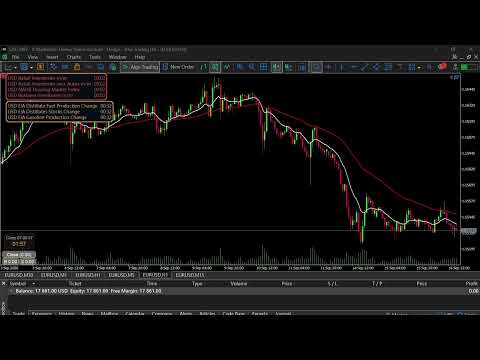
今後発表される経済イベントまでの残り時間を、MT5チャート上にリアルタイムで表示できます。

例:

USD Retail Sales m/m 00:24

発表時刻が近づくにつれて、残り時間が継続的に更新されます。

次の重要イベントまで何分あるのか確認するためだけに、毎回Economic Calendar全体を開く必要はありません。

◆ Economic News Status Bar — 青 / オレンジ / 赤 / 白

独立した Economic News Status Bar により、Economic Calendar全体を展開していない状態でも重要イベントをチャート上に表示できます。

通常のイベントは時間経過に応じて、4つの表示状態を自動的に移行します。

青 → オレンジ → 赤 → 白

🔵 BLUE — 今後のイベント

イベントはまだ発表されておらず、発表まで60分以上あります。

🟠 ORANGE — 発表接近

発表まで60分以内です。

🔴 RED — 発表直前

発表まで30分以内です。

⚪ WHITE — 発表済み

イベントはすでに発表されています。

MT5がActual値を取得すると、実際の発表値もStatus Barに直接表示できます。

◆ Status Bar 表示優先順位

イベント数がStatus Barで表示可能な行数を超えた場合、表示優先順位は、

赤 → オレンジ → 青 → 白

となります。

発表時刻が近いイベントほど優先的に表示されます。

また、

Status Barの最大表示行数とEconomic Calendarメインパネルのイベント表示数は、それぞれ独立して設定できます。

フルカレンダーとコンパクトなStatus Barを別々に調整できます。

◆ Lock R / O / B / W — 4つの状態を個別に行数制限

以下を有効にします。

Lock R / O / B / W Rows

すると、

Red / Orange / Blue / White

それぞれの最大表示行数を個別に設定できます。

4つの設定値の合計は、Status Bar全体に設定された最大行数を超えることはできません。

ロックを解除すると、

赤 → オレンジ → 青 → 白

の優先順位による自動配分に戻ります。

◆ Released — 本日発表済みの経済データ

発表時刻が過ぎたからといって、その経済イベントが確認できなくなるわけではありません。

独立した Released 機能から、本日すでに発表された経済イベントを確認できます。

確認可能なデータ:

Actual / Forecast / Previous

発表後に、

実際の発表値 vs 予想値 vs 前回値

を直接比較できます。

◆ 発表済みイベントの表示保持時間

Status Barでは、発表済みイベントを何分間表示しておくか設定できます。

発表直後にイベントがすぐ消えることはありません。

設定した保持時間が経過すると、自動的にStatus Barから削除されます。

発表直後の重要情報がすぐ消えてしまうことを防ぎながら、古いイベントが長時間Status Barを占有することも防ぎます。

◆ Market Holiday Alert — 市場休場日アラート

忘れやすいのは重要経済指標だけではありません。

長時間チャートに集中していると、市場の休場日も忘れてしまうことがあります。

ApexForgeは、取得可能な Market Holiday情報 をMT5のトレーディング環境に統合します。

Holidayは独立したロジックで処理され、通常の発表済み経済データとして誤って処理されることはありません。

◆ Early Close Reminder — 早期取引終了リマインダー

通常の取引時間は覚えやすいものです。

忘れやすいのは、

「今日は通常の取引日とは違う」

ということです。

特別な取引日や祝日期間には、

Early Close / 市場の早期取引終了

が発生する場合があります。

ApexForgeはEarly Closeの検出とリマインダーをトレーディング環境に統合しています。

関連情報をシステムが取得・検出した場合、特別な終了時刻をリマインダーに反映できます。

目的はシンプルです。

市場が閉まる直前になって初めて、今日は早期終了だったと気付くことを防ぎます。

◆ Emergency Close — 3種類の緊急決済機能

アラートはリスクに早く気付くために役立ちます。

しかし状況によっては、

ポジションをすぐに処理したい

ことがあります。

相場が突然激しく動いた場合、市場環境が変化した場合、またはすぐにエクスポージャーを減らすと判断した場合、ポジションを一つずつ探して決済するのは時間がかかります。

ApexForgeは3種類の MT5 Emergency Close / Panic Close 機能をDashboardに直接統合しています。

Close All — 全ポジション決済

対象となるすべてのポジションを素早く決済します。

Buy / Sellを分けずに市場から退出したい場合に使用できます。

Close Buy — Buyポジションのみ決済

Buy Positionsのみを決済します。

Sellポジションはそのまま維持されます。

Close Sell — Sellポジションのみ決済

Sell Positionsのみを決済します。

Buyポジションはそのまま維持されます。

MT5 Toolboxを開いて、一つずつポジションを探す必要はありません。

市場アラートはリスクに気付くための機能。Emergency Closeは、すぐにポジションを処理すると判断したときの操作ステップを減らすための機能です。

◆ MT5 KTimer / Candle Timer — ローソク足終了までのカウントダウン

内蔵の KTimer / Candle Countdown Timer は、現在のローソク足が終了するまでの残り時間を直接表示します。

以下のようなMT5時間足で利用できます。

M1 / M5 / M15 / M30 / H1 / H4 およびその他のMT5対応時間足

ローソク足の確定を待って判断するトレード手法に便利です。

KTimerはチャート上で好みの位置へ直接ドラッグできます。

ドラッグして位置を確定すると最後の位置が記憶され、MT5の再起動やEAの再読み込み後にも以前の位置を復元できます。

◆ MT5 Push Notification — モバイルPush通知

MetaTrader 5 Mobile Push Notifications に対応しています。

MT5 Notifications / MetaQuotes IDを設定すると、重要なリマインダーをモバイル版MT5へ送信できます。

一時的にトレーディングPCから離れている場合でも、重要イベントの通知を受け取ることができます。

◆ 12言語 + Auto — 言語自動検出

ApexForgeは、さまざまな国やMT5言語環境のユーザー向けに設計され、現在 12言語 に対応しています。

English — 英語 • Traditional Chinese — 繁体字中国語 • Simplified Chinese — 簡体字中国語 • Русский — ロシア語 • Español — スペイン語 • Português — ポルトガル語 • 日本語 • Deutsch — ドイツ語 • 한국어 — 韓国語 • Français — フランス語 • Italiano — イタリア語 • Türkçe — トルコ語

Auto — 自動検出

Auto を選択すると、ApexForgeは現在の MetaTrader 5ターミナル言語 を検出し、対応するサポート言語への自動切り替えを試みます。

Manual — 手動選択

ユーザーはいつでも、対応している言語を手動で選択することもできます。

Built-in Fallback — 内蔵バックアップ

Autoで必要な言語リソースを取得できない場合、システムは内蔵言語リソースをバックアップとして使用できます。

12言語 + Auto言語自動検出を、1つの製品にすべて収録。

言語ごとに別バージョンを購入する必要はありません。

◆ Economic Calendar — マウスホイール + ドラッグ可能なスクロールバー

1日に多数の経済イベントがある場合でも、パネルを必要以上に大きくする必要はありません。

イベント一覧は、

マウスホイールによるスクロール

および、

垂直スクロールバーの直接ドラッグ

に対応しています。

スクロールバーをマウスで直接つかんで上下に移動し、多数のイベントを素早く確認できます。

◆ Today / Released クイック切り替え

Economic Calendarでは、

Today

と、

Released

を素早く切り替えることができます。

Todayでは現在および今後のイベントを表示します。

Releasedでは本日すでに発表された経済データを表示します。

◆ カスタマイズ可能なDashboard

トレーディング環境に合わせて、以下の項目を設定できます。

  • Economic Calendar
  • High / Medium / Low
  • Currency Filter
  • Status Bar
  • Status Bar 最大表示行数
  • Status Bar フォントサイズ
  • Red / Orange / Blue / White 最大表示行数
  • 発表済みイベントの保持時間
  • Market Holiday
  • Early Close Reminder
  • Emergency Close
  • KTimer
  • Push Notification
  • Alerts
  • Language
  • Auto Language Detection

各トレーダーが、自分のチャート上にどの程度の情報を表示するかを調整できます。

◆ Forex / XAUUSD / Gold / Index Traders 向け

ApexForgeは以下のトレードに適しています。

Forex • XAUUSD / Gold • 株価指数 • スキャルピング • デイトレード • 裁量トレード

主な利用例:

  • High Impact Newsを忘れないための確認
  • XAUUSD取引中のUSD経済ニュース監視
  • Economic Calendarを最小化していても、今日はイベントがあると確認
  • Economic Event Countdownの確認
  • Actual / Forecast / Previousの確認
  • Market Holidayの見落とし防止
  • Early Closeの見落とし防止
  • 緊急時の全ポジション決済
  • Buyポジションのみ緊急決済
  • Sellポジションのみ緊急決済
  • KTimerでローソク足の確定を待つ
  • PCから離れているときにモバイル通知を受信
  • 12種類のMT5言語環境で同じ製品を使用
◆ 重要事項

Economic Calendar Data

イベント時刻、名称、重要度、Actual、Forecast、Previousなどの情報は、MetaTrader 5 Economic Calendar が提供するデータに依存します。

ApexForgeが独自に経済データを配信するものではありません。

経済データ更新の遅延

公式の経済データがすでに発表されていても、MT5 Economic CalendarのActual値がまだ更新されていない場合があります。

ApexForgeはMT5から実際に取得したデータのみを表示し、不足しているActual値を推測または生成することはありません。

Holiday / Early Close

市場休場日および特別取引時間の情報は、システムが取得可能な情報に依存します。

正確な取引終了時刻が重要な場合は、Brokerまたは該当市場が提供する公式取引スケジュールも確認してください。

Emergency Close

実際の決済執行は、

Brokerの取引条件、ネットワーク接続、市場流動性、取引状態、MetaTrader 5の執行環境

などの影響を受けます。

Emergency Closeは、あらゆる市場状況において特定価格で全ポジションが決済されることを保証するものではありません。

Push Notification

モバイルPush通知を利用するには、ユーザー側でMT5 Notifications / MetaQuotes IDを事前に設定する必要があります。

◆ トレードシグナルは提供しません

ApexForge Economic Calendar Safety Dashboardは、

市場情報 + リスク通知 + 時間管理 + 緊急ポジション管理

のためのツールです。

以下の機能は提供しません。

  • Buyシグナル
  • Sellシグナル
  • 市場方向の予測
  • 自動売買判断
  • 利益の保証

トレードの判断はトレーダー自身が行います。

ApexForgeは、見落としやすい重要情報と、素早くアクセスしたい安全管理ツールをMT5のトレーディング環境に直接まとめます。
おすすめのプロダクト
このツールを使用すると、「すべて閉じる」をクリックするだけで、開いている注文をすべてワンクリックで閉じることができます。 収益性の高い注文のみをクローズしたい場合は、「収益性の高い注文をクローズする」ボタンをクリックすると、すべての変動注文がクローズされます。 変動損失のある注文のみを決済したい場合は、「損失可能注文を決済する」ボタンをクリックすると、変動損失のあるすべての注文が決済されます。 このツールは1年間テストされています. ワンクリックポジションクローズ機能は非常に完成しています. ポジションクローズはタイムリーであり、遅延範囲は小さいです. もちろん、遅延はあなたの地域やネットワーク環境にも関係します.ご注意ください。 履歴データのバックテスト プロセス中、このツールのパフォーマンスはさらに完璧になり、100 件の注文すべてを閉じるのに最長 0.495 秒しかかかりませんでした。 実際の取引プロセス中、私のポジション注文の最大数はわずか 26 で、すべてのポジションが決済されるまでにかかった時間は 1.28 秒でした。
Trade Panel HotKey – MT5 Scalping Utility Fast Trade Panel HotKey is a lightweight MT5 trading utility designed for traders who need to open, manage, and close positions as quickly as possible . The main purpose of this tool is to reduce the time between a trading decision and execution. Instead of moving the mouse, opening order windows, or manually modifying multiple positions, most important actions can be performed instantly through customizable keyboard hotkeys or directly from the compact
One Click Trader  is a tool designed for MetaTrader 4 platform, which enables you to take your trading to the next level. It enables you to open, manage and close your trades in simple an efficient way by just one click of your mouse button. "-"   ,  "+"  change OCT window size  Up arrow minimizes the OCT panel Down arrow maximizes the OCT panel Right arrow displays the next panel with additional features Left arrow hides the panel with additional features Red  SELL  button enables you to open s
Trade Control Panel Function Normal One Click Function Close All Close All Profit Close All Loss Close All Pending Order Close All Sell Close All Buy Advance One Click Function 1.  Close Partial Lot Sell by Percent It will help you partial close for all open position by desire percent you wanted. No longer partial close one by one for every open position Manual input for desire percent 2. Close Partial Lot Buy by Percent It will help you partial close for all open position by desire percent
T Manager, the ultimate trade management solution designed by traders for traders. If you are searching for a simple and efficient trade panel, trade manager, or trade assistant, you are at the right place.   The market contains a diverse number of those tools , but this one is designed by traders for traders . I designed this tool, and I am using it daily. Take my advice and stop buying tools blended with un-useful features that you will never use,   T Manager provides you with the essential y
Chart Date Jump Chart Date Jump is a lightweight MetaTrader 5 utility that helps you open historical chart context in seconds. Enter a target Day / Month / Year / Hour / Minute , press Go to datetime , and the chart scrolls to the matching bar and centers it in the window. A vertical marker is drawn on the located candle so you can instantly see the exact time you jumped to. Key features Jump to an exact date and time on the current symbol/period Center the found bar in the visible chart area Ma
Position Prime
Mariana Cordeiro Neves Fernandes
今すぐ無料デモ版をダウンロードして、購入前にストラテジーテスターのすべてのリスク管理機能をテストしてください! Position Prime は、MetaTrader 5 (MT5) 向けの機関投資家レベルの視覚的実行アシスタントおよびリスクマネージャーです。スピードと精度を求めるトレーダーのために開発され、手動でのロット計算の手間を省き、チャートを真のトレーディングデスクに変えます。ほんの数秒で取引の計画、実行、そして資金の保護が可能です。 ️ リスク管理と自動ロット計算 動的計算 (Dynamic Calculation): リスクを金額($)または口座残高のパーセンテージ(%)で設定します。チャート上でストップロス(SL)のラインをドラッグすると、パネルが正確なロットサイズを自動的に計算します。 リアルタイム予測: 注文を開く前に、リスクリワード(RR)、予想利益、潜在的な損失を画面上で直接視覚化します。 1日の損失ロック (Daily Loss): 1日の最大損失額の制限を設定します。この制限に達すると、パネルが新規取引をブロックし、オーバートレードや感情的なミスから
AW Metatrader to Telegram MT5
AW Trading Software Limited
5 (1)
通知を送信するための自動システム。これにより、サブスクライバーが取引端末からの取引イベントを見逃すことはありません。アカウントの取引操作に関する通知をTelegramメッセンジャーに送信するユーティリティ。 テレグラム->ここ/   MT4-   >   ここ でユーティリティをチャンネルに接続するためのステップバイステップの説明 利点: 簡単なセットアップと詳細な手順、 調整可能なスクリーンショットを送信する可能性、 絵文字を使用してカスタマイズ可能な通知テキスト、 完全または部分的な開始、終了、および注文の変更に関する通知の調整、 デフォルトで通知を送信する場合、テキストファイルは自動的にダウンロードされます。 保留中の注文の発注または削除に関する通知の調整、 記号とマジックナンバーによる便利なフィルタリング。 入力変数: TELEGRAM BOT AND CHAT SETTINGS Telegram bot token - Enter the token number received after registering the bot in "BotFather" Telegr
KS Hotkey Trading Panel Proは、キーボード操作による高速な取引機能と、チャート上に表示されるクリック可能なダッシュボードを提供するMetaTrader 5用エキスパートアドバイザー(EA)です。 主な機能 ホットキー取引 — 以下の操作を単一キーで実行可能: 成行買い / 成行売り 指値買い(Buy Limit) / 指値売り(Sell Limit) 逆指値買い(Buy Stop) / 逆指値売り(Sell Stop) 全ポジションの決済 買いポジションのみ決済 / 売りポジションのみ決済 全待機注文の削除 ロットサイズの増減(上矢印キー / 下矢印キー) パネルの表示 / 非表示の切り替え チャート上ダッシュボード — 各ホットキーの割り当て、現在のロットサイズ、リアルタイムの口座情報(残高、有効証拠金、スプレッド、買い/売りポジション数)を表示し、各操作を実行できる「GO」ボタンを配置。 折りたたみ式パネル — 切り替えボタン(またはホットキー)により、パネル全体をスリムなバー状に縮小・復元可能。 設定可能な項目: 初期ロットサ
This Expert Advisor monitors all open positions across all symbols in MetaTrader 5. Whenever a Stop Loss (SL) or Take Profit (TP) is manually set or adjusted on any position, the EA automatically applies that value to all other open positions , regardless of symbol or order type (Buy/Sell). This ensures consistent and synchronized SL and TP levels across your account. Perfect for mobile trading via tablet or smartphone!
This utility provides the ability to use hot keys in manual trading instantly responding to the current market situation. You can assign hot keys to open/close positions by their type, open/close all positions on the current chart and remove all orders on the current chart. You can also assign hot keys for five predefined trade volumes and switch between them if necessary with no need to change the volume manually from time to time. It is also possible to set the auto calculation of a trade volu
Telegram ChartSnap MT5 is an utility tool to bridge your MetaTrader 5 activities to your Telegram chat/group/channel. It will screen shot your MetaTrader 5 chart and send it to your dedicated Telegram chat/group/channel through a Telegram bot. The whole process will keep repeating based on a time cycle that predetermined by the user. It is a convenient tool for those who like to get access to their favorite system/dashboard that only available at MetaTrader Desktop. Beside that, trader can easi
Master Decision Engine MT5 is an on-chart decision support utility for manual traders who want a more structured way to read market conditions before entering a trade. Current price: $59 - increases by $10 after every 20 purchases until reaching the final price of $119 . Next price: $69 . Complete Buyer Kit: 40 Professional Resources included at no additional cost. MT5 Presets, PDF Guides, Checklists, Mindmaps, Reference Cards, and Excel Workbooks - built from 8 years of developing structured X
RealCost Auditor MT5 is an execution-cost monitor for MetaTrader 5. It does not open, close, or modify trades. It watches the chart symbol, samples live spread, records executed deals, estimates signed slippage when the terminal exposes the requested price, and saves a local CSV audit file. Many backtests use spread, slippage, commission, and swap assumptions that are cleaner than real trading conditions. This utility gives you broker and account data from your own terminal before you trust a s
The indicator is intended for determining the spread and swap size, the distance for setting stop orders and stop losses from the current price allowed and the risk per 1 point in the deposit currency. The indicator informs a trader about possible additional expenses and profits connected with transferring a position to the next trade session of the financial instrument. It also informs about the spread size and the distance of pending orders, stop loss and trailing from the current price. In ad
ブローカーによるストップ狩りを阻止しましょう! 価格がストップロス(SL)に正確に触れた直後、あなたの思惑通りに反転して悔しい思いをしたことはありませんか?これは多くの場合、市場のノイズや「ストップ狩り(Stop Hunting)」が原因です。 TrailGuardian は、エグジットレベルを市場にさらさずに利益を保護するために設計された、プロ仕様の「ステルス」トレードマネージャーです。内部で仮想(不可視)のストップロスラインを作成し、実行の瞬間まであなたの戦略をブローカーから隠し続けます。 ️ 主な特徴 ステルス(非表示)モード: ブローカーのサーバーにハードストップロスを送信しません。EAがローカルで価格を監視し、価格が仮想ラインを越えた瞬間にのみ成行実行でポジションを決済します。ブローカーはあなたのエグジットポイントを見ることができません! ネッティングおよび取引所(先物/株式)向けに最適化: ほとんどのトレーリングEAはネッティング口座で失敗します。TrailGuardianはスマートです!ポジションを追加(スケーリング)して平均価格が変わると、新し
ProBridger
Marius Ovidiu Sunzuiana
How Traders and Analysts Can Use the Data Export Bridge to Improve Their Analytics The MQL Data Export Bridge unlocks a new level of analytical power by transforming MetaTrader into a real‑time data provider for any external research environment. Here are the most impactful ways different users can apply the bridge to enhance their trading performance. Build Predictive Models with Machine Learning Who benefits: Quantitative traders, data scientists, algorithm developers How it helps: Export t
Superior MT5 To Telegram Signals Notifier OVERVIEW Superior MT5 To Telegram Signals Notifier is a smart bridge tool for MetaTrader 5 that instantly sends your trading activity directly to your Telegram phone app, channels, or group chats. It tracks your account in real time and broadcasts trade openings, closures, modifications, pending orders, and clear chart screenshots automatically using a simple Telegram Bot. Whether you run a VIP signal channel and want to share trades automatically wit
Trade HotKeys は、キーボードのホットキーを使ってトレード操作を瞬時に実行できる手動トレード用ユーティリティです。 MetaTrader 5 のインターフェースボタンを使わず、素早い注文操作を必要とする裁量トレーダーやスキャルパー向けに設計されています。 チャート上のボタンをクリックしたりメニューを開いたりする代わりに、キーボードから直接トレード操作を実行できます。 できること ホットキーで BUY / SELL を即時実行 BUY または SELL ポジションのみ個別決済 1キーですべてのポジションを決済 ポジション反転(方向を即時切り替え) 誤操作防止のためのトレード一時停止 BUY/SELL ボリュームと含み損益をチャート上に表示 トレーダーが使用する理由 判断から執行までの遅延を削減 手動トレードのための筋肉記憶を構築 スキャルピングや高速相場に最適 トレード中のターミナルUI操作を最小化 あらゆるブローカー・口座タイプに対応(netting / hedging) 軽量かつ安定動作(重い計算なし) インターフェース UI位置を4コーナーに自由配置可能 フォントサイ
FREE
テイクプロフィット、ストップロス、トレーリングストップのレベルをブローカーに見えないようにします! 主なオプション:   ステルスモード バーチャルトレーリングストップ バーチャルテイクプロフィット バーチャルブレイクイーブン 仮想ストップロス 仮想注文の有効期間 警告:   エキスパートアドバイザーは、それ自体では注文を行いません。 自分で注文を開くか(エキスパートパネルを介して含む)、同じ通貨ペアの別のチャートでサードパーティのエキスパートを使用する必要があります。 エキスパートがこれらの注文を処理するには、エキスパート設定でマジックナンバー「-1」を指定してください。 テストにはビジュアルモードを使用してください!!! 作業アルゴリズム あなた(または別のエキスパートアドバイザー)が買い/売り注文を開くか、保留中の注文がトリガーされるか、チャートにすでに開いているポジション/注文がある場合、エキスパートはコントロールパネルをインストールしてv-StopLossの追跡を開始します。 v-BreakEven、v-TakeProfitパラメーター。 注意:     「-1」以外のマジ
Xiao Dan Kuai Pao is a fast and clean one-click order panel for MetaTrader 5. Open and manage your trades instantly, with Stop Loss and Take Profit placed automatically — no more typing TP distances by hand. Key features: - One-click buttons: BUY, SELL, CLOSE, BREAK EVEN - Custom Stop Loss and Take Profit (in points) — set any distance you want - Flexible risk/reward — combine SL and TP freely to build any ratio, such as 1:1, 1:2, 1:3, 1:4 or 1:5 - Real-time price display (Bid) - Bar countdown t
Pending Orders Grid Complete System   opens any combination of Buy Stop, Sell Stop, Buy Limit and Sell Limit pending orders and closes all existing pending orders. Only one time of the pending order at the same time!!! You will have a possibility to put a legitimate   Open Price   for the first position in the grid. Usually it should in the area of Support/Resistance lines. You just need to drop this script on the chart of a desired currency pair. Input Parameters Before placing all pending ord
Horizontal Line Trade Assistant EA  Semi-Automated Trading Assistant      IMPORTANT :     On the main/purchased program a user can click on the Horizontal line and change it to Buy or Sell, and drag by double clicking on it. Please keep in mind that this option is not available on demo version, due to some restrictions/limitations of Strategy Tester, some Object related operations are not available in the  Strategy Tester. But, it will not prevent you from Testing, please drop an Object to chart
このアドバイザーは、複数のペアをワンクリックで取引できるダッシュボードです。 クリック   開ける   選択したペアの注文を開くボタン。 クリック   近い   選択したペアの注文を閉じるボタン。 注文ロットはユーザーが入力した番号です。正の数は買い注文に対応し、負の数は売り注文に対応します。 部分的に閉じるのではなく、注文全体を閉じるには、   「CLOSE」 ボタンをクリックします。クロージングアクションはロット数とは関係ありません。 マジックインプットを 0 に設定すると、アドバイザーが同時に手動注文を閉じるのを手伝ってくれます。 エントリーマジックを別のアドバイザーのマジックで構成すると、アドバイザーは、別のアドバイザーがオープンした注文を同時にクローズするのに役立ちます。 三角生垣   ワンクリックで。 取引シンボルはカスタマイズ可能です。市場観察からインポートするか、ユーザーが入力します。 禁止: Magic - アドバイザーのマジックナンバー。 MaxLots: 最大ロット。ロット数がこのMaxLotsを超える場合、注文ロットはMaxLotsとなります。 StopLo
Telegram to mt5 signal copier
Chukwuemeka Kingsley Anyanwu
5 (2)
**あらゆるTelegramチャンネルからシグナルをコピーし、管理者権限なしでMT5上で即座にトレードを実行!** Telegramでトレードシグナルを受信し、それをMetaTrader 5で即座に実行できたらと思いませんか? **Telegram to MT5 Signal Copier** は、TelegramのシグナルチャンネルとMetaTrader 5を強力に連携するブリッジです。指定されたTelegramチャンネルのメッセージを監視し、トレードシグナル(銘柄、売買方向、エントリー価格、ストップロス、テイクプロフィットを含む)を自動的に抽出し、即座に実行します。 プレミアムシグナルプロバイダーをフォローしている方でも、ご自身のTelegramアラートを自動化したい方でも、このツールはトレードワークフローを効率化し、手作業を減らし、機会損失を防ぐお手伝いをします。 ️ **主な機能:** Telegramチャンネルに直接接続 主要なトレード指示(買い/売りまたは指値注文、銘柄、エントリー価格、SL、TP)を解析 MQL5からアクセス可能なシグナルを保存
Session Panel for MT5 Session Panel is a free MT5 indicator that gives you a fast and convenient live overview of the major trading sessions directly from the chart. Monitor Tokyo, London, and New York session times, see which session is currently active, track countdowns to the next session, and view session overlap information in one compact dashboard. Built for traders who want better market timing, clearer session awareness, and a cleaner chart workflow in live market conditions. Session Pan
FREE
This QuickClose help you to close all orders having profit immediately with only ONE CLICK, its work is very fast. You can choose which symbol you want or close all symbols so it will helpful for you in your trading to manage trading faster. This EA can quick close all Buy and Sell Orders by a selected symbol or total, And delete all pending orders. This SymbolButton is designed for closing orders. There is available Manual and Automatic closing functions. Automatic closing function will close t
The real‑time view of what is happening inside the market. Footprint Secrets brings detailed analysis directly into MetaTrader 5. It shows where volume is trading, how buyers and sellers are interacting, and how liquidity shifts as the market evolves. Designed for traders who want a precise, real‑time understanding of market behavior. Check out the free preview version here:  https://www.mql5.com/en/market/product/172398 Benefits for the Trader See the real activity behind price . Footprint ch
GoT Hedge Manager MT5 This Tool is suitable for traders who use Hedging Strategy GoT Hedge Manager MT5 Hello Traders...!! This tool is to help you to manage your hedge order It will not take any order if you not trigger the order by placing the line order Updated on V2: - Add ADX and ATR Filter For ADX it will help you to detect the market is ranging or trending For ATR it will help you to decide the hedge distance - Detect and Takeover your manual order To make the EA takeover your manual ord
GS trade report
Aleksander Gladkov
5 (1)
3 in 1 : Report + monitoring + sending messages (Telegram, ...) to optimize trading and use of advisors. Monitoring: Panel on the chart Sending messages to Telegram Sending messages to Email Sending Notifications Sending pop-up messages Sound notifications when the established Profit/Loss levels are exceeded Monitoring is activated by pressing the Start button. Profit for the period by currency pairs, hours and Magic number for the current account. Forms four tables: by symbols, by magic number
このプロダクトを購入した人は以下も購入しています
Trade Assistant MT5
Evgeniy Kravchenko
4.43 (216)
取引 ごとのリスクの 計算、新規注文 の 簡単 な 設置、部分的 な 決済機能 を 持 つ 注文管理、 7 種類 のトレーリングストップなど 、便利 な 機能 を 備 えています 。 追加の資料と説明書 インストール手順   -   アプリケーションの手順   -   デモアカウント用アプリケーションの試用版 ライン機能 チャート上にオープニングライン、ストップロス、テイクプロフィットを表示します。この機能により、新規注文を簡単に設定することができ、注文を出す前にその特徴を確認することができます。   リスク計算 リスク計算機能は、設定されたリスクとストップロス注文のサイズを考慮して、新規注文のボリュームを計算します。ストップロスの大きさを自由に設定できると同時に、設定したリスクを守ることができます。 Lot calc ボタン - リスク 計算 を 有効 / 無効 にします 。 Risk フィールドでは 、必要 なリスクの 値 を 0 から 100 までのパーセンテージまたは 預金通貨 で 設定 します 。 設定」 タブで 、 リスク 計算 の 種類 を 選択 します :「 $ 通
Trade Manager EAへようこそ。これは、取引をより直感的、正確、そして効率的にするために設計された究極の リスク管理ツール です。これは単なるオーダー実行ツールではなく、包括的な取引計画、ポジション管理、リスク管理のためのソリューションです。初心者から上級者、迅速な実行を必要とするスキャルパーまで、Trade Manager EAはあらゆるニーズに対応し、為替、指数、商品、暗号通貨などさまざまな市場で柔軟に対応します。 Trade Manager EAを使用すると、複雑な計算が過去のものになります。市場を分析し、エントリーポイント、ストップロス、テイクプロフィットのレベルをチャート上のラインでマークし、リスクを設定するだけで、Trade Managerが最適なポジションサイズを即座に計算し、SLとTPをピップ、ポイント、口座通貨でリアルタイムに表示します。すべての取引が簡単かつ効果的に管理されます。 主な機能: ポジションサイズ計算機 :定義されたリスクに基づいて取引サイズを瞬時に決定します。 簡単な取引計画 :エントリー、ストップロス、テイクプロフィットを設定するためのド
================================================================================ POC BREAKOUT - V20.72. Full Professional Grade Toolkit ================================================================================ POC Breakout is a full MetaTrader 5 trading dashboard for discretionary traders who want breakout signals, Point of Control (POC) context, volume profiles, order flow, market structure, news, alerts, and advanced trade planning in one professional workspace. Attached directly to you
Local Trade Copier EA MT5
Juvenille Emperor Limited
4.94 (149)
Local Trade Copier EA MT5 は、同一の Windows PC または Windows VPS 上で稼働する複数の MetaTrader 5 口座間で、取引をコピーおよび管理するための高速で柔軟なトレードコピーツールです。 ローカルでの取引同期に加え、Receiver 側でロットサイズ、リスク管理、取引フィルター、シンボルマッピング、取引管理、口座保護を個別に設定できます。 Transmitter と Receiver のターミナルは約 1分 で設定でき、同一ブローカーまたは異なるブローカーの口座間で、手動取引や EA による取引をコピーできます。適切な条件下では、ローカルの MetaTrader ターミナル間で取引情報を 0.5秒未満 で同期できます。実際の約定速度は、ブローカーのレイテンシー、ネットワーク状況、PC/VPS の性能、ターミナルの負荷によって異なります。 ご購入前に無料デモをお試しください Local Trade Copier EA MT5 の完全機能版無料デモ を、MT5 デモ口座で 1回につき4時間 テストできます。 Local Trad
TradePanel MT5
Alfiya Fazylova
4.88 (168)
Trade Panelは多機能なトレーディングアシスタントです。アプリには手動取引用の50以上のトレーディング機能が搭載されており、ほとんどの取引作業を自動化することができます。 アプリの説明書+ビデオガイド: https://www.mql5.com/en/blogs/post/772292 デモ口座用アプリの試用版: https://www.mql5.com/en/blogs/post/750865 アプリのインストール方法: https://www.mql5.com/en/blogs/post/756239 アプリをビジュアルモードでテストする方法: https://www.mql5.com/en/blogs/post/770277 VPSのMetaTraderにアプリをインストールする方法: https://www.mql5.com/en/blogs/post/770190 取引。 ワンクリックで取引操作を行うことができます: リスクを自動計算して指値注文やポジションを開く。 複数の注文やポジションをワンクリックで開く。 注文のグリッドを開く。 保留中の注文やポジションをグルー
自分の取引ルールで Telegram のシグナルをコピー Telegram to MT5 Signal Trader は、Telegram の公開・非公開チャンネルやグループから、テキスト形式の取引シグナルを MetaTrader 5 へ自動でコピーします。1つのデスクトップアプリで複数の配信者と MT5 口座を管理し、 配信者ごとにリスクと取引設定を個別に指定 できます。 シグナルのコピーに Telegram ボットや API 設定は必要ありません。 電話番号または QR コードでご自身の Telegram アカウントにログインし、すでに参加しているチャンネルやグループを選ぶだけです。ボットの作成や、Telegram API トークン、API ID、API hash の入力は不要です。 ポジションサイズを選び、複数の利確水準に分けて決済し、建値へのストップ移動やトレーリングストップを自動化できます。配信者のシグナルを受け取りながら、実際の取引方法は自分で管理できます。 本製品は、この MT5 エキスパートアドバイザ(EA)と、必須の Windows 連携アプリで構成されます。 インス
Telegram to MT5 Multi-Channel Copier   は、Telegram チャンネルのトレードシグナルを MetaTrader 5 へ自動コピーします。ボット不要、ブラウザ拡張不要、手動コピー不要。Telegram にシグナルが届くと、EA が数秒であなたのターミナルに注文を出します。 さらに、チャンネルをコピーする前に、内蔵バックテスターでそのチャンネルがあなたの口座でどう動いたかを確認できます。 製品は 2 つのコンポーネントで構成されます:Telegram チャンネルを監視する Windows アプリと、MT5 ターミナルでシグナルを執行する本 EA です。MT4 版もあります   こちら . セットアップガイドとアプリのダウンロード:   https://www.mql5.com/en/blogs/post/768988 現在の価格は今後値上げされます。 仕組み アプリはあなた自身の Telegram アカウントで接続するため、フォローしているすべてのチャンネル、グループ、トピック、ボット(プライベートや VIP を含む)を見ることができます。シグナル
Farmed Hedge Yield Farming | All Markets (Manual - Hybrid - Semi/Automated EA) VERIFIED TRADING RESULTS - Farmed Hedge Yield Axi Copy:  https://www.mql5.com/en/signals/2356376 - Farmed Hedge Yield Exn Copy:   https://www.mql5.com/en/signals/2356404 - Farmed Hedge Yield V Copy:  https://www.mql5.com/en/signals/2357156 IMPORTANT NOTICE: FarmedHedge is a MANUAL-FOCUSED TRADING UTILITY ,not a fully automated EA. Results shown on this Signal include manual trades and overall strategic management.
Exp COPYLOT CLIENT for MT5
Vladislav Andruschenko
3.97 (35)
MetaTrader 5 用のプロフェッショナル取引コピー機 MetaTrader 向けの高速・高性能・信頼性の高い 取引コピー機 です。 COPYLOT は、MT4 と MT5 のターミナル間で Forex 取引をコピーでき、 Hedge 口座と Netting 口座の両方に対応しています。 COPYLOT MT5 版の対応構成: - MT5 Hedge → MT5 Hedge - MT5 Hedge → MT5 Netting - MT5 Netting → MT5 Hedge - MT5 Netting → MT5 Netting - MT4 → MT5 Hedge - MT4 → MT5 Netting MT4 版 完全な説明 + DEMO + PDF 購入方法 インストール方法 ログファイルの取得方法 テストと最適化の方法 Expforex のすべての製品 MT4 ターミナルへのコピーも可能です(MT4 → MT4、MT5 → MT4): COPYLOT CLIENT for MT4 COPYLOT は、2台、3台、さらには10台のターミナル間で同時に動作できる、プロフェッ
Premium Trade Manager - コーチ内蔵型トレードパネル Premium Trade Manager は、AIトレーディングコーチをあなたのチャートの中に置き、その下に完全な執行エンジンを備えたツールです。いつも通りにトレードをセットアップし、あなた専任のAIトレーディングコーチ Max にそのセットアップをそのまま読み取らせて、発注前に率直な見解を伝えてもらいましょう。ストップの幅が規律あるアプローチに合っているか、リスクサイズは適切か、高影響のニュースイベントが数分後に迫っていないか、プロップファームの制限に近づいていないか。その下には、クリックの後をすべて処理するエンジンが備わっています。ワンクリックのリスクサイズ計算による発注、チャート上でドラッグして組み立て、発注後も動かせるプラン、最大4段階の分割利確、7種類のトレール方式、リアルタイムのプロップファームコンプライアンス、ニュースガード、そしてコストを自ら採点するスプレッド機能。判断はあなたが下す。Max がもう一度確認する。後のことはすべてパネルが担う。 購入前に実際に触れて試せます。 ブラウザ上でライブ
Trade Dashboard simplifies how you open, manage, and control your trades, with built-in lot size calculation. It allows you to execute trades, manage risk, and control positions directly on the chart, with tools such as partial close, breakeven, and trailing stop. Designed to reduce manual work and help you stay focused on your trading decisions. A demo version is available for testing. Detailed explanations of features are provided within the MQL5 platform. Installation instructions are include
Trade Manager DashPlus
Henry Lyubomir Wallace
4.85 (13)
DashPlus は、MetaTrader 5プラットフォーム上での取引効率と効果を向上させるために設計された高度なトレード管理ツールです。リスク計算、注文管理、高度なグリッドシステム、チャートベースのツール、パフォーマンス分析など、包括的な機能を提供します。 主な機能 1. リカバリーグリッド 逆境の市場環境下で取引を管理するための平均化および柔軟なグリッドシステムを実装します。 取引回復のための戦略的なエントリーおよびエグジットポイントを可能にします。 2. スタックグリッド 強い市場の動きの中でポジションを追加することで、有利な取引での潜在的なリターンを最大化するように設計されています。 トレンド市場で利益を得られるよう、勝ち取引を拡大します。 3. 損益(P&L)ライン チャート上に直接、潜在的な利益と損失のシナリオを視覚的に表示します。 設定を調整し、P&Lラインをドラッグして、実行前にさまざまな取引結果を評価します。 4. バスケットモード 同じシンボルでの複数ポジションの管理を簡素化し、それらを単一の集約ポジションにまとめます。 平均価格に基づいて、ストップロスやテイクプ
FUTURES ORDERFLOW FOOTPRINT CHART Professional OrderFlow EA for MetaTrader 5 Version 1.01| Professional tool for real traders | Institutional-Grade Visualization STRATEGY TESTER USERS - PLEASE SELECT EVERY REAL TICK WHEN TESTING AND YOU HAVE DOWNLOADED HISTORICAL DATA. IF YOU SEE A WAITING SCREEN AND IT IS NOT DOWNLOADING, IT MEANS YOU HAVE LOW HISTORICAL DATA. TRY 1 MIN AND 5 MIN FIRST ON 1 DAY DATA. ONE DAY DATA SHOULD BE THE NEWEST AND MOST CURRENT DATE. PLEASE WAIT UNTIL THE MARKET HAS ROL
EASY Insight AIO – スマートで手間いらずな取引のオールインワンソリューション 概要 数秒で市場全体——FX、ゴールド、暗号資産、指数、さらには株式まで——を、手作業のチャート確認や複雑なセットアップ・インジケーター導入なしにスキャンできたらどうでしょうか? EASY Insight AIO はAIトレードのための究極のプラグ&プレイ型エクスポートツールです。市場全体のスナップショットを、クリーンなCSVファイルで一括出力。ChatGPT、Claude、Gemini、Perplexityなど、さまざまなAIプラットフォームで即座に解析できます。 ウィンドウの切り替えやグラフのごちゃごちゃしたオーバーレイはもう不要。自動エクスポートされる純粋で構造化されたインサイトだけで、無駄なチャート監視に悩まされず、スマートなデータ主導の判断に集中できます。 なぜEASY Insight AIOなのか? 本当のオールインワン • セットアップ不要、インジケーターのインストール不要、チャートへのオーバーレイ不要。インストールして起動し、エクスポートするだけです。 マルチアセット対

Timeless Charts
Samuel Manoel De Souza
5 (8)
Timeless Charts is an all-in-one trading utility for professional traders. It combines custom chart types such as Seconds Charts and Renko with advanced order flow analysis using Footprints , Clusters , Volume Profiles , VWAP studies, and anchored analysis tools for deeper market insight. Trading and position management are handled directly from the chart through an integrated trade management panel , while Market Replay and Virtual Accounts provide environments for practicing trading skills and
Trade Copier Ultimate
Janitha Sandaruwan Amaradasa Wickramasingha Arachchilage
5 (5)
Trade Copier Ultimate - Telegram to MT5 Signal Copier Trade Copier Ultimate automatically copies Telegram trading signals into MetaTrader 5. The EA can read signal messages, detect the symbol, order type, entry price, Stop Loss, Take Profit levels and selected update commands, then execute or manage the trade in MT5 using your lot and risk settings. It is more than a basic Telegram to MT5 copier. TCU also supports Bot API and user-account Bridge workflows, Discord signal routing, local MT5 to MT
EA Overfitter
Stephen J Martret
5 (1)
That backtest looks great. But will it still be making money tomorrow, next week, next month? EA Overfitter re-runs your EA on 100 price histories it has never seen. One score tells you if the edge is real. A backtest tells you what an EA did on one price history — the one that happened to occur. What you cannot tell from it is how much of that result was the strategy and how much was the particular path. EA Overfitter answers that. It builds up to 100 synthetic price histories your EA has n
HINN MAGIC ENTRY – the ultimate tool for entry and position management! SIMPLE. FASTEST. INTUITIVE. MAX AUTOMATED. Place orders by selecting a level directly on the chart! full description   ::  demo-version  :: 60-sec-video-description Key features: - Market, limit, and pending orders - Automatic lot size calculation - Automatic spread and commission accounting - Unlimited partitial take-profits  - Breakeven and trailing stop-loss and take-profit  functions - Invalidation leves - Intuitive, a
Trade Indicator Assistant   is a powerful MT5 utility designed to turn indicators into automated trading systems. Its main feature is the ability to automatically detect an indicator’s   BUY and SELL signal buffers , without requiring you to know the buffer numbers, search through indicator settings, or modify the indicator source code. Bonus Indicator:   After purchasing Trade Indicator Assistant, contact me to receive   Trade Signal Pro   completely free as a bonus indicator. [Download Demo V
25% discount on the release of the tool: only for the next 3 buyers Send a message to receive a demo version. AstroTrade Trading Assistant AstroTrade is a comprehensive multi-functional trading utility developed for the MetaTrader 5 platform. It integrates essential tools for trade execution, risk management, and technical monitoring into a single unified interface. The application is designed to assist traders in managing their daily operations through a visual and structured environment. Vi
Footprint Chart Pro — Professional OrderFlow EA for MetaTrader 5 Version 6.34 | Professional tool for real traders | Institutional-Grade Visualization DEMO USERS - PLEASE SELECT EVERY TICK / REAL TICK WHEN TESTING AND YOU HAVE DOWNLOADED HISTORICAL DATA. IF YOU SEE A WAITING SCREEN AND IT IS NOT DOWNLOADING, IT MEANS YOU HAVE LOW HISTORICAL DATA. TRY 1 MIN AND 5 MIN FIRST ON 1 DAY DATA. ONE DAY DATA SHOULD BE THE NEWEST AND MOST CURRENT DATE. PLEASE WAIT UNTIL THE MARKET HAS ROLLED OVER PERIOD.
Grid Manual MT5
Alfiya Fazylova
4.73 (22)
「Grid Manual」は、注文のグリッドを操作するための取引パネルです。 ユーティリティはユニバーサルで、柔軟な設定と直感的なインターフェイスを備えています。 それは、損失を平均化する方向だけでなく、利益を増やす方向でも注文のグリッドで機能します。 トレーダーは注文のグリッドを作成して維持する必要はありません。 すべてが「Grid Manual」によって行われます。 注文を開くだけで十分であり、「Grid Manual」は注文のグリッドを自動的に作成し、非常に閉じるまでそれに付随します。 完全な説明とデモバージョン ここ。 ユーティリティの主な機能と機能 ユーティリティは、モバイル端末から開かれた注文を含め、あらゆる方法で開かれた注文を処理します。 「制限」と「停止」の2種類のグリッドで機能します。 グリッド間隔の計算には、固定と動的(ATRインジケーターに基づく)の2つの方法で機能します。 オープンオーダーグリッドの設定を変更できます。 チャート上の各注文グリッドの損益分岐点を表示します。 各注文グリッドの利益率を表示します。 ワンクリックでグリッドから収益性の高い注文を閉じるこ
Your EAs cannot see each other, but Anchor can. Anchor gives you one place to coordinate your EAs, manage risk, and decide when trading is allowed. It works alongside the trading bots you already use without any changes to them. The Problem One EA opens a trade. Then another starts trading. The next thing you know, you wake up to multiple grids built across your account. Each EA may be doing exactly what it was designed to do, but together they can place far more risk on your account than you in
The product will copy all telegram signal to MT5 ( which you are member) , also it can work as remote copier.  Easy to set up, copy order instant, can work with almost signal formats, image signal,  s upport to translate other language to English Work with all type of channel or group, even channel have "Restrict Saving Content", work with  multi channel, multi MT5 Work as remote copier: with signal have ticket number, it will copy exactly via ticket number. Support to backtest signal. How to s
Seconds Chart - MetaTrader 5で秒足チャートを作成するユニークなツールです。 Seconds Chart を使用すると、秒単位のタイムフレームでチャートを構築でき、標準的な分足や時間足チャートでは得られない柔軟性と分析精度を実現します。例えば、 S15 は15秒足を表します。カスタムシンボルをサポートしているインジケーターやEAをすべて使用できます。標準的なチャートと同様に便利に操作できます。 標準的なツールとは異なり、 Seconds Chart は超短期のタイムフレームでも高い精度と遅延なく作業できるように設計されています。 Free Demo: Seconds Chart v2.29 Demo.ex5 無料デモをダウンロードしてご自身でお確かめください: 完全機能版 - すべての機能が利用可能 24時間テスト - 精度と利便性を評価するのに十分な時間 デモ口座のみ - ほとんどのブローカーで簡単に開設可能 GBPCADチャートのみ - ほとんどの端末で利用可能 これらの制限はデモ版のみに適用されます。製品版は、あらゆる口座タイプ(リアル、デモ、コンテス
Power Candles Strategy Scanner - 自動最適化型マルチシンボル設定ファインダー パワーキャンドル・ストラテジー・スキャナーは 、パワーキャンドル・インジケーターを駆動するのと全く同じ自己最適化エンジンを、マーケットウォッチに登録されているすべての銘柄に対して並行して実行します。1つのパネルで、現在統計的に取引可能な銘柄、各銘柄で勝率の高い戦略、最適なストップロス/テイクプロフィットの組み合わせが表示され、新たなシグナルが発生した瞬間に通知が届きます。 このツールは、Stein Investmentsのエコシステムの一部です。  18種類以上のツールをすべて閲覧し、AIを活用したセットアップの推奨を受け取り、  https://stein.investments でコミュニティに参加しましょう 市場動向を網羅。銘柄ごとに3,000件以上の自動最適化。2種類のアラート。ワンクリックでチャートを切り替えて即座にアクション。 なぜこれが必要なのか 多くのマルチ銘柄スキャナーは、 価格の動き (ボラティリティ、変動率、銘柄ごとのRSI)を表示するだけです。それ
Trade Assistant 38 in 1
Makarii Gubaydullin
4.91 (23)
多機能ツール:ロット計算、グリッド注文、R/R比率、トレードマネージャー、サプライ&デマンドゾーン、プライスアクションなど デモ版   |   ユーザーマニュアル トレードアシスタント   はストラテジーテスターでは動作しません :   こちらからデモ版をダウンロード  して ユーティリティ をテストできます。 ご質問、改善のご提案、バグ発見の場合は ご連絡ください MT4版が必要な場合は こちら から入手できます トレード   プロセス を簡素化、高速化、自動化。   ダッシュボード で標準端末の機能を拡張。 トレードパネルは  あらゆる取引商品で動作:外国為替、株式、インデックス、暗号通貨など。 1. 新規トレードの実行 :ロット / リスク / R/R計算 :手動トレードのためのリスク管理 ロット計算機(リスクサイズに基づく取引量計算) リスク計算機(ロットサイズに基づくリスク額) リスクリワード   比率 グリッド注文:  + 動的間隔オプション、スプリットロットオプション 注文のアクティベーショントリガー、+ バイストップリミット / セルストップリミット 仮想SL、仮想
Local Trade Copier EA は、MAMまたはPAMMアカウントを必要とせずに、外部ソースからのトレードシグナルを実行する必要がある、または同時に複数のアカウントを管理する必要がある個々のトレーダーまたはアカウントマネージャー向けのソリューションです。最大8つのマスターアカウントから無制限のスレーブアカウントにコピーします [ インストールガイド | アップデートガイド | トラブルシューティング | FAQ | すべての製品 ] 100%セルフホスト インストールと使用が簡単 インストーラー、構成ファイル、サーバー、メモリパイプ、DLLは使用されていません EAを永久に使用するための1000回のアクティベーション ローカル実行、ネットワーク遅延なし それはあなたがこれまでに必要とするすべての機能を実装します: 最大8つのマスターアカウントと無制限のスレーブアカウント すべてのブローカーおよびDD / NDD / ECN / STP実行で動作します 異なる口座通貨の口座で動作します ライブアカウントとデモアカウントの間で区別なく機能します マスターアカウントとスレーブア
手動トレードのための、本格的なトレードパネル。正確なエントリーから口座の保護まで、トレードの全工程をチャート上のひとつのウィンドウで完結させます。設定したリスクに正確に合わせてロット数を計算し、RR Tool でチャートに線を引きながらトレードを組み立て、成行注文・待機注文・Grid・OCO を発注できます。ポジションの管理はパネルが引き受けます。最大5段階の分割決済、6種類のトレーリングストップ、建値、Virtual SL/TP を搭載。日次・週次・月次の上限が資金を守り、上限を超えると自動で作動します。 ガイドと無料の Live デモ 無料の Live デモ版はこちらでご利用いただけます ( Free Live Demo )。 製品の操作ガイドはこちらです ( User Manual )。 NT Trade Manager は、トレーダーの作業の流れ全体を、チャート上のコンパクトなパネルひとつにまとめます。ターミナルのウィンドウを行き来する必要も、エントリーのたびに手計算する必要もありません。自分の意思で手動トレードする人のためのツールです。裁量トレーダーからスキャルパー、スイ
Signal TradingView to MT5 Pro Automator TradingViewとMetaTrader 5間の即時プロフェッショナル実行 TradingViewのシグナル(アラート)とMT5での実際の約定を繋ぐ、最も強固なコミュニケーションブリッジで、取引戦略を自動化します。スピード、柔軟性、そして完璧なリスク管理を求めるトレーダー向けに設計されたこのExpert Advisorは、あらゆるアラートメッセージを正確な成行または指値注文に変換します。 強みと利点 ユニバーサルパーシングエンジン(独自技術): あらゆるアラート形式からデータを自動的に認識し、抽出できる高度なテクノロジー。単一の固定フォーマットに制限されることはありません。システムはシンボル(銘柄)、アクション、価格、SL(ストップロス)、TP(テイクプロフィット)を自動的に理解します。 リアルタイム実行: レイテンシ(遅延)を最小限に抑えるよう最適化された、1秒未満の超高速ポーリング技術。シグナルを受信してから数ミリ秒以内に注文が実行されます。 機関投資家レベルのリスク管理: 以下に基づく自動かつ正確
作者のその他のプロダクト
ApexForge Candle Timer Never lose track of the current candle again. ApexForge Candle Timer is a lightweight and efficient countdown indicator that displays the remaining time of the current candle directly on your chart. Designed for traders who rely on precise timing, it helps you anticipate candle closes and make better trading decisions. Features Displays real-time candle countdown. Supports all timeframes. Automatic market closed detection. Customizable font, color, size and position. Optio
FREE
ApexForge MA Radar  Lightweight Automatic MA Direction Panel ApexForge MA Radar  is a lightweight moving-average direction panel for MT5. It automatically detects EMA indicators attached to the current chart and displays them in real time according to their price order. Designed for traders who want a clean market overview with extremely low CPU usage. Features Automatic EMA detection Real-time MA sorting Bullish / Neutral / Bearish direction display Ultra-low CPU usage Automatic chart sync
FREE
ApexForge Price Ray Marker ApexForge Price Ray Marker is a lightweight MT5 utility designed for fast and efficient price structure analysis. With a simple keyboard shortcut, you can instantly place horizontal price rays and price labels on candle highs or lows without manually drawing objects. It is ideal for Price Action traders, Smart Money Concepts (SMC), ICT methodologies, support and resistance analysis, liquidity mapping, and multi-timeframe trading. Features Shift + Left Click → Ma
FREE
ApexForge Quote Paused Notification is a lightweight monitoring utility designed for MetaTrader 5 that detects when market quotes stop updating and immediately alerts you when abnormal quote interruptions occur. Whether caused by server issues, network disconnections, market closures, or temporary liquidity interruptions, the tool helps traders recognize quote freezes before they lead to missed opportunities or unexpected trading behavior. A notification is also generated once normal price upda
FREE
# ApexForge One Click Close EA ## Overview **ApexForge One Click Close EA** is a lightweight, non-blocking trading utility that allows you to close all matching positions—and optionally delete pending orders—with a single click. Instead of manually closing trades one by one during volatile markets, this EA provides a fast, reliable, and visually clear way to manage your exposure instantly. > ️ This tool does not generate trading signals or open positions automatically. It is designed purely
FREE
ApexForge MA Radar Advanced is designed for traders who need more powerful market analysis without sacrificing performance. Building on the core features of the free edition, the Advanced version introduces professional tools that help you evaluate moving averages, trend strength, and market structure faster and more efficiently. The indicator automatically detects moving averages on the current chart and sorts them by price position, giving you an instant overview of market alignment. It suppor
ApexForge MA Trend Strength Professional is the flagship edition of the ApexForge product line, delivering the most complete feature set for traders who demand professional-grade market analysis. Built for serious traders, it combines powerful trend evaluation with extensive customization, providing a flexible solution for scalping, intraday trading, swing trading, and multi-timeframe analysis. The indicator automatically evaluates moving average slopes and converts them into five intuitive tren
ApexForge Trader Safety Dashboard MT5 Economic Calendar・高速ワンクリック決済・経済イベント通知・Holiday / Early-Close Detection・Mobile Push ApexForge Trader Safety Dashboard は、MT5向けの リスク情報・ポジション管理ツール です。 主な機能: MT5 Economic Calendar 経済イベントカウントダウン Actual / Forecast / Previous Holiday Broker Trading Session Early-Close Risk High-Speed One-Click Close Buy / Sell 個別決済 Floating P/L Hover ポジション情報 MT5 Mobile Push Optional MT5 Impact Reference 自動売買戦略ではなく、自動エントリーもしません。 目的は: 重要なリスクが近づく前に必要な情報をMT5チャートへ表示すること。 そして: 退出を決めたとき、より速
ApexForge Visual Pending Orders ## ビジュアル指値・逆指値注文|ドラッグ可能な価格ライン|マルチチャート同期|H ホストチャート|S/C 高速送信・キャンセル ApexForge Visual Pending Orders は、MT5で手動取引を行うトレーダー向けに設計された、ビジュアル型の保留注文管理ツールです。 MT5の注文画面を何度も開き、価格を入力して確認する必要はありません。 保留注文モードを選択すると、EAが対応する価格ラインをチャート上に直接作成します。マウスでラインをドラッグしてエントリー価格を調整し、確認後そのまま注文を送信できます。 新バージョンでは、H(Host Chart)によるホストチャート指定、複数チャート間の双方向同期、S / C クイック操作ボタンを追加しました。 M1、M5、M15、M30、H1、H4 など、複数の時間足を同時に確認しながら注文位置を判断するトレーダーに特に適しています。 ## 主な機能 ### 1. 6種類のビジュアル保留注文モード 以下の6種類の保留注文モードに対応しています。
ApexForge Multi Chart Symbol Timeframe Changer ## MT5 マルチチャート・シンボル切替 | タイムフレーム切替 | Symbol Switcher | Timeframe Changer ApexForge Multi Chart Symbol Timeframe Changer は、MetaTrader 5(MT5)のマルチチャート環境向けに設計された Symbol Changer、Timeframe Changer、Multi Chart Manager です。 4枚、6枚、あるいはそれ以上の MT5 チャートを同時に使用している場合でも、各チャートの Symbol と Timeframe を1枚ずつ変更する必要はありません。 1つのコントロールパネルから、複数チャートの以下の項目を素早く切り替えることができます。 Symbol / Timeframe / カスタムワークスペース設定 C1~C8 Custom Presets、Quick Symbol による高速シンボル切替、ALL による元のワークスペース復元、Brok
ApexForge Trade Risk Manager MT5 Trade Manager | Risk Manager | Visual Trade Planner | Order Manager | Position Manager ApexForge Trade Risk Manager は、MetaTrader 5 の裁量トレーダー向けに設計されたビジュアル型トレード管理ワークスペースです。 トレードの一連の流れを1つのインターフェースに統合します。 トレード計画 → リスク計算 → 注文執行 → ポジション検索 → 分割決済 → ポジション管理 → 最終決済 ApexForge は売買シグナルを提供せず、Buy / Sell の方向を決定することもありません。 方向を決めるのはトレーダーです。 ApexForge は、トレード計画をより素早く実行し、リスクを把握しやすくし、ポジション管理を効率化するためのツールです。 PLAN — まず計画し、その後エントリー方法を決定 BUY PLAN / SELL PLAN を作成し、チャート上で直接以下を設定でき
ApexForge Dynamic MA Exit Manager MT5 動的移動平均 TP SL|EMA SMA Exit Manager|マルチタイムフレーム MA|TP SL 自動更新|Position Manager ApexForge Dynamic MA Exit Manager は、MetaTrader 5 の Moving Average を動的な Take Profit / Stop Loss として利用できるポジション管理ツールです。 MA、EMA、SMA を利確目標、損切り、動的サポート、レジスタンスとして使用している場合、MA が移動するたびに TP / SL を手動で修正する必要がなくなります。 固定価格ではなく、「MAそのもの」を選択します。 例: Buy TP → H1 EMA20 Buy SL → M15 EMA32 ApexForge は選択した MA を継続的に追跡し、MA の値が変化するとポジションの実際の TP / SL を自動更新します。 Dynamic MA Take Profit / Stop Loss 対応する M
フィルタ:
レビューなし
レビューに返信