EA Scalp Panel

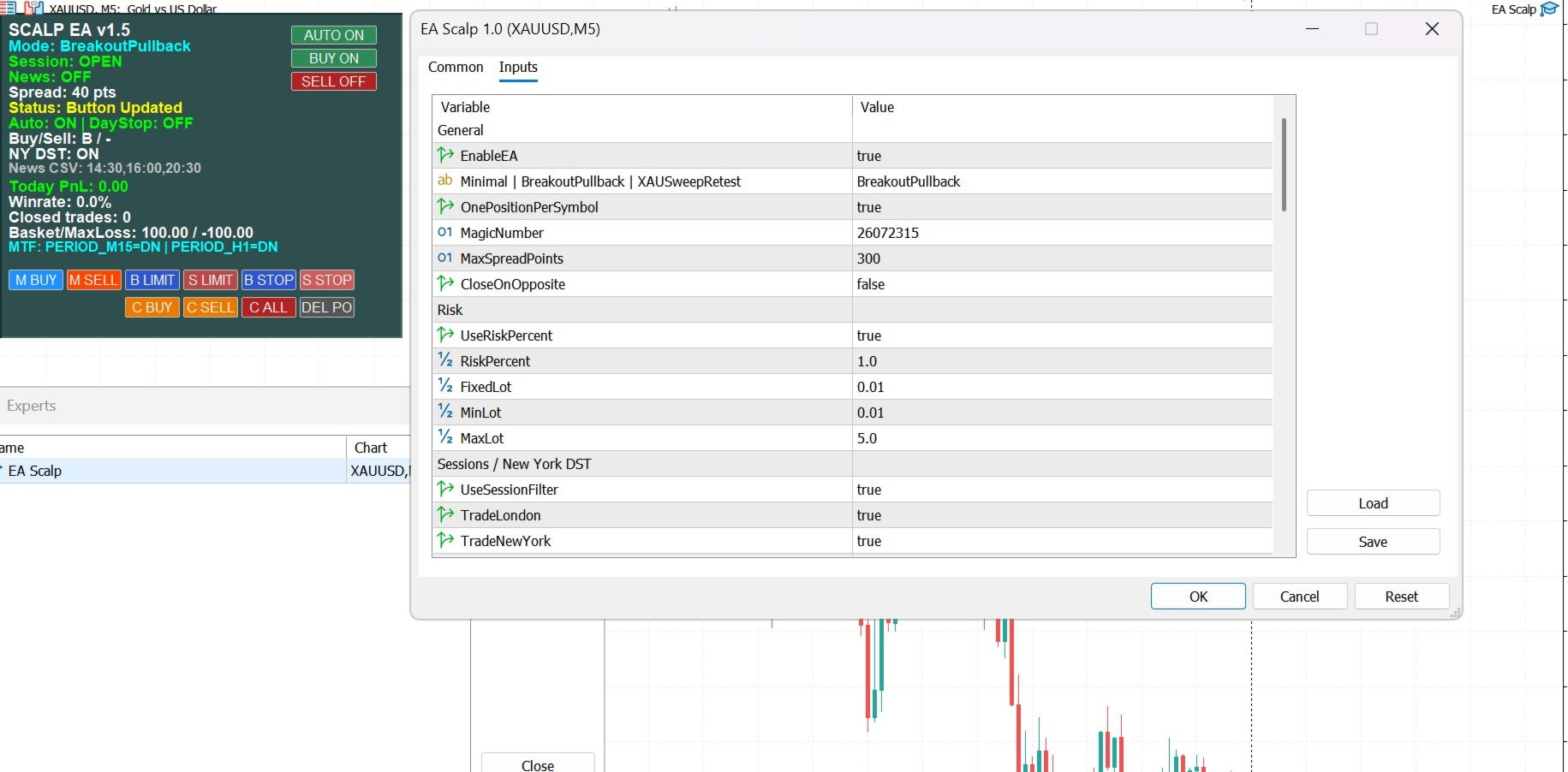
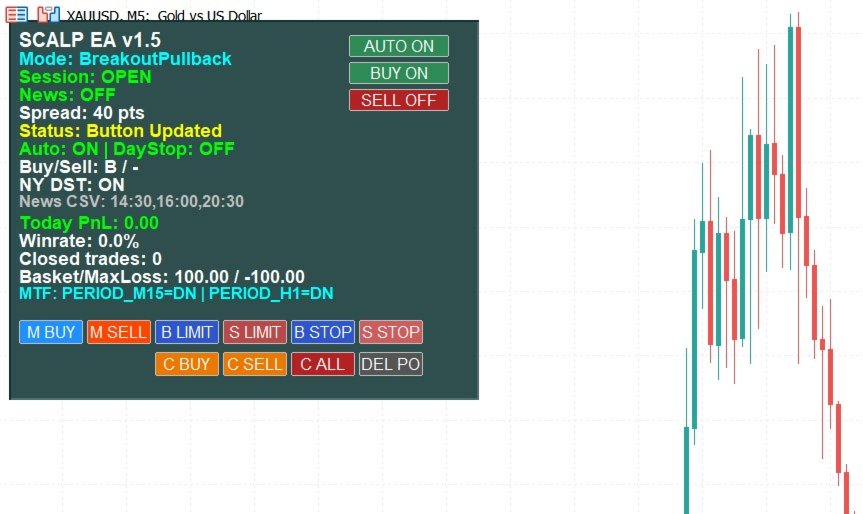
This is a multi-strategy Expert Advisor (EA) for MetaTrader 5, integrating a visual control panel with buttons for manual trading, automatic position management based on ATR/Swing logic, session filtering by New York/London hours, and a daily profit/loss protection mechanism.
Main Functional Blocks
| Mode | Core logic | Main filter |
|---|---|---|
| Minimal | EMA9/EMA21 crossover | No additional filter |
| BreakoutPullback | Breakout of N-candle high/low or pullback to EMA20/50 | SetupMode (Clean Breakout / Pullback) |
| XAUSweepRetest | Sweeps liquidity past a high/low then retests it, gold-only | XAUOnly, EMA34/89 as bias |
Risk and lot size management: calculates lot size based on RiskPercent of the account balance divided by the SL distance, converted through the symbol's tick value/tick size, then normalized to the broker's volume step. If UseRiskPercent is disabled, it falls back to a fixed lot size (FixedLot).
Trading session filter: automatically calculates New York DST and converts broker time → GMT → New York time to determine whether the London/New York session is currently open. This is a strong point, as it doesn't depend on the VPS system clock.
Daily capital protection: scans the day's deal history by Magic Number; once BasketProfitTarget is reached or DailyMaxLoss is hit, trading is locked (dayStopped = true) for the rest of the day, and automatically resets on the next day.
Position management: takes partial profit at TP1/TP2 by percentage, moves SL to entry once TP1 is hit, and applies ATR-based trailing stop after TP2.
Panel interface: displays mode, session/news/spread status, daily PnL, win rate, MTF direction, and 12 buttons to toggle auto-buy/sell, place manual orders, set pending orders (limit/stop), close positions, and delete pending orders - all handled inside OnChartEvent.
Points to Watch (Technical Risks)
Several details could cause errors or unintended behavior when running live on MetaTrader 5:
-
ManualSLMode is used for both manual-order buttons and pending orders, independent of SLMode used for auto-trading - keep these two separate inputs in mind to avoid setting an unexpected SL.
-
EnablePartialClose: partial closes don't recalculate TP based on the new volume; if UseTP3AsFinalTP = true, the final TP still follows the original lot (which is correct, since TP is price-based, not volume-based - but note the remaining position still runs toward TP3/trailing SL without generating a separate new TP).
-
Basket/DailyMaxLoss only counts deals matching the correct MagicNumber and the current Symbol - if the EA runs on multiple symbols with the same Magic Number, each chart calculates PnL separately per symbol, not as an account-wide total.
-
The panel uses a uiPrefix tied to ChartID(), so opening multiple charts on the same symbol will create separate, non-conflicting panels for multi-chart use - but leftover objects should be cleaned up if you change timeframes frequently.
Guide for Effective Use
To operate this EA safely and optimally, follow this sequence:
-
Backtest before going live: run the Strategy Tester with "Every tick based on real ticks" over at least 6–12 months of data, testing all three StrategyModes on the target symbol to compare win rate/drawdown, since each mode suits a different market condition (Minimal for clear trends, BreakoutPullback for markets with breakout rhythm, XAUSweepRetest specialized for highly volatile gold).
-
Set MaxSpreadPoints close to the real broker conditions - 300 points may be too large or too small depending on the account type (ECN vs. standard); check the symbol's average spread before fixing this value.
-
Adjust BrokerToGMTOffsetHrs to match the broker's server: this is the most critical input for the London/NY session filter to work correctly; a wrong offset will make the EA trade outside the intended session or miss a good session entirely.
-
Use RiskPercent instead of FixedLot when the account balance changes over time, so risk always stays proportional to current capital, preventing account blow-up when the balance drops.
-
Enable UseBasketTarget and UseDailyMaxLoss together with AutoStopTradingDay = true so the EA automatically stops once it hits the profit target or the daily loss limit - this is a crucial capital-protection layer for scalping.
-
For Manual Trading mode: use the "M BUY"/"M SELL" buttons to enter a position immediately according to the...