Prop Gauge MT5
- ユーティリティ
- バージョン: 1.0
- アクティベーション: 10

Prop Gauge is a risk panel with built-in protection for trading evaluations and funded accounts. It watches your account against the rules of the program you are in and shows, in one compact panel, how far you are from each limit. It does not open trades and does not generate signals — it only monitors and protects.
What the panel shows
- Daily loss: amount and percentage used, remaining room, and the red-line equity level. Based on equity (floating P/L included) or balance. Daily reset at server midnight or at a custom hour.
- Maximum drawdown: static, trailing or end-of-day trailing.
- Profit target: progress and remaining distance, plus trading days completed against the required minimum.
- Today's P/L and total P/L.
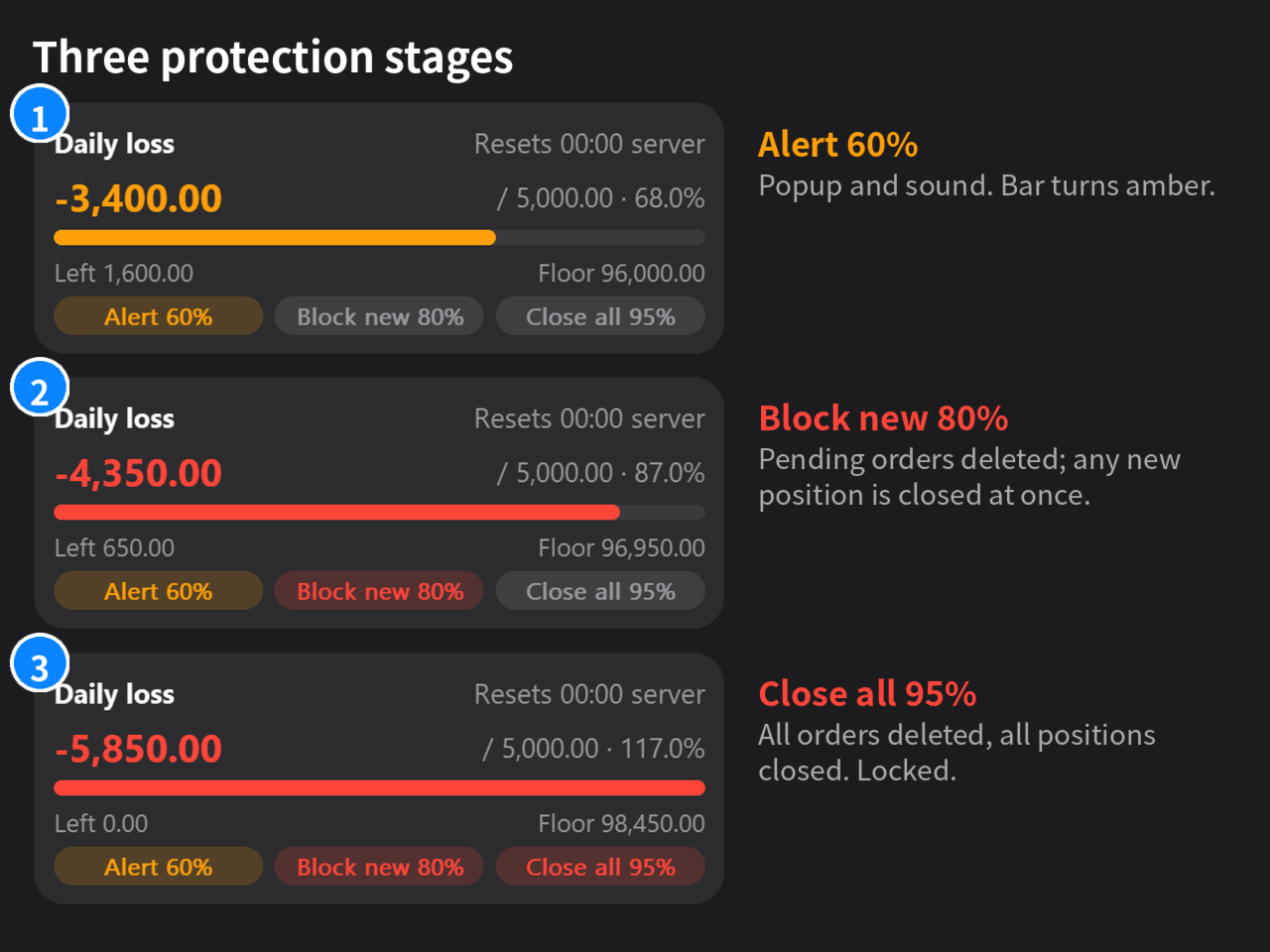
Three protection stages Thresholds are a percentage of each limit. Defaults are 60 / 80 / 95 and all three are adjustable.
- Alert — popup and sound.
- Block new trades — pending orders are deleted, and any position opened after the lock is closed immediately.
- Close all — all pending orders are deleted and all positions are closed. Locks survive restarts and chart changes. A daily-loss lock is released at the next daily reset. A drawdown lock stays until you unlock it from the panel and confirm.
Rule presets FTMO 2-Step (Challenge, Verification, Funded), FTMO 1-Step, and a fully editable Custom preset. Preset values reflect public information at the time of release. Always compare them with your firm's current rules, and use Custom when they differ. Prop firm names are trademarks of their owners; this product is not affiliated with or endorsed by any prop firm.
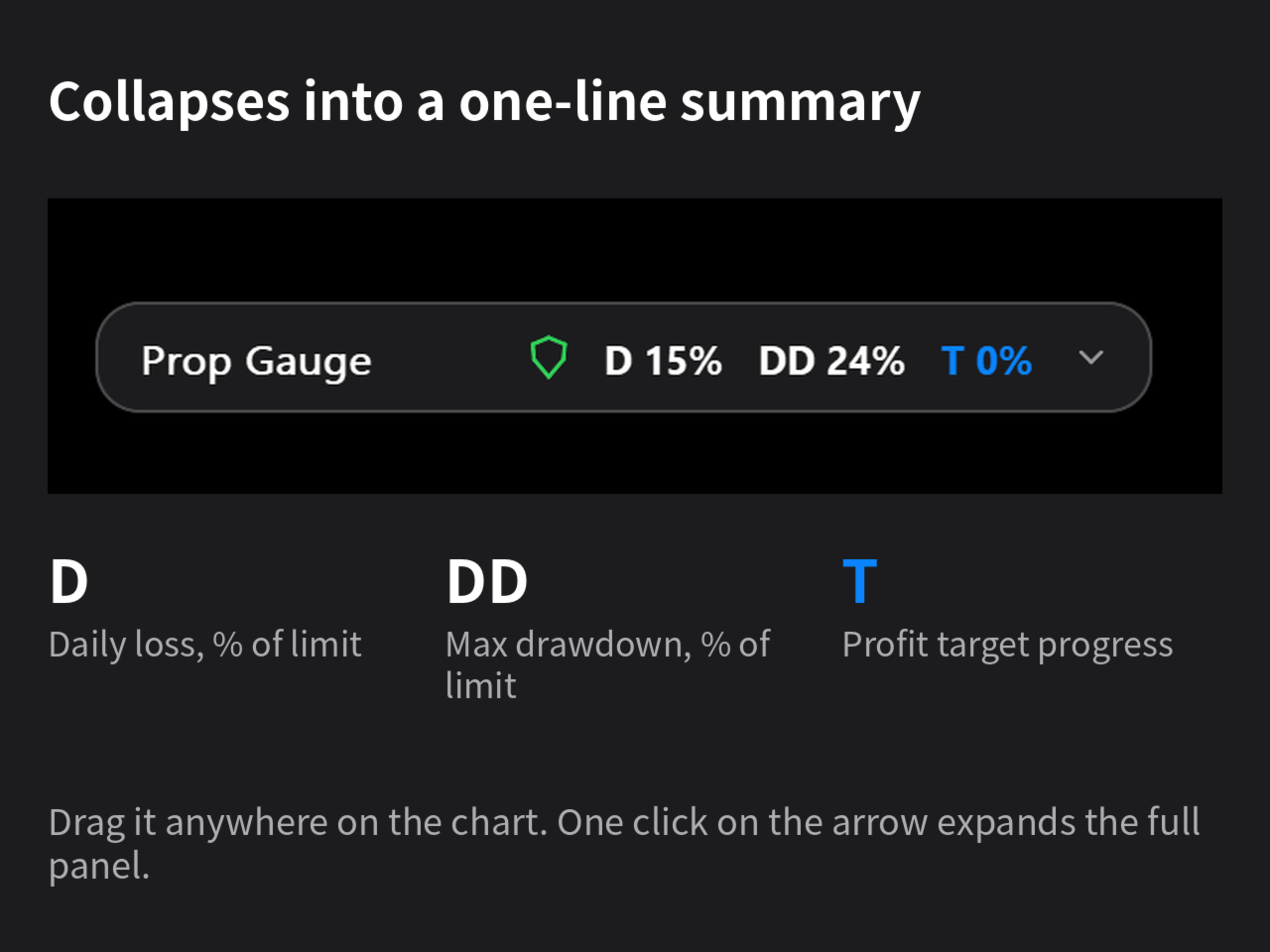
Panel Dark, compact and draggable. It collapses into its title bar with a one-line summary of daily loss, drawdown and target. English by default; Auto (follow terminal) or Chinese can be selected in the Language input.
Setup Attach it to any chart of the account, enable Algo Trading and keep the terminal running (a VPS is recommended). All settings are in the Inputs tab.
Important limits
- Protection works only while the EA is attached and the terminal is connected with Algo Trading enabled. If the EA is removed, the terminal is closed, the computer sleeps or the connection drops, nothing is protected.
- Orders cannot be closed or deleted while the market is closed; the EA warns and retries.
- Netting accounts: adding to an existing position is not recognised as a new trade at stage 2. Stage 3 is not affected.
- Popup alerts use the terminal's Alert() window, which plays its own sound.
- This is a monitoring aid. It cannot guarantee that a limit will not be breached (slippage, gaps and delays happen) and it is not investment advice.