Closed All Positions
- ユーティリティ
-
Mohamed Qosyairy Bin Shamsuddin
 Independent MetaTrader 5 developer creating clean and practical trading tools for manual chart analysis and everyday trading workflow.
 - バージョン: 1.40
Closed All Positions
Closed All Positions is a simple and efficient MetaTrader 5 trade management utility designed to close open positions quickly with a single click.
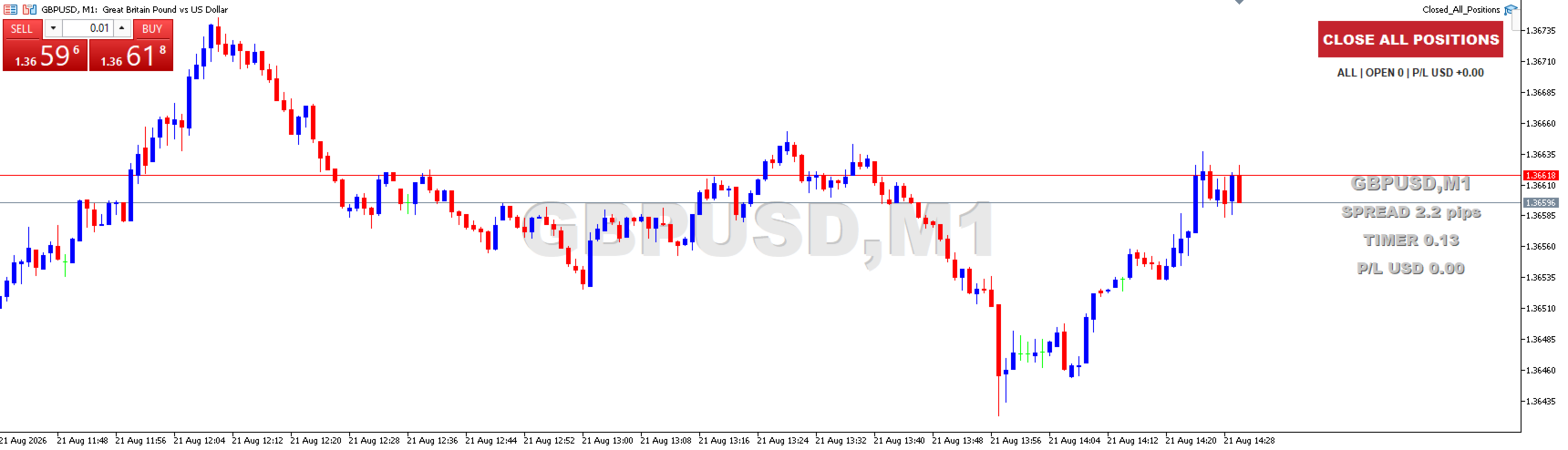
The utility provides a clear CLOSE ALL POSITIONS button directly on the chart, allowing traders to exit multiple open positions without manually closing them one by one.
Main Features
- One-click close - close all matching open positions with one button press.
- Fast Close Mode - designed to dispatch closing requests quickly when multiple positions are open.
- All Symbols support - close positions across the trading account.
- Current Symbol Only option - optionally close positions only for the symbol of the current chart.
- Pending Order removal - optionally delete matching pending orders after closing positions.
- Optional confirmation - enable a confirmation message before executing the close operation.
- Automatic retry - retries closing requests when temporary execution problems occur.
- Live position counter - displays the number of matching open positions.
- Live floating P/L display - shows the combined floating result of matching positions.
- Clear execution status - displays closing progress and completion information directly on the chart.
- Algo Trading detection - clearly warns the user when Algo Trading is disabled.
- Double-click protection - prevents another close operation from starting while the current operation is still running.
Simple Operation
When the utility is ready, the red CLOSE ALL POSITIONS button is displayed on the chart.
Simply click the button to start closing the selected positions.
By default, no additional confirmation is required, allowing the utility to be used as a fast exit tool.
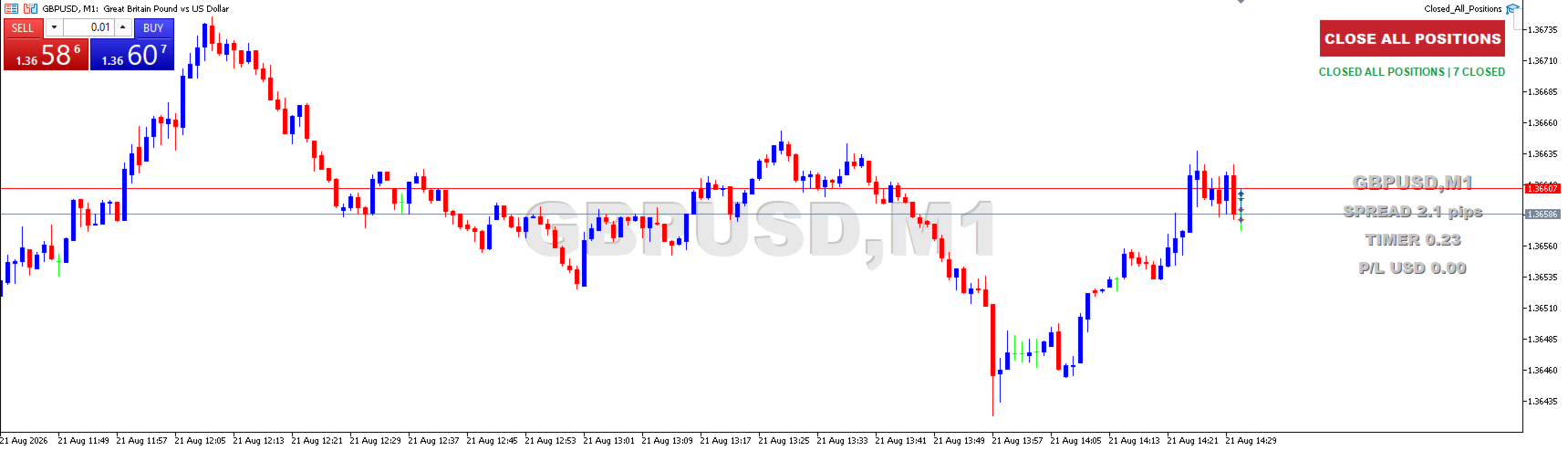
When the operation is completed, the utility displays a status message such as:
CLOSED ALL POSITIONS | 7 CLOSED
Algo Trading Protection
MetaTrader 5 requires Algo Trading permission for Expert Advisors and utilities to perform trading operations.
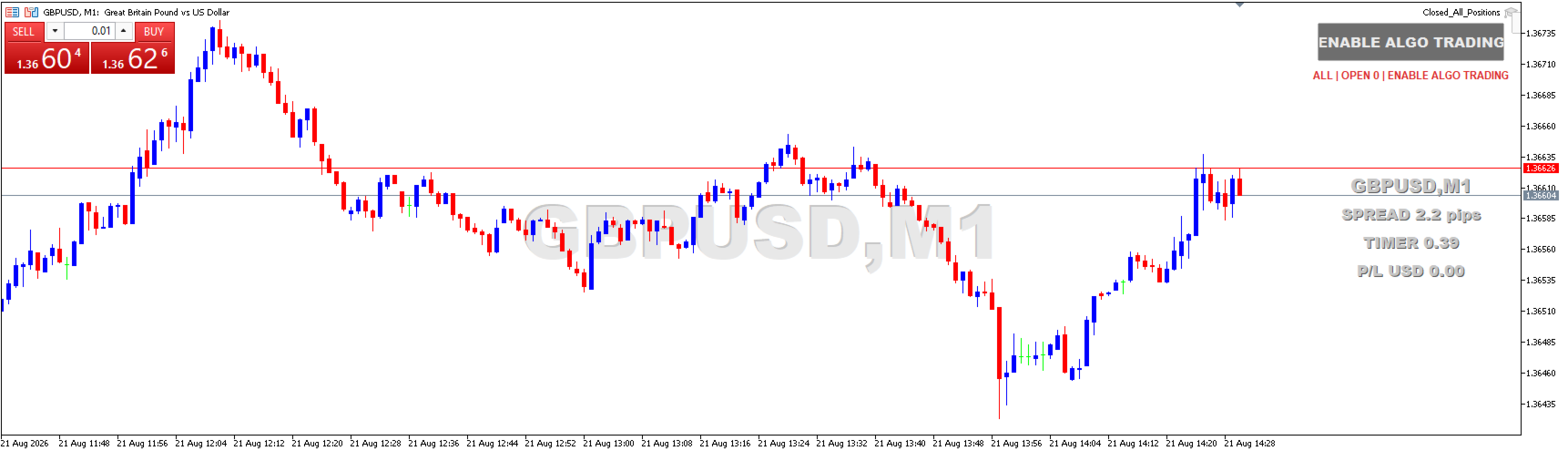
If Algo Trading is disabled, the utility automatically changes the button status to:
ENABLE ALGO TRADING
The closing function becomes available again automatically after trading permission is enabled.
Available Inputs
- Current Symbol Only - choose between all account symbols or only the current chart symbol.
- Delete Pending Orders - optionally remove pending orders after closing positions.
- Require Confirmation - enable or disable the confirmation dialog.
- Deviation Points - configure the maximum allowed execution deviation.
- Fast Close Mode - enable fast multi-position closing.
- Retry Count - number of retry attempts for positions that were not closed on the first request.
- Retry Delay - delay between retry attempts.
- Button Position and Size - customize the on-chart button placement and dimensions.
- Status Display - enable or disable the information displayed below the button.
Typical Uses
- Quickly exit multiple open trades.
- Emergency account-wide position closing.
- Close a basket of trades with one click.
- Exit all positions before important market events.
- Quickly flatten exposure when you no longer want to remain in the market.
- Manage multiple symbols without manually closing every position.
Important
Algo Trading must be enabled in MetaTrader 5 for the utility to execute position-closing commands.
With the default settings, pressing CLOSE ALL POSITIONS immediately starts the closing operation without an additional confirmation dialog.
If you prefer an additional safety step, enable Require Confirmation in the utility inputs.
Actual execution speed depends on broker execution, server response, market liquidity and current trading conditions.
Risk Notice
This utility is a trade management tool and does not provide trading signals, investment advice or guaranteed trading results.
Closing positions may result in realized profit or loss. Always verify your settings and open positions before using the close function.
Closed All Positions - simple, clear and fast position management for MetaTrader 5.