Crossover Trigger mt5
- インディケータ
-
Part-time Day Trader
 I build practical MT4 and MT5 tools that help traders follow consistent execution routines with more structure, discipline, and confidence.
Because consistency is the real edge behind any trading strategy — and without it, no strategy works. - バージョン: 1.1
- アップデート済み: 10 7月 2026
Set crossover alerts only when they matter.
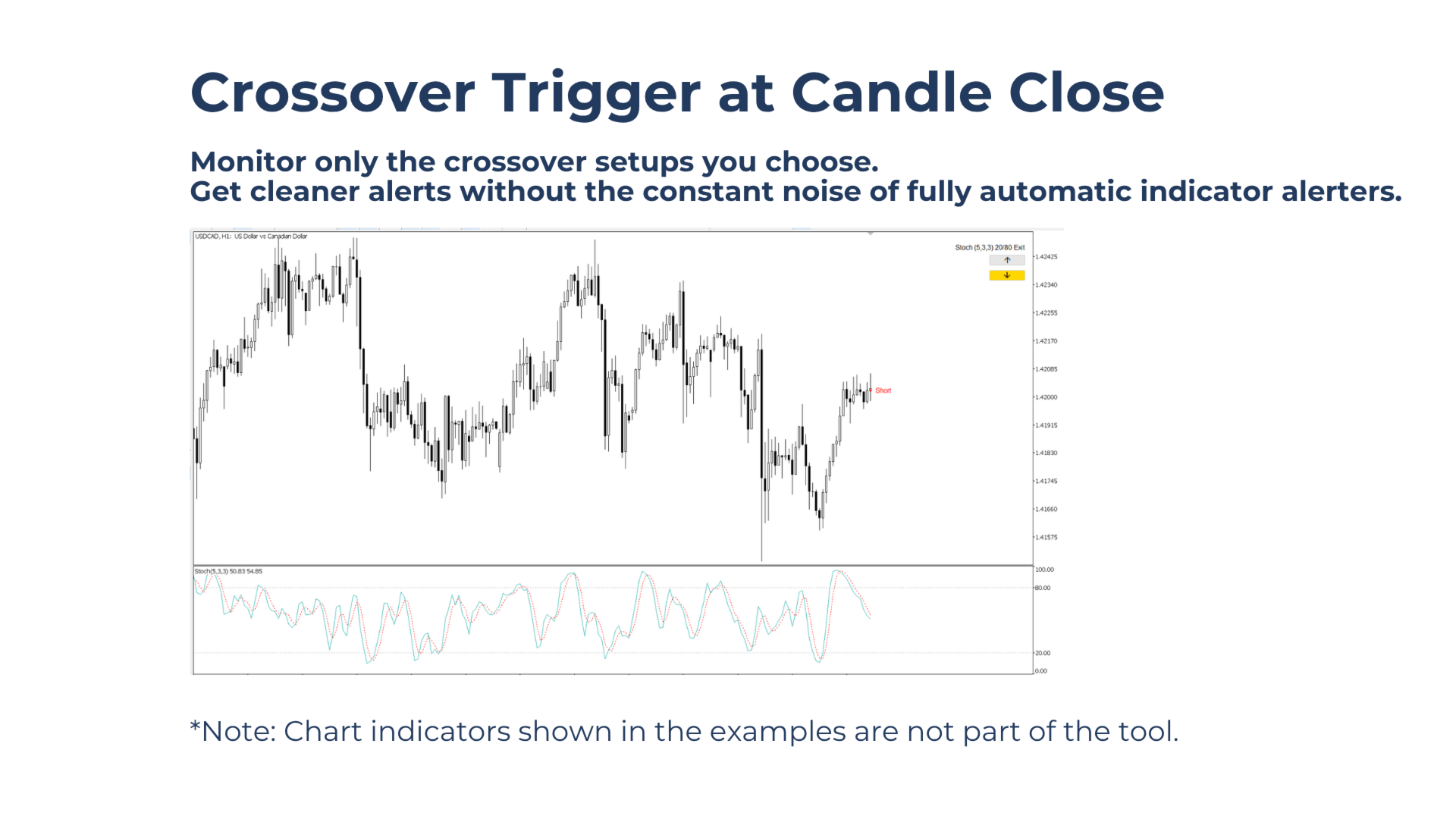
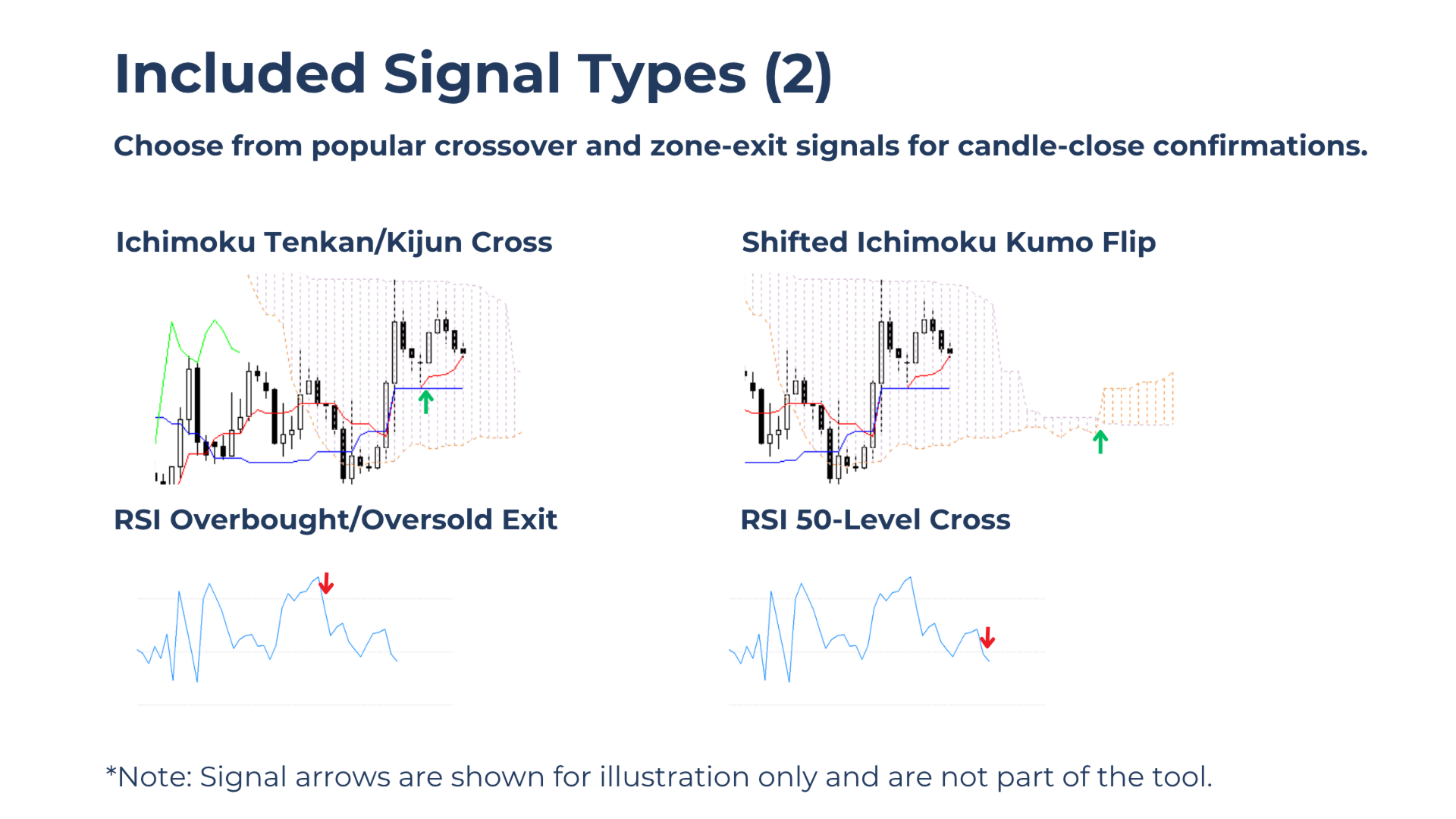
Crossover Trigger creates on-demand candle-close alerts for crossover and zone-exit signals. Choose the symbol, timeframe, direction, and signal type, then activate monitoring only when a setup becomes relevant.
No constant alert noise from fully automatic crossover alerters — only selected alerts that match the trading plan.
Built for Traders Who Want To
- Use crossover signals as part of a consistent entry or exit routine.
- Reduce screen watching without missing candle-close confirmation signals.
- Activate alerts only after market conditions become relevant.
- Track selected alerts across multiple symbols from one chart.
Key Benefits
Activate alerts only when needed: Start monitoring only when a setup is relevant, instead of receiving constant alerts from fully automatic crossover alerters.
Control the signal context: Choose the symbol, timeframe, direction, and signal type before the alert becomes active.
Reduce irrelevant alert noise: The tool waits for the selected signal only, helping keep attention on alerts that actually matter to the trading plan.
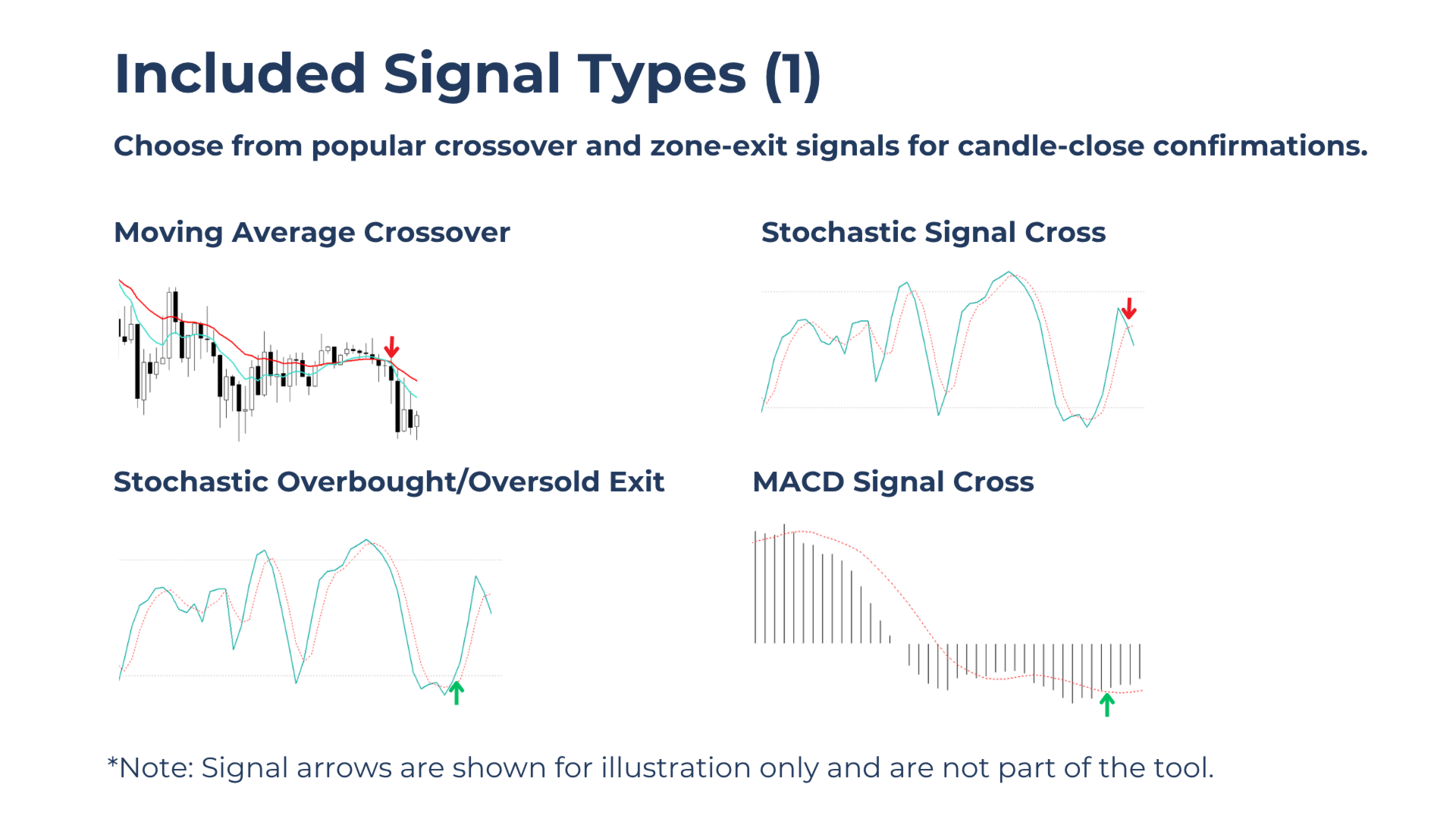
Supports various crossover signal types: Choose from popular crossover and overbought/oversold zone-exit signals to match different strategies.
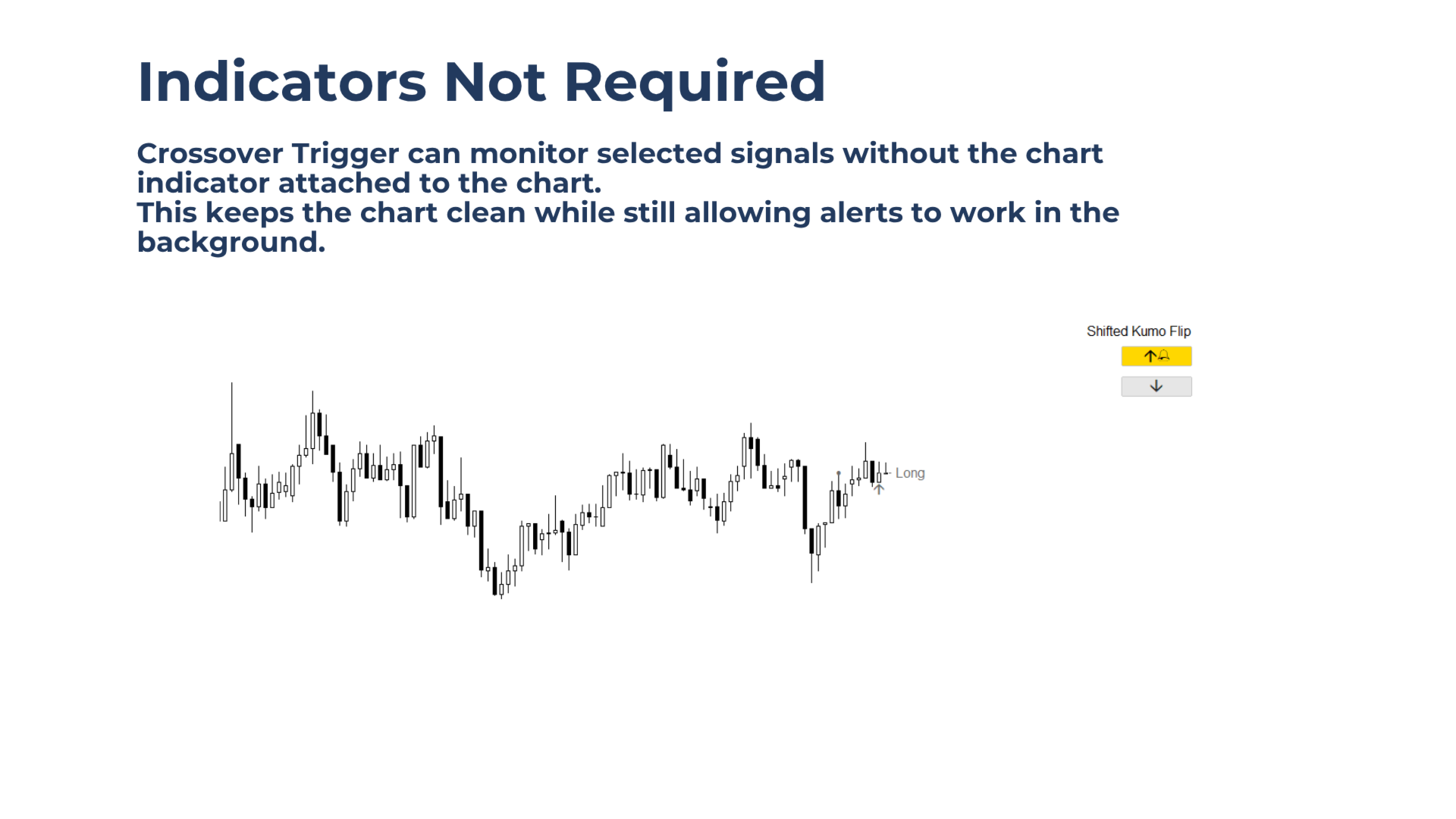
Keep the chart clean: Alerts can work without attaching the related indicators to the chart, while indicators can still be added for visual confirmation when needed.
Main Features
2-Button Control Panel
Activate long-side or short-side crossover monitoring directly from a clean on-chart panel.
Long and Short Alert Direction
One button activates long-side signal monitoring. The other button activates short-side signal monitoring.
Clean Chart Markings
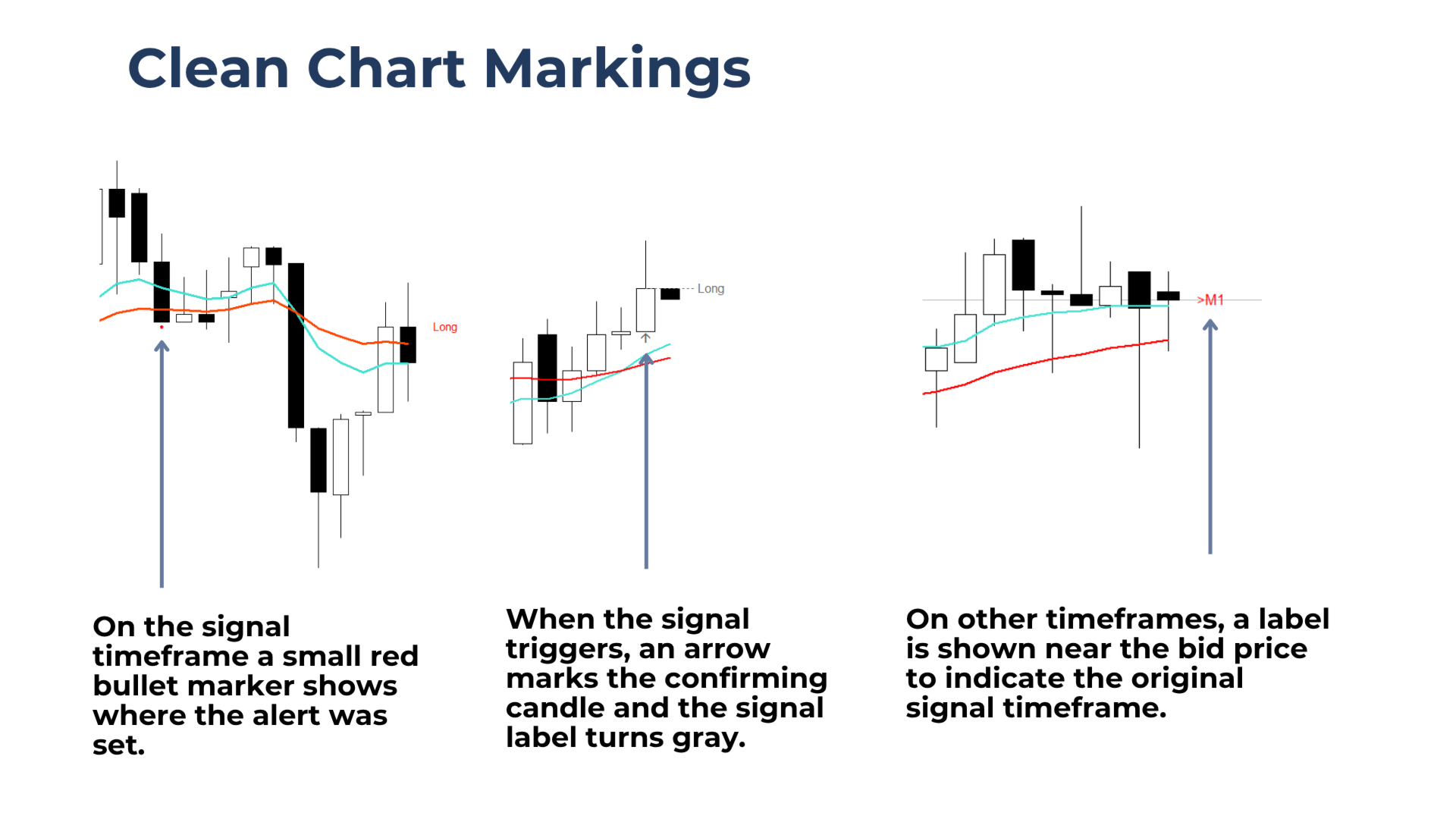
The tool marks the full monitoring process on the chart, so the setup stays easy to follow:
- Activation Marker: A small bullet marker shows where and when monitoring was activated.
- Signal Arrow: An arrow marks the candle that triggered the selected crossover or zone-exit signal.
- Timeframe Label: When viewing a different chart timeframe than the one being monitored, a timeframe label appears near the bid price.
Reliable Background Operation
Monitoring is unaffected by chart timeframe changes.
After a terminal restart, the tool checks whether a valid signal occurred while the terminal was offline. If the signal was triggered, an alert is issued immediately. If not, monitoring continues.
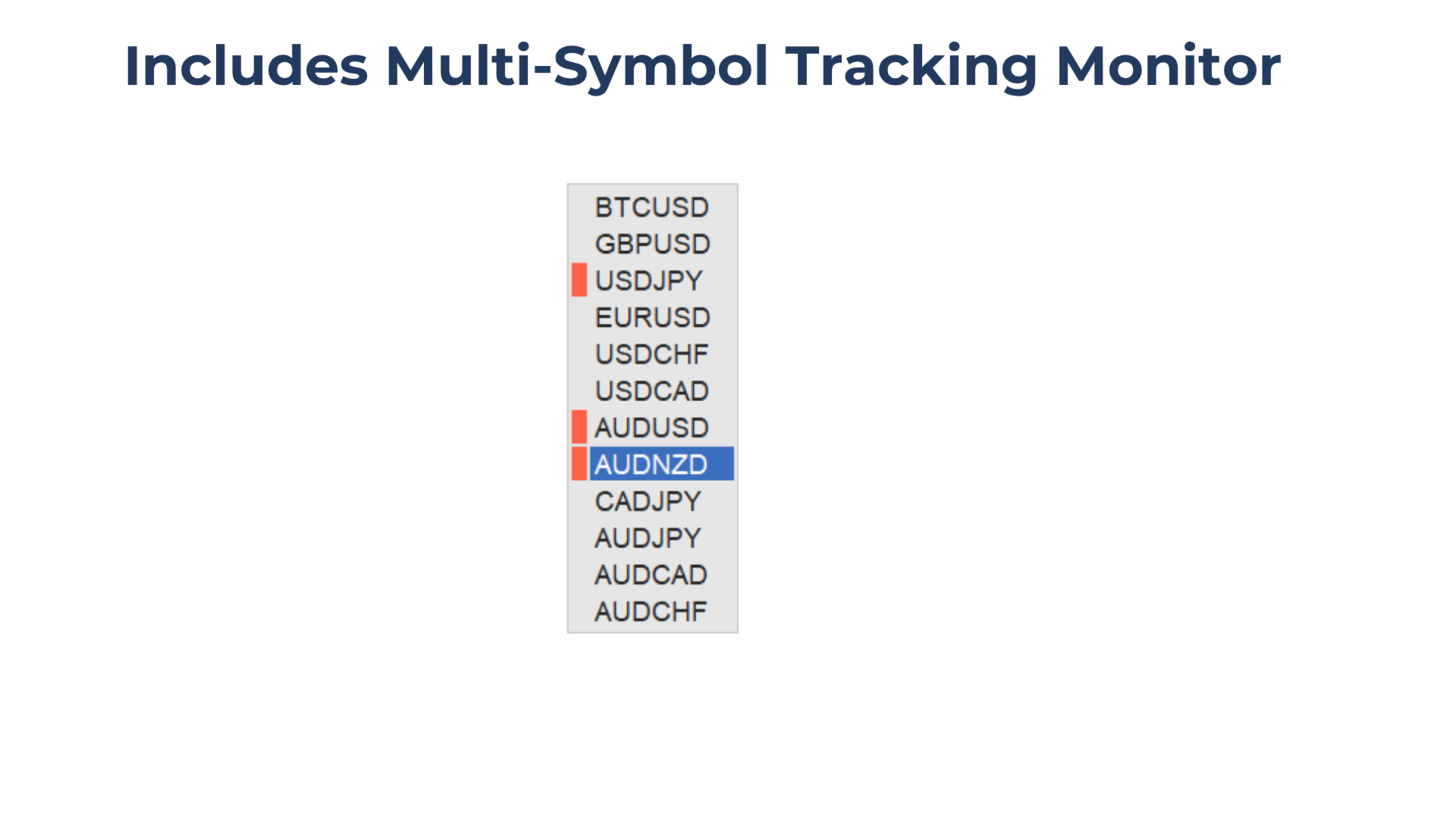
Multi-Symbol Monitor
Set and track alerts across multiple symbols from one chart.
How to Use
1.Attach Crossover Trigger to the chart.
2.Select the preferred signal type in the input settings.
3.Attach the signal indicator to the chart (not required, but recommended for manual monitoring).
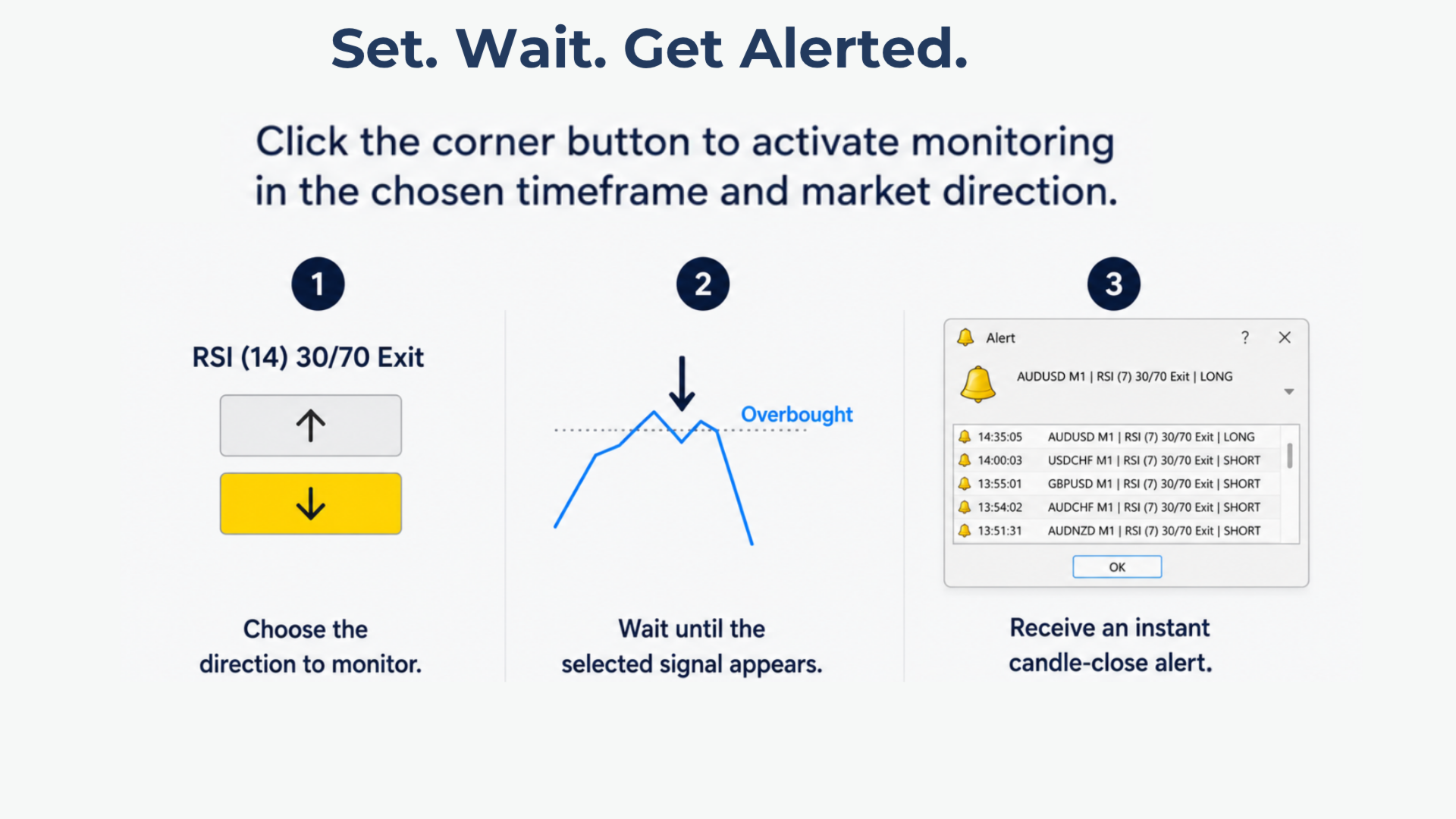
4.When market conditions are relevant, click the arrow button in the chart corner to activate an alert.
5.When the selected signal occurs, the tool sends an alert. The chart objects turn gray to show that the alert was triggered, and an arrow marks the confirming candle.
6.To disable or cancel an active alert, click the same activation button again.
7.Timeframes can be switched freely, and the terminal can be closed without affecting the monitoring process.
Notes & Limitations
Each chart supports one active alert per direction, per symbol, at a time.
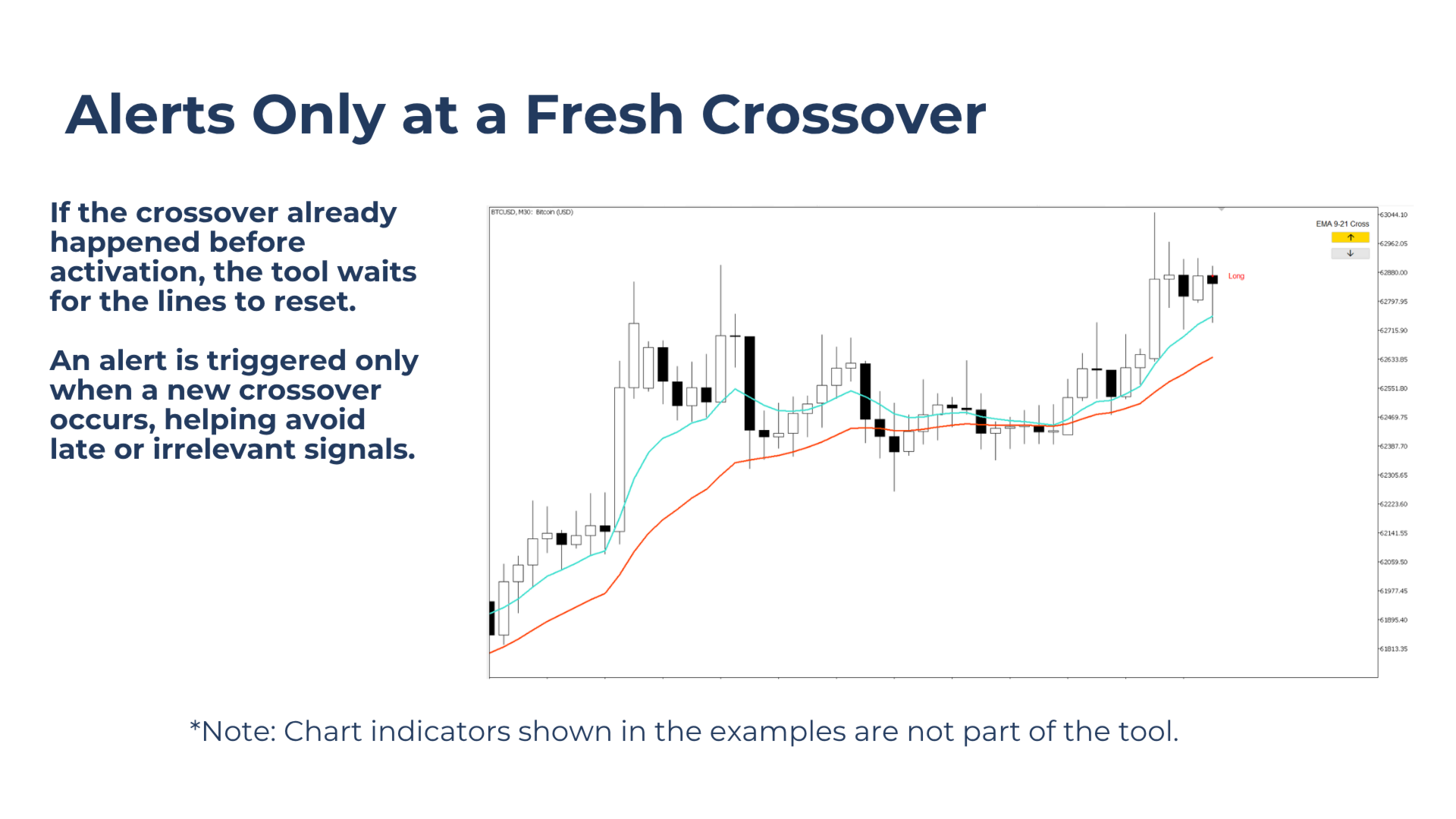
Alerts are triggered only on fresh signals. If the selected signal is already crossed when monitoring is activated, the tool waits until the signal resets and a new valid crossover occurs.
Indicators are not required on the chart for alerts to work, but they are recommended for visual confirmation and easier manual monitoring.