Volume Snap mt4
- インディケータ
-
Part-time Day Trader
 I build practical MT4 and MT5 tools that help traders follow consistent execution routines with more structure, discipline, and confidence.
Because consistency is the real edge behind any trading strategy — and without it, no strategy works. - バージョン: 1.0
One-Click Volume Zones for Cleaner Trade Planning.
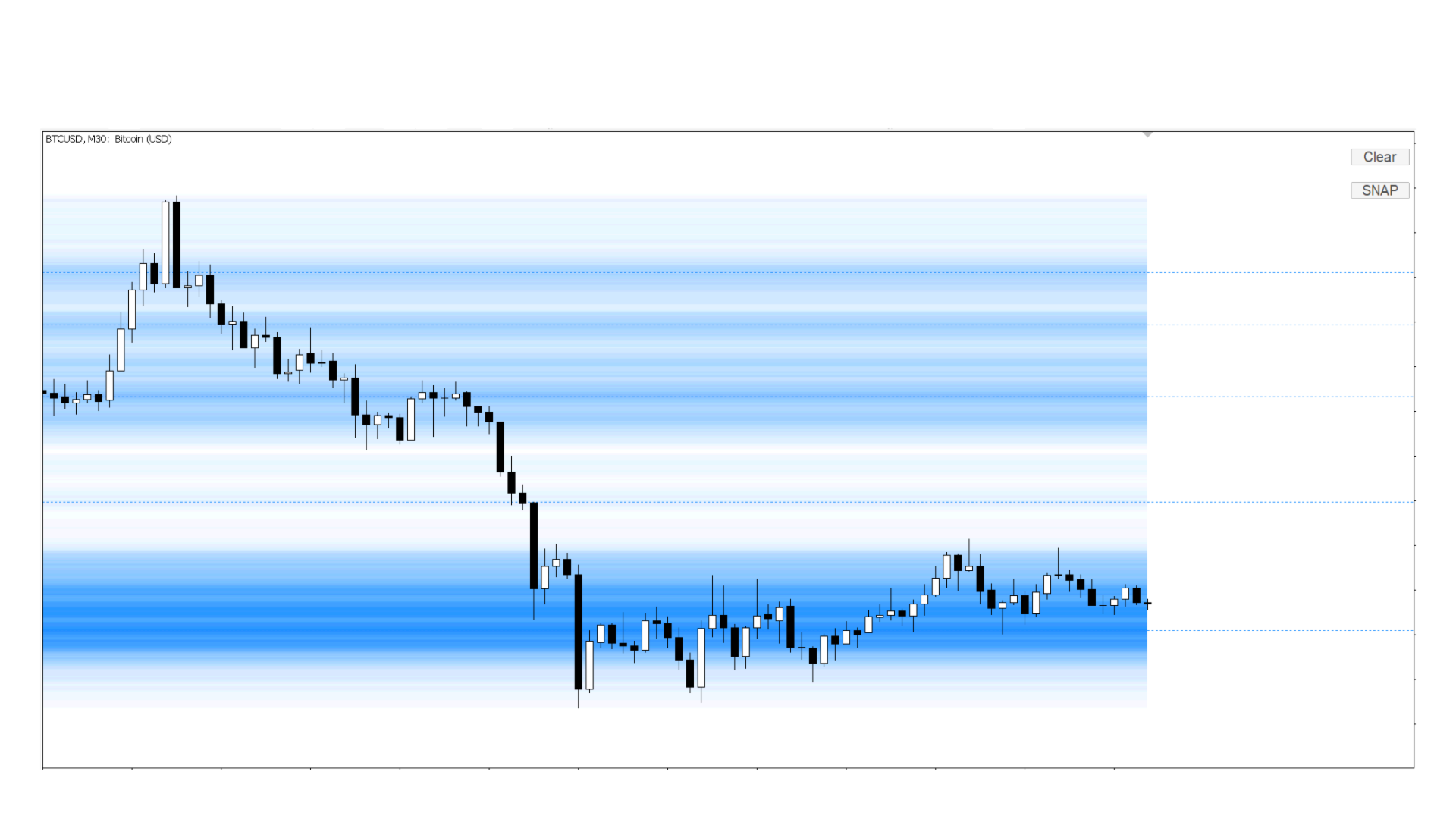
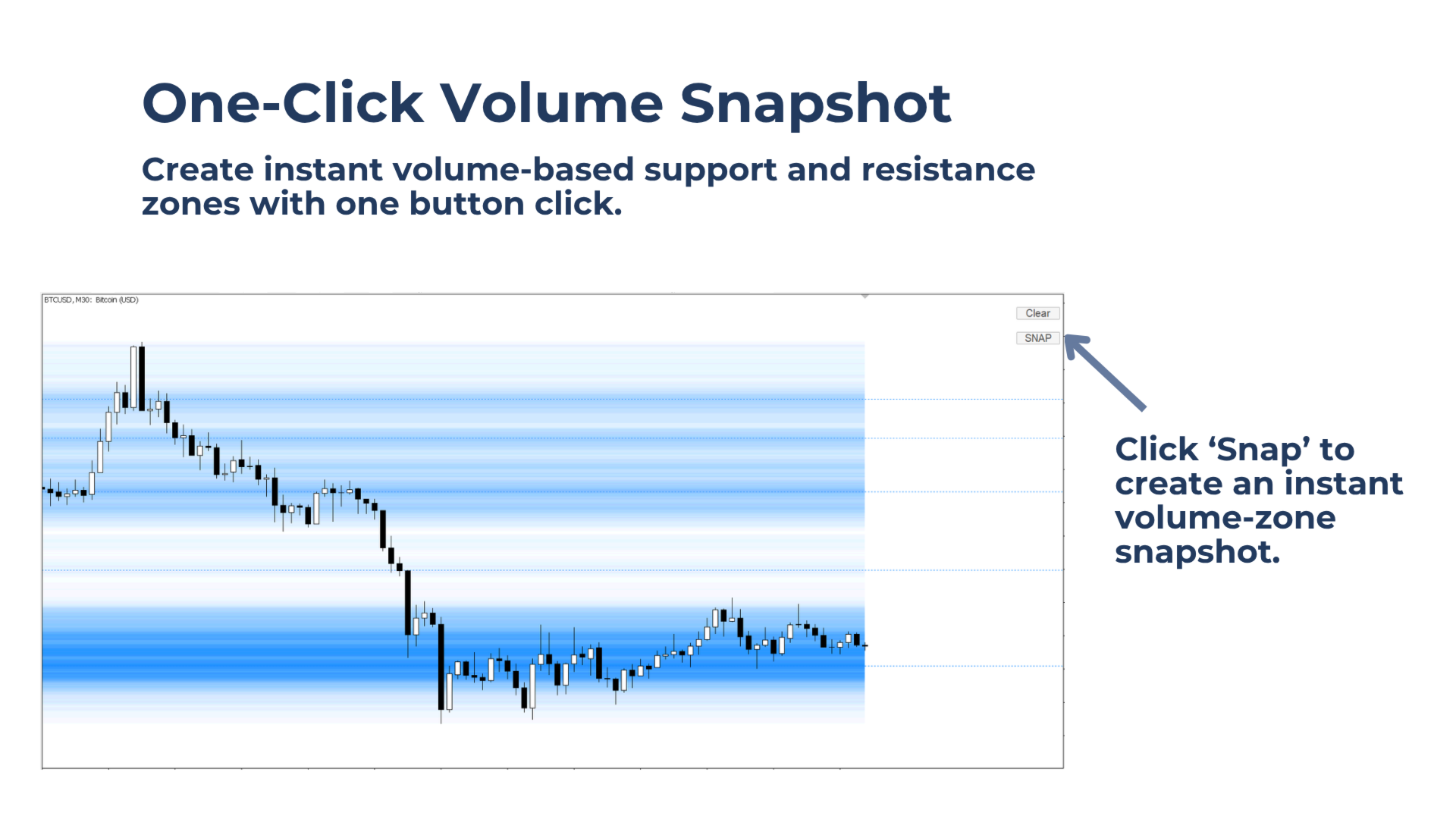
Volume Snap creates instant volume-zone snapshots directly on the chart with one button click. It helps identify volume-based support and resistance areas that can be used for entry planning, stop-loss placement, and target selection.
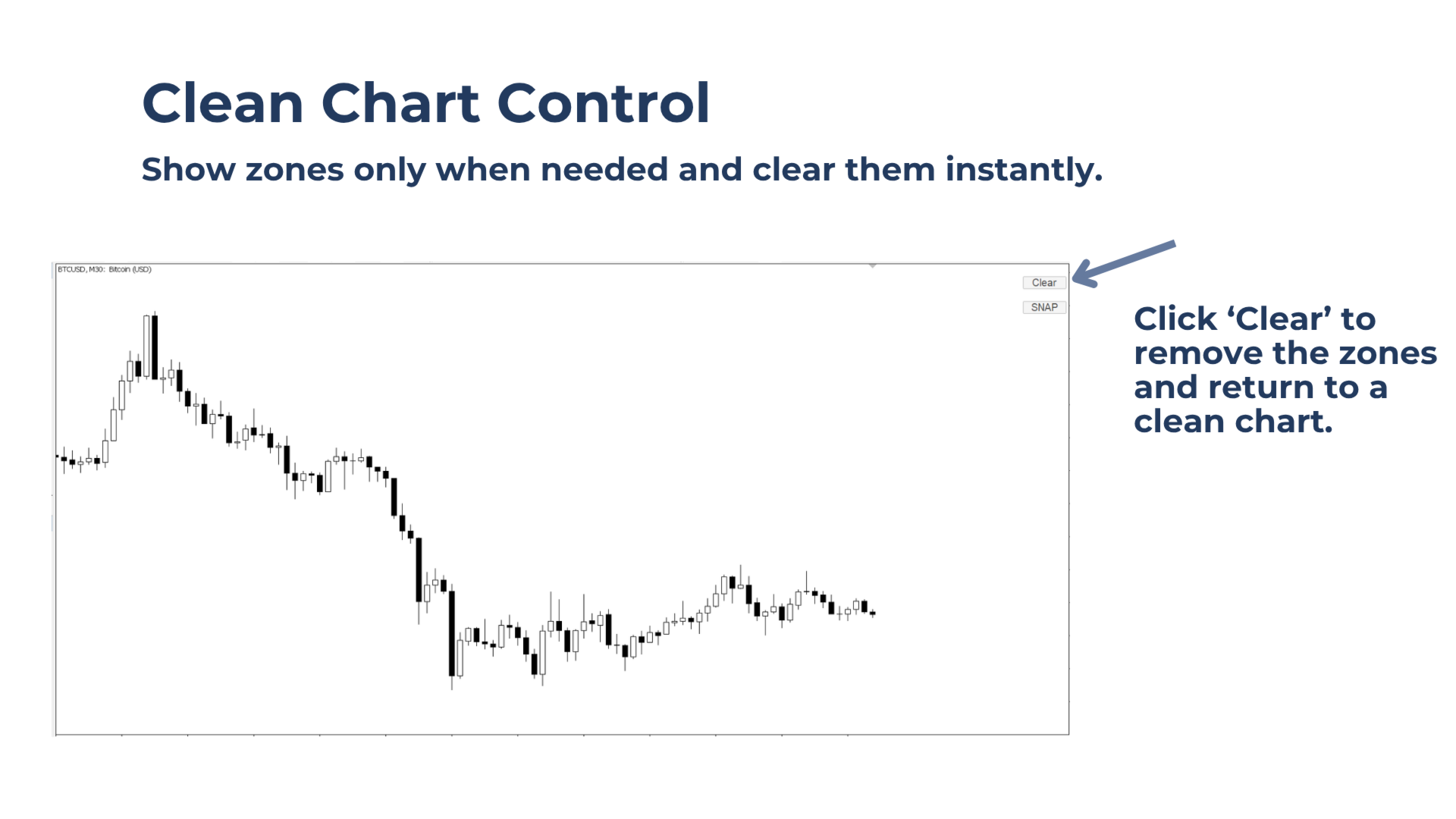
Instead of keeping volume zones on the chart all the time, Volume Snap works on demand. Click New Snap to create a fresh snapshot of the visible chart range. Click Clear to remove the zones and return to a clean chart.
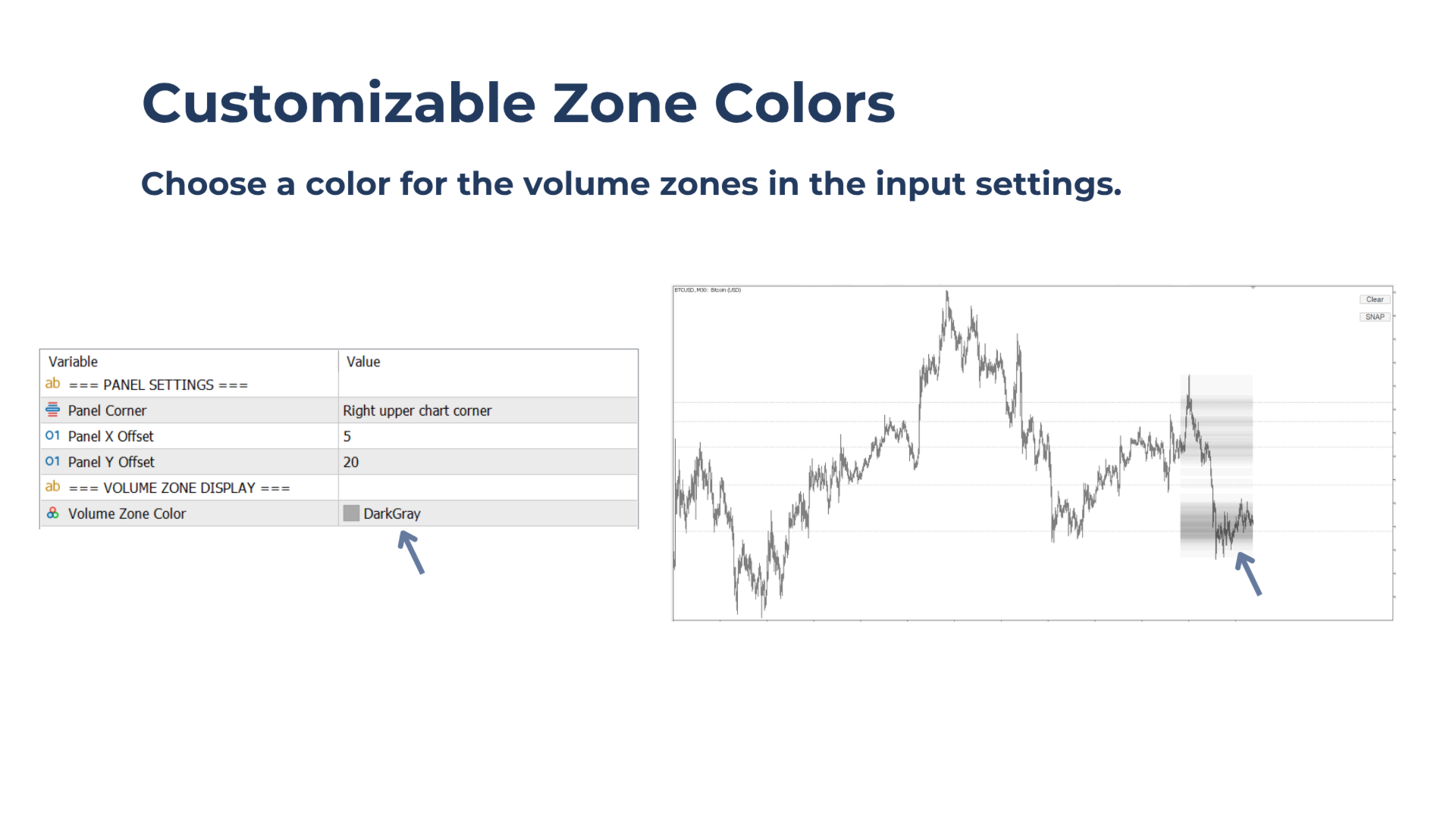
Lighter zones show lower volume areas. Darker zones show higher volume areas, which may act as stronger support or resistance.
Built For Traders Who Want To:
- Use volume-based support and resistance zones to plan entries, stop-loss areas, and targets.
- Keep the chart clean by showing zones only when they are needed.
- Use volume as a market footprint to find areas where price may react.
Key benefits
Create zones only when needed: Generate a fresh volume-zone snapshot when planning a trade, then clear the chart with one click.
Spot important volume areas quickly: Darker zones highlight areas with higher volume and potentially stronger support or resistance.
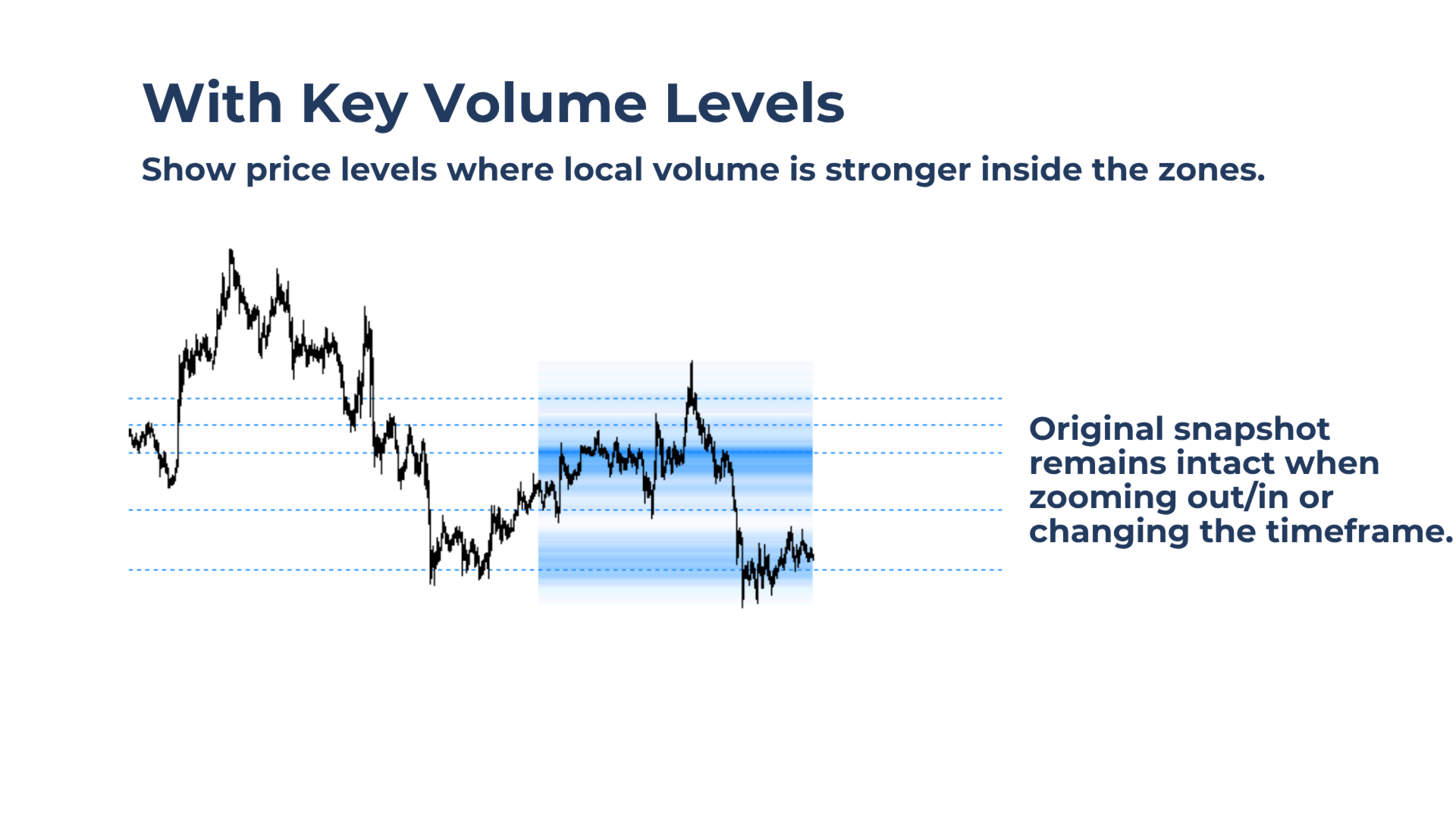
Find key levels inside the zones: The tool highlights local volume maxima, even inside thinner volume areas.
Lightweight Performance: The zones update only when you click the button, helping keep CPU usage low.
Main features of Volume Snap
One-Click Snapshot
Create a volume-zone snapshot instantly from the visible chart range.
Clear Chart Button
Remove all snapshot zones with one click and return to a clean chart.
Customizable Zone Color
Choose the zone color from the input settings to match the chart background.
Works on All Symbols and Timeframes
Use Volume Snap on any Market Watch symbol and any timeframe.
Flexible Control Panel
Place the simple two-button panel in any chart corner.
Strategy Tester Compatible
Use Volume Snap in the Strategy Tester. The Every Tick model is recommended for best results.
Notes & Tips:
Volume Snap uses the visible chart range to create the snapshot:
- Use a fully zoomed-out chart or higher timeframe to identify larger support and resistance zones.
- Use a zoomed-in chart or lower timeframe for more precise entry planning.
For best contrast, use darker zone colors on light chart backgrounds and lighter zone colors on dark chart backgrounds.