Crossover Trigger mt5
- Göstergeler
-
Part-time Day Trader
 I build practical MT4 and MT5 tools that help traders follow consistent execution routines with more structure, discipline, and confidence.
Because consistency is the real edge behind any trading strategy — and without it, no strategy works. - Sürüm: 1.0
Precision trading needs selective alerts — not automatic signal noise.
Fully automatic crossover alerters can fire all day on signals that have no trading context.
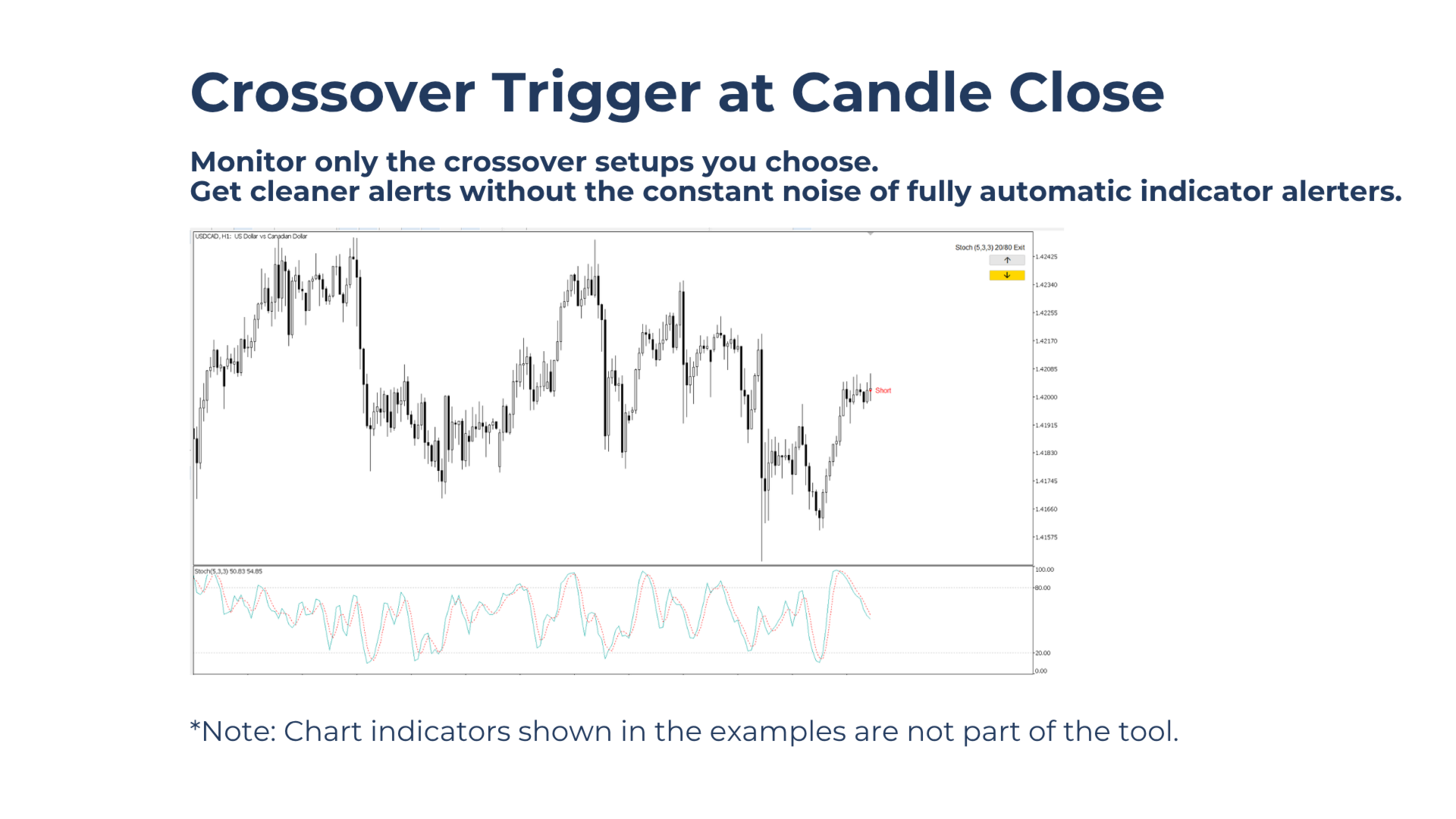
Crossover Trigger adds manual control by monitoring only selected setups, directions, and timeframes — and alerting only when the chosen candle-close signal occurs.
Who This Tool Is For
- Traders who use crossover signals as part of a consistent entry or exit routine.
- Traders who want to reduce screen watching without missing a crossover signal.
- Traders who enter or exit the market based on candle-close signals.
Key Benefits
Full User Control: Cherry-pick better alerts by choosing the exact moment, direction, and timeframe to monitor a signal, instead of receiving constant alerts from fully automatic crossover alerters.
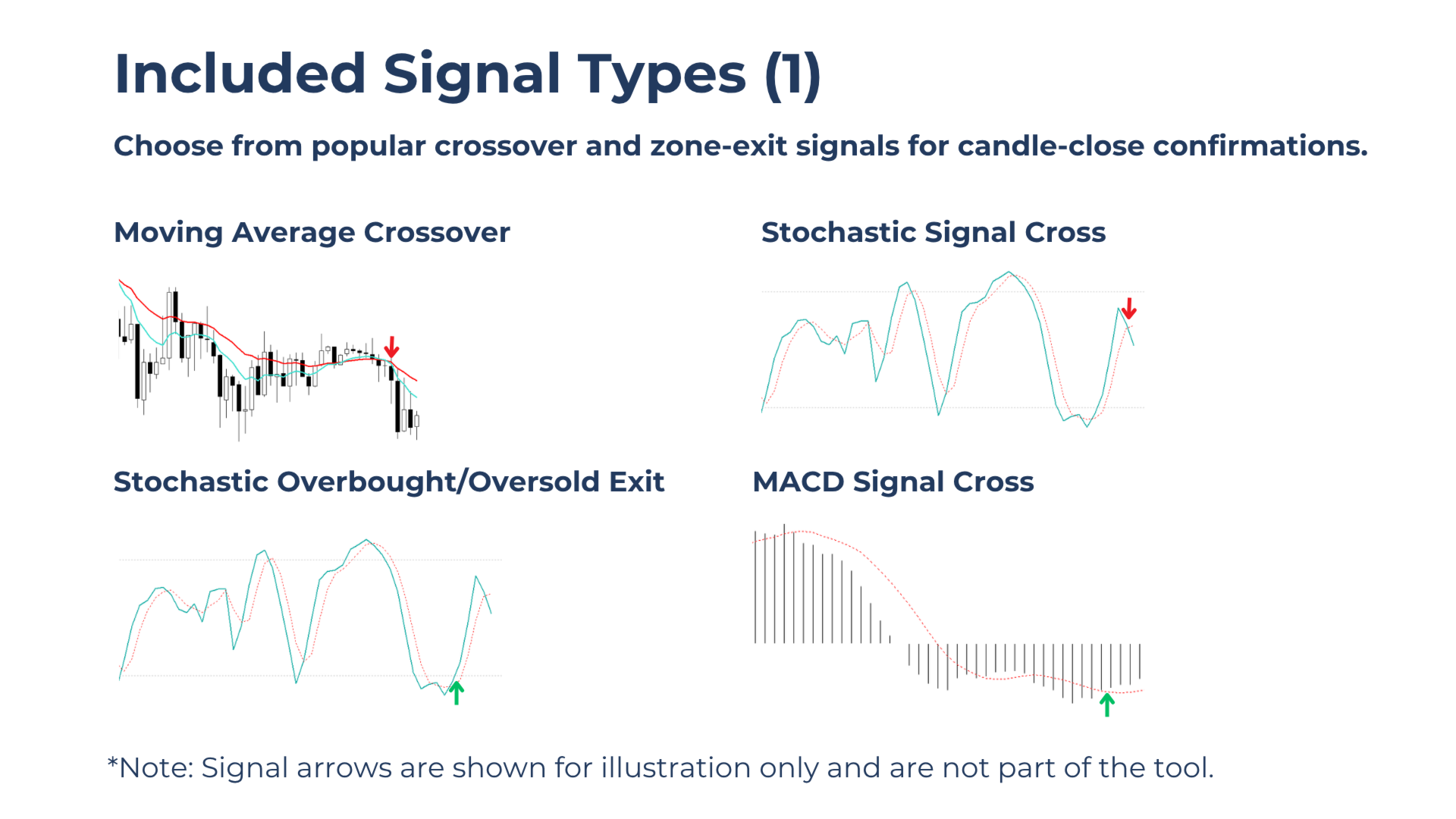
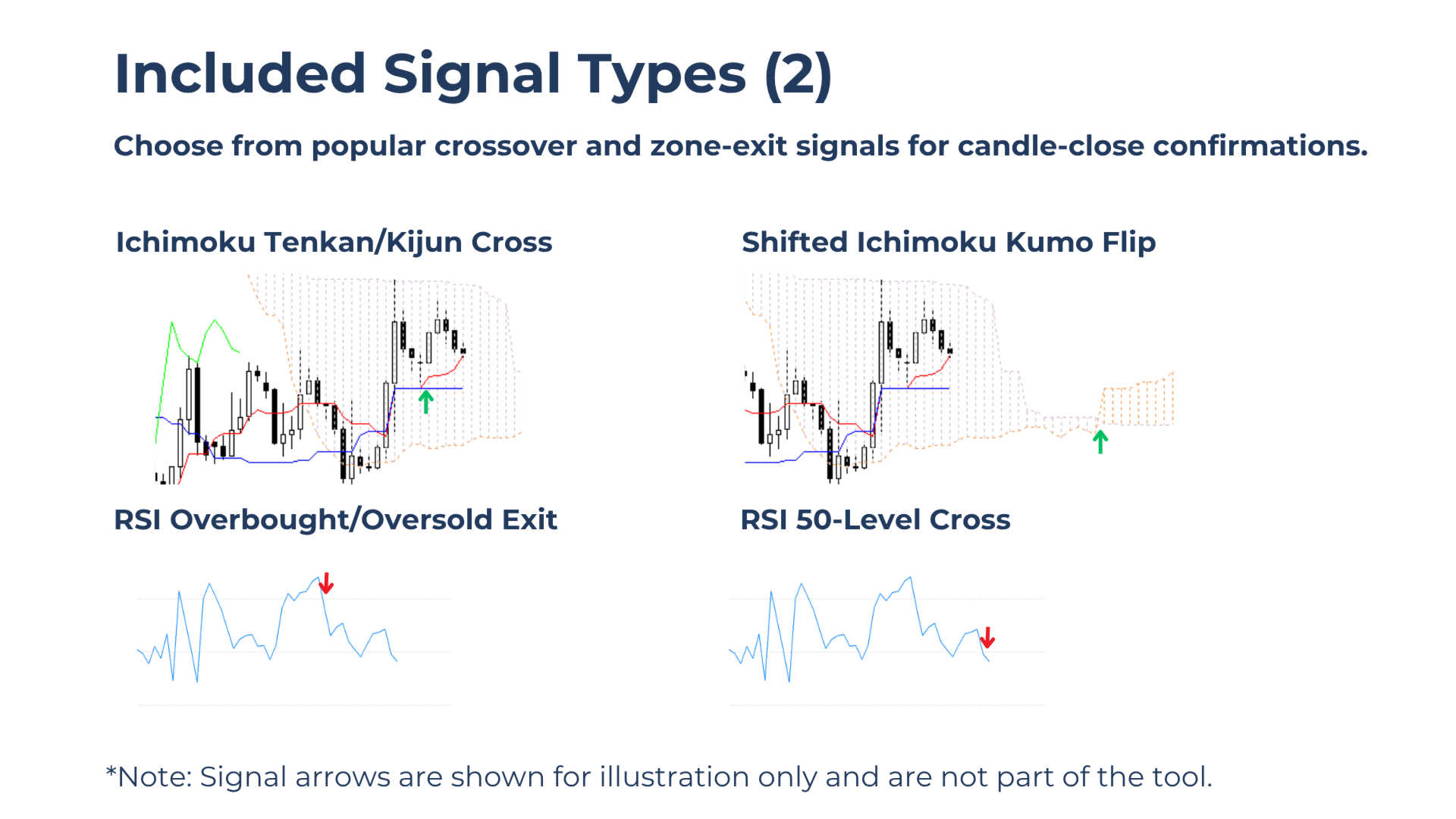
Multiple CrossoverTypes: Choose from popular crossover and overbought/oversold zone-exit signals to match different strategies.
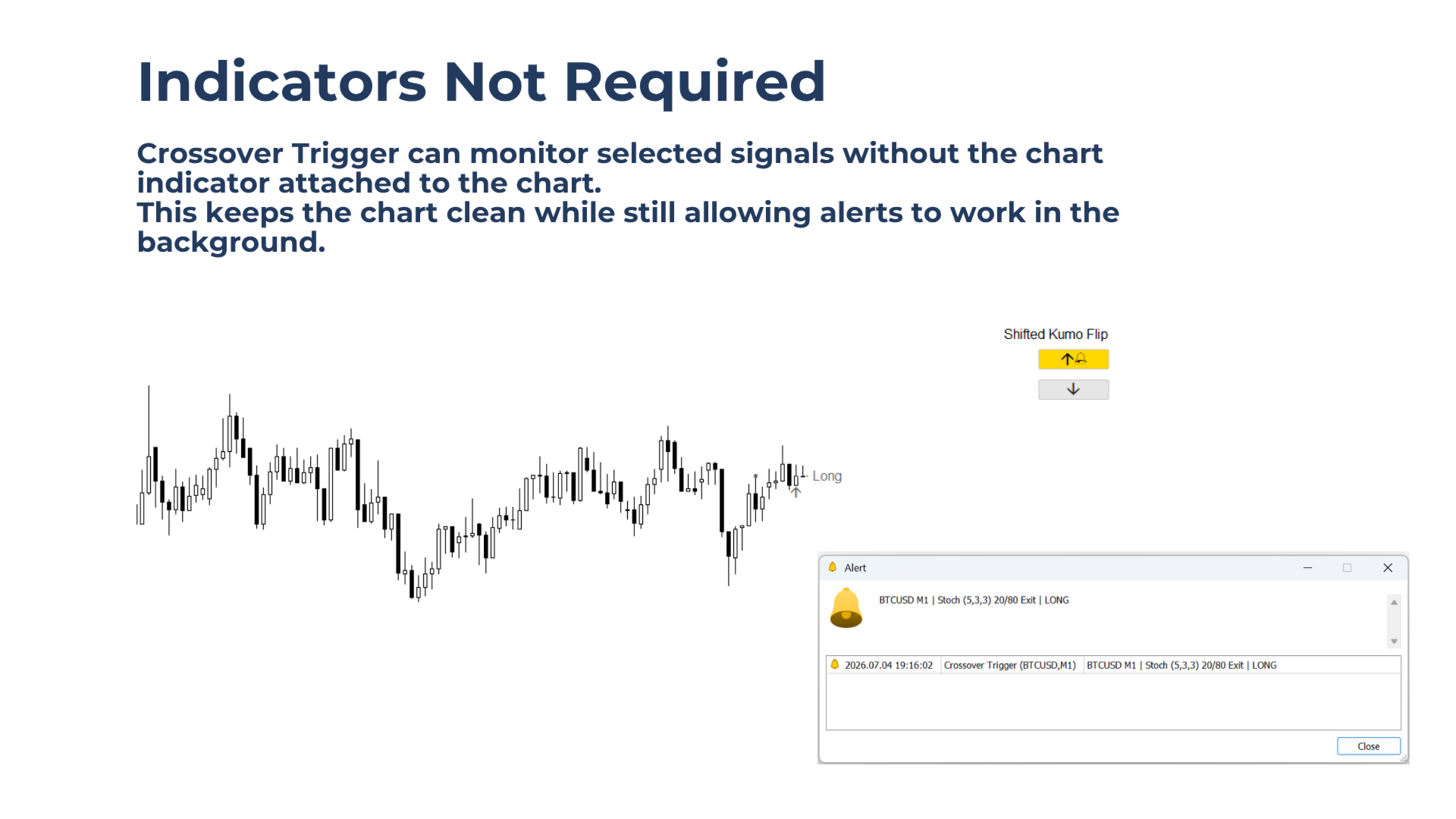
Clean Chart Workflow: Run alerts without attaching indicators to the chart, while still allowing indicators to be added for visual confirmation when needed.
Main Features
2-Button Control Panel
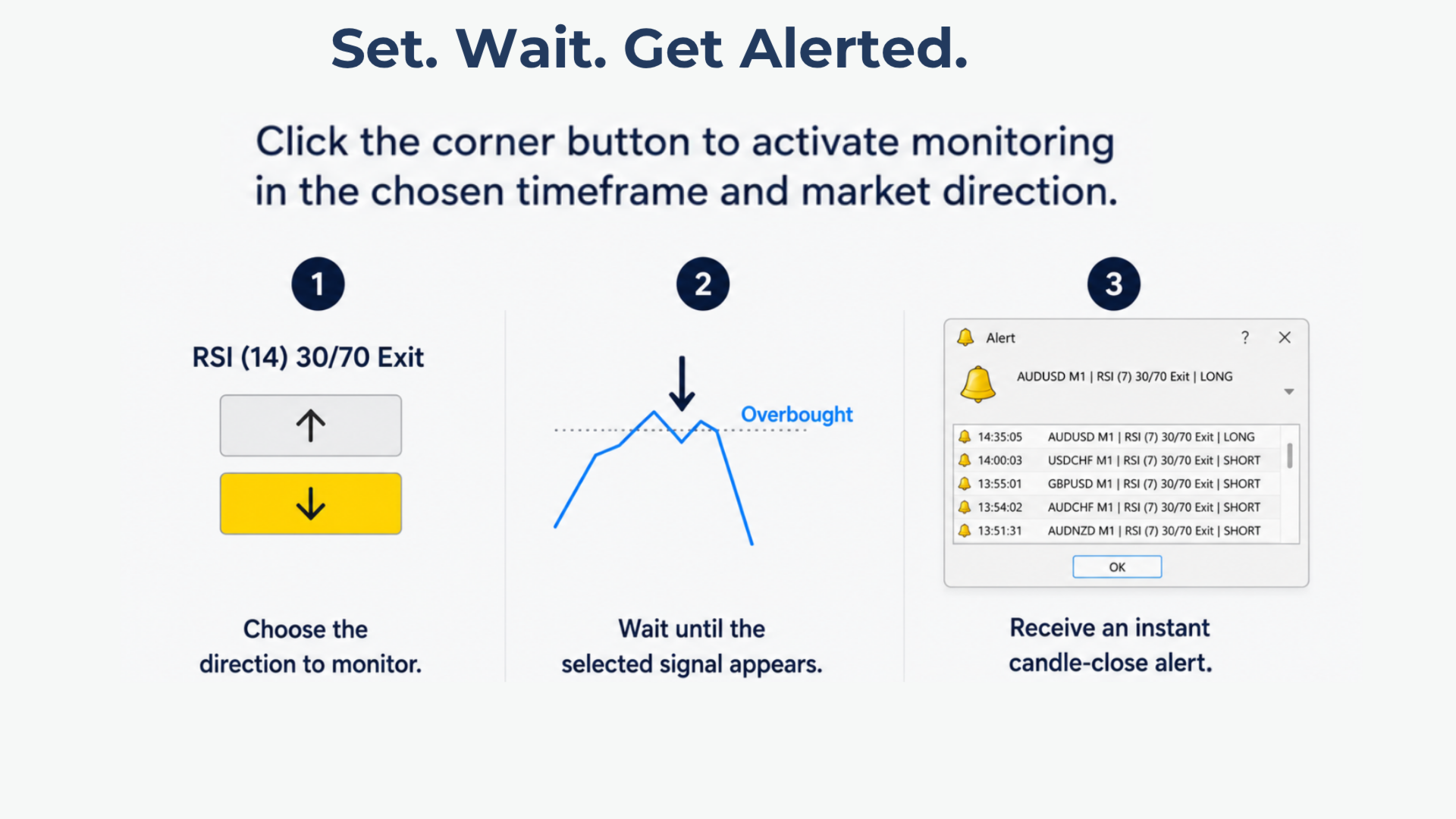
Activate crossover monitoring instantly in the long or short direction from a clean on-chart panel.
- One button activates long-side signal monitoring.
- One button activates short-side signal monitoring.
Clean Chart Markings
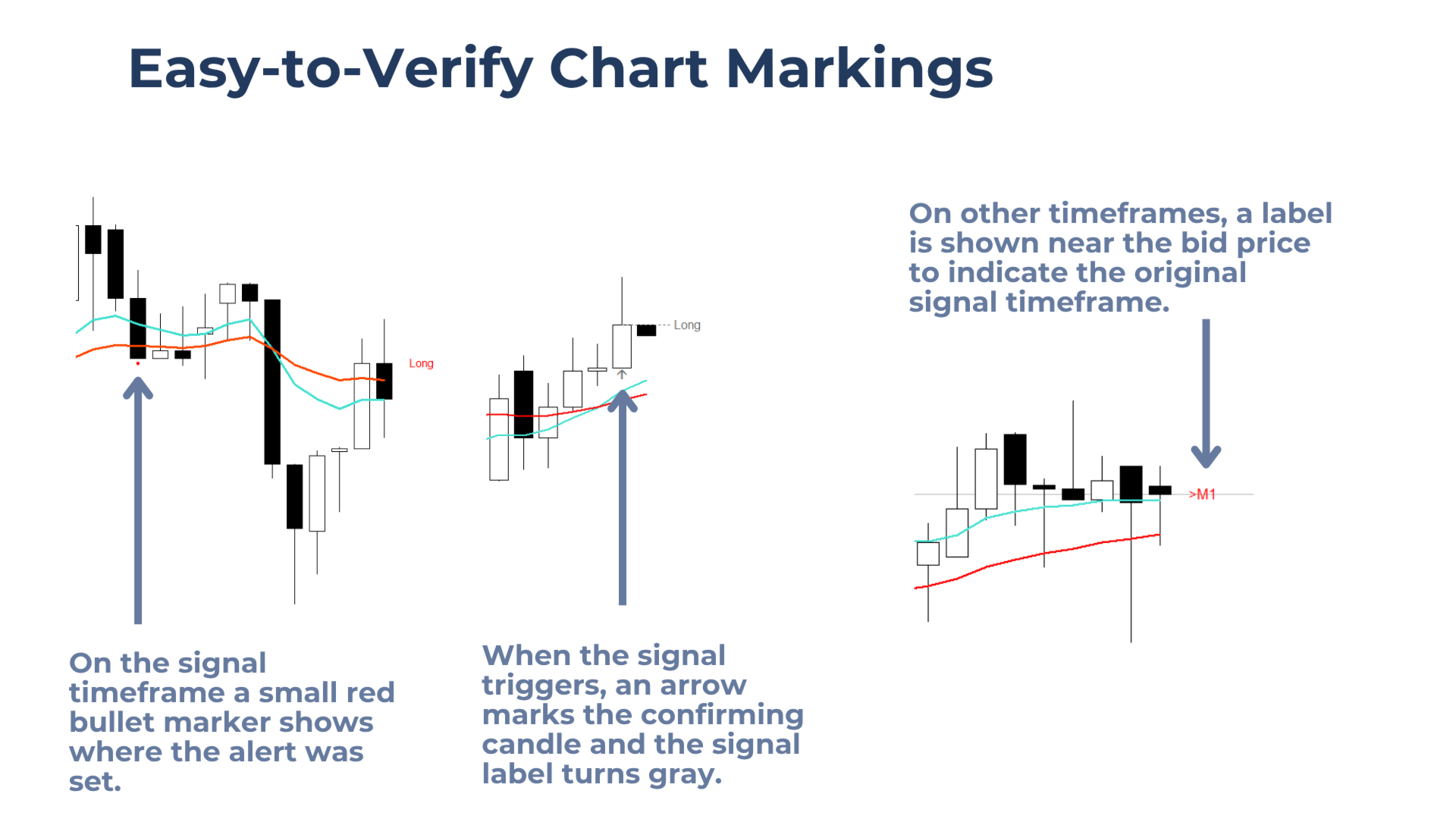
The tool clearly marks the monitoring process on the chart, including:
- The original activation time, shown with a small bullet marker.
- The candle that triggered the signal, shown with an arrow.
- A timeframe label near the bid price when viewing an other chart timeframe than the one being monitored.
Reliable Background Operation
Monitoring is not affected by chart timeframe changes.
After a terminal restart, the indicator checks whether a valid signal occurred while the terminal was offline. If a signal was triggered, it alerts immediately. Otherwise, monitoring continues.
How to Use
1.Attach Crossover Trigger to the chart.
2.Select the preferred signal type in the input settings.
3.Attach the signal indicator to the chart (not required, but recommended for manual monitoring).
4.When market conditions are relevant, click the arrow button in the chart corner to activate an alert.
5.When the selected signal occurs, the tool sends an alert. The chart objects turn gray to show that the alert was triggered, and an arrow marks the confirming candle.
6.To disable or cancel an active alert, click the same activation button again.
7.Timeframes can be switched freely, and the terminal can be closed without affecting the monitoring process.
Notes & Limitations
Each chart supports one active alert per direction, per symbol, at a time.
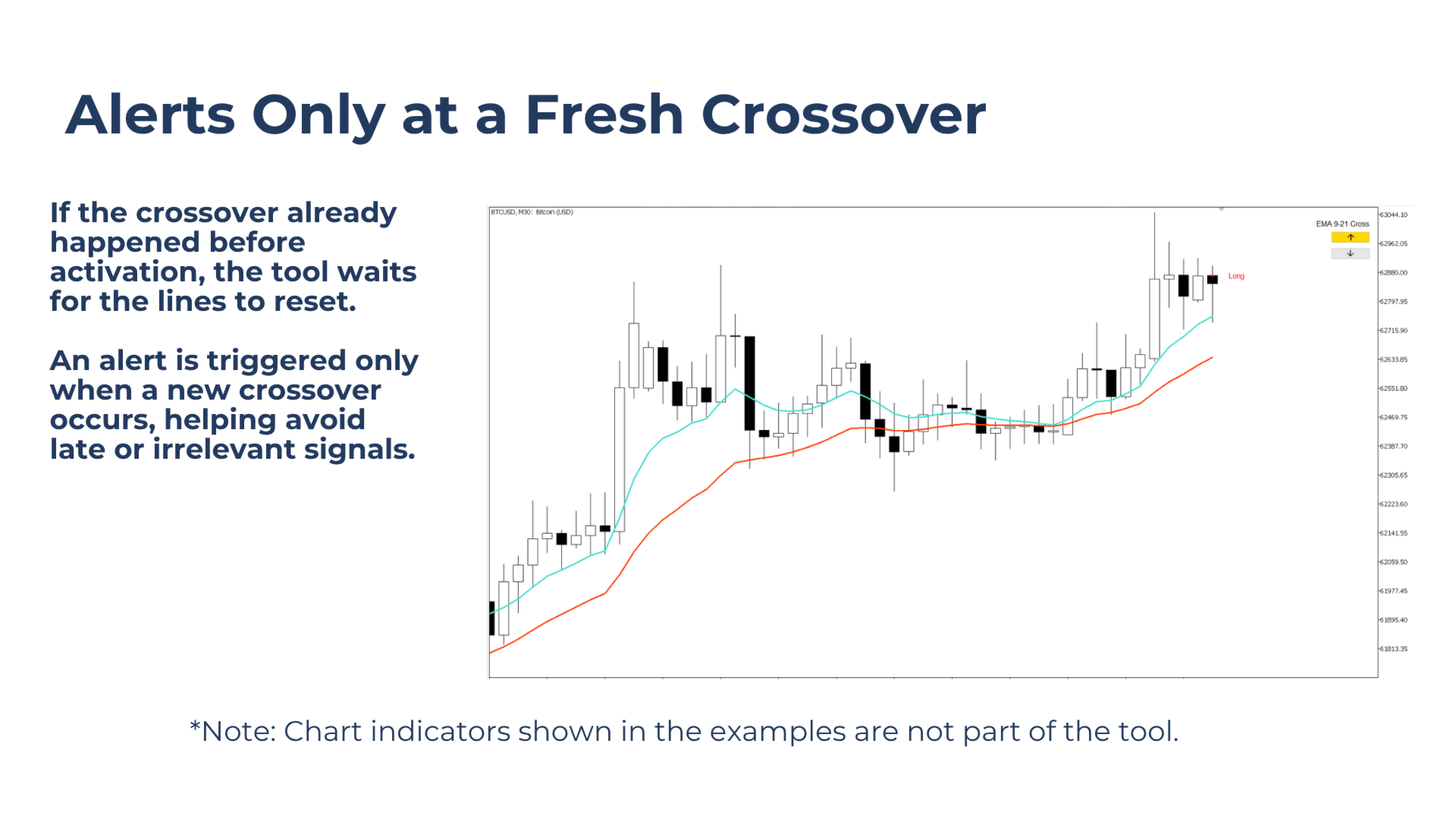
Alerts are triggered only on fresh crossovers. If the selected signal is already crossed when monitoring is activated, the tool waits until the lines reset and a new crossover occurs.
Indicators are not required on the chart for alerts to work, but they are recommended for visual confirmation and easier monitoring.