Peril Trader
- ユーティリティ
- バージョン: 10.0
- アクティベーション: 5

Free Access for the First 10 Downloads!
I'm giving away this panel completely free to the first 10 traders who download it. After that, a price will be added.
If you're one of the lucky first 10, please leave an honest review and any questions you have – your feedback means the world to me. Thank you in advance!
Overview
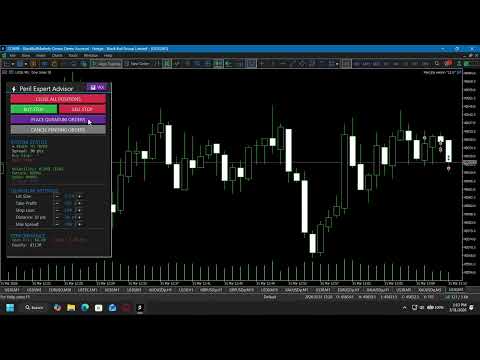
Peril Trader is a trading panel designed to assist with the execution of a dual pending order breakout strategy. The panel places a Buy Stop order above the current market price and a Sell Stop order below it at a user‑defined distance. When the market moves beyond one of these levels, the corresponding order is triggered to capture the directional movement, while the opposite pending order is automatically removed.
The panel is compatible with any symbol and timeframe and provides a set of visual controls and risk management functions directly on the chart.
Main Functions
-
On‑Chart Control Panel – Adjust Lot Size, Take Profit, Stop Loss, Pending Order Distance, and Maximum Allowed Spread using buttons on the chart. No need to open the input settings window during operation.
-
Dual Pending Order Placement – Places a Buy Stop and a Sell Stop simultaneously at a configurable distance from the current Ask and Bid prices.
-
Riskless Trade Management – At a specified percentage of the take profit level, the panel can partially close the position and move the stop loss to the entry price. The percentage of the position to close and the trigger level are adjustable in the inputs.
-
Anti‑Hedging Options – Choose between blocking new orders while a position is already open, or automatically closing any existing position before placing new orders.
-
Spread Filter – Pending orders are not placed if the current spread exceeds the user‑defined maximum.
-
Slippage Control – A maximum slippage value can be set for order execution.
-
Pending Order Auto‑Refresh – Stale pending orders are automatically cancelled and replaced after a configurable timeout.
-
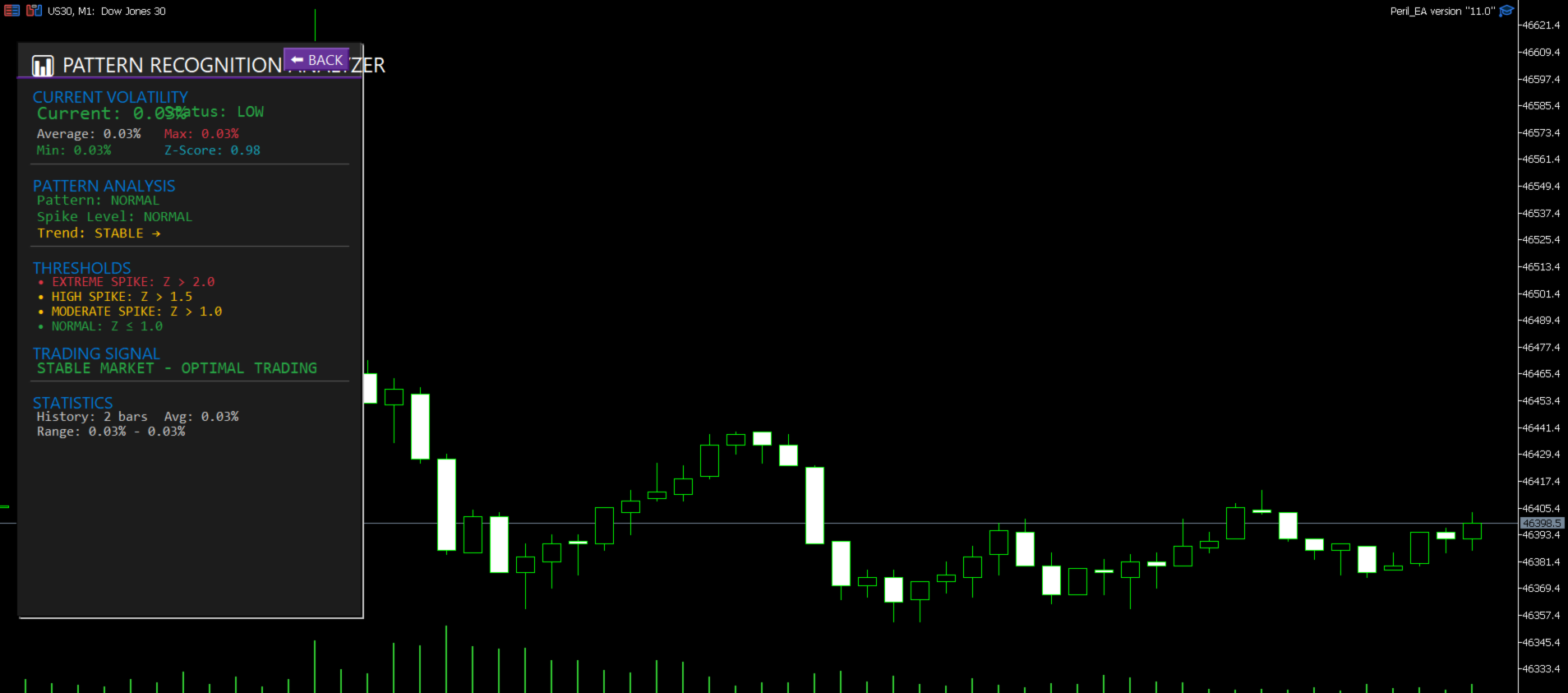
Volatility Information Tab – A secondary panel displays current volatility metrics, including pattern classification, Z‑Score, and a plain‑language signal description.
-
One‑Click Buttons – Manual controls for placing individual Buy Stop or Sell Stop orders, cancelling all pending orders, or closing all open positions.
Input Parameters
The panel includes numerous input parameters organized into logical groups:
-
Quantum Trading Settings – Base lot size, fixed take profit and stop loss values (used if ATR‑based levels are disabled).
-
Quantum Risk Management – Maximum spread, maximum slippage, daily and per‑trade risk percentages.
-
Volatility Analyzer – Period and thresholds for volatility calculations.
-
Volatility‑Adaptive Engine – Multipliers for lot size and targets based on detected volatility regimes.
-
Genetic Optimizer – Built‑in parameters for optimization (disabled by default).
-
Anti‑Hedging & Riskless Trade Settings – Controls for the features described above.
-
Pending Order Distance & Refresh – Fixed distance and timeout settings.
Usage Notes
-
Attach the panel to a chart of any symbol and timeframe.
-
Configure the desired parameters in the input settings or adjust them live using the on‑chart buttons.
-
The panel uses the MetaTrader 5 hedging system. Ensure your account settings are compatible with pending order placement.
Important Considerations
-
This panel is a tool for order placement and management. It does not predict market direction or guarantee any trading outcome.
-
Users should test the panel on a demo account before live deployment to understand its behavior.
-
The default parameters are provided as a starting point and may require adjustment based on the chosen symbol, timeframe, and market conditions.