Super Trend Pro MT5
- インディケータ
- バージョン: 1.10
- アップデート済み: 11 8月 2026
- アクティベーション: 10

SuperTrend Pro MT5 - The Ultimate Trend Following System
For MT4 version : https://www.mql5.com/en/market/product/156454
Unlock the full potential of the SuperTrend indicator on MetaTrader 5. Designed for traders who need precision and performance.
SuperTrend Pro MT5 is a next-generation trading system built for the modern trader. It combines the classic SuperTrend with advanced Multi-Timeframe (MTF) analysis and smart filtering to identify high-probability setups on the MT5 platform.
Why SuperTrend Pro MT5?
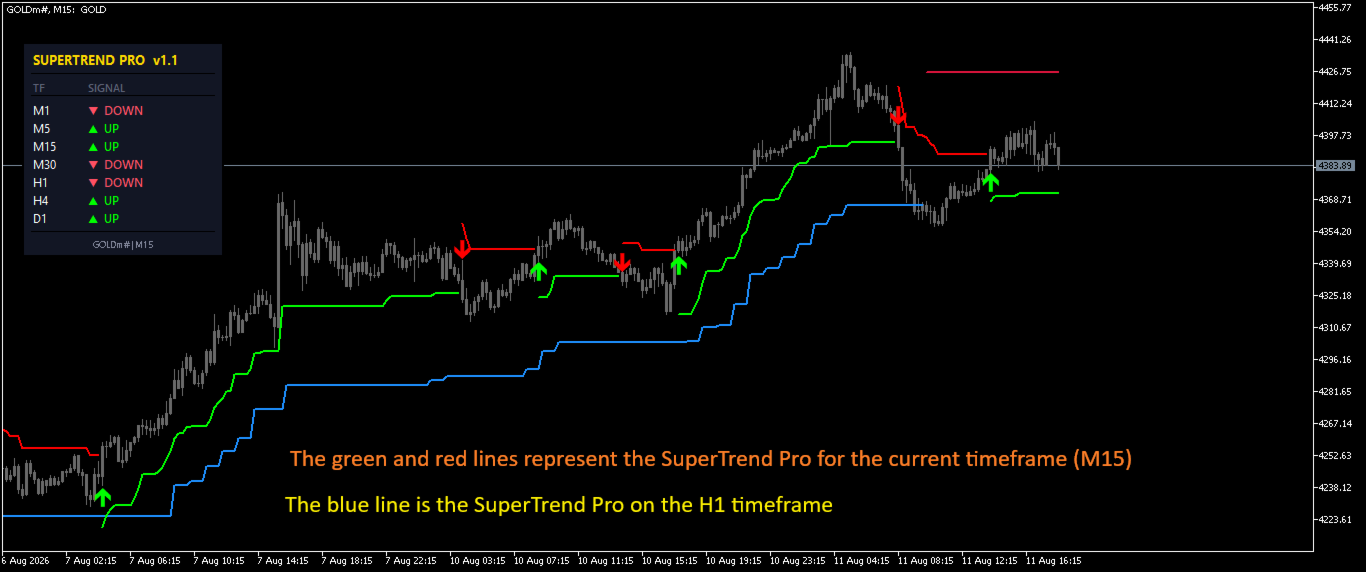
Trading with a single timeframe can be misleading. SuperTrend Pro solves this by providing a dashboard that monitors the trend across 7 timeframes (M1 to D1) simultaneously. This helps you instantly know if the market is aligned for a strong trend or if it is in a choppy correction.
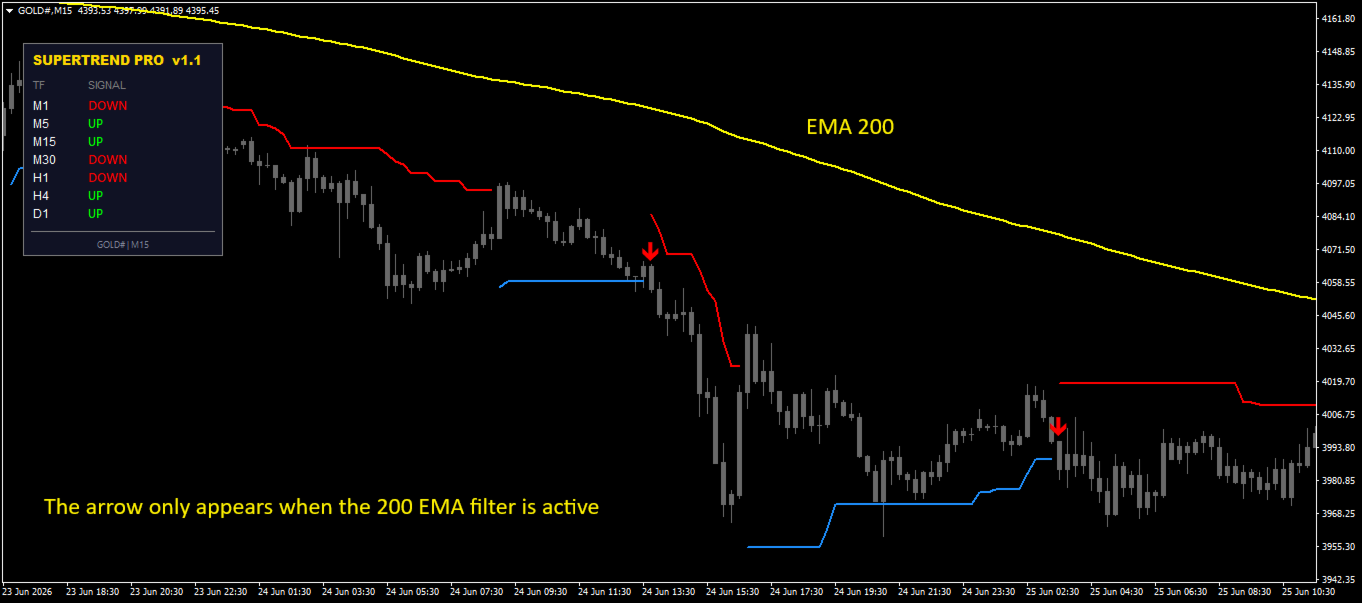
With built-in Moving Average (MA) and RSI filters, you can filter out weak signals and counter-trend trades to keep your trading aligned with the major market direction.
Key Features
- Live MTF Dashboard: Monitor trends on M1, M5, M15, M30, H1, H4, and D1 directly on your chart.
- Smart Signal Filters (MA Filter): Get Buy signals only when the price is above the Moving Average (e.g., EMA 200) and Sell signals when below.
- Smart Signal Filters (RSI Filter): Avoid buying at Overbought levels or selling at Oversold levels.
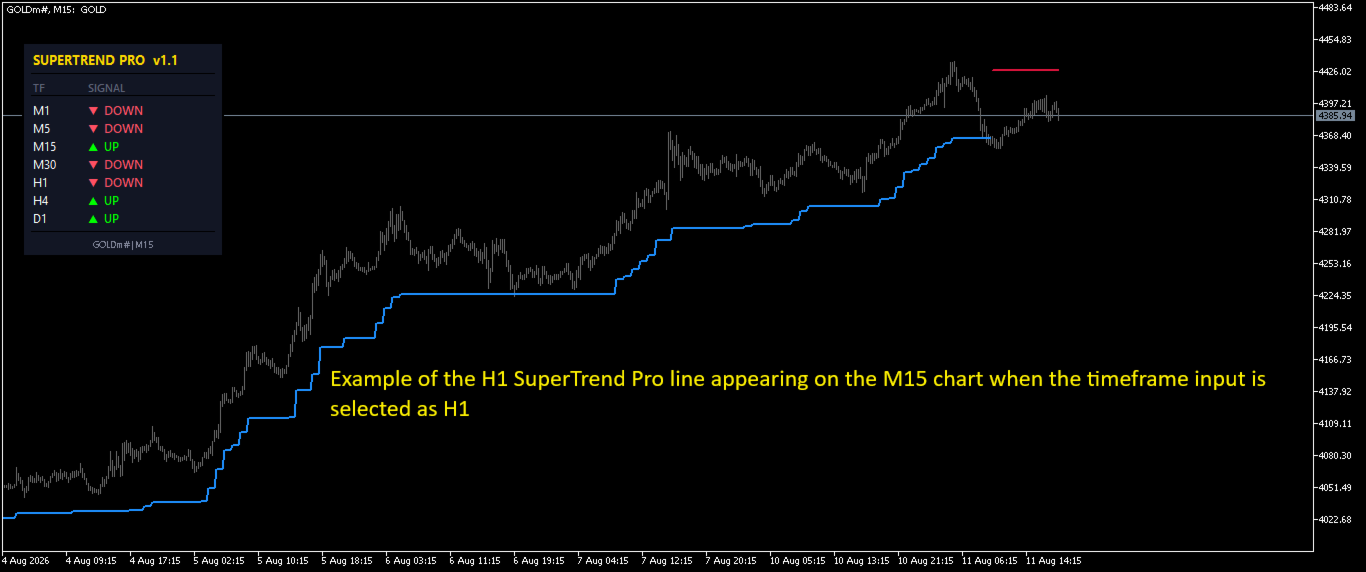
- Multi-Timeframe Display: Display the SuperTrend line from a higher timeframe (e.g., H4) onto a lower timeframe (e.g., M15) to trade in the direction of the major trend.
- Comprehensive Alerts: Stay updated with Pop-up, Push Notification (Mobile), and Email alerts.
- Premium Design: Clean and professional interface designed to look great on any chart background.
- No Repaint: Signals are fixed once the candle closes.
- Optimized for MT5: Built from scratch for MetaTrader 5 to ensure maximum speed and stability.
How to Trade
- Trend Alignment: Check the Dashboard. The best setups occur when multiple timeframes (e.g., H1, H4, D1) are aligned in the same direction.
- Wait for Signal: Wait for the SuperTrend arrow to appear.
- Confirm with Filters: Ensure the signal aligns with the MA (Trend) and RSI (Momentum) rules.
- Entry: Enter on the close of the signal candle.
- Exit: Use the SuperTrend line as a trailing stop-loss.
Parameters
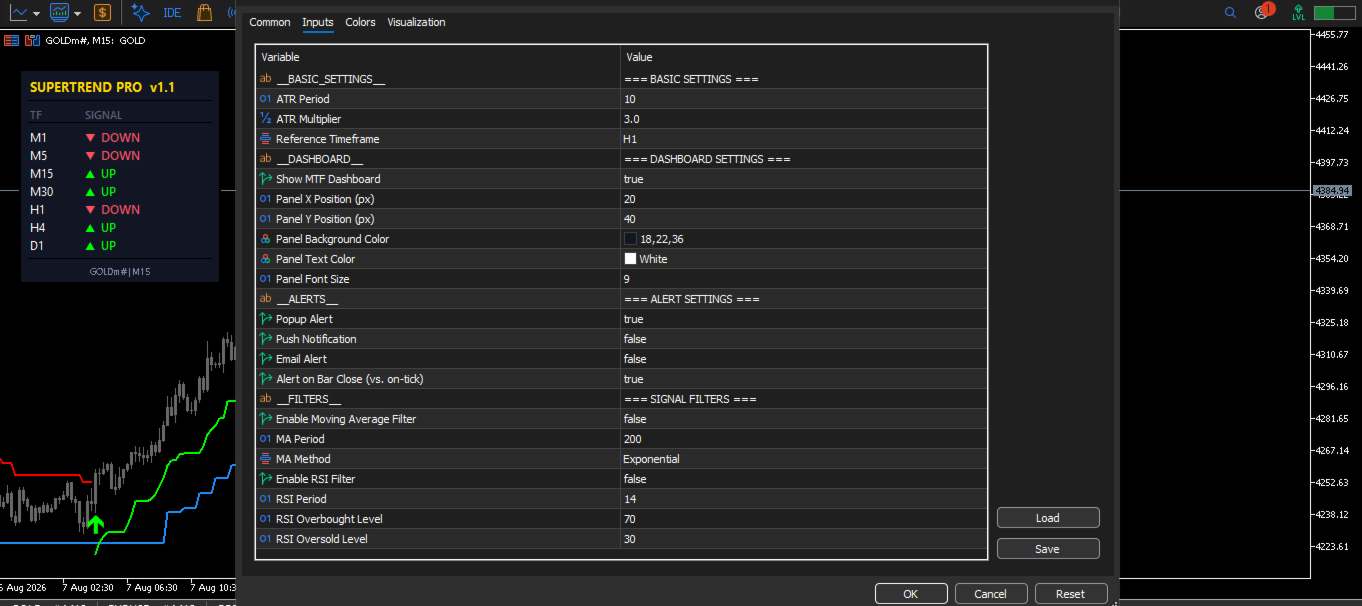
- Nbr_Periods / Multiplier: Adjust the sensitivity of the SuperTrend (Default: 10, 3.0).
- InpTimeFrame: Select a specific timeframe to display its SuperTrend line on the current chart (MTF Mode).
- ShowDashboard: Toggle the dashboard visibility.
- Filters (UseMAFilter / UseRSIFilter): Enable or disable the smart filters to suit your strategy.
- Alerts: Customize which notifications you want to receive.
Support and Questions
For any questions, support, or feedback, please contact me directly through the MQL5 private messaging system or leave a comment in the product's comment section.