Falcon Edge EA
- Experts
-
Sahib Ul Ahsan
 ⚡ Premium MT4 & MT5 EA Developer | MQL4/MQL5 Algo Programmer | Trading Bot & Indicator Architect
Are you serious about taking your trading to the next level with automation? - Versione: 1.0
- Attivazioni: 10
Multi-Layer and Multi-Symbol Trend Analysis and Automated Trading System for MetaTrader 5
Falcon Edge EA is an automated trading system designed to analyze market direction, evaluate trading conditions, and manage positions through configurable trading and risk-management parameters.
The EA combines RSI and Moving Average analysis with EMA confirmation, market volatility assessment, and optional pullback conditions. It also includes economic calendar filtering, trading session controls, and account-level protection settings.
Its configurable design allows traders to adjust position sizing, entry conditions, stop-loss management, and trading restrictions according to their individual requirements.
Main Features
1. Trend and Market Analysis
-
RSI and Moving Average based market analysis.
-
Optional EMA directional confirmation.
-
Bullish and bearish signal strength assessment.
-
ADX and ATR-based sideways market detection.
-
Optional restriction of entries during sideways conditions.
-
Configurable signal strength requirements.
2. Adaptive Timeframe Settings
An optional automatic settings mode adjusts selected working parameters according to the chart timeframe.
Different parameter presets are available for multiple timeframes, including M1, M5, M15, M30, and higher timeframes.
Manual configuration is also available.
3. Pullback Confirmation
-
Optional EMA pullback confirmation.
-
Optional Fibonacci retracement confirmation.
-
Configurable EMA period and lookback settings.
-
Independent buy and sell Fibonacci levels.
-
Optional chart visualization.
4. Economic Calendar Filter
The integrated economic calendar filter helps manage trading activity around scheduled economic events.
Available controls include:
-
Economic event importance selection.
-
Configurable pre-news and post-news blocking periods.
-
Currency filtering.
-
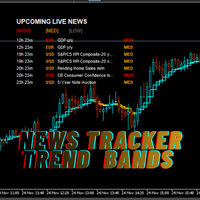
On-chart economic calendar information.
-
Optional news markers and event display.
5. Trading Session Management
Control trading activity according to selected market sessions.
Available sessions:
-
London
-
New York
-
Tokyo
-
Sydney
Each session can be enabled or disabled independently, with customizable session hours based on broker server time.
6. Position Sizing and Stop-Loss Management
Choose between different position sizing methods:
-
Fixed lot sizing.
-
ATR-based lot sizing.
-
Equity-based lot sizing.
Stop-loss configuration includes:
-
Fixed/ATR-based settings.
-
ATR-based stop-loss calculation.
-
Equity-based stop-loss option.
-
Configurable take-profit ratio.
7. Trade and Profit Management
-
ATR-based trailing stop.
-
Point-based trailing stop.
-
Optional basket profit trailing.
-
Configurable profit trigger and profit-lock levels.
-
Optional profit-target-based position closure.
-
Optional invisible stop-loss and take-profit management.
8. Account and Trading Protection
The EA includes configurable protection controls designed to help manage trading exposure.
Available settings include:
-
Daily loss limit.
-
Daily drawdown limit.
-
Overall drawdown limit.
-
Daily and total profit targets.
-
Maximum trades per day.
-
Maximum open positions.
-
Maximum consecutive losses.
-
Maximum risk per trade.
-
Minimum equity and margin level.
-
Trading day restrictions.
-
Friday trading cutoff.
-
Optional position closure and trading lock when protection conditions are triggered.
Chart Information and Visualization
Falcon Edge EA provides optional chart-based information to help monitor its operation.
Available visual elements include:
-
Trading dashboard.
-
Bullish and bearish trend ribbon.
-
Sideways market indication.
-
Signal strength histogram.
-
Economic calendar information.
-
Pullback EMA and Fibonacci levels.
Individual visualization options can be configured through the EA inputs.
Important Information
Falcon Edge EA is an automated trading tool, not a guarantee of trading results.
Trading involves financial risk. Actual performance may vary depending on market conditions, broker execution, spread, commission, slippage, and the selected configuration.
Users should understand the available settings and evaluate the EA in the MetaTrader 5 Strategy Tester before using it on a live trading account.
Customization
Most major trading, filtering, position sizing, and management features have independent settings.
Traders can enable or disable supported filters and adjust the available parameters to suit their preferred trading environment.
The EA also includes optional multi-symbol trading configuration.
Support: Ask for Set file. I will provide you the set file.
Thanks