Caiman Grid
- Experts
-
Leonid Kichigin
 Designing algorithmic trading strategies across diverse financial assets.
20+ years of trading experience in Forex and equity markets.
Master's degree in Economics. - Versione: 1.6
- Attivazioni: 5
WARNING! The FOREX market is associated with high risk! No one will ever create a universal trading advisor; you must always stay on top of things and monitor the actions of this advisor, Caiman Grid. The trader bears all responsibility for making decisions in critical situations — whether to continue trading or to close an order manually. This advisor is versatile in that you can manually open/close orders; the advisor automatically recalculates the entire basket of orders according to your settings.
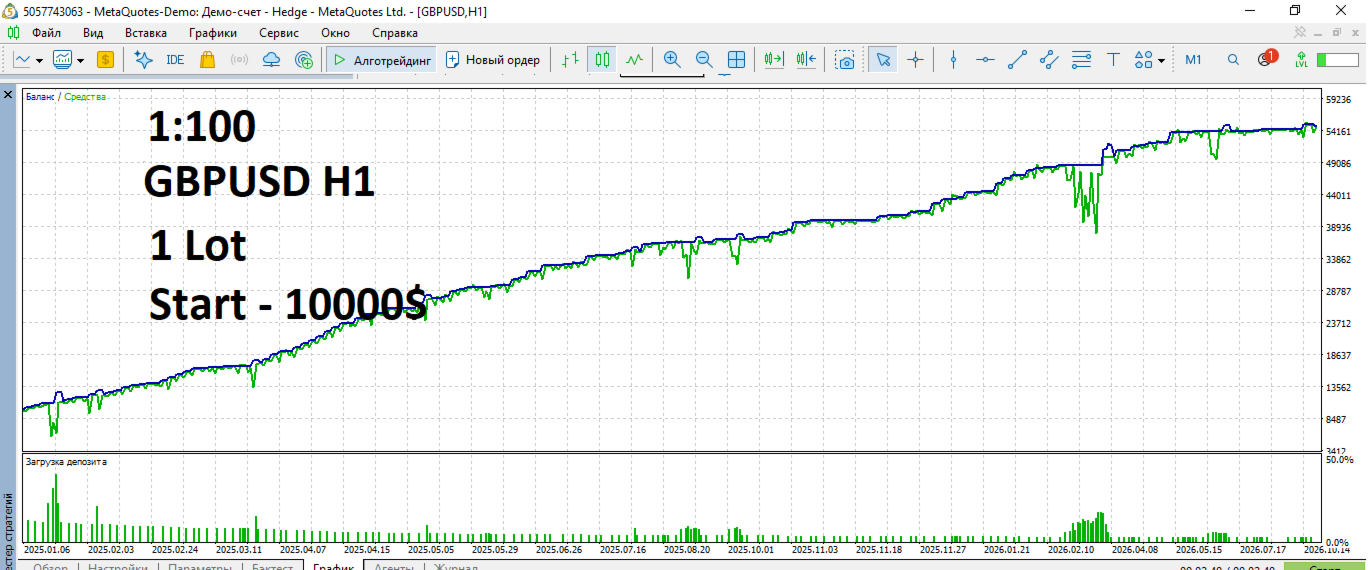
Hedge Shoulder 1:100
Caiman Grid — a brief guide to the settings blocks
Simple description: what the block is, what it does, what to change, what not to touch.
---General
Parameter What it does
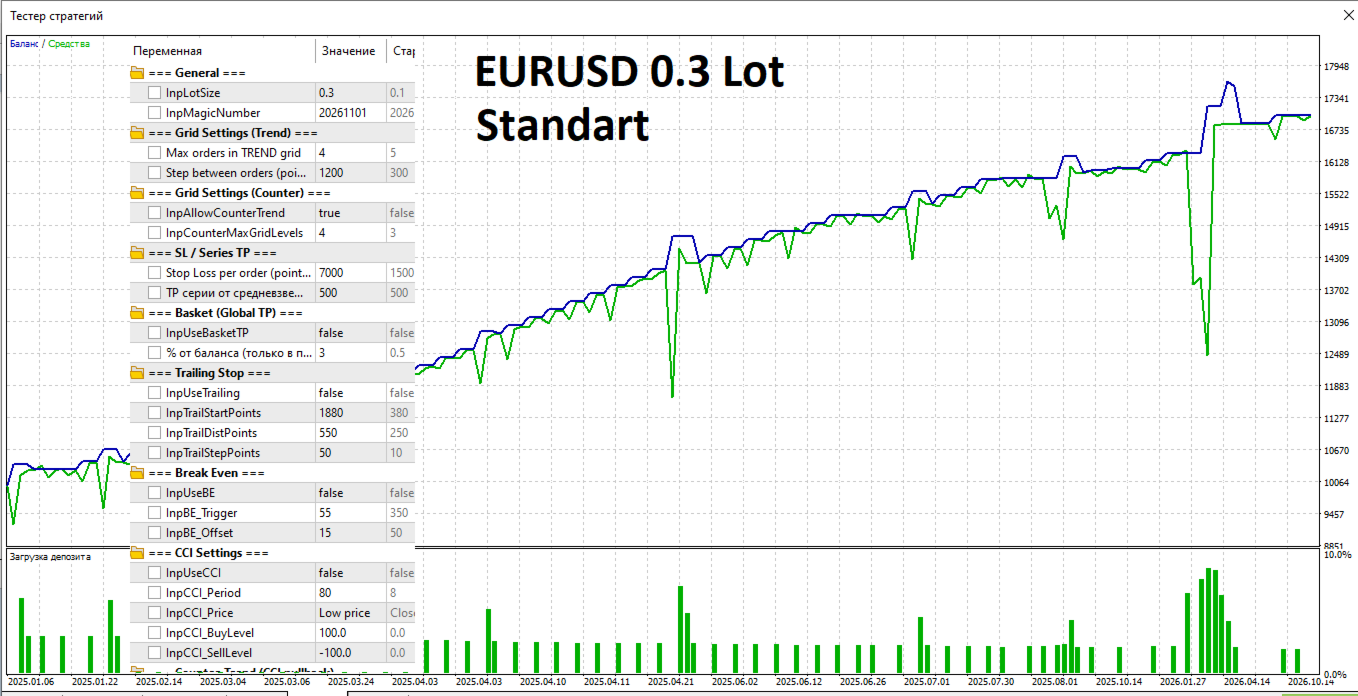
InpLotSize The volume of a single order. 0.1 for every $500–1000 in the deposit.
InpMagicNumber The unique ID of the advisor. Different for each instance on the same symbol.
---Grid Settings (Trend)
Parameter What it does
InpMaxGridLevels The maximum number of orders in the TREND grid. 3–5. More = greater drawdown.
InpGridStepPoints The step between orders in points.
---SL / Series TP
Parameter What it does
InpSLPoints SL of each order. Set ≥ 3× InpGridStepPoints.
InpSeriesTPPoints TP of the series from the weighted average. Works only in the positive direction.
⚠️ If SL < 2×GridStep — a warning will appear in the log, the grid is “leaky”.
---Basket (Global TP)
Parameter What it does
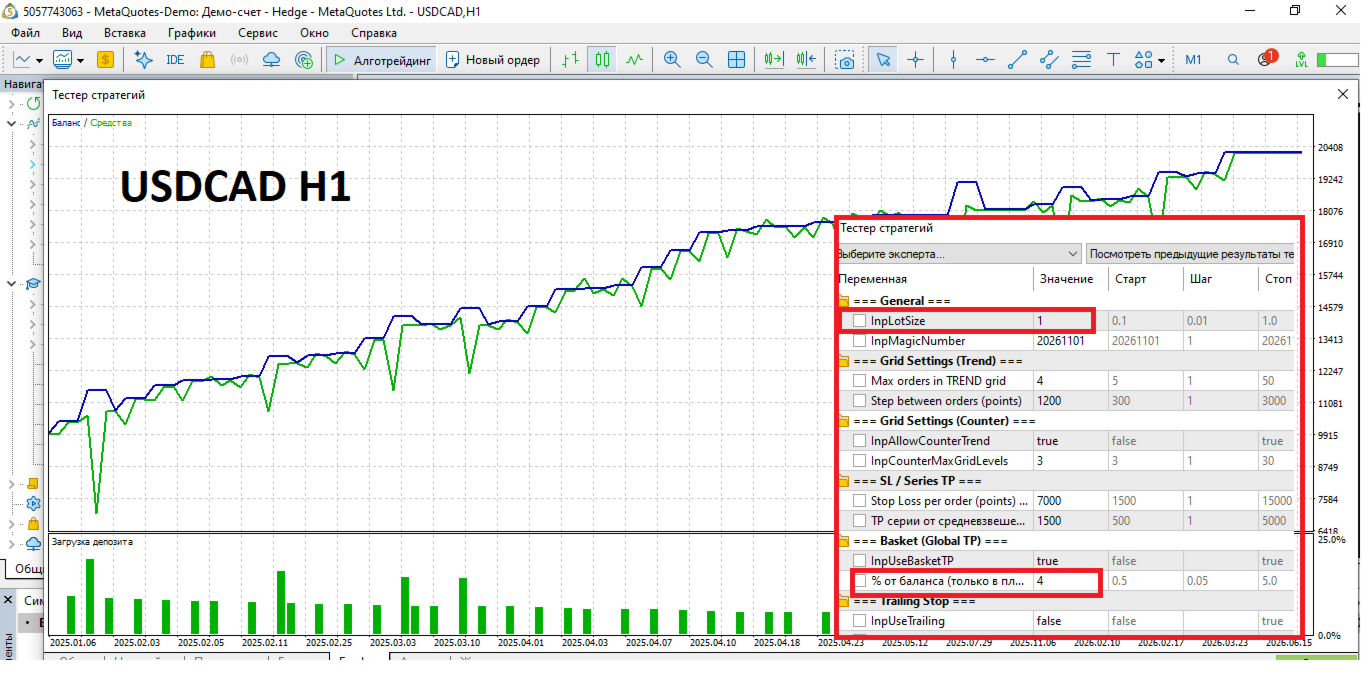
InpUseBasketTP: Close open orders in the same direction when the % profit is reached. true — do not disable.
InpBasketTPPercent % of the balance to close the entire grid. 1–3. Less — the commission will eat it up.
Basket TP — the main exit from a complex grid in the positive. It does not close in the negative.
---Trailing Stop
Parameter What it does
InpUseTrailing Enable trailing. true.
InpTrailStartPoints The profit at which trailing is activated. ~1.2× GridStep.
InpTrailDistPoints The distance of the SL from the price.
InpTrailStepPoints Min. step of the SL shift.
Trailing moves the SL only in profit — it doesn’t move it into loss.
---Break Even
Parameter What it does
InpUseBE Enable break‑even translation. true.
InpBE_Trigger Profit (points) for triggering. ~1.0× GridStep.
InpBE_Offset: SL offset from the opening price.
BE triggers before trailing (if Trigger < TrailStart). Moves SL only in the positive direction.
---CCI Settings
Parameter What it does
InpUseCCI Use CCI. true.
InpCCI_Period CCI period. 14–140 (140 — smoothed, fewer false signals).
InpCCI_BuyLevel CCI threshold for TREND BUY. 0.0.
InpCCI_SellLevel CCI threshold for TREND SELL. 0.0.
---Counter-Trend (CCI pullback)
Parameter What it does
InpCCI_OversoldLevel Oversold zone. −100.
InpCCI_OverboughtLevel Overbought zone. +100.
The entrance is at the CCI exit from the zone, using two closed bars (cci[2] → cci[1]).
---MACD Settings (trend side)
The What Does parameter
InpUseMACD Confirmation of the MACD trend. true.
InpMACD_Fast/Slow/Signal Classic 12/26/9. You can change it.
InpMACD_UseZeroLine MACD is on the zero side. true — tougher, fewer inputs.
---ATR Settings
Parameter What it does
InpUseATR Volatility filter. false at the start, true for flat.
InpATR_MinPoints Min. ATR in points.
⚠️ If you set it to 0.01, the filter is effectively disabled.
---EMA Direction Filter
Parameter What it does
InpUseEMAFilter Main direction filter. true — do not disable.
InpEMA_Fast Fast EMA.
InpEMA_Slow Slow EMA.
InpEMA_ConfirmCurrentBar Confirm with the current bar. true.
TREND is entered only in a stable trend (EMA_UP/EMA_DOWN), not at a crossover. CROSS_* is used only to close the TREND.
---Risk Management
Parameter What it does
InpMaxSpread Max. spread in points. EURUSD 20–30, exotic 50–100.
---How the blocks are related (in two words)
1. The EMA filter decides which direction you can enter.
2. CCI + MACD + ATR determine whether there is a signal.
3. Grid Settings determine how many orders and with what step.
4. SL is the only way out at a loss.
5. Series TP + Basket TP + Trailing + BE are for profit locking.
6. Counter is an additional series on pullbacks.
7. Risk Management is protection against bad market conditions.
---
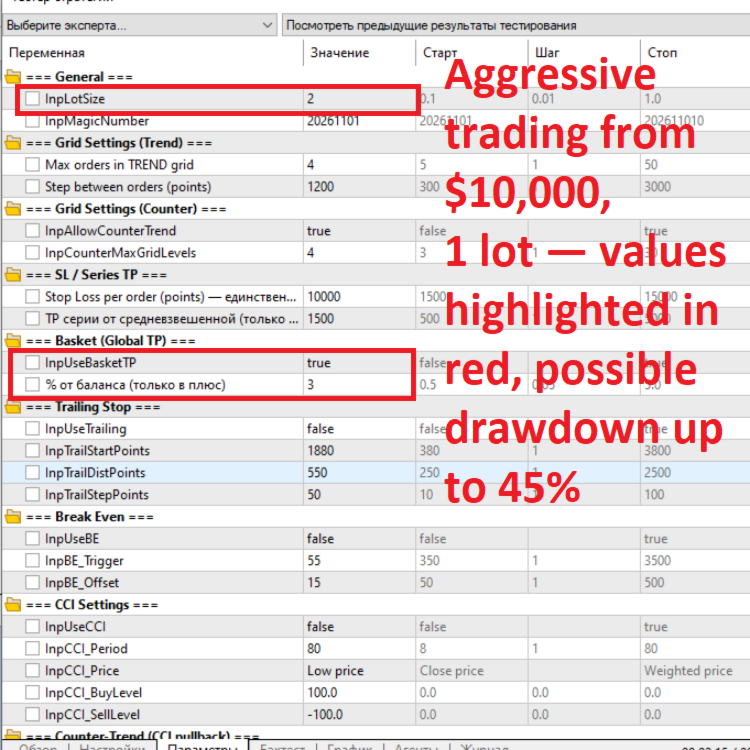
Minimum “safe start” settings
```
LotSize = 1/max 2/
MaxGridLevels =
GridStepPoints = 1200
SLPoints = 10000
SeriesTPPoints = 1500
UseBasketTP = true
BasketTPPercent = 2-3
UseEMAFilter = true
AllowCounterTrend = false // first week
MaxSpread = 30
After 1–2 weeks, demo — enable AllowCounterTrend = true.
---What is best NOT to touch
· Max orders in TREND grid — 4
· Lot — 1/10000$/
· InpMagicNumber — if you don’t run a second instance.
· InpMACD_Fast/Slow/Signal — the classic works.
· InpEMA_Fast/Slow — 3/12 H1 are balanced.
· InpEMA_ConfirmCurrentBar — true without repaint.
· InpUseEMAFilter — half of the advisor’s logic.
· InpUseBasketTP — insurance against a “stuck” grid.