GGOD Account Monitor MT5
- Utilità
- Versione: 6.20
- Attivazioni: 20

See your account at a glance. Find out which strategies and symbols drove your results.
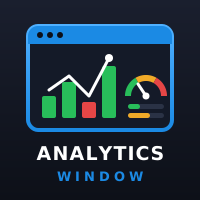
GGOD Account Monitor is a MetaTrader 5 dashboard for traders who want to monitor their account during a session and review their results afterward. It brings account metrics, balance history, and trading statistics into a single chart panel.
- Monitor your account. View balance, equity, floating profit or loss, and free margin together. Check open positions, total open volume, and margin usage in the analytics view.
- Review performance by period. Follow a dedicated balance chart and review win rate, realized profit or loss, and deposits and withdrawals by day, week, month, quarter, or year.
- Compare strategies and symbols. Group closed trades by strategy identifier (Magic Number) or trading symbol. Compare net profit or loss, win rate, and trade count, and review metrics such as profit factor and average holding time.
- Keep the market chart in view. Drag the panel by its title bar. Use Compact or Normal mode to keep the native MetaTrader chart visible, or switch to Full Screen for a larger view.
- Control what you show when sharing your screen. The account number shows only the last four digits by default. You can show the last two digits, mask the entire number, and hide the broker server name separately.
Attach GGOD Account Monitor to a MetaTrader 5 chart to view the currently connected account. It is a monitoring and analysis utility for manual traders and users running automated strategies.
Interface languages include English, Traditional Chinese, Simplified Chinese, Japanese, and Russian.