
EA Performance Hub
- Utilità
-
Joao Jara Carvalho
 Jara Trading — Algorithmic Trading Systems
I develop Expert Advisors for MetaTrader 5, focused on gold, indices and major FX pairs. My approach is built on transparent, backtested strategies with strict risk control — no martingale, no grid, no hidden risk. - Versione: 2.1
- Aggiornato: 25 maggio 2026
- Attivazioni: 20
An indicator for MetaTrader 5 that monitors the performance of every Expert Advisor on your account in a single panel. It automatically detects magic numbers from history and open positions, reads each deal's comment and shows the real EA name next to the magic number.
EA detection and identification
Automatic detection: identifies all magic numbers present in closed and open trades. New EAs appear as soon as they place their first trade.
Readable names: reads the comment of each entry deal and shows the EA name next to the magic number.
Comment filter: ignores broker-generated comments such as tp or sl.
Multi-symbol grouping
Grouping by name: EAs running on multiple symbols under the same name are consolidated into a single row. For example, an EA on 11 symbols appears as one entry.
Stem matching: detects BUY/SELL pairs, setup variants (S1, S2, S3) and versions (v1, v2) and groups them under a common name.
Case-insensitive: Nas and NAS are treated as the same EA.
Manual groups: define custom groups through the corresponding input.
Renaming: assign your own names to any group through the Rename groups input.
Exclusion list: mark magics that should never be grouped automatically.
Six KPI cards
Net P/L, with open P/L shown separately.
Trades: total closed and count of active positions.
Win Rate, with W/L count.
Profit Factor.
Max Drawdown in dollars and as a percent of balance.
Active EAs.
Scrollable, sortable table
Per-EA detail: magic, name, symbol, trade count, P/L, win rate, profit factor.
Sorted by net P/L.
Click a row to focus on that EA or group.
Scroll with the mouse wheel or navigation buttons.
Visible range always shown, for example Showing 1-11 of 58.
Interactive equity curve
Aggregate curve of all magics by default, with gradient fill, axes, zero line and a pulsing end point.
Click an EA in the table to see that EA's curve on its own.
Drill-down with additional metrics: Sharpe Ratio, Expectancy, average R-multiple, Max Drawdown.
Advanced metrics
Sharpe Ratio per EA, computed on individual trade returns.
Expectancy: average profit per trade.
Average R-multiple: computed from the actual stop loss recorded on each entry.
Max Drawdown in dollars and as a percent of account balance.
Filters and views
Period filter: Today, 7D, MTD, YTD, All Time, Custom Days.
Symbol filter: cycle through detected symbols or clear with one click.
Four panel sizes: Compact 720, Normal 860, Large 1000, Extra Large 1140 pixels.
Clean Chart mode: hides candles, grid, volumes and scales, keeping only the symbol name.
Minimize button: collapses the panel into a single bar.
Updates every 5 seconds.
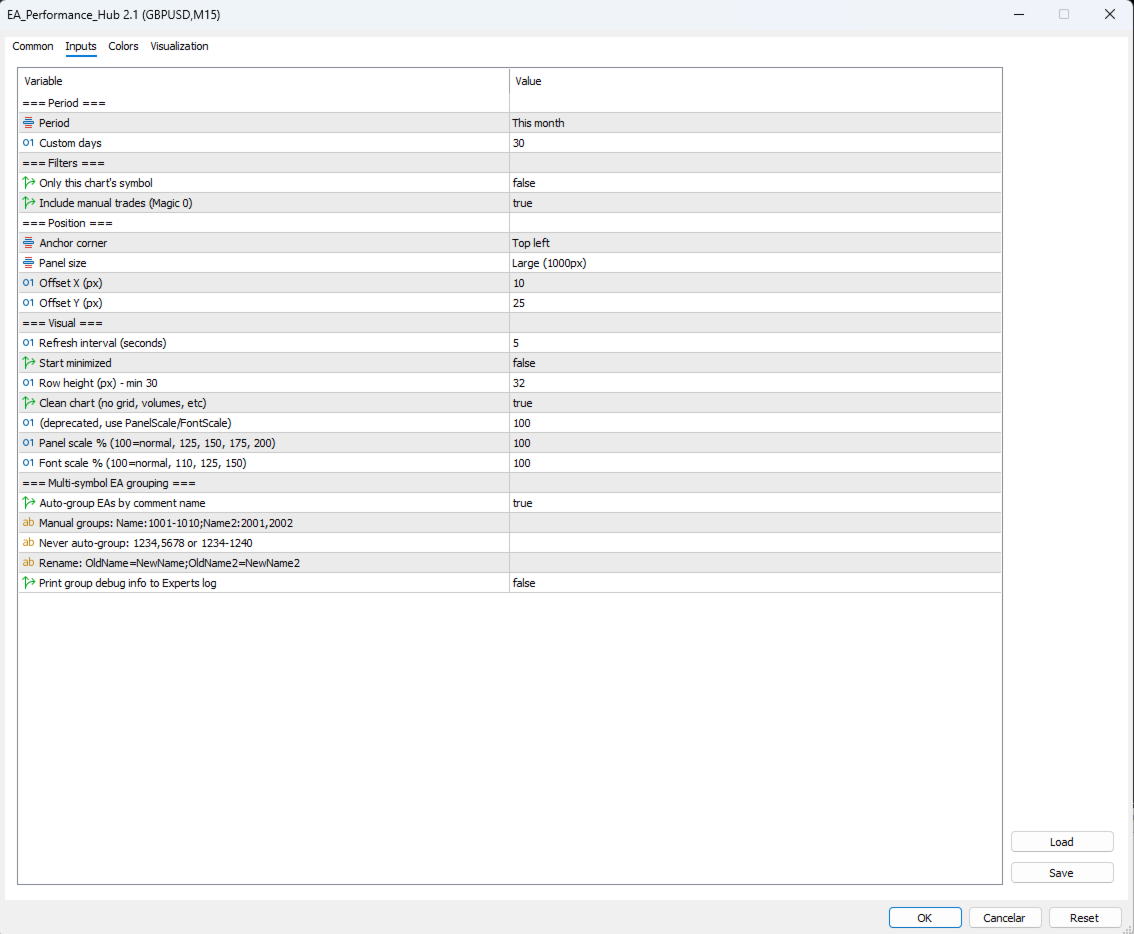
Main inputs
PanelSize: panel size (Compact, Normal, Large, Extra Large).
DefaultPeriod: initial period shown (Today, 7D, MTD, YTD, All Time).
EnableAutoGrouping: enables automatic grouping by name and stem matching.
RenameGroups: original_name=new_name pairs separated by commas.
ManualGroups: manual group definition by magic number.
ExcludeFromGrouping: list of magics that should never be grouped.
CleanChartMode: enables Clean Chart mode on the chart where the indicator is placed.
UpdateIntervalSeconds: metrics update interval (default 5).
Use cases
Traders running multiple Expert Advisors on the same account.
Portfolio managers tracking results across several strategies and symbols.
Developers testing new EAs on demo accounts and comparing results.
Compatibility
Platform: MetaTrader 5.
Account type: hedging and netting.
Charts: any chart, any timeframe.
Network: no DLLs, no external connections, no data sent.
Support
Questions, suggestions and bug reports via private message on MQL5. Updates published in the What's New channel.
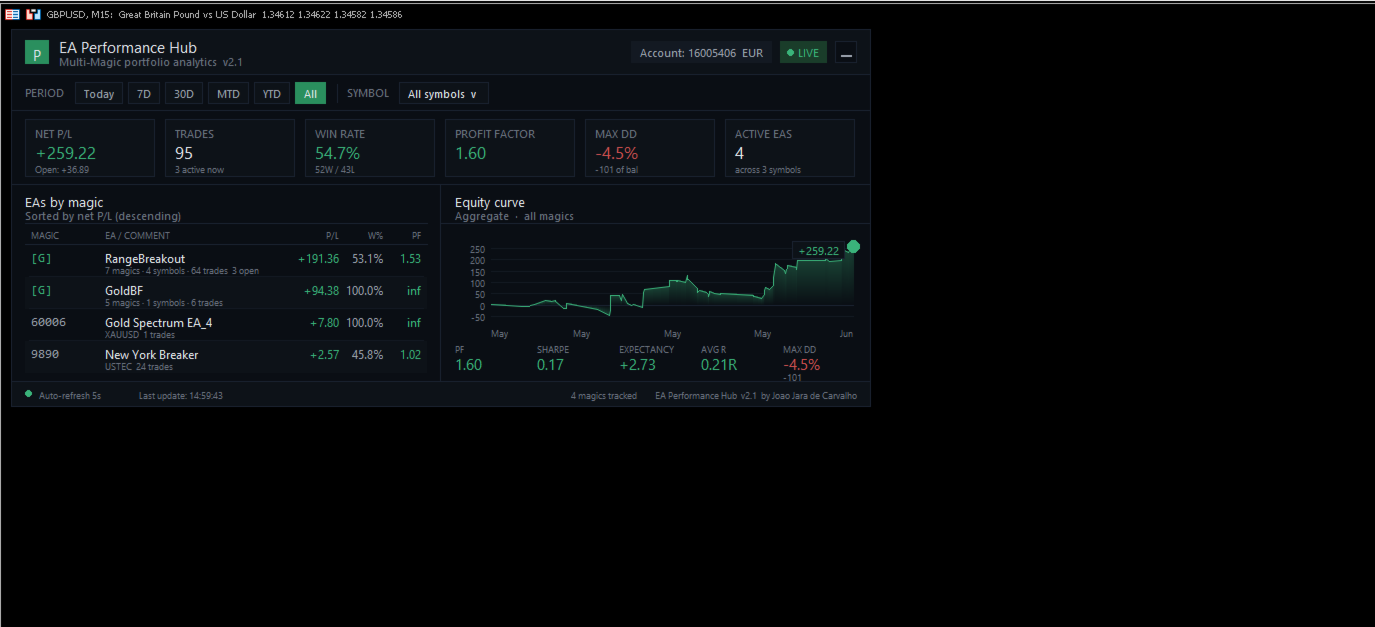
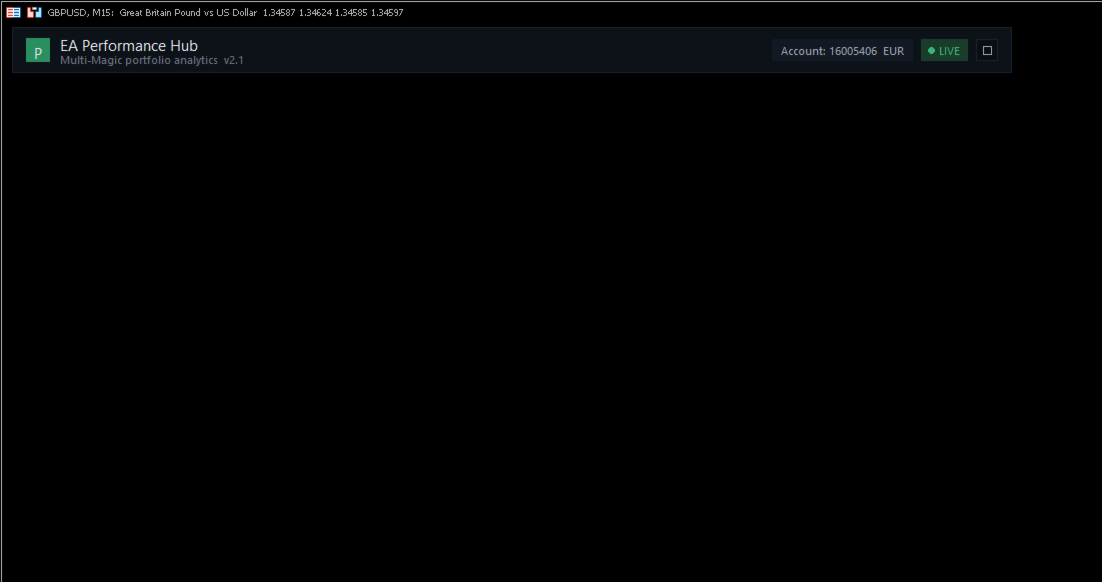
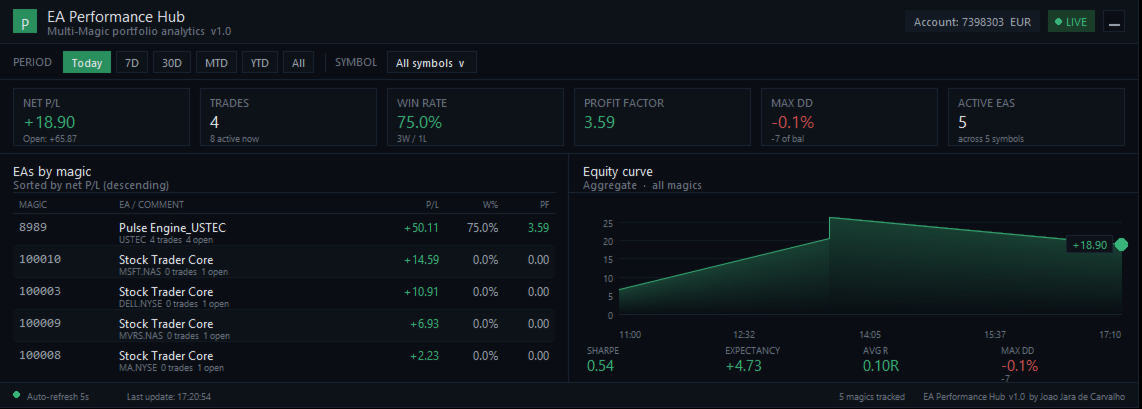
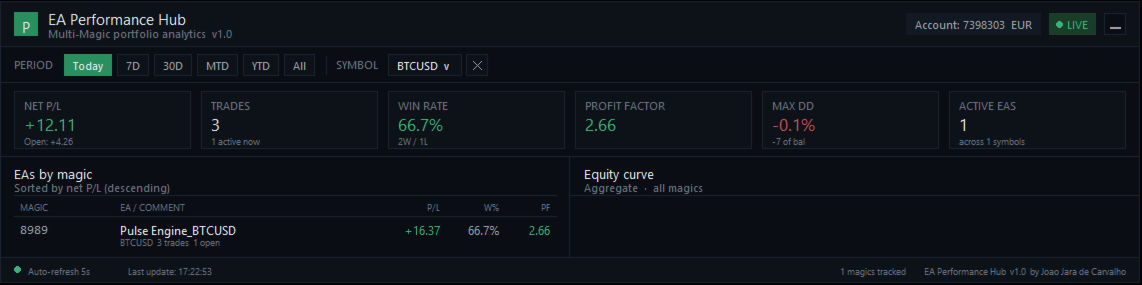














































A simple, user-friendly dashboard that is easy to navigate and provides essential KPIs and metrics. I haven’t noticed any performance issues, even during high-volume trading hours. Recommended.