Q Panel
- Utilità
-
Amon Cheruiyot
 I'm an algorithmic trading systems developer and the founder of Qire Agency.
 - Versione: 1.1
Q-Panel : Precision Order Management for MetaTrader 5
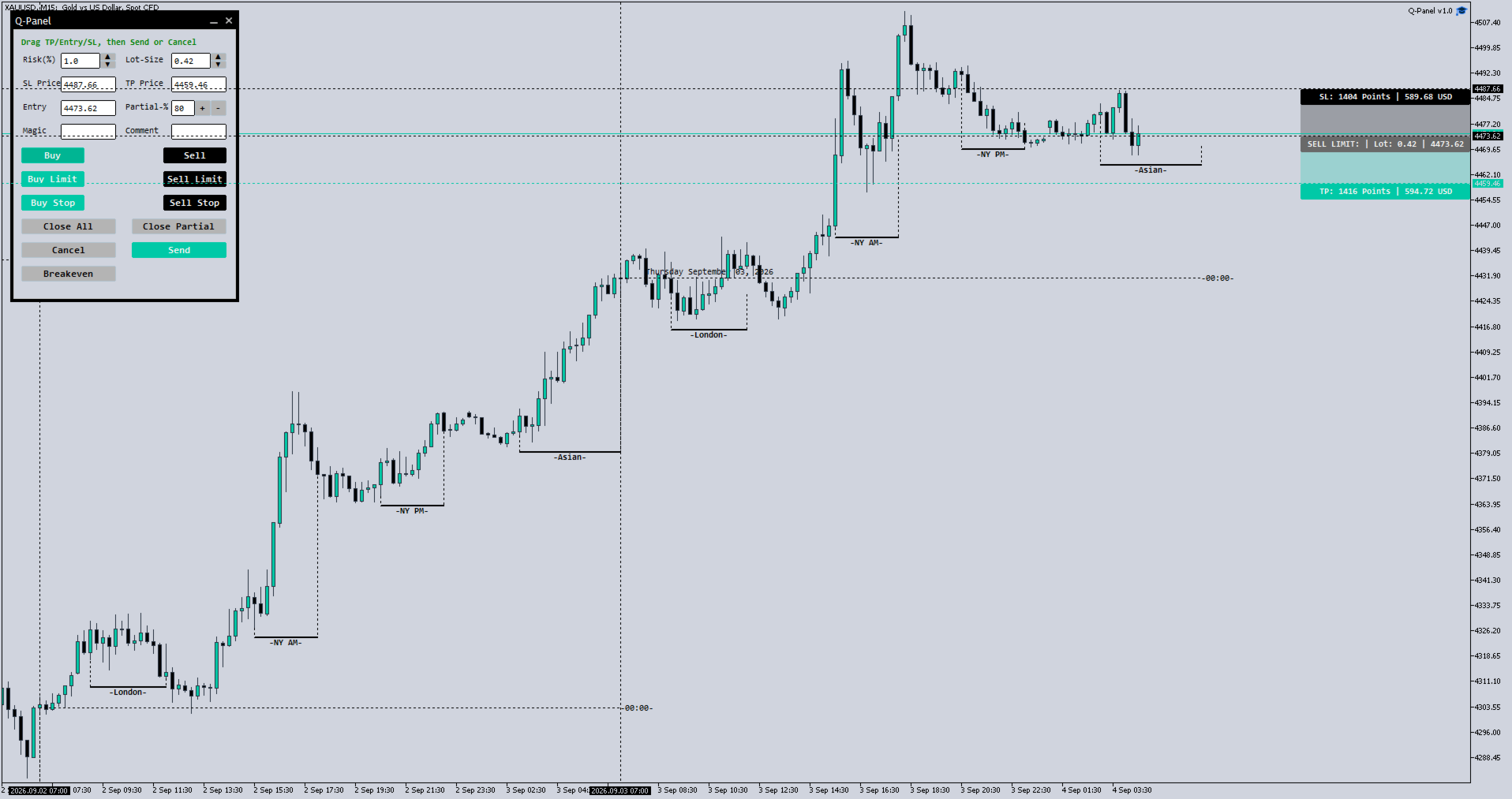
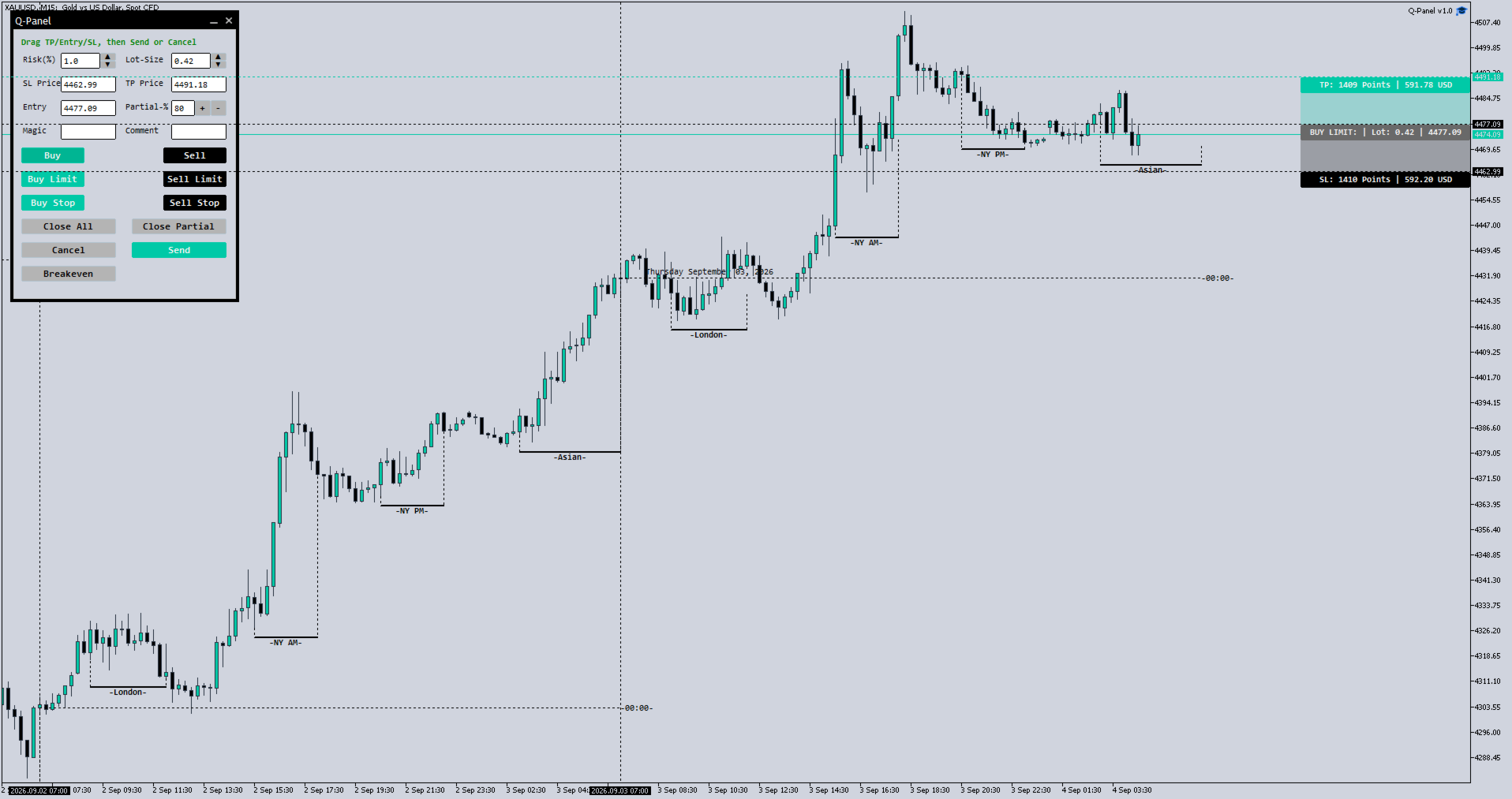
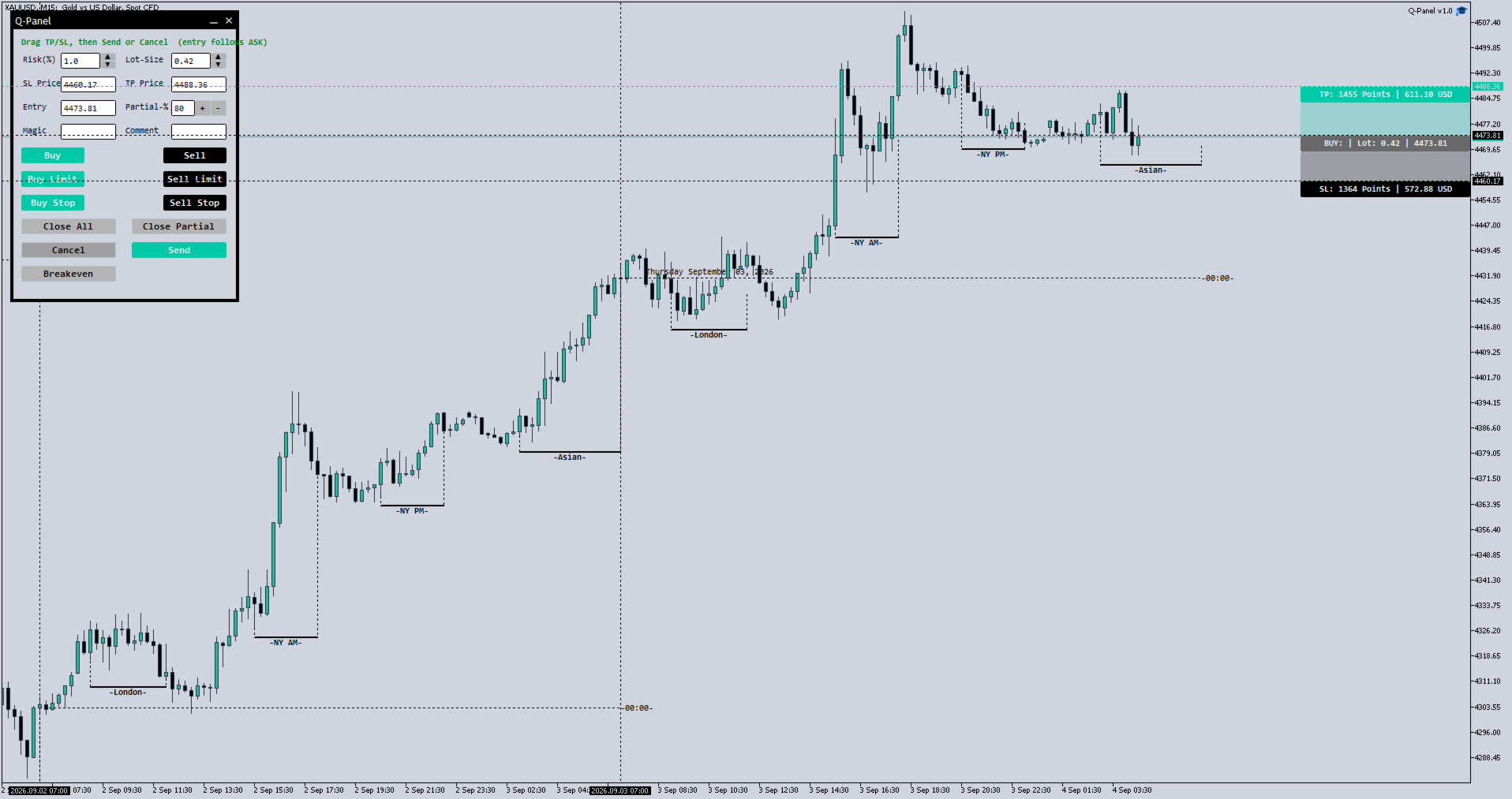
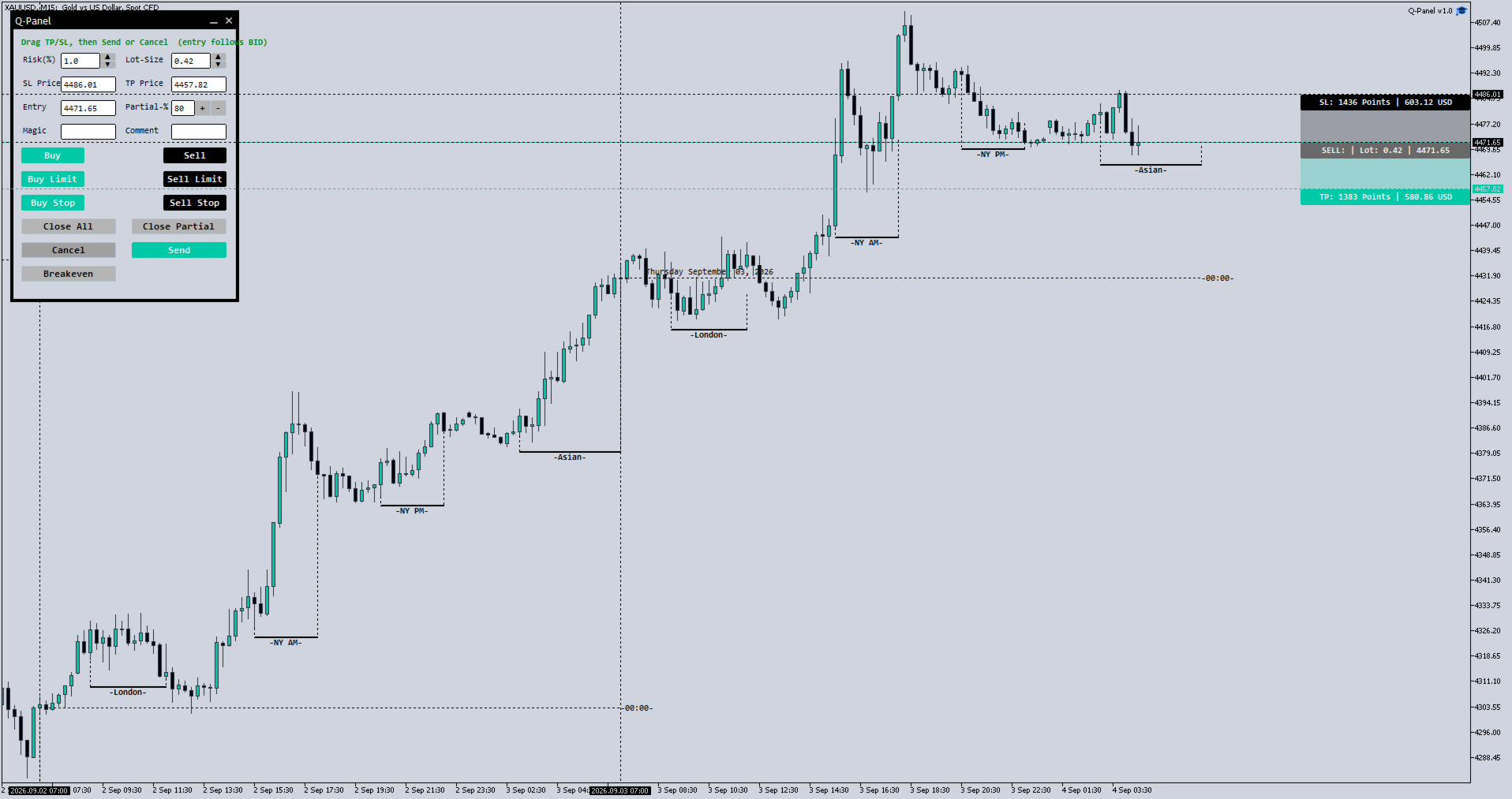
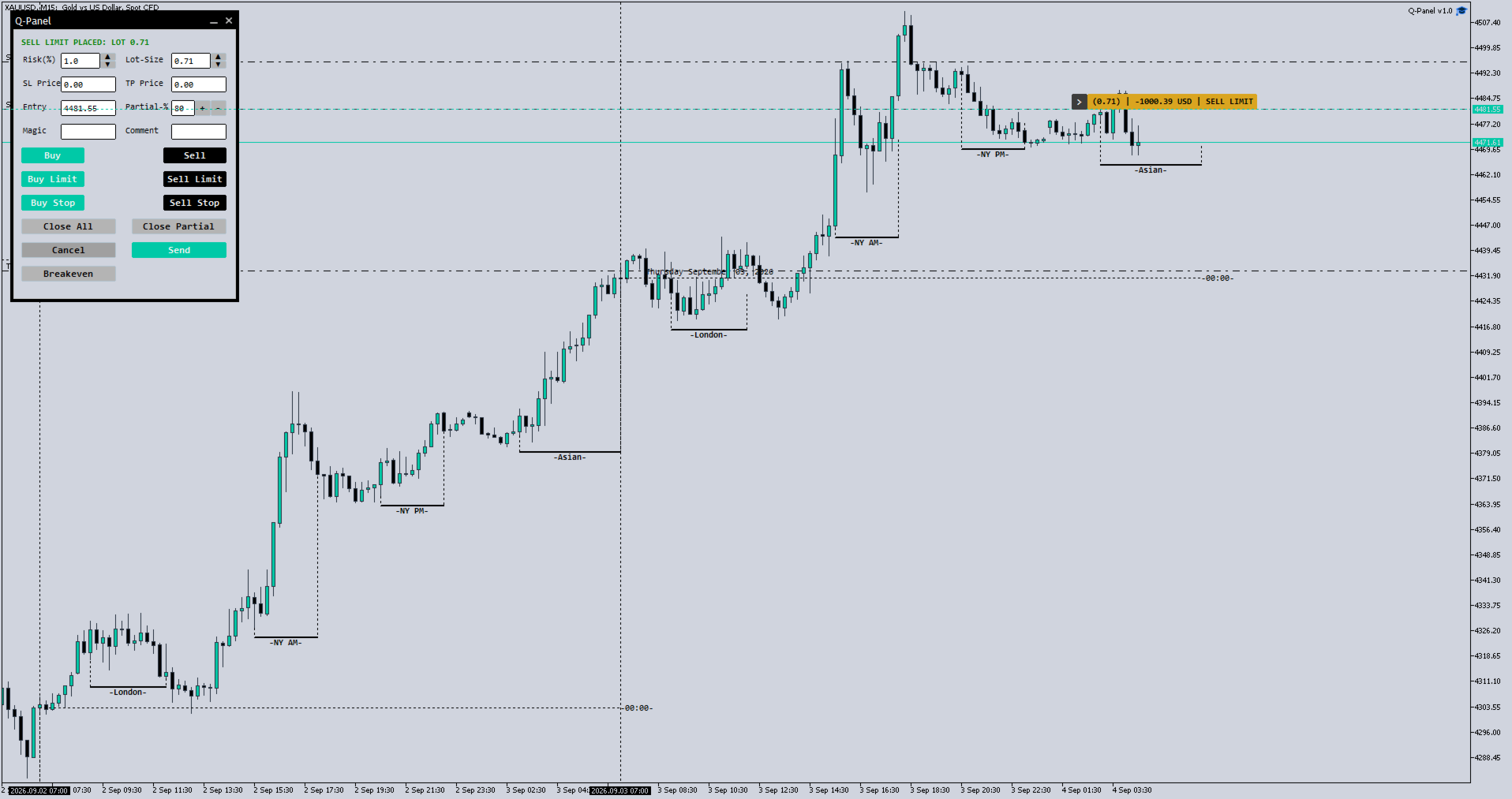
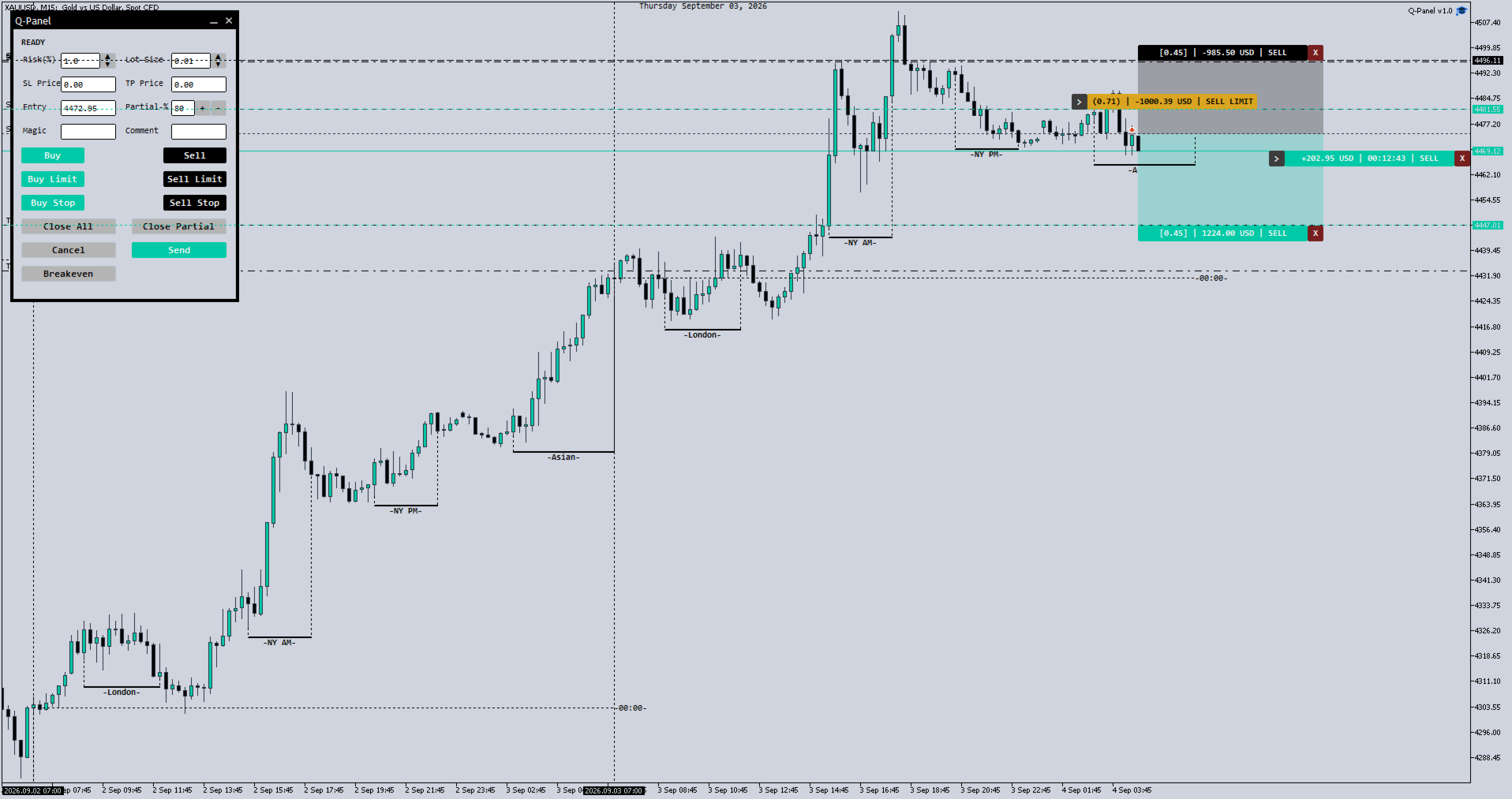
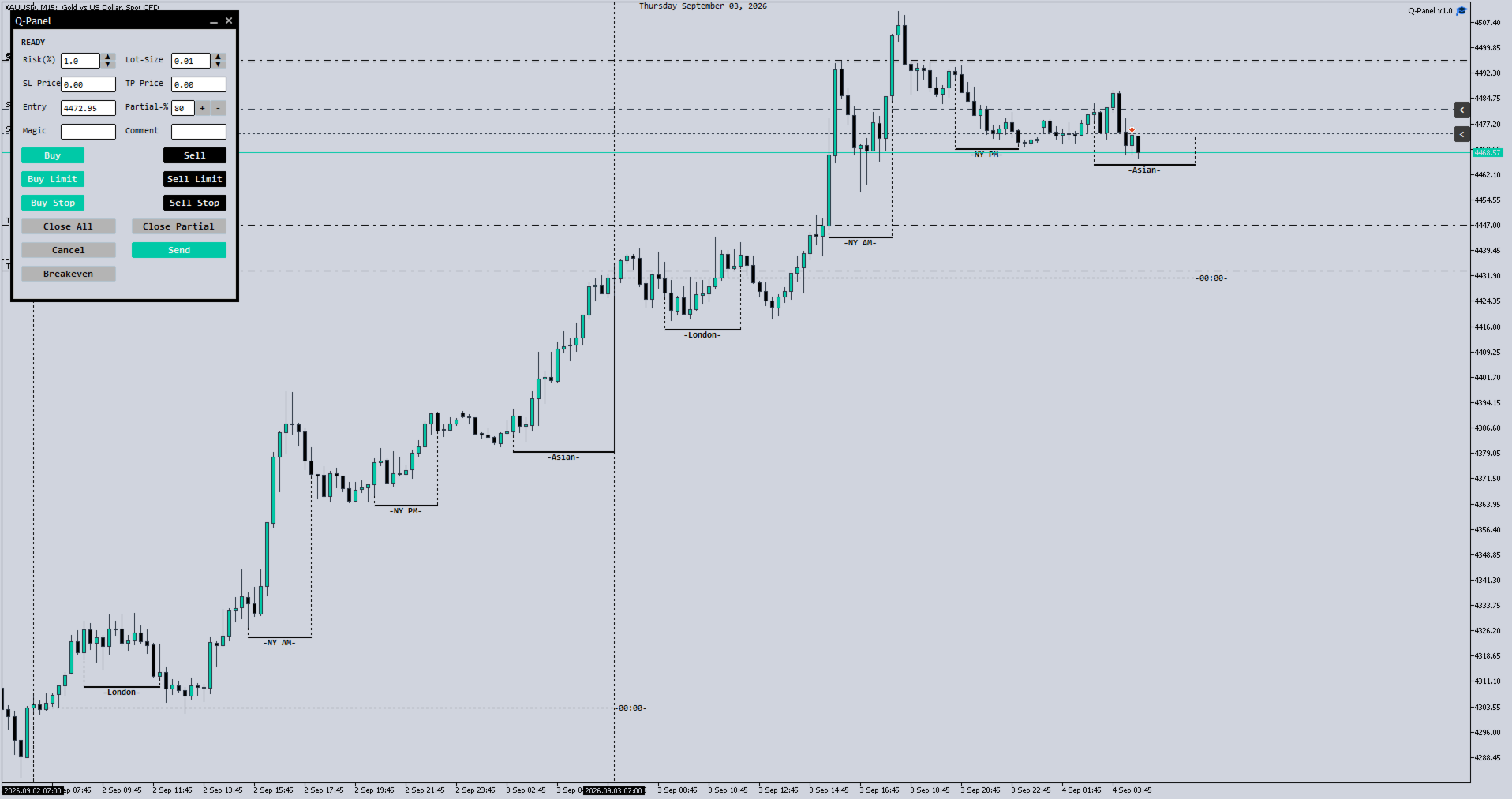
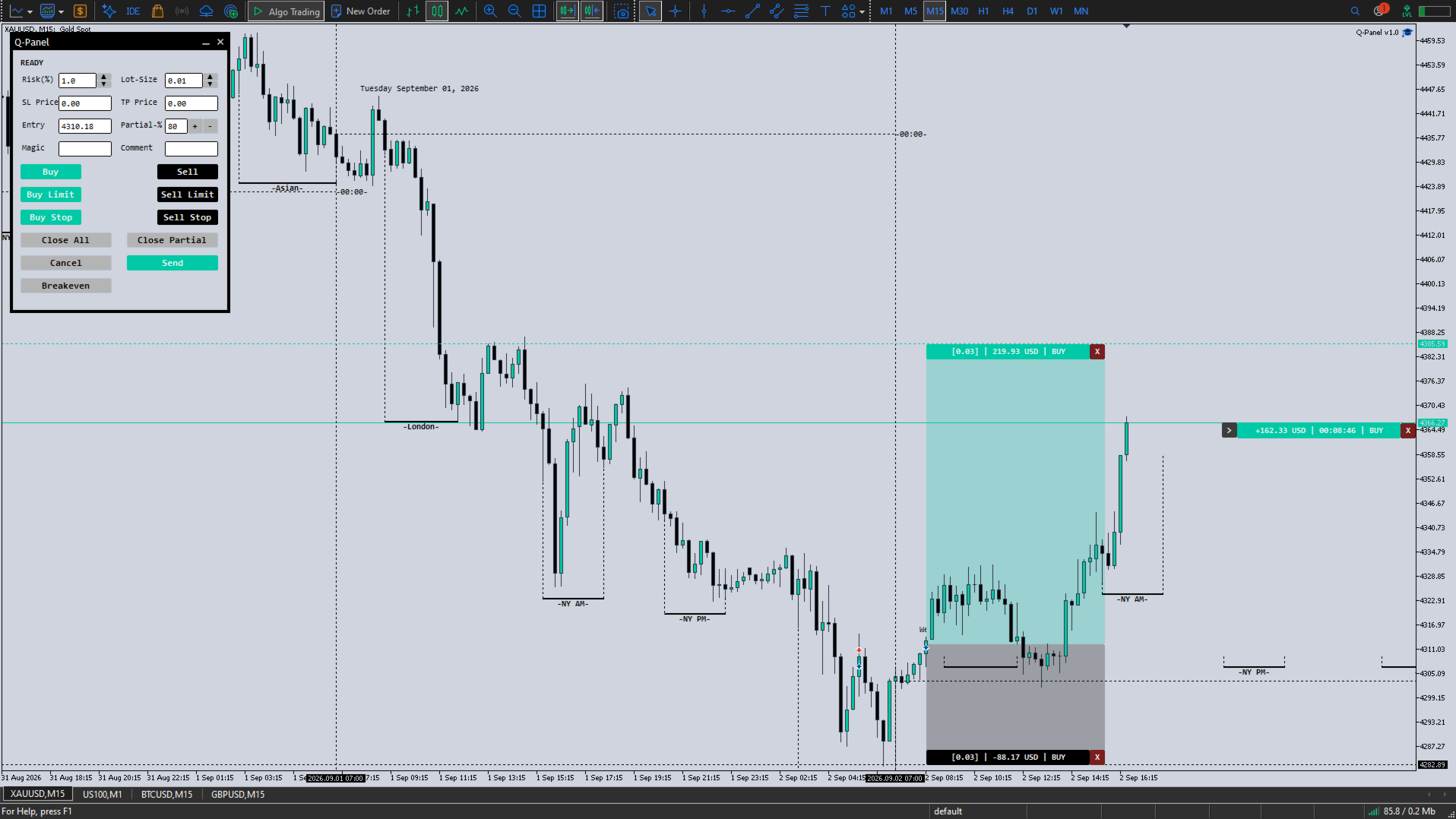
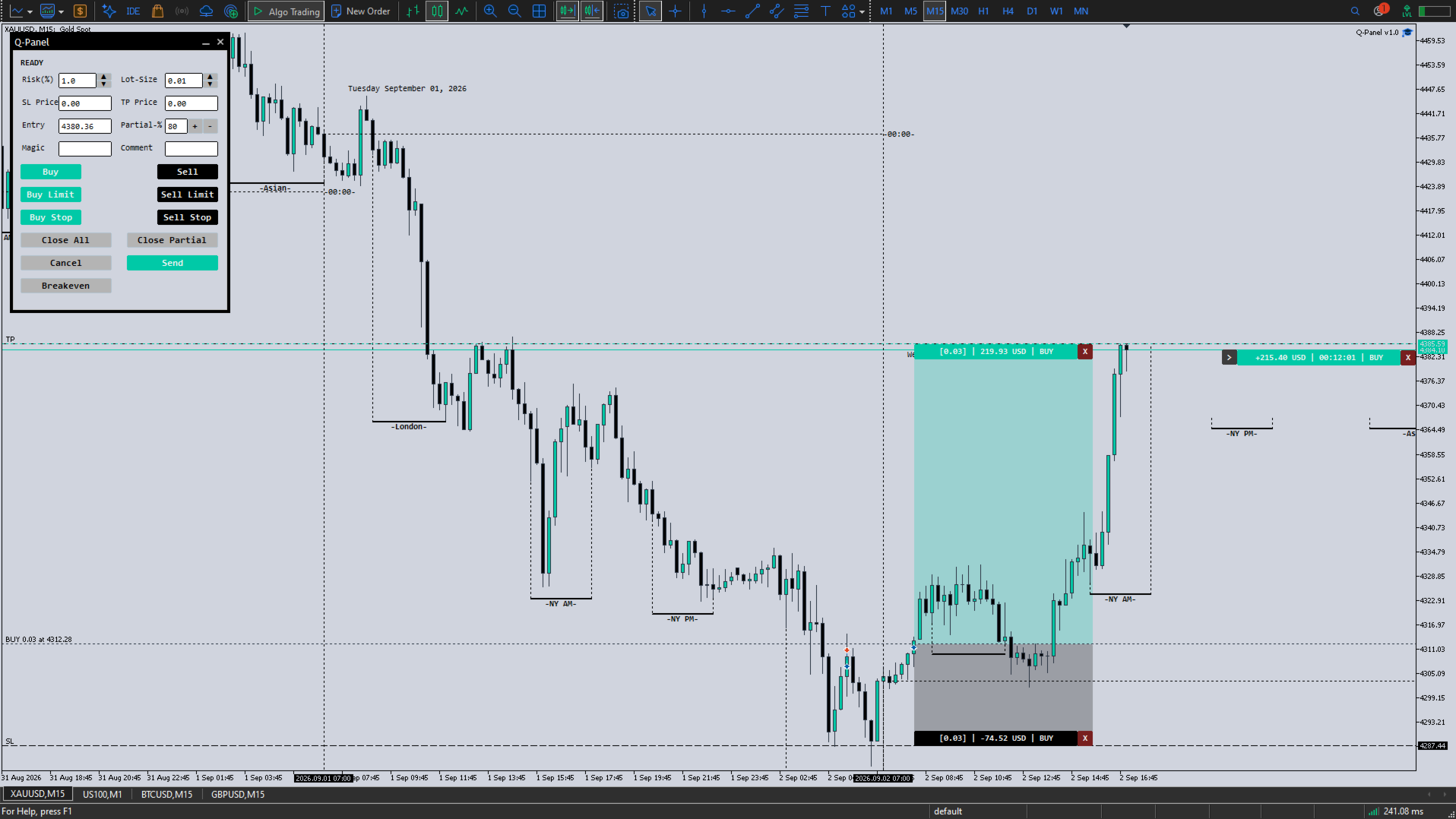
Q-Panel is a chart-based order-management tool built for traders who want full control over how a position is placed, tracked, and closed; without leaving the chart. Instead of typing prices into a ticket, you drag your entry, stop loss, and take profit directly on the price axis, and Q-Panel handles the rest: visual zones, live P/L, and one-click management for every trade you open.
Key Features
Visual Order Placement
- Drag Take Profit, Stop Loss, and Entry directly on the chart for market and pending orders (Buy/Sell, Buy/Sell Limit, Buy/Sell Stop)
- Color-coded profit and loss zones so risk/reward is visible at a glance, not just implied by numbers
- Manual entry-price field for precise pending order placement
Averaged or Individual Position Management
- Choose to manage multiple trades in the same direction as one averaged position — or let every trade keep its own independent stop, target, and history
- Switch modes per your own trading style; nothing is forced
Live, At-a-Glance P/L
- A running total that follows price in real time
- In individual mode, each trade gets its own fixed profit tracker anchored right at its entry point; so you always know which trade is doing what, without hovering over anything
One-Click Trade Management
- Clear a stop loss, clear a take profit, or close a trade outright; directly from the chart, with no dialog boxes
- One-click breakeven and partial close
- A collapsible "drawer" on each trade lets you tuck away detail you're not currently watching, and bring it back with a single click
Session Awareness
- London, New York AM/PM, and Asian sessions are marked directly on the chart as they happen, so you're trading with context instead of relying on memory
Built for Multi-Chart Use
- Each chart instance is uniquely identified (via magic number + order comment), so you can run Q-Panel on several charts and symbols at once without one instance interfering with another
How It Works
- Attach Q-Panel to any chart, any symbol, any timeframe
- Set your risk %, lot size, and (optionally) a magic number/comment to keep this instance's trades separate from others
- Click Buy, Sell, or a pending-order button; the drag tool appears so you can place your TP/SL/entry exactly where you want them
- Manage everything that follows directly from the chart: adjust, clear, close, or track; all without opening a single dialog
Compatibility
Works on any instrument MetaTrader 5 quotes; forex, indices, metals, crypto CFDs; and any timeframe. Q-Panel does not place trades on its own; it is a manual execution and management tool, giving you the precision of a professional order-entry system on top of your own decision-making.