Chart Context Keeper MT5

Chart Context Keeper MT5

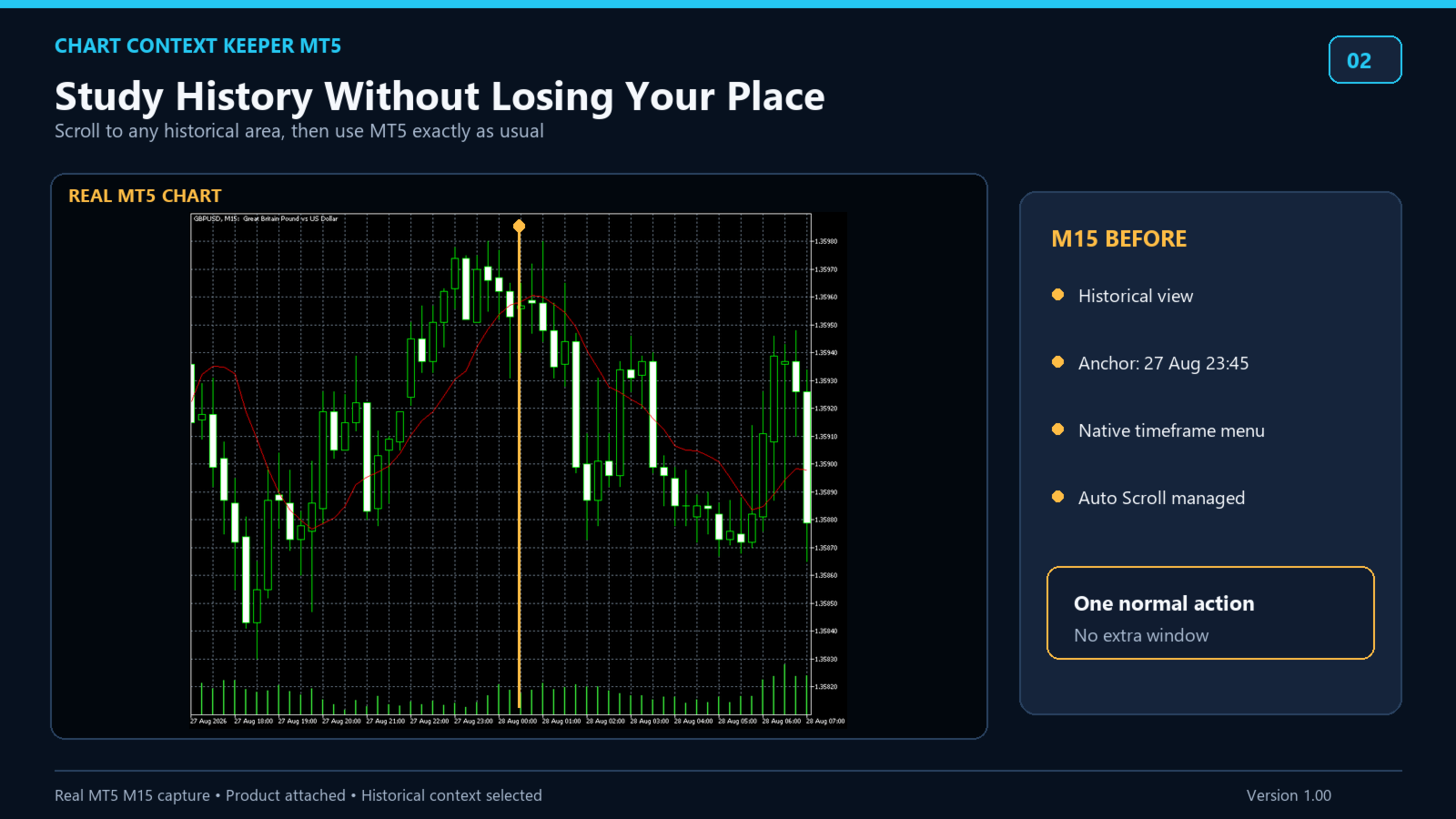
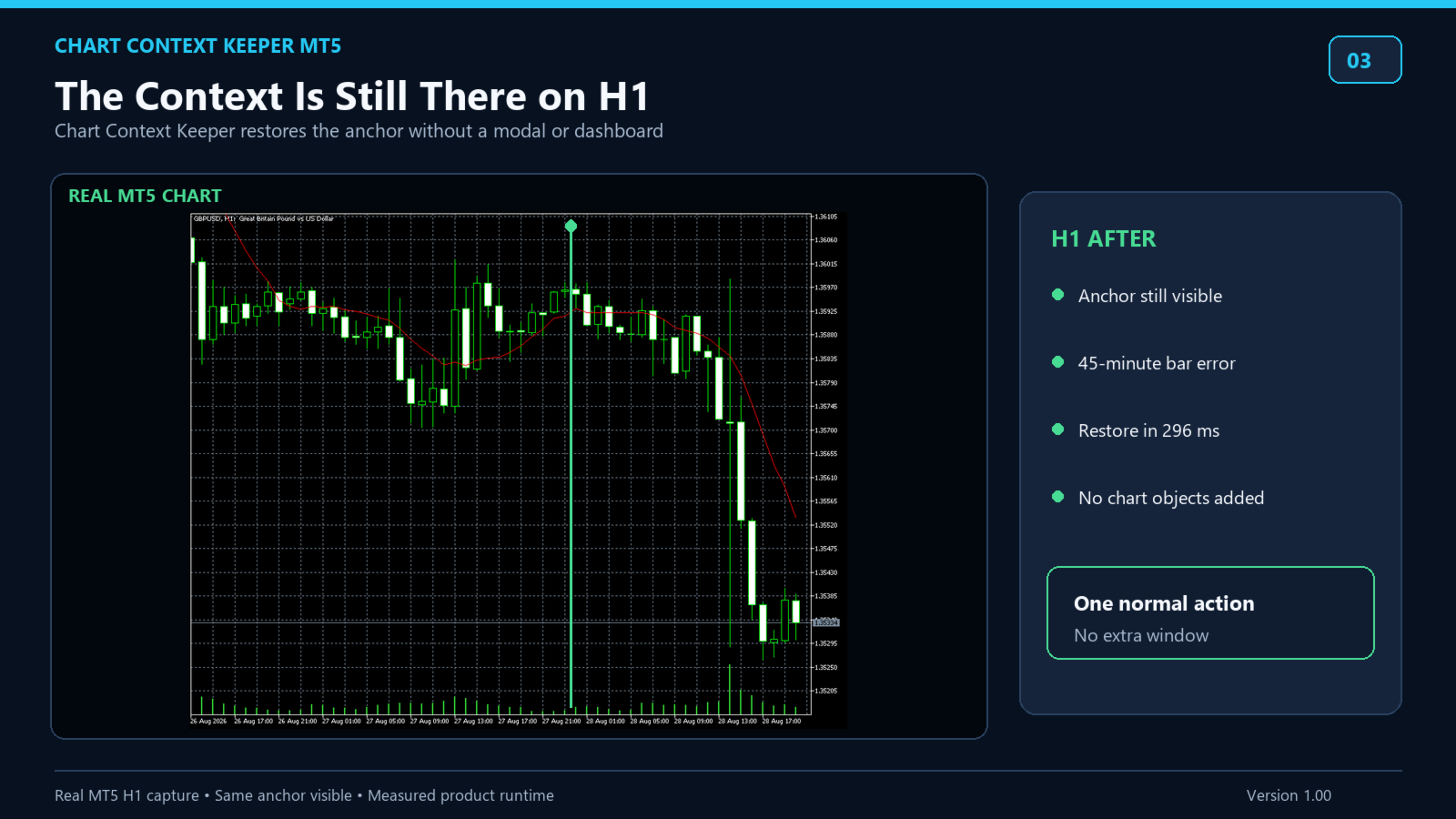
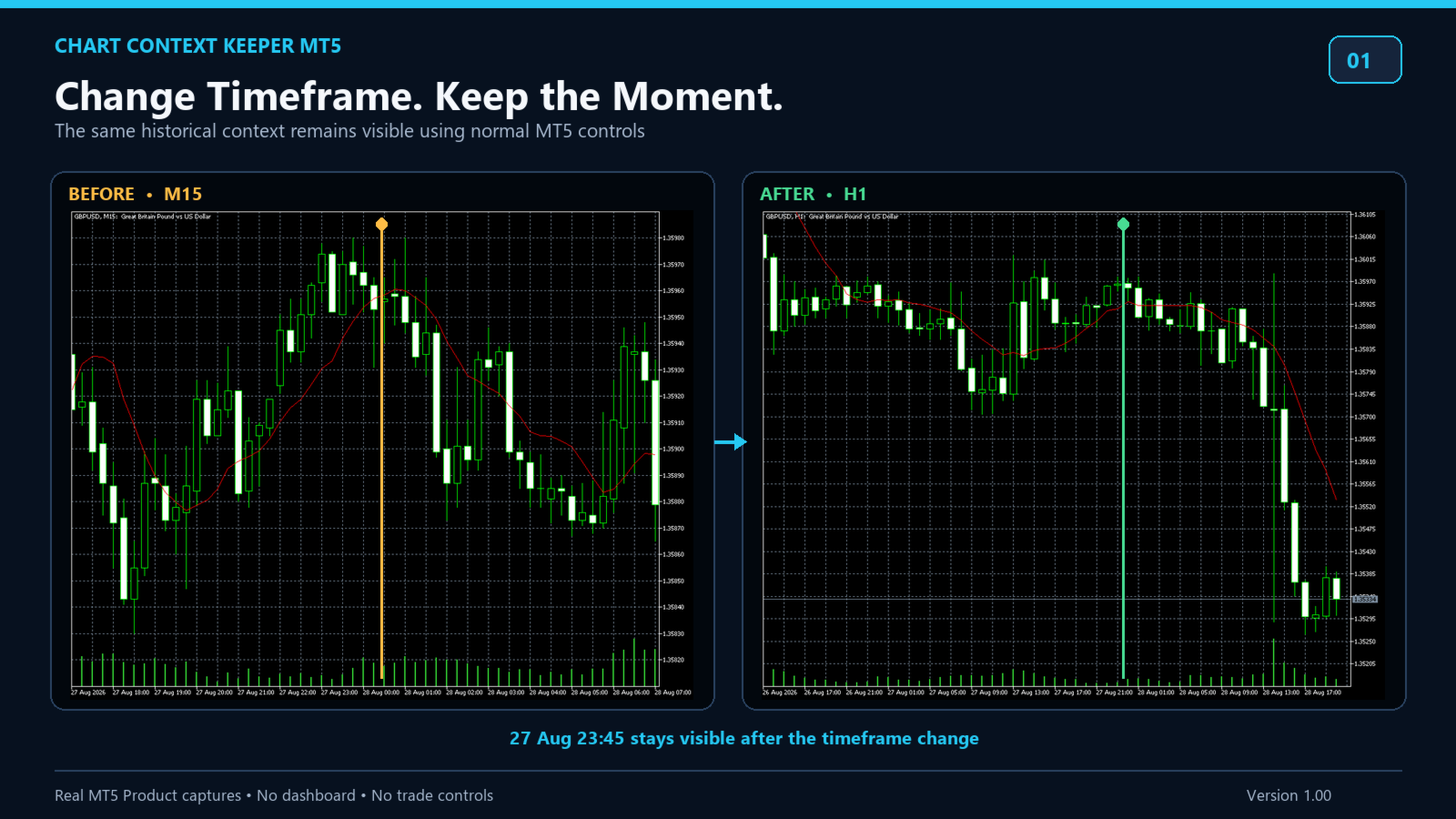
Change timeframe without losing the historical moment you were studying.

MT5's fixed chart position helps with zooming, but a timeframe change can move the chart away from the date under review. Chart Context Keeper adds the missing continuity: attach it once, then keep using MT5's normal timeframe controls.


Why it is useful

• Keeps the captured historical time visible after a timeframe change
• Adds no dashboard, recurring button, modal, or confirmation
• Runs as an Indicator, so it does not replace the chart's Expert Advisor
• Leaves live-edge timeframe changes untouched
• Temporarily protects old-history placement from Auto Scroll when required
• Restores the prior Auto Scroll on-state when you return to live with End or remove the Indicator
• Makes no trade request and uses no DLL, WinAPI, WebRequest, or external service


Designed for

• Multi-timeframe historical analysis
• Manual backtesting and replay-style review
• Trade journaling and post-session chart review
• Anyone tired of finding the same date again after changing timeframe


Important behavior

The product preserves a time in view, not identical candle geometry.

A destination bar can represent a larger interval, so its open time may differ from the source timestamp by up to one destination bar. Near the current edge on a larger timeframe, insufficient future bars can place the anchor near the right edge instead of the preferred center.

Attach the Indicator to each chart where you want context retention. Destination history must be available.

Offline, custom, and synthetic charts are not claimed as supported.
Altri dall’autore
Local Trade Sync Copier is a local trade synchronization utility for copying trading activity between MetaTrader 5 accounts running on the same computer or VPS. It supports both one-to-one synchronization and one-to-many synchronization, allowing one Source account to distribute its trading activity to multiple independent Receiver accounts. This product does not generate trading signals or trading strategies. Account A acts as the Source, while one or more Account B terminals act as Receiver
Flight Recorder for MT5 Trade Execution Trade Lifecycle Forensics is a read-only monitoring utility. Attach one instance before the trading activity you want to observe. The utility watches account-wide trade transactions generated by manual trading and other Expert Advisors, then connects related request, order, deal, position, and pending-order evidence into reviewable records. The utility does not open, modify, cancel, or close trades. It has no trading buttons and does not control other
History Integrity Scanner MT5 See what closed-bar history your current MT5 terminal actually has available before you rely on it for analysis or development. History Integrity Scanner MT5 is a read-only utility that scans a configurable symbol and timeframe matrix directly inside the terminal. Its primary purpose is terminal-native, direct, read-only, multi-symbol/timeframe closed-bar history inspection. It summarizes synchronization, requested versus copied bars, coverage dates, timestamp
Chart View Slots MT5 Chart View Slots MT5 adds a compact visual-view dock directly to an MT5 chart. Switch among Focus, Trade and Review appearances without opening Chart Properties, loading a template or moving to a separate dashboard. Capture your own appearance into any slot, apply it to the active chart or all open charts, and use Undo to restore the appearance that existed immediately before the last apply. Main workflow 1. Attach the Indicator to one chart. 2. Click Focus, Trade or
Filtro:
Nessuna recensione
Rispondi alla recensione