Chart View Slots MT5
- Utilità
- Versione: 1.0
- Attivazioni: 5

Chart View Slots MT5
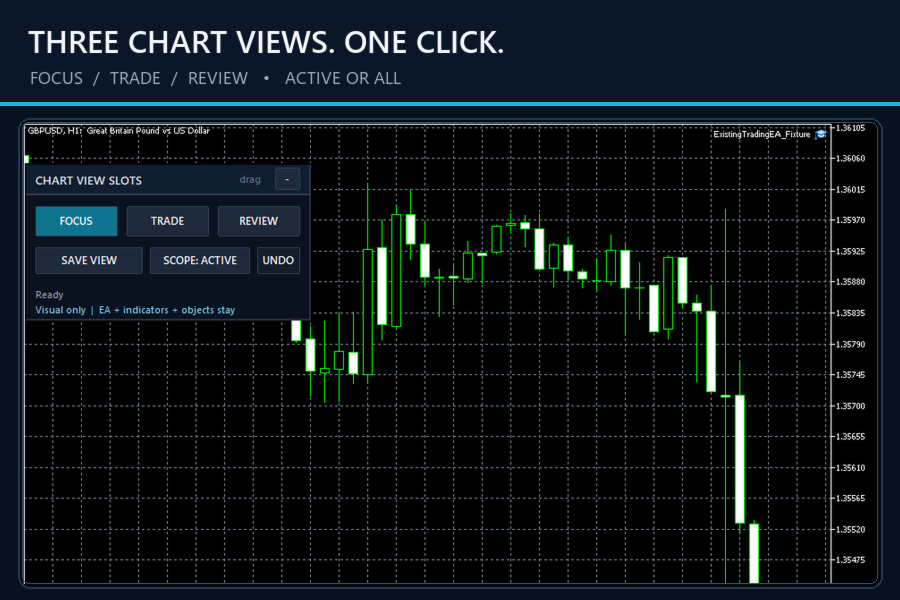
Chart View Slots MT5 adds a compact visual-view dock directly to an MT5 chart.
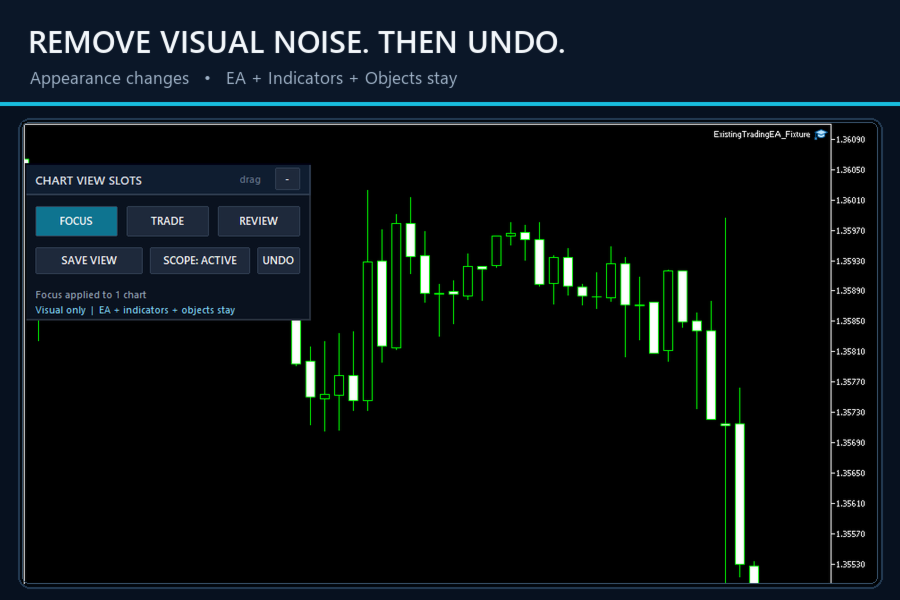
Switch among Focus, Trade and Review appearances without opening Chart Properties, loading a template or moving to a separate dashboard.
Capture your own appearance into any slot, apply it to the active chart or all open charts, and use Undo to restore the appearance that existed immediately before the last apply.
Main workflow
1. Attach the Indicator to one chart.
2. Click Focus, Trade or Review.
3. Use SCOPE: ACTIVE for the current chart or SCOPE: ALL for every open chart.
4. Click Undo when you want to restore the appearance that existed immediately before the last apply.
5. Collapse the dock to the small VIEWS tab when it is not needed.
Capture your own view
Click SAVE VIEW, then click Focus, Trade or Review.
The selected slot stores the current supported appearance properties. Saved slots persist in the terminal and remain available after chart or timeframe reinitialization.
Visual-only safety boundary
The product changes supported chart appearance and visibility properties only.
It does not:
• Change symbol or timeframe
• Move the chart or change the historical viewing position
• Load a template
• Add, remove or replace an Expert Advisor
• Add, remove or change an Indicator
• Add, remove or change a graphical Object
• Place, modify or close trades
• Use DLL, WinAPI or WebRequest
Supported saved properties include chart mode, foreground behavior, common show/hide options and chart colors.
Navigation and content properties are intentionally outside the product scope.
UI
• Chart-native 320 x 176 dock
• Draggable header
• One-click collapse and expand
• Clear Active / All scope state
• Explicit status text
• One-step Undo per affected chart
Chart View Slots MT5 is designed for traders who repeatedly change the same visual settings for analysis, order review and clean-chart focus, and want those transitions to feel like a native MT5 command.
Version 1.00.