Firefly Position Manager V1
- Utilità
- Versione: 1.510
- Aggiornato: 6 giugno 2026
- Attivazioni: 10

Overview (main description)
Stop guessing your lot size. Start trading with precision.
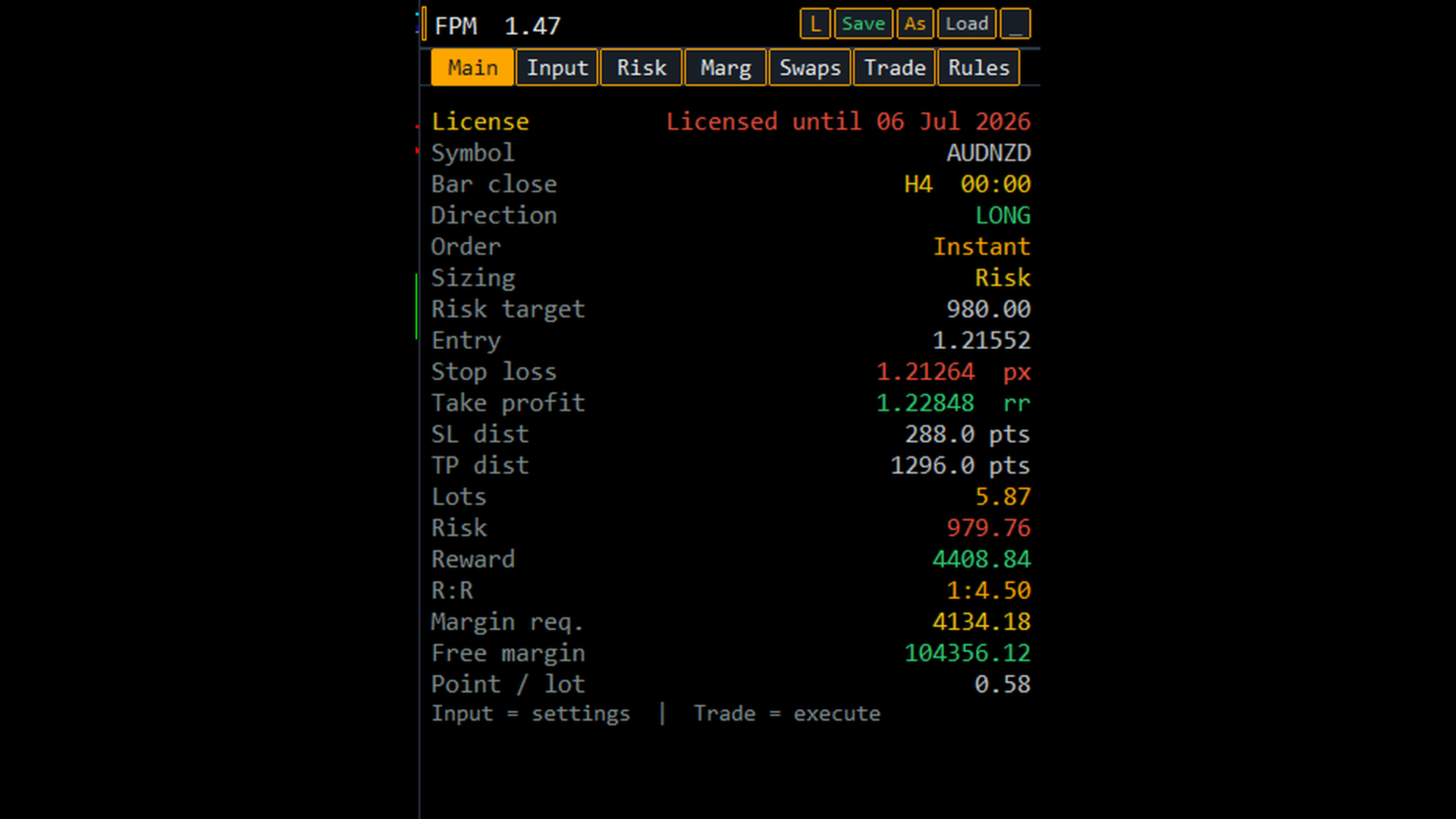
Firefly Position Manager V1 is a chart-based position sizer and trade manager for MetaTrader 5. It gives you the same workflow serious traders use with professional sizing tools: set your entry, stop, and target, see exact risk and reward in money and R:R, then execute — without spreadsheets or mental math.
Whether you scalp, swing, or manage multiple symbols, FPM keeps every decision visible on one clean panel while draggable chart lines update your numbers in real time.
Why traders choose Firefly Position Manager
Know your risk before you click
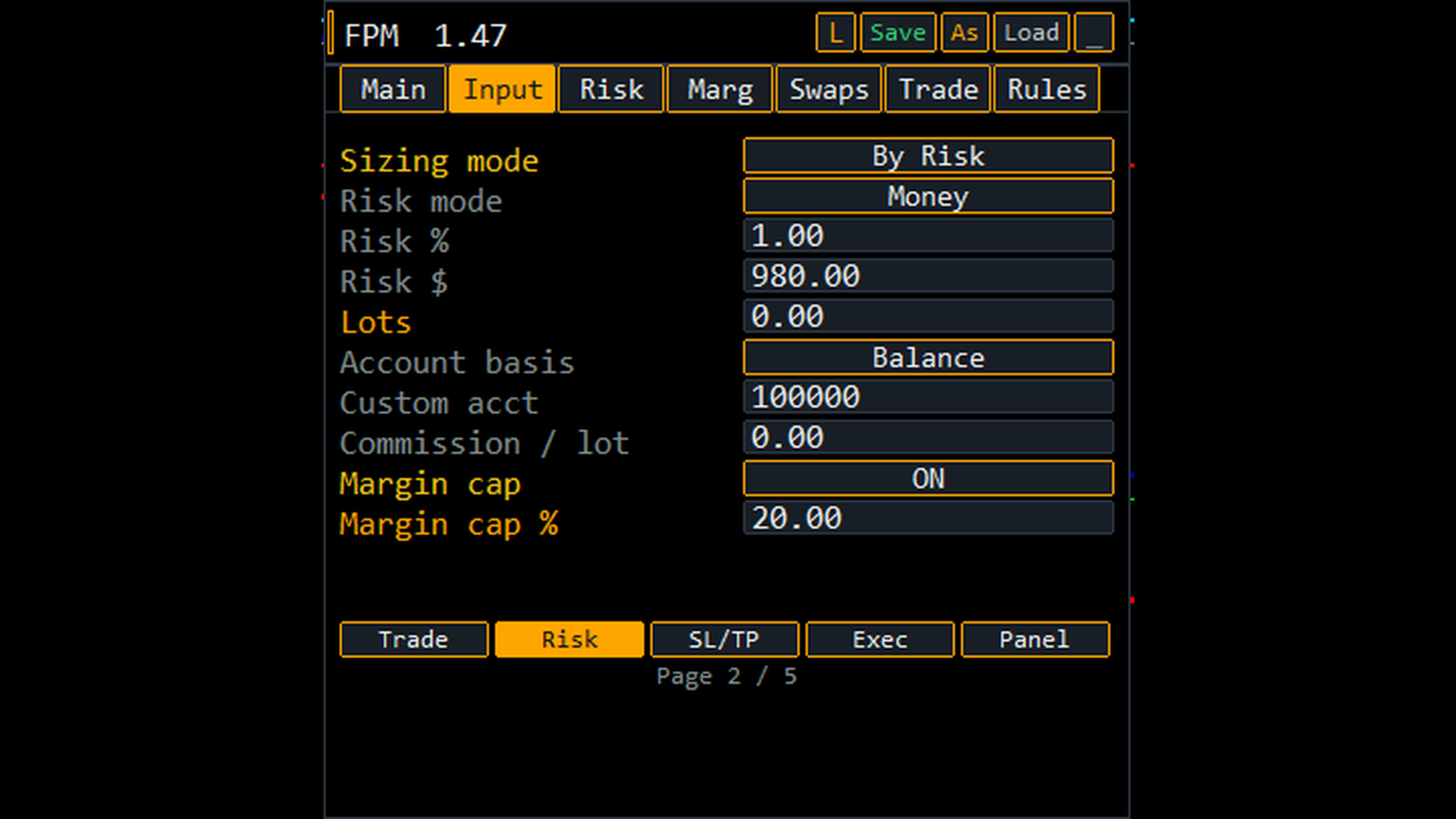
Size by account % or fixed dollar risk. See trade risk, reward, R:R, margin required, and implied risk when using manual lots — all updated live.
Visual setup on the chart
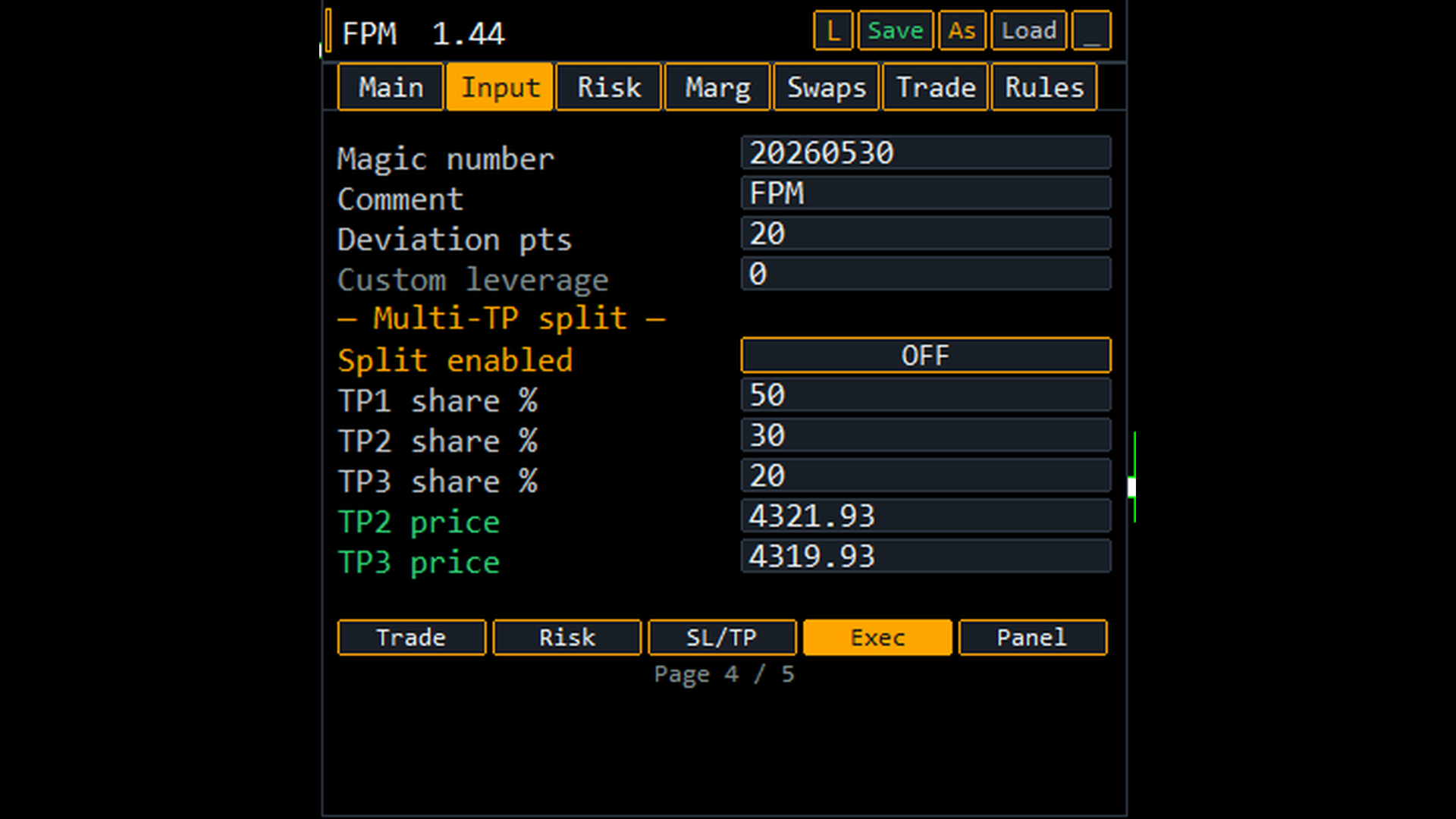
Drag Entry, Stop Loss, and Take Profit lines directly on the chart. Move a line — the calculator recalculates instantly. Optional multi-TP lines when scaling out.
Flexible stop and target modes
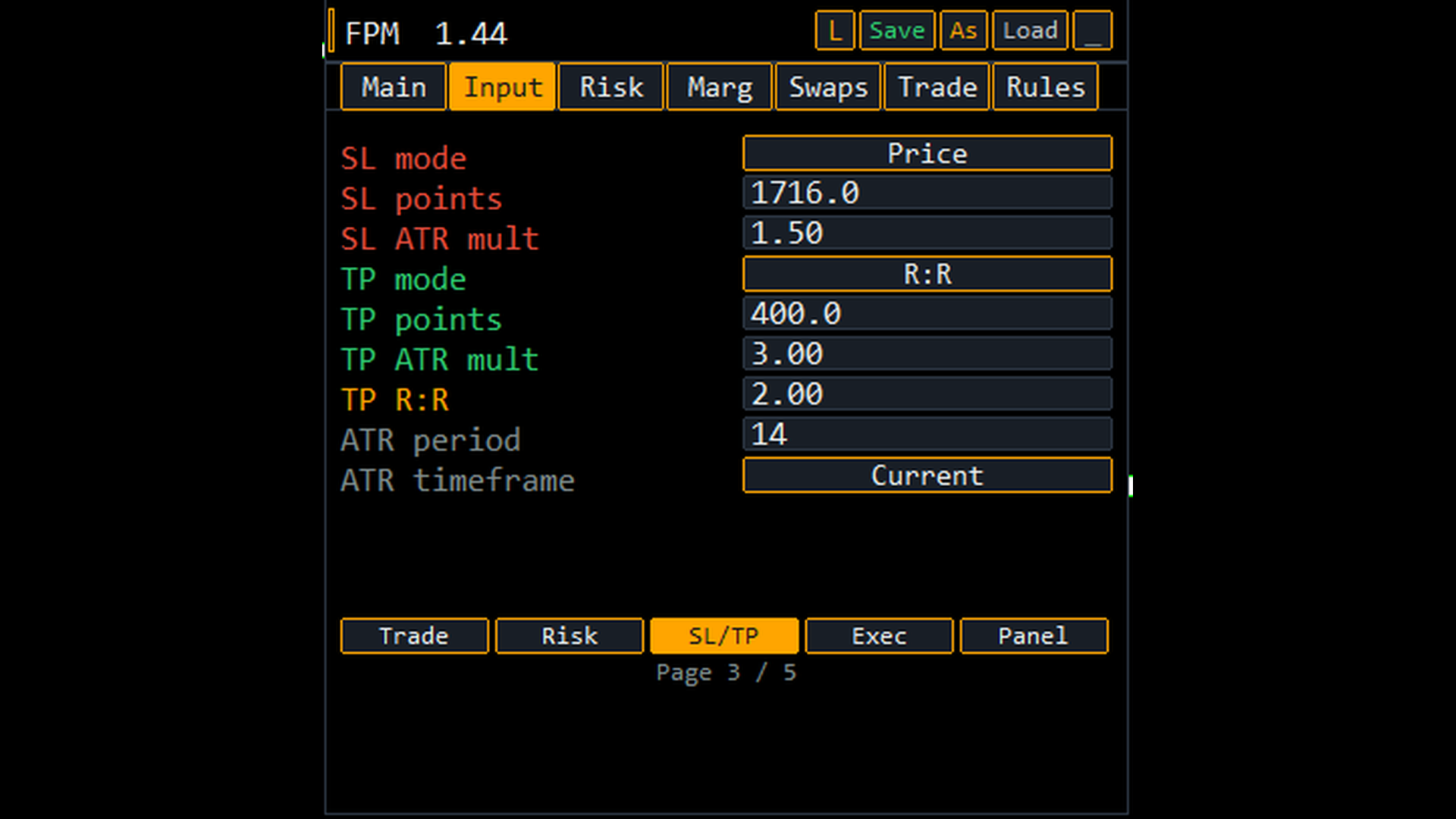
Define SL/TP in points, exact price, ATR multiples (14-period ATR on chart timeframe), or risk-reward ratio. Switch modes without leaving the panel.
Full order type support
Instant market, Buy/Sell Limit, Buy/Sell Stop, and Stop-Limit orders — with stop-limit price handling built in.
Portfolio-aware risk tab
See open positions, pending orders, floating P/L, open risk, and total portfolio risk % alongside the trade you are about to take.
Margin intelligence
Optional margin cap (% of equity) automatically scales lots down so you never oversize relative to your account. Margin tab shows required margin, max lots by margin, and cap status.
Built-in trading rules
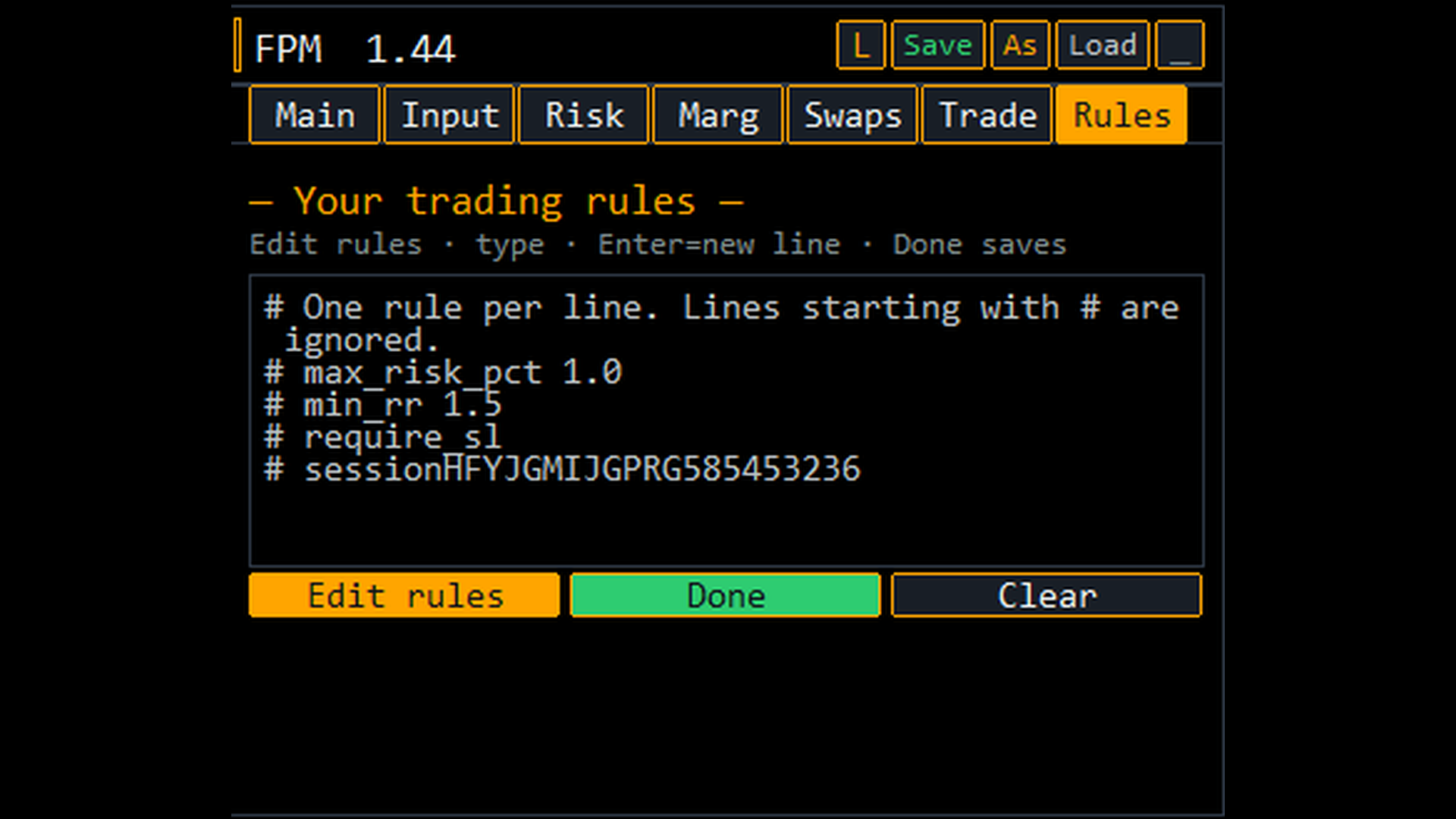
Write your rules in plain text (max risk %, min R:R, session filters, daily loss limits, symbol lists, and more). FPM validates before every execution and warns you if a rule is broken.
Profiles — save your workflow
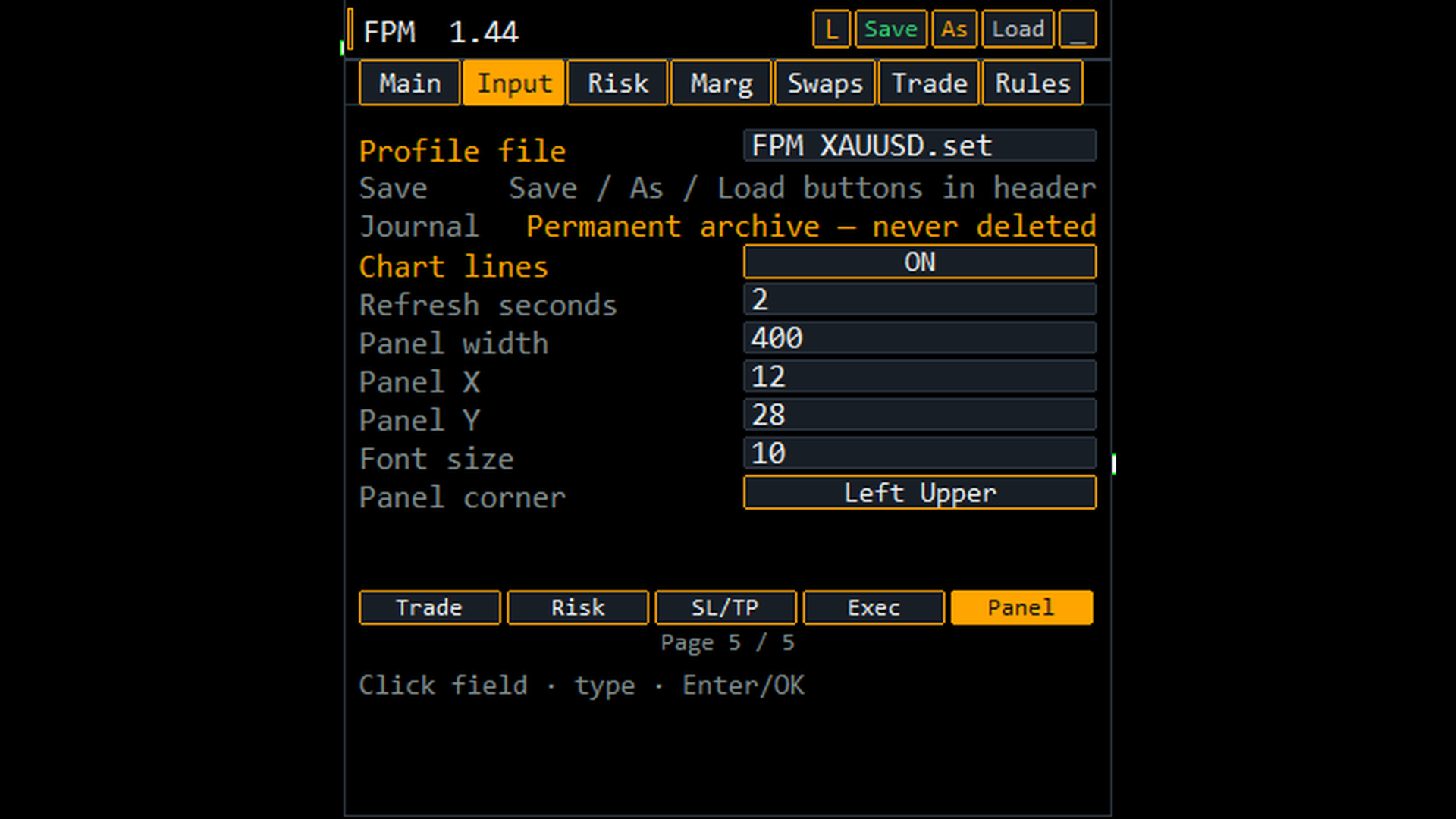
Save and load complete setups (risk, stops, panel layout, theme) per symbol or strategy. Save, Save As, and Load from the panel header.
Swap estimates
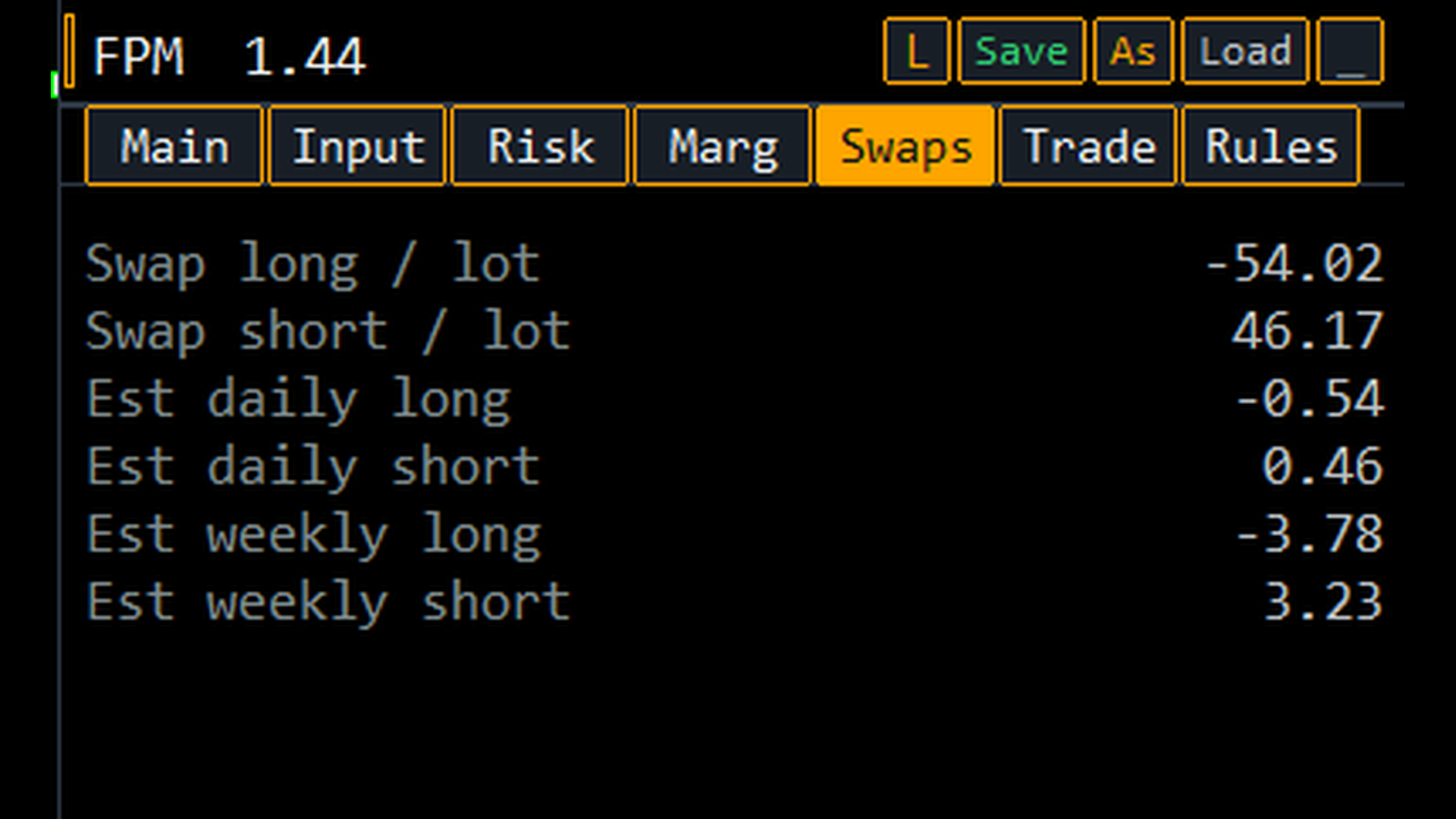
Dedicated Swaps tab shows estimated daily and weekly swap cost for your planned lot size — useful for swing and carry decisions.
Dark and light themes
Toggle theme from the panel. Reposition the panel to any chart corner.
Seven tabs. One tool.
| Tab | What you get |
|---|---|
Main | Live trade summary: symbol, direction, entry/SL/TP, lots, risk, reward, R:R, margin, license status |
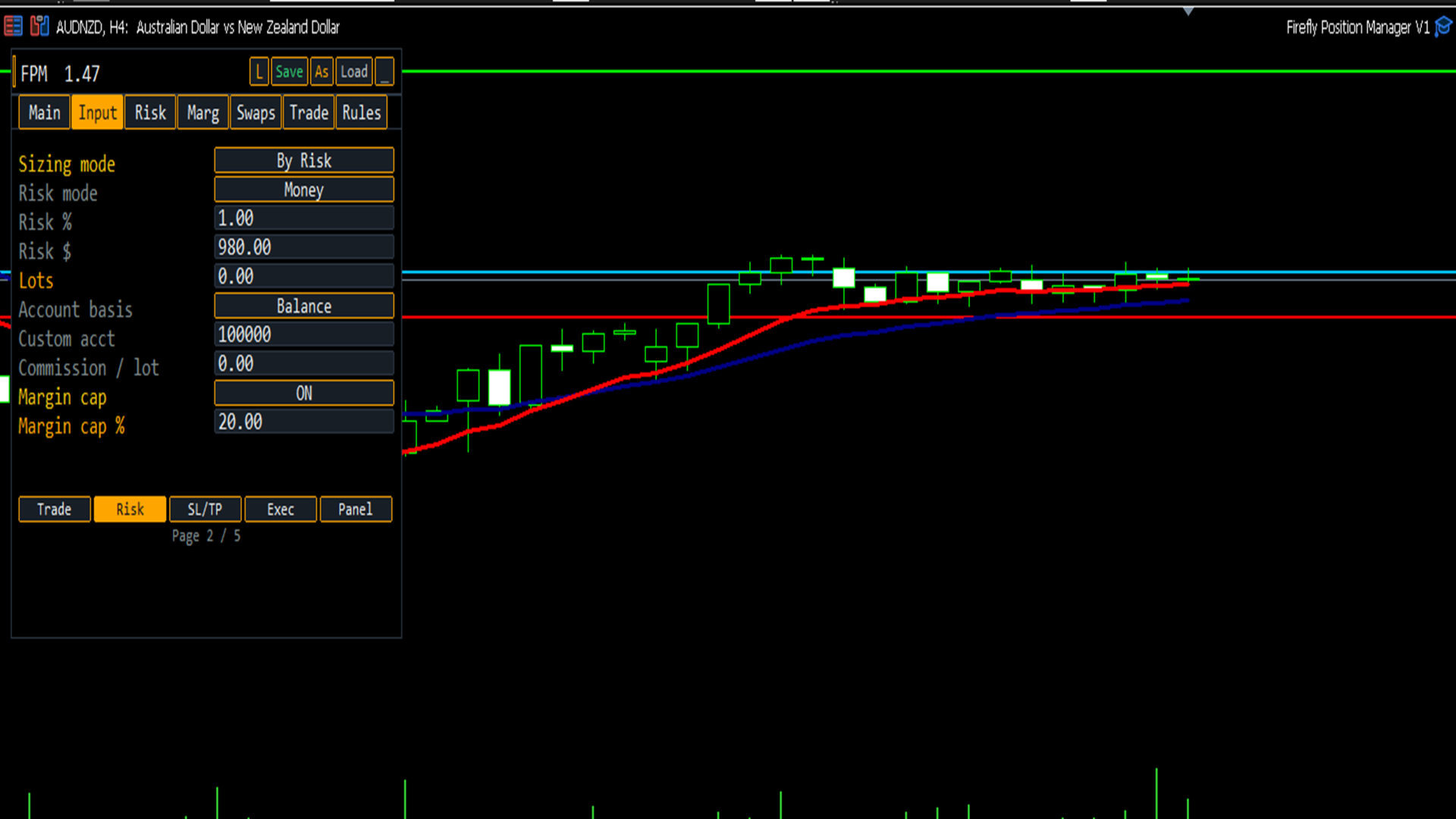
Input | Full settings editor with on-screen numpad — trade, risk, stops, execution, panel |
Risk | Trade + portfolio risk breakdown |
Marg | Balance, equity, margin usage, cap, max lots |
Swaps | Swap rates and cost estimates |
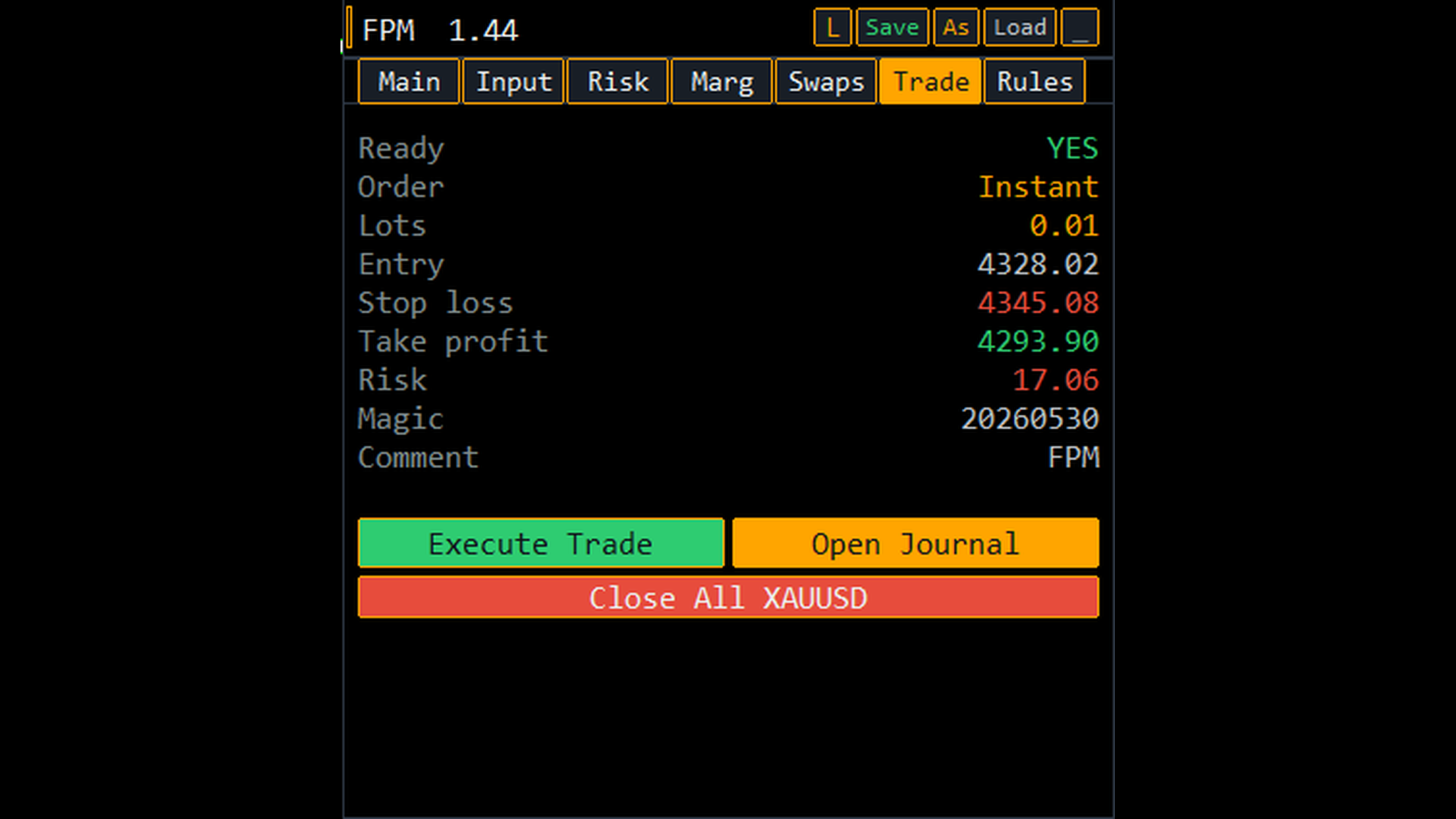
Trade | Pre-flight check + Execute Trade, Close All, Open Journal |
Rules | Edit, save, and enforce your personal trading rules |
License & activation
This product is sold as a monthly rental. After purchase:
- You receive a license key by email (typically within 24 hours).
- Add the license server URL to MT5 WebRequest whitelist (one-time setup).
- Paste your key in EA inputs → panel shows Licensed until [date].
License re-validates online every 6 hours. Up to 2 MT5 terminals per key on the license server (in addition to MQL5 Market’s standard activation limits).
Monthly renewal: extend your subscription each month; an active subscription automatically extends the same key — no new key needed.
Requirements
- MetaTrader 5
- Allow algorithmic trading enabled
- WebRequest allowed for:
https://secure-trust-production-e966.up.railway.app - Internet connection for license validation
Important notes
- Position sizing and trade execution tool — not an automated signal or strategy EA.
- You control every trade; FPM calculates and executes when you press Execute Trade.
- Strategy Tester: license check can be skipped for backtesting (default).
- Trading involves risk. FPM helps you size and manage trades; it does not guarantee profits.