KiwiKangaroo
- Experts
-
HEGUI Morad
 Independent trader & full-time MQL5 developer with over 8 years of real-market experience.
I create robust trading tools designed for live trading and disciplined execution:
Expert Advisors, Indicators & Utilities – Practical and reliable solutions at an accessible price. - Versione: 6.2
- Attivazioni: 5
KiwiKangaroo EA (MT4) - Session Range Expert Advisor for AUDNZD
Overview
KiwiKangaroo EA is a fully automated Expert Advisor built around a session range logic. The EA builds a price zone during the defined session, then places pending orders on the range extremes to capture mean-reversion or breakout behavior depending on market context.
The goal is to provide a structured, repeatable, and adaptable approach across different market conditions, with clear risk management, time filtering, weekday filtering, and spread control.
KiwiKangaroo EA is NOT a grid system and NOT a martingale. It is designed for clean execution, a simple trading logic, and a disciplined automated trading approach.
Trading Logic - The Range as the Main Reference
- The EA analyzes the session defined by the entry and exit times.
- It identifies the highest and lowest price of the range-building period.
- Pending orders are placed at the range boundaries to exploit the natural behavior of price around those levels.
- The system remains simple, readable, and fully configurable.
Strategy Presets
- Basic: simple and direct baseline strategy with spread filtering.
- Prudent: more conservative version with stronger protections.
- Balanced: a compromise between frequency, protection, and profit potential.
- Aggressive: more dynamic version, with larger lot size and a tighter basket target to pursue higher performance.
Market Filters
Spread Filter
- The Spread Max parameter blocks any entry when spread is too high.
- This filter helps avoid degraded entries and improves execution quality.
Time Filter
- Two main times control the EA behavior: Order Open Hour and Close Hour Next Day.
- The EA builds its range during the defined window and closes positions at the planned exit time.
Weekday Filter
- The EA can enable or disable each day of the week individually.
- This filter allows you to exclude days that are considered less attractive or more risky.
Risk Management and Position Sizing
Fixed Lot or Auto Lot
- The Use Fixed Lots mode allows a fixed lot size.
- The automatic mode uses Lots Per 100 Balance to adapt volume to account size.
- The automatic calculation was designed to remain more gradual as the balance grows.
Stop Loss
- The Stop Loss Distance in Pips is fully configurable.
- The EA includes the necessary checks to respect broker constraints and avoid order send errors.
Volume and Margin Control
- Volume is checked before every order placement.
- Available margin is checked to avoid rejections caused by insufficient capital.
Chart Display
Optional Dashboard
- Visual information panel showing the EA status in real time.
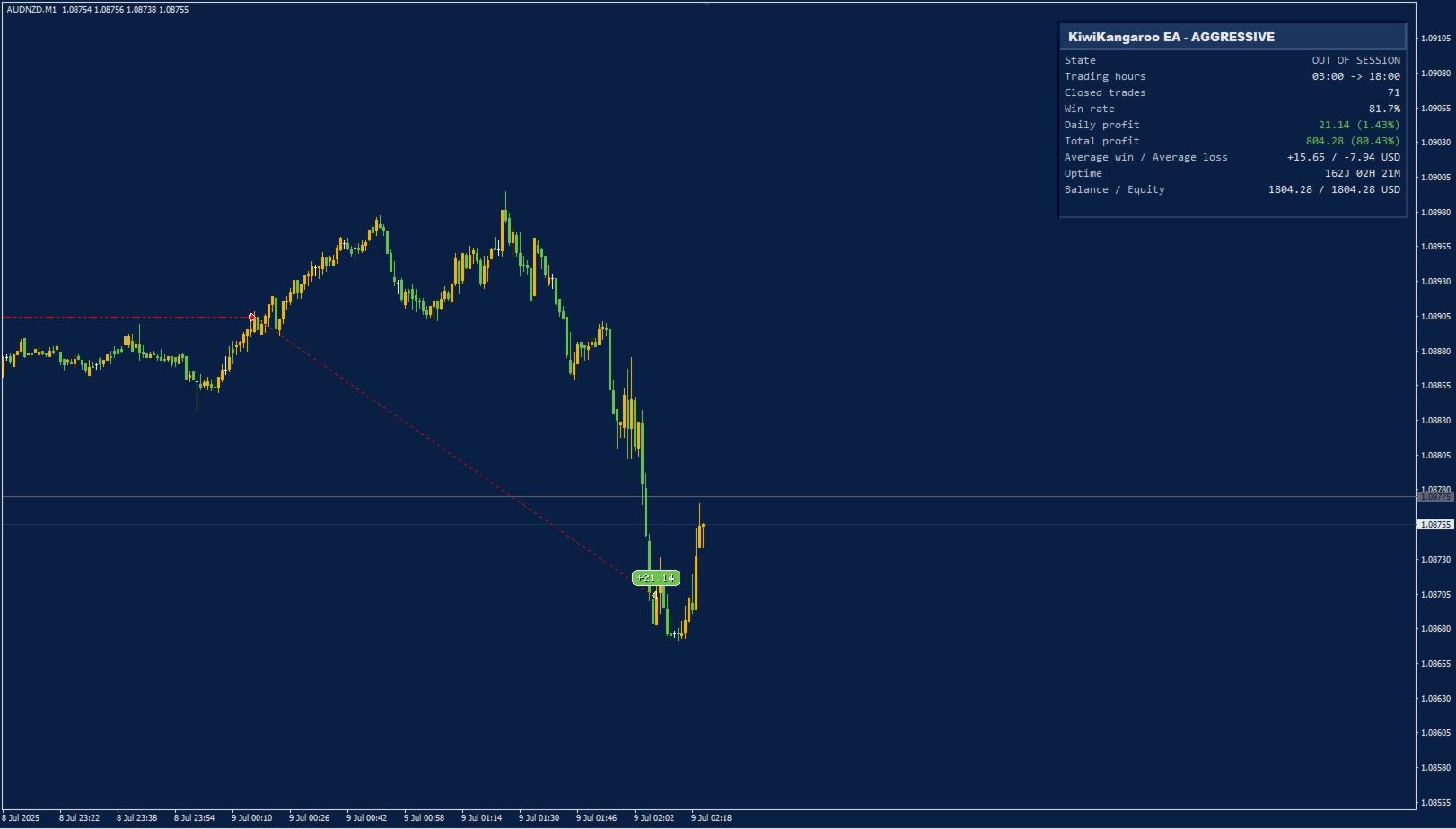
- Displays the key elements: robot state, trading hours, trade count, win rate, profits, average win / average loss, uptime, balance, and equity.
- Readable, modern interface integrated with the chart theme.
Profit Tags on Chart
- Optional display of profits directly on the chart using visual tags.
- Allows quick identification of positive and negative trade closures.
Daily Range Band
- Optional band showing the daily range.
- A practical visual tool to follow market structure at a glance.
Key Product Information
- Platform: MetaTrader 4
- Main Symbol: AUDNZD
- Recommended Timeframe: M1 or M5
- Type: Fully automated Expert Advisor
- Logic: session range + pending orders
- Style: clean, structured, configurable, and control-oriented
Main Settings
- Trading Strategy: strategy preset selector
- Order Open Hour: order placement hour
- Close Hour Next Day: closing hour
- Spread Max: maximum allowed spread
- Allow Monday to Sunday: weekday filtering
- Use Fixed Lots: fixed lot or automatic lot
- Fixed Lot Size: fixed lot size
- Lots Per 100 Balance: automatic lot sizing control
- Stop Loss Distance in Pips: stop loss distance
- Aggressive Lot Multiplier: aggressive lot multiplier
- Aggressive Basket Target: aggressive basket target
- Show Dashboard: panel display
- Show Profit Tags on Chart: profit tags display
- Show Daily Range Band: daily range band display
- Custom Order Comment: comment visible in order history
- Magic Number: unique order identifier
Why KiwiKangaroo EA Stands Out
- A clear and easy-to-understand logic.
- Readable parameters separated by categories.
- Real work on visual ergonomics and presentation.
- Advanced options without adding artificial grid or martingale mechanics.
- An approach focused on discipline, structure, and market condition management.
Important Notes
- Results depend on broker execution conditions: spread, slippage, liquidity, and data quality.
- No system can guarantee consistent profits.
- It is recommended to test the EA on demo and forward test it before any live use.