Proton Trade Assistant MT5
- Utilità
-
Vijay Singh
 I'm Vijay, a Forex and Gold trader with hands-on experience trading XAUUSD and major currency pairs on MetaTrader 5.
 - Versione: 1.66
- Aggiornato: 6 settembre 2026
Proton Trade Assistant MT5
OVERVIEW
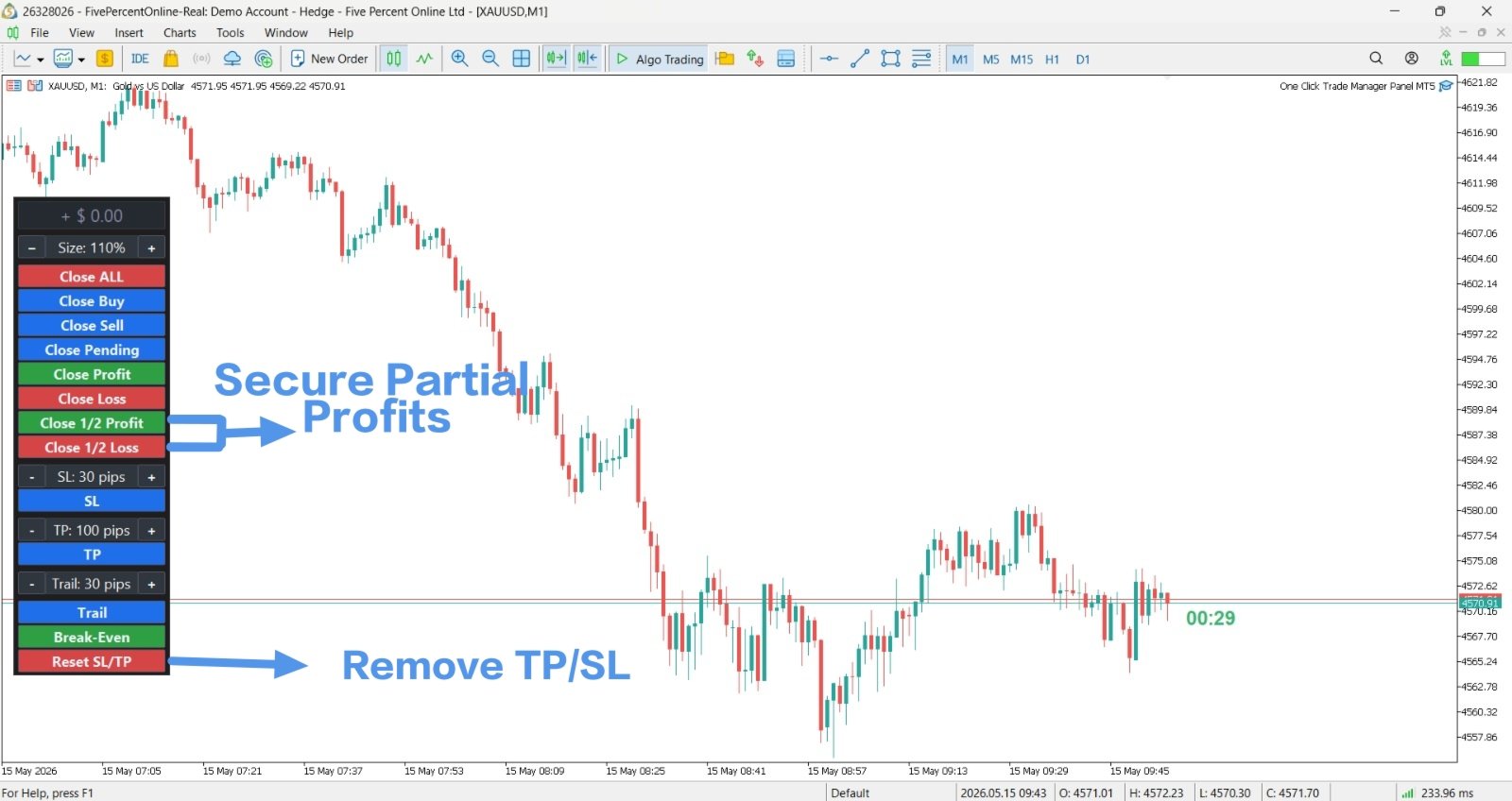
Proton Trade Assistant MT5 is a utility for MetaTrader 5 that provides streamlined position management functions accessible directly from the chart. This tool is designed for traders who manage positions manually and require faster execution of closing and risk management operations.
PRIMARY FUNCTION
The utility provides one-click access to commonly used position management operations that normally require menu navigation in MetaTrader 5. All operations execute directly from an on-chart panel, reducing the number of steps required to manage open positions.
KEY FEATURES
Position Closing Functions:
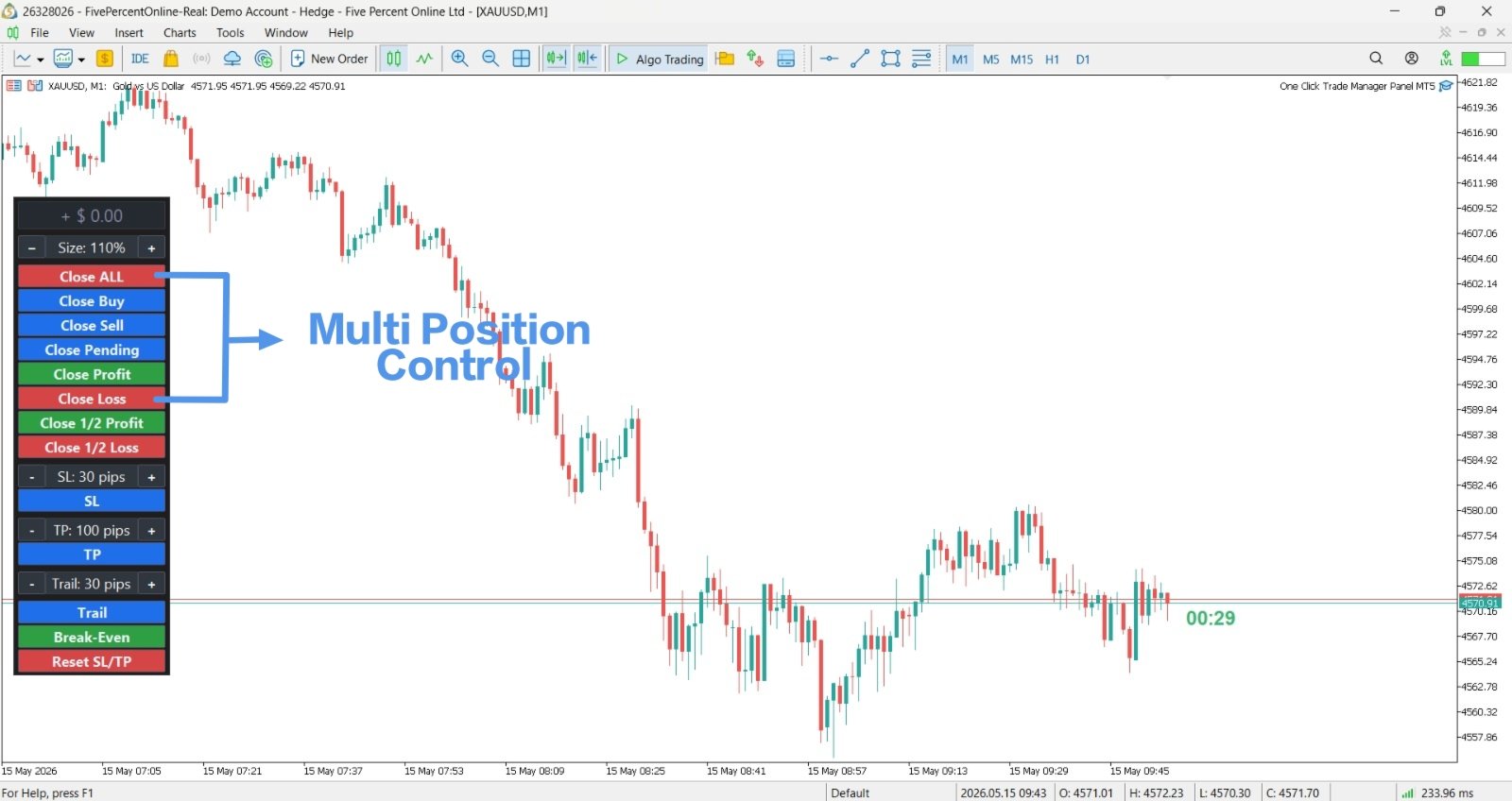
- Close all buy positions simultaneously
- Close all sell positions simultaneously
- Close buy positions only while preserving sell positions
- Close sell positions only while preserving buy positions
- Close all pending orders
- Close profitable positions
- Close losing positions
- Close positions based on profit/loss thresholds
Risk Management Functions:
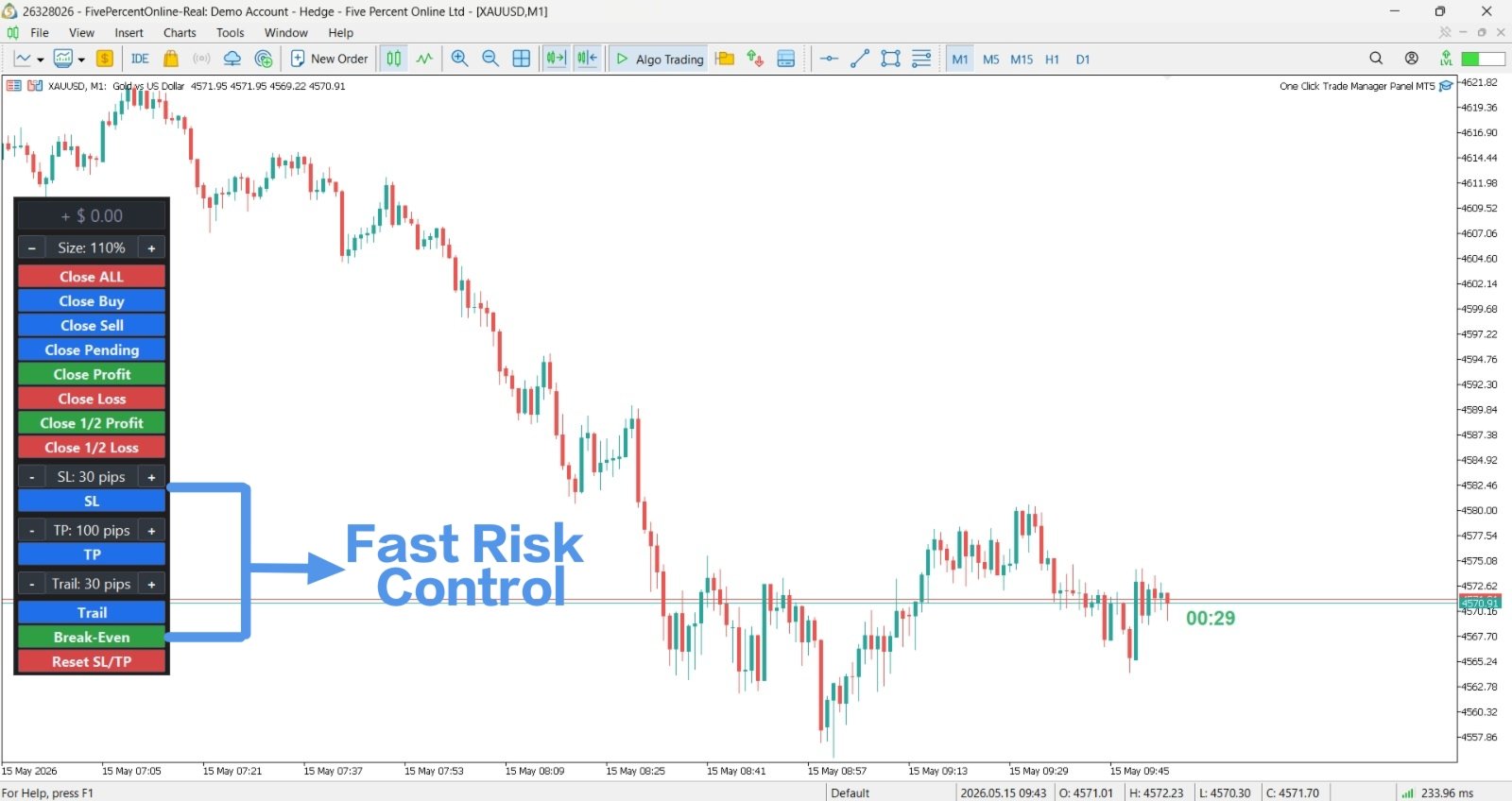
- Set break-even level on positions
- Adjust stop loss levels
- Adjust take profit levels
- Apply trailing stop functionality
- View position details on chart
TECHNICAL SPECIFICATIONS
Interface:
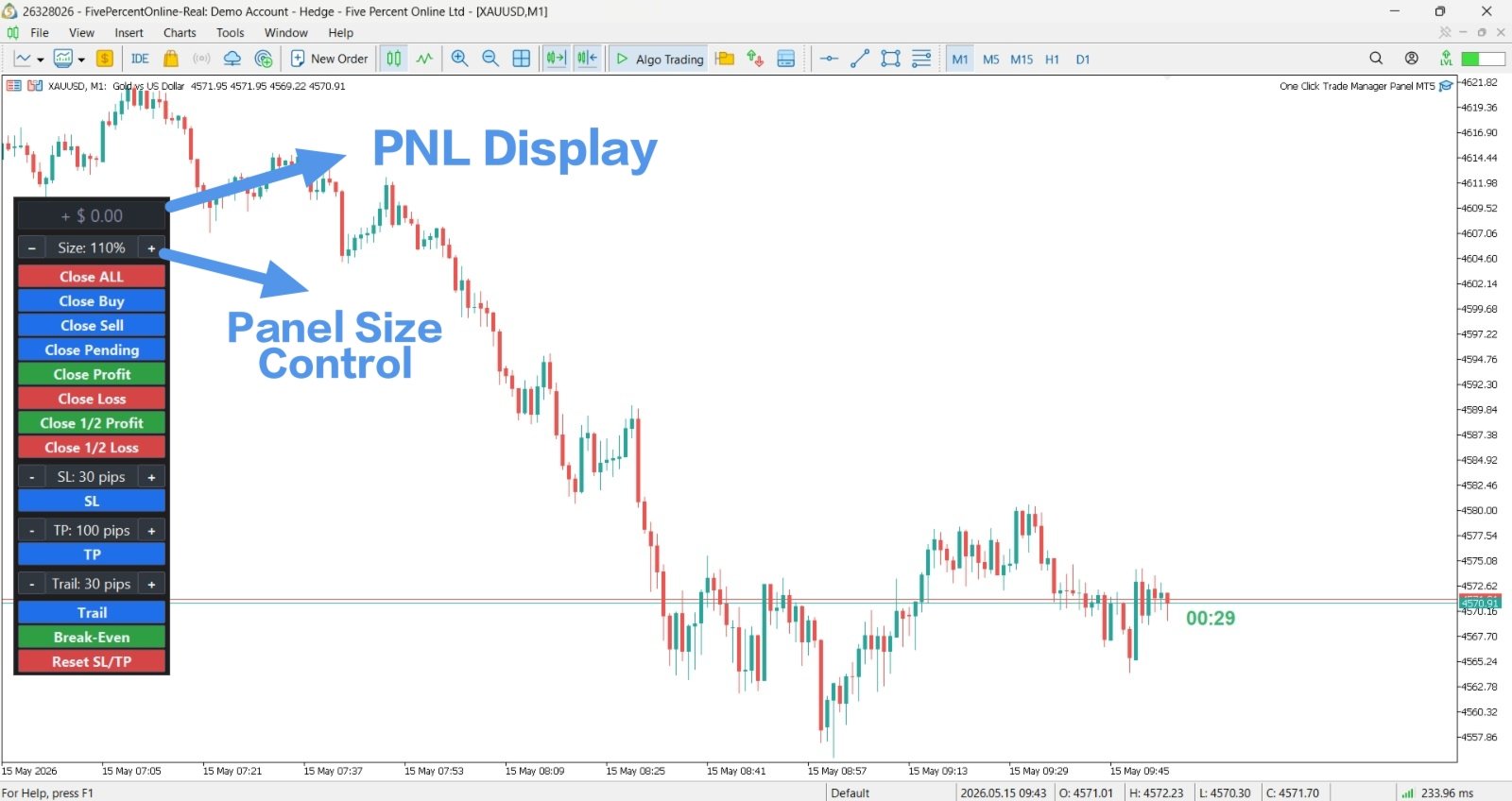
- Panel-based interface attached directly to chart
- Customizable button layout and positioning
- Real-time position status display
- Compatible with all chart timeframes
Compatibility:
- Works with all currency pairs
- Works with all commodities
- Works with all indices
- Works with all available symbols on your broker
Installation:
1. Download the file to your computer
2. Copy file to MetaTrader 5 installation folder: MQL5/Experts/
3. Restart MetaTrader 5 platform
4. Open any chart in MetaTrader 5
5. Right-click chart > Indicators > Expert Advisors > Proton Trade Assistant
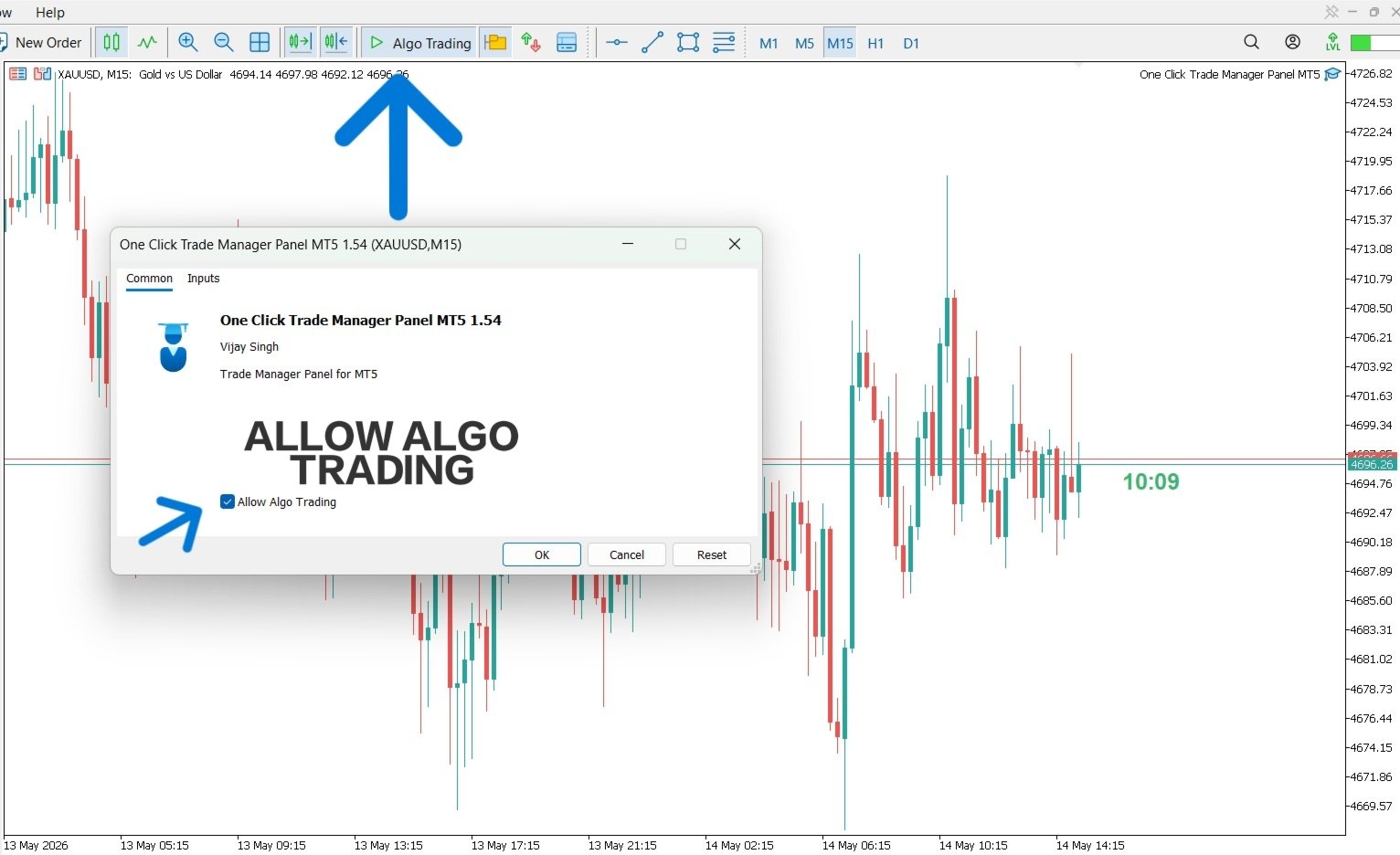
6. Enable AutoTrading checkbox in terminal
7. Tool is now ready to use
Configuration:
- Default settings work immediately upon attachment
- Optional: Customize button size from settings
- Optional: Adjust button positioning on chart
- Optional: Enable/disable specific functions from settings
HOW TO USE
Basic Operation:
1. Attach to any active chart
2. Review open positions in MetaTrader 5
3. Click appropriate button to execute position management
4. Monitor execution results in terminal
Position Closing Examples:
If you have 3 open positions (2 buy, 1 sell) and click "Close All Buys", only the 2 buy positions close. The 1 sell position remains open.
Risk Management Examples:
If a position is currently at entry price and you want to protect against loss, click "Break Even" button to set stop loss exactly at entry price.
If a position has reached desired profit level, click "Close Half Profit" to close 50% of position while allowing remaining 50% to continue running.
IMPORTANT NOTES
Execution Speed:
- Execution speed depends on broker connection quality
- Execution speed depends on current market volatility
- During high volatility periods, execution may be slightly delayed
- Test on demo account to understand execution characteristics
Dependencies:
- Requires MetaTrader 5 version 5.0 or higher
- Requires active internet connection
- Requires AutoTrading enabled in terminal settings
- Requires valid broker connection
Limitations:
- Cannot open new positions (position management only)
- Execution is dependent on broker order processing speed
- Some brokers may have restrictions on mass closing operations
- Position closing order depends on market depth and available liquidity
Testing Recommendations:
- Always test on demo account first
- Test during different market hours to understand execution
- Test with different position sizes
- Verify broker allows mass position closing operations
- Confirm all positions close as expected before live use
Disclaimer:
This tool is provided for position management purposes only. The user is responsible for verifying that their broker allows the operations performed by this tool. Past performance of position management does not guarantee future results. The developer is not responsible for losses resulting from tool usage.