ALIEN Dashboard
- Indicatori
-
Youssef Esseghaiar
 Nexus Systems Developer
I am a professional algorithmic trader and MQL5 developer specialized in building institutional-grade Expert Advisors and indicators for Forex, Crypto, Indices, and Commodities. - Versione: 4.20
- Aggiornato: 13 maggio 2026
- Attivazioni: 5
Overview
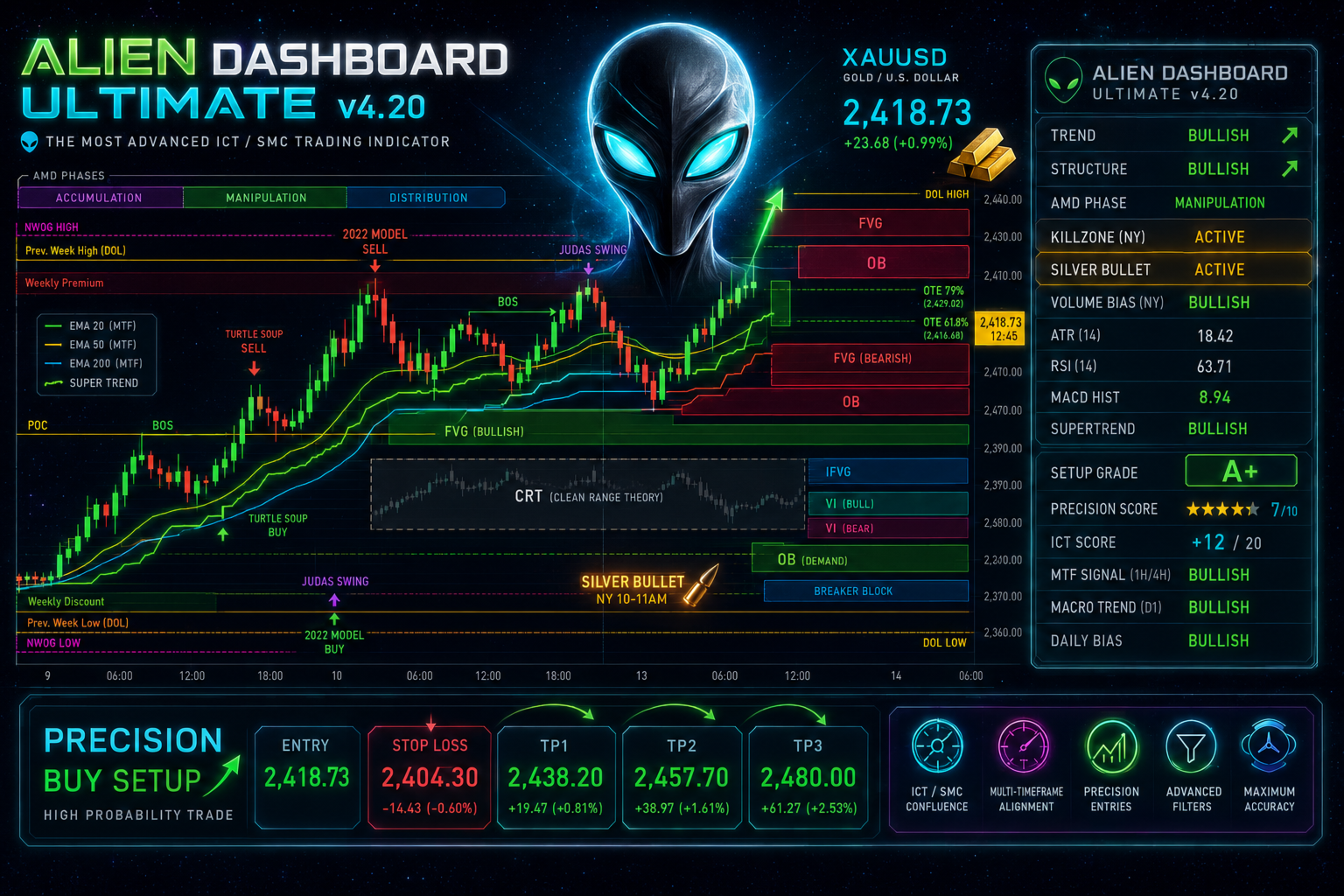
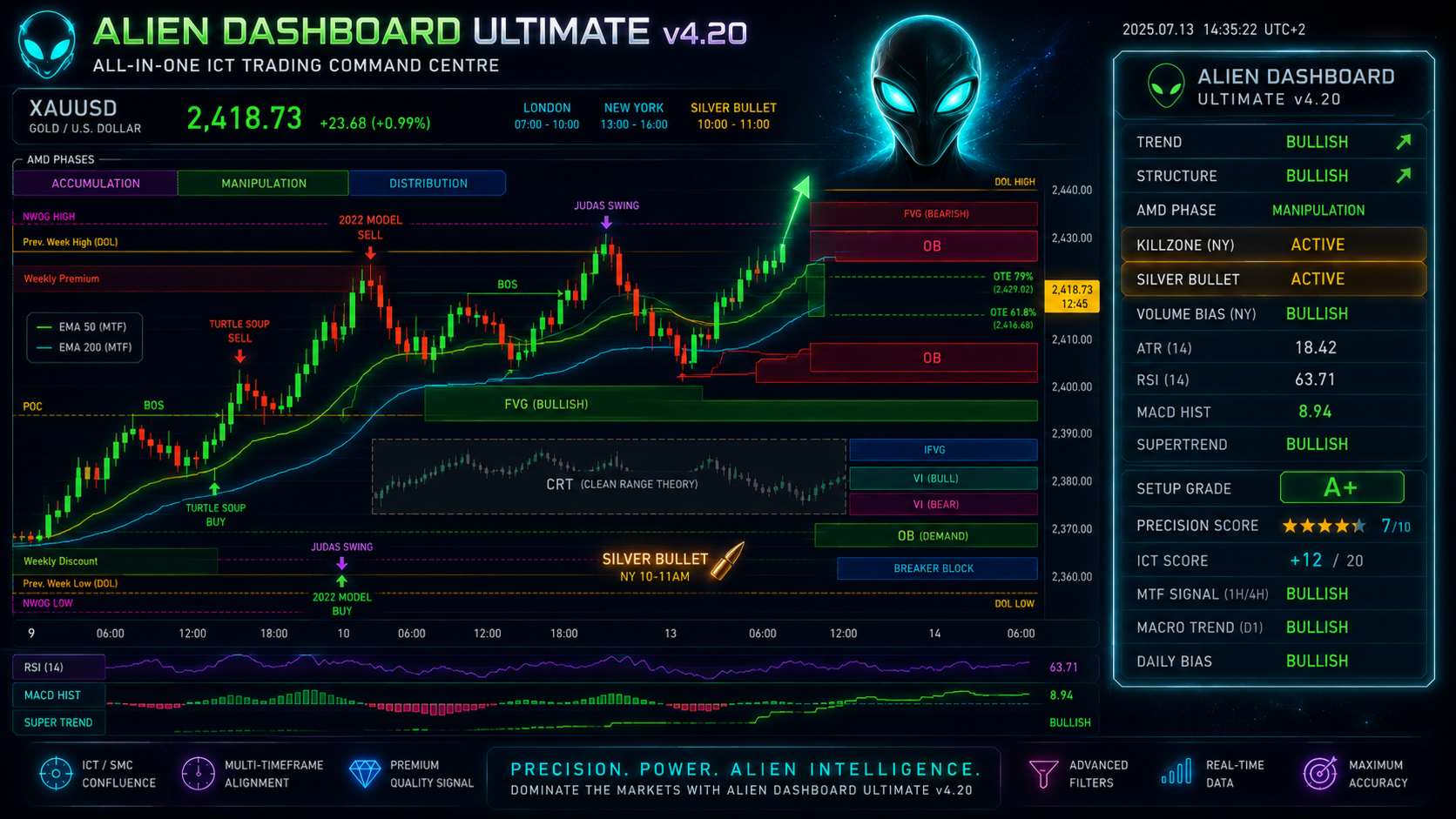
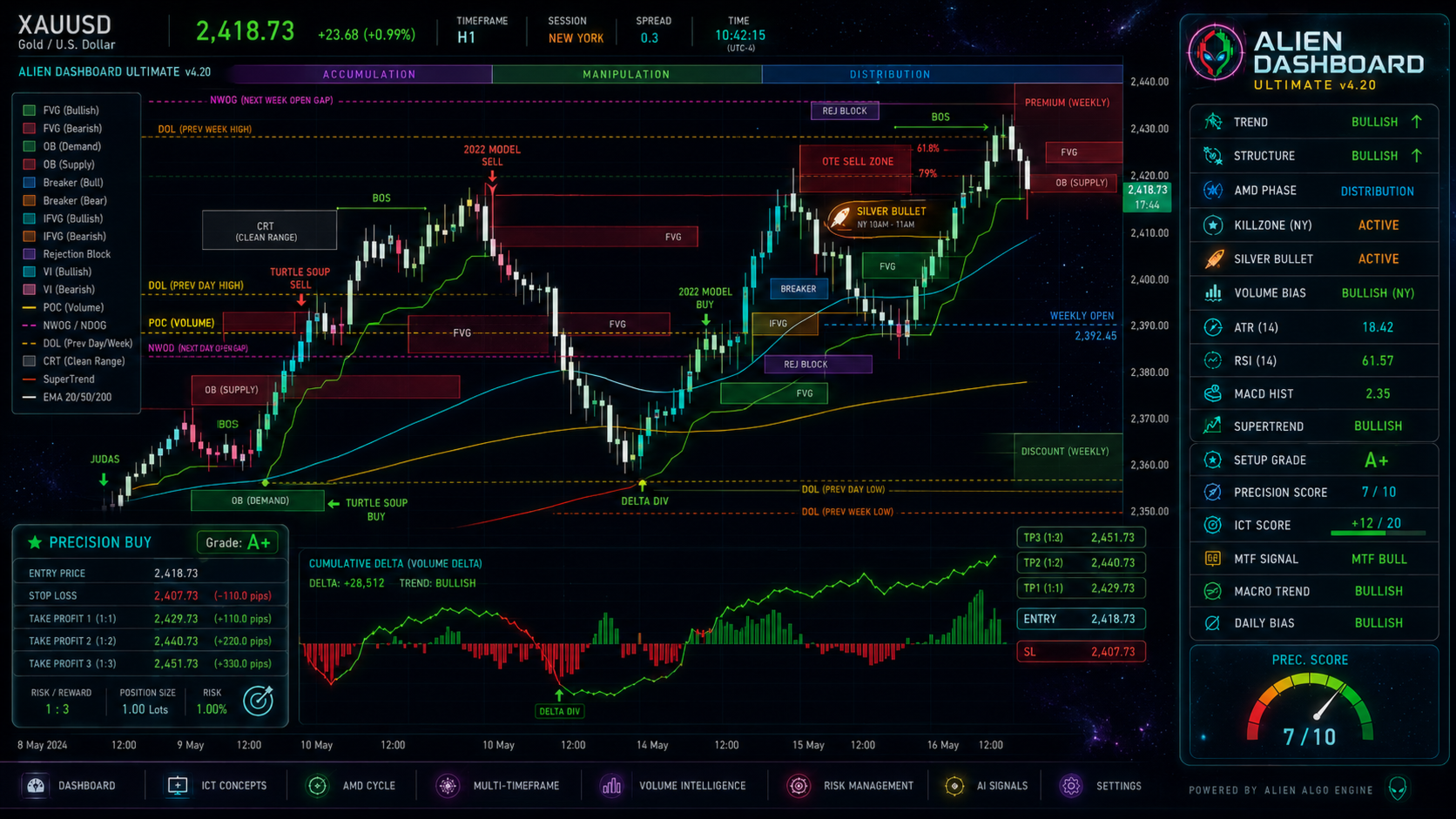
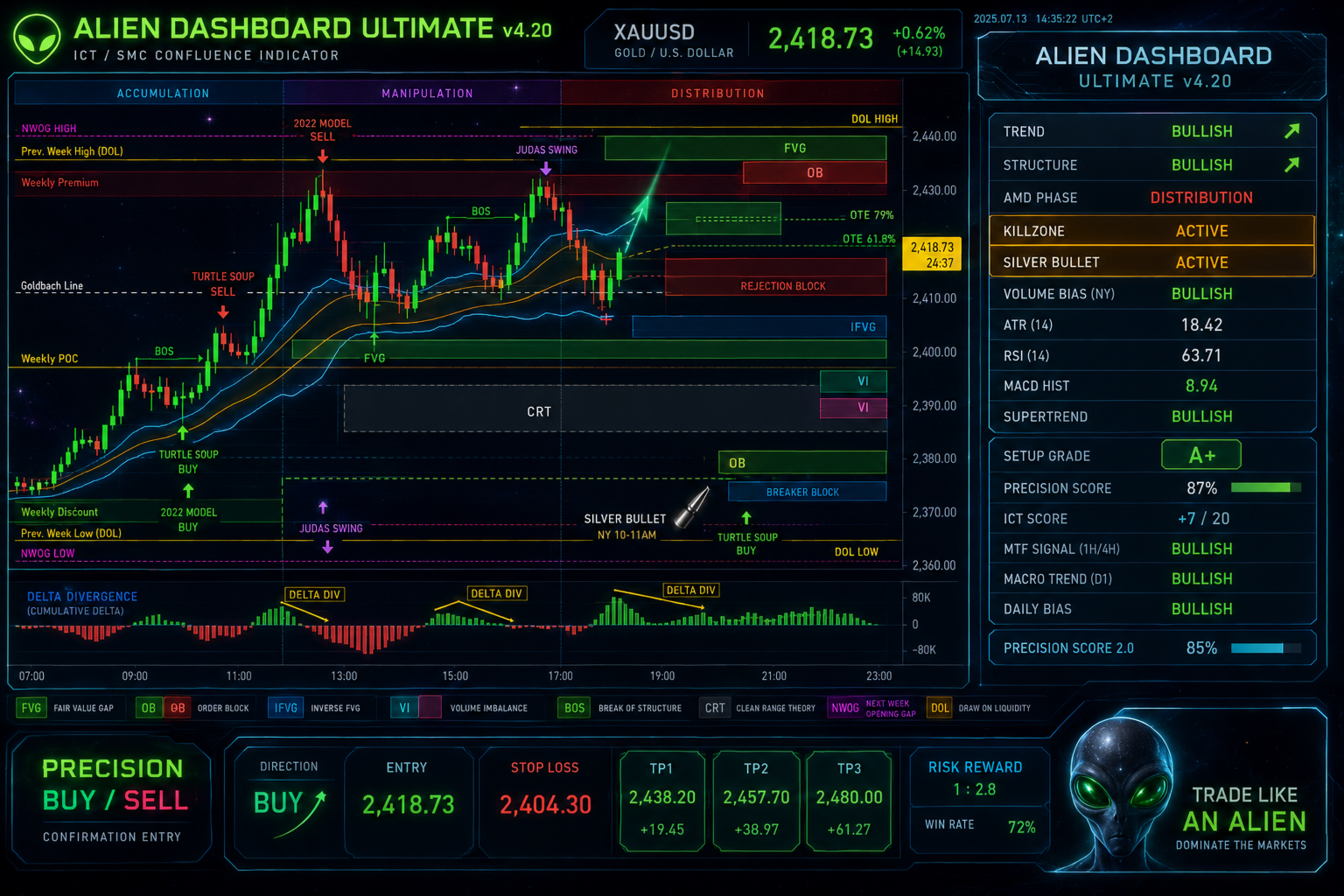
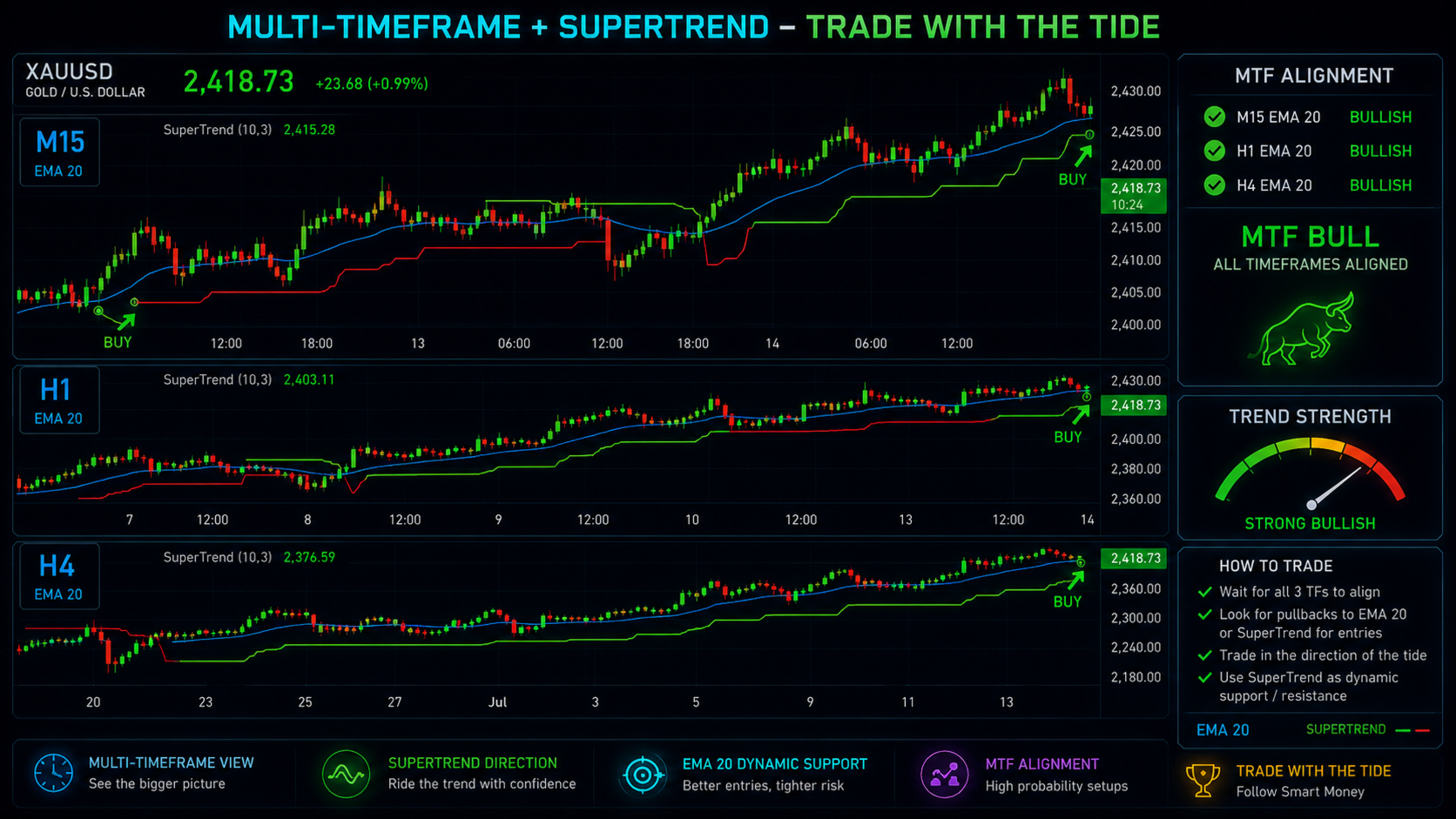
The Alien Dashboard Full Edition is a comprehensive, all‑in‑one technical indicator for MetaTrader 5 that merges the most powerful concepts from Inner Circle Trader (ICT) methodology with advanced precision‑entry logic, multi‑timeframe analysis, and an intuitive on‑chart dashboard. Designed for serious traders who want to visualise institutional order flow, identify high‑probability trade setups, and assign a quantitative grade to every signal, this indicator brings professional‑grade tools directly onto your chart.
Key Features
🔍 Complete ICT Toolkit
All the classic ICT concepts are implemented and rendered directly on the chart:
-
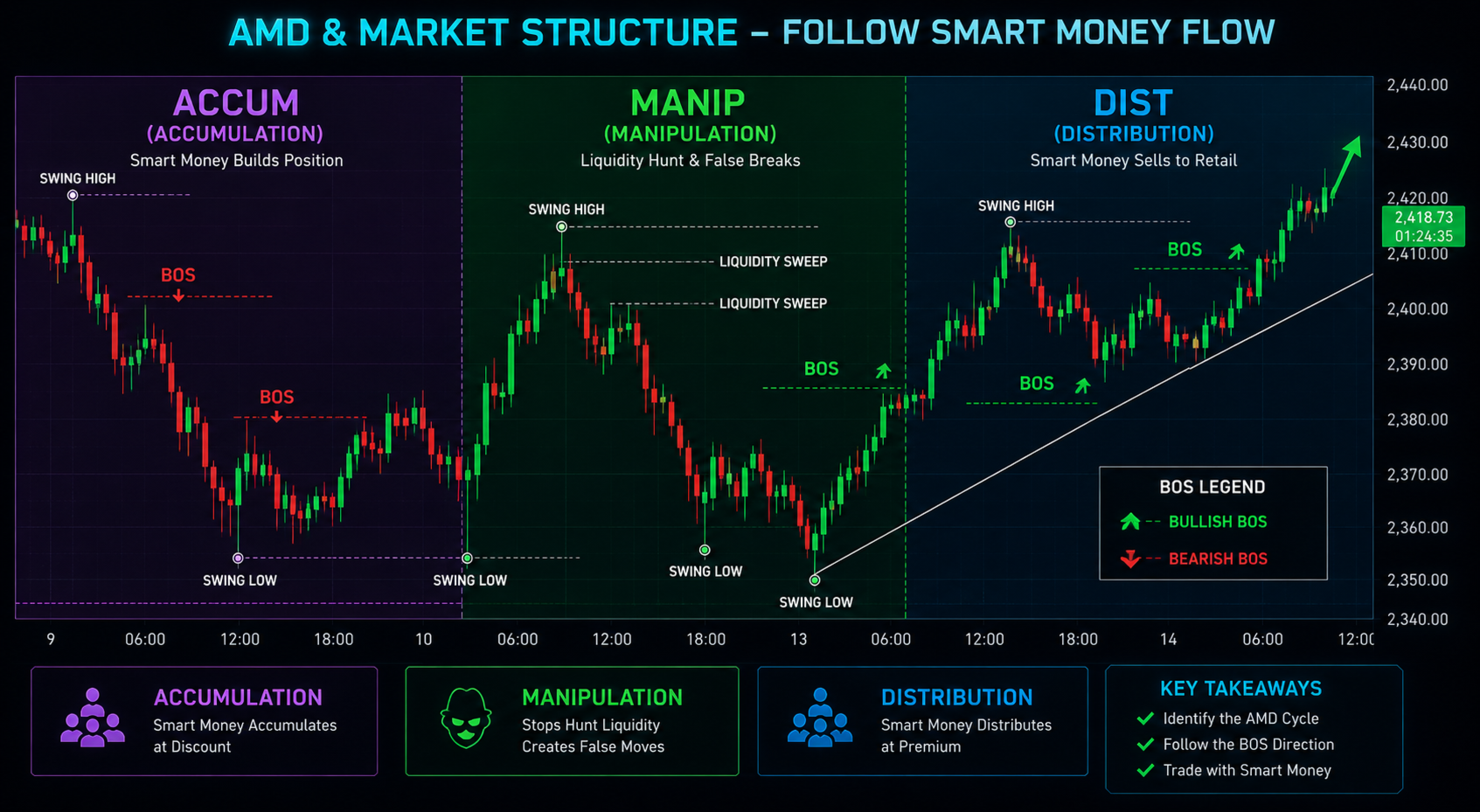
Market Structure (BOS / MSS) – Automatic detection of bullish and bearish breaks of structure.
-
Liquidity Sweeps – Identifies buy‑side and sell‑side liquidity grabs.
-
AMD Cycles – Accumulation, Manipulation, Distribution phases real‑time.
-
Fair Value Gaps (FVG) – Visual rectangles on imbalances.
-
Order Blocks – Highlights the last opposing candle before a strong displacement.
-
Breaker Blocks – Recognised as a professional signal of reversal.
-
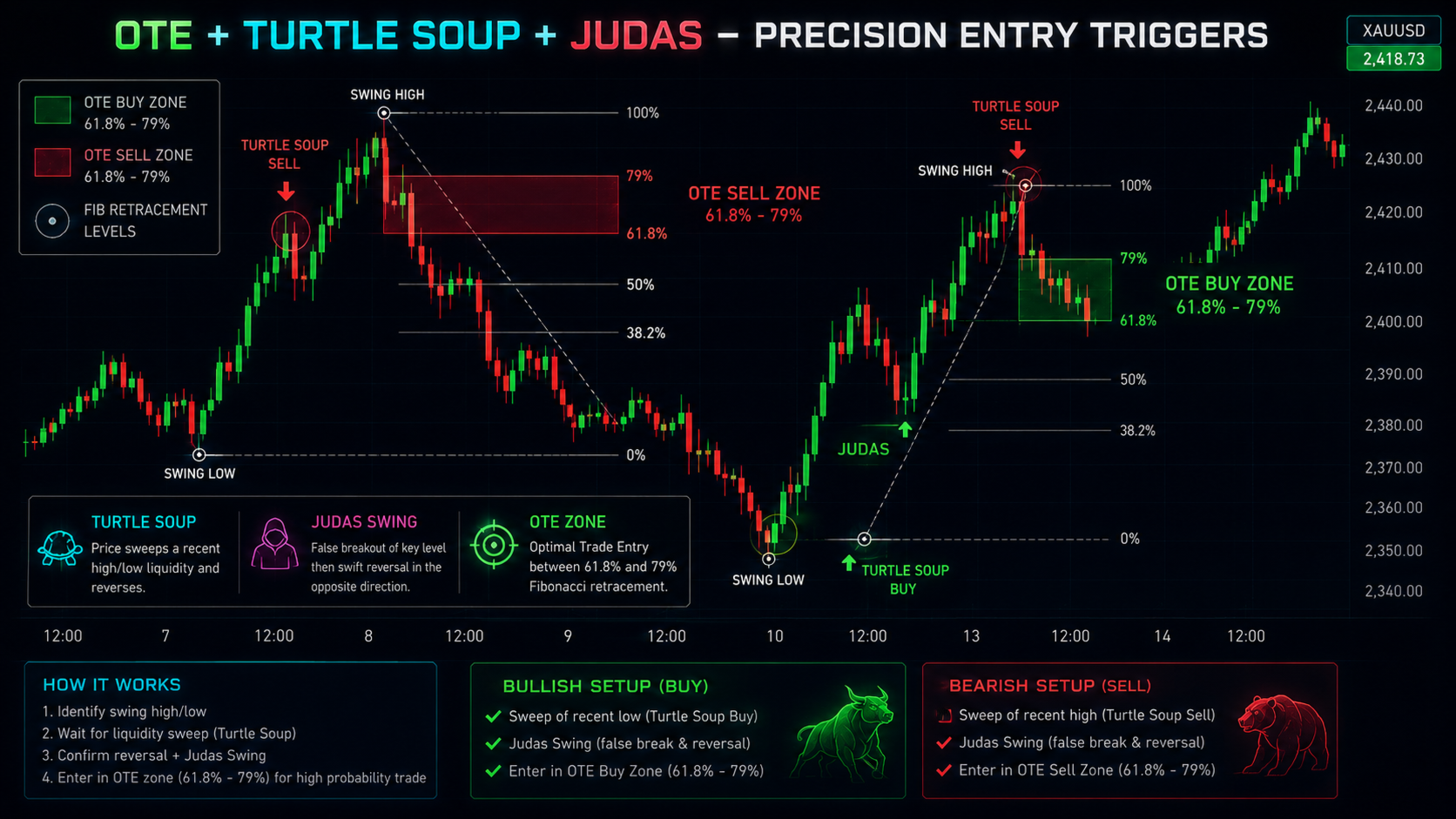
OTE Zones – Optimal Trade Entry zones based on 0.618–0.79 Fibonacci retracements.
-
Turtle Soup – Classic false‑breakout reversal pattern.
-
Turtle Body Soup (TBS) – Advanced CRT‑based reversal detection.
-
Judas Swing – Detection of deceptive price runs.
-
ICT 2022 Model – Combined FVG + Order Block + Premium/Discount logic.
-
Macros – Multi‑timeframe bullish/bearish macro trends.
-
Goldbach Level – Mid‑point of the 100‑bar range as a dynamic pivot.
-
Weekly Profile – Weekly open, high/low, premium & discount zones.
-
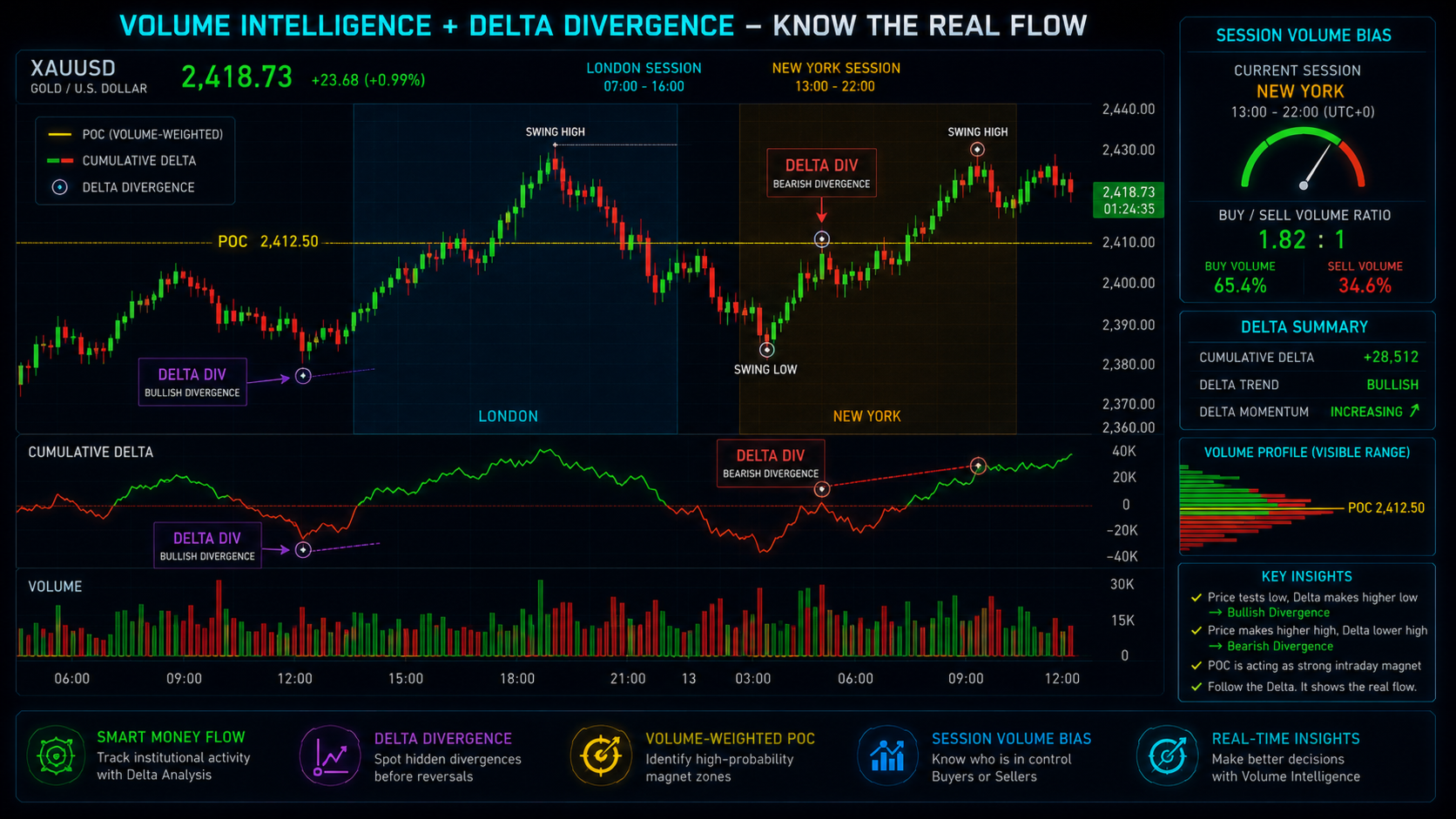
Cumulative Delta Divergence – Delta‑price divergences.
-
Volume POC – Approximate Point of Control for the current 20‑bar profile.
🧠 Precision Entry Scoring System
One of the indicator’s standout features is its confluence‑based signal grading. Every candlestick is evaluated against a set of user‑defined filters:
-
Killzone active (London/NY session)
-
Market Structure Shift (MSS)
-
Displacement (large candle body)
-
ICT Score (macro + structure + AMD + MTF)
-
TBS / Turtle Soup / Silver Bullet time
Each condition adds to a Precision Score. When the score meets or exceeds the threshold ( Inp_PrecisionThresh ), a Precision Entry signal is generated, labelled ⭐ PRECISION BUY/SELL directly on the chart, together with a Setup Grade (A+, A, B, C, D). This turns a collection of qualitative ICT concepts into a clear, actionable, repeatable signal.
🟢 Silver Bullet Window
The indicator automatically detects the Silver Bullet time window (10:00 – 11:00 AM New York time, roughly 14:00–15:00 GMT) and marks the chart with a “🔫 SILVER BULLET” label. This can be used as a standalone filter or incorporated into the Precision Score.
📊 Integrated Dashboard
A pixel‑based, always‑visible dashboard gives you a snapshot of the market’s state without overwhelming the chart. It offers two pages:
Page 1 – Core Metrics
Trend, Structure, AMD Phase, Killzone status, Silver Bullet, ATR, RSI, MACD Histogram, SuperTrend direction, Setup Grade, and Precision Score.
Page 2 – ICT Details
ICT Score, MTF Signal, Macro Trend, Daily Bias, Volume status, 2022 Model presence, CRT Range, and TBS Signal.
All values are colour‑coded using bull (lime), bear (red), and neutral (grey) – highly intuitive at a glance.
⏰ Advanced Alerts
When a Precision Entry signal fires and alerts are enabled, the indicator displays a pop‑up message in the MetaTrader terminal and/or pushes a notification. A separate alert activates during the Silver Bullet window, ensuring you never miss the most critical trading period.
🎨 Fully Customisable
Virtually every parameter is adjustable through well‑organised input sections:
-
Structure length, EMA periods, ATR length, SuperTrend factor.
-
All ICT drawing toggles (you can enable or disable any concept).
-
Precision thresholds and mandatory filters.
-
Dashboard page selection.
-
Bull/bear/neutral colours.
This allows traders to tailor the tool to their exact methodology.
🧭 Multi‑Timeframe Analysis
You can define up to three higher timeframes for macro trend and three different timeframes for MTF confirmation. The indicator pulls data from these timeframes in real‑time, integrating them into the ICT Score and dashboard display, ensuring your analysis stays aligned across multiple horizons.
✍️ Professional Drawing Tools
Every ICT pattern is drawn using native MetaTrader objects – rectangles, trend lines, and text labels – with proper coloring and back‑layering. The indicator maintains a clean chart by automatically deleting old objects when no longer needed, using a consistent prefix ( VIP_ ). This means no cluttered history, only the most recent signals visible.
How It Works
-
The indicator continuously evaluates price action on the current chart timeframe.
-
It calculates SuperTrend, market structure, and all ICT patterns.
-
It computes an ICT Score (range –10 to +10) by weighting macro alignment, structure, AMD phase, MTF, and TBS.
-
A Precision Score is then derived from a checklist of parameters.
-
When the Precision Score meets the threshold, the indicator draws a ⭐ PRECISION BUY/SELL label and emits an alert.
-
All relevant data is streamed to the on‑chart dashboard, updated every tick.
This process gives traders a true systematic ICT‑based decision support tool, without the need to manually track dozens of concepts.
Typical Use Cases
-
Manual traders who want a clean, visual representation of ICT concepts and an objective entry signal.
-
Semi‑automated trading – the precision signals can be used to trigger manual entries or as a filter for an Expert Advisor (the indicator’s buffer can easily be extended for iCustom calls).
-
Educational purposes – the dashboard makes it easy to see how different ICT components align in real time.
Input Parameters (Summary)
| Section | Key Inputs |
|---|---|
| Core Indicators | Structure Length, EMA periods, ATR length, Fixed SL, SuperTrend settings |
| ICT Toggles | Enable/disable every ICT feature individually (AMD, Sweeps, Killzones, FVG, OB, Breakers, etc.) |
| Precision Features | Precision on/off, threshold, grade display, mandatory filters (Killzone, MSS, Displacement) |
| Multi‑Timeframe | Define HTF1–3 (Macro) and MTF1–3 (Confirmation) |
| Advanced Features | Silver Bullet, Volume POC, Delta Div, Weekly Profile, CRT Lookback |
| Colors | Bullish, Bearish, Neutral colors |
| Dashboard | Page selection |
Why Choose Alien Dashboard Full Edition?
-
Unmatched ICT coverage – 20+ professional concepts in one indicator.
-
Actionable, graded signals – not just drawings, but a clear buy/sell scoring system.
-
Non‑repainting – all calculations are based on closed candles (real‑time shift = 0).
-
Clean chart – auto‑deletion of old objects prevents visual overload.
-
Highly optimised – minimal CPU impact, suitable for 24/7 operation.
-
Ready for integration – its internal logic can be connected to an Expert Advisor via custom buffers.
System Requirements
-
MetaTrader 5
-
Any symbol / timeframe (optimised for Forex, Indices, Gold)
-
Chart must have at least 250 bars loaded (for EMAs and lookback periods)
Elevate your trading with institutional‑grade ICT analysis – Alien Dashboard Full Edition is the only tool you’ll ever need on your chart.