Volume Profile Canvas
- Indicatori
- Versione: 3.33
- Attivazioni: 5

Volume Profile Canvas - Professional Volume Profile Indicator for MetaTrader 5
DESCRIPTION
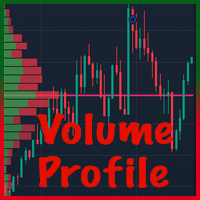
Volume Profile Canvas is a professional volume profile indicator for MetaTrader 5 that renders directly on the chart using a high-performance Canvas engine. It calculates and displays the volume distribution across price levels, identifying the Point of Control (POC), Value Area High (VAH) and Value Area Low (VAL) in real time.
This is a pure analysis tool. It does not trade. It gives you an instant visual read of where the market has spent the most time and volume, helping you identify key support and resistance levels based on actual traded activity.
4 PROFILE MODES
- Last N Bars: profile built on the last configurable number of bars (default 120)
- Current Day: profile of the current trading session only
- Previous Day: profile of the previous completed session
- Current Week: profile from the start of the current week
Switch between modes from the input parameters without reloading the indicator.
KEY LEVELS
POC - Point of Control: the price level with the highest traded volume. Displayed as a colored horizontal line with label. This is the most important reference level in the profile.
VAH - Value Area High: the upper boundary of the Value Area. Price above VAH is considered above fair value.
VAL - Value Area Low: the lower boundary of the Value Area. Price below VAL is considered below fair value.
Value Area: the range containing a configurable percentage of total volume (default 70%). Displayed in a distinct color to separate it from the outer profile.
VOLUME SOURCE
3 modes available:
- AUTO: uses real volume when available, tick volume as fallback
- TICK: always uses tick volume
- REAL: always uses real volume (requires broker support)
RENDERING ENGINE
The indicator uses the MQL5 Canvas library for direct bitmap rendering on the chart. This approach produces a clean, crisp visual output that does not interfere with chart objects or price action. The canvas resizes automatically when the chart window changes size.
CUSTOMIZATION
All visual elements are fully configurable:
- Profile bar width (min and max in pixels)
- Number of price bins (default 36)
- Value Area color and opacity
- POC line color
- VAH and VAL line colors
- Label visibility on/off
- Body weight vs range weight for volume distribution
- Right margin and top/bottom margin in pixels
SPECIFICATIONS
Platform: MetaTrader 5
Chart window: overlay on main chart (no separate subwindow)
Timeframe: any
Rendering: Canvas bitmap, auto-resize on chart change
Does not trade: analysis indicator only
INSTALLATION
1. Download the .ex5 file from MQL5 Market
2. Open MetaTrader 5 - Navigator - Indicators
3. Drag onto any chart
4. Select profile mode and configure colors in the input parameters
5. The profile renders immediately
SUPPORT
Support via private messages on MQL5.com.
Updates included in purchase price.
RISK DISCLAIMER
This indicator provides volume analysis for informational purposes only. It does not constitute financial advice. Trading involves significant risk of capital loss. Always test on a demo account before using on a live account.