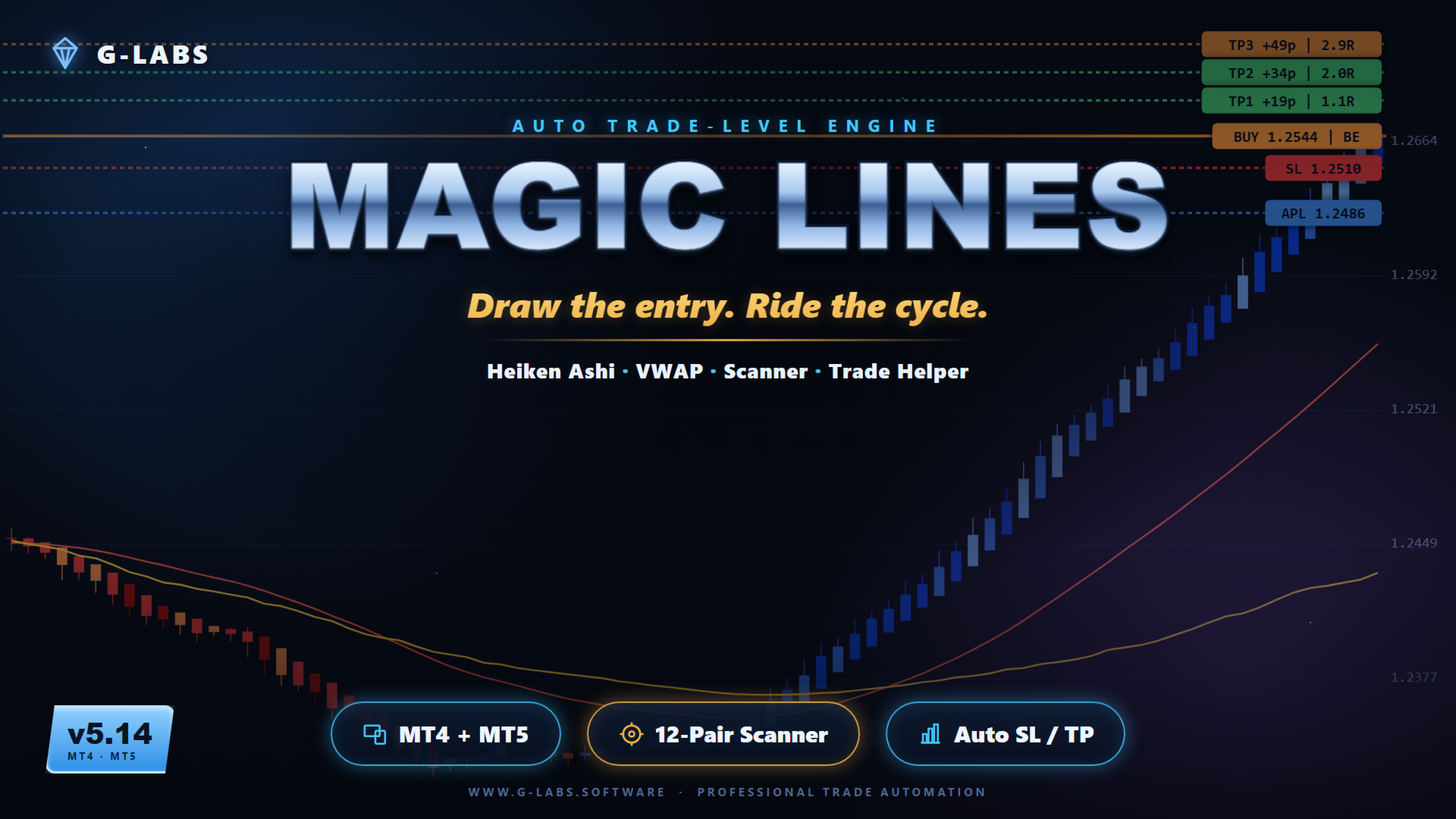
G-Labs MagicLines — multi-currency cycle and trend dashboard for MetaTrader 5. Heikin-Ashi cycle detection, trend-filtered MagicLine, VWAP MagicLine, multi-pair scanner, Trade Helper panel, and entry suggestions with stop loss and take profit levels from one chart.
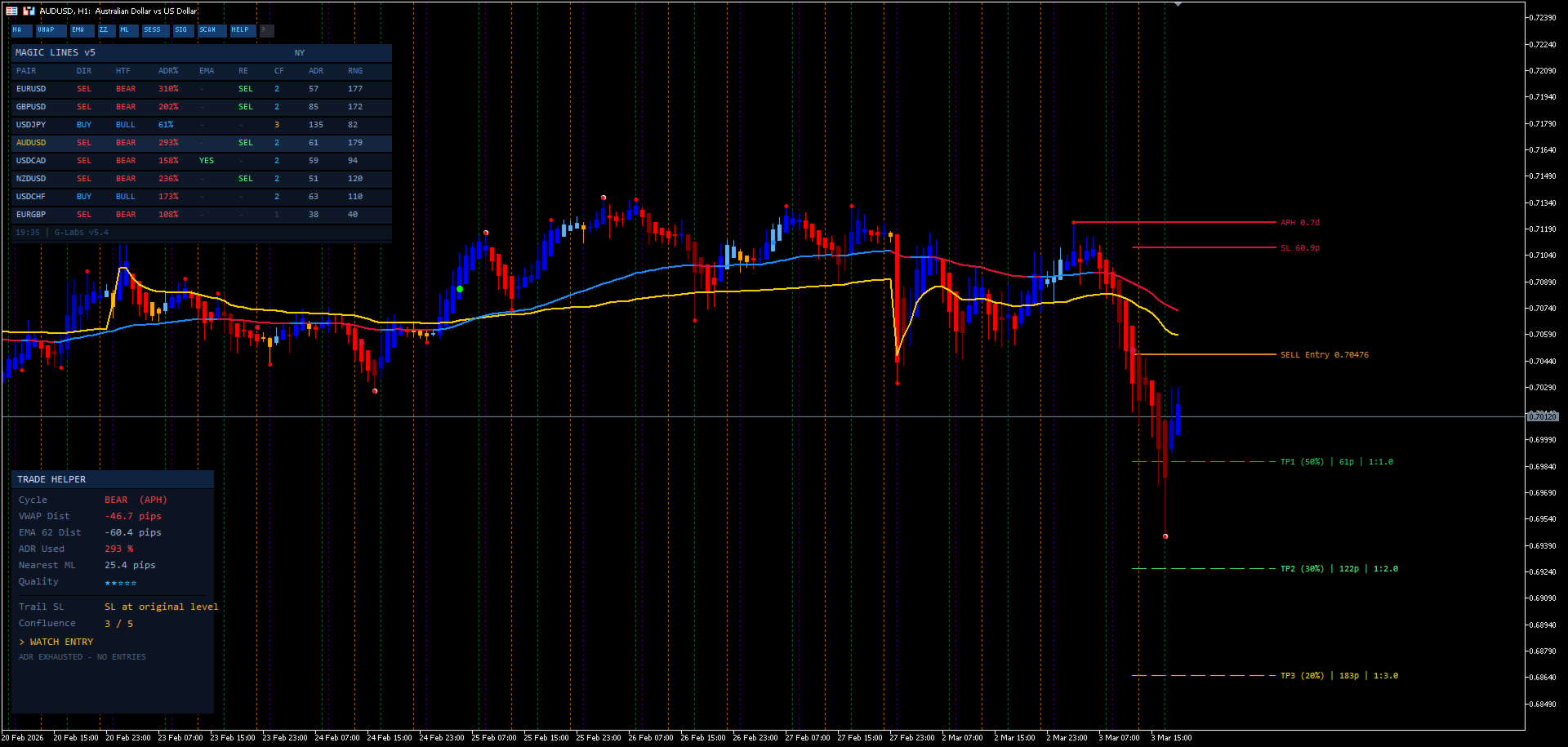
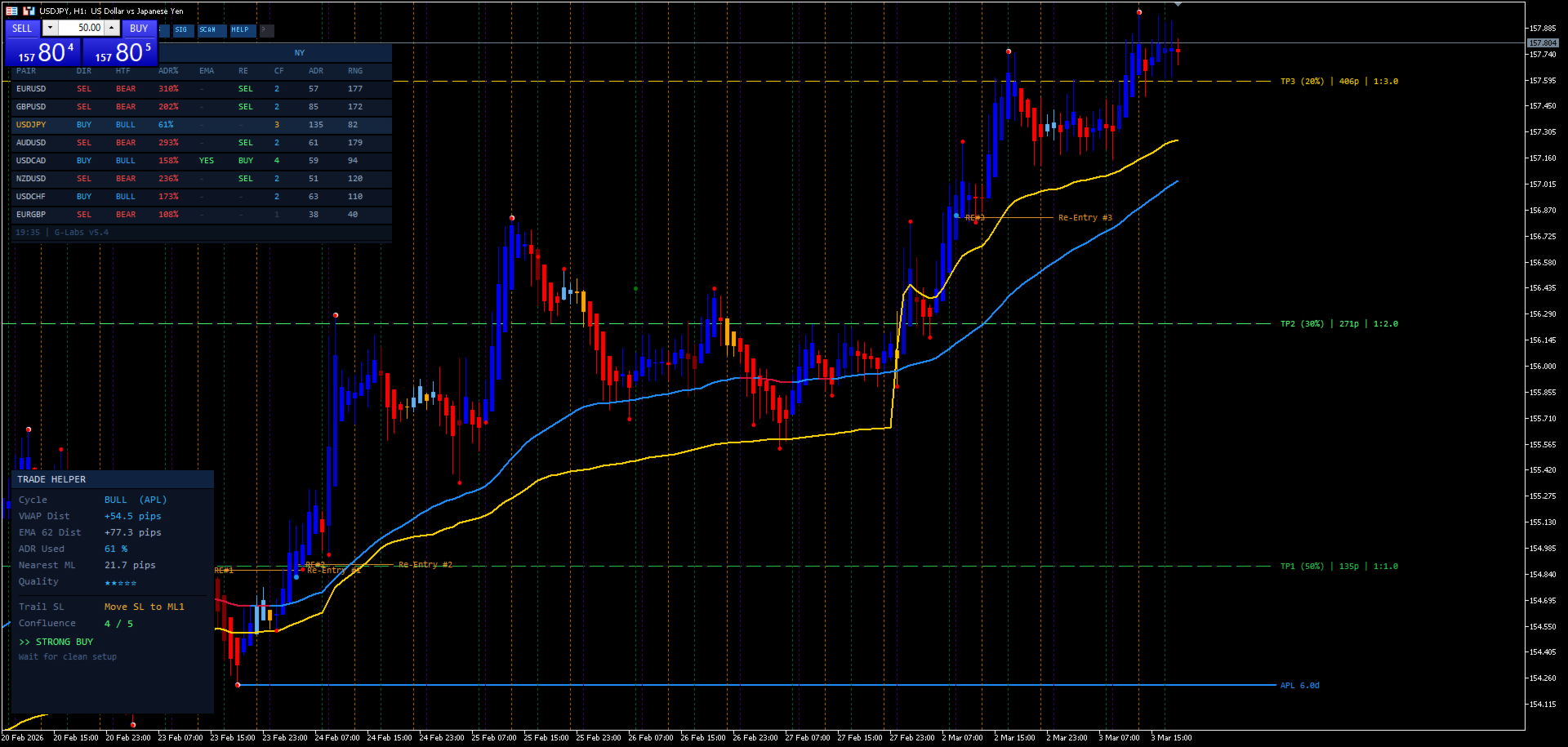
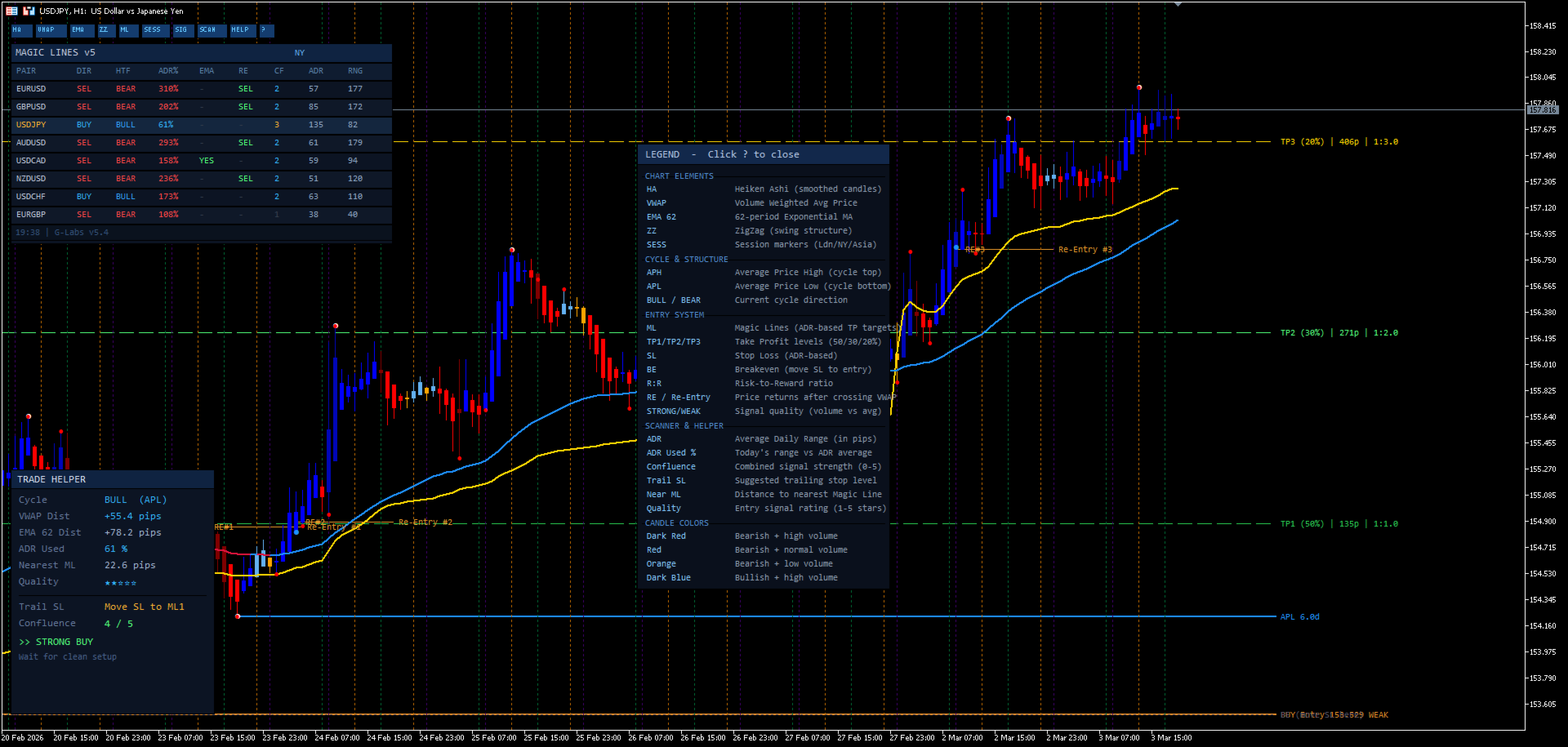
MagicLines combines three analysis layers on each symbol. Heikin-Ashi cycle logic marks whether a pair is in an up or down cycle and records the structural anchor (swing high or low) where the cycle began. A trend-filtered MagicLine provides directional bias — signals only appear in that direction. A separate VWAP MagicLine acts as a dynamic reference for pullbacks, re-entries, and continuation trades. When all three layers align with higher-timeframe direction, the indicator can suggest entry, stop loss, and take profit levels.
What it does
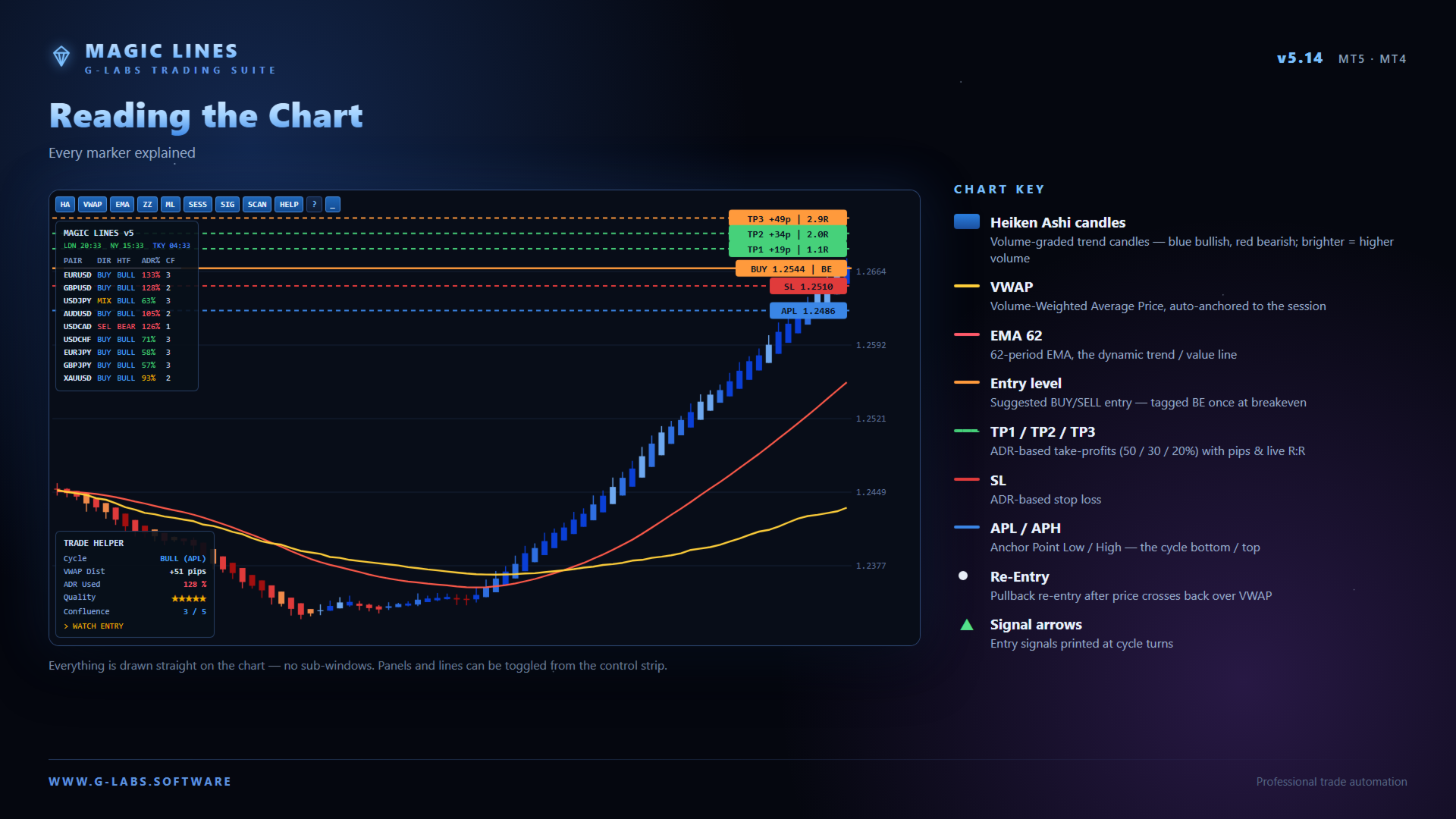
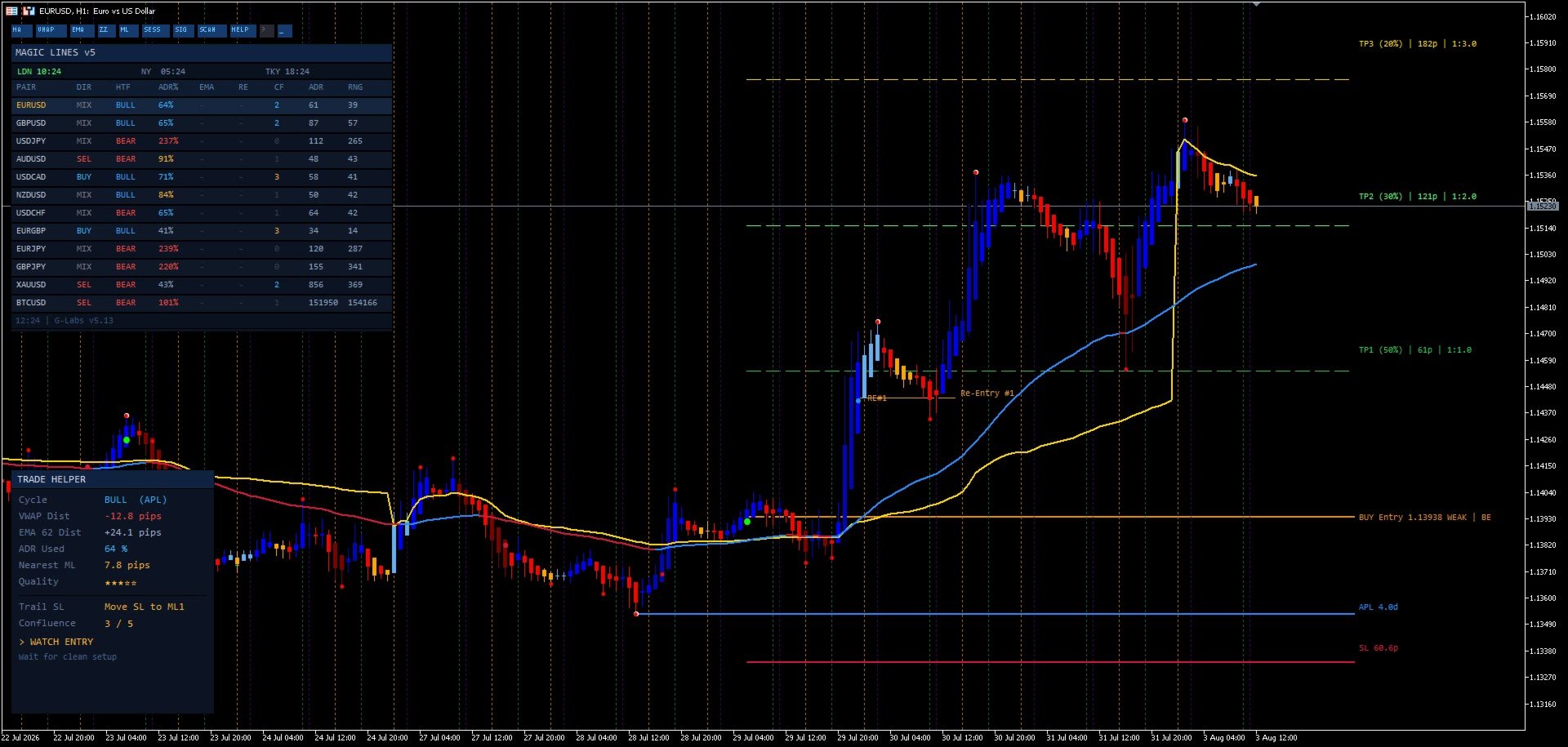
Detects up and down cycles and assigns anchor points at the swing that started the move. Tracks days elapsed since the anchor formed on the current timeframe, H4, and daily. Measures distance from the anchor in average daily range multiples. Shows whether price has touched a MagicLine and whether a re-entry opportunity is forming. Displays today’s range in pips alongside average daily range context. Draws entry, stop loss, re-entry, and three adjustable take profit targets on the chart when conditions are met.
Scanner dashboard
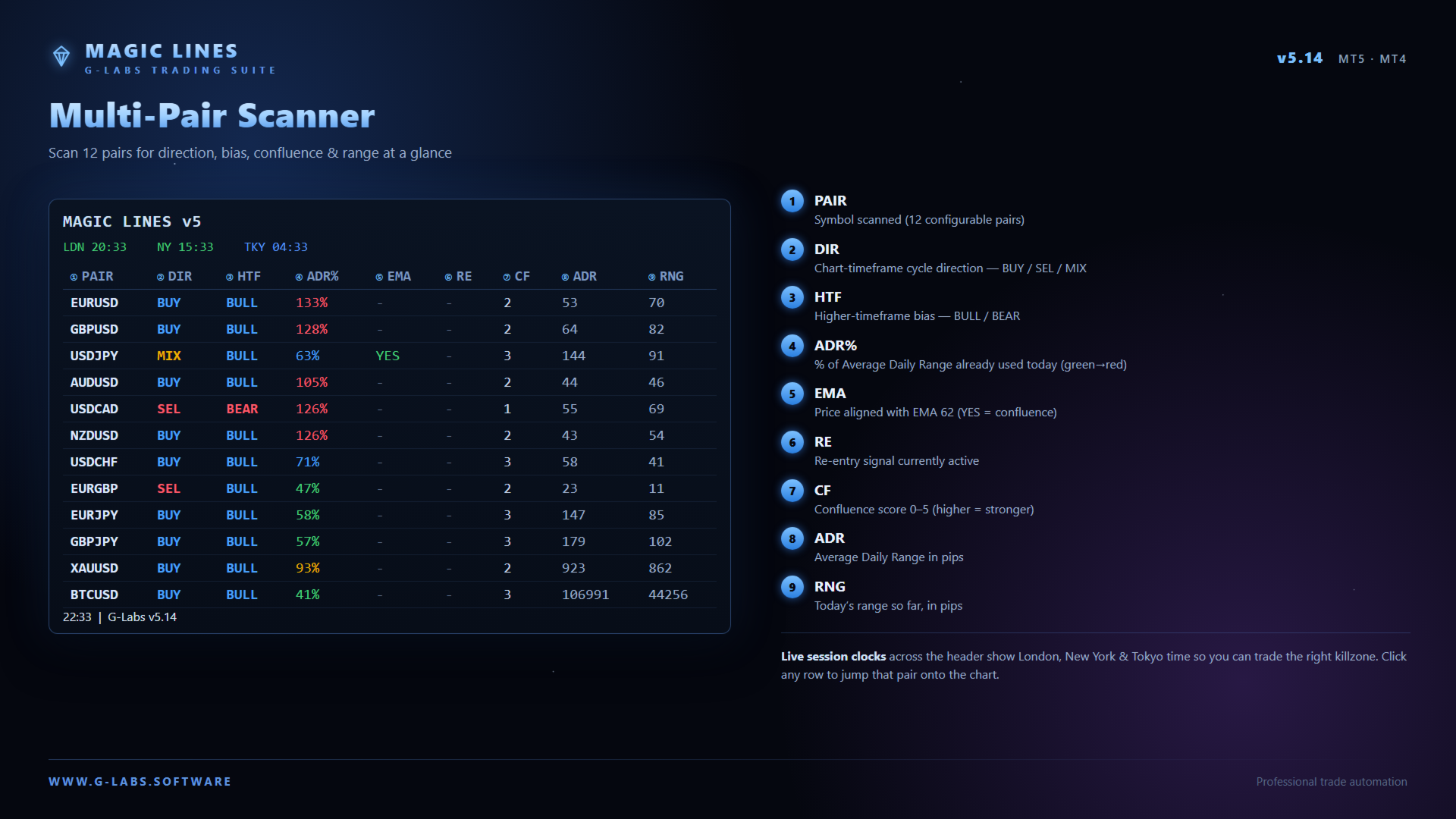
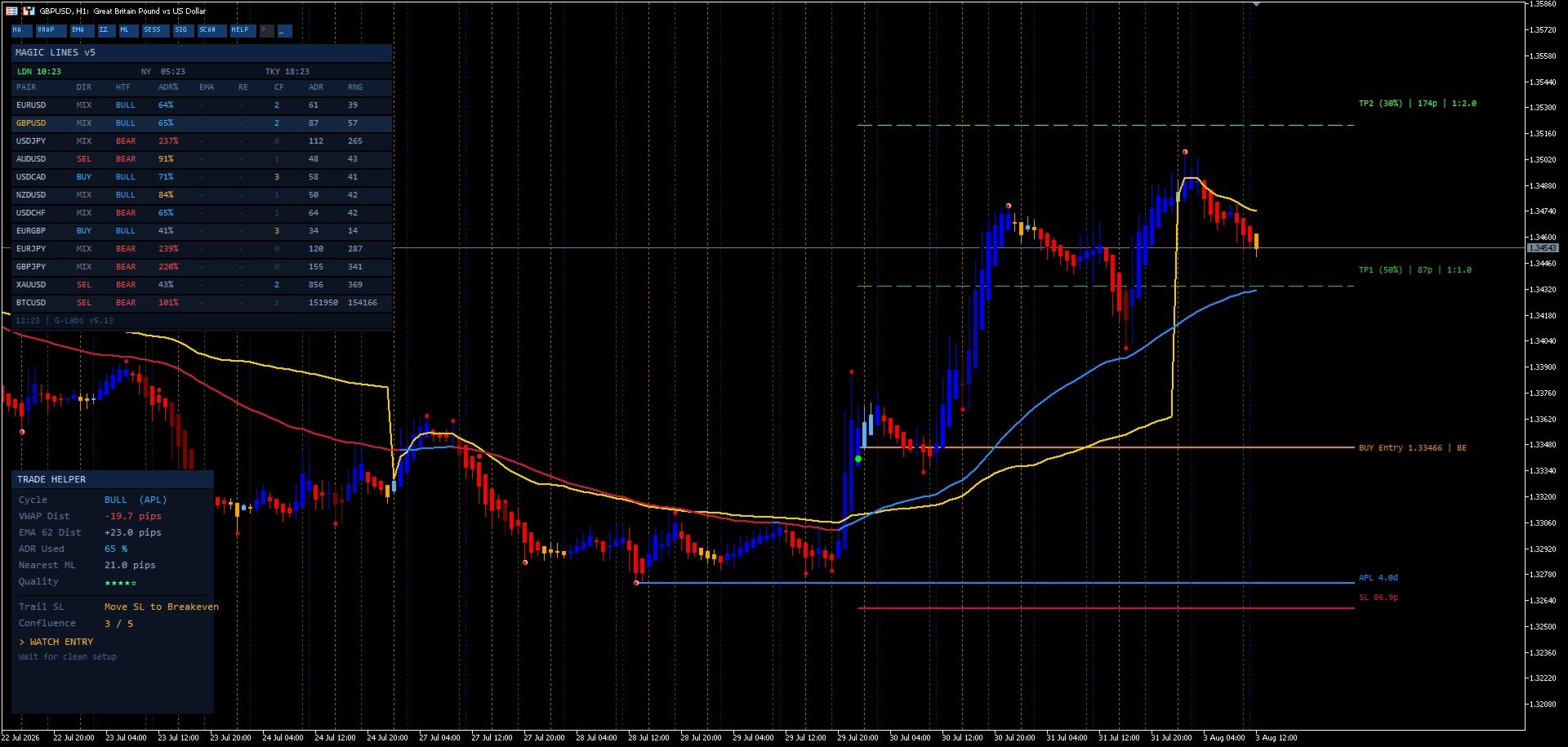
Monitors a configurable multi-pair watchlist from one panel. Typical columns include symbol, cycle direction, anchor status across timeframes, average daily range distance, MagicLine touch, re-entry status, pip movement, and today’s range. Click a row to switch the chart to that symbol where the terminal allows.
On-chart features
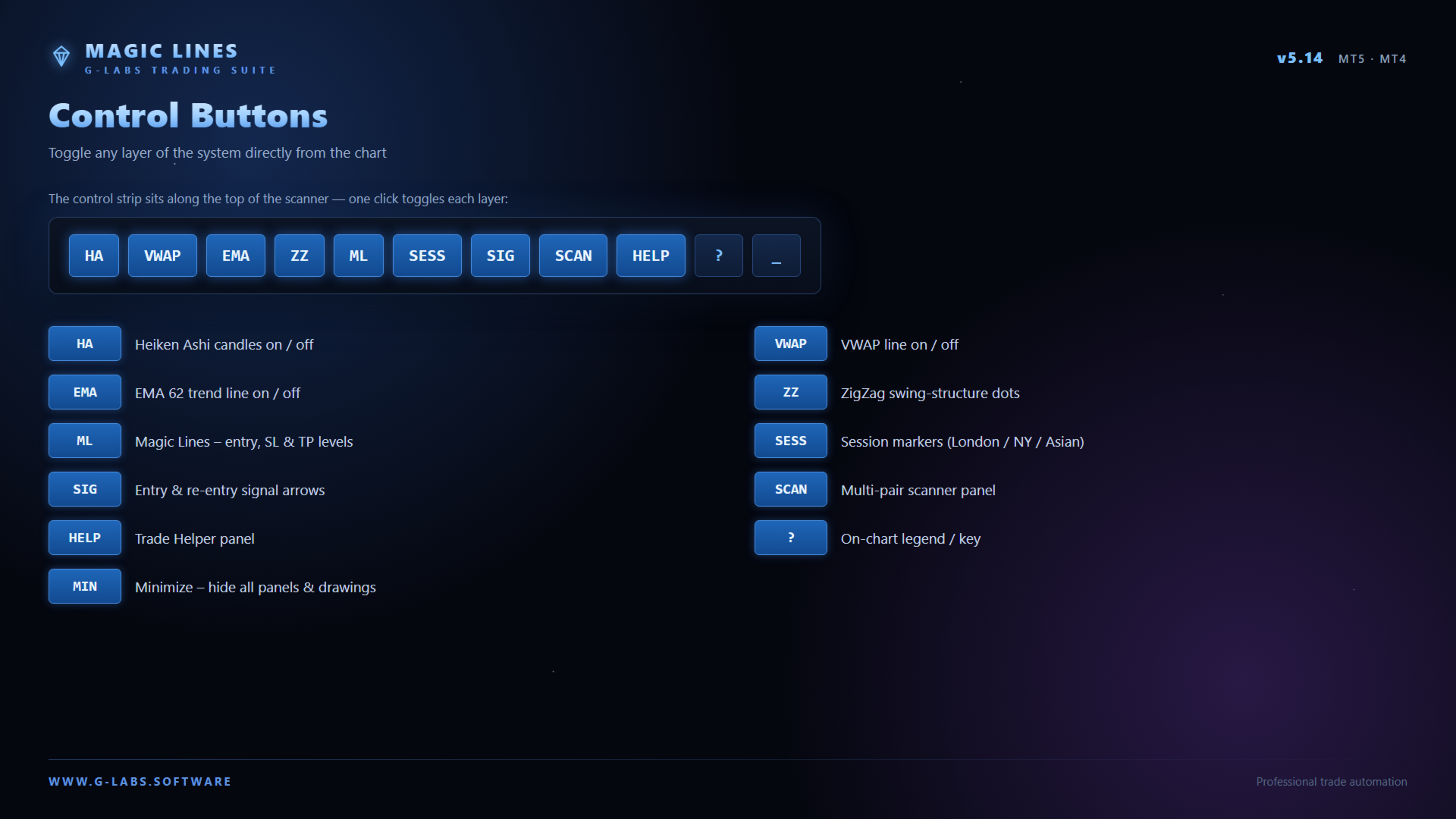
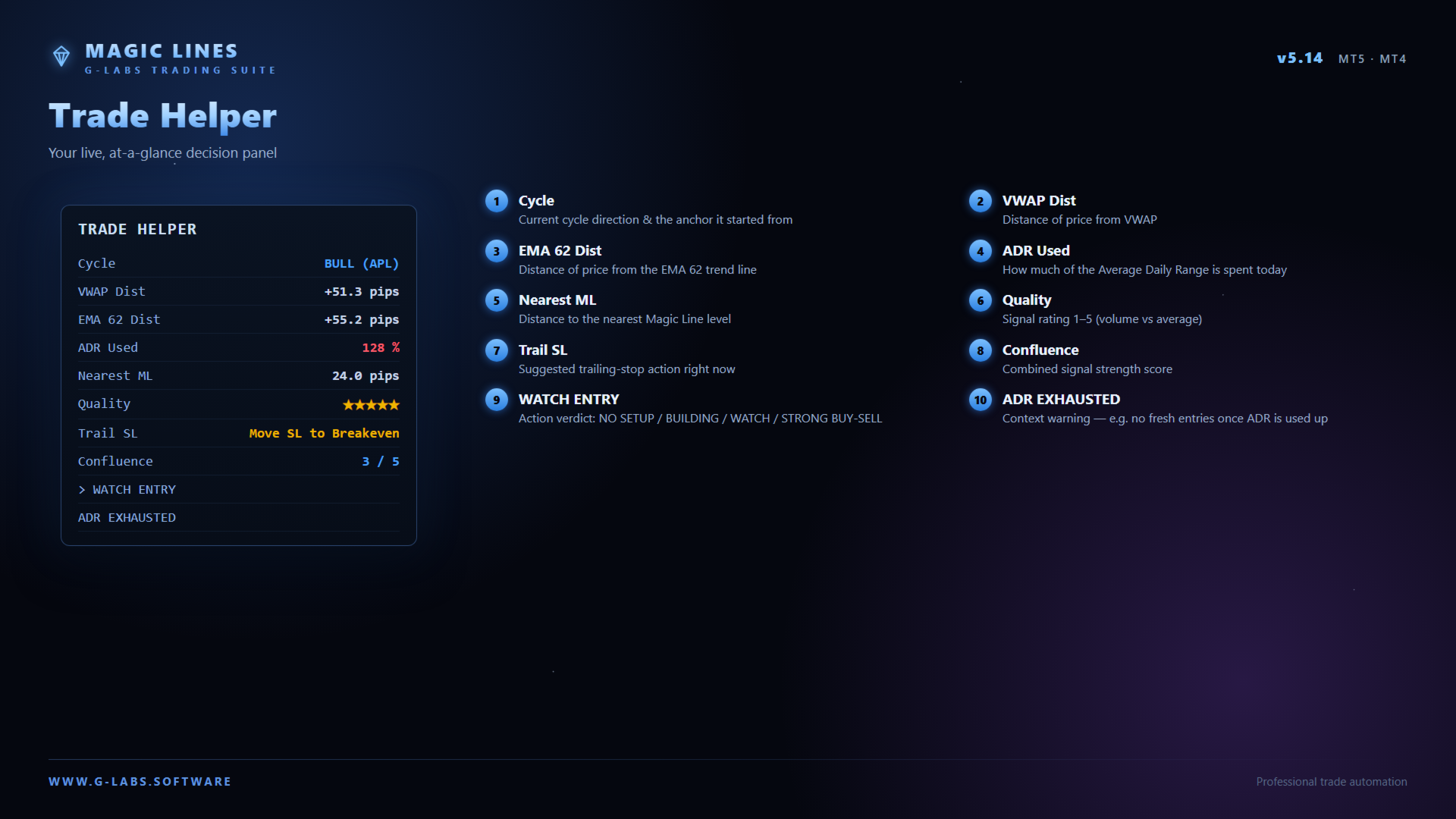
Heikin-Ashi volume candles for momentum direction. Two MagicLines: one for trend direction and one as a VWAP-based reference. Anchor point highs and lows plotted on the chart. Swing markers at highs and lows. Trade Helper panel with structured trade guidance. Toolbar toggles to show or hide candles, lines, signals, scanner, and helper panels.
Alerts
Optional alerts when price reaches a MagicLine level. Popup and push notifications for entry, re-entry, and scanner events across configured symbols. Alert types and sounds are configurable in inputs. Version 5.14 improves alert handling so duplicate notifications do not repeat when you switch symbols, change timeframe, or re-attach the indicator.
Quick start
Attach to any chart (M15 or H1 recommended). Ensure scanner symbol names match your broker Market Watch list, including suffixes. Click a dashboard row to switch pairs. Adjust take profit targets and risk parameters in the indicator settings.
Requirements
MetaTrader 5. Works on forex, metals, and indices where your broker provides data. Analysis and signal tool only — does not place or manage trades automatically. Past signal behaviour does not predict future results.
G-Labs MagicLines is an analytical tool. It does not provide financial advice. Trading involves substantial risk of loss. Always use proper risk management.
Please note: MQL5 adds a demo version to all Market products by default. The demo runs on a single symbol and single timeframe on one chart. This product’s scanner reads multiple currency pairs and multiple timeframes at the same time, so the scanner and scanner-driven features are not compatible with the demo build and will not display or run. In the demo you will typically see basic chart objects only, such as EMAs and session overlays — that is expected behaviour, not a fault with the product. The full multi-pair scanner, dashboard, and all scanner logic are included in the purchased licence and are shown in the product video on the Screenshots tab. Analytical indicator only; it does not place trades for you. Past signal behaviour does not guarantee future results.

 G-Labs by Garry James Goodchild — Beat The Market Maker, ICT, and Smart Money Concepts tools for MetaTrader 4 and MetaTrader 5.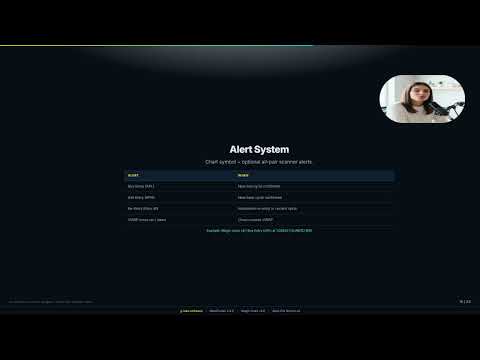















































L'utente non ha lasciato alcun commento sulla valutazione.