
G Cash IC Breaker order blocks
- Indicatori
-
Garry James Goodchild
 G-Labs by Garry James Goodchild — Beat The Market Maker, ICT, and Smart Money Concepts tools for MetaTrader 4 and MetaTrader 5.
Flagship: BTMM State Engine Pro — full daily cycle, scanner, and level logic from one chart.
Store ladder: - Versione: 4.2
- Aggiornato: 4 febbraio 2021
- Attivazioni: 5
G-Labs IC Breaker by G-Labs — ICT source and breaker order blocks for MetaTrader 4. Multi-timeframe structural zones, breaker invalidation on close, retest alerts, and per-timeframe colour control on one chart.
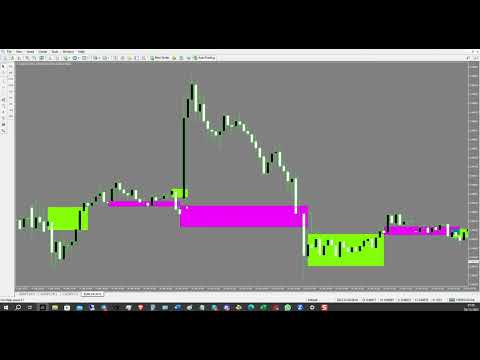
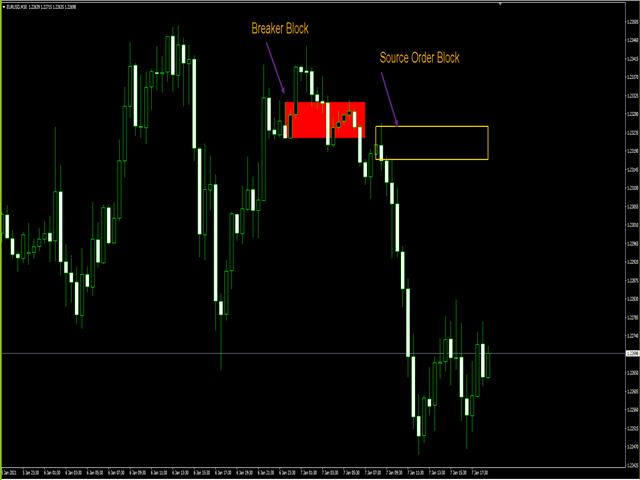
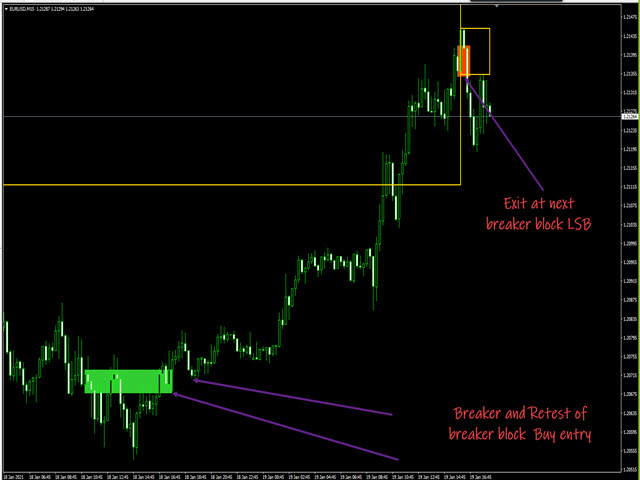
Marks where opposing liquidity rested before a move and what happens when structure breaks. Source order blocks draw as outlined rectangles from the first opposite-colour candle after a structural break. When price closes through the tracked extreme, the zone flips to a filled breaker block — green for bullish breakers, red for bearish. Use higher timeframes for bias and lower timeframes for entries and retests.
What you see on the chart
Source order block — temporary outlined zone (default black per timeframe). The right edge extends with the chart until the next structural event.
Breaker order block — filled rectangle when the prior source is invalidated by a close through the tracked level. Optional outline-only mode via inputs.
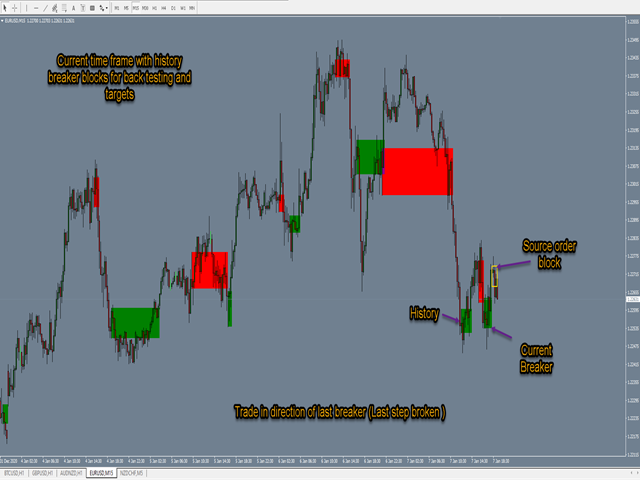
On trend continuation, new source zones can step to new price levels while older breakers stay fixed at the level where they formed — useful for tracking the last step broken before expansion.
Features
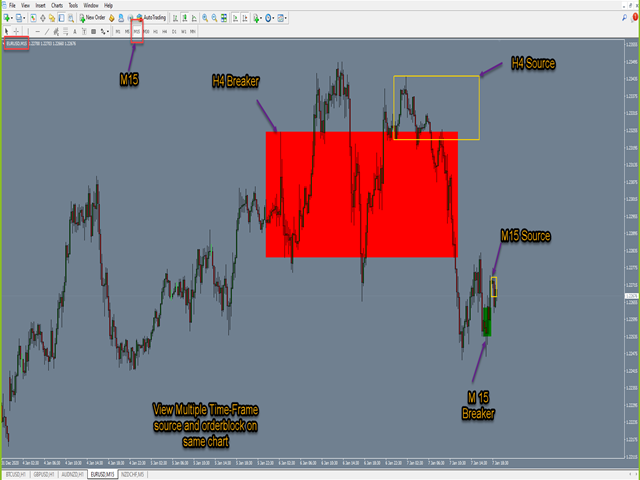
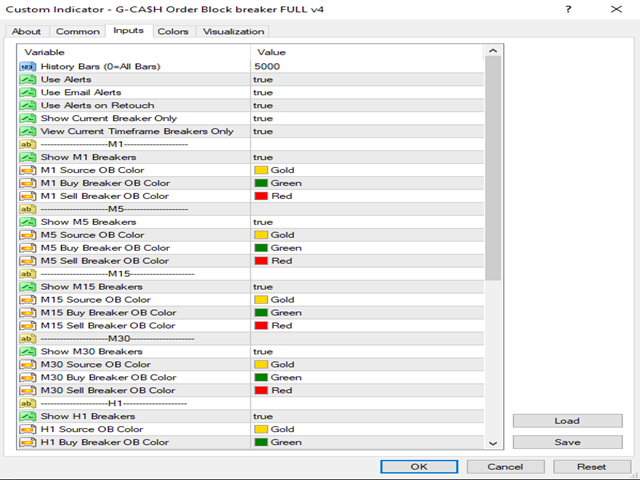
Multi-timeframe display: M1, M5, M15, M30, H1, H4, D1, W1, and MN with per-timeframe on/off and custom colours.
View current chart timeframe only, or stack multiple timeframes for confluence.
Show current breaker only, or keep breaker history on chart.
Popup alerts on new breaker recognition. Optional alerts when price returns to the breaker zone after a break.
Optional email alerts where your platform supports them.
History depth control for load time versus chart depth.
Quick start
Attach to any symbol and timeframe. Enable the timeframes you trade. Use H4 or D1 for directional bias and M15 or H1 for entries. Wait for breaker formation, then watch for retests into the zone. Turn on View Current Timeframe if multiple TF overlays clutter the chart.
Requirements
MetaTrader 4 build 1350 or later. Works on forex, metals, indices, crypto, and commodities where data is available. Analytical indicator only — does not open or manage trades.
Product ladder
Full ICT chart toolkit: Smart Market Structure Pro. Multi-pair ICT scanner: Connix SMC on the G-Labs MQL5 profile.
Keywords
order blocks, breaker blocks, ICT, smart money concepts, source OB, breaker OB, multi timeframe, structure break, retest alert, G-Labs
G-Labs IC Breaker is an analytical tool. It does not provide financial advice. Trading involves substantial risk of loss and past performance does not guarantee future results. Always use proper risk management.
What's New — Version 4.21
Correct default visuals: outlined source zones and filled breaker zones (outline-only breaker optional).
Multi-timeframe support from M1 through monthly with independent colours and toggles.
Alerts on breaker formation and optional retest alerts when price returns to the zone.
View Current Timeframe and Show Current Breaker Only options to reduce chart clutter.
Configurable history depth and solid or outline breaker fill.





















































GREAT indicator.But how do I get to the webinars?