
Burning Scalper
- Indicatori
- Versione: 1.0

🔥 Burning Scalper - Advanced MFI Trading System
📊 Indicator Description
Burning Scalper is a comprehensive trading system based on an enhanced Money Flow Index (MFI) indicator, designed for precise identification of market entry and exit points. The indicator combines volume and price analysis, providing traders with a complete picture of market dynamics.
💡 Key Features
🎯 Intelligent Trading Signals
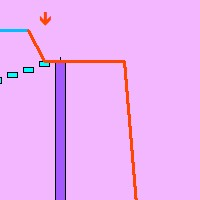
The indicator automatically identifies optimal market entry points by analyzing extreme overbought and oversold zones. Buy arrows appear at local minimums in the oversold zone, sell arrows appear at local maximums in the overbought zone.
📈 Divergences
The system automatically finds and displays classic divergences between price movement and indicator readings, which often precede trend reversals. Green lines show bullish divergences, red lines show bearish divergences.
🎨 Visual Zone Indication
The indicator line changes color when entering critical zones, instantly informing the trader about the current market state. Cyan color - oversold zone, purple color - overbought zone, gray color - neutral zone.
⚙️ Indicator Parameters
📂 General Settings
InpBarsLimit (default: 1000 )
Limits the number of bars for indicator calculation. Set 0 to analyze entire history.
Example: 500 bars is sufficient for M1 scalping, you can set 2000 for D1 analysis.
InpPeriod (default: 14 )
MFI calculation period. Lower values make the indicator more sensitive.
Example: use 8-10 for scalping, 14-21 for medium-term trading.
InpLowerLevel (default: 20 )
Oversold level. Below this level the market is considered oversold.
Example: can be reduced to 15 on volatile pairs, keep 20 on calm ones.
InpUpperLevel (default: 80 )
Overbought level. Above this level the market is considered overbought.
Example: set 85 for conservative trading, 75 for aggressive.
📂 Signal Settings
InpBufferZone (default: 2.0 )
Buffer zone for color indication activation. Prevents false signals.
Example: increase to 3-5 on volatile instruments.
InpMinMFIDifference (default: 5.0 )
Minimum difference between consecutive signals in the same zone.
Example: set 3-4 for position averaging, 7-10 for single entries.
InpLocalExtremeBars (default: 3 )
Number of bars for local extremum detection.
Example: use 1-2 for quick trades, 5-7 for precise entries.
📂 Divergence Settings
InpShowDivergence (default: true )
Enables/disables divergence display.
InpMaxDivergenceDistance (default: 50 )
Maximum distance between peaks for divergence detection.
Example: increase to 70-100 on H4 and above, decrease to 30 on M15 and below.
InpDivergencePeriod (default: 5 )
Strictness of peak detection for divergences.
Example: set 7-10 for clear signals, 3-4 for all possible ones.
📂 Color Settings
Complete customization of the indicator's color scheme for your trading platform and personal preferences. Customize colors of lines, arrows and levels to your liking.
🎯 Ready-to-Use Parameter Sets
🔥 Aggressive Scalping (M1-M5)
InpPeriod = 8
InpLowerLevel = 25
InpUpperLevel = 75
InpBufferZone = 1.5
InpMinMFIDifference = 3.0
InpLocalExtremeBars = 2
InpShowDivergence = false
Application: Quick trades on highly liquid pairs during active trading sessions
📈 Balanced Day Trading (M30-H1)
InpPeriod = 14
InpLowerLevel = 20
InpUpperLevel = 80
InpBufferZone = 2.0
InpMinMFIDifference = 5.0
InpLocalExtremeBars = 3
InpShowDivergence = true
InpMaxDivergenceDistance = 40
Application: Major currency pairs, gold, indices during the trading day
💎 Conservative Swing (H4-D1)
InpPeriod = 21
InpLowerLevel = 15
InpUpperLevel = 85
InpBufferZone = 3.0
InpMinMFIDifference = 8.0
InpLocalExtremeBars = 5
InpShowDivergence = true
InpMaxDivergenceDistance = 70
InpDivergencePeriod = 7
Application: Medium-term positions on trending instruments
🚀 Cryptocurrency Mode
InpPeriod = 10
InpLowerLevel = 15
InpUpperLevel = 85
InpBufferZone = 3.5
InpMinMFIDifference = 7.0
InpLocalExtremeBars = 2
InpShowDivergence = true
InpMaxDivergenceDistance = 60
Application: Volatile cryptocurrency pairs with high trading volume
📌 Key Features
• Smart signal filtering - prevents multiple entries at the same level
• Adaptive color indication - instant visual assessment of market situation
• Precise extremum detection - entries only at real reversal points
• Optimized performance - fast operation even when analyzing thousands of bars
• Flexible configuration - adaptation to any trading style and instrument
💼 Professional Application
Burning Scalper is ideal for traders who value precision entries and clear signals. The indicator is effective both in manual trading and as a foundation for automated trading systems. The combination of volume and price analysis makes it an indispensable tool for working in modern financial markets.
📊 Indicator Description
Burning Scalper is a comprehensive trading system based on an enhanced Money Flow Index (MFI) indicator, designed for precise identification of market entry and exit points. The indicator combines volume and price analysis, providing traders with a complete picture of market dynamics.
💡 Key Features
🎯 Intelligent Trading Signals
The indicator automatically identifies optimal market entry points by analyzing extreme overbought and oversold zones. Buy arrows appear at local minimums in the oversold zone, sell arrows appear at local maximums in the overbought zone.
📈 Divergences
The system automatically finds and displays classic divergences between price movement and indicator readings, which often precede trend reversals. Green lines show bullish divergences, red lines show bearish divergences.
🎨 Visual Zone Indication
The indicator line changes color when entering critical zones, instantly informing the trader about the current market state. Cyan color - oversold zone, purple color - overbought zone, gray color - neutral zone.
⚙️ Indicator Parameters
📂 General Settings
InpBarsLimit (default: 1000 )
Limits the number of bars for indicator calculation. Set 0 to analyze entire history.
Example: 500 bars is sufficient for M1 scalping, you can set 2000 for D1 analysis.
InpPeriod (default: 14 )
MFI calculation period. Lower values make the indicator more sensitive.
Example: use 8-10 for scalping, 14-21 for medium-term trading.
InpLowerLevel (default: 20 )
Oversold level. Below this level the market is considered oversold.
Example: can be reduced to 15 on volatile pairs, keep 20 on calm ones.
InpUpperLevel (default: 80 )
Overbought level. Above this level the market is considered overbought.
Example: set 85 for conservative trading, 75 for aggressive.
📂 Signal Settings
InpBufferZone (default: 2.0 )
Buffer zone for color indication activation. Prevents false signals.
Example: increase to 3-5 on volatile instruments.
InpMinMFIDifference (default: 5.0 )
Minimum difference between consecutive signals in the same zone.
Example: set 3-4 for position averaging, 7-10 for single entries.
InpLocalExtremeBars (default: 3 )
Number of bars for local extremum detection.
Example: use 1-2 for quick trades, 5-7 for precise entries.
📂 Divergence Settings
InpShowDivergence (default: true )
Enables/disables divergence display.
InpMaxDivergenceDistance (default: 50 )
Maximum distance between peaks for divergence detection.
Example: increase to 70-100 on H4 and above, decrease to 30 on M15 and below.
InpDivergencePeriod (default: 5 )
Strictness of peak detection for divergences.
Example: set 7-10 for clear signals, 3-4 for all possible ones.
📂 Color Settings
Complete customization of the indicator's color scheme for your trading platform and personal preferences. Customize colors of lines, arrows and levels to your liking.
🎯 Ready-to-Use Parameter Sets
🔥 Aggressive Scalping (M1-M5)
InpPeriod = 8
InpLowerLevel = 25
InpUpperLevel = 75
InpBufferZone = 1.5
InpMinMFIDifference = 3.0
InpLocalExtremeBars = 2
InpShowDivergence = false
Application: Quick trades on highly liquid pairs during active trading sessions
📈 Balanced Day Trading (M30-H1)
InpPeriod = 14
InpLowerLevel = 20
InpUpperLevel = 80
InpBufferZone = 2.0
InpMinMFIDifference = 5.0
InpLocalExtremeBars = 3
InpShowDivergence = true
InpMaxDivergenceDistance = 40
Application: Major currency pairs, gold, indices during the trading day
💎 Conservative Swing (H4-D1)
InpPeriod = 21
InpLowerLevel = 15
InpUpperLevel = 85
InpBufferZone = 3.0
InpMinMFIDifference = 8.0
InpLocalExtremeBars = 5
InpShowDivergence = true
InpMaxDivergenceDistance = 70
InpDivergencePeriod = 7
Application: Medium-term positions on trending instruments
🚀 Cryptocurrency Mode
InpPeriod = 10
InpLowerLevel = 15
InpUpperLevel = 85
InpBufferZone = 3.5
InpMinMFIDifference = 7.0
InpLocalExtremeBars = 2
InpShowDivergence = true
InpMaxDivergenceDistance = 60
Application: Volatile cryptocurrency pairs with high trading volume
📌 Key Features
• Smart signal filtering - prevents multiple entries at the same level
• Adaptive color indication - instant visual assessment of market situation
• Precise extremum detection - entries only at real reversal points
• Optimized performance - fast operation even when analyzing thousands of bars
• Flexible configuration - adaptation to any trading style and instrument
💼 Professional Application
Burning Scalper is ideal for traders who value precision entries and clear signals. The indicator is effective both in manual trading and as a foundation for automated trading systems. The combination of volume and price analysis makes it an indispensable tool for working in modern financial markets.
















































L'utente non ha lasciato alcun commento sulla valutazione.