GOM Custom EA
- Experts
- Versione: 1.10
- Aggiornato: 10 settembre 2025
- Attivazioni: 10

GOM Custom EA is a customizable EA strategy builder. You can design your own EA from this product.
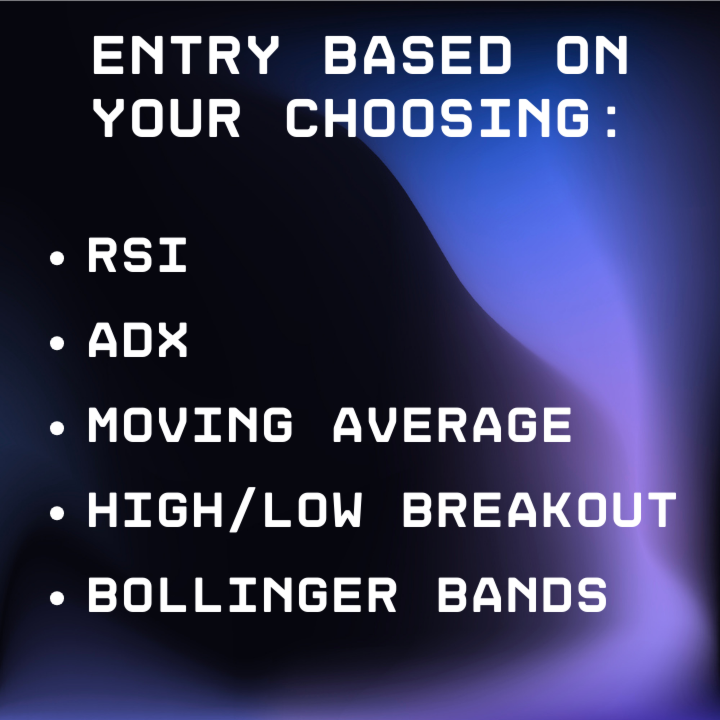
It works on all instrument (forex, gold, etc.). The product is designed to have highly customizable option on entry criteria, TP, SL, grid trade systems and also a safety exit option.
A demonstration setting given with the EA has a return of 11x within 20 months ($1,000 to $11,000)
(Tested from Jan 2024 - Aug 2025 on EURUSD)
***Please feel free to message me if you have any issue or questions***
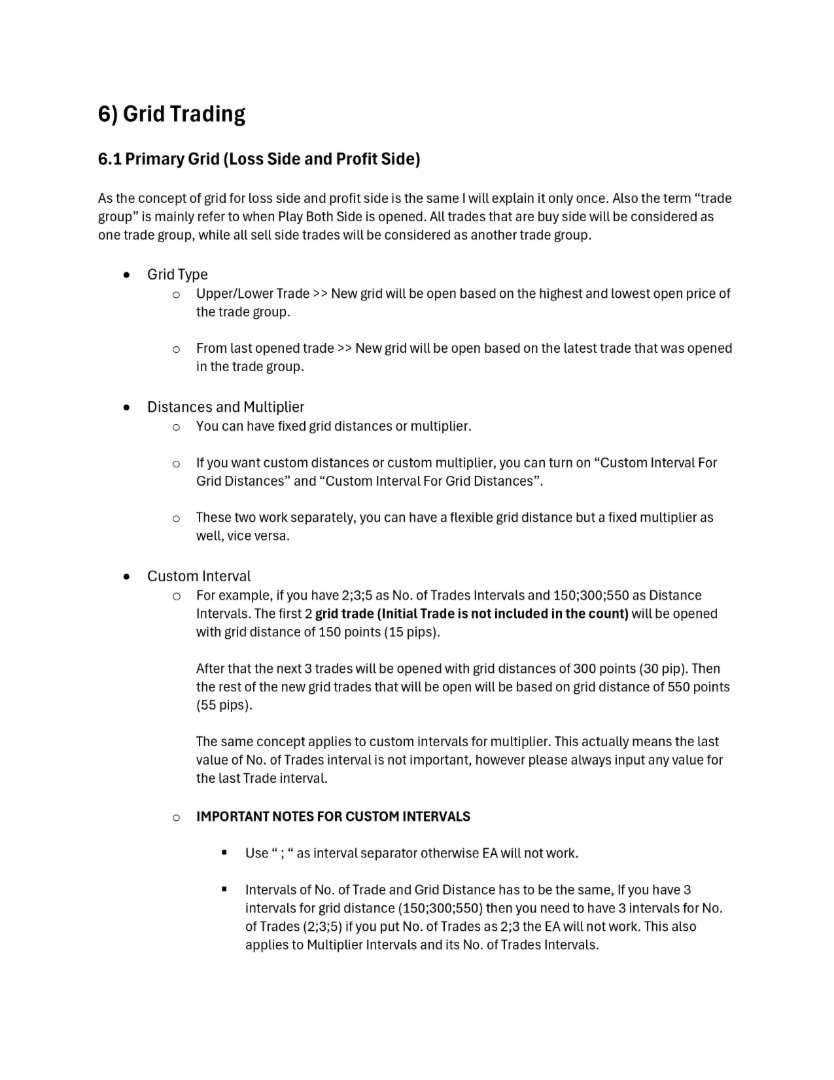
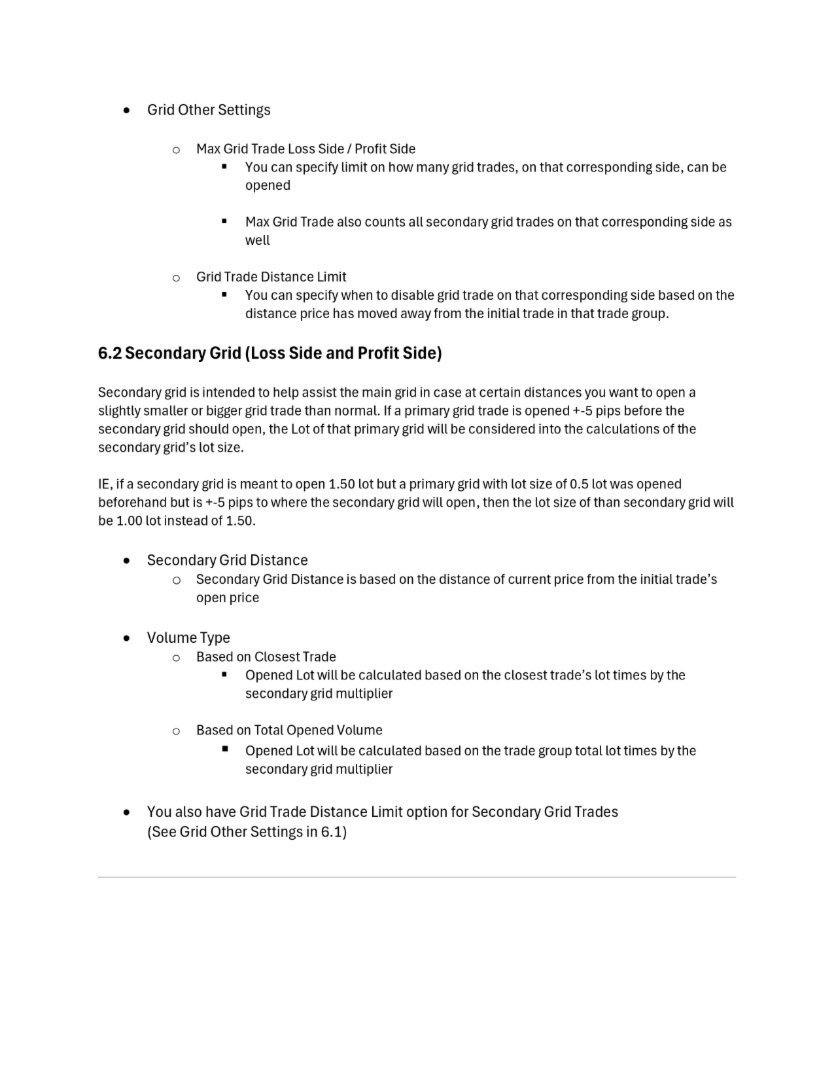
***Partial User Manual is shown in the screenshot at the end, however please privately message me if you want the full pdf version***
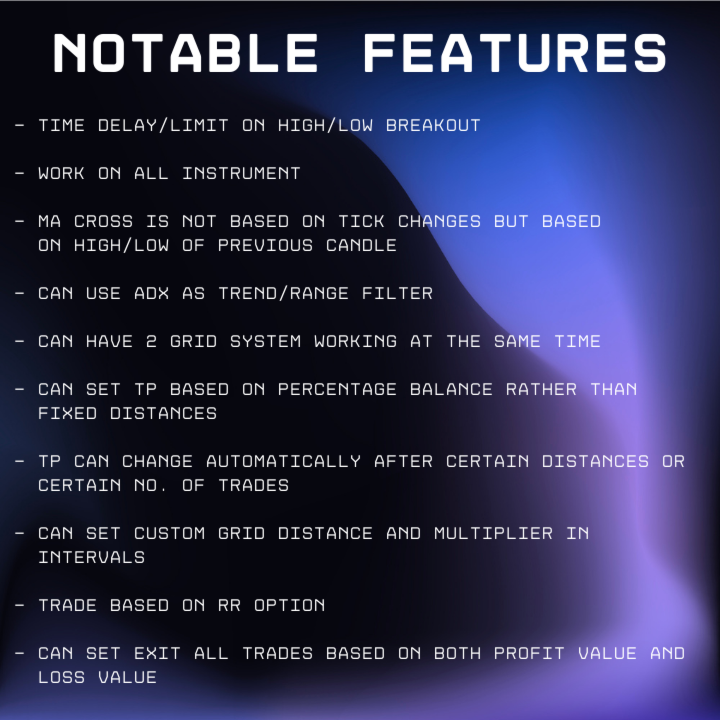
------------------------------------------NOTABLE FEATURES------------------------------------------
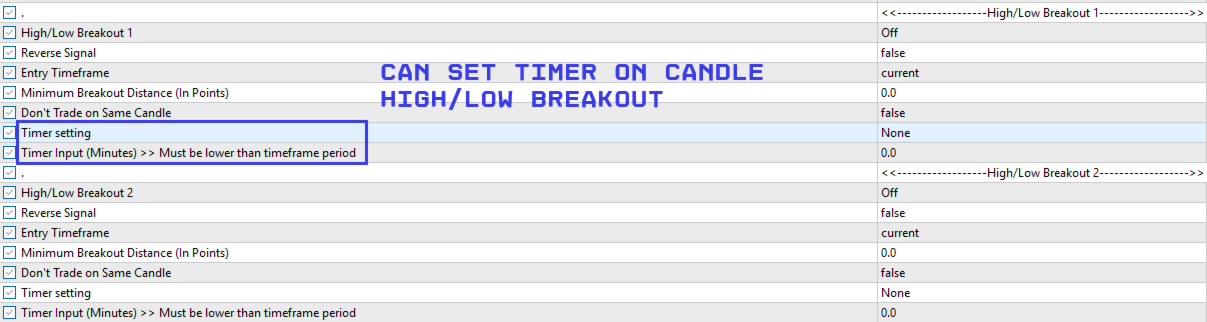
- Timer Delay/Limit on High/Low candle breakout
- MA Cross is not based on tick changes but based on High/Low of previous candle
- Can use ADX as trend/range filter for entering trades
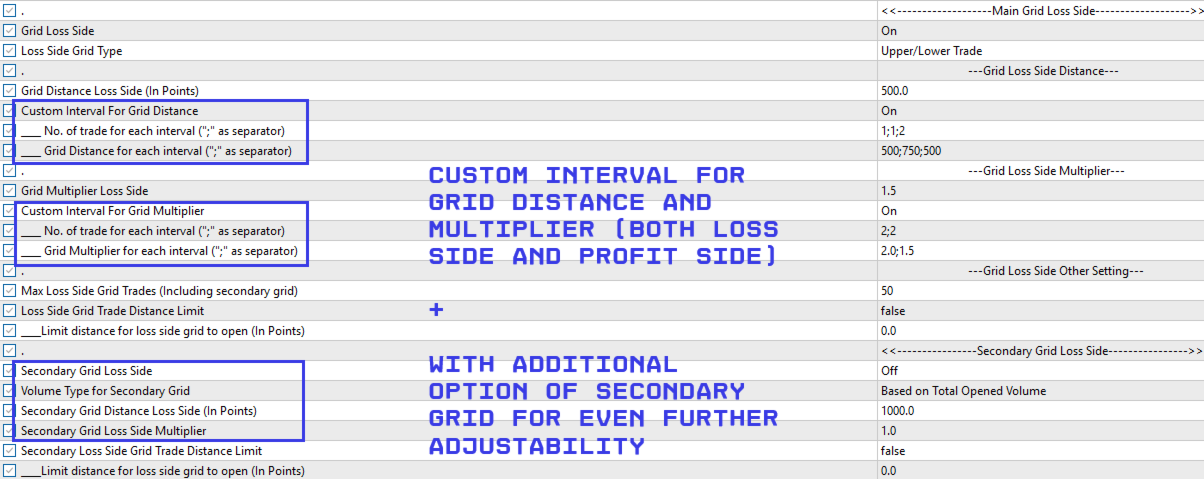
- Can have 2 grid system working at the same time
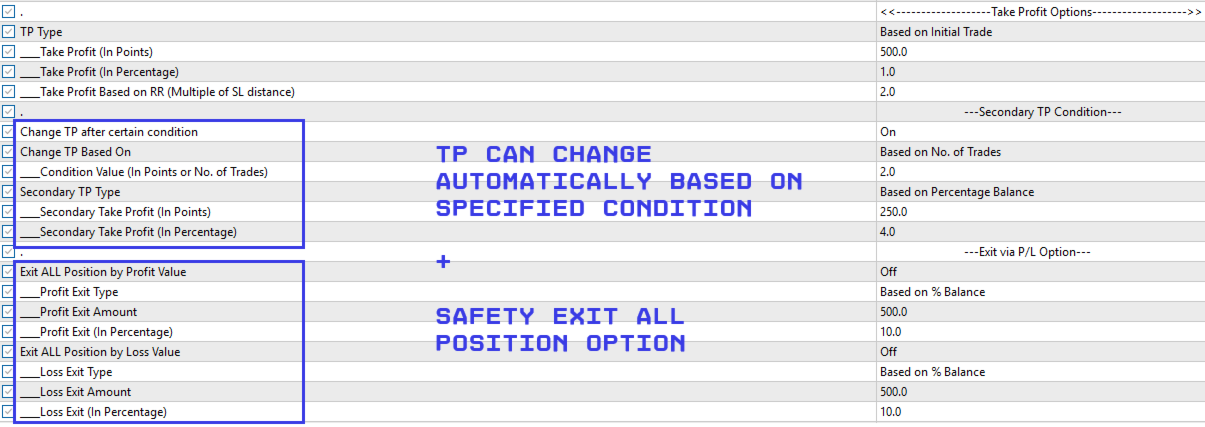
- Can set TP based on percentage balance rather than fixed distances
- TP can change automatically after certain distances or certain no. of trades
- Can set custom Grid Distance and Multiplier in intervals
- Trade based on RR Option (for people who do not want grid trades)
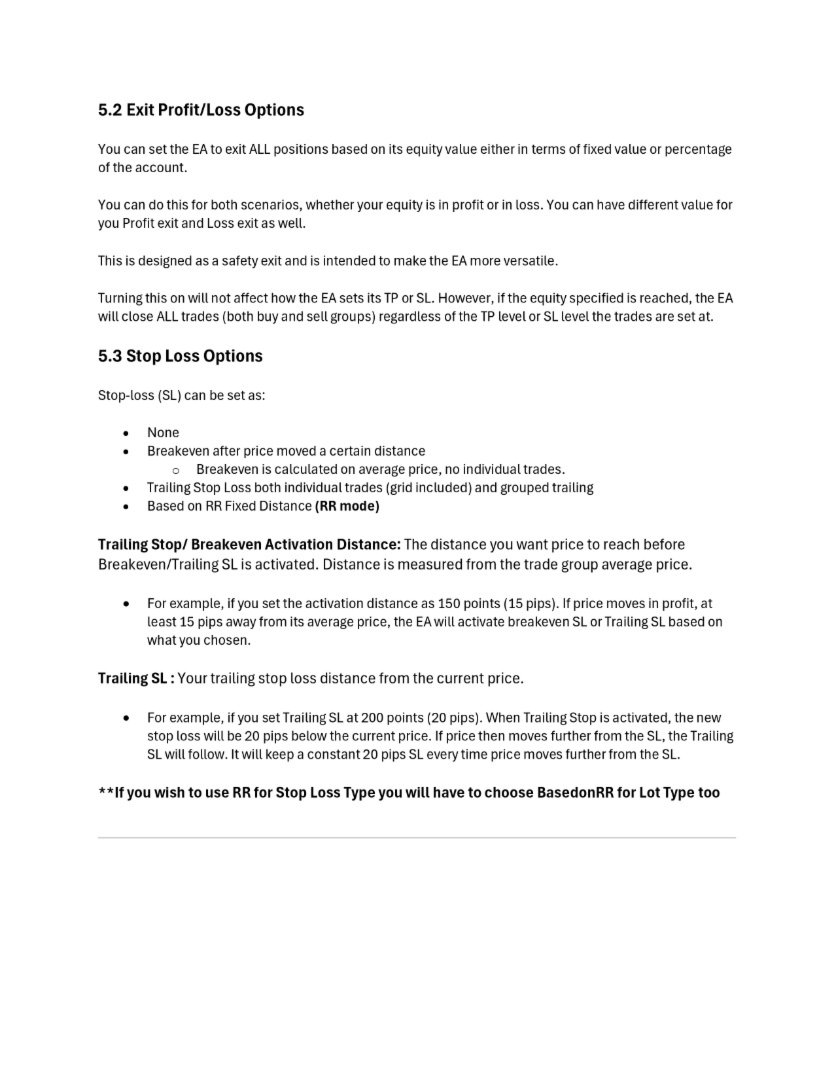
- Can set exit all trades based on both profit value and loss value
-------------------------------------***Must Read Before Use***-------------------------------------
- All distance inputs are in Points.
- % of Free Margin used to calculate whether a new trade can be opened is initially set at 90%. You can change it to 100% if you want.
- Secondary Grid cannot be used on its own, it is meant to assist the main primary grid in case user wants to adjust trade volume only on certain distances. For further info, please refer to the Secondary Grid section of the manual.
- If you choose ADX as a baseline it will not count into the OR condition, it will simply act as an entry filter. If you choose ADX as baseline but then ADX entry type isn’t chosen as “USE ADX as trend/range identifier” then EA will automatically include ADX into OR conditions with other entry criteria.
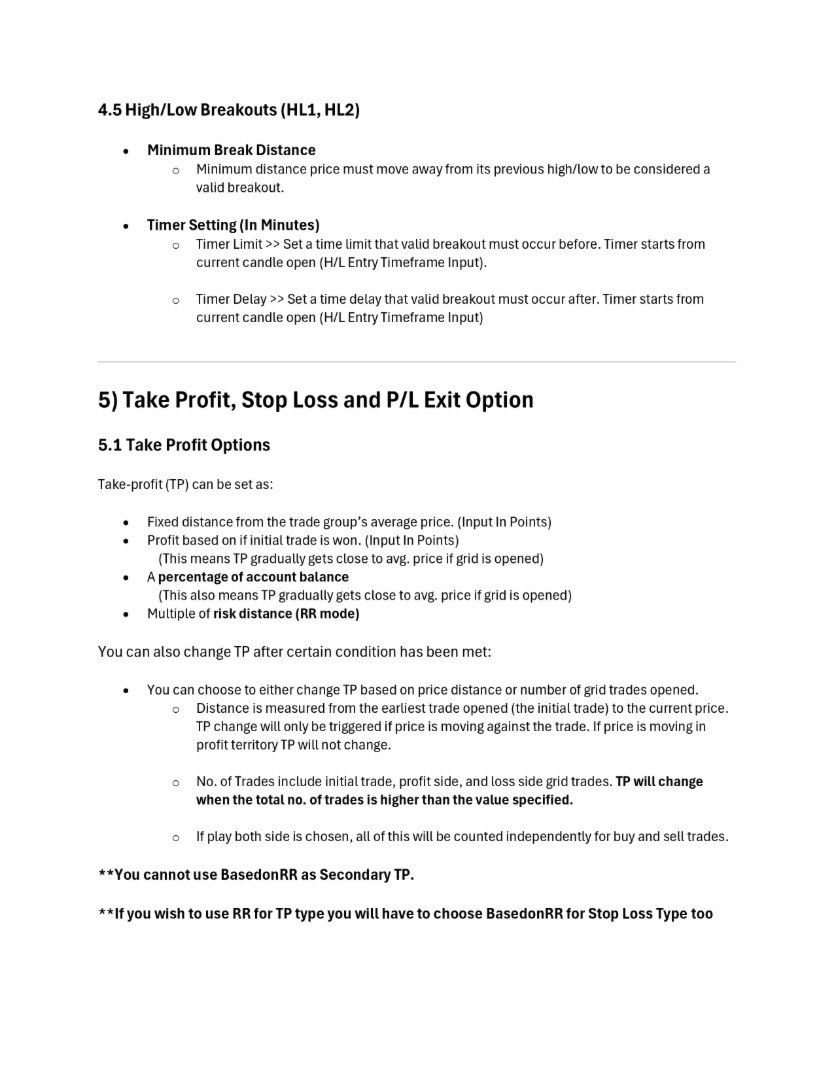
- If you wish to use BasedonRR mode, your TP Option and SL Option must both be basedonRR. Otherwise, the EA will not initiate. You can choose any option for Lotsize, but if you choose LotSize as basedonRR then your TP option and SL option must also be chosen as BasedonRR.
- RR strategies will automatically disable all Grid systems and any TP changes conditions.
- BasedonRR cannot be used as Secondary TP Type.
- For custom Grid Distances or Multiplier please use “ ; “ as interval separator otherwise EA will not work.
- There will be positional report in the Journal section when every new trade is open. It will tell you total volume opened on that direction and also its average price.
- Intervals of No. of Trade and Grid Distance must be the same. If you have 3 intervals for grid distance (150;300;550) then you need to have 3 intervals for No. of Trades (2;3;5) if you put No. of Trades as (2;3) the EA will not work. This also applies to Multiplier Intervals and its No. of Trades Intervals.
- If there is any issue, please check the Journal section of the terminal first for any comments from the EA itself.
- If you have any questions no matter what, please feel free to contact me, I will try my best to answer as soon as possible
----------------------------------------------------------------------------------------------------
Please use this mql5 blog for how to Install to EA, back test and using VPS server for running it 24/7
https://www.mql5.com/en/forum/366161
What is VPS Server (For those who are new)?
Basically, VPS server allows your EA/trading robot to run without you having to turn on your computer 24/7. It uploads your MT5 terminal to the cloud so it can run 24/7 on its own. You can turn it on and off of course and you can also make adjustments to your EA settings and re-upload your terminal accordingly.