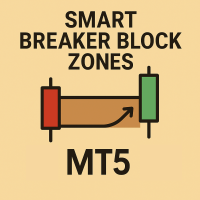
Basic Smart Breaker Block Zones SMC Indicator MT5
- Indicatori
-
Mehdi Ghorbani Saeidian
 👋 Hi there!
I'm a trader and programmer with over 10 years of experience in the financial markets.
🔹 Worked in a professional trading company
🔹 3+ years of programming custom indicators and expert advisors
🔹 Experienced in Forex, crypto, stocks, and more - Versione: 1.2
- Attivazioni: 5
Basic Smart Breaker Block Zones SMC Indicator
Introduction:
Breaker blocks are order blocks that have been broken once by the market. When the price returns to these zones, they often trigger a strong reaction. In technical terms, resistance blocks become support zones after a breakout, and support blocks turn into resistance zones once broken.
Understanding breaker blocks is extremely valuable for identifying high-probability trading opportunities, including both reversal trades and trend continuation setups. Among all key trading blocks, breaker blocks are considered even more significant that standard order blocks because they indicate that price has reacted to the same zone multiple times.
This concept is widely used in Smart Money Concepts (SMC) and ICT trading strategies , making breaker blocks a powerful tool for professional traders seeking precise market entries.
Additionally, this indicator provides advanced filtering options to display only the most relevant and high-quality blocks, helping traders focus on the strongest and most actionable zones.
For downloading other indicators click on LINK
For downloading Order Block indicator MT4 click this LINK
Setting:
The indicator includes three main settings sections, each corresponding to a specific market level.
Each level is calculated based on the previous one, allowing for a multi-layered analysis of breaker blocks and overall market structure.
For each level, you have full control over the display options and visual customization through the following filters:
1. Show Breaker Blocks ---> Enable or disable the display of breaker blocks.
2. Display Style ---> Choose how the breaker blocks are visually represented on the chart.
3. Support Zone Color ---> Customize the color used for bullish breaker block zones.
4. Resistance Zone Color ---> Customize the color used for bearish breaker block zones.
5. Show Labels ---> Toggle labels to display the name of each breaker block directly on the chart.
6. Show Latest Breaker Blocks ---> Set how many of the most recent support and resistance breaker blocks to display.
7. Distance From Current Price ---> Display only breaker blocks that are closer than the specified distance to the current market price.
If you have personal project ideas or custom indicator requests, feel free to message me directly LINK
What is this Indicator is used for?
This indicator is designed to help you identify the most important market levels and understand where the price is most likely to react. These reactions occur due to the liquidity zones that form behind these levels.
when the price reaches these key zones, it will either:
- Reject the level and start a reversal, or
- Break through the level and continue its trend.