
SatoshiMind AI Bitcoin Robot MT4
- Experts
- Versione: 598.10
- Aggiornato: 19 febbraio 2026
- Attivazioni: 10

Advanced Satoshimind Bitcoin BTCUSD EA MT4 - AN Agentic AI-Driven Bitcoin Trading System_Latest Version 598.10 Set file is attached in Comment_Must use_20April2026
Agentic AI-Driven Bitcoin Trading System
Advanced Satoshimind is a next-generation BTCUSD Expert Advisor engineered for MetaTrader 4, powered by an Agentic AI framework designed for intelligent, adaptive decision-making in high-volatility crypto markets.
Integrated Agentic AI Architecture
This EA concept is built around multi-agent intelligence logic inspired by leading AI systems, including:
-
🔹 GPT-based analytical models
-
🔹 Gemini-style contextual evaluation
-
🔹 Claude-inspired reasoning filters
-
🔹 OpenAI-driven adaptive logic layers
These AI-inspired components enhance trade validation, volatility assessment, and structured execution logic.
Core Features
-
✅ Optimized exclusively for BTCUSD
-
✅ Advanced trend & volatility detection
-
✅ Intelligent entry & exit algorithms
-
✅ Built-in Stop Loss & Take Profit
-
✅ Smart risk & money management
-
✅ Fully automated execution
-
✅ High-quality tick-data backtest compatible
Why Advanced Satoshimind?
Bitcoin markets demand adaptive intelligence and strict discipline.
This EA combines structured algorithmic precision with AI-inspired multi-agent logic to deliver consistent, rule-based crypto trading performance.
Designed for traders who want:
-
Automated Bitcoin execution
-
AI-enhanced strategy logic
-
Emotion-free systematic trading
AI API Integration (Optional Advanced Feature)
Agentic AI Satoshi mind Bitcoin EA can optionally connect to external AI models to enhance macro sentiment and cross-market validation.
Setup Steps
1. Enable WebRequest in MT5
-
Tools → Options → Expert Advisors
-
Enable Allow WebRequest for listed URL
-
Enable WebRequest:
Go to MT5 -> Tools -> Options -> Expert Advisors.
Check "Allow WebRequest for listed URL".
-
Additional:
Setup Required in MT5:
Add these URLs in Tools > Options > Expert Advisors > Allow WebRequest:
-
Add required API endpoints
2. Configure EA Inputs
-
API Enable → TRUE
-
API Key → Enter your key
-
Provider Selection → Choose model provider
3. Cost Optimization
-
Built-in caching system reduces unnecessary API calls
-
Multi-Model Mode executes trades only when both AI sources agree
Verification & Monitoring
-
Journal logs display [API SUCCESS] confirmations
-
Dashboard shows real-time status: Analyzing / Cached / Idle
-
Error detection system provides clear troubleshooting codes

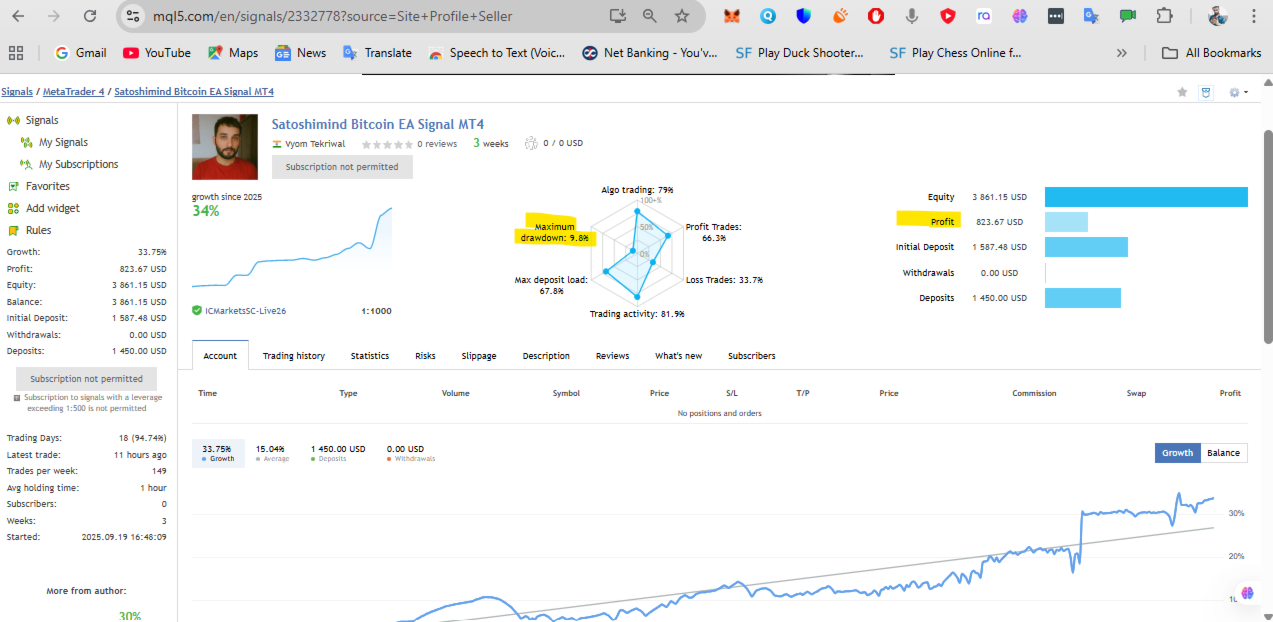
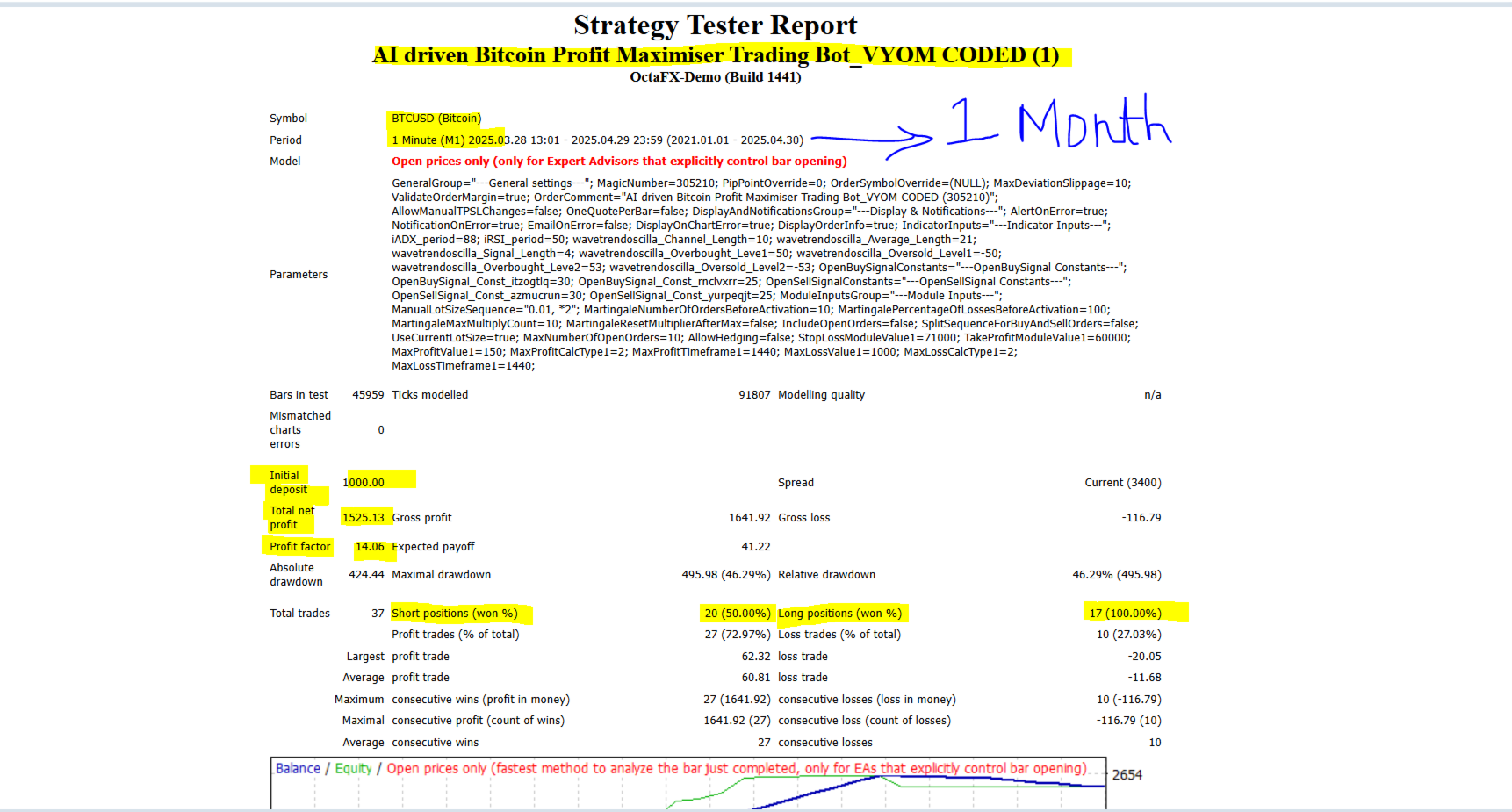

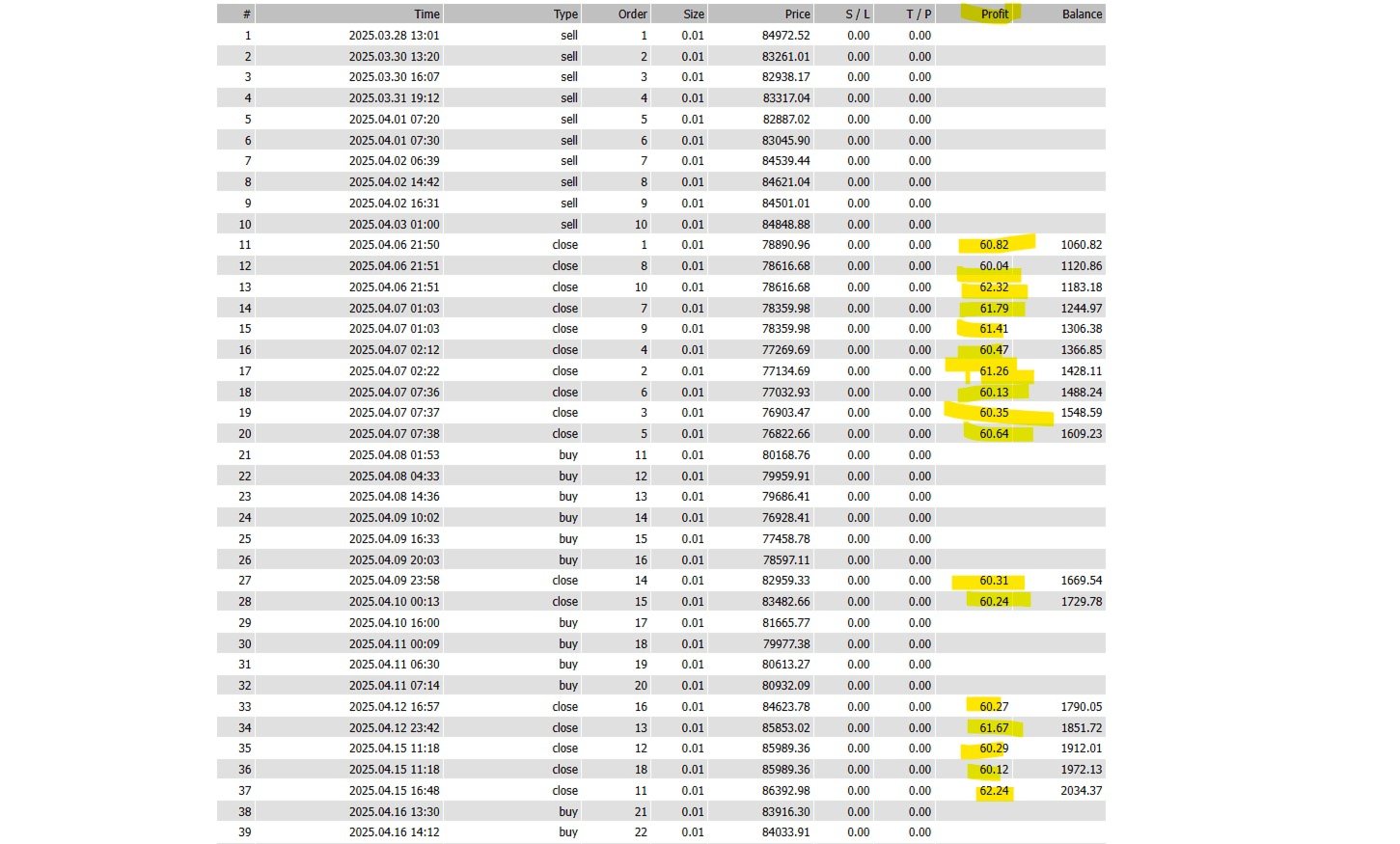
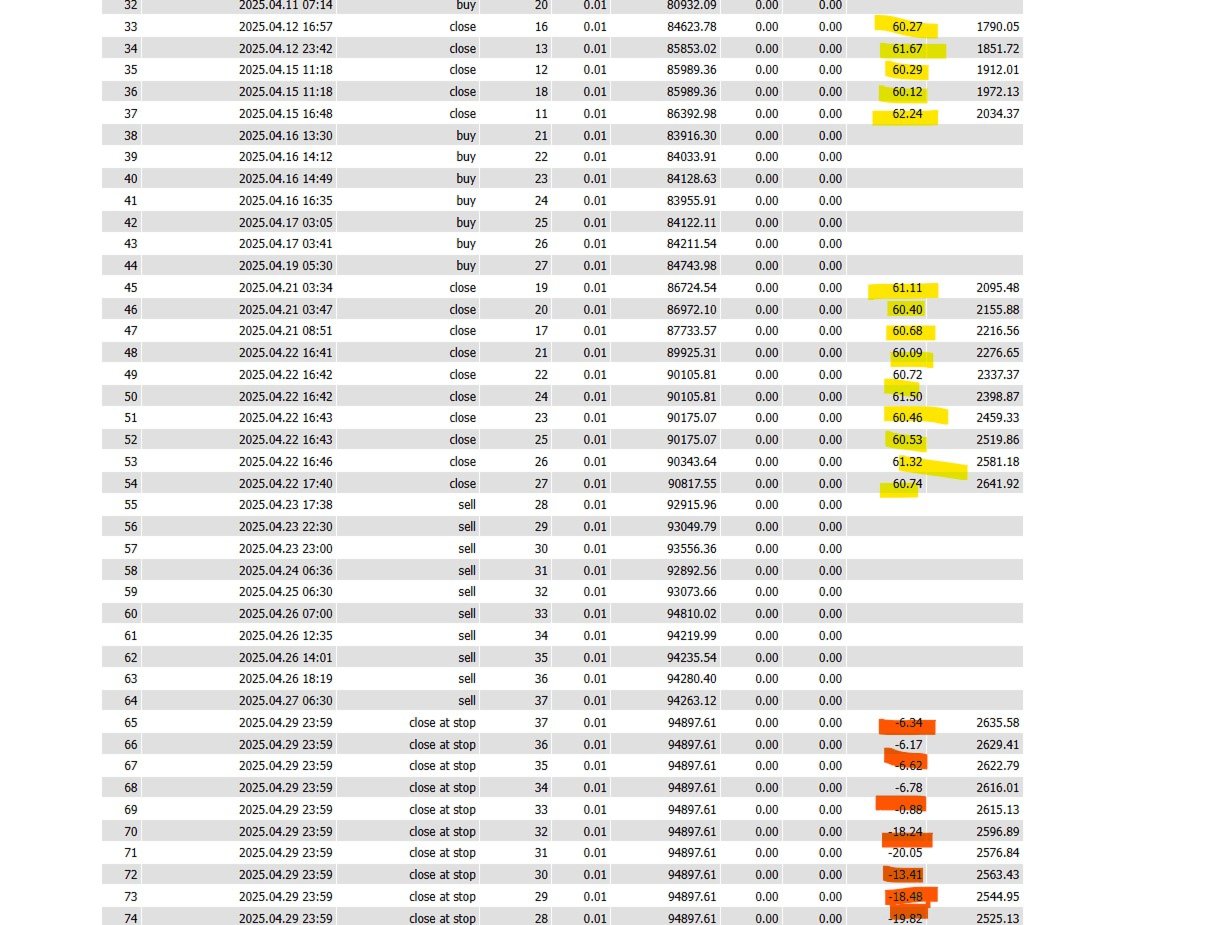























































As I said before great developer helps a lot. Quick turn around for any issue. Great any desk support when needed. Finally a very good EA.