Heartbeat Agent
- Utilità
- Versione: 2.4
- Aggiornato: 10 marzo 2026

Heartbeat Agent is a comprehensive monitoring system for MetaTrader 4 terminals, designed to detect critical issues before they impact your trading. Compatible with both Windows and Linux, it continuously monitors your terminal's health and alerts you immediately when problems arise.
Key Features:
-
Trading Permissions Monitoring: Detects when AutoTrading is disabled, preventing your Expert Advisors from executing trades. Alerts if your account is in Investor Mode (read-only) or if your broker has disabled automated trading on the server side. These issues can go unnoticed for hours, causing missed trading opportunities.
-
Connection Quality Analysis: Monitors ping to your trade server in real-time. High latency causes slippage and requotes. The agent alerts you when connection quality degrades, allowing you to switch servers or troubleshoot connectivity issues before they affect your trades.
-
Margin and Stop Out Protection: Tracks your margin level and alerts when approaching dangerous territory. Receives push notifications before your broker force-closes positions due to insufficient margin. Configurable thresholds let you set your own safety margins based on your risk tolerance.
-
System Resources Monitoring: Monitors terminal memory usage and available disk space. Low resources can cause terminal crashes, data corruption, or failed order execution. Early warnings give you time to address issues before they become critical.
-
Push Notifications: Sends alerts directly to your mobile device via MetaTrader's built-in notification system. Stay informed even when away from your computer. All critical events trigger immediate notifications.
-
Comprehensive Data Transmission: Every heartbeat includes detailed metrics: connection status, trading permissions, margin level, ping latency, Stop Out proximity, memory usage, disk space, and more. Integrate with your monitoring infrastructure or use the data for performance analysis.
Configuration:
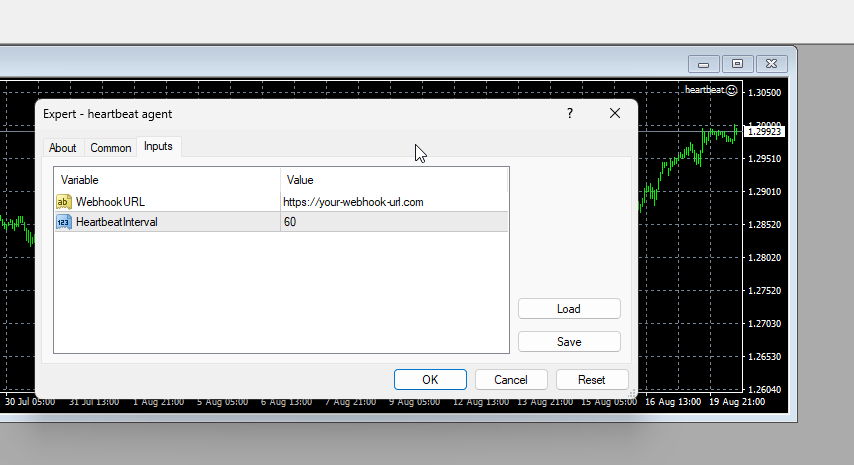
All monitoring features can be individually enabled or disabled. Set custom thresholds for each type of alert. Configure heartbeat interval to balance between monitoring frequency and server load.
Minimal setup required:
-
Terminal Setup:
- Open your trading terminal settings.
- Navigate to the "Expert Advisors" section.
- Enable the "Allow WebRequest for listed URL:" option.
- Add your heartbeat URL to the allowed list.
-
Push Notifications: Configure MetaQuotes ID for push notifications (Tools > Options > Notifications).
-
Monitoring Thresholds: Adjust monitoring thresholds in Expert Advisor inputs according to your needs.
-
Attach to Chart: Attach to any chart and enable AutoTrading.
Monitoring Infrastructure:
The agent works standalone with built-in push notifications, or can integrate with monitoring platforms for centralized oversight. Transmitted metrics (connection status, permissions, margin, ping, resources) enable historical analysis, uptime tracking, and automated incident response.
For traders seeking turnkey monitoring solution, the agent is compatible with 2Uptime.com, which provides minute-by-minute checks, centralized dashboard for multiple terminals. Self-hosted monitoring solutions can also consume the heartbeat data via standard HTTP endpoints.
Who Is This For:
- Professional traders running multiple EAs who need to ensure their systems are operational 24/7.
- VPS users who want to detect issues remotely before they cause trading losses.
- Fund managers who need audit trails and uptime verification for client accounts.
- Anyone who has experienced losses due to undetected terminal disconnections, disabled trading, or system resource issues.
Heartbeat Agent transforms a simple availability check into a comprehensive monitoring solution, protecting your trading operations from common but costly failures.