Les produits gratuits les plus téléchargés :
Les meilleures ventes du marché :
Les thèmes les plus populaires du forum :
- Discussion de l'article "Paiements et modes de paiement" 27 nouveaux commentaires
- Que mettre à l'entrée du réseau neuronal ? Vos idées... 10 nouveaux commentaires
- Discussion de l'article "Comment utiliser les modèles ONNX dans MQL5" 9 nouveaux commentaires
Les produits gratuits les plus téléchargés :
Les meilleures ventes du marché :
Codes sources les plus téléchargés ce mois-ci
- BollingerBandsEA BollingerBandsEA trades according to Bollinger Bands.
- Candlestick patterns This is a indicator displaying candlesticks patterns on a chart.
- MQL5 Programming for Traders – Source Codes from the Book. Part 1 The first chapter of the book introduces the MQL5 language and development environment. One of the new features introduced in the MQL5 language compared to MQL4 (MetaTrader 4 language) is support for object-oriented programming (OOP), which makes it similar to C++.
Articles les plus lus ce mois-ci
Algorithme de rebuy (rachat) : Modèle mathématique pour accroître l'efficacité
Dans cet article, nous utiliserons l'algorithme de rachat pour mieux comprendre l'efficacité des systèmes de trading. Nous commencerons à travailler sur les principes généraux de l'amélioration de l'efficacité du trading à l'aide des mathématiques et de la logique, ainsi qu'à appliquer les méthodes les plus inhabituelles d'amélioration de l'efficacité en termes d'utilisation de n'importe quel système de trading.

Comment acheter un robot de trading sur MetaTrader Market et l'installer ?
Un produit de MetaTrader Market peut être acheté sur le site Web MQL5.com ou directement depuis les plateformes de trading MetaTrader 4 et MetaTrader 5. Choisissez un produit qui convient à votre style de trading, payez-le en utilisant votre méthode de paiement préférée et activez le produit.
Comment gagner de l'argent en remplissant les commandes des traders dans le service Freelance ?
MQL5 Freelance est un service en ligne où les développeurs sont payés pour créer des applications de trading pour les clients traders. Le service fonctionne avec succès depuis 2010, avec plus de 100 000 projets réalisés à ce jour, pour une valeur totale de 7 millions de dollars. Comme on le voit, il s'agit d'une somme d'argent importante.
4 nouveaux signaux maintenant disponible par abonnement :
| Croissance: | 1,474.52 | % |
| Actions: | 2,967,975.00 | JPY |
| Solde: | 3,883,850.00 | JPY |
Nouvelles publications dans CodeBase
- Intrabar Volume Flow An indicator which visualizes how volume changes over time within each bar. It shows tick volume in a rolling histogram format.
- Calendar-Based Backtesting: an Event-Driven Trading EA This Script & EA enables coders to backtest their news based strategies which use the MQL5 Calendar.
Les produits gratuits les plus téléchargés :
Les meilleures ventes du marché :
1 nouveau signal maintenant disponible par abonnement :
Les produits gratuits les plus téléchargés :
Les meilleures ventes du marché :
Codes sources les plus téléchargés cette semaine
- Smart Trend Follower This EA is designed to automatically follow market trends using signals from the Moving Average and Stochastic Oscillator indicators. The EA detects buy and sell signals by utilizing MA crossovers and confirms the trend with Stochastic. Additionally, the EA includes automatic position management, such as setting Take Profit, Stop Loss, and lot size doubling to enhance trading effectiveness in trending markets.
- Trade Assistant MT5 Trade Assistant MetaTrader indicator — a multi-timeframe indicator that is based on three standard indicators: Stochastic oscillator, RSI (Relative Strength Index), and CCI (Commodity Channel Index). It displays current trend directions for M1, M5, M15, M30, H1, H4, D1, W1, and MN1 timeframes. When you follow such an indicator you have a clear picture of the trends across all important timeframes. It doesn't matter which timeframe you attach this indicator to. The indicator can be downloaded for MT4 and MT5.
- MQL5 Programming for Traders – Source Codes from the Book. Part 1 The first chapter of the book introduces the MQL5 language and development environment. One of the new features introduced in the MQL5 language compared to MQL4 (MetaTrader 4 language) is support for object-oriented programming (OOP), which makes it similar to C++.
Articles les plus lus cette semaine
Algorithme de rebuy (rachat) : Modèle mathématique pour accroître l'efficacité
Dans cet article, nous utiliserons l'algorithme de rachat pour mieux comprendre l'efficacité des systèmes de trading. Nous commencerons à travailler sur les principes généraux de l'amélioration de l'efficacité du trading à l'aide des mathématiques et de la logique, ainsi qu'à appliquer les méthodes les plus inhabituelles d'amélioration de l'efficacité en termes d'utilisation de n'importe quel système de trading.

Comment acheter un robot de trading sur MetaTrader Market et l'installer ?
Un produit de MetaTrader Market peut être acheté sur le site Web MQL5.com ou directement depuis les plateformes de trading MetaTrader 4 et MetaTrader 5. Choisissez un produit qui convient à votre style de trading, payez-le en utilisant votre méthode de paiement préférée et activez le produit.

Comment gagner de l'argent en remplissant les commandes des traders dans le service Freelance ?
MQL5 Freelance est un service en ligne où les développeurs sont payés pour créer des applications de trading pour les clients traders. Le service fonctionne avec succès depuis 2010, avec plus de 100 000 projets réalisés à ce jour, pour une valeur totale de 7 millions de dollars. Comme on le voit, il s'agit d'une somme d'argent importante.
Les meilleures ventes du marché :
Les produits gratuits les plus téléchargés :
Les thèmes les plus populaires du forum :
- Que mettre à l'entrée du réseau neuronal ? Vos idées... 26 nouveaux commentaires
- Discussion de l'article "Paiements et modes de paiement" 12 nouveaux commentaires
- Bibliothèque: MT4Orders QuickReport 2 nouveaux commentaires
Les produits gratuits les plus téléchargés :
Les meilleures ventes du marché :
1 nouveau signal maintenant disponible par abonnement :
Les produits gratuits les plus téléchargés :
Les meilleures ventes du marché :
3 nouveaux signaux maintenant disponible par abonnement :
Les produits gratuits les plus téléchargés :
Les meilleures ventes du marché :
Les thèmes les plus populaires du forum :
- Discussion de l'article "Paiements et modes de paiement" 34 nouveaux commentaires
- Experts: Smart Trend Follower 6 nouveaux commentaires
- Discussion de l'article "Informations générales sur les signaux de trading pour MetaTrader 4 et MetaTrader 5" 3 nouveaux commentaires
Les produits gratuits les plus téléchargés :
Codes sources les plus téléchargés ce mois-ci
- Surfing - 2 EMA strategy This is a pretty simple startegy that follows trend. Recommended time frams is D1. when close price brakes up the EMA build based on high prices given that RSI is above 55 and RSI is above its Moving average - we buy. when close price brakes down the EMA build based on low prices given that RSI is below 45 and RSI is below its moving average - we sell. system closes previose trade if there is opposite signal system uses take profit and stop loss as well as trailing stop
- BollingerBandsEA BollingerBandsEA trades according to Bollinger Bands.
- MQL5 Programming for Traders – Source Codes from the Book. Part 7 The final seventh part of the book discusses the advanced capabilities of the MQL5 API, which will be useful when developing programs for MetaTrader 5. These include custom financial symbols, built-in economic calendar events, and general-purpose technologies such as networking, databases, and cryptography.
Articles les plus lus ce mois-ci

Comment acheter un robot de trading sur MetaTrader Market et l'installer ?
Un produit de MetaTrader Market peut être acheté sur le site Web MQL5.com ou directement depuis les plateformes de trading MetaTrader 4 et MetaTrader 5. Choisissez un produit qui convient à votre style de trading, payez-le en utilisant votre méthode de paiement préférée et activez le produit.

Algorithme de rebuy (rachat) : Modèle mathématique pour accroître l'efficacité
Dans cet article, nous utiliserons l'algorithme de rachat pour mieux comprendre l'efficacité des systèmes de trading. Nous commencerons à travailler sur les principes généraux de l'amélioration de l'efficacité du trading à l'aide des mathématiques et de la logique, ainsi qu'à appliquer les méthodes les plus inhabituelles d'amélioration de l'efficacité en termes d'utilisation de n'importe quel système de trading.
Comment gagner de l'argent en remplissant les commandes des traders dans le service Freelance ?
MQL5 Freelance est un service en ligne où les développeurs sont payés pour créer des applications de trading pour les clients traders. Le service fonctionne avec succès depuis 2010, avec plus de 100 000 projets réalisés à ce jour, pour une valeur totale de 7 millions de dollars. Comme on le voit, il s'agit d'une somme d'argent importante.
Les meilleures ventes du marché :
2 nouveaux signaux maintenant disponible par abonnement :
Article publié "MetaTrader 4 sur Mac OS".

Nous fournissons un programme d'installation spécial pour la plateforme de trading MetaTrader 4 sur macOS. Il s'agit d'un assistant à part entière qui vous permet d'installer l'application de manière native. Le programme d'installation effectue toutes les étapes nécessaires : il identifie votre système, télécharge et installe la dernière version de Wine, le configure et y installe MetaTrader. Toutes les étapes sont réalisées en mode automatique et vous pouvez commencer à utiliser la plateforme immédiatement après son installation.
Nouvelles publications dans CodeBase
- Smart Trend Follower This EA is designed to automatically follow market trends using signals from the Moving Average and Stochastic Oscillator indicators. The EA detects buy and sell signals by utilizing MA crossovers and confirms the trend with Stochastic. Additionally, the EA includes automatic position management, such as setting Take Profit, Stop Loss, and lot size doubling to enhance trading effectiveness in trending markets.
- Trade Assistant MT5 Trade Assistant MetaTrader indicator — a multi-timeframe indicator that is based on three standard indicators: Stochastic oscillator, RSI (Relative Strength Index), and CCI (Commodity Channel Index). It displays current trend directions for M1, M5, M15, M30, H1, H4, D1, W1, and MN1 timeframes. When you follow such an indicator you have a clear picture of the trends across all important timeframes. It doesn't matter which timeframe you attach this indicator to. The indicator can be downloaded for MT4 and MT5.
- Trade Assistant MT4 Trade Assistant MetaTrader indicator — a multi-timeframe indicator that is based on three standard indicators: Stochastic oscillator, RSI (Relative Strength Index), and CCI (Commodity Channel Index). It displays current trend directions for M1, M5, M15, M30, H1, H4, D1, W1, and MN1 timeframes. When you follow such an indicator you have a clear picture of the trends across all important timeframes. It doesn't matter which timeframe you attach this indicator to. The indicator can be downloaded for MT4 and MT5.
Les produits gratuits les plus téléchargés :
Les meilleures ventes du marché :
Nouvelles publications dans CodeBase
- Portable Moving Average Calculate a moving average in one function call. Code that can easily be transported between different projects.
- Total Power Indicator MT5 Total Power Indicator (MetaTrader indicator) — is based on the two standard indicators — Bear Power and Bull Power. The indicator calculates how many bullish and bearish bars were there during a given look-back period and then calculates the proportional index for bears, bulls, and total (calculated as the absolute difference between bulls and bears) for the current bar. This way, we get continuous lines of the relative average bear and bull power over a period, removing the main disadvantage of the original Bear/Bull Power indicators — the lack of a long-term perspective. The original MetaTrader 4 version of Total Power Indicator was created by Daniel Fernandez of Asirikuy.com in 2011. The version for MT5 is now also available.
- TD Sequential Ultimate MT5 TD Sequential Ultimate MetaTrader indicator shows all parts of the TD Sequential method developed by the legendary technical analyst, Tom DeMark. TD Sequential Ultimate displays Buy and Sell Setups, including the Setup Perfection arrows, Buy and Sell Countdowns, including the failed count 13 attempts, and TDST Support and Resistance levels. Unlike many other implementations of the TD Sequential method, this indicator offers multiple improvements:
- Coppock MT5 indicator Coppock MetaTrader indicator — is an implementation of the famous Coppock curve indicator first created by Edward Coppock in 1962. The indicator shows long-term buy and sell opportunities (classically, it is used for only buying) by measuring the weighted moving average (with a period of 10) of the sum of two rates of change (with a period of 14 and 11). It is the classical version. In this MetaTrader version, you can modify the parameters of the basic indicators. You can use this Coppock indicator in MT4 and MT5.
- Support and Resistance MT5 Support and Resistance MetaTrader indicator — as the name of this indicator suggests, it displays the support and resistance levels. It shows them directly on the chart, providing an easy help when you want to set stop-loss or take-profit level, or when you want to see the next market target. This indicator uses the standard MetaTrader Fractals indicator (by Bill Williams' method) and has no changeable input parameters. This indicator is available for MetaTrader version 4 and 5.

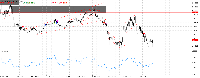
- Spread indicator MT5 Spread MetaTrader indicator — displays current spread in the main window of the chart. You can modify the font parameters, indicator's position and the normalization of the spread value. The spread is redrawn after each tick, ensuring the most current and active spread value. This can be useful for brokers with variable spreads or with spreads that are widened often. You can also enable a spread label to be shown near the current Bid line. The indicator is available for both MT4 and MT5.
- Total Power Indicator MT4 Total Power Indicator (MetaTrader indicator) — is based on the two standard indicators — Bear Power and Bull Power. The indicator calculates how many bullish and bearish bars were there during a given look-back period and then calculates the proportional index for bears, bulls, and total (calculated as the absolute difference between bulls and bears) for the current bar. This way, we get continuous lines of the relative average bear and bull power over a period, removing the main disadvantage of the original Bear/Bull Power indicators — the lack of a long-term perspective. The original MetaTrader 4 version of Total Power Indicator was created by Daniel Fernandez of Asirikuy.com in 2011. The version for MT5 is now also available.
- TD Sequential Ultimate MT4 TD Sequential Ultimate MetaTrader indicator shows all parts of the TD Sequential method developed by the legendary technical analyst, Tom DeMark. TD Sequential Ultimate displays Buy and Sell Setups, including the Setup Perfection arrows, Buy and Sell Countdowns, including the failed count 13 attempts, and TDST Support and Resistance levels. Unlike many other implementations of the TD Sequential method, this indicator offers multiple improvements:
- Support and Resistance MT4 Support and Resistance MetaTrader indicator — as the name of this indicator suggests, it displays the support and resistance levels. It shows them directly on the chart, providing an easy help when you want to set stop-loss or take-profit level, or when you want to see the next market target. This indicator uses the standard MetaTrader Fractals indicator (by Bill Williams' method) and has no changeable input parameters. This indicator is available for MetaTrader version 4 and 5.
- Spread indicator MT4 Spread MetaTrader indicator — displays current spread in the main window of the chart. You can modify the font parameters, indicator's position and the normalization of the spread value. The spread is redrawn after each tick, ensuring the most current and active spread value. This can be useful for brokers with variable spreads or with spreads that are widened often. You can also enable a spread label to be shown near the current Bid line. The indicator is available for both MT4 and MT5.