HorizonsFX Stability
- Experts
-
Sofien Kaabar
 Quant Atlas 📈 builds quantitative market intelligence tools for traders and market researchers.
🔹Our work focuses on algorithmic support and resistance levels, market structure analytics, conviction frameworks, path probability, and decision support indicators for MetaTrader 5. - Version: 1.23
- Activations: 5
HorizonsFX Stability is a multi currency Expert Advisor for MetaTrader 5 designed to trade major FX pairs using a structured daily signal model. The system scans several major currency pairs, evaluates directional pressure, volatility behavior, and market structure conditions, then opens trades when the internal score reaches a valid setup.
Creator: https://www.quant-atlas.com/
The product is designed for traders who want a systematic FX robot with clear risk controls, multi pair diversification, and simple fixed lot execution. HorizonsFX Balanced does not use martingale, grid trading, position averaging, or recovery logic.
Main Concept
HorizonsFX Stability focuses on daily market structure across major FX pairs. Instead of relying on a single indicator, the Expert Advisor combines several internal conditions into a directional model. The goal is to identify moments where price behavior, volatility, and directional pressure align enough to justify a trade.
The strategy is built around a balanced approach. It is not designed to open many random trades, chase every market move, or increase lot size after losses. Each trade is handled independently with predefined exit logic and risk controls.
Trading Universe
By default, HorizonsFX Balanced scans and trades six major FX pairs:
EURUSD
USDJPY
USDCHF
AUDUSD
USDCAD
GBPUSD
The Expert Advisor supports multi symbol trading from one chart. This means you can attach the EA to one chart and allow it to monitor the full configured currency list.
The symbol list can be adjusted in the inputs if your broker uses different symbols or suffixes.
Recommended Timeframe
The timeframe is: D1
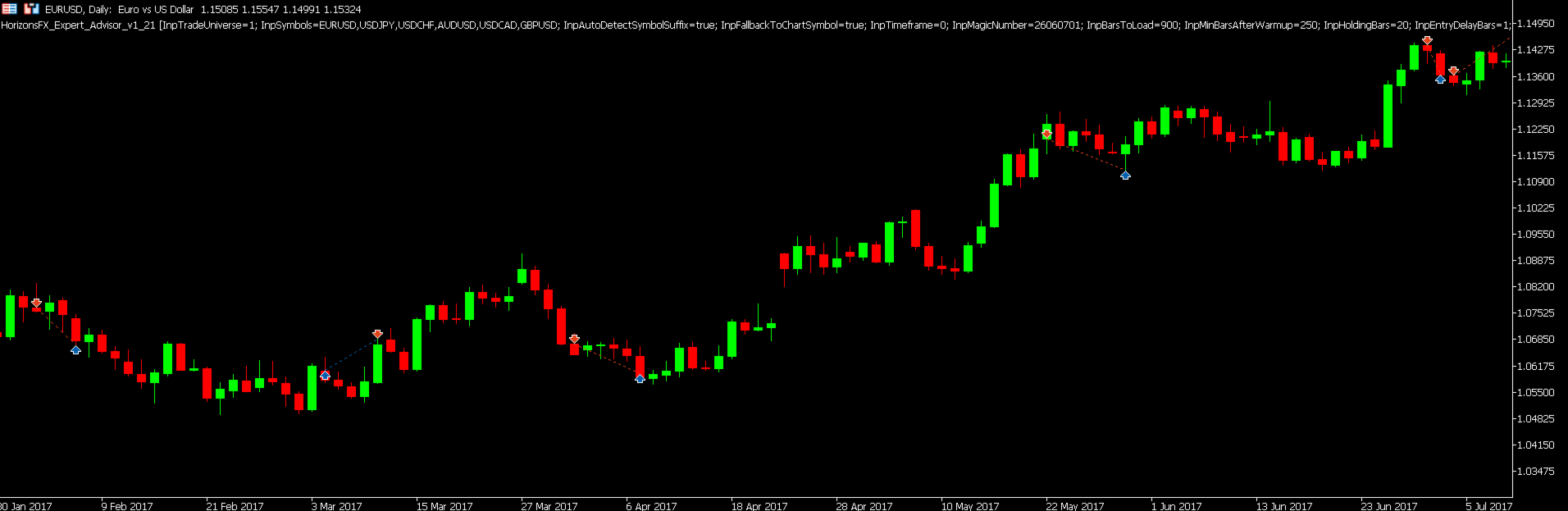
HorizonsFX Stability is designed around daily bars. The EA evaluates signals on closed candles to avoid reacting to incomplete intraday noise. This makes the system more stable and easier to test compared with very short term scalping robots.
Strategy Style
HorizonsFX Balanced is a systematic multi currency FX strategy.
The model evaluates:
- Market direction
- Daily price structure
- Volatility conditions
- Reversal and continuation pressure
- Internal conviction strength
- Risk controlled exit conditions
The exact formula and signal structure are proprietary, but the Expert Advisor is designed to be transparent from a trading behavior perspective. It opens market positions, applies risk management rules, and exits based on the configured holding and ATR based logic.
Risk Management
HorizonsFX Balanced includes several risk controls:
- Fixed lot sizing
- Maximum concurrent positions
- Maximum trades per pair
- Spread filter based on live broker spread
- Stop loss and target logic based on market volatility
- Optional holding period exit
- Symbol availability checks
- Margin checks before order execution
- Broker volume normalization
- Automatic handling of minimum and maximum lot rules
The default commercial setting uses fixed lot execution. This makes the EA easier to understand, easier to backtest, and easier to compare across different accounts.
No Martingale, No Grid, No Averaging
HorizonsFX Stability does not use:
Martingale
Grid trading
Loss recovery multiplication
Averaging down
Hedge recovery systems
Hidden position scaling
This is important because many robots rely on increasing exposure after losing trades. HorizonsFX uses a cleaner trade by trade structure instead.
Suggested Backtest Configuration
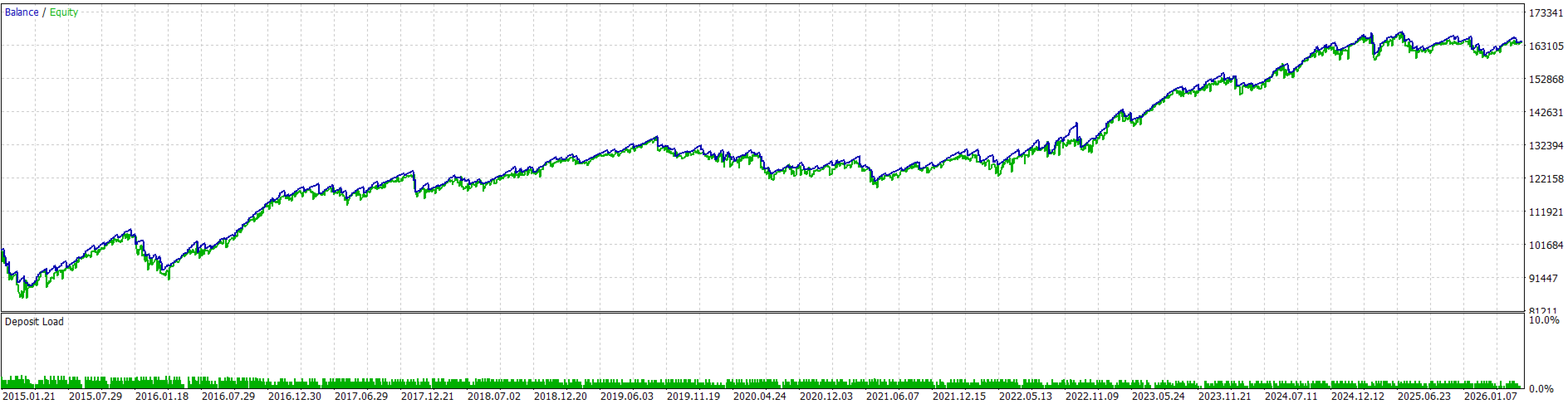
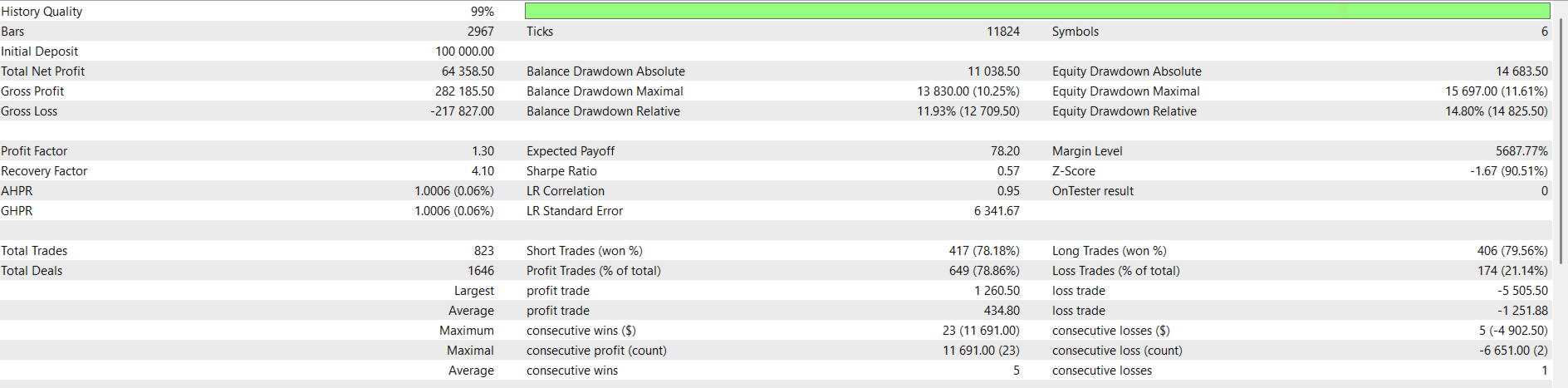
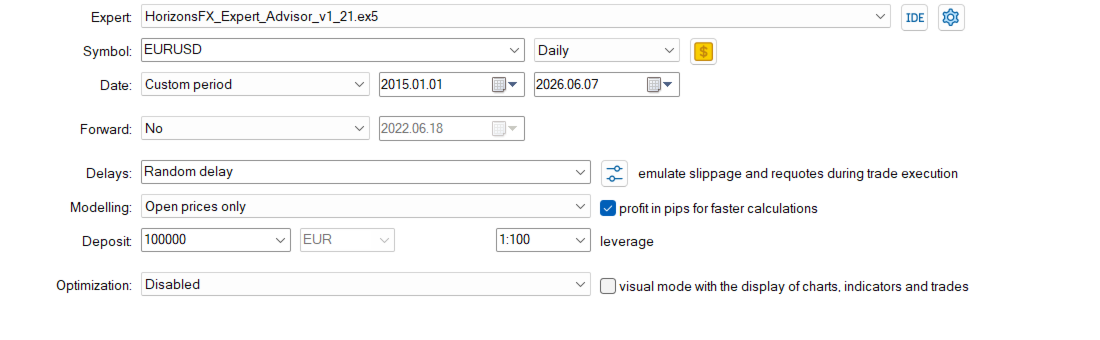
The following configuration was used for the balanced example test:
Initial deposit: 100,000
Leverage: 1:100
Trading universe: EURUSD, USDJPY, USDCHF, AUDUSD, USDCAD, GBPUSD
Timeframe: D1
Position size: fixed 0.50 lot per trade
Modeling mode: real ticks or high quality tick modeling
Execution style: fixed lot multi currency trading
Risk model: no martingale, no grid, no averaging
Backtest results depend on broker data, spreads, commissions, swaps, execution model, historical period, and user selected inputs. Users should run their own tests with their own broker data before using the Expert Advisor on a live account.
As the bars are daily, the spread has a much smaller impact on profitability.
Input Parameters
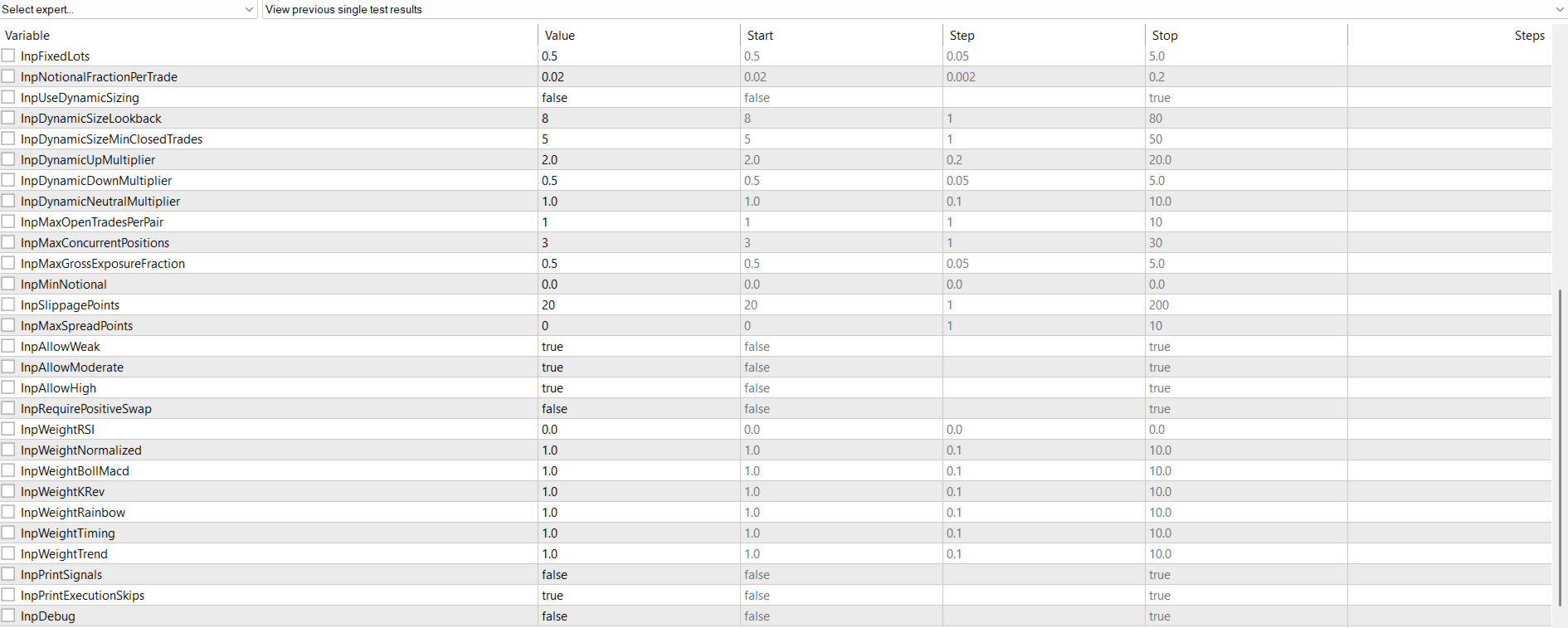
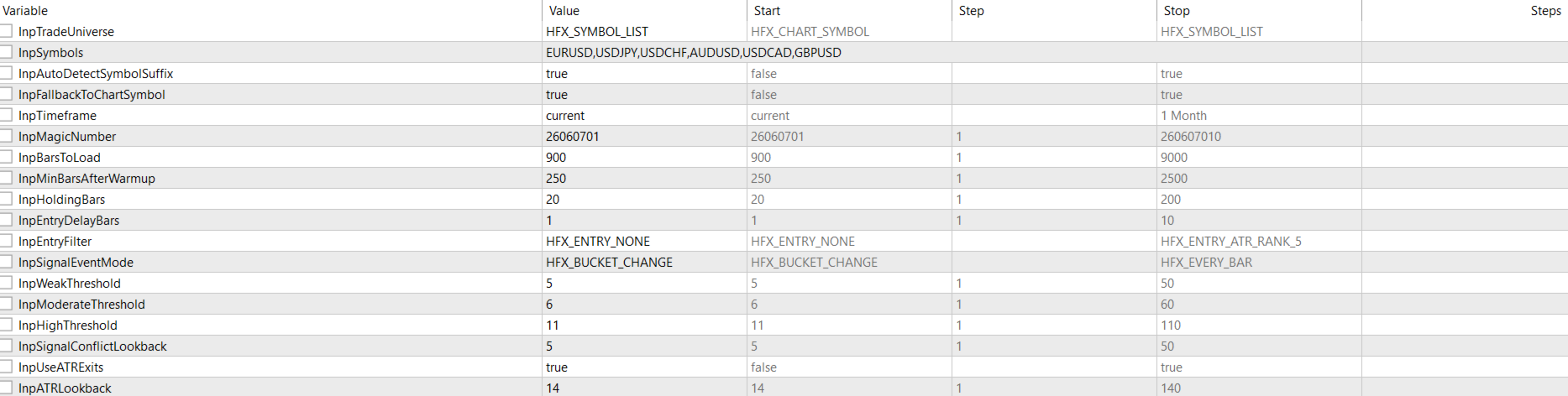
The main inputs allow the user to control how the Expert Advisor trades.
Trading universe
Choose whether the EA trades the chart symbol only or the full configured symbol list.
Symbol list
Defines the currency pairs monitored by the EA.
Fixed lot size
Controls the lot size used for each trade.
Maximum concurrent positions
Limits the total number of open positions across all traded symbols.
Maximum open trades per pair
Controls how many trades can be open on the same currency pair.
Maximum spread filter
Prevents new trades when the broker spread is above the selected limit. The spread is read directly from the broker or Strategy Tester environment.
ATR based target and stop settings
Controls the volatility based exit behavior.
Holding period
Defines the maximum number of bars a trade can remain open, depending on the selected exit configuration.
Magic number
Keeps HorizonsFX Balanced positions separate from other Expert Advisors or manual trades.
Execution logs
Can be enabled for testing and disabled for normal operation.
Recommended Use
HorizonsFX Stability is best suited for traders who want:
A multi currency FX robot
Daily timeframe trading
A systematic strategy with controlled exposure
Simple fixed lot risk management
No martingale or grid logic
A cleaner alternative to high frequency scalping robots
A strategy that can be tested across several major FX pairs
The EA should first be tested on a demo account. Users should adjust lot size according to their account size, leverage, broker conditions, and personal risk tolerance.
Important Notes
The Expert Advisor is designed for MetaTrader 5.
The recommended timeframe is D1.
The EA can trade several symbols from one chart.
Broker symbol names may vary. Some brokers use suffixes such as EURUSDm, EURUSD.pro, or EURUSD.r. If needed, adjust the symbol list in the inputs.
Spread, slippage, swap, commission, and execution quality can affect results.
A larger lot size increases both profit potential and drawdown.
Past backtest performance does not guarantee future live performance.
Risk Disclaimer
Trading foreign exchange and leveraged financial products involves risk. HorizonsFX Stability is an automated trading tool and does not provide investment advice, financial advice, or portfolio management services.
Past performance, backtests, simulations, screenshots, and historical examples do not guarantee future results. Live trading results may differ from backtested results because of spreads, slippage, execution delays, swaps, commissions, liquidity, broker settings, and market conditions.
Users are responsible for testing the Expert Advisor on a demo account, selecting appropriate lot sizes, monitoring performance, and deciding whether the product is suitable for their personal financial situation and risk tolerance.
By using HorizonsFX Stability, the user accepts full responsibility for all trading decisions and any resulting gains or losses.