LiquiditySweepProEA
- Experts
- Zuhdan Mohammad Ubay
- Version: 3.3
- Activations: 5
Smart Money · Liquidity Sweep · Break of Structure · MetaTrader 5
OVERVIEW
LiquiditySweep Pro EA is a fully automated Expert Advisor built on the Smart Money Concept (SMC) — one of the most powerful approaches in modern professional trading. It detects when large market participants hunt stop-loss clusters below swing lows or above swing highs, then exploits the resulting price reversal for high-probability entries.
Unlike simple trend-following robots, this EA trades market structure. It identifies exactly where liquidity was taken, confirms a Break of Structure (BOS), requires a bullish or bearish confirmation candle, and only then enters — giving you a clear and defined reason for every single trade.
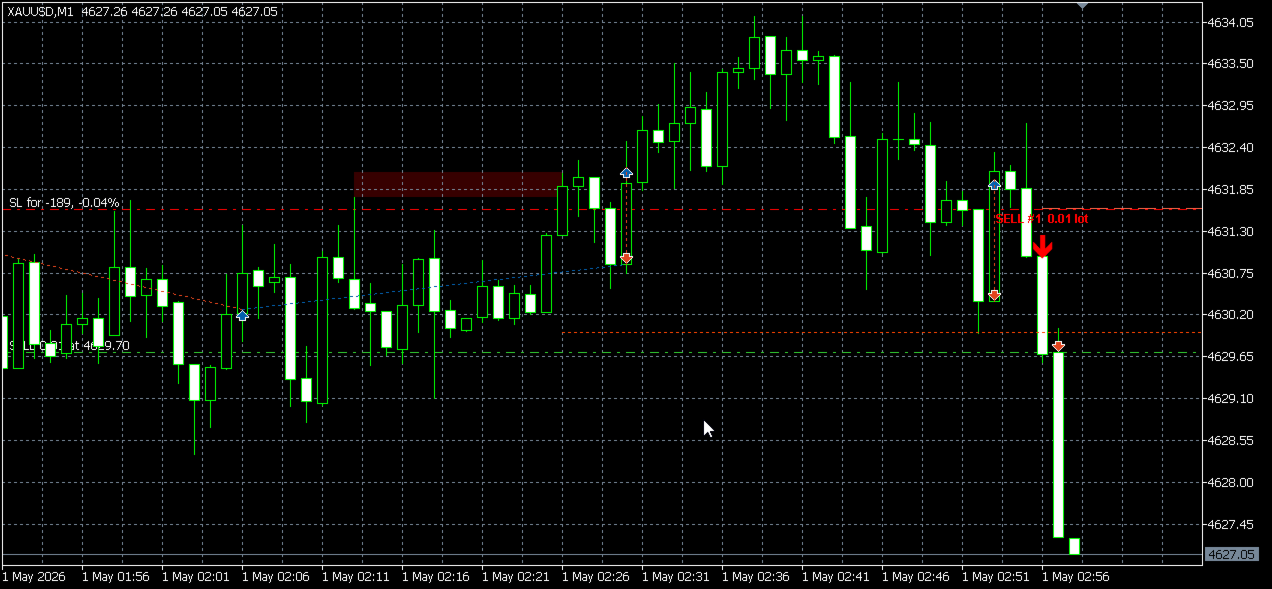
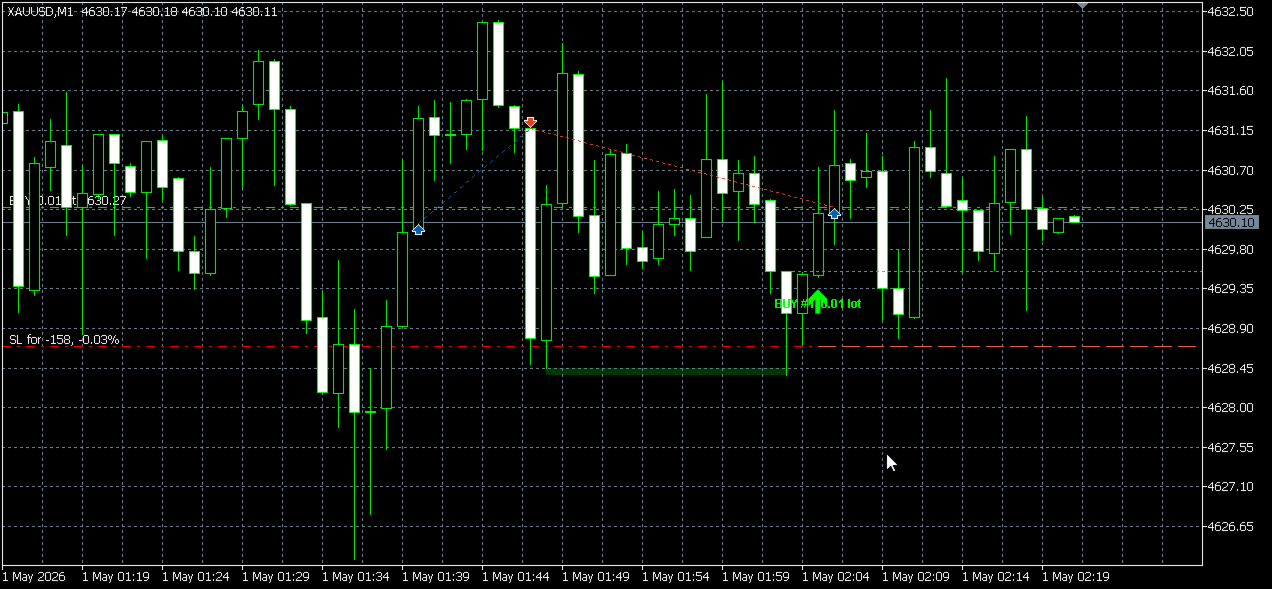
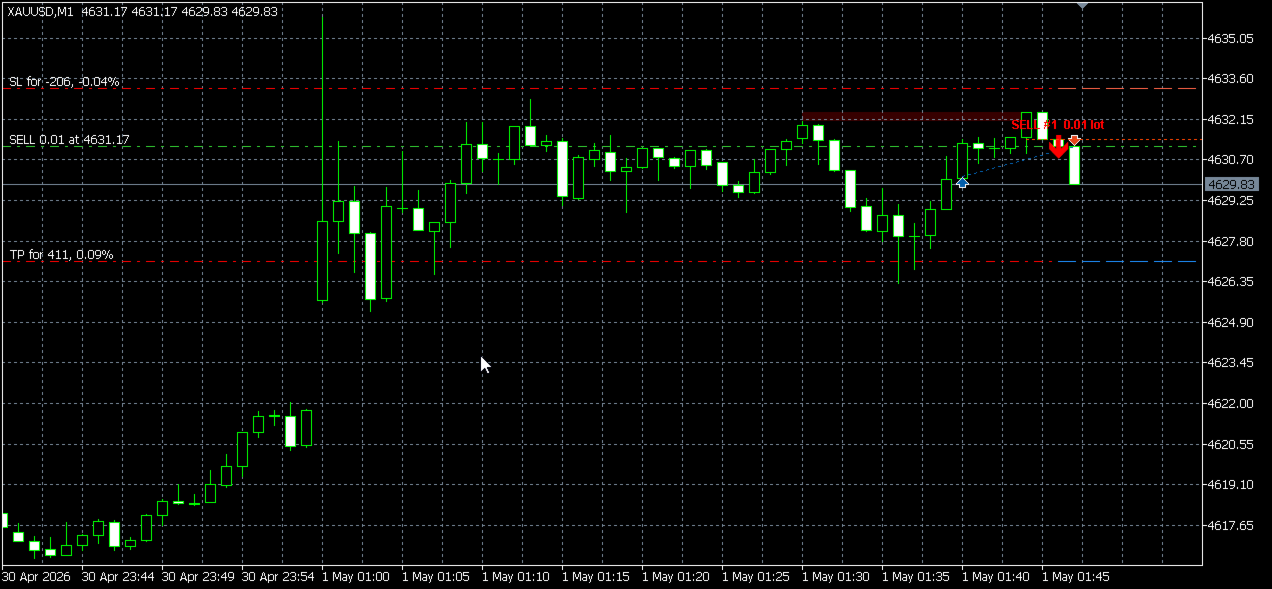
No black box. Every trade is drawn on the chart in real time: the sweep zone, the BOS level, the signal arrow, and the SL/TP lines. All drawings disappear automatically when the trade is closed.
HOW IT WORKS
-
Swing detection — The EA scans recent bars for significant swing highs and lows using a configurable lookback window. These are the price levels where retail traders typically cluster their stop-loss orders.
-
Liquidity sweep confirmed — A candle wicks below a swing low (BUY setup) or above a swing high (SELL setup), taking out the liquidity pool. The swept zone is highlighted on the chart as a filled rectangle.
-
Break of Structure (BOS) — Price must close back above the swept level (BUY) or below it (SELL), then break the recent structural high or low. This confirms institutional intent and filters out false sweeps.
-
Candle confirmation — A minimum body-to-range ratio and ATR size filter ensures the entry candle has real momentum, avoiding small indecisive bars that produce whipsaws.
-
Entry, SL and TP placed — The order is sent at market on bar close. Stop-Loss and Take-Profit are calculated automatically as ATR multiples, adapting to current market volatility.
-
Opposite signal closes trade — When a valid signal fires in the opposite direction, the EA closes all open positions before entering the new trade, keeping your exposure clean and your chart uncluttered.
KEY FEATURES
- Pure Smart Money logic — Swing detection, sweep confirmation, BOS filter, and candle body filter combined into one coherent system.
- ATR-adaptive risk — Stop-Loss and Take-Profit distances scale with Average True Range, automatically adjusting to the market's current volatility.
- Stepped pyramiding — Optionally add up to N positions in the same direction as a trend develops, each with a minimum bar gap and scalable lot sizing.
- Opposite-signal exit — Positions are closed the moment a counter-signal is confirmed. No manual intervention required.
- Full chart visualization — Entry arrow, sweep zone rectangle, BOS dotted ray, SL and TP dashed lines, and a signal label are all drawn per trade.
- Auto-clean drawings — Chart objects are registered to the position ticket. When the trade closes for any reason — SL hit, TP hit, manual close, or opposite signal — every drawing is removed instantly.
- Session filter — Optionally restrict trading to London (08:00–12:00) and New York (13:00–20:00) sessions to avoid low-liquidity periods.
- EMA trend filter — Optional EMA confirmation ensures entries are taken only in the direction of the prevailing trend.
- Signal gap control — Minimum bar gap between signals prevents overtrading on consecutive candles.
- Works on any symbol and timeframe — Forex majors, indices, metals, crypto — any instrument available in MetaTrader 5.
CHART DRAWINGS (per active trade)
- Arrow — Lime up-arrow (BUY) or red down-arrow (SELL) at the signal bar, identical to the companion indicator style.
- Sweep zone — Filled rectangle from the swing point to the sweep candle, rendered behind price candles so it never obscures the chart.
- BOS ray — Dotted horizontal line at the Break of Structure level, extending to the right until the trade closes.
- SL line — Dashed red horizontal ray at the exact Stop-Loss price.
- TP line — Dashed blue horizontal ray at the exact Take-Profit price.
- Signal label — Text tag showing direction, step number, and lot size. Hover tooltip shows the full ATR value used for that entry.
All drawings are tied to the position ticket and removed automatically on trade close.
INPUT PARAMETERS
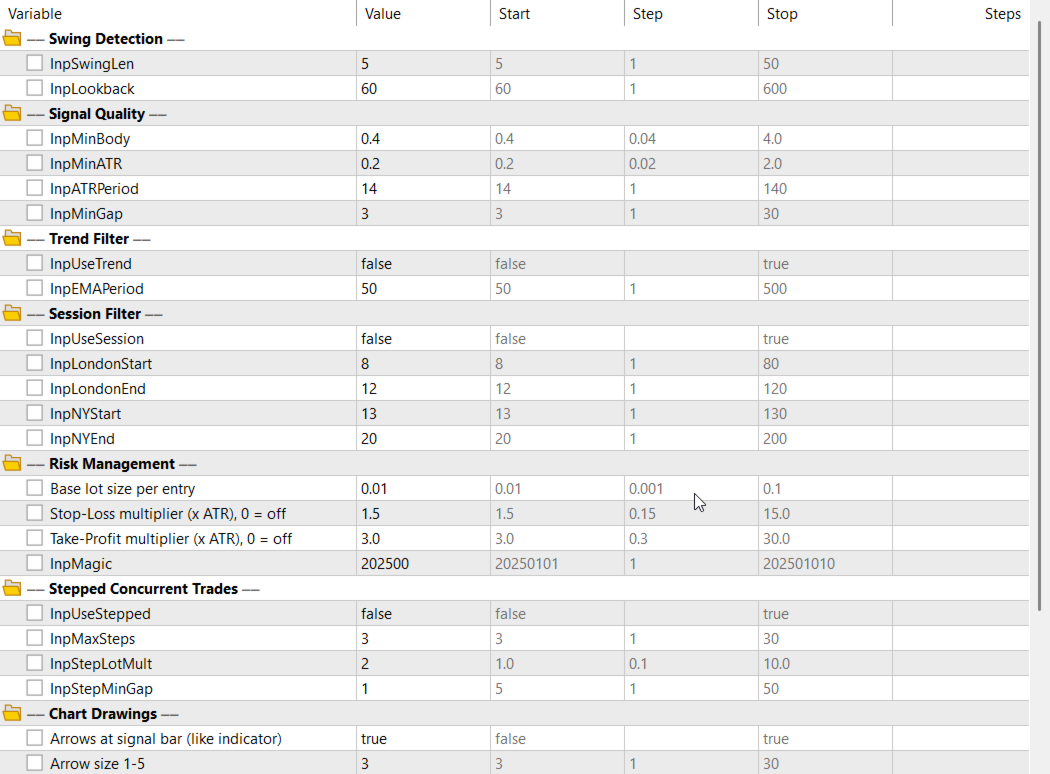
── Swing Detection ──
- InpSwingLen (default: 5) — Number of bars to the left and right required to qualify a pivot as a valid swing high or low. Higher values find stronger, less frequent swings.
- InpLookback (default: 60) — How many bars back the EA searches for the most recent swing point. Increase for longer-term structure, decrease for shorter-term setups.
── Signal Quality ──
- InpMinBody (default: 0.4) — Minimum candle body as a fraction of the total candle range (0.4 = 40%). Filters out doji and indecision candles. Set to 0 to disable.
- InpMinATR (default: 0.2) — Minimum candle range as a multiple of ATR. Filters out tiny candles that lack momentum. Set to 0 to disable.
- InpATRPeriod (default: 14) — Period used to calculate the Average True Range for both the candle filter and the SL/TP distance.
- InpMinGap (default: 3) — Minimum number of bars that must pass between any two signals. Prevents the EA from firing on consecutive bars during choppy conditions.
── Trend Filter ──
- InpUseTrend (default: false) — Enable or disable the EMA trend filter. When enabled, BUY signals are only taken above the EMA and SELL signals only below it.
- InpEMAPeriod (default: 50) — Period of the Exponential Moving Average used for trend direction when InpUseTrend is true.
── Session Filter ──
- InpUseSession (default: false) — Enable or disable the trading session filter. When enabled, the EA only trades during the specified London and New York windows.
- InpLondonStart (default: 8) — Hour (server time) when the London session window opens.
- InpLondonEnd (default: 12) — Hour (server time) when the London session window closes.
- InpNYStart (default: 13) — Hour (server time) when the New York session window opens.
- InpNYEnd (default: 20) — Hour (server time) when the New York session window closes.
── Risk Management ──
- InpLotSize (default: 0.01) — Base lot size for the first position. In stepped mode, subsequent positions are multiplied from this value.
- InpSL_ATR (default: 1.5) — Stop-Loss distance as a multiple of ATR from the entry price. Set to 0 to trade without a Stop-Loss (not recommended).
- InpTP_ATR (default: 3.0) — Take-Profit distance as a multiple of ATR from the entry price. Set to 0 to trade without a Take-Profit.
- InpMagic (default: 202500) — Magic number that identifies this EA's orders. Change if running multiple instances on the same account.
── Stepped Concurrent Trades ──
- InpUseStepped (default: false) — Enable pyramiding mode. When true, the EA can open multiple positions in the same direction as new signals occur.
- InpMaxSteps (default: 3) — Maximum number of concurrent positions allowed in one direction. The EA will not open more than this many trades on the same side.
- InpStepLotMult (default: 1.0) — Lot size multiplier applied to each additional step. Set to 1.0 for equal sizing, above 1.0 to increase size with each step.
- InpStepMinGap (default: 5) — Minimum number of bars that must separate two stepped entries in the same direction, preventing rapid stacking.
── Chart Drawings ──
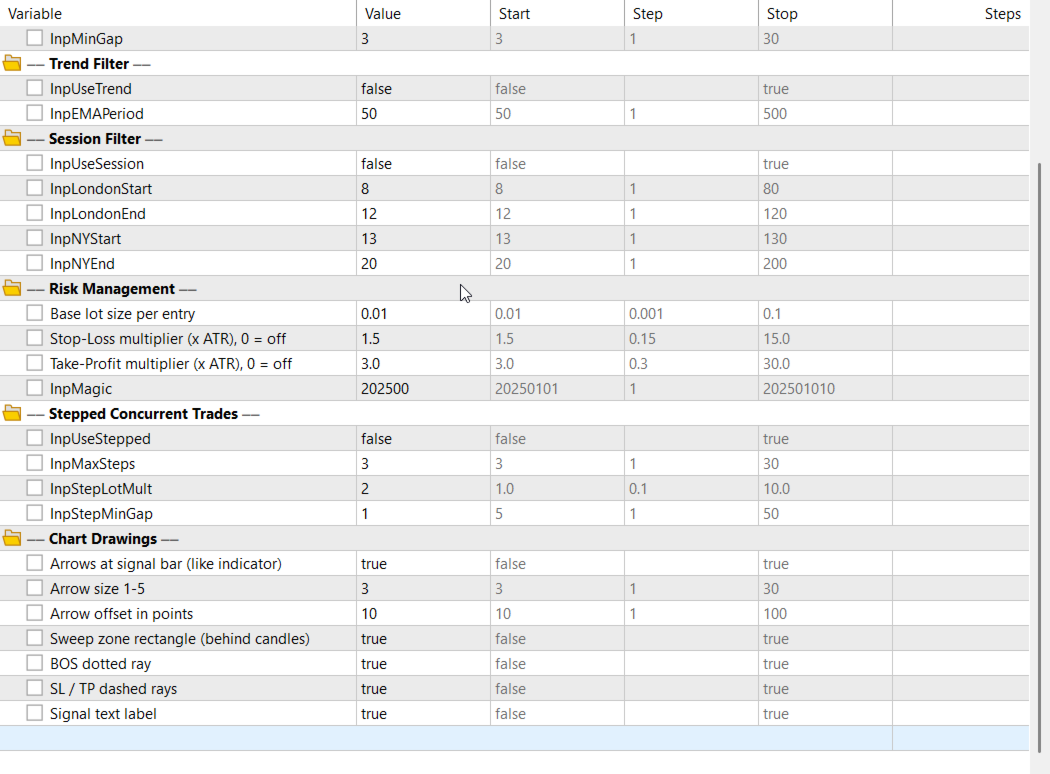
- InpDrawArrows (default: true) — Show or hide the BUY/SELL signal arrows on the chart.
- InpArrowSize (default: 3) — Arrow width in pixels (1 = thin, 5 = thick).
- InpArrowShift (default: 10) — Distance in points between the arrow tip and the bar's high or low.
- InpDrawSweep (default: true) — Show or hide the liquidity sweep zone rectangle.
- InpDrawBOS (default: true) — Show or hide the Break of Structure dotted ray.
- InpDrawSLTP (default: true) — Show or hide the SL and TP dashed horizontal lines.
- InpDrawLabel (default: true) — Show or hide the signal text label above or below the arrow.
COMPATIBILITY
- Platform: MetaTrader 5
- Trading mode: Any (Hedge or Netting accounts)
- Symbols: All — Forex, Metals, Indices, Crypto, Commodities
- Timeframes: All — best results on M15, H1, H4
- Minimum deposit: Depends on lot size and instrument margin
- Version: 3.00
ubayresearch.org — Research-driven algorithmic trading tools