Alexander Zelchert / Perfil
- Información
|
9+ años
experiencia
|
102
productos
|
971
versiones demo
|
|
2
trabajos
|
2
señales
|
0
suscriptores
|
______________ AW Trading Software ______________
📢 mql5com channel 👉 https://www.mql5.com/en/channels/awtradingsoftware
📢 Telegram channel 👉 https://t.me/AWSoftware
🎞️ YouTube 👉 https://www.youtube.com/@awtradingsoftware
__________⭐⭐⭐⭐⭐ 👇🏻 Top 👇🏻 ⭐⭐⭐⭐__________
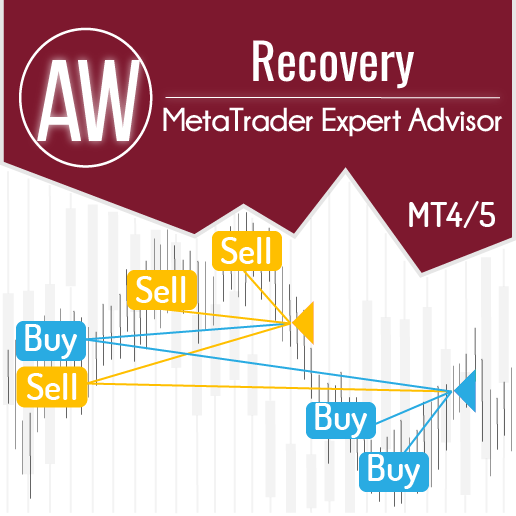
✅ "AW Recovery"
Sistema para recuperar posiciones perdedores
👉 MT4 https://www.mql5.com/es/market/product/49453
👉 MT5 https://www.mql5.com/es/market/product/49692
📌 Instrucciones de configuración del asesor
👉 https://www.mql5.com/en/blogs/post/736552
____________________🔹 Products 🔹_____________________
💎 Asesores comerciales 💎
👉 MT4 https://www.mql5.com/es/market/mt4/expert?Filter=nechaevrealle
👉 MT5 https://www.mql5.com/es/market/mt5/expert?Filter=nechaevrealle
💎 Utilidades comerciales 💎
👉 MT4 https://www.mql5.com/es/market/mt4/utility?Filter=nechaevrealle
👉 MT5 https://www.mql5.com/es/market/mt5/utility?Filter=nechaevrealle
💎 Indicadores técnicos 💎
👉 MT4 https://www.mql5.com/es/market/mt4/indicator?Filter=nechaevrealle
👉 MT5 https://www.mql5.com/es/market/mt5/indicator?Filter=nechaevrealle
_____________________ 🔹 Blog 🔹 ______________________
📌 Todas las instrucciones en mi blog - https://www.mql5.com/en/users/nechaevrealle/blog
📢 mql5com channel 👉 https://www.mql5.com/en/channels/awtradingsoftware
📢 Telegram channel 👉 https://t.me/AWSoftware
🎞️ YouTube 👉 https://www.youtube.com/@awtradingsoftware
__________⭐⭐⭐⭐⭐ 👇🏻 Top 👇🏻 ⭐⭐⭐⭐__________
✅ "AW Recovery"
Sistema para recuperar posiciones perdedores
👉 MT4 https://www.mql5.com/es/market/product/49453
👉 MT5 https://www.mql5.com/es/market/product/49692
📌 Instrucciones de configuración del asesor
👉 https://www.mql5.com/en/blogs/post/736552
____________________🔹 Products 🔹_____________________
💎 Asesores comerciales 💎
👉 MT4 https://www.mql5.com/es/market/mt4/expert?Filter=nechaevrealle
👉 MT5 https://www.mql5.com/es/market/mt5/expert?Filter=nechaevrealle
💎 Utilidades comerciales 💎
👉 MT4 https://www.mql5.com/es/market/mt4/utility?Filter=nechaevrealle
👉 MT5 https://www.mql5.com/es/market/mt5/utility?Filter=nechaevrealle
💎 Indicadores técnicos 💎
👉 MT4 https://www.mql5.com/es/market/mt4/indicator?Filter=nechaevrealle
👉 MT5 https://www.mql5.com/es/market/mt5/indicator?Filter=nechaevrealle
_____________________ 🔹 Blog 🔹 ______________________
📌 Todas las instrucciones en mi blog - https://www.mql5.com/en/users/nechaevrealle/blog
Alexander Zelchert
AW Breakouts Dashboard is a great addition to the AW Breakouts Catcher indicator, which will expand the opportunities for breakdown trading.
After After the purchase of the AW Breakouts Catcher, write to me on this page https://www.mql5.com/en/users/nechaevrealle/news to get your Breakouts Dashboard for free.
Get MT4 Version
👉 https://www.mql5.com/en/market/product/25582
Get MT5 Version
👉 https://www.mql5.com/en/market/product/28263
🔹 get your Breakouts Dashboard for free 🔹
After After the purchase of the AW Breakouts Catcher, write to me on this page https://www.mql5.com/en/users/nechaevrealle/news to get your Breakouts Dashboard for free.
Get MT4 Version
👉 https://www.mql5.com/en/market/product/25582
Get MT5 Version
👉 https://www.mql5.com/en/market/product/28263
🔹 get your Breakouts Dashboard for free 🔹
Alexander Zelchert
Ha publicado el producto
Operaciones basadas en AW RVI en las señales del oscilador clásico Relative Vigor Index (RVI). Para salir de posiciones, utiliza un sistema inteligente de seguimiento y promediado mediante órdenes pendientes. El Asesor Experto tiene una función integrada de cálculo automático de gestión de riesgos, configuraciones flexibles y muchos escenarios de trabajo. Resolución de problemas -> AQUÍ ventajas: Sistema de comercio automatizado flexible, Sistema de arrastre ajustable incorporado
Alexander Zelchert
_______AW Stochastic EA_______
Automated advanced trading system. The EA trades on the signals of the classic Stochastic indicator. To exit positions, it uses an intelligent trailing system and averaging using pending orders.
✅ MT4 version
👉 https://www.mql5.com/en/market/product/87093
✅ MT5 version
https://www.mql5.com/en/market/product/87758
🎬 Video 👉 https://youtu.be/MIlaWdH39AU
Advantages:
* Fully automated trading system
* Customizable oscillator signals for robot operation
* Intuitively easy setting of input variables
* Suitable for all types of instruments and any timeframes
* Built-in adjustable trailing system
Strategy:
The Stochastic indicator allows you to determine: using the overbought and oversold values, an excessively low or high price level and the possibility for a price reversal
The stochastic oscillator consists of two lines, on a scale from 0 to 100. Anything above the top line is overbought, anything below the bottom line is oversold.
Recommended values: 80/20 for conservative work, 70/30 for aggressive work
Oscillator lines: %K, displays the current closing price in relation to the selected price range
%D – the usual simple moving average calculated on the basis of the %K line, also adjusting the level of smoothing, the lower the value, the sharper the fluctuations
Market Entry:
The signal to enter a short position is the crossing of the overbought level (80%) by the %K line from top to bottom. Similarly, a signal to buy is the crossing of the oversold level (20%) by the K% line from the bottom up
Recommended values are from 10/3/3 to 21/14/14
Exit from a position:
After the adviser opens an order:
1 - If the position goes in a profitable direction, then the trailing stop is activated. The position will be closed using the smart trailing system
2 - If the position goes into a loss-making direction, then the averaging function is applied using pending orders
Automated advanced trading system. The EA trades on the signals of the classic Stochastic indicator. To exit positions, it uses an intelligent trailing system and averaging using pending orders.
✅ MT4 version
👉 https://www.mql5.com/en/market/product/87093
✅ MT5 version
https://www.mql5.com/en/market/product/87758
🎬 Video 👉 https://youtu.be/MIlaWdH39AU
Advantages:
* Fully automated trading system
* Customizable oscillator signals for robot operation
* Intuitively easy setting of input variables
* Suitable for all types of instruments and any timeframes
* Built-in adjustable trailing system
Strategy:
The Stochastic indicator allows you to determine: using the overbought and oversold values, an excessively low or high price level and the possibility for a price reversal
The stochastic oscillator consists of two lines, on a scale from 0 to 100. Anything above the top line is overbought, anything below the bottom line is oversold.
Recommended values: 80/20 for conservative work, 70/30 for aggressive work
Oscillator lines: %K, displays the current closing price in relation to the selected price range
%D – the usual simple moving average calculated on the basis of the %K line, also adjusting the level of smoothing, the lower the value, the sharper the fluctuations
Market Entry:
The signal to enter a short position is the crossing of the overbought level (80%) by the %K line from top to bottom. Similarly, a signal to buy is the crossing of the oversold level (20%) by the K% line from the bottom up
Recommended values are from 10/3/3 to 21/14/14
Exit from a position:
After the adviser opens an order:
1 - If the position goes in a profitable direction, then the trailing stop is activated. The position will be closed using the smart trailing system
2 - If the position goes into a loss-making direction, then the averaging function is applied using pending orders
Alexander Zelchert
AW Trend Pad is a great addition to the AW Trend Predictor indicator, which will expand the opportunities for trend trading.
After the purchase of the AW Trend Predictor , write to me on this page https://www.mql5.com/en/users/nechaevrealle/news to get your Trend Pad for free .
Get MT4 Version
👉 https://www.mql5.com/en/market/product/43299
Get MT5 Version
👉 https://www.mql5.com/en/market/product/28260
🔹 get your Trend Pad for free 🔹
After the purchase of the AW Trend Predictor , write to me on this page https://www.mql5.com/en/users/nechaevrealle/news to get your Trend Pad for free .
Get MT4 Version
👉 https://www.mql5.com/en/market/product/43299
Get MT5 Version
👉 https://www.mql5.com/en/market/product/28260
🔹 get your Trend Pad for free 🔹
Alexander Zelchert
⭐⭐⭐⭐⭐ AW Recovery EA ⭐⭐⭐⭐⭐
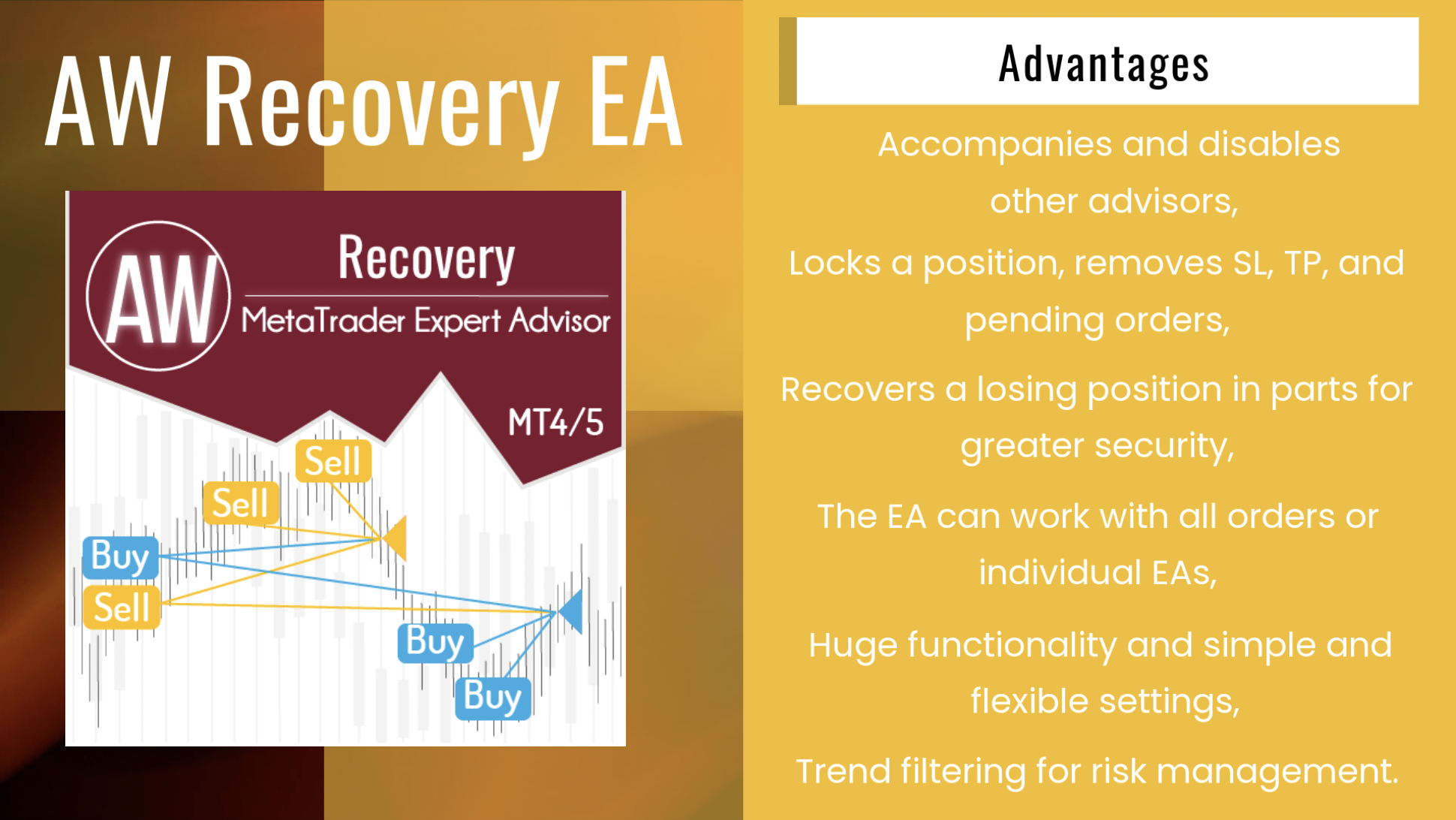
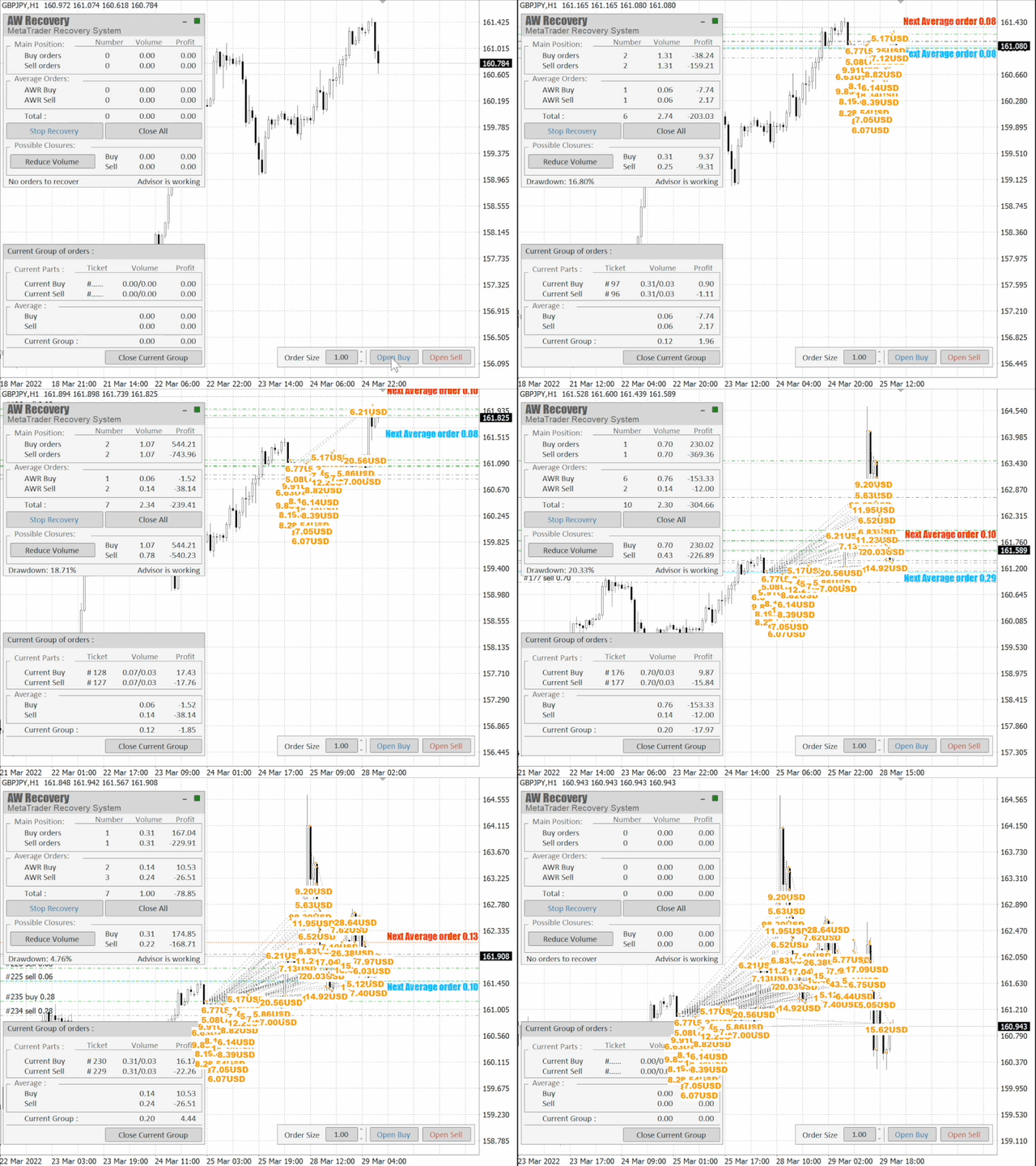
AW Recovery EA is a system designed to restore unprofitable positions. The author's algorithm locks a losing position, splits it into many separate parts, and closes each of them separately. Easy setup, delayed launch in case of drawdown, locking, disabling other Expert Advisors, averaging with trend filtering and partial closing of a losing position are built into one tool.
It is the use of closing losses in parts that allows you to reduce losses with a smaller deposit load, which ensures safer work with losses, unlike grid strategies that close orders only in whole groups.
✅How orders are restored:
⭐ AW Recovery can accompany other advisors and turn them off at the right time
⭐ The EA automatically locks the position, resets TP and SL levels, and deletes pending orders
⭐ Restores a losing position in parts, allowing you to work with a lower deposit load
⭐ Can be used to recover the loss of individual Expert Advisors or work on the current symbol
⭐ The robot combines functionality with simple and flexible settings for each specific situation
⭐ Built-in many protective functions, trend filtering, overlapping, etc. for risk management
✅How to trade with an advisor:
❗Step 1: Adjust the pitch and volumes
Adjust the volume of the first averaging order
Adjust the step for averaging orders
Adjust the ratio between averaging and closing and their volumes
❗Step 2: Set up additional features
Select period for trend filter(If used)
Choose a multiplier for averaging orders
Select Take Profit to close parts of a losing position with a specified profit
❗Step 3: Disable Other Expert Advisors
Disable other Expert Advisors working with these orders
Or let AW Recovery disable these Expert Advisors
Or work without locking
Get MT4 Version
👉 https://www.mql5.com/en/market/product/49453
Get MT5 Version
👉 https://www.mql5.com/en/market/product/49692
🎬 Video instruction 👉 https://youtu.be/Sx_QwmvSAEY
AW Recovery EA is a system designed to restore unprofitable positions. The author's algorithm locks a losing position, splits it into many separate parts, and closes each of them separately. Easy setup, delayed launch in case of drawdown, locking, disabling other Expert Advisors, averaging with trend filtering and partial closing of a losing position are built into one tool.
It is the use of closing losses in parts that allows you to reduce losses with a smaller deposit load, which ensures safer work with losses, unlike grid strategies that close orders only in whole groups.
✅How orders are restored:
⭐ AW Recovery can accompany other advisors and turn them off at the right time
⭐ The EA automatically locks the position, resets TP and SL levels, and deletes pending orders
⭐ Restores a losing position in parts, allowing you to work with a lower deposit load
⭐ Can be used to recover the loss of individual Expert Advisors or work on the current symbol
⭐ The robot combines functionality with simple and flexible settings for each specific situation
⭐ Built-in many protective functions, trend filtering, overlapping, etc. for risk management
✅How to trade with an advisor:
❗Step 1: Adjust the pitch and volumes
Adjust the volume of the first averaging order
Adjust the step for averaging orders
Adjust the ratio between averaging and closing and their volumes
❗Step 2: Set up additional features
Select period for trend filter(If used)
Choose a multiplier for averaging orders
Select Take Profit to close parts of a losing position with a specified profit
❗Step 3: Disable Other Expert Advisors
Disable other Expert Advisors working with these orders
Or let AW Recovery disable these Expert Advisors
Or work without locking
Get MT4 Version
👉 https://www.mql5.com/en/market/product/49453
Get MT5 Version
👉 https://www.mql5.com/en/market/product/49692
🎬 Video instruction 👉 https://youtu.be/Sx_QwmvSAEY
Alexander Zelchert
⭐⭐⭐⭐⭐ "AW Workpad" ⭐⭐⭐⭐⭐
🔹 Multifunctional trading control panel designed for manual and semi-automatic trading
Get MT4 Version
👉 https://www.mql5.com/en/market/product/55886
Get MT5 Version
👉 https://www.mql5.com/en/market/product/56179
🔹 Multifunctional trading control panel designed for manual and semi-automatic trading
Get MT4 Version
👉 https://www.mql5.com/en/market/product/55886
Get MT5 Version
👉 https://www.mql5.com/en/market/product/56179
Alexander Zelchert
Thanks for sharing your feedback.
This is important for us!
Оur products 👉 https://www.mql5.com/en/users/nechaevrealle/seller
This is important for us!
Оur products 👉 https://www.mql5.com/en/users/nechaevrealle/seller
Alexander Zelchert
⭐⭐⭐⭐⭐ AW Equity Protection⭐⭐⭐⭐⭐
📌The utility monitors the work of other advisers on all instruments and helps to prevent a drawdown on the deposit.
In the event that another EA generates a loss, the utility will be able to turn it off and then lock or delete unprofitable positions, as well as send you notifications about this.
MT4 👉 https://www.mql5.com/en/market/product/79259
📌The utility monitors the work of other advisers on all instruments and helps to prevent a drawdown on the deposit.
In the event that another EA generates a loss, the utility will be able to turn it off and then lock or delete unprofitable positions, as well as send you notifications about this.
MT4 👉 https://www.mql5.com/en/market/product/79259
Alexander Zelchert
___💥💥💥 AW-Trading 💥💥💥___
✅ Our Trading Advisers
👉 MT4 https://www.mql5.com/en/market/mt4/expert?Filter=nechaevrealle
👉 MT5 https://www.mql5.com/en/market/mt5/expert?Filter=nechaevrealle
📈 Live Signals
👉 https://www.mql5.com/en/signals/author/nechaevrealle
📢 AW Trading Software Channel
👉 https://t.me/AWSoftware
✅ Our Trading Advisers
👉 MT4 https://www.mql5.com/en/market/mt4/expert?Filter=nechaevrealle
👉 MT5 https://www.mql5.com/en/market/mt5/expert?Filter=nechaevrealle
📈 Live Signals
👉 https://www.mql5.com/en/signals/author/nechaevrealle
📢 AW Trading Software Channel
👉 https://t.me/AWSoftware
Alexander Zelchert
The EA that trades using trend indicator signals AW Trend Predictor.
⭐⭐⭐⭐⭐ AW Trend Predictor EA⭐⭐⭐⭐⭐
Link to the product:
Get MT4 Version
👉 https://www.mql5.com/en/market/product/25748
Get MT5 Version
👉 https://www.mql5.com/en/market/product/26177
📈 Live signal
👉 https://www.mql5.com/en/signals/1102318
👉 https://www.mql5.com/en/signals/1893257
INSTRUCTION AND DESCRIPTION
📌 https://www.mql5.com/en/blogs/post/742453
⭐⭐⭐⭐⭐ AW Trend Predictor EA⭐⭐⭐⭐⭐
Link to the product:
Get MT4 Version
👉 https://www.mql5.com/en/market/product/25748
Get MT5 Version
👉 https://www.mql5.com/en/market/product/26177
📈 Live signal
👉 https://www.mql5.com/en/signals/1102318
👉 https://www.mql5.com/en/signals/1893257
INSTRUCTION AND DESCRIPTION
📌 https://www.mql5.com/en/blogs/post/742453
Alexander Zelchert
⭐⭐⭐⭐⭐ AW Breakout Catcher EA ⭐⭐⭐⭐⭐
AW Breakout Catcher EA that trades by indicator signals AW Breakout Catcher. The advisor works by a strategy to break the dynamic levels of support and resistance.
📈 Live signal
👉 https://www.mql5.com/en/signals/1102360
Get MT4 Version
👉 https://www.mql5.com/en/market/product/63457
Get MT5 Version
👉 https://www.mql5.com/en/market/product/63462
INSTRUCTION AND DESCRIPTION
👉 https://www.mql5.com/en/blogs/post/743111
📢 Our channel on Telegram
👉 https://t.me/AWSoftware
AW Breakout Catcher EA that trades by indicator signals AW Breakout Catcher. The advisor works by a strategy to break the dynamic levels of support and resistance.
📈 Live signal
👉 https://www.mql5.com/en/signals/1102360
Get MT4 Version
👉 https://www.mql5.com/en/market/product/63457
Get MT5 Version
👉 https://www.mql5.com/en/market/product/63462
INSTRUCTION AND DESCRIPTION
👉 https://www.mql5.com/en/blogs/post/743111
📢 Our channel on Telegram
👉 https://t.me/AWSoftware
Alexander Zelchert
Hello friends.
We have a private telegram group, only for our clients.
If you are already our customer, please send a confirmation of the purchase of any of our products and your name in the telegram to me in a private message in MQL5.
After that, I will invite you to our private group.
I will be glad if in our group you can communicate with each other and share experiences and set files.
And subscribe to our channel to be the first to know our news - https://t.me/AWSoftware
Sincerely.
We have a private telegram group, only for our clients.
If you are already our customer, please send a confirmation of the purchase of any of our products and your name in the telegram to me in a private message in MQL5.
After that, I will invite you to our private group.
I will be glad if in our group you can communicate with each other and share experiences and set files.
And subscribe to our channel to be the first to know our news - https://t.me/AWSoftware
Sincerely.
Alexander Zelchert
⭐⭐⭐⭐⭐ AW Recovery EA ⭐⭐⭐⭐⭐
AW Recovery EA is a system designed to restore unprofitable positions. The author's algorithm locks a losing position, splits it into many separate parts, and closes each of them separately. Easy setup, delayed launch in case of drawdown, locking, disabling other Expert Advisors, averaging with trend filtering and partial closing of a losing position are built into one tool.
It is the use of closing losses in parts that allows you to reduce losses with a smaller deposit load, which ensures safer work with losses, unlike grid strategies that close orders only in whole groups.
✅How orders are restored:
⭐ AW Recovery can accompany other advisors and turn them off at the right time
⭐ The EA automatically locks the position, resets TP and SL levels, and deletes pending orders
⭐ Restores a losing position in parts, allowing you to work with a lower deposit load
⭐ Can be used to recover the loss of individual Expert Advisors or work on the current symbol
⭐ The robot combines functionality with simple and flexible settings for each specific situation
⭐ Built-in many protective functions, trend filtering, overlapping, etc. for risk management
✅How to trade with an advisor:
❗Step 1: Adjust the pitch and volumes
Adjust the volume of the first averaging order
Adjust the step for averaging orders
Adjust the ratio between averaging and closing and their volumes
❗Step 2: Set up additional features
Select period for trend filter(If used)
Choose a multiplier for averaging orders
Select Take Profit to close parts of a losing position with a specified profit
❗Step 3: Disable Other Expert Advisors
Disable other Expert Advisors working with these orders
Or let AW Recovery disable these Expert Advisors
Or work without locking
Get MT4 Version
👉 https://www.mql5.com/en/market/product/49453
Get MT5 Version
👉 https://www.mql5.com/en/market/product/49692
🎬 Video instruction 👉 https://youtu.be/Sx_QwmvSAEY
AW Recovery EA is a system designed to restore unprofitable positions. The author's algorithm locks a losing position, splits it into many separate parts, and closes each of them separately. Easy setup, delayed launch in case of drawdown, locking, disabling other Expert Advisors, averaging with trend filtering and partial closing of a losing position are built into one tool.
It is the use of closing losses in parts that allows you to reduce losses with a smaller deposit load, which ensures safer work with losses, unlike grid strategies that close orders only in whole groups.
✅How orders are restored:
⭐ AW Recovery can accompany other advisors and turn them off at the right time
⭐ The EA automatically locks the position, resets TP and SL levels, and deletes pending orders
⭐ Restores a losing position in parts, allowing you to work with a lower deposit load
⭐ Can be used to recover the loss of individual Expert Advisors or work on the current symbol
⭐ The robot combines functionality with simple and flexible settings for each specific situation
⭐ Built-in many protective functions, trend filtering, overlapping, etc. for risk management
✅How to trade with an advisor:
❗Step 1: Adjust the pitch and volumes
Adjust the volume of the first averaging order
Adjust the step for averaging orders
Adjust the ratio between averaging and closing and their volumes
❗Step 2: Set up additional features
Select period for trend filter(If used)
Choose a multiplier for averaging orders
Select Take Profit to close parts of a losing position with a specified profit
❗Step 3: Disable Other Expert Advisors
Disable other Expert Advisors working with these orders
Or let AW Recovery disable these Expert Advisors
Or work without locking
Get MT4 Version
👉 https://www.mql5.com/en/market/product/49453
Get MT5 Version
👉 https://www.mql5.com/en/market/product/49692
🎬 Video instruction 👉 https://youtu.be/Sx_QwmvSAEY
Alexander Zelchert
💎 AW Metatrader to Telegram 💎
A utility that sends notifications to the Telegram messenger about any trading operations on your account.
MT4 👉 https://www.mql5.com/en/market/product/80020
MT5 👉 https://www.mql5.com/en/market/product/81256
📌 Instructions 👉 https://www.mql5.com/en/blogs/post/748832
A utility that sends notifications to the Telegram messenger about any trading operations on your account.
MT4 👉 https://www.mql5.com/en/market/product/80020
MT5 👉 https://www.mql5.com/en/market/product/81256
📌 Instructions 👉 https://www.mql5.com/en/blogs/post/748832
Alexander Zelchert
The EA that trades using trend indicator signals AW Trend Predictor.
⭐⭐⭐⭐⭐ AW Trend Predictor EA⭐⭐⭐⭐⭐
Link to the product:
Get MT4 Version
👉 https://www.mql5.com/en/market/product/25748
Get MT5 Version
👉 https://www.mql5.com/en/market/product/26177
📈 Live signal
👉 https://www.mql5.com/en/signals/1102318
INSTRUCTION AND DESCRIPTION
📌 https://www.mql5.com/en/blogs/post/742453
⭐⭐⭐⭐⭐ AW Trend Predictor EA⭐⭐⭐⭐⭐
Link to the product:
Get MT4 Version
👉 https://www.mql5.com/en/market/product/25748
Get MT5 Version
👉 https://www.mql5.com/en/market/product/26177
📈 Live signal
👉 https://www.mql5.com/en/signals/1102318
INSTRUCTION AND DESCRIPTION
📌 https://www.mql5.com/en/blogs/post/742453
Alexander Zelchert
_____🔹 AW Close By Profitables 🔹______
📌Closing orders for the current symbol or all symbols
📌The ability to close one or several unprofitable orders at a time
📌Selection of magic numbers and tickets for the closing
📌Selection of profitable and unprofitable orders in money, points, or percentage
📌Closing only BUY or SELL orders or closing all orders
📌Selecting the number of profitable orders in the basket to cover the loss
Get MT4 Version
👉 https://www.mql5.com/en/market/product/28258
Get MT5 Version
👉 https://www.mql5.com/en/market/product/62083
📌Closing orders for the current symbol or all symbols
📌The ability to close one or several unprofitable orders at a time
📌Selection of magic numbers and tickets for the closing
📌Selection of profitable and unprofitable orders in money, points, or percentage
📌Closing only BUY or SELL orders or closing all orders
📌Selecting the number of profitable orders in the basket to cover the loss
Get MT4 Version
👉 https://www.mql5.com/en/market/product/28258
Get MT5 Version
👉 https://www.mql5.com/en/market/product/62083
: